API documentation goes stale the moment code ships faster than someone can update a wiki. The endpoint changed, the example didn’t, and a developer burns an afternoon on a response field that no longer exists. The way out is docs-as-code: store documentation as files in your repository, review changes in pull requests, and rebuild the published site automatically on every merge. That’s what API docs with Git integration delivers.
It matters more now than it did a year ago. Documentation isn’t only read by people anymore. AI agents and coding assistants consume reference docs constantly, and they expect structured, current content pulled straight from the source. A docs platform wired into Git keeps the human-readable site and the machine-readable spec in lockstep, because both come from the same versioned files.
This guide compares the best API documentation tools with Git integration in 2026, starting with the all-in-one option, Apidog, then the dedicated docs platforms. Each entry is judged on how well it handles spec sync, pull-request previews, and branch-based versioning. If you’re building the wider version-controlled stack, this pairs with our roundup of API tools that work with Git.
TL;DR: best API docs platforms with Git integration
- Apidog is the best all-in-one. Docs generate from the same OpenAPI spec that drives your tests and mocks, and the whole project syncs to Git, so documentation can’t drift from the design.
- Mintlify is the strongest dedicated docs-as-code platform, with bi-directional sync and AI-agent readiness.
- Fern wins when you need SDKs and docs generated from one spec.
- Redocly leads on spec governance and linting.
- GitBook and Read the Docs suit Notion-style editing and open-source projects respectively.
If your docs and your API contract come from two different systems, they will drift. The tools below stop that.
Why API docs need Git integration
Git-backed documentation removes the manual step where docs and reality diverge.
The spec is the source. When your reference docs build from the OpenAPI file in your repo, a change to an endpoint updates the docs in the same commit. There’s no separate “update the docs” ticket to forget. Our guide to OpenAPI version control with Git covers keeping that file clean.
Pull-request review and previews. Docs changes go through the same review as code. A reviewer sees a rendered preview of the page before it merges, so typos and broken examples get caught in review, not by readers.
Branch-based versioning. A Git branch can map to a documentation version. Working on v3 of your API? It lives on a branch with its own docs until you ship, exactly like the spec-as-code model.
AI and agent readiness. Assistants now pull a large share of doc traffic. Structured formats generated from your spec, plus machine-readable outputs, mean an agent answers from current data instead of a cached, wrong example.
What to look for in a Git-integrated docs tool
Five features separate real Git integration from a marketing checkbox:
- Bi-directional sync so edits in the web editor commit back to the repo, and repo changes appear in the tool.
- PR previews that render the docs for a branch before merge.
- Branch-based versioning mapping Git branches to doc versions.
- OpenAPI and spec sync so reference docs update automatically when the spec changes.
- Structured output for AI agents and search.
The best API documentation tools with Git integration
1. Apidog: docs from the same spec that runs your tests
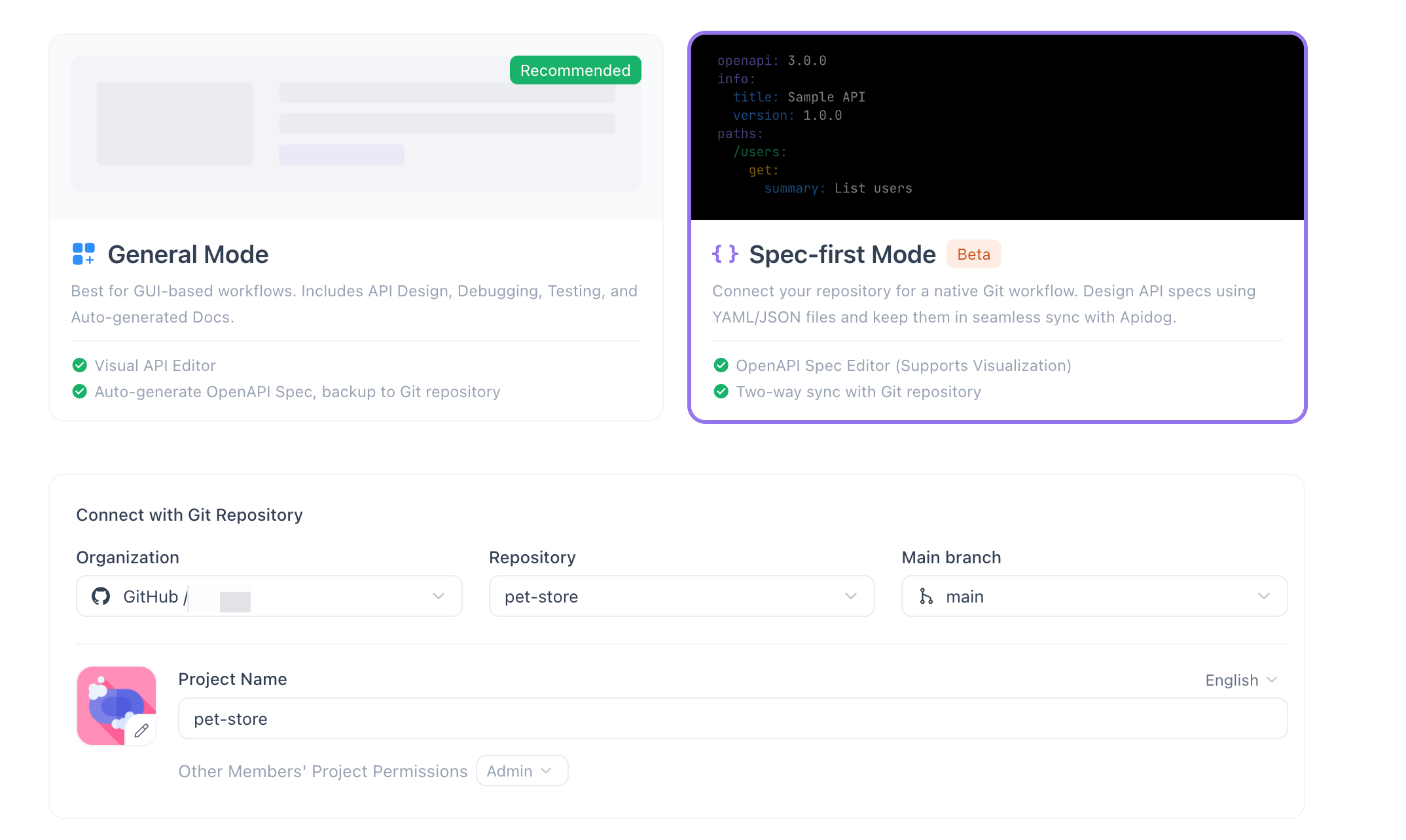
Apidog leads because it solves the drift problem at the root. Most docs platforms sync a spec from your repo and render it. Apidog goes further: the documentation, the request examples, the mock server, and the test cases all derive from one OpenAPI definition. Change the spec on a branch, and the published docs, the tests, and the mocks change with it, then commit as a single reviewable diff.
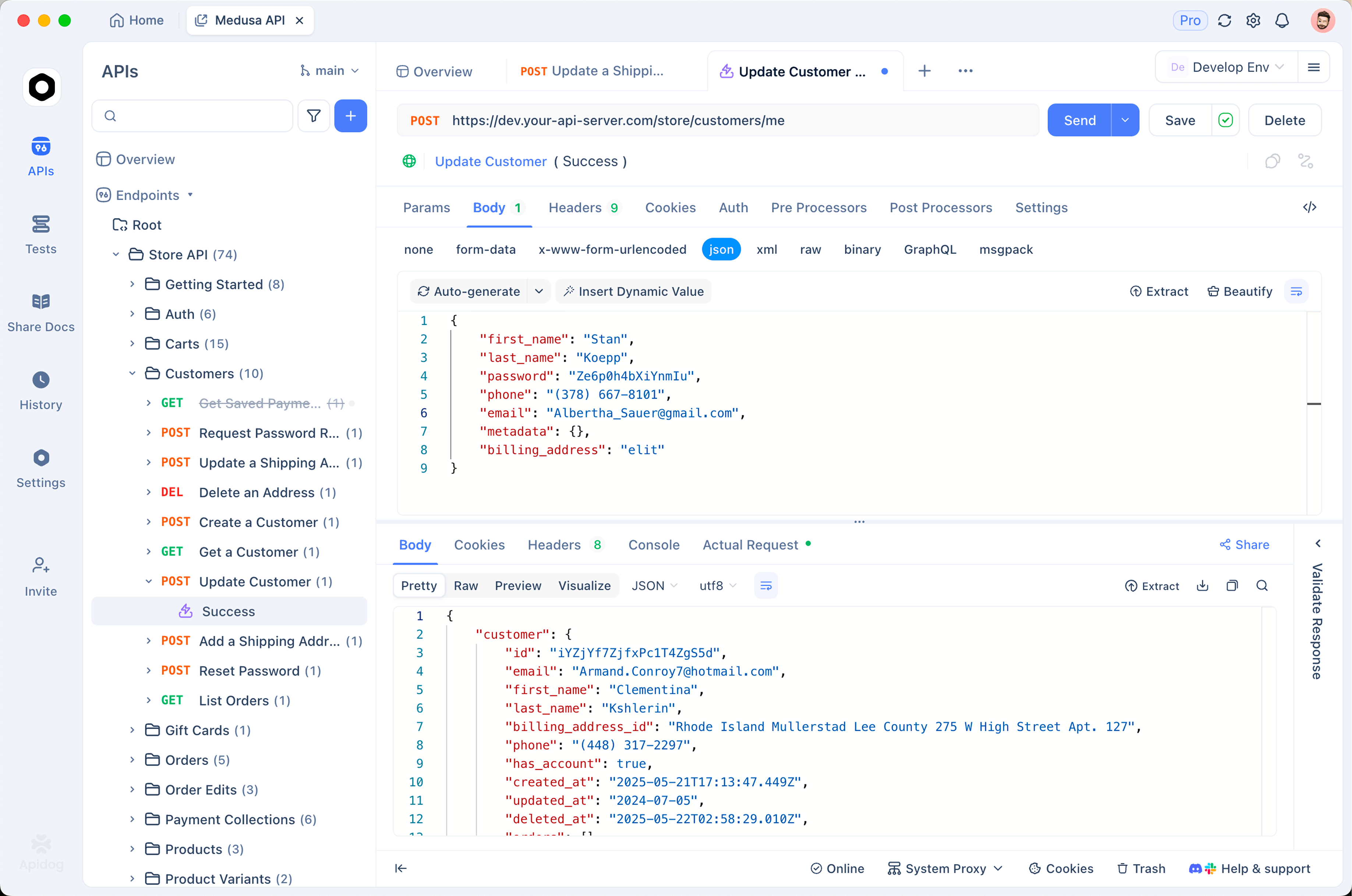
That design-first flow means the docs are never a separate artifact someone has to remember to update. They’re a view of the same contract your team tests against. Apidog’s Git integration and sync connects to GitHub, GitLab, and self-hosted Git, so documentation moves through pull requests like code. The published reference includes an interactive “try it” panel backed by the real spec, and because the spec-first mode keeps one source of truth, the docs match what you shipped.
For teams weighing a dedicated docs tool against an all-in-one, the calculus is cost of ownership: one synced spec versus a separate doc platform, a separate client, and a separate test runner to keep aligned.
Best for: teams that want documentation, testing, and design to stay in sync from one Git-backed spec.
2. Mintlify: docs-as-code with AI readiness
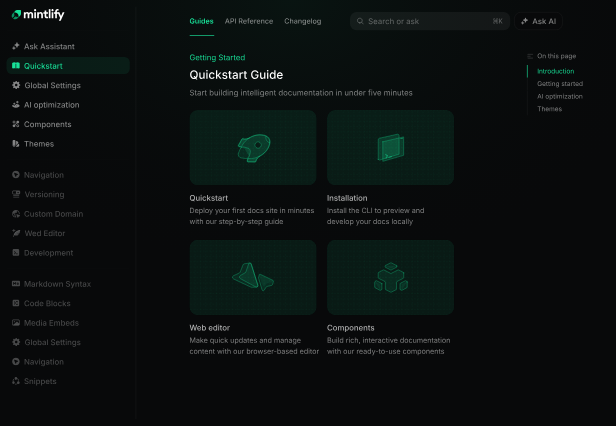
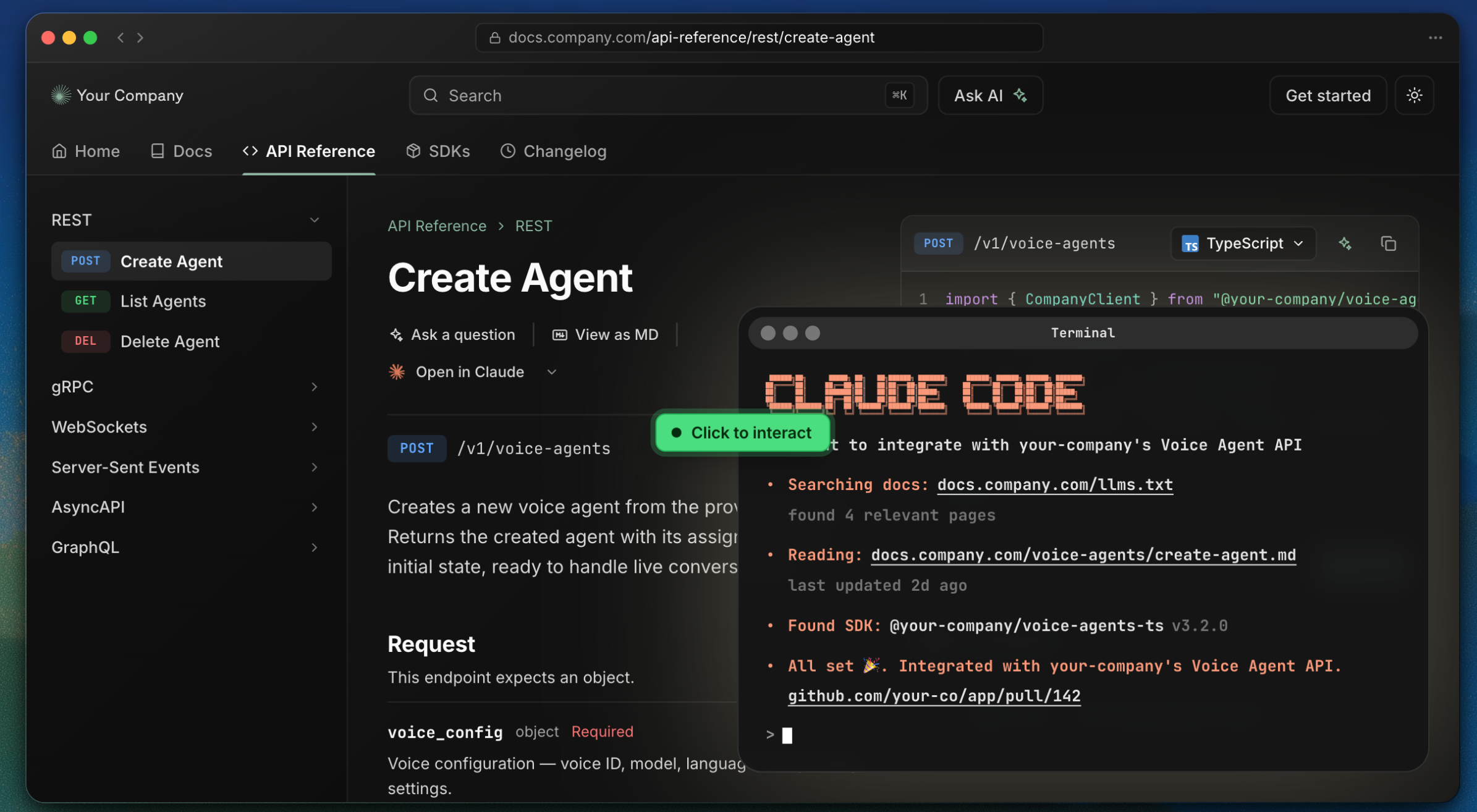
Mintlify is the standout among dedicated docs platforms. It syncs Markdown and OpenAPI from your repository, rebuilds on push, and offers branch previews so a pull request shows the rendered result before merge. Its strength is the editing balance: writers get a web editor, and changes commit back to Git bi-directionally. It also leans hard into AI-agent readiness, exposing structured outputs so assistants can consume the docs.
Best for: engineering and docs teams that want a polished docs-as-code portal with strong agent support.
3. Fern: one spec, SDKs and docs together
Fern generates both client SDKs and a documentation site from a single API definition stored in Git. The payoff is consistency: the published reference and the shipped SDK always describe the same API, because they’re generated from the same source on every build. If you maintain SDKs in several languages, Fern removes the drift between code samples and reality.
Best for: API providers shipping SDKs who want docs and clients generated from one spec.
4. Redocly: spec governance and linting
Redocly is built for API-first teams that treat the spec as a governed artifact. It lints OpenAPI files against custom style rules, supports multi-file specs, and renders reference docs with branch-based previews. The focus is keeping large or multi-team API surfaces consistent, with rules enforced in CI rather than in review comments. Pair it with a solid OpenAPI validator and the spec stays clean by default.
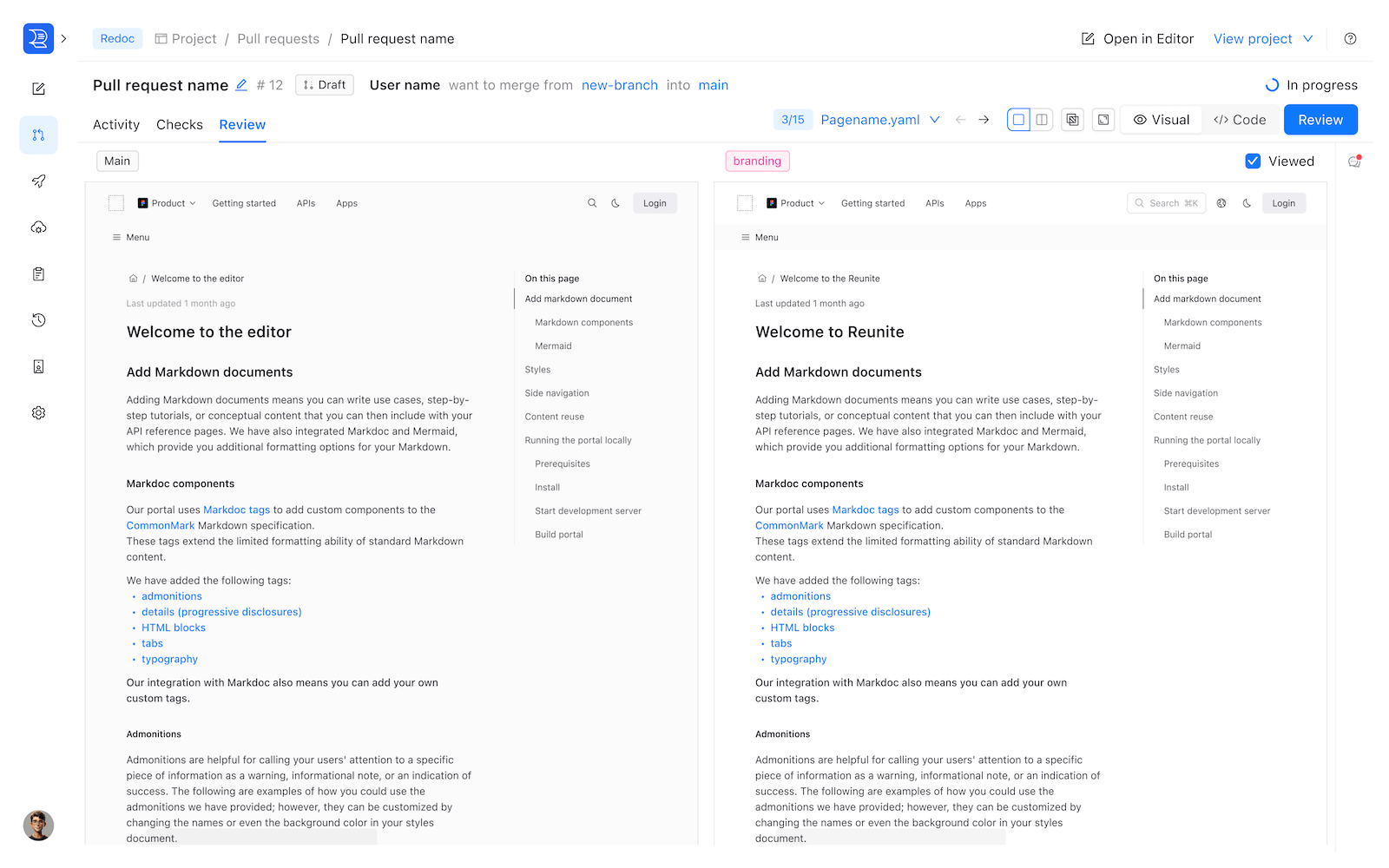
Best for: organizations enforcing API design standards across many teams.
5. GitBook: Git sync with a Notion-style editor
GitBook targets cross-functional teams who want a friendly WYSIWYG editor with Git sync underneath. Non-technical contributors edit visually, and content syncs to a repository so it stays versioned. It’s less spec-centric than the others, so it suits product and guide content sitting alongside reference docs.
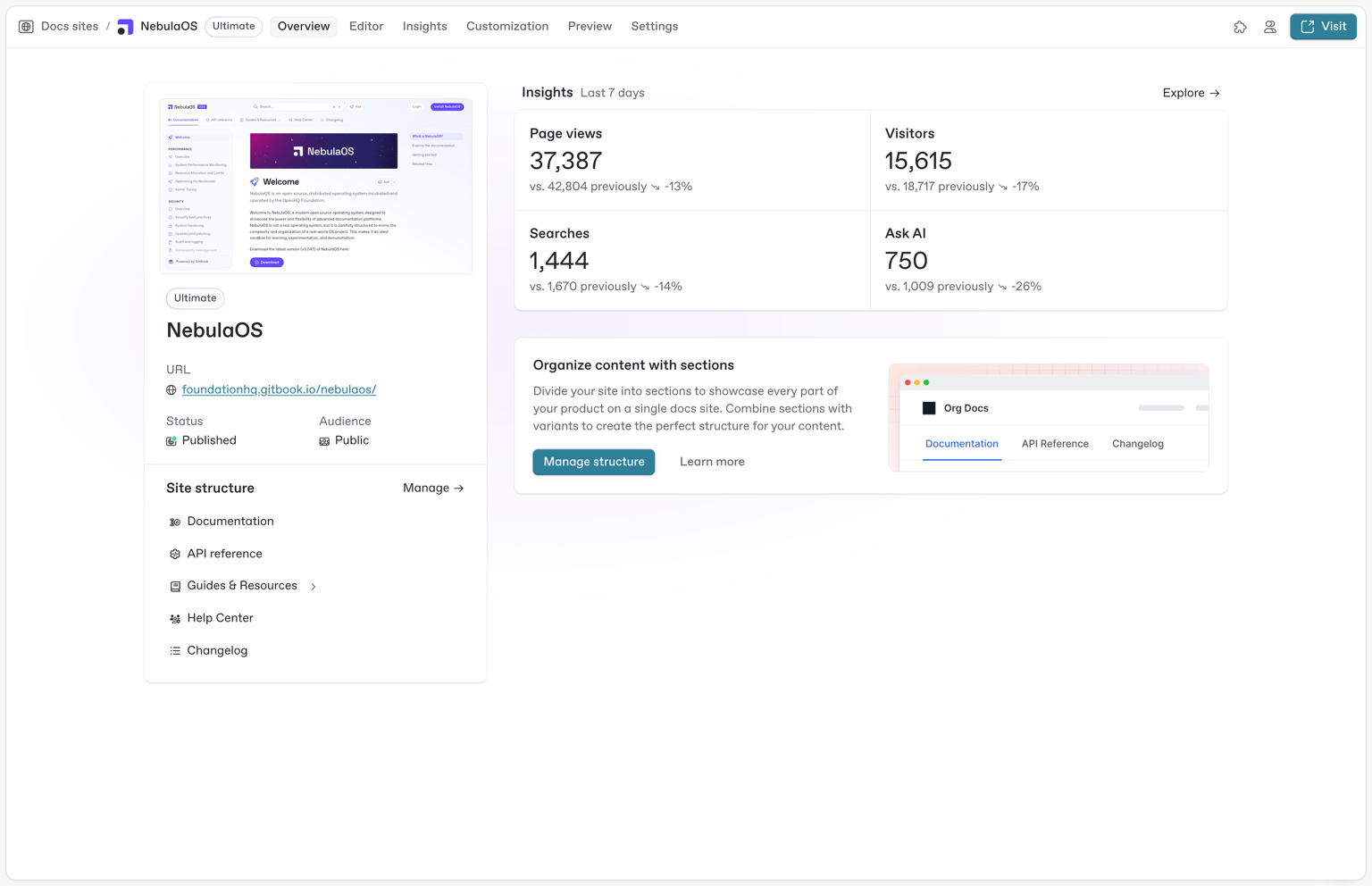
Best for: teams where product managers and writers contribute as much as engineers.
6. Read the Docs: free and Git-native for open source
Read the Docs builds documentation from Sphinx or MkDocs sources in your repository and rebuilds on commit. It’s free for open-source projects and deeply Git-native, which is why so much of the OSS world runs on it. The reference-docs experience is more manual than the spec-sync platforms, but the version control story is rock solid.
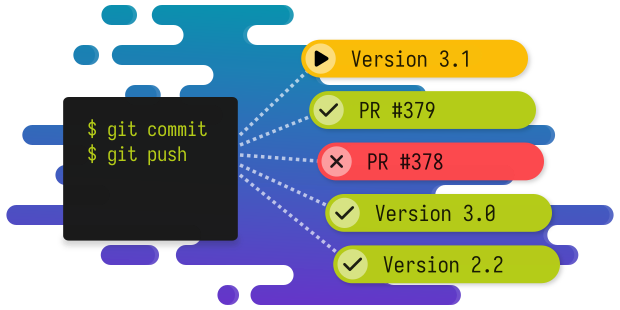
Best for: open-source and engineering teams already using Sphinx or MkDocs.
API docs platforms compared
| Platform | Best for | Spec sync | PR previews | All-in-one |
|---|---|---|---|---|
| Apidog | Docs + tests from one spec | Yes (OpenAPI) | Via Git | Yes (design/test/mock/docs) |
| Mintlify | Docs-as-code + AI readiness | Yes | Yes | No |
| Fern | SDKs + docs from one spec | Yes | Yes | No |
| Redocly | Spec governance | Yes | Yes | No |
| GitBook | Visual editing + Git | Partial | Yes | No |
| Read the Docs | Open source | Via build | Yes | No |
How Git-synced API docs work in practice
The mechanics are straightforward once the spec is in the repo. A typical loop:
- Commit the OpenAPI file to your repository as the single source of truth. Our sync OpenAPI spec to GitHub guide covers this step.
- Connect the docs tool to the repo. It reads the spec and renders reference pages, rebuilding when the file changes.
- Edit on a branch. Whether you change the spec in Apidog or edit Markdown directly, the change lives on a branch and opens a pull request.
- Review the preview, then merge. A reviewer checks the rendered preview, approves, and the merge triggers a rebuild of the live docs.
The result: published documentation that can’t lag behind the API, because the same merge that ships the change ships its docs.
How AI agents read Git-integrated docs
A large share of documentation traffic now comes from machines, not people. Coding assistants, IDE agents, and answer engines pull your reference docs to write integration code, and they answer from whatever they can fetch. If that’s a stale cached page, your users get wrong code. Git integration is what keeps the machine-readable view current.
Three things make docs agent-ready, and all of them get easier when the docs build from a versioned spec:
- Structured reference from the spec. When the API reference is generated from OpenAPI, an agent reads typed parameters, schemas, and examples instead of guessing from prose. The structure is the contract, so the answer matches reality.
- Machine-readable discovery files. Formats like
llms.txtgive assistants a map of your docs. Generated from the repo on each build, they stay in sync; hand-maintained, they rot. - MCP and tool endpoints. Some platforms expose docs through a Model Context Protocol server so an agent queries them directly. That endpoint is only as good as its freshness, which Git-triggered rebuilds guarantee.
The common thread: an agent trusts current, structured data. A docs site that rebuilds from the spec on every merge delivers exactly that, while a wiki edited by hand falls behind the moment code ships.
Common docs-as-code mistakes to avoid
Teams adopting Git-integrated docs hit a few predictable snags:
- Writing docs by hand next to a spec. If your reference prose and your OpenAPI file are separate, they drift. Generate the reference from the spec and reserve hand-written pages for guides and concepts.
- No preview in the pull request. Reviewing raw Markdown or YAML hides rendering bugs. Use a tool that shows a rendered preview on the branch so reviewers see what readers will see.
- One giant spec file. A single massive OpenAPI document is hard to review and prone to merge conflicts. Split it into multiple files so changes stay readable in a diff.
- Forgetting non-technical contributors. Writers and product managers need a usable editor, not a raw text file. Pick a tool with a web editor that still commits back to Git, so everyone works from the same source.
- Letting versions sprawl. Map doc versions to branches deliberately instead of cloning pages per release, or you’ll maintain the same content in five places.
Sidestep these and docs-as-code stays an asset rather than a chore.
Generate Git-synced docs from your spec with Apidog
If your priority is documentation that never drifts, the shortest path is generating it from the spec you already test against. Apidog does this directly:
- Import or sync your OpenAPI file from Git and the reference docs generate automatically, complete with schemas and examples.
- Edit design-first, and the docs, mocks, and tests update from the same change.
- Publish an interactive portal where readers send real requests against the documented endpoints.
- Keep everything in one pull request, so a reviewer sees the contract and its docs change together.
That single-source approach is why an all-in-one belongs at the top of a docs comparison: the cheapest way to keep docs current is to stop maintaining them as a separate artifact. For teams comparing dedicated generators, our look at Bruno’s API documentation generation covers the file-based alternative. Download Apidog to publish docs straight from your repo spec.
Frequently asked questions
What does “API docs with Git integration” mean? It means your documentation is stored as files in a repository and your reference docs build from a versioned OpenAPI spec, so docs go through pull requests and rebuild automatically on merge. The docs stay in sync with the API because both come from the same source.
What is docs-as-code? Docs-as-code is the practice of writing and managing documentation with the same tools and workflow as software: plain-text files in Git, pull-request review, and CI builds. It’s why docs as code and Git-integrated docs platforms go together.
What’s a good Mintlify alternative? If you want documentation plus API testing, design, and mocking from one Git-synced spec, Apidog is the strongest all-in-one alternative. If you need SDKs generated alongside docs, Fern fits; for strict spec governance, Redocly does. The right pick depends on whether you want a docs-only tool or the whole lifecycle.
Can I keep API docs in the same repo as my code? Yes, and it’s the recommended setup. Storing the OpenAPI file and docs content beside the code means a single pull request changes the endpoint, its contract, and its documentation together, which is the core of Git-native API development.
Do these tools support GitLab and self-hosted Git? Most do. Apidog connects to GitHub, GitLab, and self-hosted instances, and several dedicated docs platforms support the major hosts. Check each tool for self-hosted support if you run your own Git server.
Will AI assistants read Git-integrated docs more reliably? They read current docs more reliably. Because the content rebuilds from the spec on every merge, an assistant pulls accurate, structured data instead of a stale example, which is increasingly important as agents consume a larger share of documentation traffic.
Is Apidog free for API documentation? Apidog has a free tier you can use to design APIs and publish docs from a spec, with paid plans for larger teams and advanced collaboration. Because the docs come from the same project as your tests and mocks, you’re not paying for a separate documentation tool on top of your client and test runner.
How is docs-as-code different from a traditional CMS or wiki? A wiki stores content in its own database, and edits happen in a browser disconnected from the code. Docs-as-code stores content as files in your repository, so documentation goes through pull requests, versions with branches, and rebuilds in CI. The docs live where the code lives.
Can non-developers still contribute to Git-integrated docs? Yes. Tools like Mintlify and GitBook offer a web editor that commits back to Git, so writers and product managers edit visually while engineers work in files. Everyone changes the same source through different doors.
The bottom line
Documentation drifts when it lives apart from the API. Git integration fixes that by making the spec the source and the merge the trigger. Among dedicated platforms, Mintlify leads on docs-as-code and Fern on SDK-plus-docs generation. But the surest way to keep docs current is to stop treating them as a separate artifact: generate them from the same Git-synced spec that runs your tests.
That’s the case for an all-in-one. Point Apidog at your repository, and your docs, tests, mocks, and design all flow from one versioned file your team reviews together. Download Apidog to see your docs rebuild from the spec on every merge.