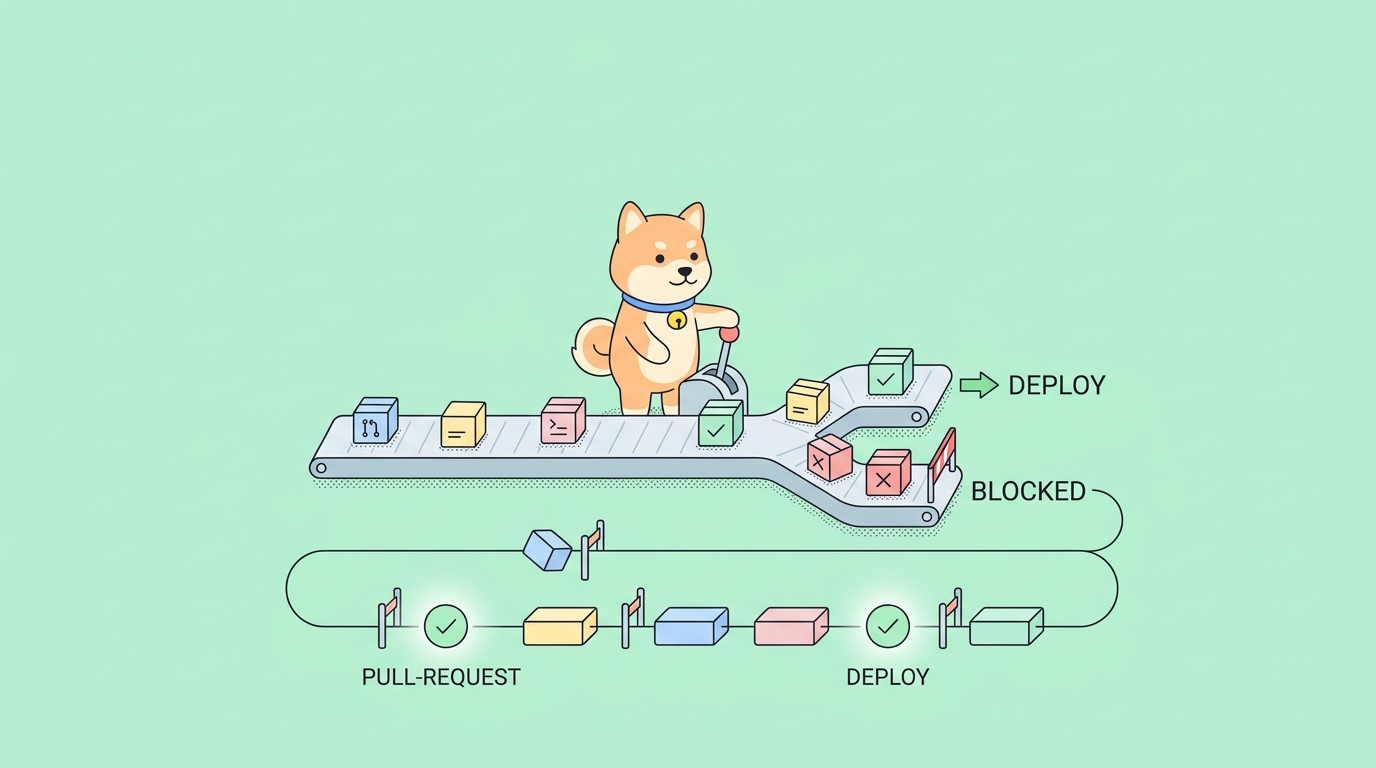
A deploy goes out at 4 p.m. on a Friday. The unit tests were green, the container built, the rollout finished without errors. Then the support queue starts filling up: checkout is throwing 500s. The bug was never in the code that got tested. It was in how two services talked to each other, and no test in the pipeline ever exercised that conversation.
That is the gap test automation in DevOps is supposed to close, and the part most teams under-invest in is the API layer. Unit tests prove a function works in isolation. End-to-end UI tests prove a browser can click through a flow, slowly and flakily. The contract between your services, the thing that actually breaks in production, sits in the middle and often goes unchecked. API tests live exactly there.
What test automation in DevOps actually means
DevOps is a loop, not a line. Plan, code, build, test, release, deploy, operate, monitor, then back to plan. Test automation in DevOps means tests run automatically at the points in that loop where they catch problems cheapest, instead of being a manual gate someone runs once before a release.
The principle behind it is shift-left: move testing earlier, closer to the moment a developer writes the change. A bug caught on a pull request costs minutes to fix. The same bug caught in production costs a rollback, an incident channel, and a postmortem. Automation is what makes shifting left possible, because a human cannot manually re-run a regression suite on every commit, but a pipeline can.
The mistake is treating “test automation” as one bucket. The test pyramid splits it into layers, and each layer answers a different question:
- Unit tests ask whether a single function returns the right value. They are fast and numerous.
- API and integration tests ask whether your services produce correct responses and talk to each other correctly. Fewer of these, but each one covers more ground.
- End-to-end tests ask whether the whole system works from the user’s seat. Slow, brittle, and worth keeping few.
API tests sit in the productive middle. They run in seconds, not minutes. They do not depend on a rendered UI, so they do not break when a button moves. And they test the surface your other services and your customers actually depend on. That is why, in a DevOps pipeline, API tests carry more of the regression-catching load than any other layer. For the foundations of the practice itself, API testing automation covers what to assert and why before you worry about where it runs.
The DevOps lifecycle, stage by stage, and where API tests fit
Here is the practical map. Not every team needs API tests at every stage, but knowing the options lets you choose deliberately instead of dumping everything into one giant pre-deploy job.
During development: local and pre-commit
Before a change ever reaches CI, a developer should be able to run the relevant API tests against a local or dev environment. This is the fastest feedback loop you have. Catching a broken response shape here means the broken code never even gets pushed.
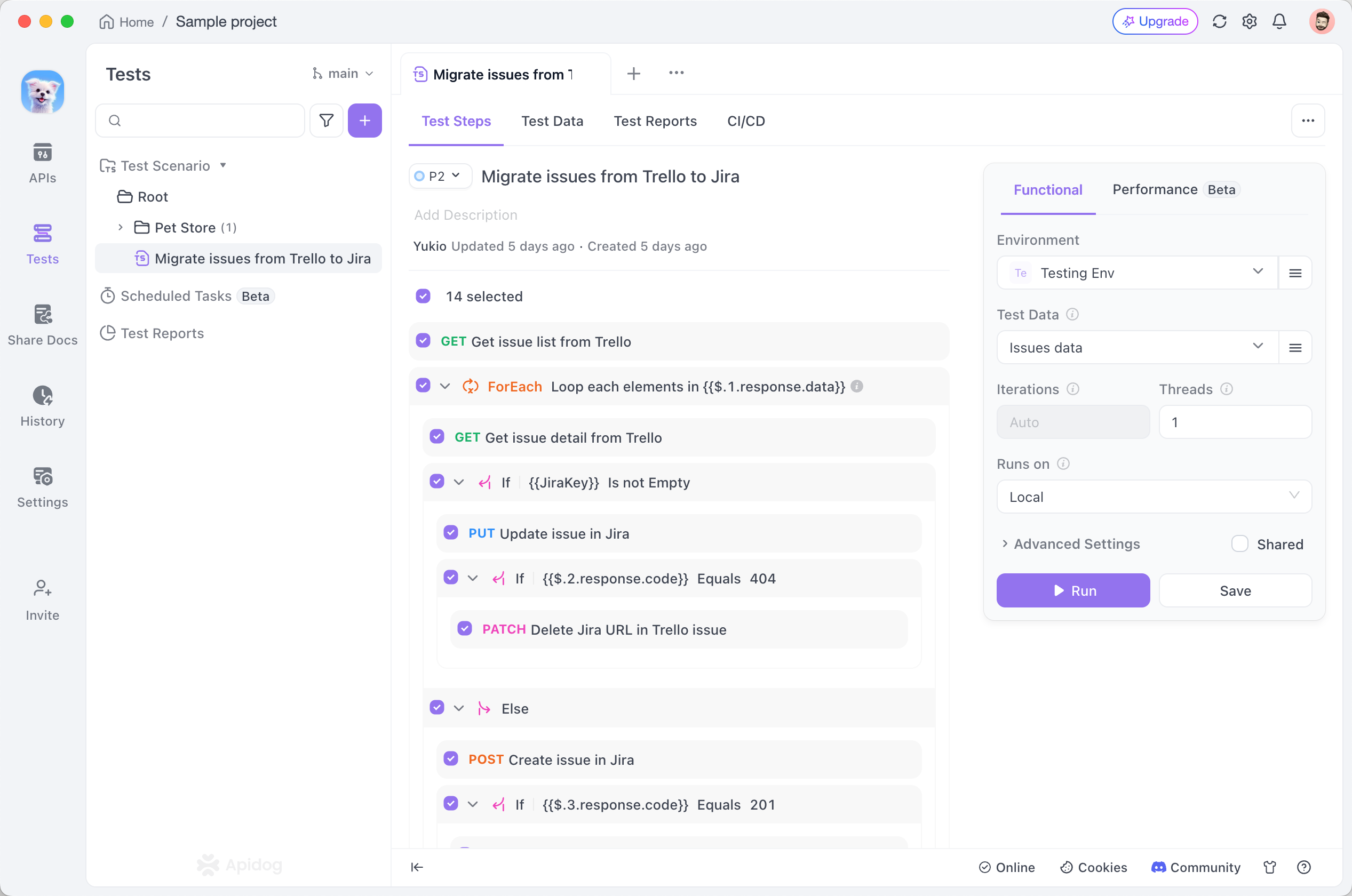
In practice this is the same scenario you will later run in CI, just pointed at a local environment. You build it once. If you have never authored one, how to write test scenarios with Apidog walks through chaining requests and pulling a value from one response into the next.
On pull requests: the merge gate
This is the highest-value place for API tests, and the one teams most often skip. When a pull request opens, the pipeline spins up the service, runs your API scenarios against it, and reports pass or fail as a status check. A failing check blocks the merge.
The reason this matters: the cost of a bug climbs steeply the further it travels. A failed assertion on a PR is a five-minute fix for the author, who still has the change fresh in their head. The same failure found a week later in staging is an archaeology project. Putting API tests on the PR gate is the single change that moves the most defects left.
After the build, before release: integration and contract checks
Once the artifact is built and deployed to a staging or integration environment, run a broader suite. This is where you test the real wiring: does the payments service still accept the order service’s request body, does pagination still return the field your client reads, does an auth token issued by one service get accepted by another.
This stage is also where contract thinking pays off. A change that is locally valid can still break a consumer downstream. Running the full scenario set against an integrated environment catches the cross-service breakage that unit tests structurally cannot see. The patterns carry over from broader API testing automation practice.
At deploy time: smoke tests
A deploy is not done when the rollout finishes. It is done when you have proof the new version actually serves traffic correctly. A smoke test is a small, fast scenario that hits the critical paths right after deploy: can a user authenticate, can they read their data, does the health-critical endpoint return 200 with the right shape.
Keep this suite tiny and fast. Its job is a go or no-go signal, not coverage. If it fails, you roll back automatically. Run the same scenario against the production environment by swapping a single environment flag, no duplicate test to maintain.
In production: continuous monitoring
After deploy, the loop does not stop. The same API scenarios you run in CI can run on a schedule against production as synthetic monitoring, catching a degraded third-party dependency or an expired certificate before a customer does. The line between a test and a monitor is mostly the schedule it runs on. API monitoring covers turning passing tests into a production early-warning system.
A useful rule of thumb across all five stages: the closer to production, the smaller and faster the suite. Wide coverage on PRs and in integration; a thin, ruthless smoke suite at deploy and in monitoring.
Why the API layer earns its place in the pipeline
It is worth being concrete about why API tests deserve prime real estate over piling more weight onto UI tests.
They are fast. An API scenario talks HTTP directly. No browser to spin up, no DOM to wait for, no headless Chrome flaking on a slow render. A scenario that exercises a dozen endpoints finishes in seconds, which is what lets you run it on every commit without people learning to ignore a ten-minute job.
They are stable. UI tests break when a class name changes or an element re-renders a frame late. API tests only break when the actual contract changes, which is exactly when you want to know. Less flake means people trust a red build, and a build people trust is the only build that gates anything.
They test what integrates. Your mobile app, your partner integrations, your own microservices all depend on the API contract, not on your CSS. When that contract silently changes, every consumer breaks at once. API tests are the layer that catches it.
This is why the pipeline question is really an API question. You can have a thorough unit suite and a pretty UI suite and still ship the Friday-afternoon checkout bug, because neither layer was watching the seam where services meet.
Wiring API tests into the pipeline with the Apidog CLI
The mechanics matter, because a test that exists but does not run automatically catches nothing. The pattern is the same in every CI system: install a runner, point it at your tests, let its exit code decide whether the build passes.
With Apidog, you do not rewrite your tests as code. You build the scenario once in the app, then the Apidog CLI runs that same scenario headlessly. The CLI is an npm package, so any CI runner with Node.js can use it.
Install it:
npm install -g apidog-cli
Then run a scenario. You generate the access token and find the scenario and environment IDs inside the test scenario’s CI/CD tab in Apidog, which builds the full command for you to copy:
apidog run \
  --access-token $APIDOG_ACCESS_TOKEN \
  -t 605067 \
  -e 1629989 \
  -r cli
A few things are doing real work here. The -t flag names the scenario by ID; swap it for -f <folderId> to run a whole folder, or --test-suite <id> to run a curated test suite as one job. The -e flag picks the environment, which is how the same scenario gates a PR against staging and smoke-tests against production without a duplicate. The -r flag chooses reporters; cli prints to the log, and junit emits XML your CI dashboard can render as a test report.
The part that makes it a gate is the exit code. When every assertion passes, apidog run exits 0. When anything fails, it exits non-zero. Your CI system reads that code, marks the step failed, and blocks the merge or the deploy. You do not configure a separate gate; the exit code is the gate. Run apidog run --help to see the full flag surface for your version.
Here is the PR-gate stage wired into GitHub Actions:
name: API Tests
on: [pull_request]

jobs:
  api-tests:
    runs-on: ubuntu-latest
    steps:
      - uses: actions/checkout@v4
      - uses: actions/setup-node@v4
        with:
          node-version: '20'
      - name: Install Apidog CLI
        run: npm install -g apidog-cli
      - name: Run API scenarios
        env:
          APIDOG_ACCESS_TOKEN: ${{ secrets.APIDOG_ACCESS_TOKEN }}
        run: |
          apidog run \
            --access-token "$APIDOG_ACCESS_TOKEN" \
            -t 605067 \
            -e 1629989 \
            -r cli,junit
The token lives in repository secrets and reaches the step through env:, never hard-coded. The same block drops into GitLab CI, Jenkins, CircleCI, or Azure Pipelines with that platform’s syntax around it, because the only real dependency is Node. The platform-specific walkthroughs cover the details: automating API tests in GitHub Actions and integrating Apidog tests with Jenkins.
For the deploy-time smoke stage, the command barely changes. You point it at the production environment ID and keep the scenario small:
apidog run --access-token $APIDOG_ACCESS_TOKEN -t 605067 -e $PROD_ENV_ID -r cli
One scenario, one environment swap, two jobs. That is the whole appeal of authoring tests once and running them across the lifecycle.
Common mistakes that quietly defeat the gate
A pipeline can look fully automated and still catch nothing. Watch for these.
Swallowing the exit code. Someone wraps the test command in a shell pipeline or appends || true to “stop it from breaking the build.” That also stops it from catching anything. The build goes green forever. Never mask the runner’s non-zero exit; that exit is the entire point.
Only testing the happy path. A scenario that confirms 200 OK and stops there misses the breakage that matters. Assert on the response body shape, the field types, the error responses for bad input. API assertions covers validating more than a status code.
One giant pre-deploy job. Cramming every test into a single stage right before release defeats shift-left. You find out about a broken contract minutes before shipping instead of on the PR. Spread the suite across stages: wide on PRs, thin at deploy.
Testing against a shared mutable environment. When two pipelines hit the same database, one run’s writes poison another’s reads, and you get flaky failures that erode trust. Use isolated environments, or use API mocking to stand in for dependencies you do not control so a third party’s downtime does not redden your build.
Forgetting the report on failure. If your report only uploads when tests pass, you never see the report the one time you need it. Configure the artifact upload to run even on failure.
FAQ
Where in the DevOps pipeline should API tests run?
At minimum, on pull requests as a merge gate, since that catches the most defects at the lowest cost. Ideally also after the build against an integrated environment for contract checks, and as a small smoke suite right after deploy. The same Apidog scenario runs at each stage; you change only the environment flag. Teams running Apidog without Postman follow the same staging.
What is the difference between API test automation and CI/CD?
CI/CD is the pipeline that builds, tests, and ships your code automatically. API test automation is one kind of test that runs inside that pipeline. CI/CD is the conveyor belt; automated API tests are a quality station on it. If the term CI/CD itself is fuzzy, what is CI/CD covers the fundamentals.
Do I need to rewrite my API tests as code to run them in CI?
Not with Apidog. You build the test scenario visually in the app, and the Apidog CLI runs that same scenario headlessly. The CLI is an npm package, so any CI runner with Node.js installed can execute it with one command.
How do API tests fail a build?
Through the exit code. When every assertion in a scenario passes, the runner exits 0. When any assertion fails, it exits non-zero. The CI system reads that code, marks the step failed, and blocks the merge or deploy. No separate gate configuration is needed.
Should performance tests run in the same pipeline?
Keep functional API tests on every PR and run heavier load and performance testing on a separate schedule, like nightly. Performance runs take longer and need a stable environment, so bolting them onto every commit slows feedback without adding much per-commit signal.
Where to put your first API test
Test automation in DevOps is not one gate you build once. It is API tests placed deliberately across the loop: on the developer’s machine for fast feedback, on the pull request as the merge gate that catches the most, after the build for contract checks, at deploy time as a smoke signal, and in production as a monitor. The API layer earns the most pipeline real estate because it is fast, stable, and tests the seam where systems actually break.
If your API tests still live as clickable steps someone runs by hand, the gap to close is the merge gate. Download Apidog, build one scenario, copy the apidog run command from its CI/CD tab, and paste the GitHub Actions block above. You will have API tests blocking broken merges by the end of the afternoon, and the Friday-deploy bug will turn red on a pull request instead of in your support queue.