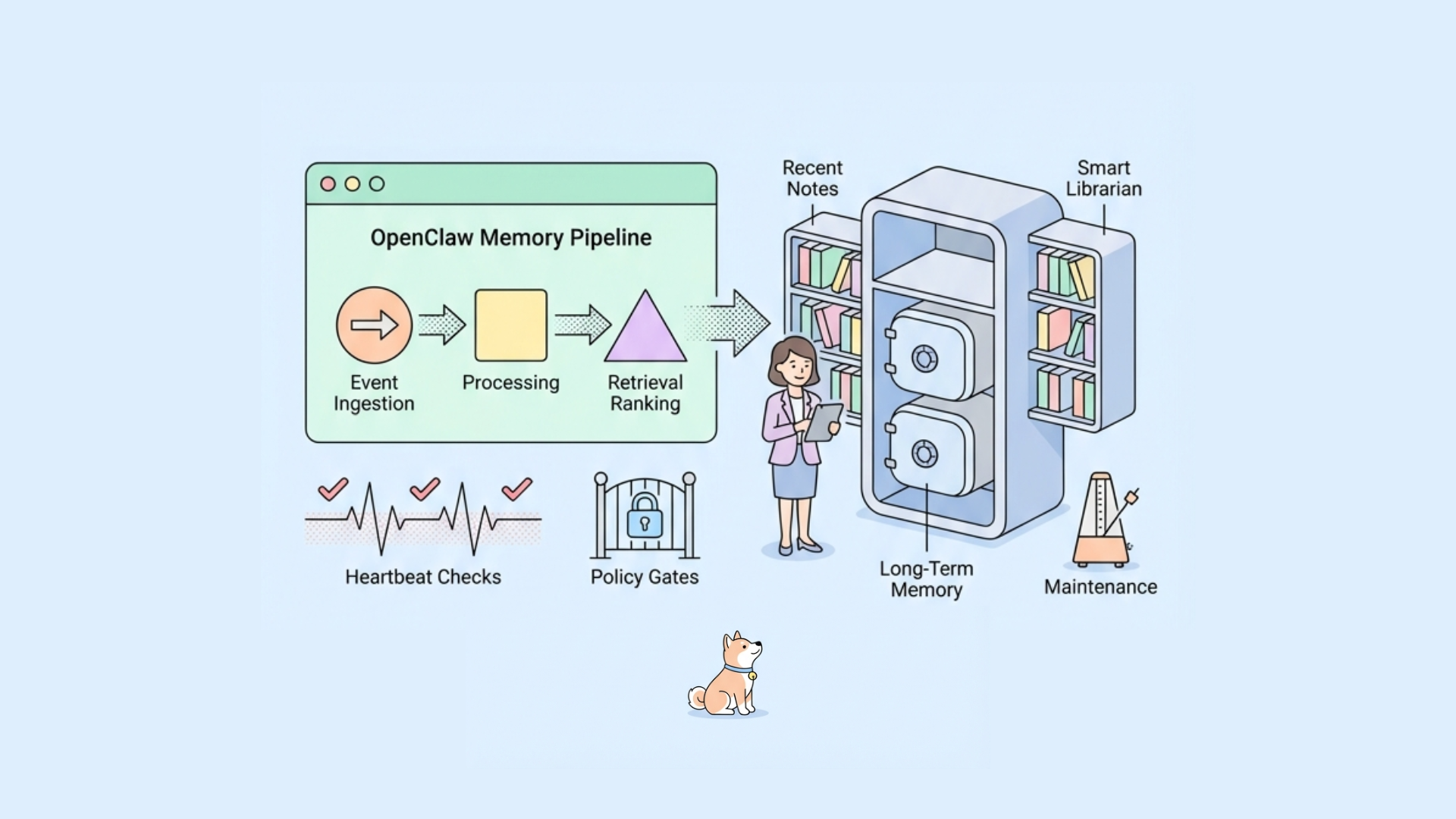
OpenClaw (formerly Moltbot/Clawdbot) is trending because it solves a painful gap in agent UX: continuity. Most assistants are still stateless at the interaction layer, so every session reset feels like losing context. OpenClaw’s persistent memory design pushes in the opposite direction: keep useful long-term state, but avoid runaway token costs and unsafe retention.
You can see this in community discussions around heartbeat loops (“cheap checks first, model only when needed”), secure agent sandboxes like nono, and comparisons against ultra-light alternatives like Nanobot. The central engineering question is the same:
How do you maintain durable, useful memory without turning your agent into a slow, expensive, privacy-risking black box?
This article breaks down how OpenClaw-style persistent memory typically works in production systems, including implementation details, tradeoffs, and how to test memory APIs with Apidog.
Memory in OpenClaw: a practical mental model
At a system level, OpenClaw memory is usually split into four layers:
Ephemeral context (prompt window)
Current conversation turns and tool outputs. Fast, volatile, token-bound.
Session memory (short horizon)
Structured state for the ongoing task/session (goals, active entities, temporary preferences).
Persistent user memory (long horizon)
Facts and preferences expected to survive restarts (e.g., preferred coding stack, timezone, notification habits).
Knowledge memory (document/task corpus)
Notes, artifacts, and prior work products indexed for retrieval (embeddings + metadata filters).
The key detail: not everything gets persisted. OpenClaw uses extraction and ranking so only high-value, stable information becomes durable memory.
Core architecture: write path and read path
Write path (how memory is created)
A robust OpenClaw memory pipeline usually follows this sequence:
Event capture
Collect candidate signals from chat turns, tool results, file edits, calendar events, and task outcomes.
Candidate extraction
A lightweight extractor identifies “memory-worthy” claims. Example classes:
- enduring preference
- identity/profile detail
- recurring workflow pattern
- unresolved commitment/reminder
Cheap validation first
Inspired by the heartbeat pattern: run low-cost checks before model inference.
- regex/heuristics
- dedupe hash checks
- schema validity checks
- confidence threshold from previous classifier
Model validation (only when needed)
If uncertainty remains, call an LLM classifier to score persistence value and sensitivity risk.
Normalization + schema mapping
Convert free text into typed memory records.
Upsert with conflict policy
Merge with existing records using recency, trust score, and source priority.
Audit append
Store immutable audit events for explainability and rollback.
Read path (how memory is retrieved)
At response time:
- Build query intent from current user turn + active task state.
- Retrieve candidates from structured store + vector store.
- Re-rank by relevance, freshness, trust, and policy constraints.
- Enforce budget (token + latency). Compress if needed.
- Inject selected memory into system/developer context.
This split is crucial: write path optimizes quality and safety; read path optimizes relevance and speed.
Data model: what a memory record should contain
A practical memory entity often looks like this:
{
  "memory_id": "mem_8f3c...",
  "user_id": "usr_123",
  "type": "preference",
  "key": "editor.theme",
  "value": "dark",
  "confidence": 0.91,
  "source": {
    "kind": "chat_turn",
    "ref": "msg_9981",
    "observed_at": "2026-01-10T09:20:11Z"
  },
  "sensitivity": "low",
  "ttl": null,
  "last_confirmed_at": "2026-01-10T09:20:11Z",
  "version": 4,
  "embedding_ref": "vec_77ad...",
  "created_at": "2026-01-01T10:00:00Z",
  "updated_at": "2026-01-10T09:20:11Z"
}
Important fields:
- confidence: prevents brittle behavior from weak inferences.
- sensitivity: drives retention and access controls.
- ttl: avoids immortal stale facts.
- version: supports optimistic concurrency and auditability.
Storage strategy: polyglot by design
OpenClaw memory generally benefits from multiple stores:
- Relational DB (Postgres/MySQL) for canonical typed records, constraints, transactions.
- Vector DB for semantic recall across notes/messages/artifacts.
- Object store for raw artifacts and snapshots.
- Event log for append-only history and replay.
Why not one store? Because workloads differ:
- point lookups + policy filtering need relational guarantees
- semantic recall needs ANN indexing
- compliance and debugging need immutable event history
A common pattern is: record in SQL, embed asynchronously, then link via embedding_ref.
Heartbeats and memory freshness
The heartbeat model is one of the most practical ideas in recent OpenClaw conversations.
Instead of running heavy reasoning constantly, periodic loops do:
- cheap liveness checks
- stale-memory detection
- trigger expensive model checks only on anomalies
Example heartbeat tasks:
- detect unresolved reminders past due
- decay confidence for unconfirmed preferences
- revalidate high-impact memories (billing, credentials scope)
- compact redundant memory clusters
This architecture dramatically reduces cost while maintaining quality. It also creates predictable scheduling boundaries, which helps observability and SLO management.
Retrieval ranking: relevance is not enough
A strong OpenClaw retriever should score by more than embedding similarity:
Final score = semantic_relevance × w1 + recency × w2 + confidence × w3 + source_trust × w4 − policy_penalty
Where:
- recency avoids old-but-similar pollution
- confidence avoids hallucinated “facts” becoming prompt truth
- source_trust favors verified tool outputs over casual mentions
- policy_penalty suppresses sensitive memory unless justified
Edge case to handle: two conflicting memories with high relevance.
Solution: include both plus uncertainty annotation, or trigger clarification question.
Safety boundaries: retention, consent, and sandboxing
Persistent memory is an attack surface. You need guardrails:
Memory classes with explicit policy
- allowed
- masked
- never-store
User-visible memory controls
- inspect
- edit
- delete
- “forget last N days”
Scoped execution sandboxPair memory with secure tool execution (as discussed in agent sandbox projects like nono). Memory should not grant implicit broad tool permissions.
Prompt injection resistanceNever persist raw external instructions as trusted user preference without verification.
Encryption + access loggingEncrypt at rest, sign sensitive memory updates, and keep read/write audit trails.
Implementation blueprint (reference API)
Typical memory service endpoints:
POST /memory/extract— submit candidate eventsPOST /memory/upsert— write normalized memoryPOST /memory/query— retrieve relevant memoriesPOST /memory/confirm— explicit user confirmationDELETE /memory/{id}— remove memoryPOST /memory/forget— policy-based bulk deletion
Testing OpenClaw memory APIs with Apidog
Memory systems fail in subtle ways: stale state, race conditions, policy leaks, ranking regressions. This is where Apidog fits naturally.
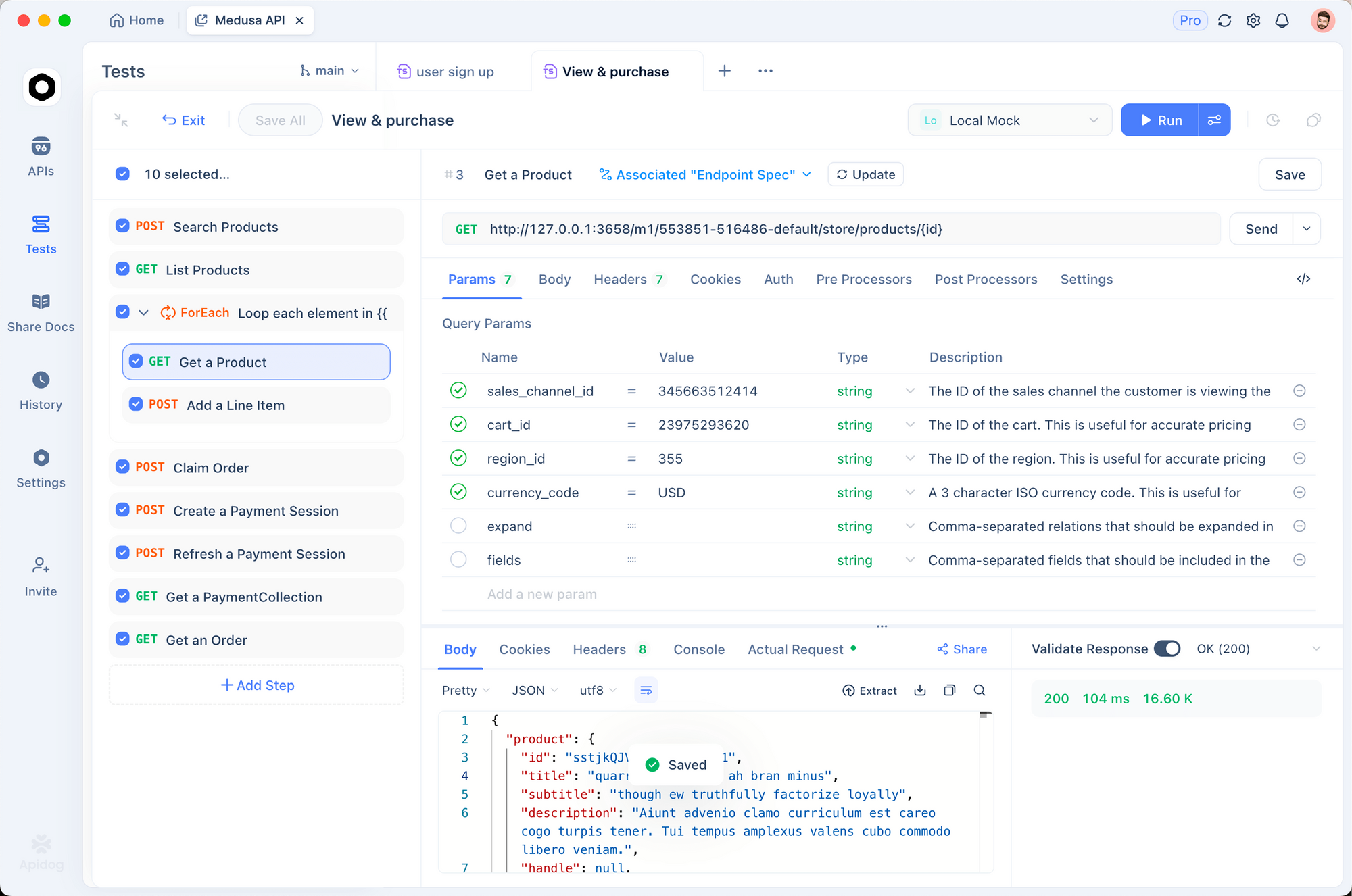
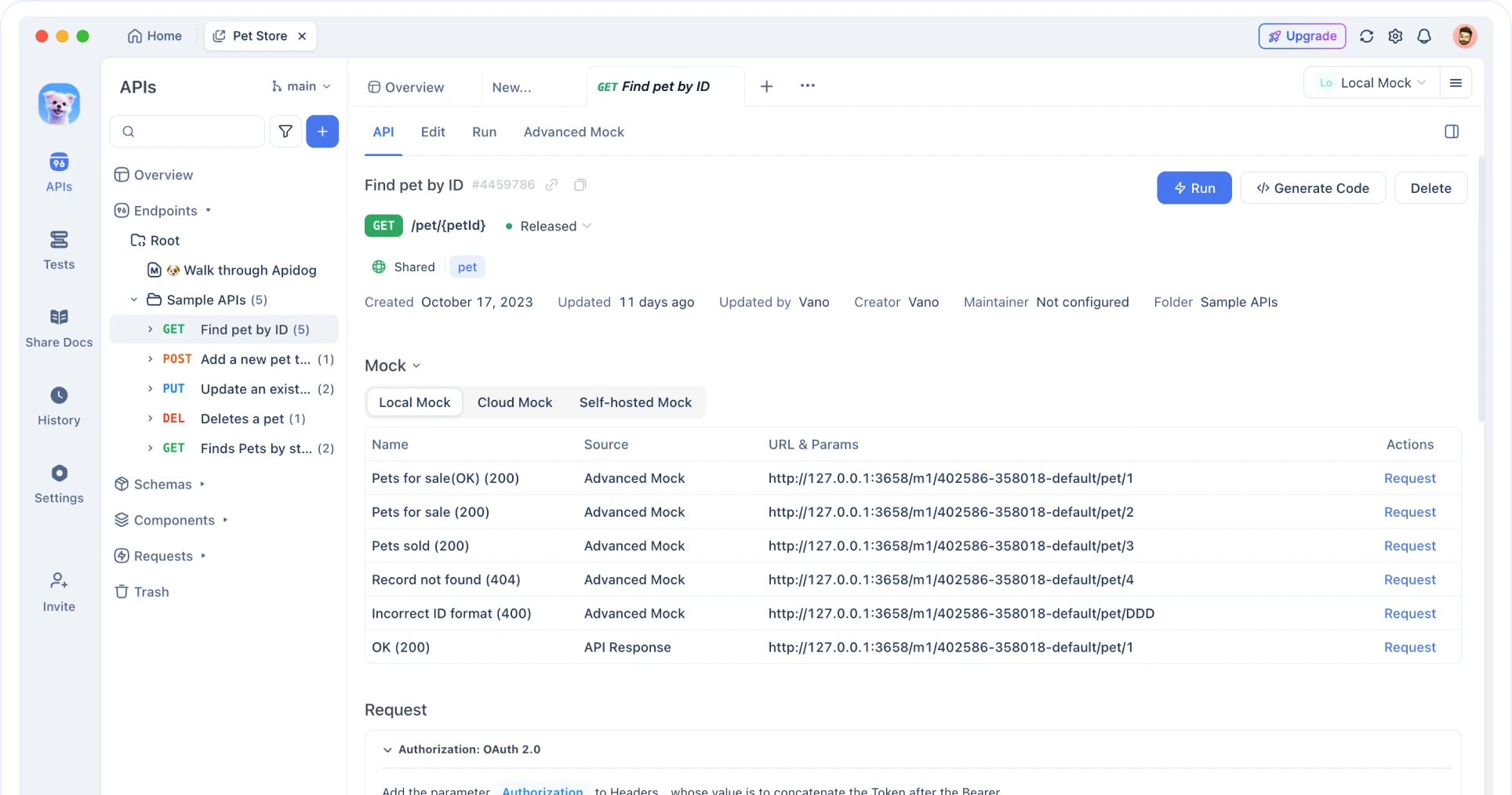
With Apidog, you can keep design, debugging, automated testing, mocking, and docs in one workflow.
1) Design the contract first
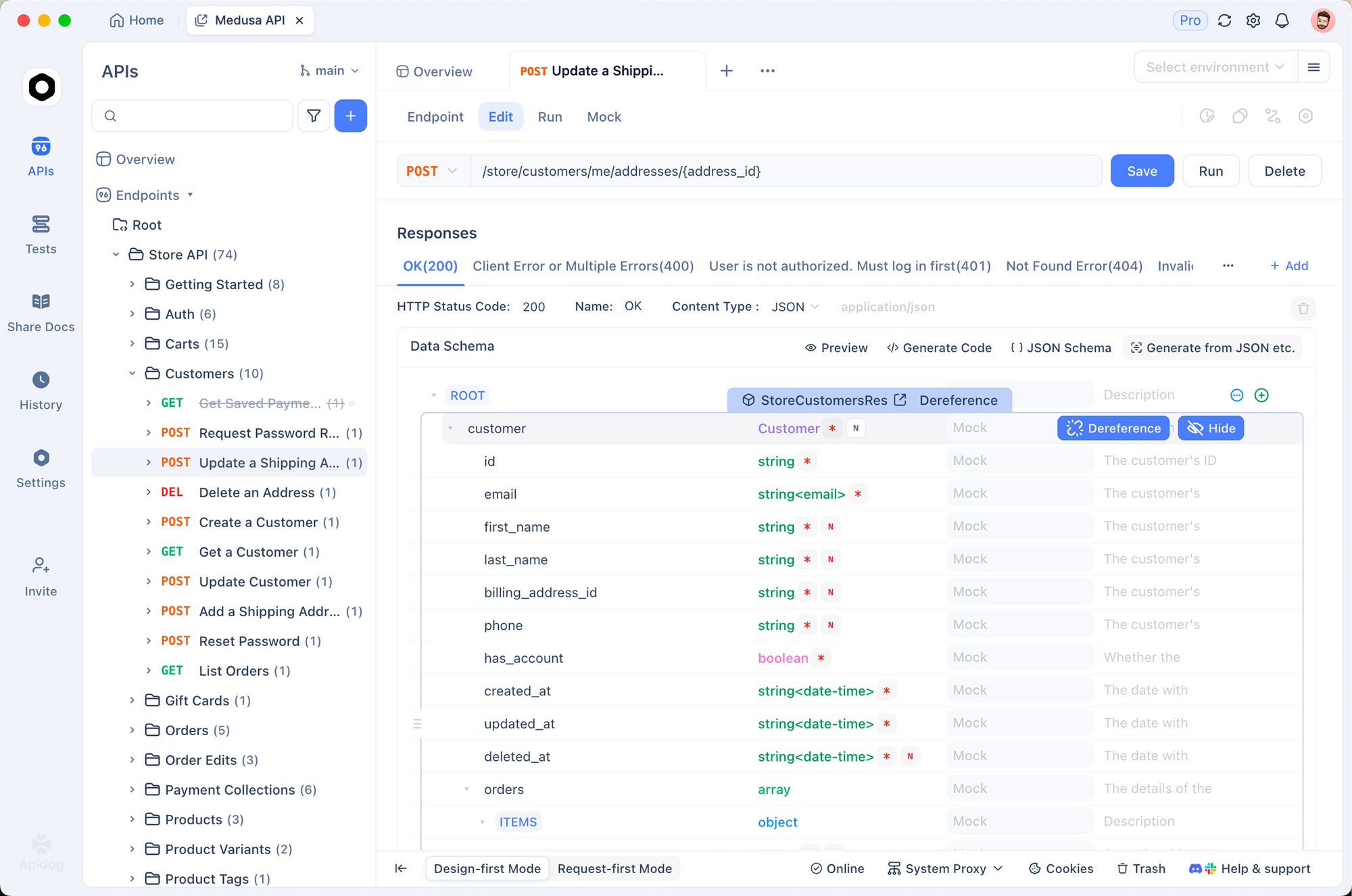
Use an OpenAPI schema-first workflow to define memory endpoints and constraints (enum types, sensitivity levels, TTL rules). This prevents drift between agent logic and memory backend.
2) Build scenario tests for memory behavior
Create automated test scenarios for:
- duplicate upsert idempotency
- conflict resolution (old high-confidence vs new low-confidence)
- policy enforcement (never-store fields rejected)
- forget API hard-delete and tombstone behavior
- query budget clipping under token constraints
3) Use visual assertions for ranking outputs
Instead of only checking status codes, assert ranked fields and score ordering. Memory bugs often hide in “correct response, wrong priority.”
4) Mock dependent tools
Use smart mock responses for upstream signals (calendar/task tools) so you can deterministically reproduce extraction paths.
5) Add CI/CD quality gates
Run regression suites on every memory scoring or policy change. If ranking quality drops or policy checks fail, block deployment.
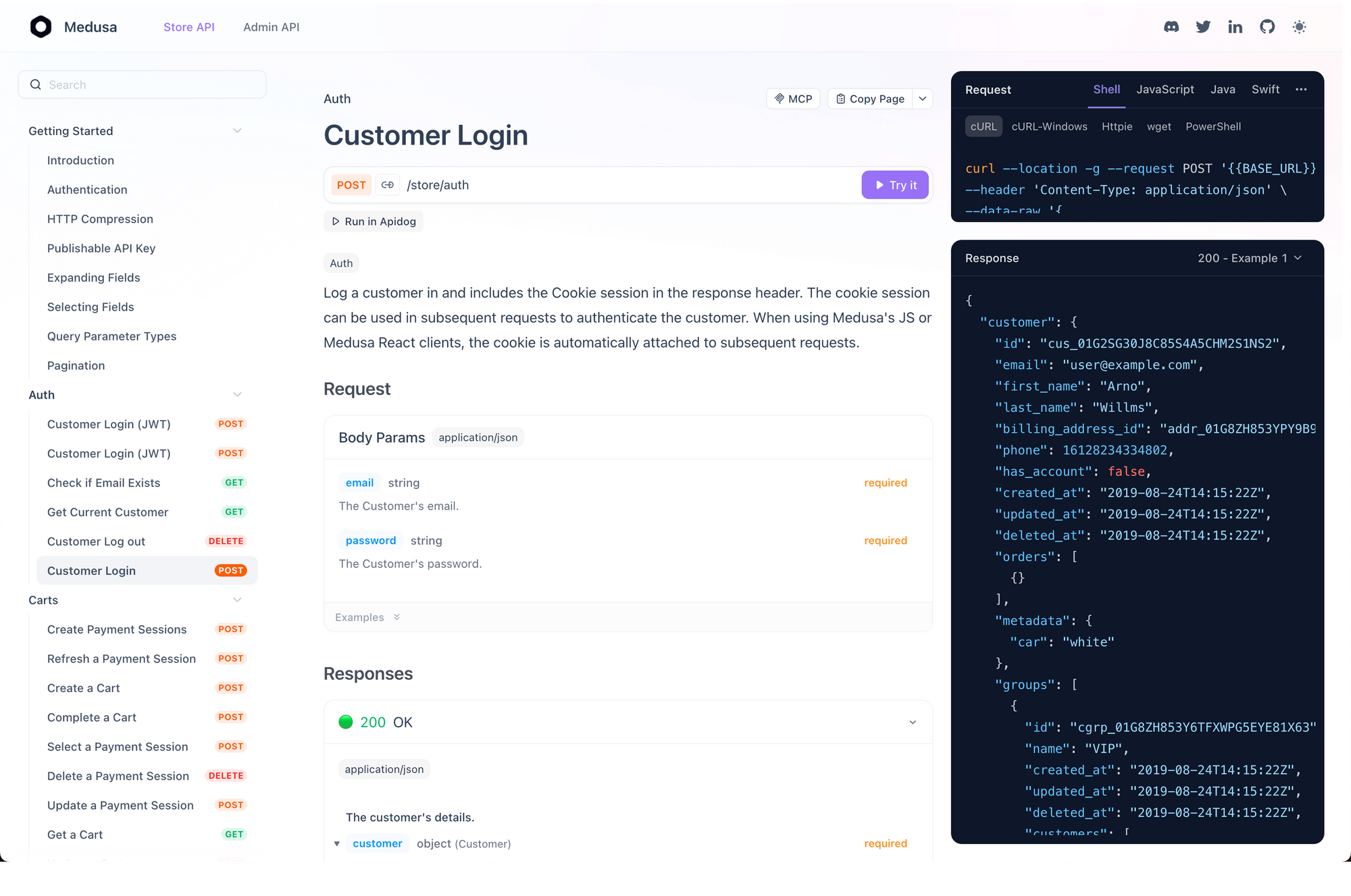
6) Auto-generate internal memory API docs
Persistent memory touches backend, QA, security, and product teams. Interactive docs reduce coordination overhead and clarify expected behavior quickly.
Common failure modes and how to debug them
1. Memory bloat
Symptom: latency and token usage climb over weeks.
Fix: TTL defaults, compaction jobs, stricter extraction thresholds.
2. Preference flip-flopping
Symptom: assistant alternates between conflicting user preferences.
Fix: require confirmation for high-impact updates; add hysteresis before replacing stable memory.
3. Silent policy violations
Symptom: sensitive data appears in retrieval context.
Fix: policy engine before persistence and again before retrieval; add red-team tests.
4. Retrieval irrelevance
Symptom: semantically similar but task-irrelevant memory dominates context.
Fix: increase task-aware re-rank features and metadata filtering.
5. Concurrent write races
Symptom: lost updates when multiple workers process same user stream.
Fix: optimistic locking (version), deterministic merge keys, and idempotency tokens.
OpenClaw vs lightweight alternatives: memory tradeoff summary
Projects like Nanobot highlight a valid tradeoff: smaller systems are faster and easier to reason about, but often sacrifice durable personalization depth.
OpenClaw’s value proposition is stronger continuity and agent usefulness over time. The cost is more complexity:
- richer storage architecture
- policy governance overhead
- stricter testing discipline
If your use case is short-lived automation, lightweight may win. If you need long-term assistant behavior that compounds, persistent memory architecture is worth the engineering investment.
Final takeaways
OpenClaw persistent memory works when three principles stay balanced:
- Selective persistence (store less, store better)
- Cost-aware orchestration (cheap checks first, model calls when necessary)
- Policy-first safety (consent, retention controls, auditable access)
Treat memory as a first-class subsystem, not a prompt trick. Define contracts, test ranking behavior, enforce policy gates, and observe drift over time.
If you’re implementing this stack, Apidog helps you standardize memory APIs, run scenario-based regression tests, mock upstream tools, and publish internal docs from the same source of truth. Try it free—no credit card required—and validate your memory service before it reaches production users.