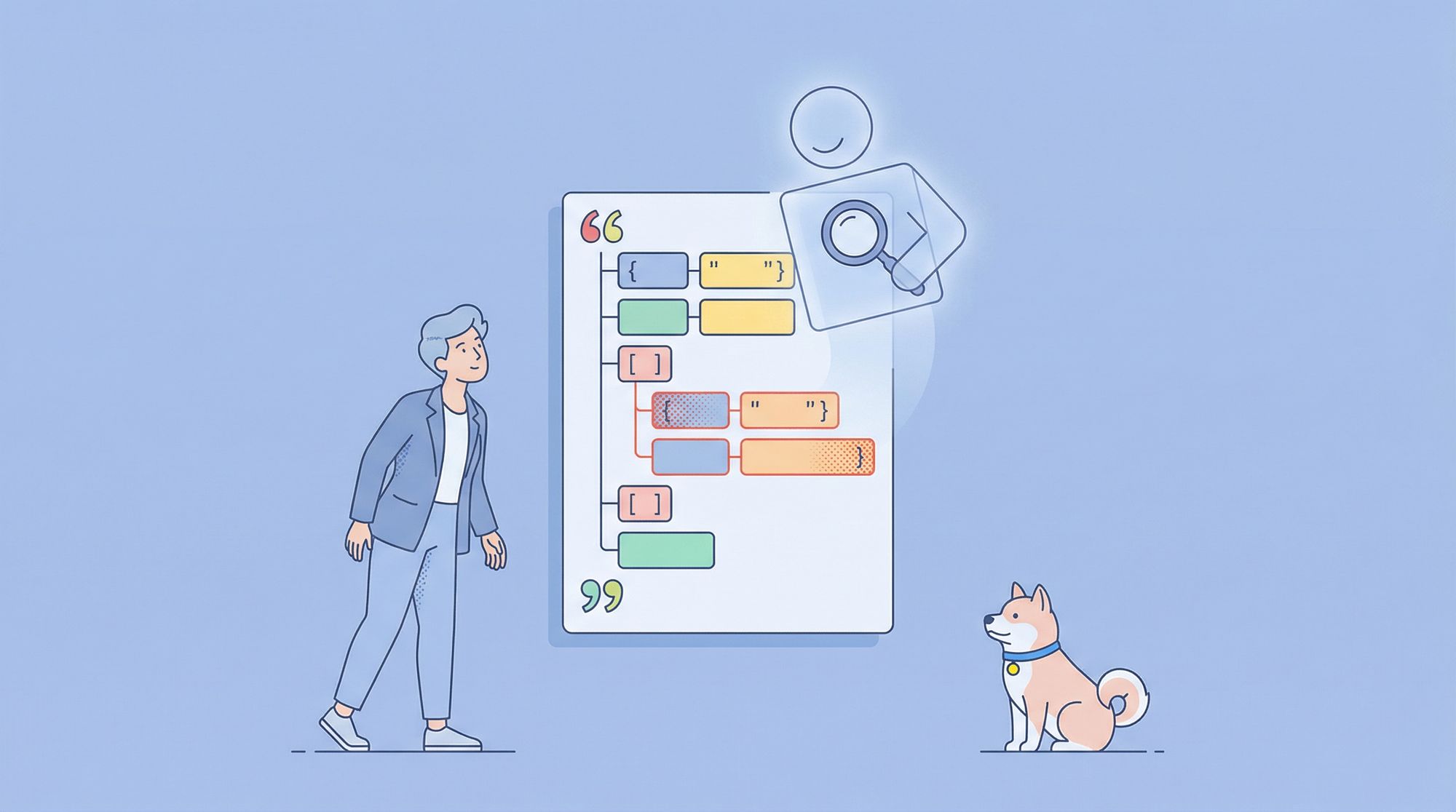
You've just built a new API endpoint. You send a test request, and instead of the beautiful, structured data you expected, you get back a cryptic error: Unexpected token ' in JSON at position 127. Your heart sinks. You now face the tedious task of scanning through hundreds of lines of JSON, hunting for that one missing comma or misplaced quotation mark.
This frustrating scenario is exactly why JSON validators exist. They are the spell-check for your data, the grammar police for your APIs. A JSON validator is a tool either standalone or built into larger platforms that checks whether a JSON (JavaScript Object Notation) document is syntactically correct and, in advanced cases, whether it conforms to a specific structure or schema.
Think of it as a building inspector for your data. Before you let anyone move in (or in this case, before your application tries to process the data), the inspector ensures the foundation is solid, the wiring is correct, and everything is up to code.
If you work with APIs, configuration files, or any system that exchanges data, understanding and using a JSON validator isn't just a good idea, but a fundamental skill that will save you hours of debugging.
In this post, we'll unpack everything you need to know about JSON validators: what they are, why they matter, how to use them effectively and how Apidog fits into the picture to make your API development life dramatically easier. This isn’t just a technical walkthrough; it’s a practical guide for developers who want to ship better APIs, faster and safer.
Now, let's dive into the world of JSON validation and discover how to keep your data clean and your sanity intact.
What is JSON? A Quick Refresher
Before we validate it, let's ensure we're on the same page about what JSON is. JSON (JavaScript Object Notation) is a lightweight data-interchange format that's easy for humans to read and write and easy for machines to parse and generate. It's become the universal language for web APIs.
It's built on two universal structures:
- A collection of key/value pairs (called an
object, denoted by{ }). - An ordered list of values (called an
array, denoted by[ ]).
A simple, valid JSON object looks like this:
{
  "name": "Alice",
  "age": 30,
  "isAdmin": true,
  "hobbies": ["reading", "hiking"],
  "address": {
    "street": "123 Main St",
    "city": "Springfield"
  }
}
The rules are strict, which is why we need validators. Strings must be in double quotes, commas must separate elements in arrays and objects, and trailing commas are forbidden.
The Problem: Why JSON Validation is Non-Negotiable
JSON's simplicity is its strength, but its strict syntax is a common source of failure. Here’s what can go wrong without validation:
- API Integration Failures: If your frontend sends invalid JSON to a backend API, the request will fail, often with an unhelpful
500 Internal Server Erroror400 Bad Request. You're left guessing what went wrong. - Configuration File Catastrophes: Many modern applications (like ESLint, Prettier, or VS Code settings) use JSON for configuration. A single syntax error can cause the entire application to fail on startup.
- Data Corruption: If you're storing data in JSON format, invalid JSON can make that data unreadable, potentially leading to permanent data loss.
- Wasted Development Time: Developers can spend hours, sometimes days, tracking down a single missing bracket or comma in a massive JSON file.
A JSON validator instantly identifies these problems, pointing you directly to the line and character where the error occurred.
Why JSON Validation Is So Important
You might think, “Can’t I just eyeball my JSON?” Sure if it’s five lines long. But as soon as you start dealing with complex APIs, nested arrays, or schema-based data, manual checking becomes a nightmare.
Here’s why automated JSON validation is a must-have:
1. Avoid Costly API Errors
Invalid JSON can break integrations, crash systems, or cause data loss. Catching those errors early saves you hours (or days) of debugging later.
2. Ensure Consistency Across Systems
When multiple apps exchange JSON, they must agree on the format. Validation ensures your data matches the expected schema every single time.
3. Enhance Security
Malformed JSON can sometimes open the door to injection attacks or misinterpretations. A validator helps prevent that by enforcing strict syntax rules.
4. Save Time During Development
Instead of waiting for API errors during testing, you can validate data instantly right inside Apidog or another validator tool.
5. Improve Collaboration
When teams share APIs, a JSON validator ensures that everyone is working with the same, error-free data structure.
Why Bother Validating JSON? The Cost of "Looks Good Enough"
You might be thinking: “My JSON works in Postman. Why over-engineer this?”
Fair point but real-world systems are rarely that forgiving. A minor formatting error can cascade into serious issues:
- APIs rejecting requests due to malformed payloads.
- Security vulnerabilities when unvalidated input is processed (think injection attacks).
- Integration failures between microservices that expect strict data contracts.
- Wasted debugging time chasing phantom bugs that trace back to a missing quote.
In cloud computing environments especially those handling sensitive data these risks are amplified. As someone deeply interested in cloud security, you know that input validation is one of the first lines of defense against threats like broken object-level authorization (BOLA) or server-side request forgery (SSRF).
Validating JSON isn’t just about correctness it’s about trust, safety, and predictability.
And that’s where developer tooling becomes critical. Manually checking every JSON payload? Not scalable. Relying on trial-and-error with live endpoints? Risky and slow.
Enter: intelligent validation integrated directly into your workflow.
JSON Validator vs. JSON Formatter: What’s the Difference?
These two tools often get confused. Here’s how they differ:
| Tool | Purpose |
|---|---|
| JSON Validator | Checks if your JSON is valid and matches the expected schema. |
| JSON Formatter | Beautifies and makes JSON more readable (but doesn’t check for validity). |
Apidog does both. You can format, validate, and test JSON all within the same workspace.
How Does a JSON Validator Work?
At its core, a JSON validator performs a process called parsing. It reads the text of your JSON document and attempts to build a data structure from it according to the formal JSON grammar rules.
Level 1: Syntax Validation (The Foundation)
This is the most basic form of validation. The validator checks for:
- Correct Brackets and Braces: Every opening
{must have a closing}, and every opening[must have a closing]. - Proper String Format: All strings must be enclosed in double quotes (
" "), not single quotes (' '). - Correct Commas: Commas must be used to separate elements in objects and arrays, but there must be no trailing comma after the last element.
- Valid Character Encoding: The JSON must be properly encoded, typically in UTF-8.
If any of these rules are broken, the validator will fail and tell you exactly where the problem is.
Level 2: Schema Validation (The Advanced Guard)
This is where validation gets powerful. JSON Schema is a vocabulary that allows you to annotate and validate JSON documents. It's like a blueprint that describes the expected shape, data types, and constraints of your JSON.
Instead of just checking if the JSON is syntactically correct, schema validation checks if it's meaningfully correct.
For example, a schema for a user object could specify:
- The
namefield must be a string. - The
agefield must be an integer greater than 0. - The
emailfield must match a specific pattern (a valid email format). - The
hobbiesfield must be an array of strings.
If a JSON object passes syntax validation but fails schema validation, it means it's well-formed but doesn't contain the data you expected in the right format.
Types of JSON Validators
JSON validators come in all shapes and sizes, each suited for different tasks.
1. Online Validators
Websites like JSONLint, JSONFormatter, or CodeBeautify offer quick, free validation. You paste your JSON into a text box, click a button, and get an instant result.
- Pros: Incredibly fast and convenient for one-off checks.
- Cons: Not suitable for sensitive data, no automation, and limited to syntax checking unless they support schema validation.
2. Code Editor Integrations
Modern code editors like VS Code, WebStorm, and Sublime Text have built-in or easily installable JSON validation. They underline errors in red as you type, providing immediate feedback.
- Pros: Integrated into your workflow, real-time validation.
- Cons: Primarily syntax-focused; advanced schema validation might require extensions.
3. Command-Line Tools
Tools like jq or language-specific JSON modules can be used in scripts and CI/CD pipelines to validate JSON files automatically.
- Pros: Perfect for automation and testing.
- Cons: Requires setup and command-line knowledge.
4. Integrated API Platforms (The Professional Choice)
This is where tools like Apidog shine. They don't just validate JSON in isolation; they validate it in the context of the entire API lifecycle.
JSON Validation in CI/CD Pipelines
If you’re working on large-scale projects, you can automate JSON validation as part of your continuous integration (CI) process.
This ensures that every API response or data exchange passes validation checks before deployment.
Apidog integrates with CI/CD tools like Jenkins, GitHub Actions, and GitLab allowing automated testing and validation right in your pipeline.
JSON Validation in the API Lifecycle with Apidog
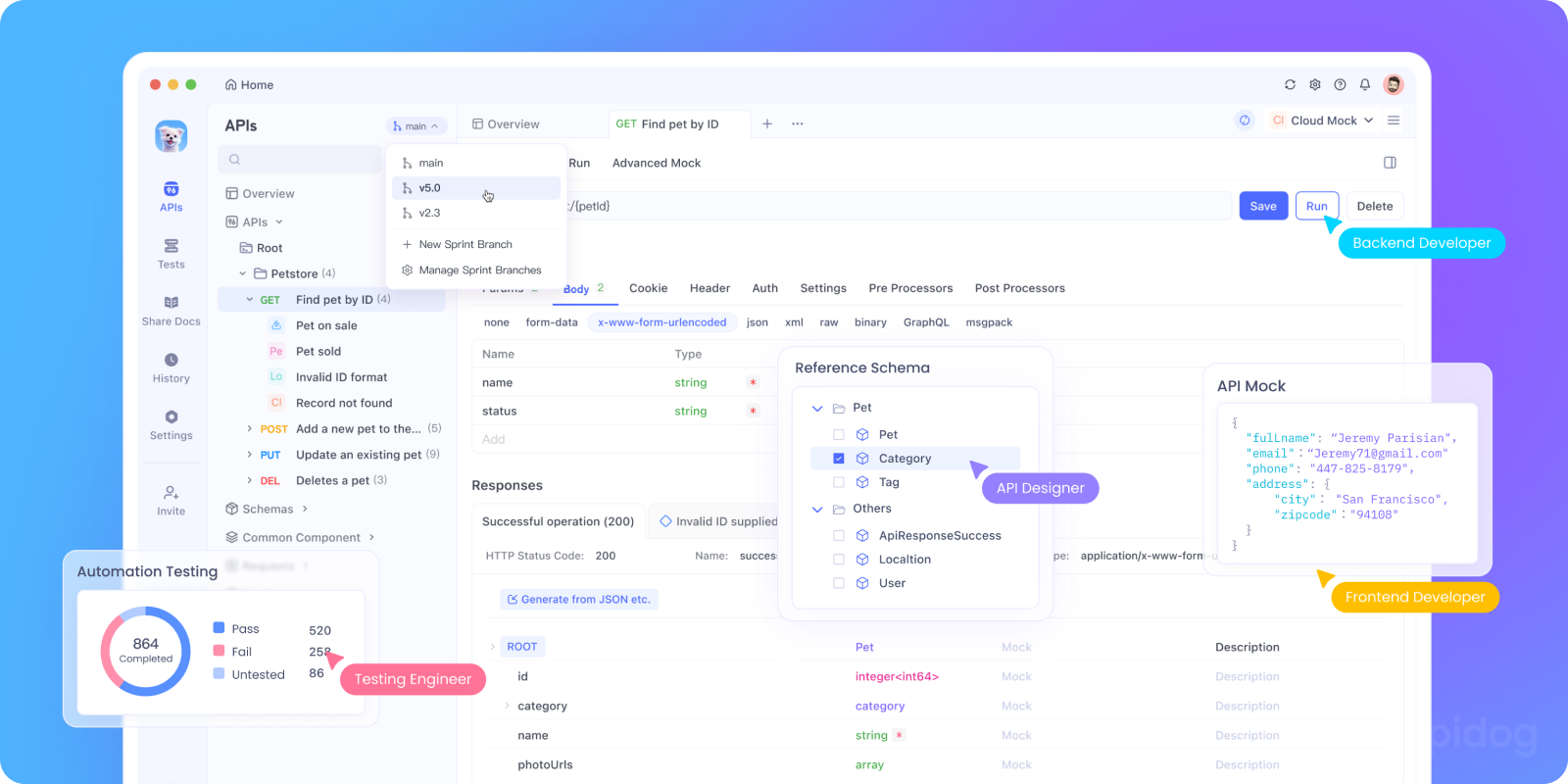
Validation shouldn't be a separate, manual step. It should be woven into your development process. Apidog makes this possible by integrating validation at multiple touchpoints.
1. Designing Your API Contract
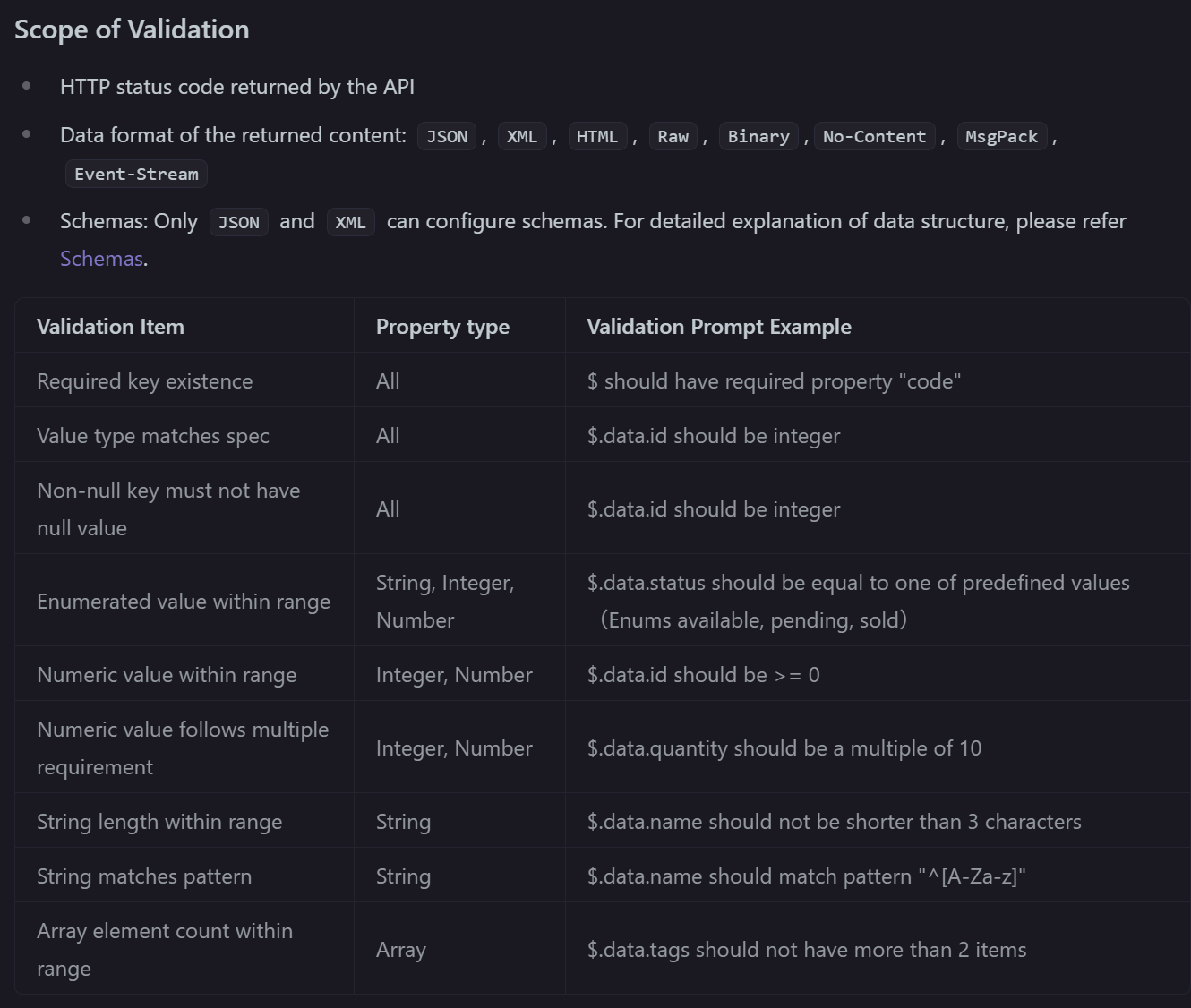
When you design an API in Apidog, you define the expected request and response schemas. This acts as your single source of truth. Apidog uses this definition to automatically validate incoming and outgoing JSON, ensuring that what you send and receive always matches the contract.
2. Testing and Automation
You can write test scripts in Apidog that include JSON schema validation assertions. After an API call, you can automatically verify that the response not only has a 200 OK status but also that the JSON body conforms to your expected schema. This catches bugs long before they reach production.
3. Mock Servers: The Ultimate Validation Safety Net
This is one of the most powerful features. Apidog's API mocking features allow you to generate a fake API server from your API definition. This mock server will return responses that are guaranteed to be valid JSON and to match the schema you defined.
Why is this a validation superpower?
- Frontend/Backend Parallel Development: Frontend developers can build and test their UIs against a mock API that returns perfectly valid, schema-compliant data every time. They'll never be blocked by backend delays or invalid JSON errors.
- Reliable Testing: Your automated tests can run against the mock server, confident that any failures are due to your application logic, not malformed JSON from a real API that might be under development or unstable.
- Schema as a Contract: By using the mock server, both frontend and backend teams are implicitly agreeing to and testing against the same JSON schema, preventing integration conflicts later.
You can explore Apidog's comprehensive mocking capabilities in their official documentation.
Common JSON Errors and How to Fix Them
Let's look at some frequent mistakes that validators catch.
The Trailing Comma:
// INVALID
{
  "name": "Alice",
}
// VALID
{
  "name": "Alice"
}
Using Single Quotes:
// INVALID
{'name': 'Alice'}
// VALID
{"name": "Alice"}
Missing Comma:
// INVALID
{
  "name": "Alice"
  "age": 30
}
// VALID
{
  "name": "Alice",
  "age": 30
}
A good validator will point you directly to line 3, character 7 (the start of "age") and say something like "Unexpected string."
Common Misconceptions About JSON Validators
Before we wrap up, let’s debunk a few myths.
"Validation Slows Me Down"
Reality: Upfront validation accelerates development by preventing bugs that take hours to debug later. Apidog makes it seamless no extra steps.
"My Framework Handles Validation"
Maybe but it’s often too late. Validating at the edge (in your dev tool) catches issues before they waste CI minutes or trigger cloud costs.
"Mocking Is Just for Demos"
Not with Apidog. Its mocks are contract-enforced, making them ideal for integration testing, security reviews, and contract testing.
Best Practices for JSON Validation
- Validate Early, Validate Often: Don't wait until production. Validate during development, testing, and in your CI/CD pipeline.
- Use a Schema: Go beyond syntax validation. Use JSON Schema to define the exact structure your application expects.
- Integrate with Your Tools: Use validators that are part of your editor, your API platform, or your build process. Manual validation doesn't scale.
- Provide Clear Error Messages: If you're building an API, ensure that when you return a validation error, the message is clear and tells the client exactly what's wrong with their JSON.
Tips for Writing Valid JSON Every Time
Even with a validator, good habits go a long way. Here are a few pro tips:
- Use double quotes for all keys and string values.
- Never leave trailing commas in arrays or objects.
- Stick to true/false, not "true"/"false" strings.
- Validate early and often don’t wait until deployment.
- Use schema validation to enforce consistent structure.
Conclusion: Validation is Confidence
In today's API-driven world, treating JSON as "just data" is a recipe for technical debt and security gaps. A robust JSON validator, especially one embedded in your design and testing workflow, is no longer optional.
A JSON validator is more than just a tool for finding missing commas. It's a foundation for building reliable, robust software. It gives you the confidence that the data flowing through your systems is well-structured and predictable.
In the context of modern API development, validation isn't a standalone task; it's an integrated practice. By using a platform like Apidog, you bake validation directly into your design, testing, and mocking workflows. This proactive approach stops data problems before they start, saving you time, reducing bugs, and creating a better experience for everyone who uses your API. Whether you're building a cloud-native SaaS product or exploring cybersecurity research, tools like Apidog elevate your precision and productivity.
So, stop guessing and start validating. Your future self, debugging a complex issue at 2 AM, will thank you.