
Are you building AI chatbots or custom LLM workflows but struggling to measure and improve their performance? LangWatch is a dedicated platform designed to help developers and API teams monitor, evaluate, and optimize large language model (LLM) pipelines—making it easier than ever to fine-tune your AI applications for accuracy and reliability.
💡 Looking for a robust API testing platform that also generates beautiful API Documentation? Want your developer team to collaborate efficiently on an all-in-one platform for maximum productivity? Apidog combines these features and offers a more affordable alternative to Postman!
What Is LangWatch? Why It Matters for LLM Developers
LangWatch is built for teams who need to evaluate and monitor generative AI systems—especially those that go beyond standard, deterministic models. Unlike traditional ML evaluation (where metrics like F1 score or BLEU suffice), LLMs are unpredictable and often require custom evaluation aligned with your data and business goals.
Key benefits for technical teams:
- Experiment & Optimize: Rapidly test different LLM pipelines and configurations.
- Real-Time Monitoring: Track how your LLM behaves in production.
- Custom Evaluation: Use datasets and evaluators tailored to your workflows.
- Flexible Integrations: Works with your data, models, and pipelines.
Whether you’re building chatbots, translation tools, or complex AI-driven APIs, LangWatch helps ensure your LLMs deliver consistent, high-quality results.
Step-by-Step Guide: Installing and Using LangWatch
Prerequisites
To follow this guide, you’ll need:
- Python 3.8+
- LangWatch Account (Sign up at app.langwatch.ai)
- OpenAI API Key (get one at platform.openai.com)
- Code Editor (VS Code, PyCharm, etc.)
- Git & Docker (optional, for local setup)
1. Sign Up and Get Your LangWatch API Key
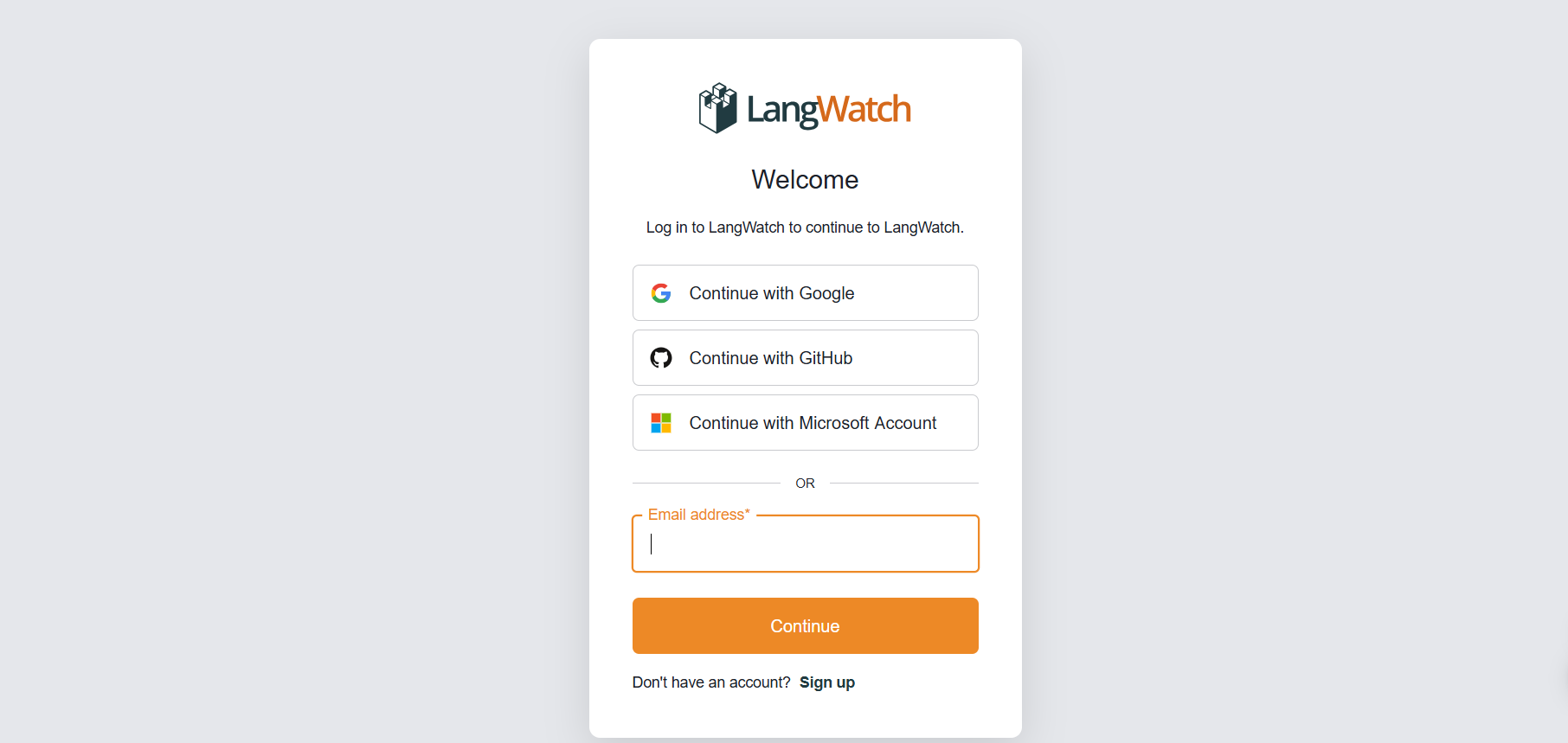
- Visit app.langwatch.ai and sign up.
- A default project ("AI Bites") is created. Use it or create your own.
- Find your
LANGWATCH_API_KEYin Project Settings—you’ll need this for integration.
2. Create a Python Chatbot Project with LangWatch
Set up a simple chatbot and integrate LangWatch to track its messages.
a. Create Your Project Folder
mkdir langwatch-demo
cd langwatch-demo
b. Set Up a Virtual Environment
python -m venv venv
source venv/bin/activate  # On Windows: venv\Scripts\activate
c. Install Dependencies
pip install langwatch chainlit openai
d. Build the Chatbot (app.py)
Paste the following code in app.py:
import os
import chainlit as cl
import asyncio
from openai import AsyncClient

openai_client = AsyncClient()  # Assumes OPENAI_API_KEY is set in environment
model_name = "gpt-4o-mini"
settings = {
    "temperature": 0.3,
    "max_tokens": 500,
    "top_p": 1,
    "frequency_penalty": 0,
    "presence_penalty": 0,
}

@cl.on_chat_start
async def start():
    cl.user_session.set(
        "message_history",
        [
            {
                "role": "system",
                "content": "You are a helpful assistant that only reply in short tweet-like responses, using lots of emojis."
            }
        ]
    )

async def answer_as(name: str):
    message_history = cl.user_session.get("message_history")
    msg = cl.Message(author=name, content="")
    stream = await openai_client.chat.completions.create(
        model=model_name,
        messages=message_history + [{"role": "user", "content": f"speak as {name}"}],
        stream=True,
        **settings,
    )
    async for part in stream:
        if token := part.choices[0].delta.content or "":
            await msg.stream_token(token)
    message_history.append({"role": "assistant", "content": msg.content})
    await msg.send()

@cl.on_message
async def main(message: cl.Message):
    message_history = cl.user_session.get("message_history")
    message_history.append({"role": "user", "content": message.content})
    await asyncio.gather(answer_as("AI Bites"))
e. Set Your OpenAI API Key
export OPENAI_API_KEY="your-openai-api-key"
f. Run the Chatbot
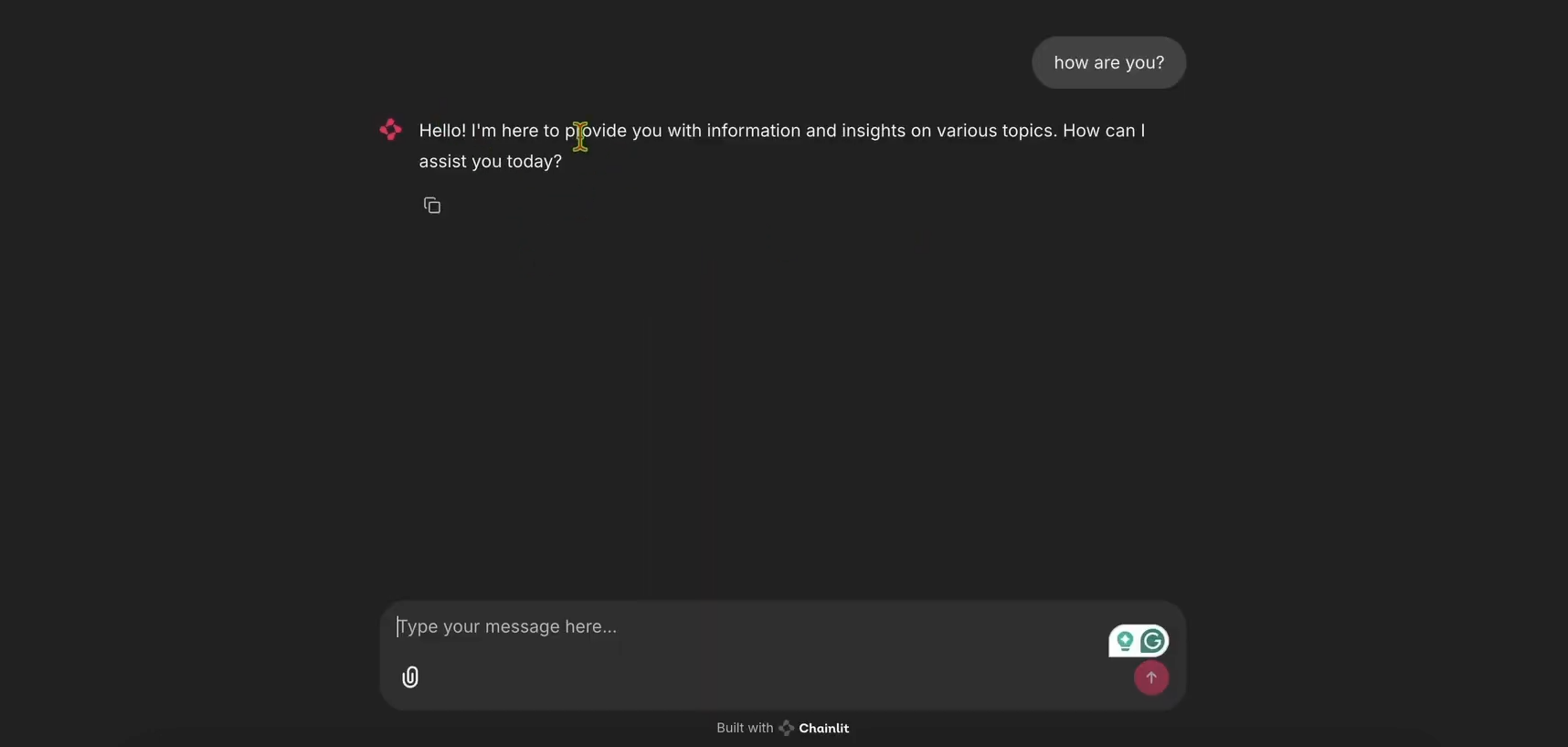
chainlit run app.py
Open http://localhost:8000 to test your chatbot.
3. Integrate LangWatch Tracing
To track messages, decorate your chatbot handler with LangWatch:
Update app.py:
import langwatch
# ...other imports...

@cl.on_message
@langwatch.trace()
async def main(message: cl.Message):
    # ...rest of handler...
Restart the app:
chainlit run app.py
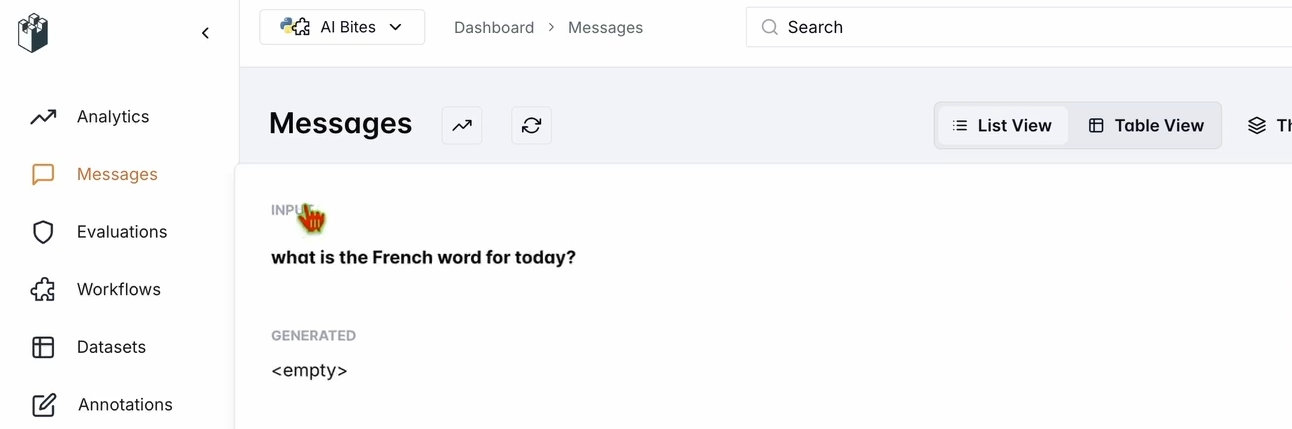
Ask: “What’s the French word for today?”
Check your LangWatch dashboard under Messages—your input and the chatbot’s response (e.g., "Aujourd’hui! 🇫🇷😊") should appear.
4. Evaluate Your Chatbot with LangWatch Datasets
LangWatch lets you define datasets and evaluators to systematically test your LLM’s output.
a. Create a Dataset
- In LangWatch, go to Datasets → New Dataset
- Add questions and expected answers (e.g., “What’s the French word for today?” → “Aujourd’hui”)
b. Add an Evaluator
- Go to Evaluators
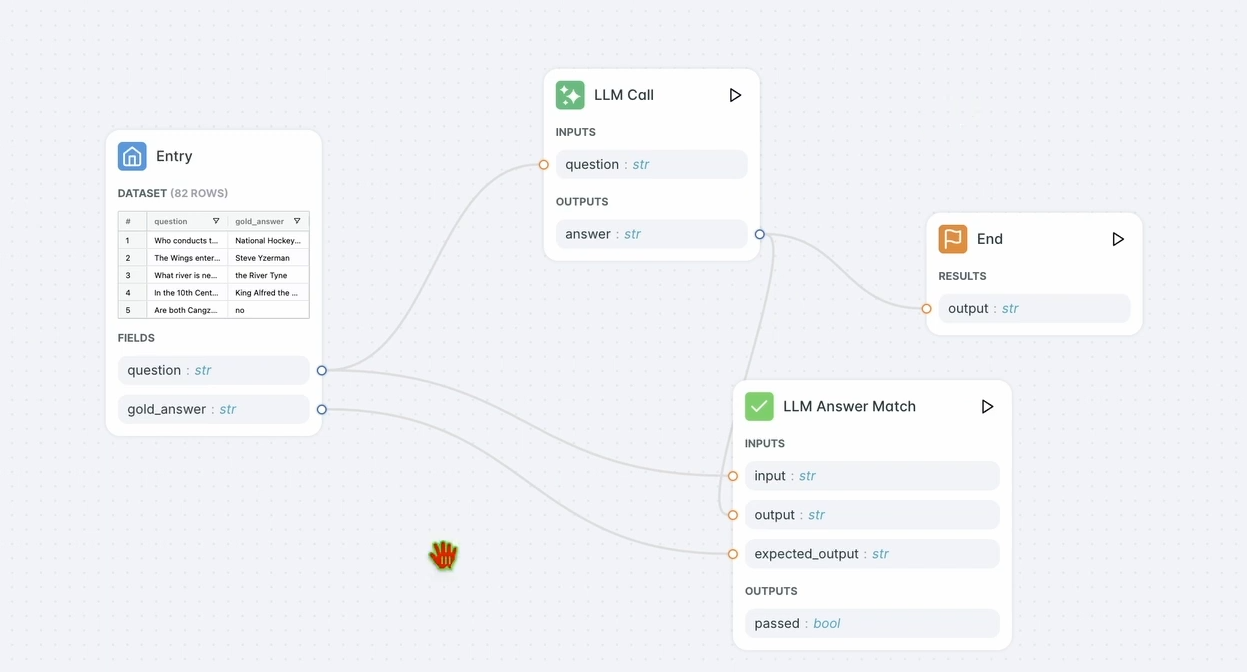
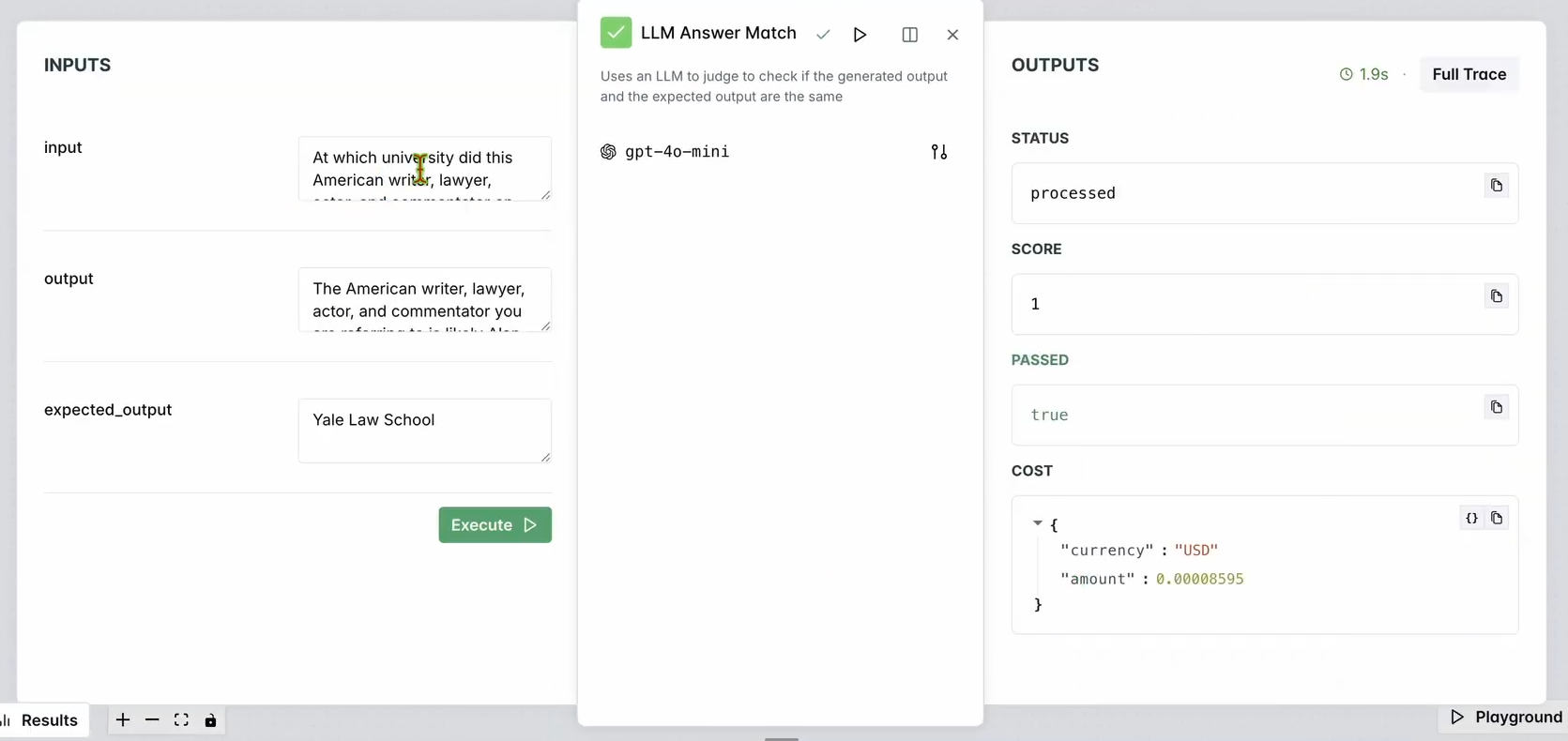
- Drag the “LLM Answer Match” evaluator into your workspace
- Configure input and expected output fields to match your dataset (e.g., question/answer pairs)
- Optionally select different LLMs for evaluation
c. Run the Evaluation Workflow
- Click “Run Workflow Until Here”
- Review results to see if chatbot output matches expectations
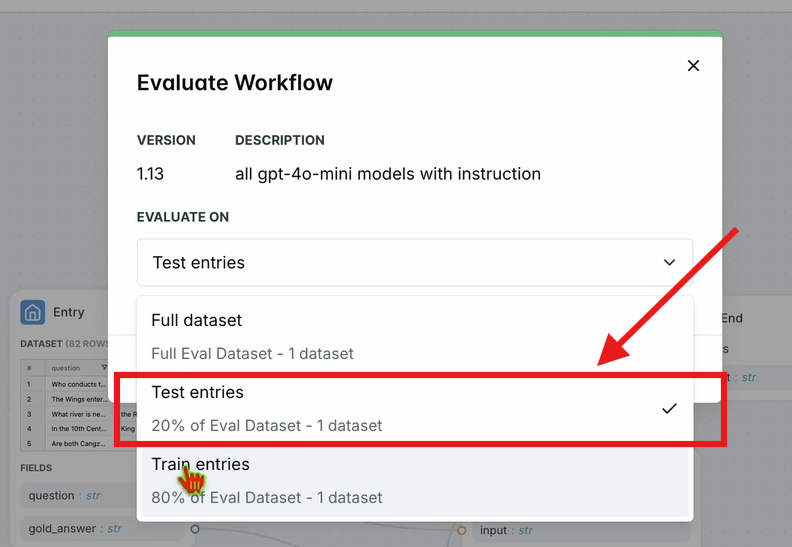
d. Evaluate Workflow on All Test Entries
- In the top navbar, click “Evaluate Workflow” → “Test Entries”
- Results appear after processing
5. Optimize Your LLM Workflow
Once you have evaluation results, use LangWatch to automatically optimize your chatbot’s prompts.
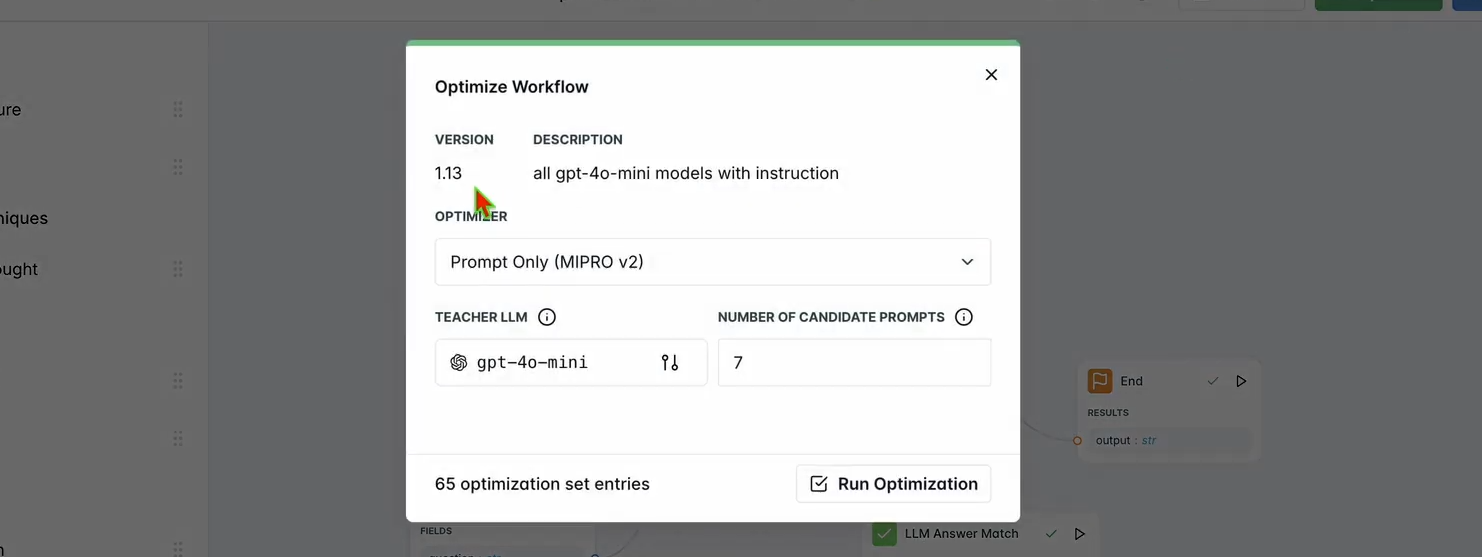
a. Run Optimization
- Click “Optimize” in the top navbar
- Choose “Prompt Only” to optimize just the prompt
- Wait for optimization to finish
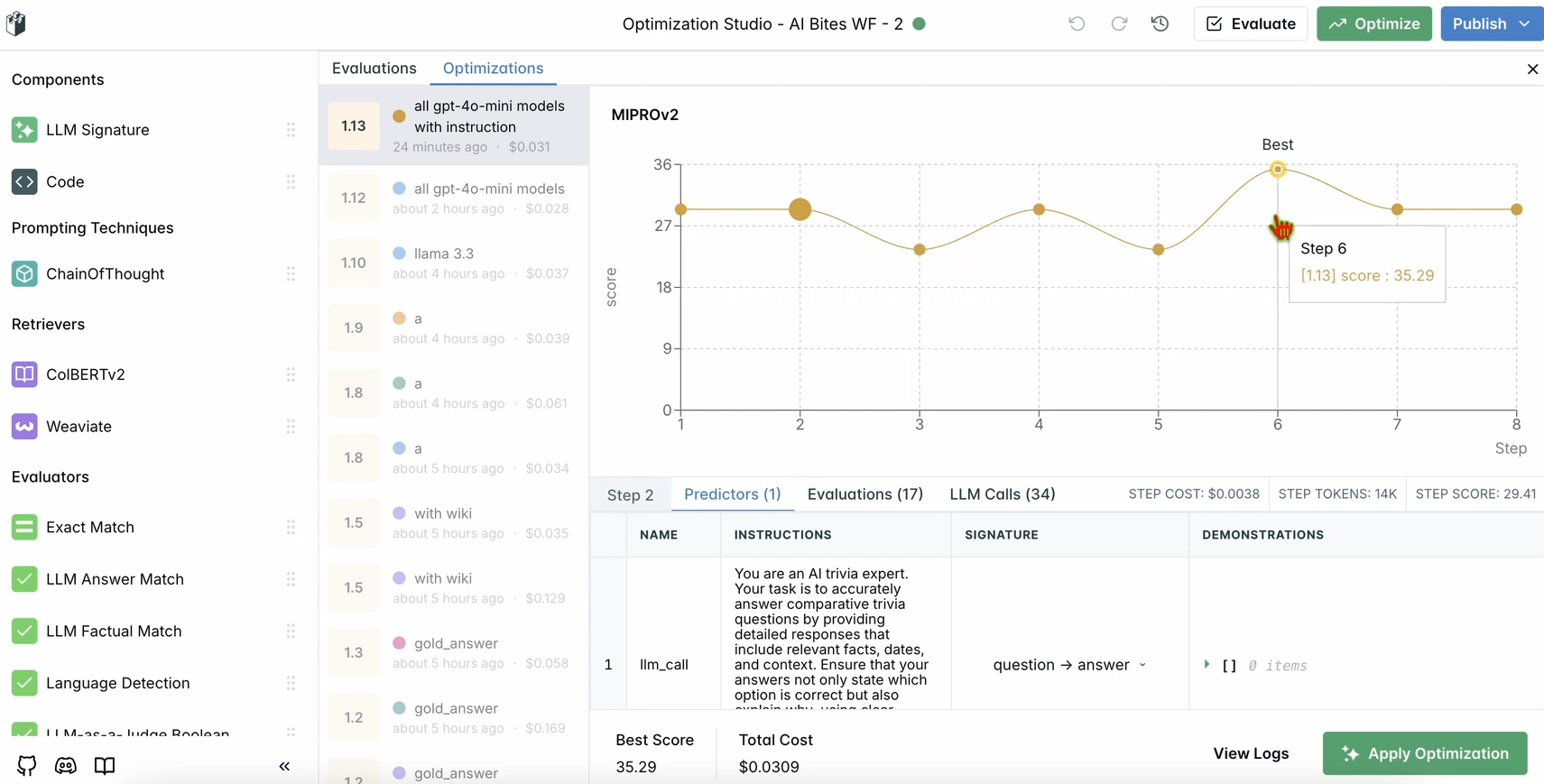
b. Review Improvements
- See updated results and suggestions for improved prompt or model settings
6. (Optional) Local LangWatch Setup with Docker
If you need to test with sensitive data, you can run LangWatch locally:
a. Clone the Repo
git clone https://github.com/langwatch/langwatch.git
cd langwatch
b. Set Up Environment
cp langwatch/.env.example langwatch/.env
c. Launch with Docker
docker compose up -d --wait --build
d. Access the Dashboard
Visit http://localhost:5560 and follow onboarding.
Note: Local Docker setup is for testing only. For production, use LangWatch Cloud or Enterprise On-Prem.
Why LangWatch Stands Out for LLM Monitoring
LangWatch consolidates LLM monitoring, evaluation, and optimization into one developer-focused platform. Instead of juggling custom scripts and ad-hoc metrics, you get:
- Centralized tracking of every prompt and response
- Repeatable evaluations to benchmark model changes
- Prompt and pipeline optimization for higher accuracy
Integrating LangWatch with modern Python stacks (e.g., Chainlit, OpenAI SDK) is straightforward, making it easy to bring observability to your LLM projects.
If you’re working with APIs, having a reliable evaluation tool like LangWatch complements platforms such as Apidog for your broader API lifecycle—ensuring both your endpoints and AI logic are robust and production-ready.
Conclusion
LangWatch empowers API and AI developers to monitor, evaluate, and optimize LLM workflows with confidence. From setting up a Python chatbot to tracking, testing, and improving its performance, LangWatch makes LLM observability accessible and actionable. Try it today at app.langwatch.ai.
💡 For teams managing both APIs and AI workflows, Apidog streamlines your development process—offering beautiful documentation, advanced collaboration for maximum productivity, and a better value than Postman.