Efficient, accurate product documentation is critical for API developers, product teams, and technical leads—but traditional tools can be slow, fragmented, or require unnecessary technical skills. This guide details how Apidog redefines documentation workflows, enabling seamless collaboration between product managers and operations without engineering bottlenecks.
Why Product Documentation Still Matters
Even in well-designed applications, users and teammates need clear, accessible documentation to understand features, workflows, and edge cases. Embedding lengthy explanations directly in your app leads to clutter, while neglecting documentation risks confusion and support headaches.
Key challenges with legacy tools like Notion, Confluence, Docusaurus, or GitBook:
- Code-dependent authoring: Requires technical expertise, increasing costs and reducing team flexibility.
- Version control headaches: Collaboration can lead to conflicting edits, manual merges, and lost updates.
- Clunky publishing: Either too simplistic—lacking review controls—or too complex, demanding developer time for every change.
Our own team at Apidog once relied on Docusaurus before hitting these bottlenecks. We built Apidog to solve them—so now, all our documentation is created, managed, and published directly in one unified platform.
If you want to see these results in action, check out the Apidog Help Documentation.
Team Collaboration: Our Documentation Workflow
At Apidog, documentation is a joint effort—no developers required. Product managers and operations staff work together to draft, refine, and publish content. Here’s our streamlined approach:
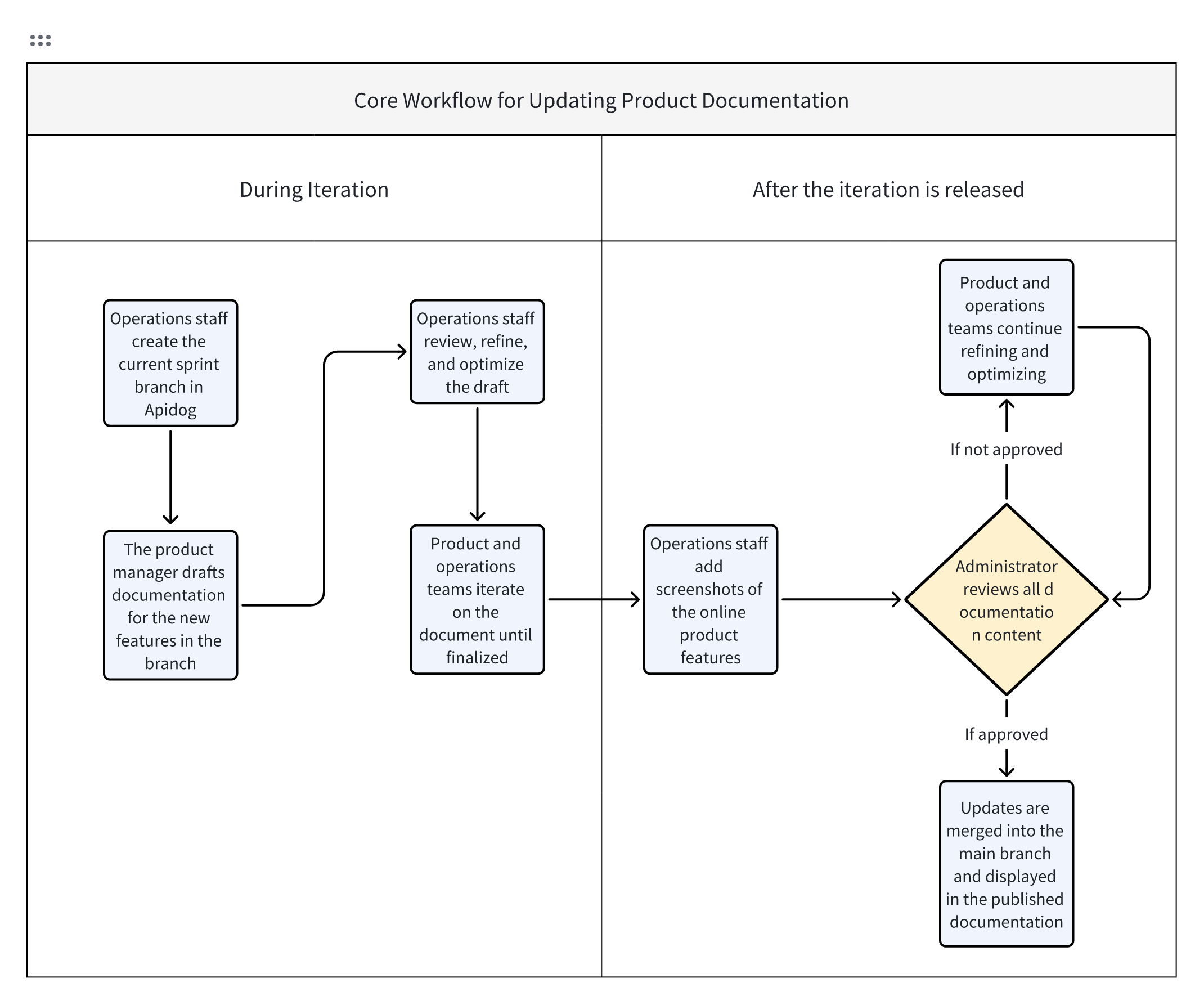
- Product managers: Draft and update docs based on new features.
- Operations team: Reviews, polishes, and ensures accuracy before publishing.
- No direct main-branch edits: Protects live docs from accidental changes.
Let’s break down the process step by step.
Building Product Documentation in Apidog: Step by Step
1. Organize Content with Sprint Branches
When a new development sprint begins, the operations team creates a dedicated sprint branch in Apidog. This allows all documentation changes for that iteration to be isolated, safely reviewed, and merged when ready—mirroring best practices for API and code versioning.
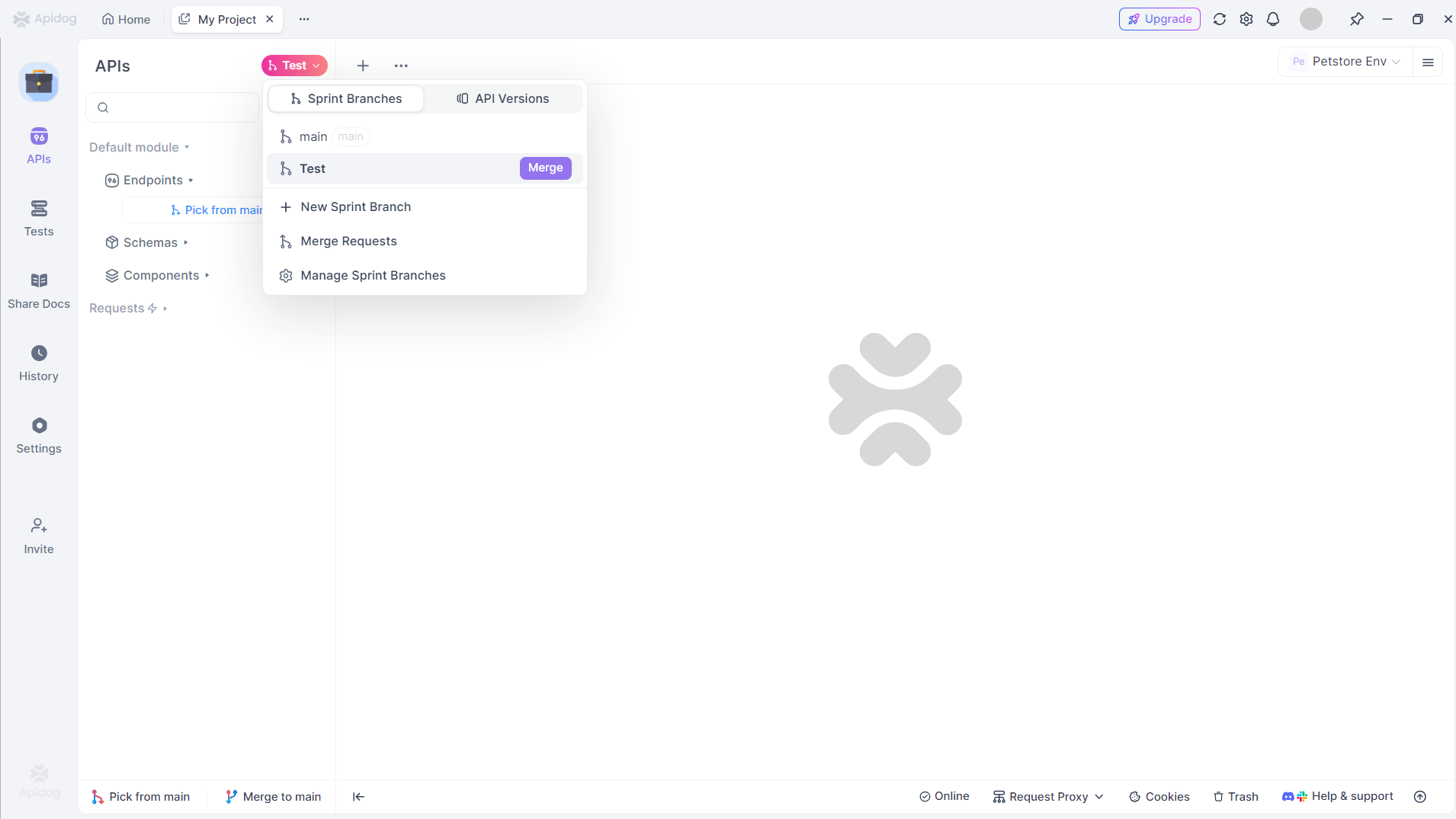
- Import or create docs: Product managers bring in docs for updated features and start drafts for new ones.
- Main branch protection: All live docs are safeguarded; no accidental edits go live.
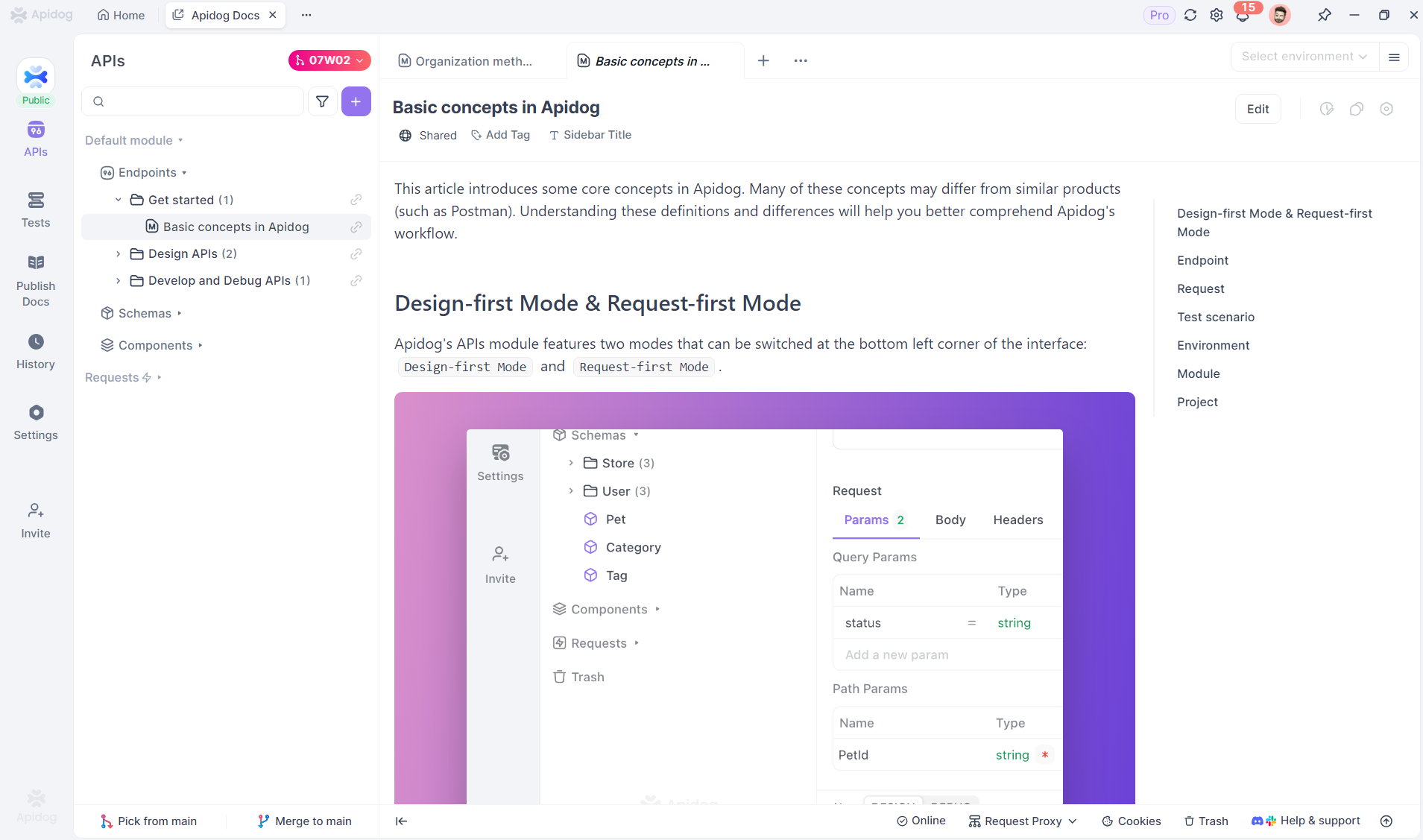
This "docs as code" approach keeps documentation changes stable, trackable, and aligned with release cycles.
2. Write with an Advanced Markdown Editor
Apidog’s Markdown editor is built for both speed and accessibility. Product managers can draft documentation using familiar Markdown syntax, while also leveraging visual tools and rich content blocks.
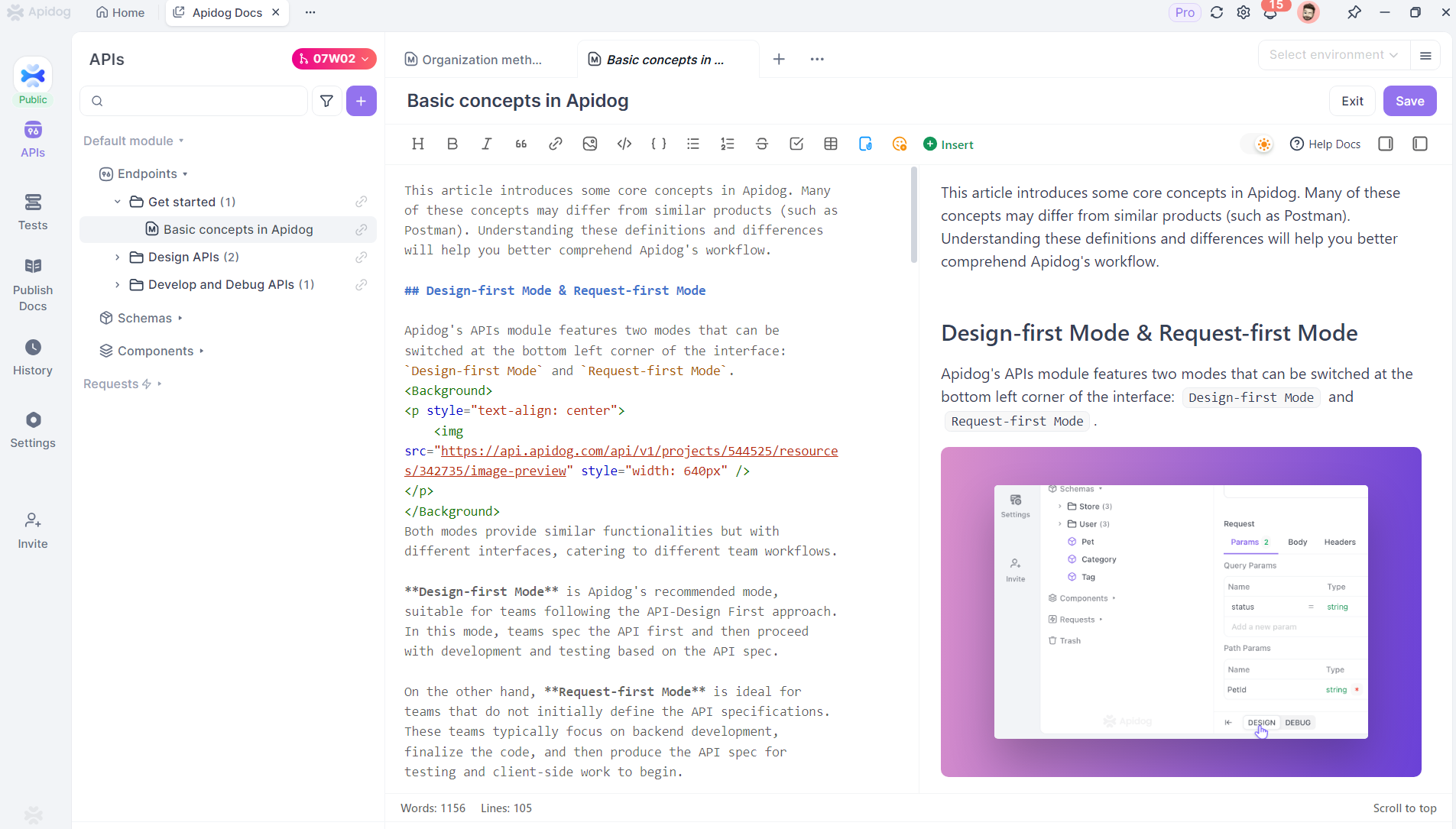
Notable features:
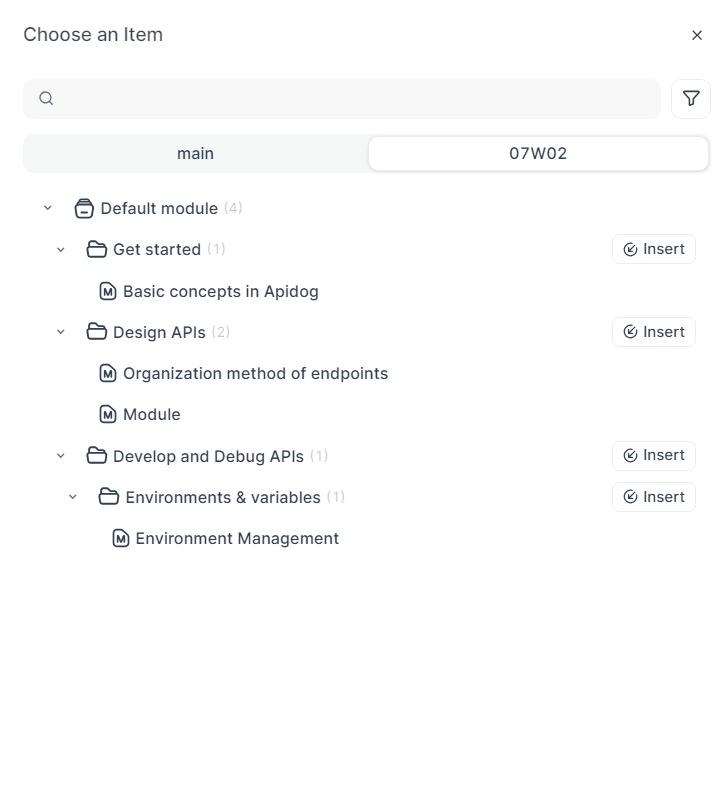
- Reference links: Easily connect docs to API endpoints or related documentation with a click—creating seamless navigation and reducing context-switching for readers.
- Rich insert options: Add icons, info blocks, step guides, Mermaid diagrams, videos, and tables—all without memorizing complex syntax.
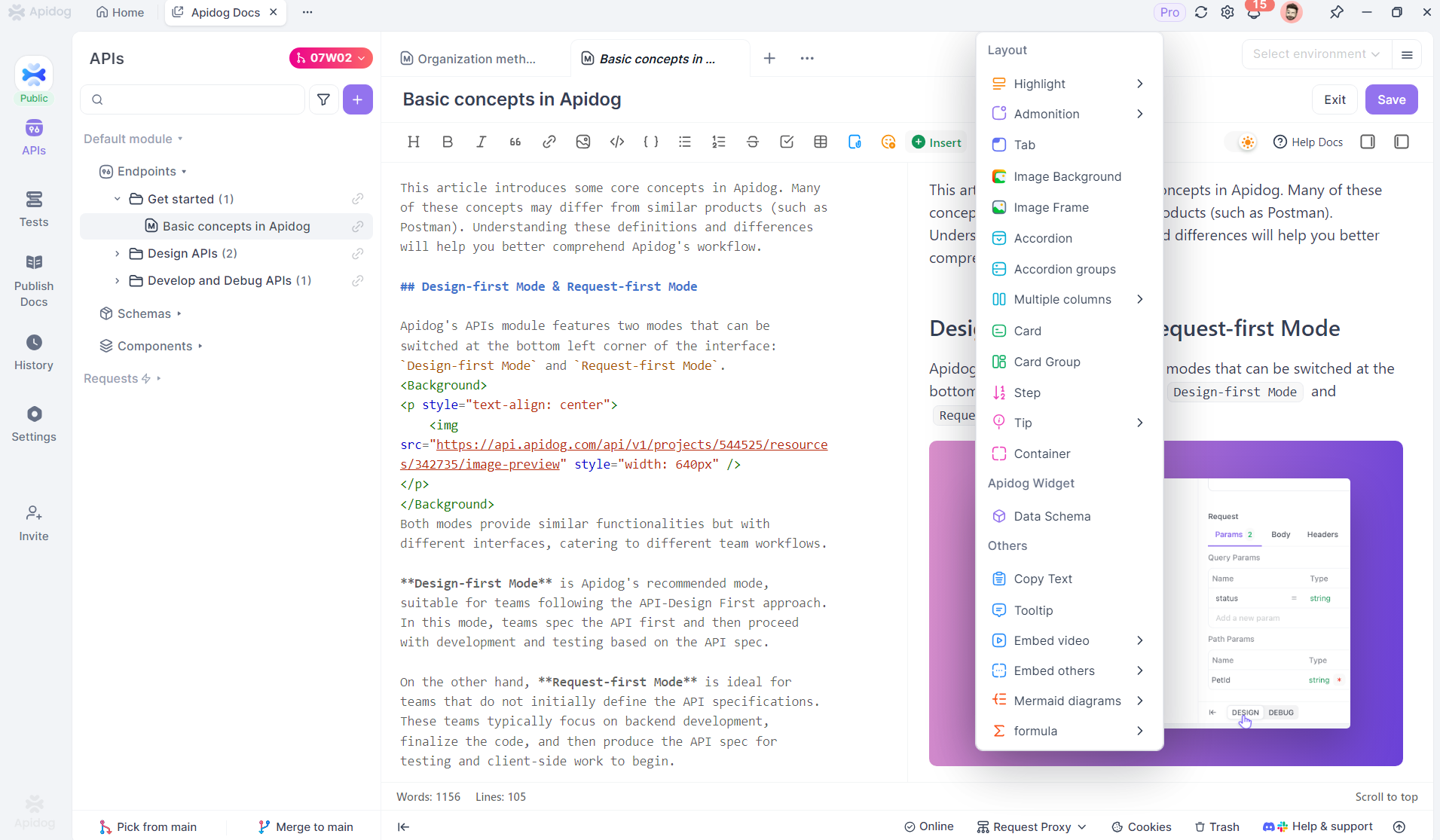
This empowers non-technical team members to create polished, actionable docs that developers and users can trust.
3. Real-Time Collaboration & Review
After drafting, the operations team reviews the sprint branch. Their focus: clarity, accuracy, and user experience.
Historically, this step meant endless comment threads, manual version comparisons, and the risk of conflicting edits. Apidog removes these pain points:
- Instant edit notifications: Team members are notified in real time (via IM message cards) about any changes.
- Built-in version history: Compare, accept, or revert edits with one click—no more confusion over which version is current.
- Collaborative cycles: Product and operations iterate rapidly until docs are ready for release.
This workflow minimizes errors and keeps everyone on the same page—literally.
4. Testing and Pre-Publish Review
Accuracy is non-negotiable. Before publishing, we:
- Capture live screenshots directly from production for step-by-step accuracy.
- Verify new features: Operations tests all updates, then embeds verified screenshots into the docs.
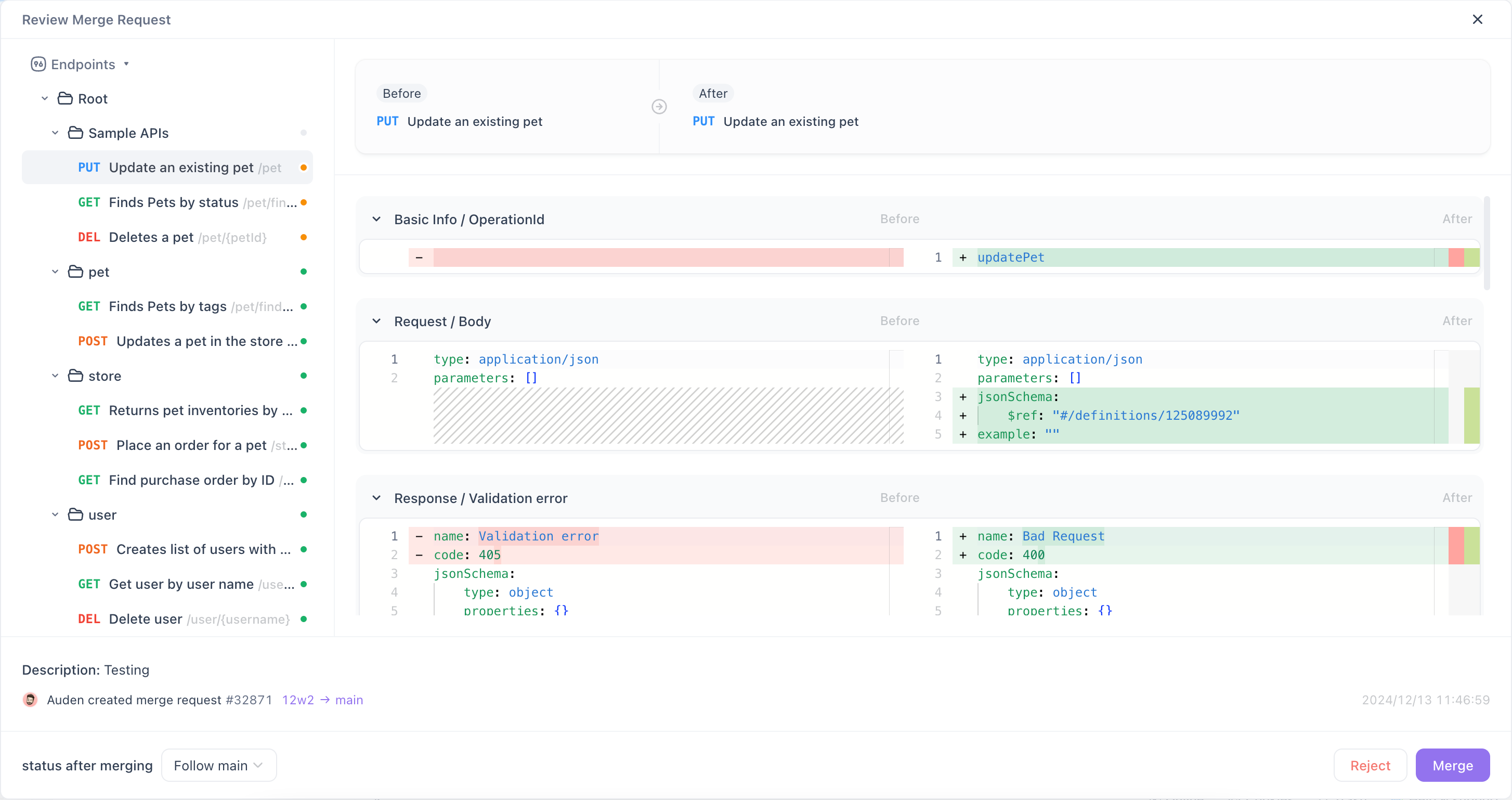
Final publishing checklist:
- Operations review: Confirm all docs for the sprint are correct.
- Submit merge request (MR): Operations submits docs to the main branch.
- Admin approval: Managers review and approve the MR.
- Instant publish: Merged docs go live for users—always up to date and validated.
More Ways Apidog Optimizes Documentation Sites
1. Custom Branding and Layout
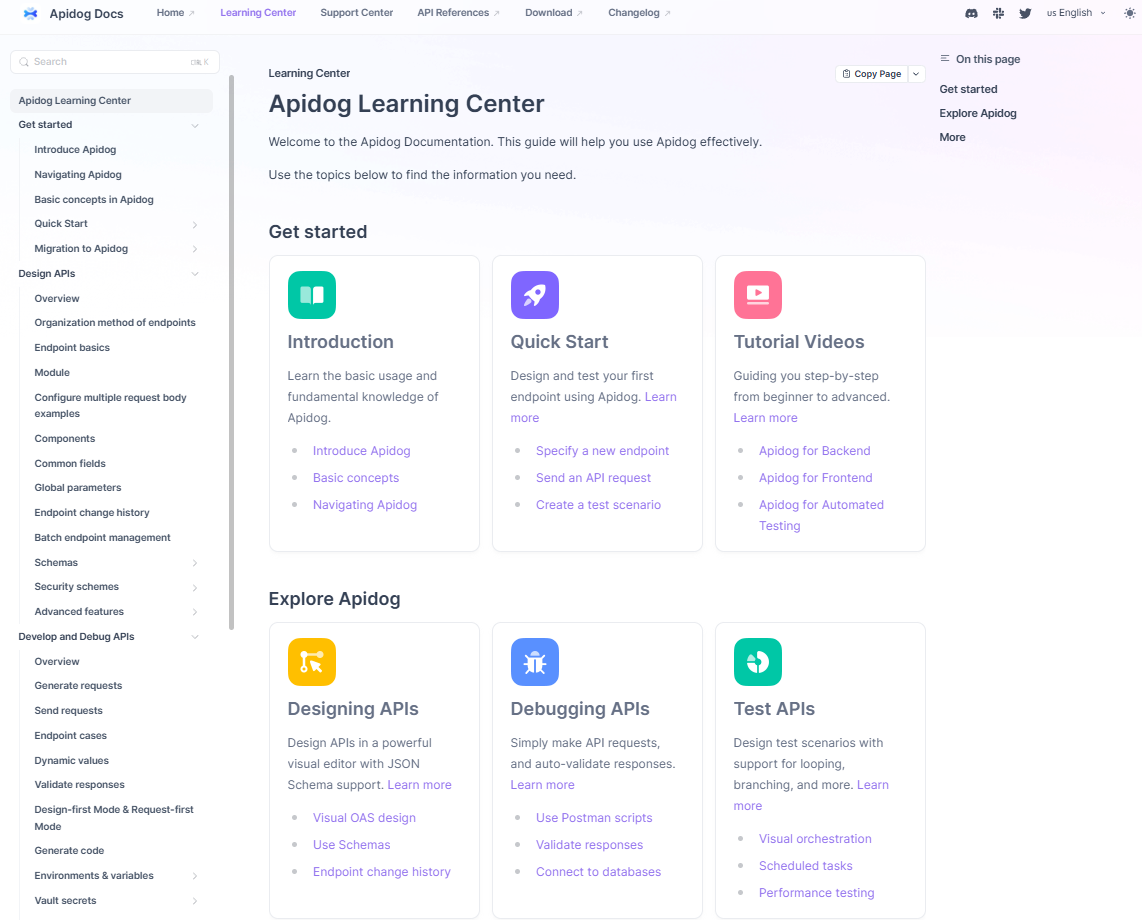
Configure your documentation site to match your company’s visual identity. Add logos, custom resource links, and align the site’s interface with your product’s tone.
Example:
- Logo and branding at the top
- Quick links to company resources and open API docs
2. One-Click, Zero-Maintenance Deployment
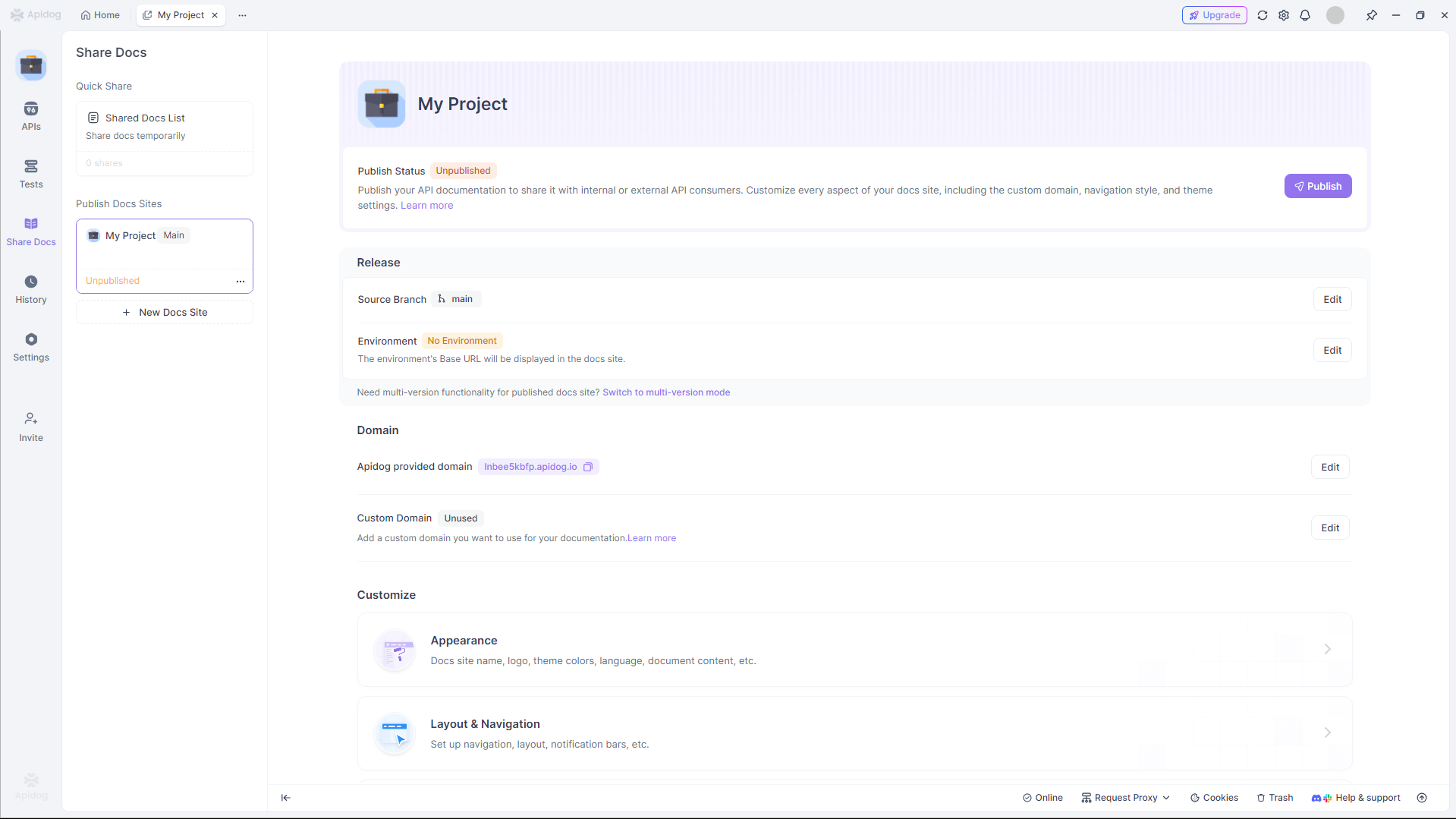
Publishing is as simple as hitting "Publish"—your docs are instantly available via an Apidog-hosted domain.
0
Need more control?
- Set up a custom domain for branded URLs
- Configure site search, Algolia, Google Analytics, redirects, and more—no engineering required
Clear step-by-step guides make advanced features accessible to any operator.
3. SEO-Optimized Out of the Box
Apidog boosts documentation discoverability with:
- Auto-generated clean URLs (slugs)
- Per-doc SEO customization: Edit slugs, titles, and metadata as needed
1
This ensures your docs are easy to find, share, and index—right from the start.
Conclusion
By unifying content creation, review, and publishing in a single platform, Apidog makes documentation workflows faster, safer, and more collaborative—especially for API-focused teams. Whether you’re managing product guides, developer docs, or API references, Apidog helps you ship clear, up-to-date content without engineering overhead.
Ready to simplify your own documentation process? Give Apidog a try and see the difference for your team.