TL;DR
The only AI image generators with genuinely no restrictions are local tools: Stable Diffusion, FLUX, and ComfyUI running on your own hardware. Every cloud service, including Grok Imagine, Midjourney, and DALL-E, enforces a content policy at the model level. This guide ranks both categories honestly, explains exactly what each cloud tool filters, and walks through setting up a no-restrictions local pipeline from scratch.
Introduction
The question comes up constantly: which AI image generator actually has no restrictions?
The honest answer has two parts. Cloud-based generators all have content policies. Some are stricter than others, but none of them let you generate everything. The only path to zero content restrictions is running a model on your own machine, where there's no API, no safety layer, and no one between you and the output.
This guide covers both. You'll get a clear breakdown of what each major cloud tool actually blocks (not just what their policy pages say), and a practical setup guide for the local tools that have no restrictions at all.
Why every cloud generator has restrictions
Before getting into the rankings, it helps to understand why cloud restrictions exist and why they're hard to remove.
Cloud image generators run on shared infrastructure. When you call POST /v1/images/generations, your request goes through at minimum two layers: a prompt filter that checks your text before generation starts, and an image classifier that checks the output before returning it to you. Both layers run on every request, on every account, on every plan.
The business reason is straightforward. Generating explicit content of real people or minors on a commercial cloud service creates legal liability. The January 2026 Grok Imagine controversy, where deepfake images of public figures went viral, shows what happens when those filters fail. xAI restricted the product within days and removed the free tier by March.
The technical reason is that the filter can't be turned off per-user. It runs at the model serving level. There's no "admin mode" that bypasses it.
This is why local generation is the only real answer if your use case requires zero restrictions. You're running the model yourself. There's no serving layer, no content policy enforcement, and no company with liability concerns between your prompt and the output.
Cloud generators: what they actually filter
Here's what the main cloud tools block in practice, based on testing and documented policies, not just their terms of service pages.
Grok Imagine (SuperGrok, $30/month)
Grok was the least filtered major cloud option through most of 2025. After the January 2026 deepfake controversy and the removal of the free tier in March, the filter tightened but it's still more permissive than DALL-E or Adobe Firefly.
What it blocks: Explicit sexual content, realistic depictions of real public figures in compromising situations, graphic violence with realistic gore, content involving minors.
What it allows: Stylized violence in artistic or cinematic contexts, suggestive but non-explicit content, fictional characters in mature themes, dark or horror-themed imagery.
API access: Available via POST https://api.x.ai/v1/images/generations with model grok-imagine-image at $0.02/image. The same filter applies through the API. See the Grok Imagine no restrictions guide for the full API walkthrough.
Verdict: Best cloud option for mature artistic content. Not a no-restrictions tool.
Midjourney ($10-$120/month)
Midjourney's filter has two modes. By default it runs in "public" mode with a moderate content filter. Accounts that have generated enough total images can enable a "stealth" mode, but that only hides your generations from the public feed, it doesn't change what the model will generate.
What it blocks: Explicit sexual content (unless on an approved adult platform), photorealistic depictions of real people in fictional sexual contexts, gore with photo-level realism.
What it allows: Stylized nudity in artistic contexts (think classical painting style), mature themes in clearly fictional settings, stylized violence, dark and horror themes.
Verdict: Similar restriction level to post-January Grok Imagine. Strong for artistic mature content. Best image quality in this tier.
DALL-E 3 (ChatGPT Plus, $20/month)
DALL-E 3 has the strictest filter of the mainstream options. OpenAI tuned it toward commercial safety, and it reflects that.
What it blocks: Explicit sexual content, suggestive content involving real people, realistic violence, anything that could be described as "harmful," which the classifier interprets broadly. Prompts that reference weapons, drugs, or controversial topics often trigger rejections even when the request is clearly educational or journalistic.
What it allows: General creative content, artistic styles, fantasy and sci-fi themes, stylized characters.
Verdict: Not the right tool if you're pushing any edges. Best for marketing, product imagery, and general creative work where content safety matters more than flexibility.
Adobe Firefly ($5-$55/month)
Firefly is built explicitly for commercial use. It's trained on licensed content, which is useful for legal safety in commercial projects, but the content filter is the strictest of any major tool.
What it blocks: Violence, nudity, sexual content, controversial political content, and a broad category of "unsafe" content that catches many edge cases other tools allow.
What it allows: Commercial-safe creative content, product photography, marketing imagery, text-in-image generation.
Verdict: Wrong tool entirely if restriction levels matter to you. Right tool if you need commercially safe content at scale.
Leonardo AI (free tier + $12-$48/month)
Leonardo AI has a more permissive content policy than most cloud providers for mature artistic content. The "Alchemy" model and several of the community fine-tunes allow more than the defaults on competing platforms.
What it blocks: Explicit sexual content on the default settings. NSFW content can be enabled on paid plans for accounts that have agreed to the content policy.
What it allows: With NSFW mode enabled on paid plans, significantly more than Midjourney or DALL-E. Still not uncensored, but the range is wider.
Verdict: Best cloud option for mature content that doesn't require fully unrestricted generation. The NSFW toggle on paid plans is a meaningful differentiator.
Ideogram ($free-$16/month)
Ideogram's main strength is text-in-image generation, where it outperforms every other tool including Midjourney and DALL-E. For general image content it's average. Its content filter sits between DALL-E and Midjourney in strictness.
What it blocks: Explicit content, real person deepfakes, violence.
What it allows: General creative content, artistic styles, text-heavy designs.
Verdict: Not relevant to the no-restrictions question. Use it specifically for text-in-image work.
Summary comparison table
| Generator | Restriction level | NSFW option | Price | Best for |
|---|---|---|---|---|
| Grok Imagine | Moderate | No | $30/month (SuperGrok) | Mature artistic, API access |
| Midjourney | Moderate | No | $10-$120/month | Artistic quality |
| Leonardo AI | Moderate (with NSFW toggle) | Yes (paid plans) | Free-$48/month | Mature creative content |
| DALL-E 3 | Strict | No | $20/month (ChatGPT Plus) | Commercial, marketing |
| Adobe Firefly | Very strict | No | $5-$55/month | Commercial-safe content |
| Ideogram | Moderate | No | Free-$16/month | Text-in-image |
| Stable Diffusion (local) | None | N/A | Hardware cost | Full control |
| FLUX (local) | None | N/A | Hardware cost | Full control, high quality |
Local generation: the actual no-restrictions options
Running a model locally means installing it on your own machine and generating images without sending requests to any external service. Nothing leaves your machine. There's no content policy because there's no company enforcing one.
The tradeoff is hardware. You need a decent GPU to run these well. Here's what the actual requirements look like:
| Model | VRAM needed | Generation speed (RTX 3080) | Quality tier |
|---|---|---|---|
| SDXL Turbo | 6GB | ~1 second per image | Good |
| SDXL 1.0 | 8GB | 15-30 seconds | Very good |
| FLUX.1-schnell | 8GB | 3-5 seconds | Excellent |
| FLUX.1-dev | 12GB | 20-40 seconds | Excellent |
| FLUX.1-pro (via API) | N/A (cloud) | ~8 seconds | Best |
Mac users can run these on Apple Silicon using the MPS backend (Metal Performance Shaders). Performance is slower than a comparable NVIDIA GPU but usable for most workflows.
Setting up Stable Diffusion locally (step by step)
Stable Diffusion is the most established local option. The AUTOMATIC1111 WebUI gives you a browser-based interface that runs entirely on your machine.
Prerequisites
- Python 3.10 or 3.11
- NVIDIA GPU with 8GB+ VRAM, or Apple Silicon Mac
- 20GB free disk space for the base model and dependencies
Installation
On Windows or Linux (NVIDIA GPU):
# Clone the repo
git clone https://github.com/AUTOMATIC1111/stable-diffusion-webui
cd stable-diffusion-webui

# Run the launcher — it handles dependencies automatically
./webui.sh  # Linux/Mac
# or
webui-user.bat  # Windows
The first launch downloads the default model (~7GB). After that, the browser UI opens at http://127.0.0.1:7860.
On Mac (Apple Silicon):
git clone https://github.com/AUTOMATIC1111/stable-diffusion-webui
cd stable-diffusion-webui
./webui.sh --skip-torch-cuda-test --precision full --no-half
Loading a model
Download any model from HuggingFace or CivitAI and drop it into stable-diffusion-webui/models/Stable-diffusion/. Restart the WebUI and select the model from the dropdown.
The community-maintained fine-tunes without any content restrictions are available on both platforms. Many are SDXL-based for better quality than the original SD 1.5.
Basic generation via API
AUTOMATIC1111 also exposes a local REST API, which means you can build your own tools on top of it without any content policy.
import requests
import base64

response = requests.post(
    "http://127.0.0.1:7860/sdapi/v1/txt2img",
    json={
        "prompt": "your prompt here",
        "negative_prompt": "low quality, blurry",
        "steps": 20,
        "width": 1024,
        "height": 1024,
        "cfg_scale": 7
    }
)

data = response.json()
image_data = base64.b64decode(data["images"][0])

with open("output.png", "wb") as f:
    f.write(image_data)
No API key. No rate limits. No content filter in the request path.
Setting up FLUX locally
FLUX from Black Forest Labs produces sharper and more photorealistic output than Stable Diffusion in most comparisons. FLUX.1-schnell is the fastest variant and is fully open for commercial and personal use.
Via the diffusers library (Python)
pip install diffusers torch transformers accelerate
from diffusers import FluxPipeline
import torch

# Load the model — downloads ~23GB on first run
pipe = FluxPipeline.from_pretrained(
    "black-forest-labs/FLUX.1-schnell",
    torch_dtype=torch.bfloat16
)
pipe.to("cuda")  # or "mps" for Apple Silicon

image = pipe(
    prompt="a photorealistic portrait of a red fox in a forest at dawn",
    height=1024,
    width=1024,
    num_inference_steps=4,
    max_sequence_length=256,
    guidance_scale=0.0  # schnell doesn't use classifier-free guidance
).images[0]

image.save("fox.png")
Via ComfyUI (recommended for advanced workflows)
ComfyUI gives you a node-based graph editor where you can build complex generation pipelines. It supports FLUX natively and has a large library of community nodes for additional control.
git clone https://github.com/comfyanonymous/ComfyUI
cd ComfyUI
pip install -r requirements.txt
python main.py
Download FLUX model weights from HuggingFace and place them in ComfyUI/models/unet/ or ComfyUI/models/diffusion_models/. The community has built workflow files (JSON) for every major use case that you import directly into the UI.
Using Apidog to test image generation APIs
Whether you're building on Grok Imagine, DALL-E, or a local AUTOMATIC1111 setup, your application needs to handle several response states correctly:
- Successful generation (200 with image URL or base64)
- Content policy rejection (400 with error body)
- Rate limit hit (429)
- Model overload or timeout (503)
Testing all of these against a real API costs credits and requires the actual service to be running. Apidog's Smart Mock handles this by letting you define mock responses for each state and switch between them during development.
Setting up a mock for the Grok image API:
- Create a new endpoint in Apidog:
POST https://api.x.ai/v1/images/generations - Add a Mock Expectation that returns 200 with a test image URL for normal prompts
- Add a second Mock Expectation that matches on a specific test keyword and returns:
{
  "error": {
    "message": "Your request was rejected as a result of our safety system.",
    "type": "invalid_request_error",
    "code": "content_policy_violation"
  }
}
- Set the HTTP status to 400 on the second expectation
Now you can test your error handling logic without touching the real API. Your frontend can display the right message to users when their prompt gets rejected, and you can verify that retry logic doesn't loop on policy errors.
For the async image-to-video API that requires polling, Apidog's Test Scenarios let you chain the POST generation request and the GET poll request into a single automated test that verifies the full flow. See the Grok image to video API guide for the detailed polling test setup.
You can also mock the local AUTOMATIC1111 API the same way, which is useful for testing your integration before you have the hardware set up. The response schema is fixed, so a static mock works perfectly for frontend development.
Which option is right for you
You need cloud generation with the fewest restrictions: Start with Leonardo AI (paid plan with NSFW toggle), then Grok Imagine via SuperGrok. Both are more permissive than DALL-E or Firefly for mature artistic content.
You need genuinely no restrictions and have a GPU: FLUX.1-schnell via diffusers or ComfyUI. Fast, high quality, fully open weights.
You need no restrictions and want the easiest setup: AUTOMATIC1111 with an SDXL-based fine-tune. The WebUI is browser-based, handles everything through a UI, and has the largest community of any local tool.
You need no restrictions on a Mac without a discrete GPU: FLUX.1-schnell on Apple Silicon is the best option. Use the MPS backend. Slower than NVIDIA but fully functional.
You need commercial-safe cloud generation: Adobe Firefly or DALL-E 3. Both are trained on licensed content and built for commercial workflows.
You're a developer building on image generation APIs: Set up Apidog mocks for all response states before writing any frontend code. It saves significant time on integration testing regardless of which API you end up using. See the free AI models guide for a list of open models you can self-host without any licensing restrictions.
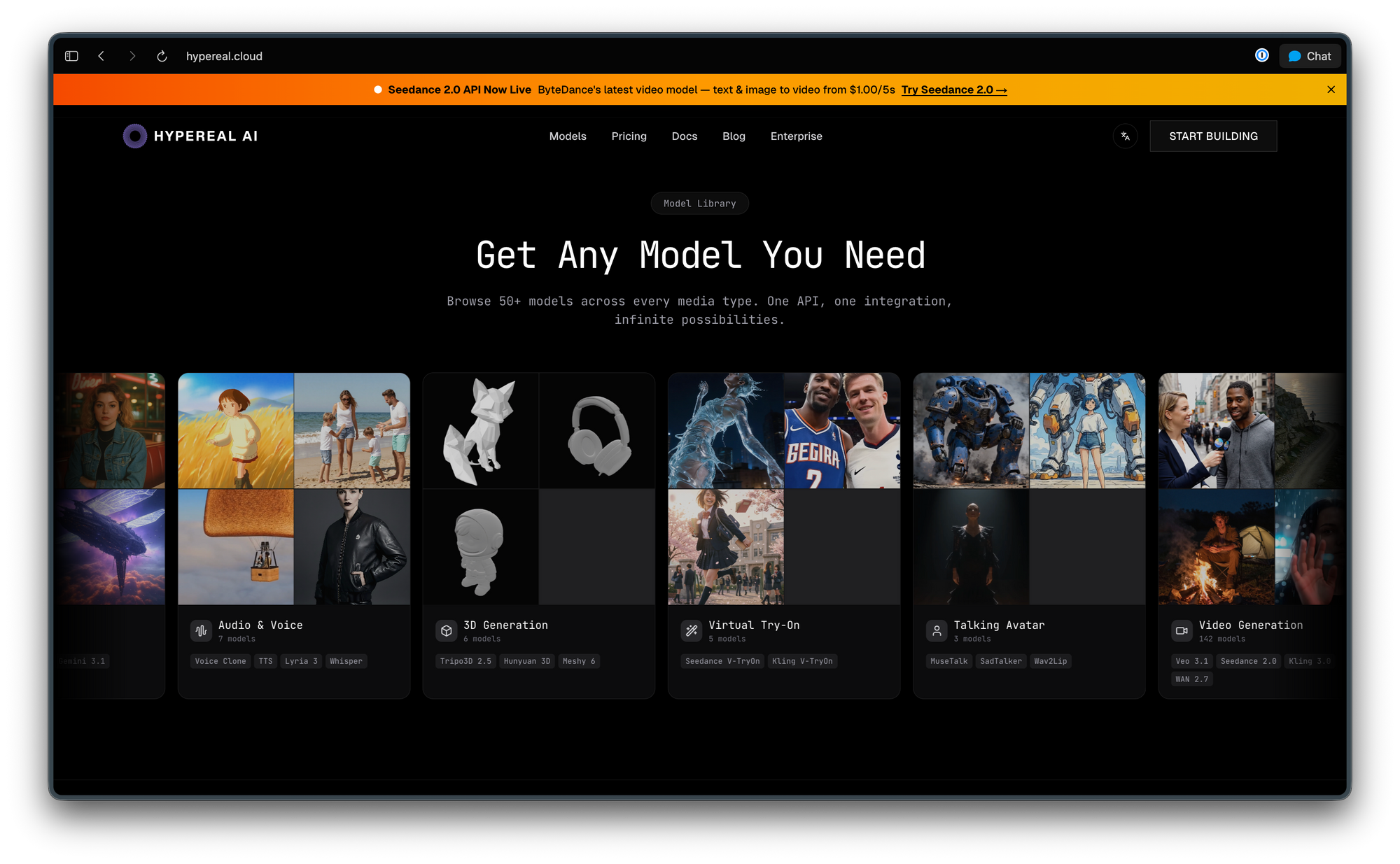
Hypereal is a hosted inference platform that gives you API access to many of the same open models you’d run locally (image, video, and more), but with developer‑friendly pricing and simple per‑model endpoints. If you want FLUX, Stable Diffusion, and video models without managing GPUs yourself, it sits between “fully local” and “big cloud” in cost and complexity.
Conclusion
No cloud image generator gives you genuinely no restrictions. Grok Imagine and Leonardo AI are the most permissive cloud options for mature artistic content in 2026, but they still enforce content policies at the model level. That won't change as long as these services run on shared commercial infrastructure.
Stable Diffusion and FLUX running locally are the only real answer if your use case requires zero restrictions. Both work on consumer GPUs, both are actively maintained, and both have large communities producing models, fine-tunes, and workflows. The setup takes an hour. After that, the only limits are your hardware and your imagination.
FAQ
Which AI image generator has no restrictions at all?Only local tools: Stable Diffusion, FLUX, and ComfyUI running on your own hardware. Cloud services all enforce content policies at the API level regardless of your subscription tier.
Is Grok Imagine still free in 2026?No. xAI removed the free tier on March 19, 2026. Image generation now requires SuperGrok at $30/month. See the Grok Imagine no restrictions guide for the full breakdown of what changed.
What GPU do I need for local AI image generation?FLUX.1-schnell and SDXL run well on 8GB VRAM (NVIDIA RTX 3060 or better). FLUX.1-dev and higher-quality workflows need 12GB+ (RTX 3080 or better). Apple Silicon Macs work via the MPS backend but run slower.
Is it legal to run unrestricted local image generation?Running the models is legal. What you generate is your responsibility under the laws of your jurisdiction. Generating content involving real people without consent, content involving minors, and other categories carries legal risk regardless of whether a content filter blocks it.
Can I use local image generation models commercially?It depends on the model license. FLUX.1-schnell uses the Apache 2.0 license, which allows commercial use. FLUX.1-dev is non-commercial only. Most Stable Diffusion base models (SD 1.5, SDXL) allow commercial use. Always check the license of the specific model you're using, including any fine-tunes.
What's the best free AI image generator with the fewest restrictions?For cloud: Ideogram's free tier and Leonardo AI's free tier are the most permissive free cloud options. For local: FLUX.1-schnell (free, open weights, runs on 8GB GPU) with ComfyUI or diffusers.
How do I test an image generation API without spending credits?Use Apidog's Smart Mock to define mock responses for each state, including success, content policy rejection, and rate limit responses. Your frontend hits the mock during development and you only call the real API for final integration checks.