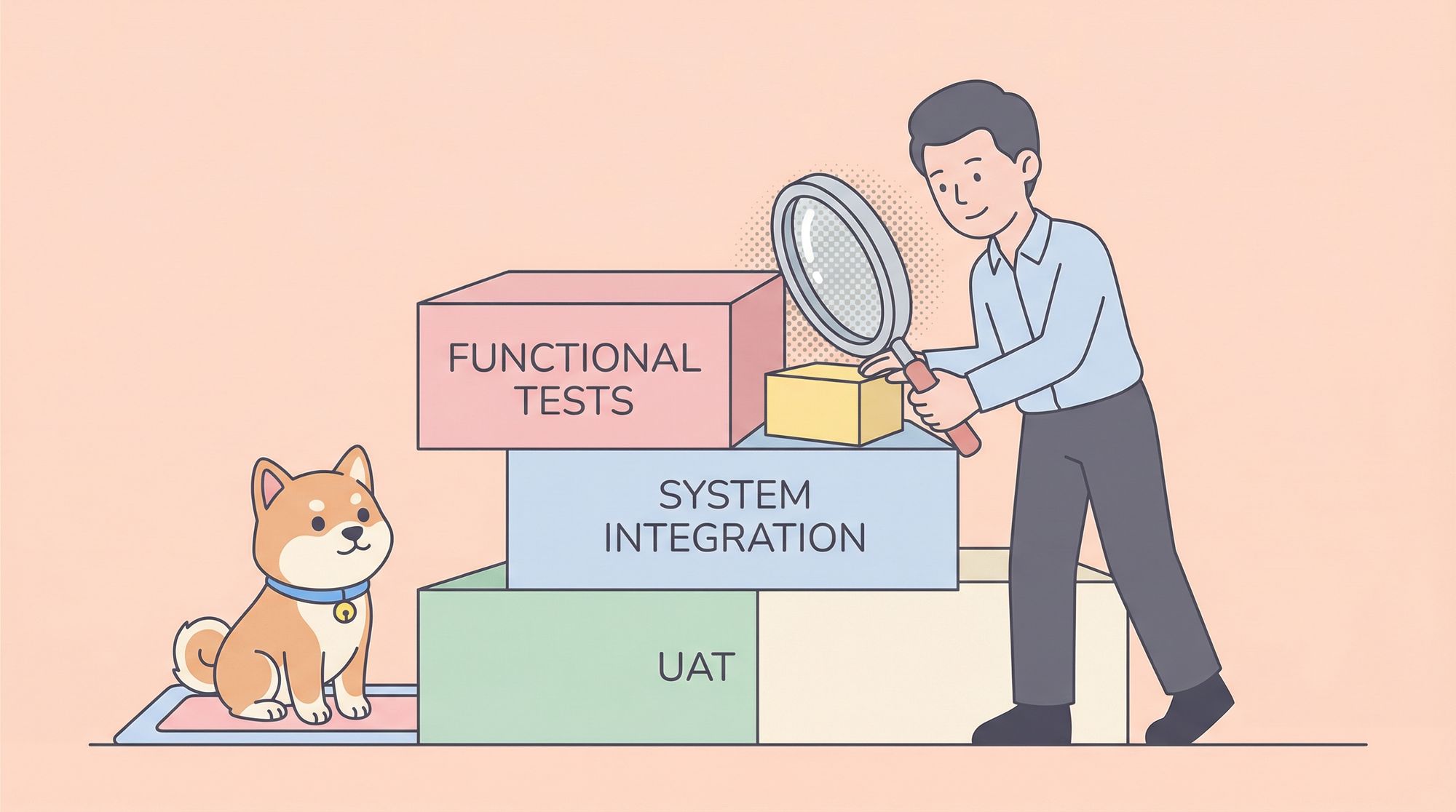
User Acceptance Testing represents the final checkpoint before software is released to real users. After months of development, countless unit tests, and system integration validations, UAT (User Acceptance Testing) answers the critical question: does this solution actually solve the business problem? Too many teams treat UAT as a rubber-stamp ceremony, only to discover that perfectly functional software fails to meet user needs. This guide provides a practical framework for executing user acceptance testing that genuinely validates business value.
What is User Acceptance Testing (UAT)?
UAT (User Acceptance Testing) is formal testing conducted by end-users or business representatives to verify that a software system meets agreed-upon requirements and is ready for production deployment. Unlike functional testing performed by QA engineers, User Acceptance Testing evaluates software from the business process perspective. Testers ask: Can I complete my daily tasks? Does this workflow match how our team operates? Will this actually make our jobs easier?
The key distinction: UAT (User Acceptance Testing) validates that you built the right thing, while functional testing confirms you built the thing right. A feature can pass every functional test yet fail User Acceptance Testing because it doesn’t align with real-world business processes.
Common UAT (User Acceptance Testing) scenarios include:
- Processing a complete customer order from creation through fulfillment
- Generating month-end financial reports
- Onboarding a new employee through the HR system
- Handling a product return through the customer service portal
When to Perform User Acceptance Testing: Timing in the SDLC
UAT (User Acceptance Testing) must happen after system testing is complete but before production deployment. The entry criteria are strict for good reason:
| Condition | Status |
|---|---|
| All critical functional defects resolved | Must be complete |
| System testing passed with >95% success rate | Must be complete |
| Performance benchmarks met | Must be complete |
| Known defects documented and accepted | Must be complete |
| UAT environment mirrors production | Must be complete |
| Test data representing real scenarios | Must be complete |
| UAT test cases reviewed and approved | Must be complete |
| Business testers trained on new features | Must be complete |
Attempting User Acceptance Testing before meeting these criteria wastes time. Users will encounter basic bugs, lose confidence, and question whether the system is ready.
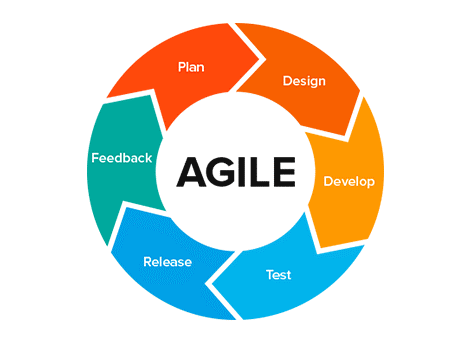
The ideal timing is 2-3 weeks before planned release. This provides buffer to fix issues without rushing. In Agile environments, UAT (User Acceptance Testing) occurs at the end of each sprint for features being released, leveraging sprint demos as micro-UAT sessions.
How to Perform UAT: A Step-by-Step Framework
Executing effective User Acceptance Testing follows a structured process that maximizes user engagement and minimizes disruption.
Step 1: Plan and Prepare
Define scope by selecting business-critical workflows. Create UAT (User Acceptance Testing) test cases that:
- Cover complete business processes, not isolated features
- Include realistic test data that mirrors production
- Define clear pass/fail criteria from a business perspective
Step 2: Select and Train Testers
Choose 5-10 business users who:
- Represent different roles (manager, analyst, operator)
- Understand current processes thoroughly
- Can commit dedicated time
- Are respected influencers who’ll champion adoption
Conduct a 2-hour training session covering:
- UAT (User Acceptance Testing) objectives and importance
- How to execute test cases
- How to report defects clearly
- What constitutes a blocker vs. minor issue
Step 3: Execute Tests
Provide testers with:
- UAT (User Acceptance Testing) test case document
- Access credentials for UAT environment
- Defect reporting template
- Daily 30-minute check-in schedule
Testers execute scenarios in 2-4 hour blocks, documenting:
- Whether they could complete the workflow
- Any confusion or delay
- Defects encountered
- Missing functionality
Step 4: Manage Defects
Use a rapid triage process:
- Blocker: Prevents core business function (fix immediately)
- Critical: Major workflow disruption (fix within 48 hours)
- Medium: Workaround exists (fix before release)
- Minor: Cosmetic or low-impact (document for future)
Hold daily defect review meetings with product and development teams to prioritize fixes.
Step 5: Sign Off and Transition
UAT (User Acceptance Testing) completion requires formal sign-off from business stakeholders. The sign-off document should state:
"We have tested the system against our business requirements and confirm it meets our needs for production deployment. We accept responsibility for training our teams and adopting the new processes."
This document transfers ownership from IT to the business, a critical psychological milestone.
UAT vs Other Testing Types: Clear Differentiation
Understanding UAT (User Acceptance Testing) requires distinguishing it from similar-sounding tests:
| Aspect | System Testing | Functional Testing | UAT (User Acceptance Testing) |
|---|---|---|---|
| Purpose | Validates entire integrated system | Verifies features work per specs | Confirms business needs are met |
| Performed By | QA engineers | QA/testers | End users, business analysts |
| Test Basis | Technical requirements, design docs | Functional specs, user stories | Business processes, workflows |
| Environment | QA test environment | QA test environment | Production-like UAT environment |
| Success Criteria | All tests pass, defects logged | Requirements coverage achieved | Business processes executable |
| Defects Found | Technical bugs, integration issues | Functional bugs, logic errors | Workflow gaps, missing features |
System testing answers: "Does the system work technically?"
Functional testing answers: "Do features work as designed?"
UAT (User Acceptance Testing) answers: "Can we run our business with this?"

Common UAT Challenges and Solutions
Even well-planned UAT (User Acceptance Testing) faces obstacles. Here’s how to address them:
Challenge 1: Users Aren’t Available
Solution: Schedule UAT (User Acceptance Testing) in advance during sprint planning. Compensate testers with time off or recognition. Consider rotating UAT responsibilities across team members.
Challenge 2: Test Data is Unrealistic
Solution: Use production data anonymization tools to create realistic datasets. Seed the UAT environment with data that represents actual business scenarios, not generic examples.
Challenge 3: Defects Are Ignored
Solution: Establish a clear triage process with business prioritization. Communicate that UAT (User Acceptance Testing) is not QA—business users decide what’s acceptable, not technical severity.
Challenge 4: Scope Creep
Solution: Freeze features before UAT (User Acceptance Testing) begins. Document requested enhancements as future stories, not UAT blockers.
Challenge 5: Environment Instability
Solution: Treat UAT environment as production—no direct deployments, change-controlled updates, and dedicated support.
How Apidog Helps Dev Teams During UAT
When business users report issues during UAT (User Acceptance Testing), developers need to reproduce and fix them quickly. Apidog accelerates this cycle dramatically, especially for API-related problems.
Rapid Issue Reproduction
Imagine a UAT tester reports: "When I submit the order, I get a 'Validation Failed' error, but I don’t know why."
Traditional debugging involves:
- Asking tester for exact steps and data
- Manually recreating the request in Postman
- Checking logs to find the validation error
- Guessing what field caused the issue
With Apidog, the process becomes:
- Tester exports the failed request from browser dev tools or provides the API endpoint
- Developer imports into Apidog and runs instantly with the same parameters
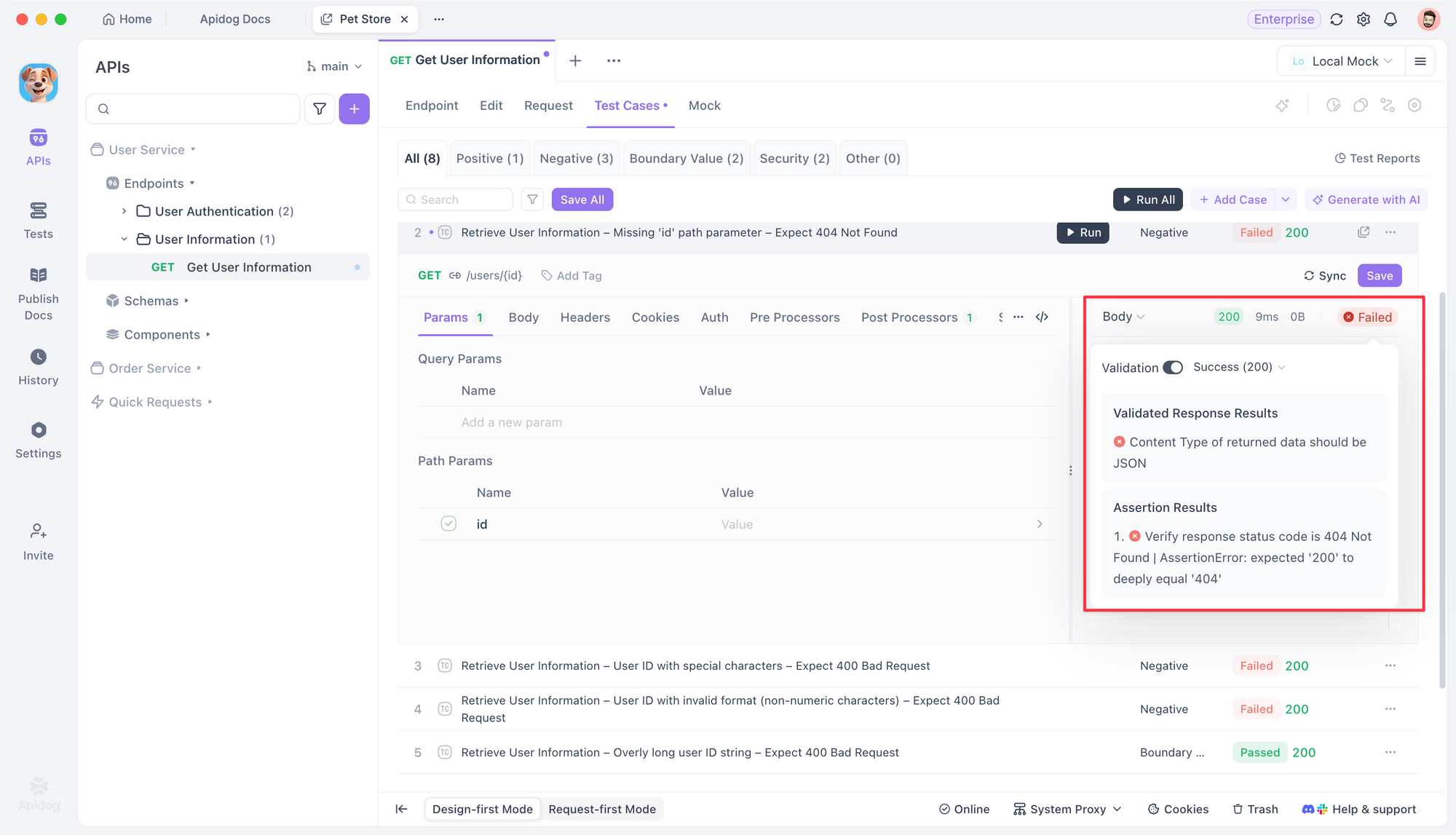
- Apidog's detailed error oracle shows exactly which field failed validation and why
- AI suggests fix based on the API specification mismatch
Automated Regression During UAT Fixes
When developers push fixes during UAT (User Acceptance Testing), they must ensure changes don’t break other functionality. Apidog’s test suite provides:
// Apidog-generated regression test for order submission
Test: POST /api/orders - Valid Order
Given: Authenticated user, valid cart items
When: Submit order with complete shipping address
Oracle 1: Response status 201
Oracle 2: Order ID returned and matches UUID format
Oracle 3: Response time < 2 seconds
Oracle 4: Database contains order with "pending" status
Oracle 5: Inventory reduced by ordered quantities
Developers run this suite before pushing to UAT environment, ensuring fixes don’t introduce regressions.
API Contract Validation in UAT
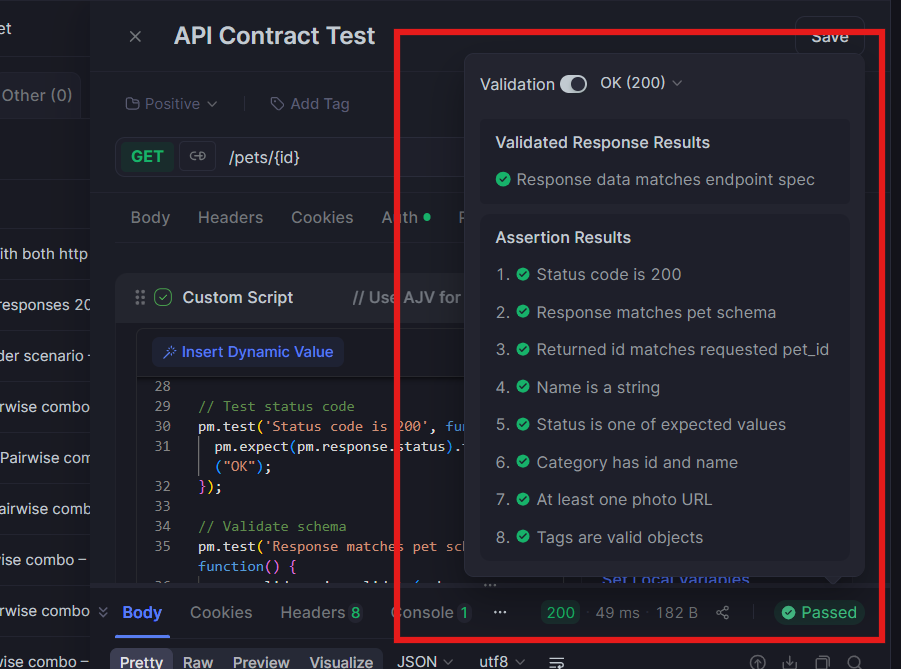
UAT (User Acceptance Testing) often reveals that the API response doesn’t match what the frontend expects. Apidog prevents this by:
- Validating response schemas against OpenAPI spec in real-time
- Highlighting mismatches between frontend expectations and API behavior
- Generating mock servers from the spec so UAT can proceed while backend fixes outstanding issues
Streamlined Defect Documentation
When UAT testers report API issues, Apidog automatically captures:
- Full request/response pairs
- Execution timestamps and environment details
- Performance metrics
- Diff between expected and actual responses
This eliminates the back-and-forth of incomplete bug reports, letting developers fix issues in hours instead of days.
Frequently Asked Questions
Q1: What if UAT testers find too many defects? Should we delay release?
Ans: This depends on defect severity. If blockers prevent core business functions, delay is mandatory. If issues are minor with workarounds, document them and release with a known issues list. The key is business stakeholder judgment, not technical severity.
Q2: How long should UAT last?
Ans: For a major release, 2-3 weeks is typical. For Agile sprints, UAT should fit within the sprint timeline, often 2-3 days at sprint end. The duration should match feature complexity and business risk.
Q3: Can UAT be automated?
Ans: Partially. You can automate regression of core workflows, but UAT (User Acceptance Testing) fundamentally requires human judgment about business fit and usability. Use automation to support UAT, not replace it. Tools like Apidog automate API validation so users can focus on workflow evaluation.
Q4: What’s the difference between UAT and beta testing?
Ans: UAT (User Acceptance Testing) is formal, internal testing by business stakeholders before release. Beta testing involves external, real users in production-like environments after UAT is complete. UAT validates business requirements; beta testing validates market readiness.
Q5: Who should write UAT test cases?
Ans: Business analysts and product owners should draft them with input from QA. Testers should validate that the test cases are executable and provide feedback on clarity. The goal is business ownership of acceptance criteria.
Conclusion
UAT (User Acceptance Testing) is where software transitions from "it works" to "it delivers value." This final validation by business stakeholders is non-negotiable for successful releases. The framework outlined here—proper timing, systematic execution, clear differentiation from other testing types, and modern tooling like Apidog—transforms UAT from a checkbox activity into a genuine quality gate.
The most successful teams treat UAT (User Acceptance Testing) not as a phase to rush through, but as a critical learning opportunity. When business users engage deeply, they uncover workflow improvements, identify training needs, and become champions for adoption. The few weeks invested in rigorous UAT save months of post-production fixes and change management headaches.
Start implementing these practices in your next release. Define clear entry criteria, select engaged testers, create realistic scenarios, and leverage tools that eliminate friction.