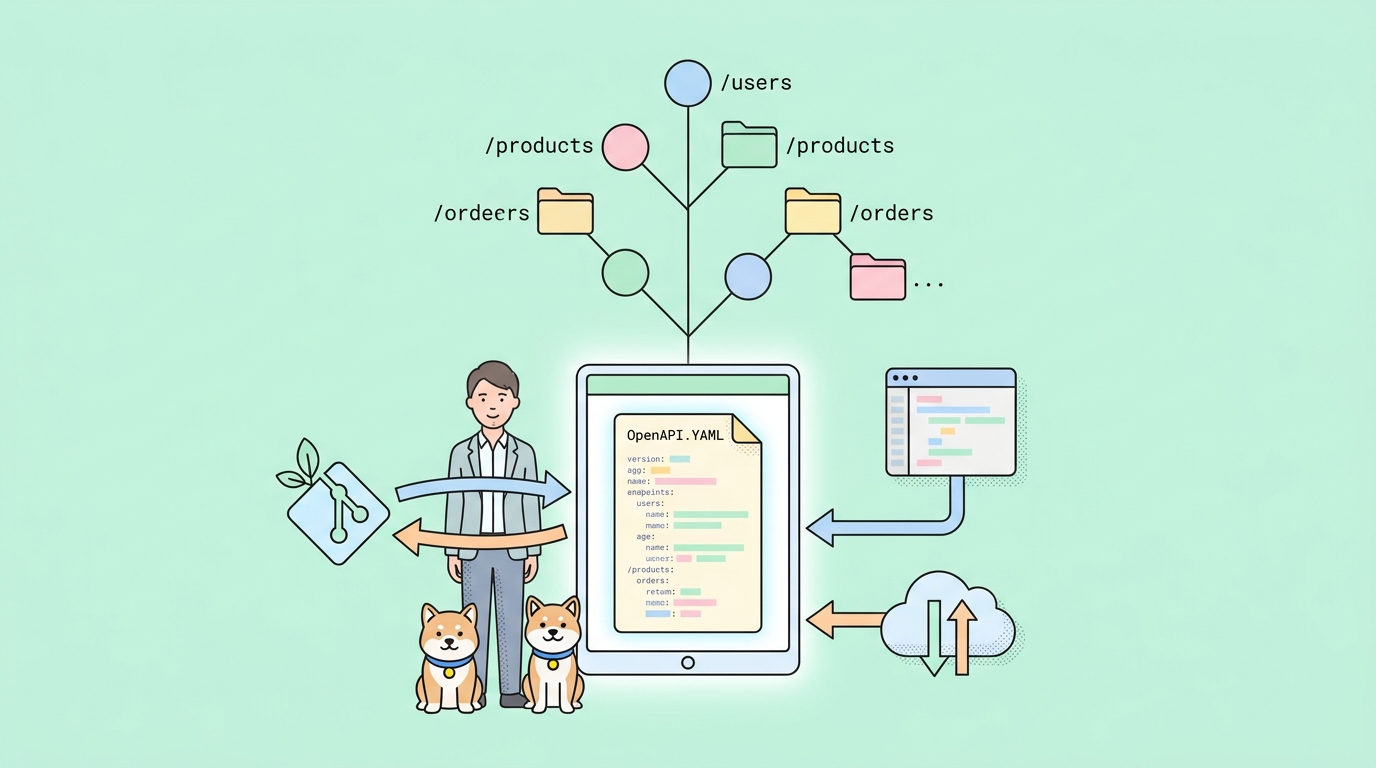
There are two camps in every API team I’ve worked with.
One writes their OpenAPI spec by hand, commits it to a specs/ directory, and treats Git as the source of truth. The other clicks through a visual designer, exports the spec when CI complains, and patches whatever drift the two representations have accumulated since last Tuesday.
I have lived in both camps. The first one is slower on day one and faster on day ninety. The second one is the opposite. And until about a month ago, the API design tool I reach for most — Apidog — only really catered to the second camp. Its visual designer is excellent. Its YAML round-trip was a feature you had to defend in code review.
Then in mid-April, Spec-First Mode (Beta) showed up in the New Project dialog. I deliberately did not write about it on launch day. I wanted to use it on something real first, and I wanted to wait long enough that the early-week bugs had a chance to surface. A month is roughly the right amount of time. This post is what I found after spending a morning with the beta against an OpenAPI spec from one of my side projects — what I’d tell a teammate before they tried it, and where it does and doesn’t fit.
What Spec-First Mode actually changes
The short version: Apidog now has two project modes, and they’re genuinely different products underneath.
The default mode is what most people know. You click + New Project, you get a tree of folders and visual forms, and you build endpoints by filling in fields. The OpenAPI spec is generated under the hood. It works, especially for teams who don’t already have a strong YAML habit.
Spec-First Mode replaces the form editor with a real code editor over raw .yaml and .json files, plus a two-way sync to your Git repository. Your OpenAPI spec is the file on disk, not a serialization of clicks. There’s syntax highlighting, autocompletion against the OpenAPI schema, and a “Real-time Directory Parsing” pane that builds an endpoint outline in the sidebar from your code as you type.
That last detail is the one I’d lead with if I were demoing this to a skeptic. The reason visual designers exist isn’t because YAML is hard — it’s because YAML hides structure until you’ve already scrolled past it. Apidog’s outline view solves that without making you abandon the file. You write spec, you get navigation. The two coexist on screen.
The thesis, if there is one: spec-first development was never about preferring text editors. It was about who owns the artifact. Spec-First Mode makes the artifact the file in your repo, full stop. The UI is a window onto it, not a wrapper around it.
The setup, end to end
Here’s the path I walked. It took less than ten minutes, most of which was Git authorization.
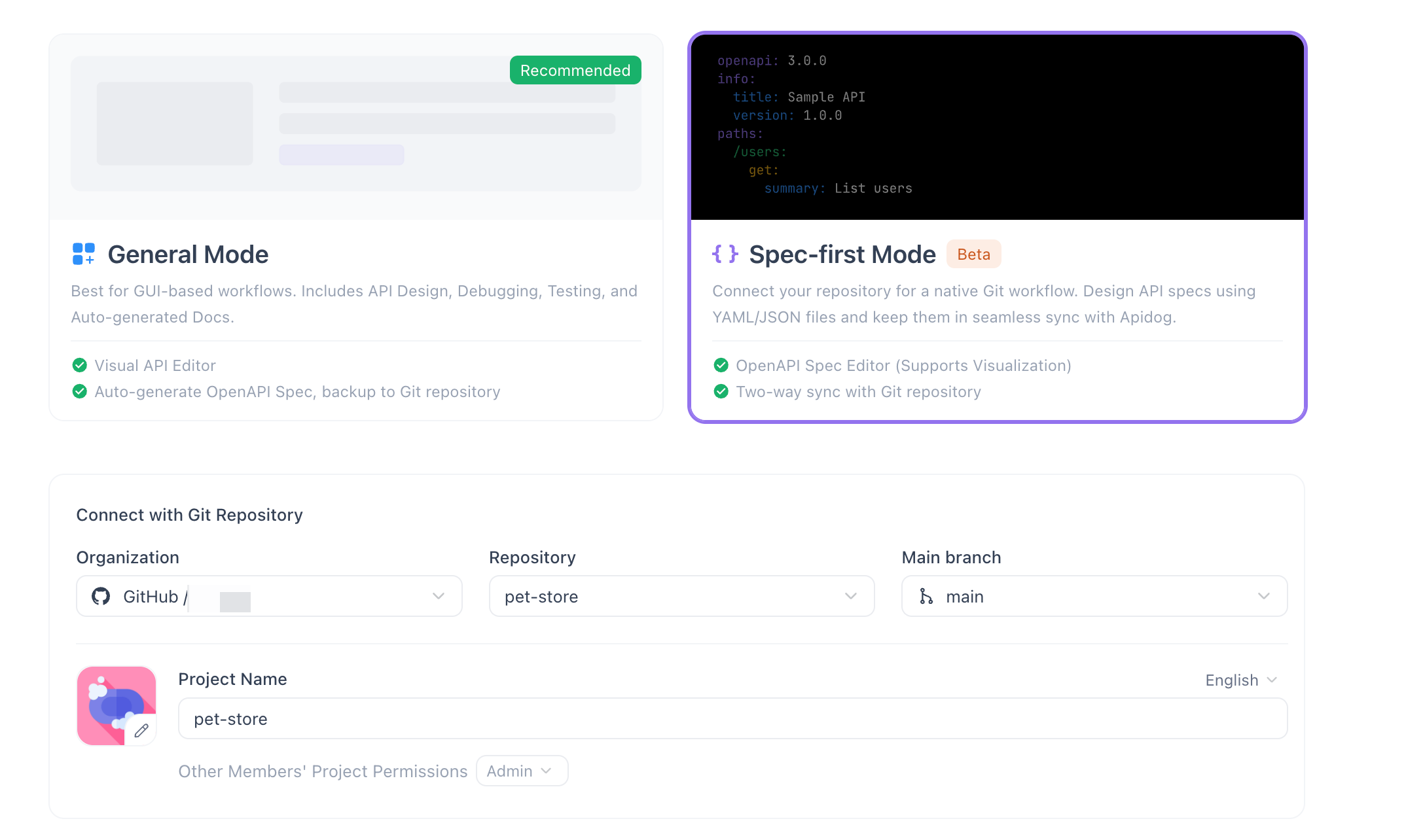
1. Create the project in the right mode. From the projects screen, + New Project → General → Spec-first Mode. The mode picker is easy to miss if you’ve been creating projects on autopilot for a year — General Mode is flagged “Recommended” and your eye slides right past the second tile. Slow down here.
2. Connect to your Git repository. Scroll to Connect with Git Repository and authorize your provider. I used GitHub; the docs cover the others. Then pick the Organization, Repository, and Main branch. Apidog will sync the spec files in that branch as your working copy.
3. Configure the project. Enter a Project Name, set team permissions, and Create. The first sync pulls whatever .yaml and .json files live in the repo into Apidog’s workspace.
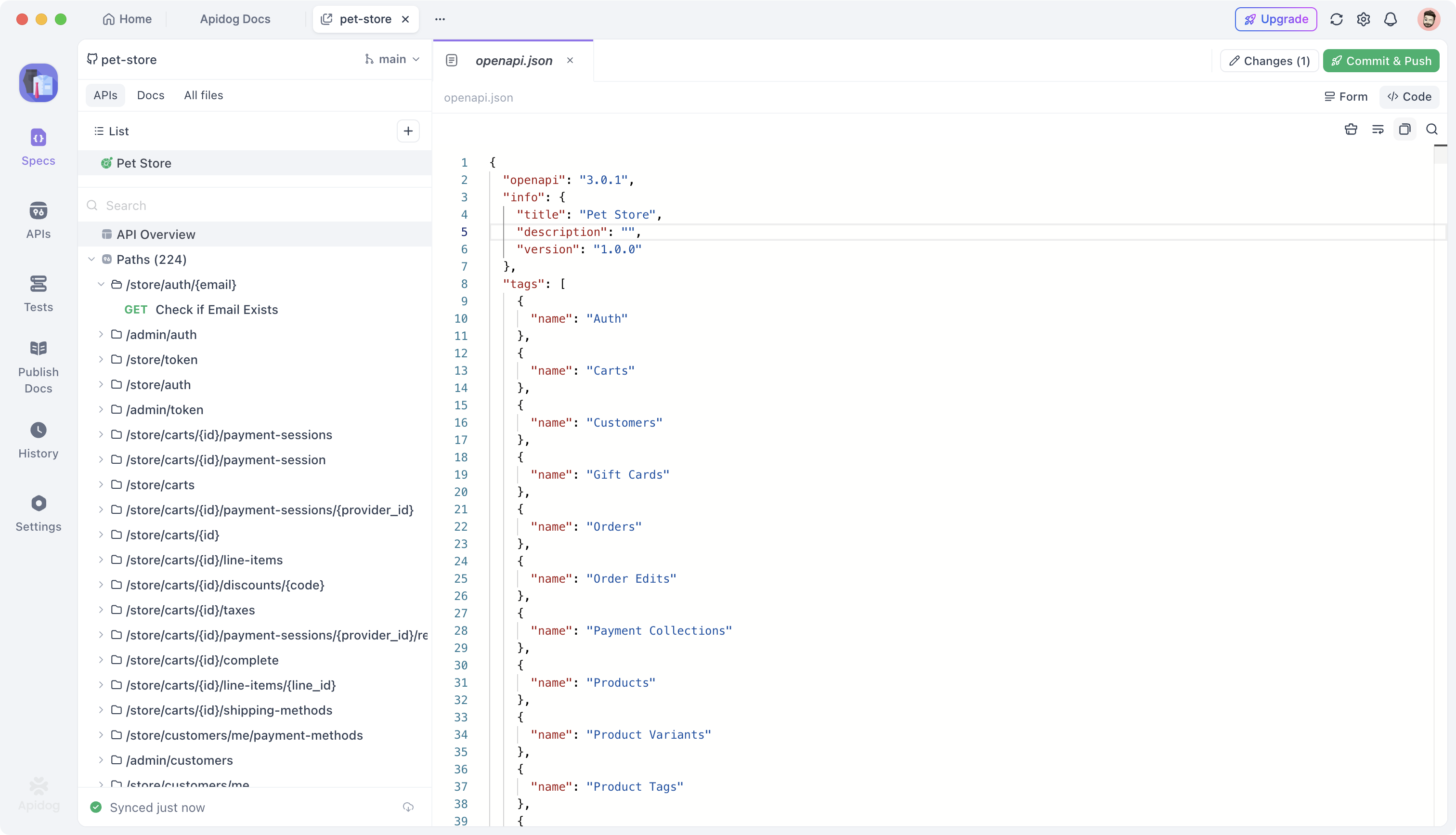
4. Edit the spec like a file, not a form. Open one of the YAML files. You get a real editor, schema-aware autocomplete, and the endpoint outline materializing in the sidebar as you type. If you’ve spent any time in VS Code with the OpenAPI extension, this will feel familiar — except the outline is wired to navigation, and clicking an endpoint jumps to the right line.
5. Commit and push. Top right, Commit & Push. The dialog opens to a Changes section listing modified files, a Commit Message field, and two buttons: Push or Discard all changes. There’s no separate staging step — anything in Changes is going to the commit. That’s a deliberate simplification, and for most spec-editing workflows it’s the right call.
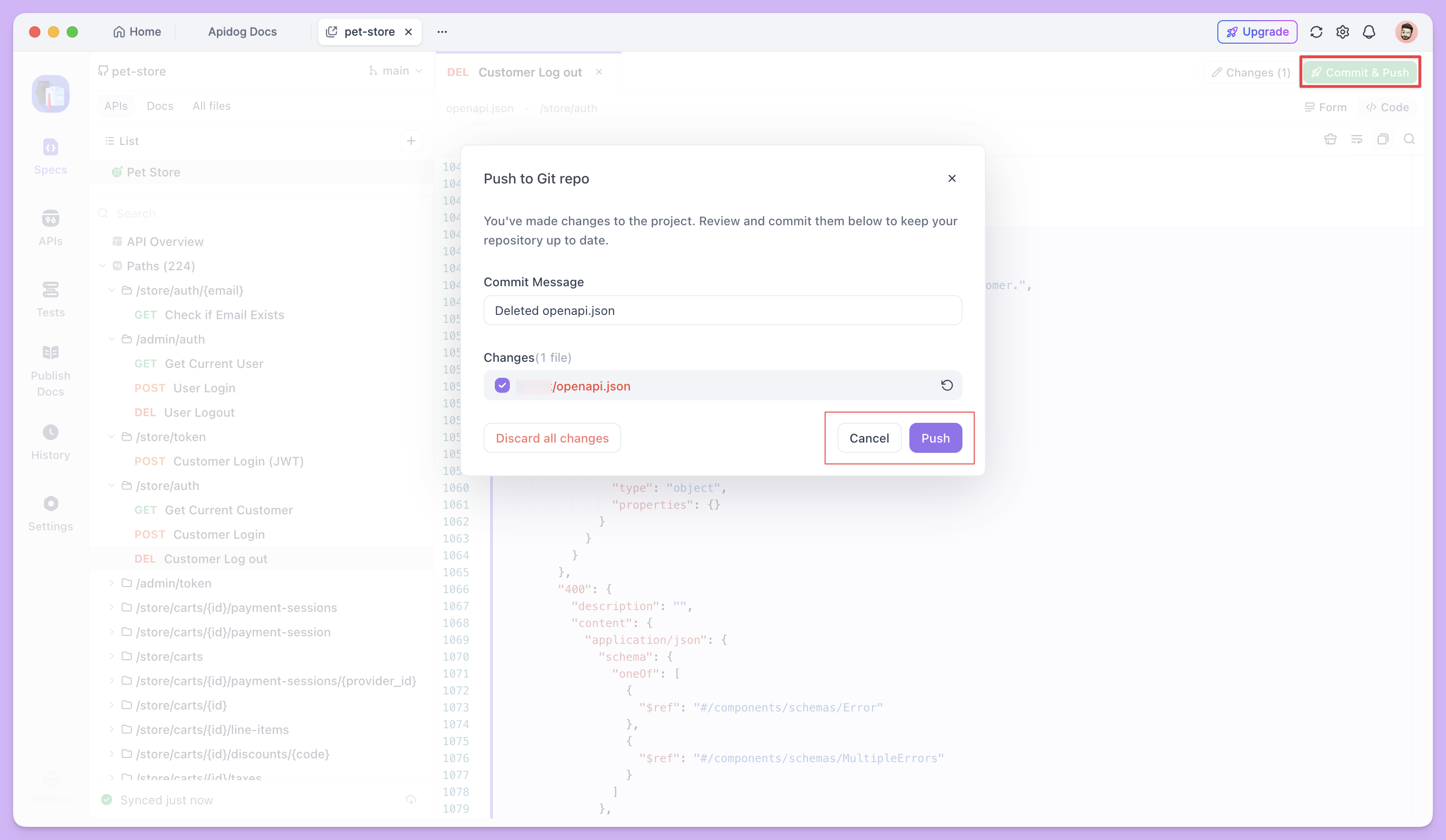
6. Watch the sync indicator. Bottom-left corner — you can see it as Synced just now in Figure 1. It tells you whether your local edits are pushed, pulled, or out of sync with the remote. I left this open in a corner of my screen and it became the thing I trusted more than the modal dialogs. If the indicator is green, you and the repo agree.
That’s the entire surface area. Six steps, no separate sync engine to configure, no plugins to install.
What I noticed that the docs don’t tell you
Three things worth flagging, all from a morning of poking at it.
The outline view updates faster than I expected. I have used several “live OpenAPI editors” in the past and most of them re-parse on save, which means a 30-second delay between adding an endpoint and seeing it in the sidebar. Apidog’s outline updated as I typed — close enough to instant that I stopped checking. That sounds like a small thing. It’s not. It’s the difference between trusting the outline as a navigation aid versus checking it as a status report.
The Git integration is genuinely two-way. I edited the same file in my local clone and pushed from the terminal while Apidog was open. Apidog noticed, the sync indicator flipped to “behind,” and one click pulled the changes into the editor with no merge dialog. The bidirectional sync the docs promise is the actual experience, not a marketing summary. If you have a teammate who refuses to use anything but Vim, they can keep using Vim, and you can keep using Apidog, and the file in the repo stays the single thing both of you are editing.
There is no escape hatch back to the visual designer in the same project. This is intentional, but it’s worth knowing before you commit. If you pick Spec-First Mode at creation, that project is spec-first. You can’t switch a project mid-stream because the data models underneath are different. For a team that wants both modes on the same spec, the workflow is: keep the spec in a repo, point a Spec-First project at it, and let the visual-mode users open a separate project that imports from the same source. Not seamless, but workable.
Where it fits, and where it doesn’t
I am going to use this in production. That’s the most direct answer I can give. The combination of a real editor, autocomplete that respects the OpenAPI schema, and a sync indicator I can trust is what I have wanted from Apidog for two years.
But here is the honest version of who this is for.
It fits if you already write OpenAPI by hand, or want to. It fits if your CI runs spectral lint or generates client SDKs from the spec and the spec needs to live in Git anyway. It fits if you have an engineer on the team who would otherwise be opening pull requests against the YAML file from VS Code, and you want everyone to converge on one tool without forcing them off their keyboard. And it fits especially well if you’ve been managing the drift between “the spec in Apidog” and “the spec in the repo” with a make export step that nobody trusts.
It does not fit if your team has never touched OpenAPI and the visual designer is the reason they can contribute. For those teams, the default mode is still the right call. Spec-First Mode trades onboarding ease for fidelity, and that trade is wrong when most of your contributors are not API specialists.
It also does not fit, yet, for teams who need to mix both modes on the same project. The beta is genuinely a beta on that front. I would expect this to soften over the next few releases.
The takeaway
Spec-first development used to mean opting out of API design tools. You either lived in YAML and gave up the test runners and mock servers, or you lived in a visual designer and gave up Git as the source of truth. The interesting move in Spec-First Mode is that Apidog has stopped asking you to choose.
The file in your repo is the file in the editor. The outline is a view, not a state. The Git sync is the wire, not a feature. If you have been waiting for an API platform to take spec-first seriously instead of treating it as an export option, this is the one I would try.
The beta is live in the New Project dialog today. Download Apidog, pick Spec-First Mode at creation, and point it at a repo you already trust. The first commit takes ten minutes. The decision about whether to keep it takes about a week.