Developers often seek robust solutions to handle billing and subscriptions without building everything from scratch. Paddle API emerges as a powerful tool in this space, enabling seamless integration of payment processing, customer management, and revenue operations into your software.
First, you must understand the fundamentals. Paddle API serves as a RESTful interface that connects your application to Paddle's billing system. It supports operations like creating products, managing subscriptions, and handling transactions. Additionally, it offers sandbox environments for safe testing before going live. As you proceed through this article, you will gain insights into setup, authentication, and advanced usage.
What Is Paddle API and Why Should You Use It?
Paddle API represents the backend interface for Paddle, a merchant-of-record platform that handles global payments, taxes, and compliance for SaaS businesses. Unlike traditional payment gateways, Paddle API takes on the responsibility of being the seller, which simplifies your operations and reduces legal burdens.
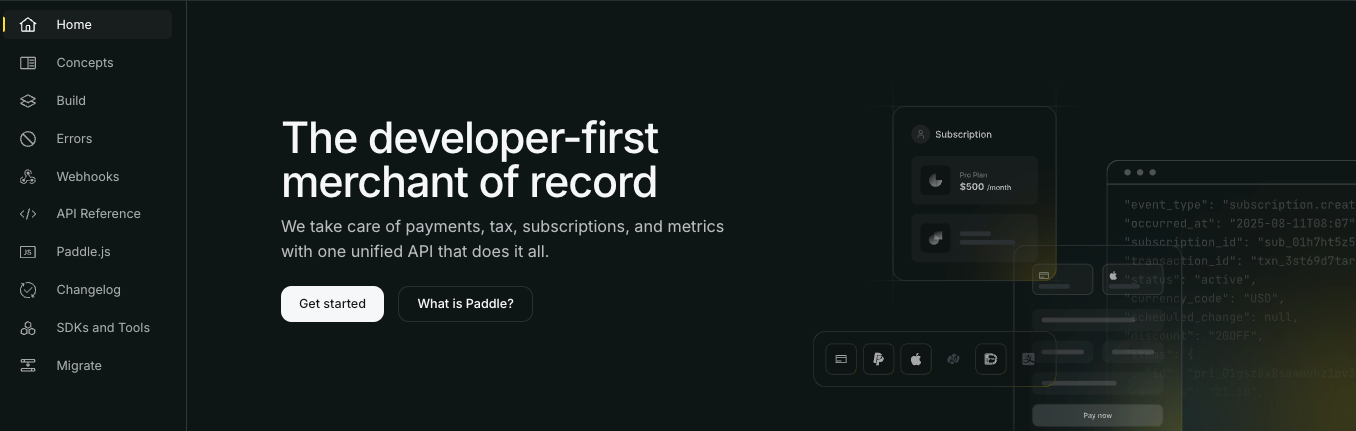
You might wonder, what sets Paddle API apart from competitors like Stripe or Chargebee? Paddle focuses on SaaS-specific features, such as built-in subscription management, automated invoicing, and fraud protection. For instance, it automatically manages VAT and sales tax calculations across 200+ countries, allowing developers to focus on core product features.
Furthermore, Paddle API integrates easily with web applications, mobile apps, and backend services. It uses standard HTTP methods—GET, POST, PATCH, and DELETE—for requests, with JSON as the primary data format. This compatibility ensures that you can incorporate it into frameworks like Node.js, Laravel, or Next.js without extensive rework.
The real value lies in its scalability. As your business grows, Paddle API handles increased transaction volumes efficiently. Statistics from Paddle's documentation indicate that it processes billions in revenue annually for thousands of vendors. Therefore, adopting Paddle API positions your application for long-term success in monetization.
How to Get Started with Paddle API Access?
To access Paddle API, you begin by creating an account on the Paddle dashboard. Sign up for a free account. Once registered, Paddle provides you with API keys for authentication.
Next, you distinguish between sandbox and production environments. The sandbox mode allows you to test API calls without real charges. You switch to production when ready for live transactions. Paddle recommends starting in sandbox to avoid costly errors.
Additionally, you install SDKs for easier integration. Paddle offers official SDKs for languages like PHP, Python, Node.js, and Ruby. For example, in Node.js, you run npm install paddle-sdk to add the library. This SDK abstracts complex API calls, reducing boilerplate code.
You also review the API version. Paddle uses versioned endpoints, with the latest being v1 for billing. Always check the API reference at developer.paddle.com/api-reference to confirm the current version, as updates may introduce breaking changes.
Finally, you set up your local development environment. Configure environment variables for your API keys, such as PADDLE_VENDOR_ID and PADDLE_VENDOR_AUTH_CODE. This practice enhances security by keeping sensitive data out of your codebase.
How to Set Up Authentication for Paddle API?
Authentication secures your interactions with Paddle API. Paddle employs API key-based authentication, where you include your vendor ID and auth code in requests.
First, you generate keys from the Paddle dashboard under "Developer Tools" > "Authentication." You receive a vendor ID (a numeric value) and an auth code (a string). Store these securely, perhaps using a secrets manager like AWS Secrets Manager.
Then, you incorporate them into HTTP requests. For basic authentication, you use the format Basic <base64-encoded vendor_id:auth_code>. However, Paddle prefers passing them as query parameters for GET requests or in the body for POST requests.
For instance, a sample curl request to list products looks like this:
curl -X GET \
  'https://api.paddle.com/products' \
  -H 'Authorization: Bearer YOUR_API_KEY' \
  -H 'Content-Type: application/json'
Paddle has shifted to bearer tokens in newer versions, but legacy systems may use basic auth. Always verify the method in the docs.
Moreover, you handle token rotation. Paddle allows you to regenerate keys if compromised. Implement rate limiting in your code to respect Paddle's API limits, typically 100 requests per minute.
If you encounter authentication errors, such as 401 Unauthorized, double-check your keys and ensure you're using the correct environment (sandbox.paddle.com vs. api.paddle.com).
What Are the Key Paddle API Endpoints and How Do They Work?
Paddle API organizes endpoints into categories like products, customers, subscriptions, and transactions. You interact with them to build a complete billing flow.
Starting with products, you create and manage your catalog. The /products endpoint allows POST requests to add new items. For example:
{
  "name": "Premium Plan",
  "description": "Unlimited access",
  "tax_category": "standard",
  "prices": [
    {
      "country_codes": ["US"],
      "amount": "29.99",
      "currency": "USD"
    }
  ]
}
This creates a product with localized pricing.
Next, customers endpoints handle user data. You use /customers to create profiles, linking them to subscriptions. A POST request might include email, name, and custom metadata.
Subscriptions build on this. The /subscriptions endpoint manages recurring billing. You create a subscription with:
POST /subscriptions
{
  "customer_id": "cus_123",
  "plan_id": "plan_456",
  "quantity": 1,
  "trial_period_days": 14
}
This initiates a trial and sets up recurring charges.
Transactions cover one-time payments. You process them via /transactions, specifying amount, currency, and payment method.
Webhooks provide real-time notifications. You configure them in the dashboard, pointing to your server's URL. Paddle sends events like subscription_created or payment_succeeded. You verify signatures using the provided public key to prevent tampering.
Error handling is crucial across all endpoints. Paddle returns standard HTTP status codes: 200 for success, 400 for bad requests, and 500 for server errors. Always parse the response body for details, such as:
{
  "error": {
    "type": "request_error",
    "detail": "Invalid customer ID"
  }
}
This structure helps you debug issues quickly.
How to Integrate Paddle API into Your Application?
Integration requires careful planning. You start by mapping your app's business logic to Paddle's entities.
For a web app, you embed Paddle's Checkout.js for frontend payments. Load the script:
<script src="https://cdn.paddle.com/paddle/paddle.js"></script>
<script>
  Paddle.Setup({ vendor: YOUR_VENDOR_ID });
</script>
Then, you open checkouts with Paddle.Checkout.open({ product: PRODUCT_ID });.
On the backend, you sync data via API calls. In a Laravel example, you use the official Paddle package: composer require paddlehq/laravel-paddle.
You define models for subscriptions and handle webhooks in controllers:
public function handleWebhook(Request $request)
{
  $payload = $request->all();
  // Verify signature
  if (!Paddle::verifyWebhookSignature($payload, $request->header('Paddle-Signature'))) {
    return response('Invalid signature', 403);
  }
  // Process event
  switch ($payload['alert_name']) {
    case 'subscription_created':
      // Update user access
      break;
  }
}
This ensures real-time updates.
Additionally, you implement provisioning. After a successful payment, grant access to features. Use Paddle's fulfillment API or custom logic.
For mobile apps, you leverage app-to-web purchases, integrating with platforms like RevenueCat for cross-platform consistency.
Testing in sandbox mimics real scenarios. You use test cards provided by Paddle, such as 4111 1111 1111 1111 for successful charges.
How to Test Paddle API with Apidog?
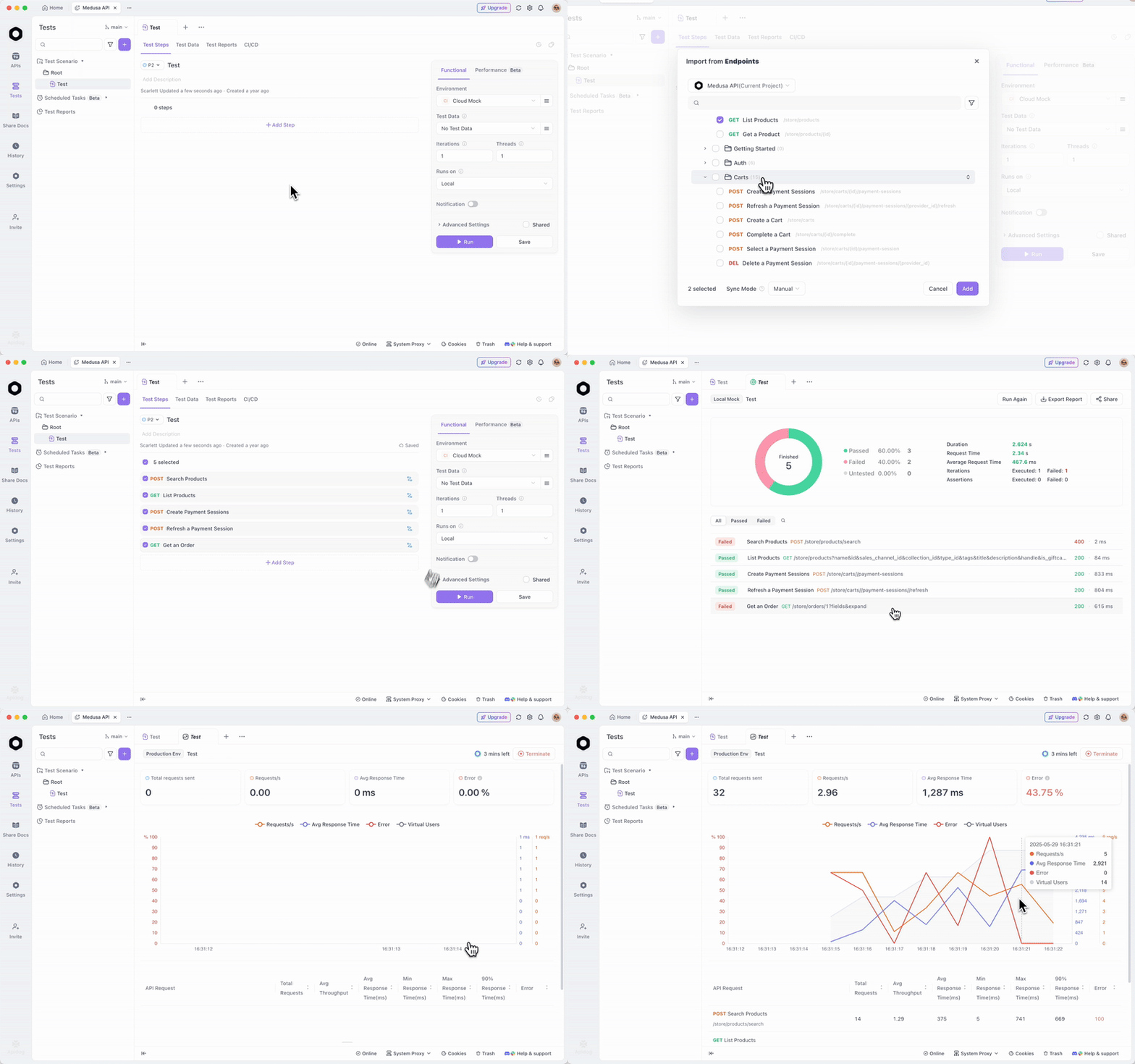
Testing verifies your integration. Apidog excels here as an API client tool, allowing you to simulate requests to Paddle API without writing code.
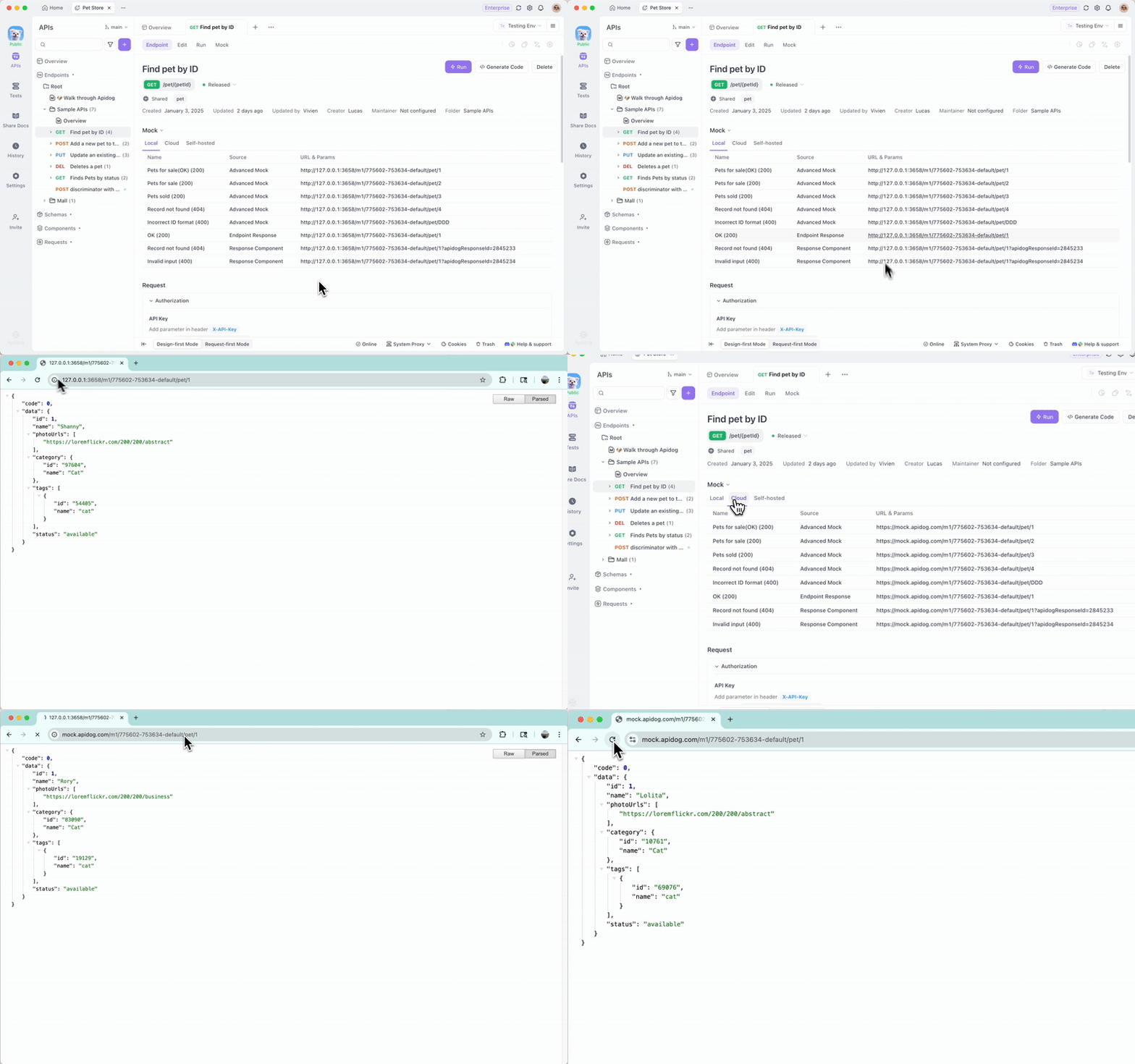
Moreover, Apidog's mock server generates fake responses based on schemas, useful for frontend development before full backend integration.
Why choose Apidog for Paddle API? It streamlines payment testing, supporting data-driven tests with CSV imports for varying scenarios like different currencies or quantities.
What Are Best Practices for Using Paddle API?
Adopting best practices ensures reliability. You always use HTTPS for requests to protect sensitive data.
Additionally, implement idempotency keys for POST requests to prevent duplicate operations during retries.
You monitor API usage with Paddle's analytics dashboard, tracking metrics like request volume and error rates.
Furthermore, handle edge cases, such as failed payments. Use webhooks to trigger retries or notifications.
For international support, leverage Paddle's localization features, setting country codes in prices.
Finally, stay updated with Paddle's changelog. Subscribe to their developer newsletter for API updates.
How to Troubleshoot Common Paddle API Errors?
Errors can disrupt flows. A common issue is 429 Too Many Requests; you solve it by implementing exponential backoff in retries.
Another is invalid parameters, like missing fields in JSON. Validate payloads client-side before sending.
If webhooks fail, check your server's logs for signature mismatches. Paddle provides a simulator in the dashboard for testing.
For authentication problems, regenerate keys and update your config.
What Advanced Features Does Paddle API Offer?
Beyond basics, Paddle API includes reporting endpoints for revenue insights: /reports/revenue.
You customize checkouts with overrides for branding.
Integration with third-party tools, like Zapier or Segment, extends functionality.
For enterprise, Paddle supports custom entities and bulk operations.
Conclusion: Mastering Paddle API for Optimal Results
You now possess the knowledge to access and use Paddle API confidently. From setup to advanced integrations, this guide covers essential aspects. Remember, tools like Apidog enhance your efficiency.
As you implement, experiment in sandbox and iterate based on tests. Paddle API empowers your SaaS to scale globally with minimal overhead.