TL;DR
OpenAI offers two WebSocket API modes for different use cases: the Responses API WebSocket mode for agentic workflows with heavy tool calling (up to 40% faster for 20+ tool calls), and the Realtime API for low-latency voice and audio applications. Both use persistent WebSocket connections instead of stateless HTTP requests, reducing latency by eliminating repeated connection overhead and enabling event-driven, stateful interactions.
Introduction
OpenAI's API has evolved beyond simple request-response patterns. For applications requiring rapid-fire tool calls or real-time audio streaming, the traditional HTTP model creates unnecessary overhead. Every new request requires connection setup, authentication, and state transmission—even when you're continuing the same conversation.
OpenAI's WebSocket API solves this by maintaining a persistent, bidirectional connection. For agentic workflows with 20+ sequential tool calls, this translates to roughly 40% faster end-to-end execution. For voice applications, it enables natural, interrupt-capable conversations with latencies under 500ms.
This guide covers both of OpenAI's WebSocket modes: the Responses API for tool-heavy agent workflows, and the Realtime API for audio streaming. You'll learn when to use each, how to implement them, and how to test them effectively.
What is OpenAI WebSocket API?
The OpenAI WebSocket API provides an alternative transport mechanism to HTTP for interacting with OpenAI's language models. Instead of creating a new connection for each API call, WebSocket establishes a single, long-lived connection that remains open for the duration of your session.
Key Characteristics
Persistent Connection: Once established, the WebSocket connection stays open until explicitly closed, eliminating per-request connection overhead.
Bidirectional Communication: Both client and server can send messages at any time, enabling true event-driven architectures.
Stateful Sessions: The server maintains context for the current connection, allowing you to reference previous responses without re-sending full conversation history.
Event-Driven Model: Communication happens through discrete events (JSON messages) rather than request-response pairs.
WebSocket Protocol Basics
WebSocket connections start with an HTTP upgrade request, then switch to the WebSocket protocol. For OpenAI, you'll connect to endpoints like:
- Responses API:
wss://api.openai.com/v1/responses - Realtime API:
wss://api.openai.com/v1/realtime?model=gpt-realtime
The wss:// scheme indicates a secure WebSocket connection (analogous to HTTPS for HTTP).
Two WebSocket Modes Explained
OpenAI provides two distinct WebSocket modes, each optimized for different use cases.
Responses API WebSocket Mode
The Responses API supports WebSocket connections for agentic workflows where you need to make many sequential tool calls. This mode is designed for coding assistants, orchestration systems, and autonomous agents that repeatedly call tools to accomplish complex tasks.
How It Works:
On an active WebSocket connection, the service maintains one previous-response state in a connection-local in-memory cache (the most recent response). When you continue a turn, you send only:
previous_response_id(reference to the last response)- New input items (user messages, tool results, etc.)
The server reuses the cached state instead of re-processing the entire conversation history.
Performance Benefits:
For workflows with 20+ tool calls, OpenAI reports up to 40% faster end-to-end execution compared to HTTP. This comes from:
- No per-request connection setup
- No repeated authentication overhead
- Cached state reduces processing time
- Lower network latency for small continuation messages
Compatibility:
WebSocket mode works with both Zero Data Retention (ZDR) and store=false options, making it suitable for privacy-sensitive applications.
Realtime API WebSocket Mode
The Realtime API provides low-latency, streaming audio capabilities for voice-driven applications. It enables speech-to-speech interactions where the model can respond to audio input with audio output, handling interruptions naturally.
How It Works:
The Realtime API uses WebSocket to create a stateful, event-driven session. You stream audio chunks to the API, and it streams back both transcriptions and generated audio responses. The connection supports:
- Audio input streaming (send audio chunks as they're captured)
- Audio output streaming (receive generated audio in real-time)
- Text input/output (for hybrid text+voice interactions)
- Automatic interruption handling (stop generation when user speaks)
Key Features:
Voice Activity Detection (VAD): The API includes semantic VAD that understands when a user has finished speaking versus just pausing. This creates more natural conversation flow.
Multimodal Capabilities: Direct access to GPT-4o's native multimodal abilities, processing both audio and text in a unified model.
Low Latency: Designed for latencies under 500ms for voice interactions, suitable for real-time conversations.
WebSocket vs HTTP: Performance Comparison
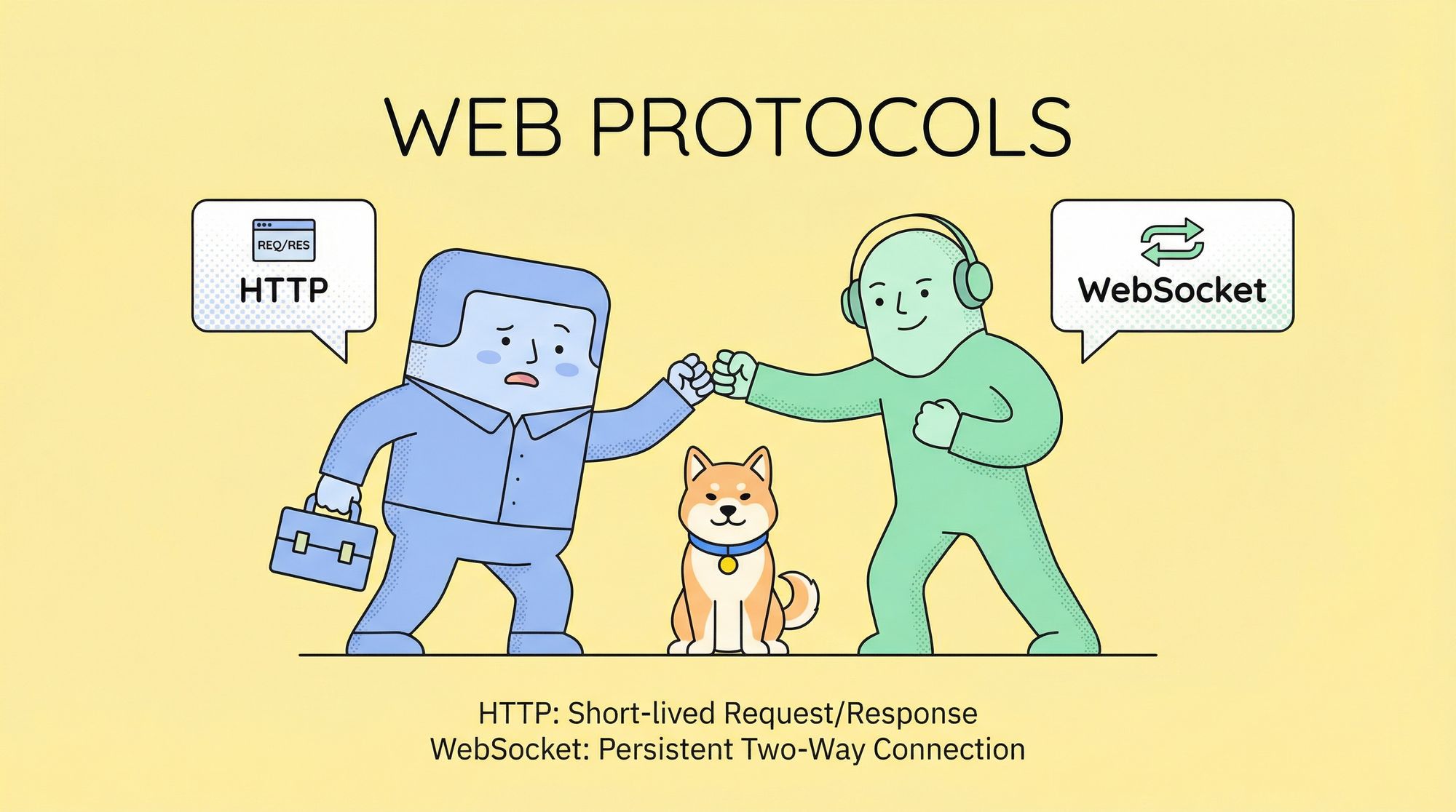
Choosing between WebSocket and HTTP depends on your application's characteristics. Here's when each protocol excels.
When WebSocket Outperforms HTTP
High Tool Call Volume:
If your workflow makes 10+ sequential tool calls, WebSocket's persistent connection eliminates repeated setup overhead. Each HTTP request requires:
- DNS lookup (if not cached)
- TCP handshake (3-way)
- TLS handshake (2 round trips for TLS 1.3)
- HTTP request/response headers
WebSocket does this once, then reuses the connection.
Latency-Sensitive Applications:
For real-time voice or chat applications where every millisecond counts, WebSocket's persistent connection and streaming capabilities significantly reduce perceived latency.
Server-Initiated Updates:
WebSocket allows the server to push data to clients without polling. For long-running agent tasks, the server can send progress updates as events occur.
When HTTP is Sufficient
Simple Request-Response:
For one-off API calls or workflows with 1-2 tool calls, HTTP is simpler to implement and debug. Most developers are familiar with HTTP clients, and infrastructure (load balancers, proxies) handles HTTP well.
Stateless Operations:
If you don't need to maintain session state between requests, HTTP's stateless nature is actually an advantage—no connection management required.
Infrastructure Constraints:
Some deployment environments (serverless functions, certain proxies) don't support long-lived WebSocket connections. HTTP works universally.
Performance Metrics
Based on OpenAI's documentation and community testing:
| Metric | HTTP | WebSocket (Responses API) | WebSocket (Realtime API) |
|---|---|---|---|
| Connection Setup | Every request (~100-300ms) | Once (~100-300ms) | Once (~100-300ms) |
| 20+ Tool Call Workflow | Baseline | ~40% faster | N/A |
| Voice Round-Trip Latency | N/A (not designed for this) | N/A | <500ms |
| Memory Overhead | Low (stateless) | Medium (cached state) | Medium-High (session state) |
| Implementation Complexity | Low | Medium | Medium-High |
How to Use Responses API WebSocket Mode
Let's implement a WebSocket connection to the Responses API for an agentic workflow.
Prerequisites
- OpenAI API key with access to the Responses API
- WebSocket client library (
wsfor Node.js orwebsocket-clientfor Python) - Understanding of tool calling in OpenAI API
Connection Setup
Node.js Example:
const WebSocket = require('ws');

// Connect to Responses API WebSocket endpoint
const ws = new WebSocket('wss://api.openai.com/v1/responses', {
  headers: {
    'Authorization': `Bearer ${process.env.OPENAI_API_KEY}`,
    'OpenAI-Beta': 'responses-api=v1'
  }
});

ws.on('open', () => {
  console.log('Connected to OpenAI Responses API');

  // Send initial request
  const initialMessage = {
    model: 'gpt-4o',
    messages: [
      { role: 'user', content: 'Help me analyze this codebase and suggest improvements.' }
    ],
    tools: [
      {
        type: 'function',
        function: {
          name: 'read_file',
          description: 'Read contents of a file',
          parameters: {
            type: 'object',
            properties: {
              path: { type: 'string', description: 'File path to read' }
            },
            required: ['path']
          }
        }
      },
      {
        type: 'function',
        function: {
          name: 'search_code',
          description: 'Search for code patterns',
          parameters: {
            type: 'object',
            properties: {
              pattern: { type: 'string', description: 'Regex pattern to search' }
            },
            required: ['pattern']
          }
        }
      }
    ]
  };

  ws.send(JSON.stringify(initialMessage));
});

ws.on('message', (data) => {
  const response = JSON.parse(data);
  console.log('Received:', response);

  // Check if model wants to call tools
  if (response.choices[0].finish_reason === 'tool_calls') {
    const toolCalls = response.choices[0].message.tool_calls;

    // Execute tools (simplified)
    const toolResults = toolCalls.map(call => ({
      tool_call_id: call.id,
      output: executeToolLocally(call.function.name, call.function.arguments)
    }));

    // Continue the conversation with tool results
    const continuation = {
      previous_response_id: response.id, // Reference previous response
      input: toolResults
    };

    ws.send(JSON.stringify(continuation));
  }
});

ws.on('error', (error) => {
  console.error('WebSocket error:', error);
});

ws.on('close', () => {
  console.log('Connection closed');
});

function executeToolLocally(name, args) {
  // Your tool execution logic
  if (name === 'read_file') {
    const { path } = JSON.parse(args);
    return fs.readFileSync(path, 'utf-8');
  }
  // ... other tools
}
Python Example:
import websocket
import json
import os

def on_message(ws, message):
    response = json.loads(message)
    print(f"Received: {response}")

    # Handle tool calls
    if response['choices'][0]['finish_reason'] == 'tool_calls':
        tool_calls = response['choices'][0]['message']['tool_calls']

        # Execute tools
        tool_results = []
        for call in tool_calls:
            result = execute_tool(call['function']['name'],
                                 json.loads(call['function']['arguments']))
            tool_results.append({
                'tool_call_id': call['id'],
                'output': result
            })

        # Send continuation with only new input + previous_response_id
        continuation = {
            'previous_response_id': response['id'],
            'input': tool_results
        }
        ws.send(json.dumps(continuation))

def on_error(ws, error):
    print(f"Error: {error}")

def on_close(ws, close_status_code, close_msg):
    print("Connection closed")

def on_open(ws):
    print("Connected to OpenAI Responses API")

    # Send initial request
    initial_message = {
        'model': 'gpt-4o',
        'messages': [
            {'role': 'user', 'content': 'Analyze this codebase and suggest improvements.'}
        ],
        'tools': [
            {
                'type': 'function',
                'function': {
                    'name': 'read_file',
                    'description': 'Read file contents',
                    'parameters': {
                        'type': 'object',
                        'properties': {
                            'path': {'type': 'string'}
                        },
                        'required': ['path']
                    }
                }
            }
        ]
    }
    ws.send(json.dumps(initial_message))

def execute_tool(name, args):
    if name == 'read_file':
        with open(args['path'], 'r') as f:
            return f.read()
    # ... other tools

# Create WebSocket connection
ws = websocket.WebSocketApp(
    "wss://api.openai.com/v1/responses",
    header={
        "Authorization": f"Bearer {os.environ['OPENAI_API_KEY']}",
        "OpenAI-Beta": "responses-api=v1"
    },
    on_open=on_open,
    on_message=on_message,
    on_error=on_error,
    on_close=on_close
)

ws.run_forever()
Key Implementation Details
State Management:
The critical difference from HTTP is using previous_response_id in continuations. This tells the API to reuse cached state from the last response.
Input-Only Continuations:
When continuing a turn, send only:
previous_response_id: References the cached responseinput: New data (tool results, user messages, etc.)
Don't resend the full messages array—the server already has that context.
Zero Data Retention:
To use ZDR with WebSocket mode, include store: false in your initial request.
How to Use Realtime API WebSocket Mode
The Realtime API enables low-latency voice interactions. Here's how to implement it.
Prerequisites
- OpenAI API key with Realtime API access
- Audio capture/playback capabilities
- WebSocket client library
- Audio encoding (24kHz, 16-bit, mono PCM for best results)
Connection Setup
JavaScript (Browser) Example:
// Connect to Realtime API
const ws = new WebSocket(
  `wss://api.openai.com/v1/realtime?model=gpt-realtime`,
  ['realtime', 'openai-insecure-api-key.' + process.env.OPENAI_API_KEY]
);

ws.addEventListener('open', () => {
  console.log('Connected to Realtime API');

  // Configure session
  ws.send(JSON.stringify({
    type: 'session.update',
    session: {
      modalities: ['text', 'audio'],
      voice: 'alloy',
      input_audio_format: 'pcm16',
      output_audio_format: 'pcm16',
      turn_detection: {
        type: 'server_vad', // or 'semantic_vad' for smarter detection
        threshold: 0.5,
        prefix_padding_ms: 300,
        silence_duration_ms: 500
      }
    }
  }));
});

ws.addEventListener('message', (event) => {
  const message = JSON.parse(event.data);

  switch (message.type) {
    case 'session.created':
      console.log('Session created:', message.session);
      break;

    case 'conversation.item.created':
      console.log('New item:', message.item);
      break;

    case 'response.audio.delta':
      // Received audio chunk - play it
      const audioChunk = base64ToArrayBuffer(message.delta);
      playAudioChunk(audioChunk);
      break;

    case 'response.audio_transcript.delta':
      // Received transcript chunk
      console.log('Transcript:', message.delta);
      break;

    case 'input_audio_buffer.speech_started':
      console.log('User started speaking');
      break;

    case 'input_audio_buffer.speech_stopped':
      console.log('User stopped speaking');
      break;

    case 'error':
      console.error('API error:', message.error);
      break;
  }
});

// Send audio from microphone
async function streamMicrophoneToAPI() {
  const stream = await navigator.mediaDevices.getUserMedia({ audio: true });
  const audioContext = new AudioContext({ sampleRate: 24000 });
  const source = audioContext.createMediaStreamSource(stream);
  const processor = audioContext.createScriptProcessor(4096, 1, 1);

  processor.onaudioprocess = (e) => {
    const inputData = e.inputBuffer.getChannelData(0);

    // Convert Float32 to Int16 PCM
    const pcmData = new Int16Array(inputData.length);
    for (let i = 0; i < inputData.length; i++) {
      pcmData[i] = Math.max(-32768, Math.min(32767, inputData[i] * 32768));
    }

    // Send to API
    ws.send(JSON.stringify({
      type: 'input_audio_buffer.append',
      audio: arrayBufferToBase64(pcmData.buffer)
    }));
  };

  source.connect(processor);
  processor.connect(audioContext.destination);
}

// Send text input
function sendTextMessage(text) {
  ws.send(JSON.stringify({
    type: 'conversation.item.create',
    item: {
      type: 'message',
      role: 'user',
      content: [
        { type: 'input_text', text: text }
      ]
    }
  }));

  // Request response generation
  ws.send(JSON.stringify({
    type: 'response.create'
  }));
}

function playAudioChunk(arrayBuffer) {
  const audioContext = new AudioContext({ sampleRate: 24000 });
  audioContext.decodeAudioData(arrayBuffer, (buffer) => {
    const source = audioContext.createBufferSource();
    source.buffer = buffer;
    source.connect(audioContext.destination);
    source.start();
  });
}
Python Example:
import websocket
import json
import base64
import pyaudio

# Audio configuration
RATE = 24000
CHUNK = 4096
FORMAT = pyaudio.paInt16
CHANNELS = 1

audio = pyaudio.PyAudio()

def on_open(ws):
    print("Connected to Realtime API")

    # Configure session
    ws.send(json.dumps({
        'type': 'session.update',
        'session': {
            'modalities': ['text', 'audio'],
            'voice': 'alloy',
            'input_audio_format': 'pcm16',
            'output_audio_format': 'pcm16',
            'turn_detection': {
                'type': 'server_vad',
                'threshold': 0.5,
                'silence_duration_ms': 500
            }
        }
    }))

    # Start streaming microphone
    stream_microphone(ws)

def on_message(ws, message):
    data = json.loads(message)

    if data['type'] == 'response.audio.delta':
        # Decode and play audio
        audio_chunk = base64.b64decode(data['delta'])
        play_audio(audio_chunk)

    elif data['type'] == 'response.audio_transcript.delta':
        print(f"Transcript: {data['delta']}", end='', flush=True)

    elif data['type'] == 'input_audio_buffer.speech_started':
        print("\n[User speaking...]")

    elif data['type'] == 'error':
        print(f"Error: {data['error']}")

def stream_microphone(ws):
    stream = audio.open(
        format=FORMAT,
        channels=CHANNELS,
        rate=RATE,
        input=True,
        frames_per_buffer=CHUNK
    )

    def audio_thread():
        while True:
            audio_data = stream.read(CHUNK)
            ws.send(json.dumps({
                'type': 'input_audio_buffer.append',
                'audio': base64.b64encode(audio_data).decode('utf-8')
            }))

    import threading
    threading.Thread(target=audio_thread, daemon=True).start()

def play_audio(audio_chunk):
    stream = audio.open(
        format=FORMAT,
        channels=CHANNELS,
        rate=RATE,
        output=True
    )
    stream.write(audio_chunk)
    stream.stop_stream()
    stream.close()

# Create WebSocket connection
ws = websocket.WebSocketApp(
    f"wss://api.openai.com/v1/realtime?model=gpt-realtime",
    header={
        "Authorization": f"Bearer {os.environ['OPENAI_API_KEY']}"
    },
    on_open=on_open,
    on_message=on_message
)

ws.run_forever()
Key Implementation Details
Event Types:
The Realtime API uses event-driven communication. Common events:
Client → Server:
session.update- Configure session parametersinput_audio_buffer.append- Send audio chunksconversation.item.create- Add text messagesresponse.create- Request AI response
Server → Client:
session.created- Confirms session setupresponse.audio.delta- Audio chunk from AIresponse.audio_transcript.delta- Transcription of AI audioinput_audio_buffer.speech_started/stopped- VAD eventserror- Error notifications
Voice Activity Detection:
Choose between two VAD modes:
server_vad: Basic voice activity detection based on audio volume and silence duration.
semantic_vad: Smarter detection that understands natural pauses vs. turn completion. Use this for more natural conversations where users might pause mid-thought.
Testing WebSocket Connections with Apidog
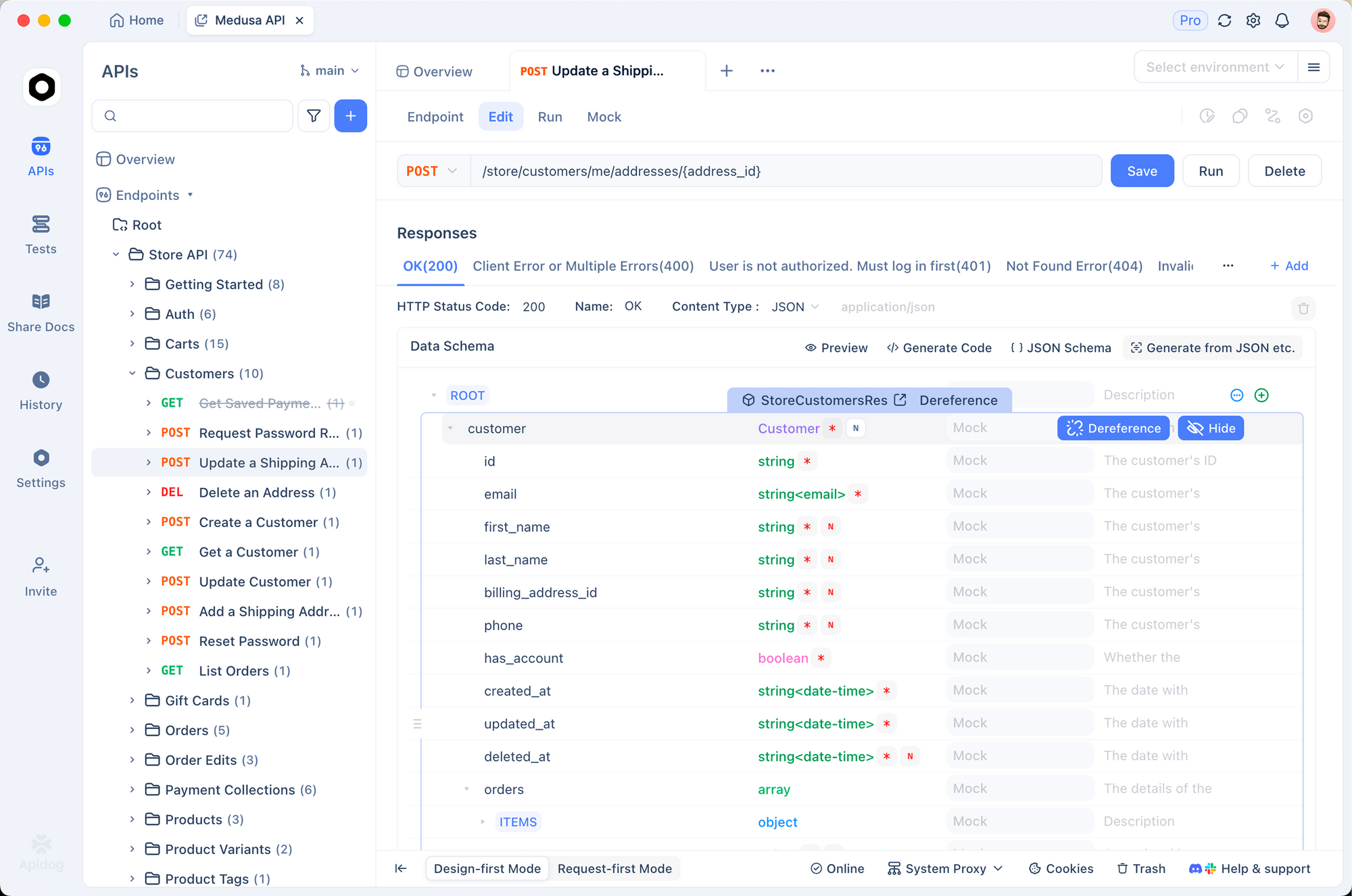
Testing WebSocket APIs differs from HTTP testing—you need to maintain a connection, send events, and monitor bidirectional message flow. Apidog provides specialized WebSocket testing capabilities.
Setting Up WebSocket Tests in Apidog
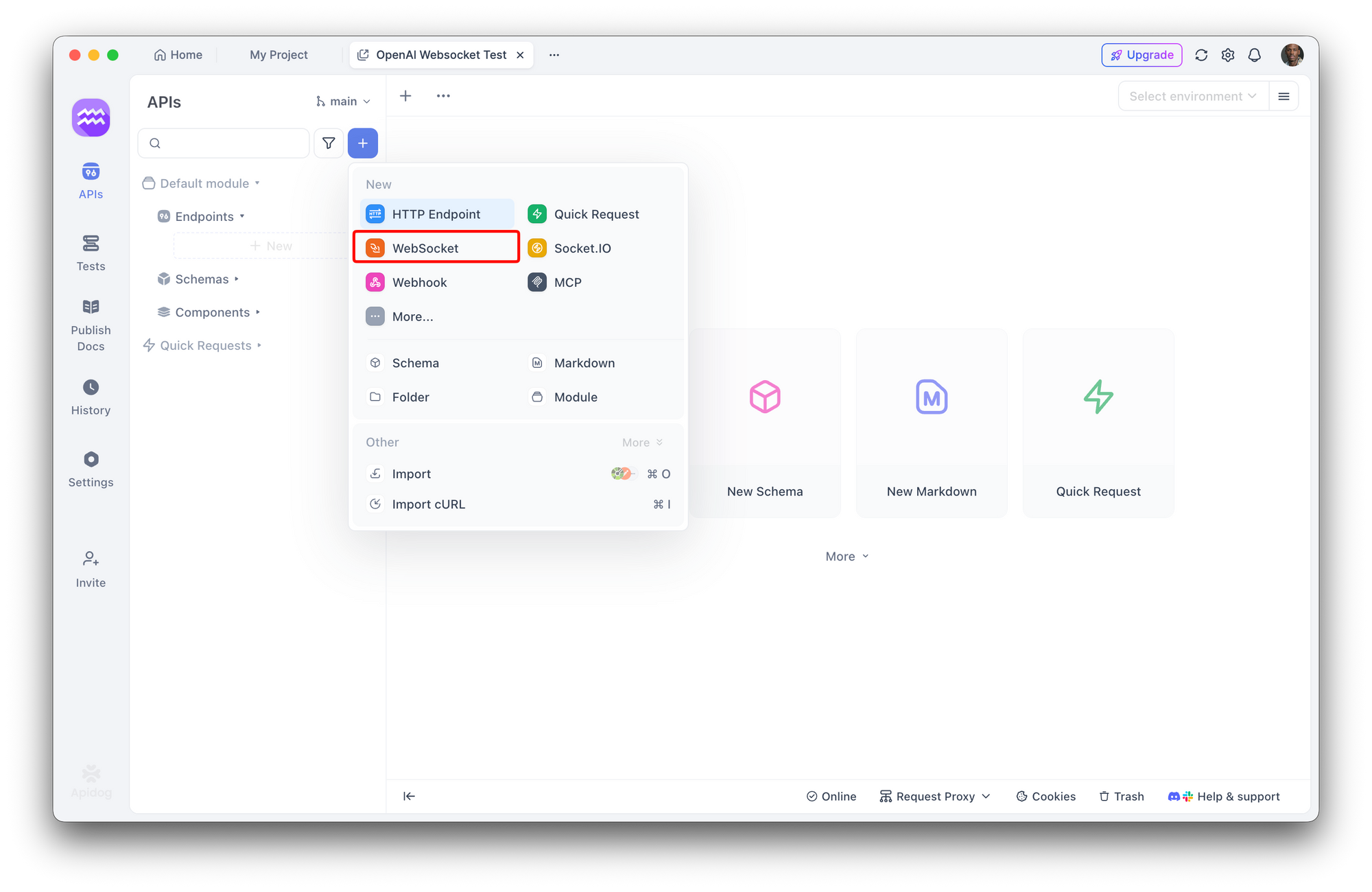
Step 1: Create WebSocket Request
In Apidog, create a new request and select "WebSocket" as the protocol. Enter your connection URL:
wss://api.openai.com/v1/responses
Step 2: Configure Headers
Add authentication headers:
Authorization: Bearer YOUR_OPENAI_API_KEY
OpenAI-Beta: responses-api=v1
For the Realtime API, you can also use URL-based authentication:
wss://api.openai.com/v1/realtime?model=gpt-realtime
With the API key in the subprotocol header.
Step 3: Establish Connection
Click "Connect" to establish the WebSocket connection. Apidog shows:
- Connection status (connected/disconnected)
- Latency metrics
- Connection duration
Step 4: Send Events
Use Apidog's message composer to send JSON events. For the Responses API:
{
  "model": "gpt-4o",
  "messages": [
    {
      "role": "user",
      "content": "What's the weather in San Francisco?"
    }
  ],
  "tools": [
    {
      "type": "function",
      "function": {
        "name": "get_weather",
        "description": "Get current weather",
        "parameters": {
          "type": "object",
          "properties": {
            "location": { "type": "string" }
          }
        }
      }
    }
  ]
}
Step 5: Monitor Responses
Apidog displays:
- All received messages in chronological order
- Message timestamps and sizes
- JSON formatting and syntax highlighting
- Copy/export capabilities for debugging
Testing Continuations
To test the continuation pattern with previous_response_id:
- Send initial message, note the
response.idin the response - Send continuation with only new input:
{
  "previous_response_id": "resp_abc123",
  "input": [
    {
      "tool_call_id": "call_xyz789",
      "output": "{\"temperature\": 72, \"conditions\": \"sunny\"}"
    }
  ]
}
- Observe the reduced latency compared to resending full context
Testing Realtime API
For the Realtime API, Apidog lets you:
- Send base64-encoded audio chunks
- Monitor session.update events
- Track VAD events (speech started/stopped)
- View transcript deltas in real-time
This is particularly useful for debugging why your voice assistant might be cutting off users or not detecting speech properly.
Environment Variables
Store API keys securely using Apidog's environment variables:
{{OPENAI_API_KEY}}
This lets you switch between development and production keys without editing requests.
Real-World Use Cases
Let's explore practical scenarios where OpenAI's WebSocket modes excel.
Use Case 1: Autonomous Coding Agent
Scenario: A coding assistant that analyzes codebases, identifies issues, and makes improvements autonomously.
Why Responses API WebSocket:
- Typical workflow: Read file → Analyze → Search for similar patterns → Read more files → Suggest changes
- This creates 15-30 tool calls per task
- WebSocket mode reduces total execution time by ~40%
- Persistent connection maintains context across all tool calls
Implementation Pattern:
// Initial task
ws.send({ messages: [{ role: 'user', content: 'Audit security vulnerabilities' }], tools: [...] })

// First response: model calls read_file
ws.on('message', (resp1) => {
  ws.send({ previous_response_id: resp1.id, input: [tool_result_1] })
})

// Second response: model calls search_code
ws.on('message', (resp2) => {
  ws.send({ previous_response_id: resp2.id, input: [tool_result_2] })
})

// Continue for 20+ iterations...
Use Case 2: Voice Customer Service Bot
Scenario: Phone support bot that handles customer inquiries with natural conversation flow.
Why Realtime API WebSocket:
- Low latency critical (<500ms for natural conversation)
- Needs to handle interruptions (customer talks over bot)
- Processes voice input directly without separate transcription
- Streams responses in real-time (doesn't wait for complete sentence)
Implementation Pattern:
// Stream phone audio to API
phoneSystem.on('audio', (chunk) => {
  ws.send({
    type: 'input_audio_buffer.append',
    audio: base64Encode(chunk)
  })
})

// Play AI responses immediately
ws.on('message', (event) => {
  if (event.type === 'response.audio.delta') {
    phoneSystem.playAudio(base64Decode(event.delta))
  }
})
Troubleshooting Common Issues
Connection Fails to Establish
Symptoms: WebSocket connection never opens, immediate close event.
Common Causes:
- Invalid API key - Double-check your
Authorizationheader - Missing beta header - Responses API requires
OpenAI-Beta: responses-api=v1 - Network restrictions - Some corporate networks block WebSocket
- Incorrect URL - Verify
wss://(notws://) and endpoint path
Solution:
Use Apidog to test the connection with detailed error messages. The request inspector shows exactly which headers are sent, making it easy to spot missing or incorrect API keys.
Debugging Code:
ws.on('error', (error) => {
  console.error('Connection error:', error);
});

ws.on('close', (code, reason) => {
  console.log(`Closed with code ${code}: ${reason}`);
  // Common codes:
  // 1006: Abnormal closure (often auth issues)
  // 1008: Policy violation (invalid headers)
});
High Latency Despite WebSocket
Symptoms: WebSocket connection works but isn't faster than HTTP.
Common Causes:
- Not using
previous_response_id- You're resending full context - Cold start - First request on new connection is slower
- Network latency - Geographic distance to API servers
- Large payloads - Sending unnecessary data in continuations
Solution:
Verify you're sending only new input in continuations:
// WRONG - sends full context every time
ws.send({
  messages: [...allPreviousMessages, newMessage],
  tools: [...]
})

// RIGHT - references cached state
ws.send({
  previous_response_id: lastResponse.id,
  input: [newMessage]
})
Memory Leaks in Long-Running Connections
Symptoms: Application memory grows over time with persistent connection.
Common Causes:
- Event listeners not removed - Accumulating listeners on reconnection
- Audio buffers not released - Keeping references to played audio
- Message history growing - Storing all received messages
Solution:
// Clean up event listeners on reconnection
function cleanupAndReconnect(ws) {
  ws.removeAllListeners();
  ws.close();

  const newWs = createConnection();
  return newWs;
}

// Release audio buffers after playing
function playAndRelease(audioBuffer) {
  const source = audioContext.createBufferSource();
  source.buffer = audioBuffer;
  source.connect(audioContext.destination);
  source.start();

  source.onended = () => {
    source.disconnect();
    // Buffer will be garbage collected
  };
}

// Limit message history
const messageHistory = [];
const MAX_HISTORY = 100;

ws.on('message', (data) => {
  messageHistory.push(data);
  if (messageHistory.length > MAX_HISTORY) {
    messageHistory.shift(); // Remove oldest
  }
});
Conclusion
OpenAI's WebSocket API modes unlock new possibilities for AI applications. The Responses API WebSocket mode delivers up to 40% faster execution for agentic workflows with heavy tool calling, making it ideal for autonomous coding assistants and orchestration systems. The Realtime API provides sub-500ms latency for voice applications, enabling natural, interrupt-capable conversations.
Choosing the right mode depends on your use case:
- Responses API WebSocket: Tool-heavy agents, coding assistants, research tools (10+ tool calls)
- Realtime API WebSocket: Voice assistants, phone bots, language tutors (audio streaming)
- HTTP: Simple requests, serverless environments, 1-5 API calls
The persistent, event-driven nature of WebSocket connections requires different testing approaches than HTTP. Test OpenAI's WebSocket APIs with Apidog's real-time WebSocket client—import your API key, establish connections, send events, and monitor responses with detailed logging. Try it free to validate your integrations before production deployment.