Google engineers continue to advance AI capabilities, and their latest addition stands out. They integrated Deep Research into NotebookLM, a platform that transforms how users handle complex information gathering. This tool browses hundreds of websites, compiles detailed reports, and provides annotated sources for further analysis. Researchers and developers now access these functions at no charge, positioning Deep Research as a direct competitor to premium options like Manus AI.
Transitioning from traditional search methods, Deep Research automates the tedious aspects of investigation. Users input queries, and the system handles the rest, delivering structured outputs. This shift saves time and reduces errors, making it ideal for technical users.
What Is Google's Deep Research Tool?
Google designed Deep Research as an extension of NotebookLM, an AI-powered research assistant that processes user-uploaded sources and generates insights. NotebookLM originally focused on analyzing documents, but Deep Research expands this scope by incorporating web crawling capabilities. Specifically, the tool leverages Gemini's agentic AI to search online resources dynamically.
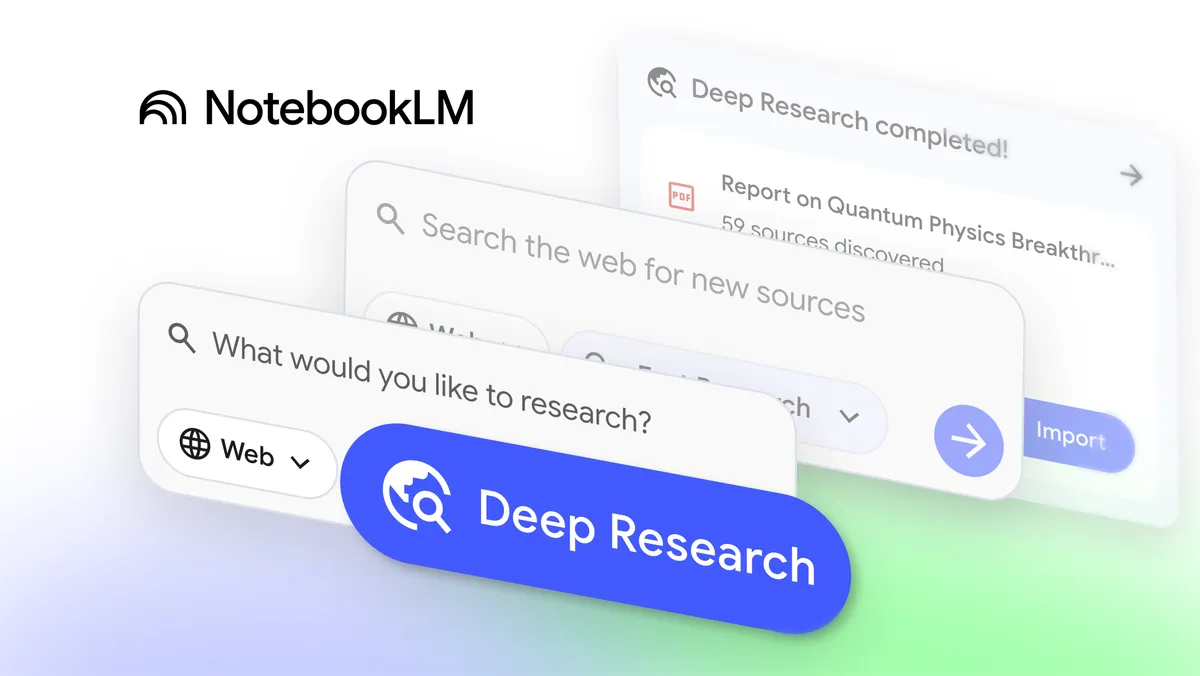
For instance, users select Deep Research from the source addition menu in NotebookLM. They enter a query, such as "latest breakthroughs in quantum physics," and the system scans relevant sites. It then produces a comprehensive report, complete with citations and options to import sources directly into the notebook.
This integration ensures transparency, as every claim links back to verifiable origins.
Deep Research supports various file types, including PDFs, Word documents, and Google Sheets, broadening its utility. Google rolled out this feature on November 13, 2025, responding to user demands for more autonomous research functions. Unlike basic search engines, Deep Research employs advanced natural language processing to synthesize information, identifying patterns and contradictions across sources.
The tool maintains a focus on accuracy. It annotates sources with summaries, relevance scores, and potential biases, helping users evaluate quality. This technical precision sets it apart from generic AI chatbots, which often provide superficial responses. As a result, engineers, scientists, and analysts adopt it for tasks requiring depth and reliability.
How Deep Research Works in NotebookLM
NotebookLM serves as the foundation, where users create notebooks by uploading files or linking web content. Deep Research activates within this environment. First, users navigate to the "Add Sources" section and choose Deep Research from the dropdown alongside standard web search.
Next, the system prompts for a detailed query. It then deploys AI agents to explore the web, fetching data from diverse domains. These agents prioritize reputable sites, avoiding low-quality or outdated information. After collection, Deep Research organizes the findings into a report format, often including sections like executive summaries, key findings, and recommendations.
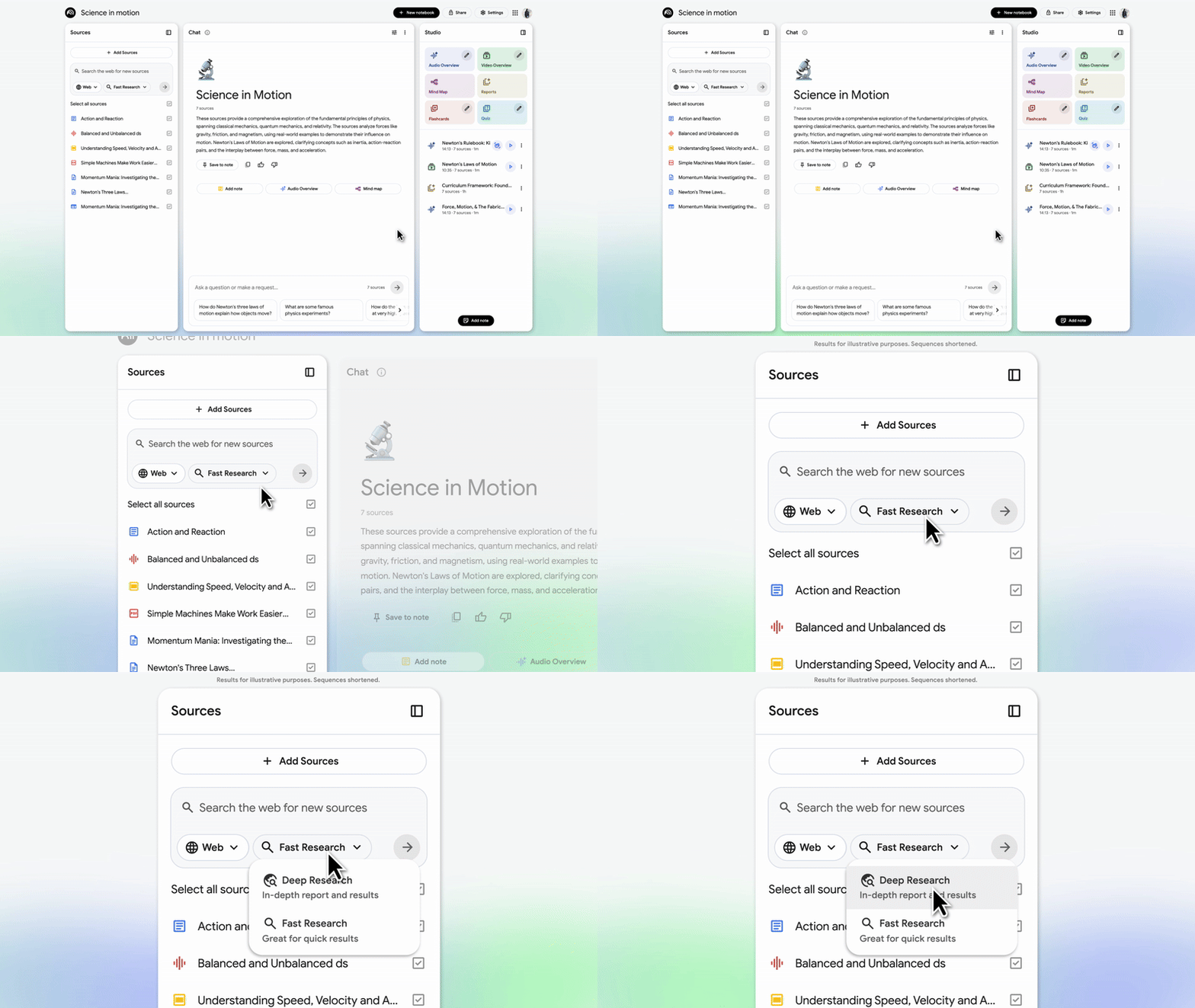
For example, in a technical query about machine learning algorithms, Deep Research might compile comparisons of neural networks, complete with performance metrics and code snippets from academic papers. Users can refine the report by adding filters, such as date ranges or specific keywords. Once satisfied, they import selected sources into NotebookLM for further interaction, like generating audio overviews or quizzes.
The process involves computational limits to prevent abuse. Google caps the number of simultaneous researches, ensuring fair access. Technically, Deep Research builds on Gemini's large language model, which handles reasoning and synthesis. This architecture allows it to chain multiple subtasks, such as fact-checking and cross-referencing, mimicking human research workflows.
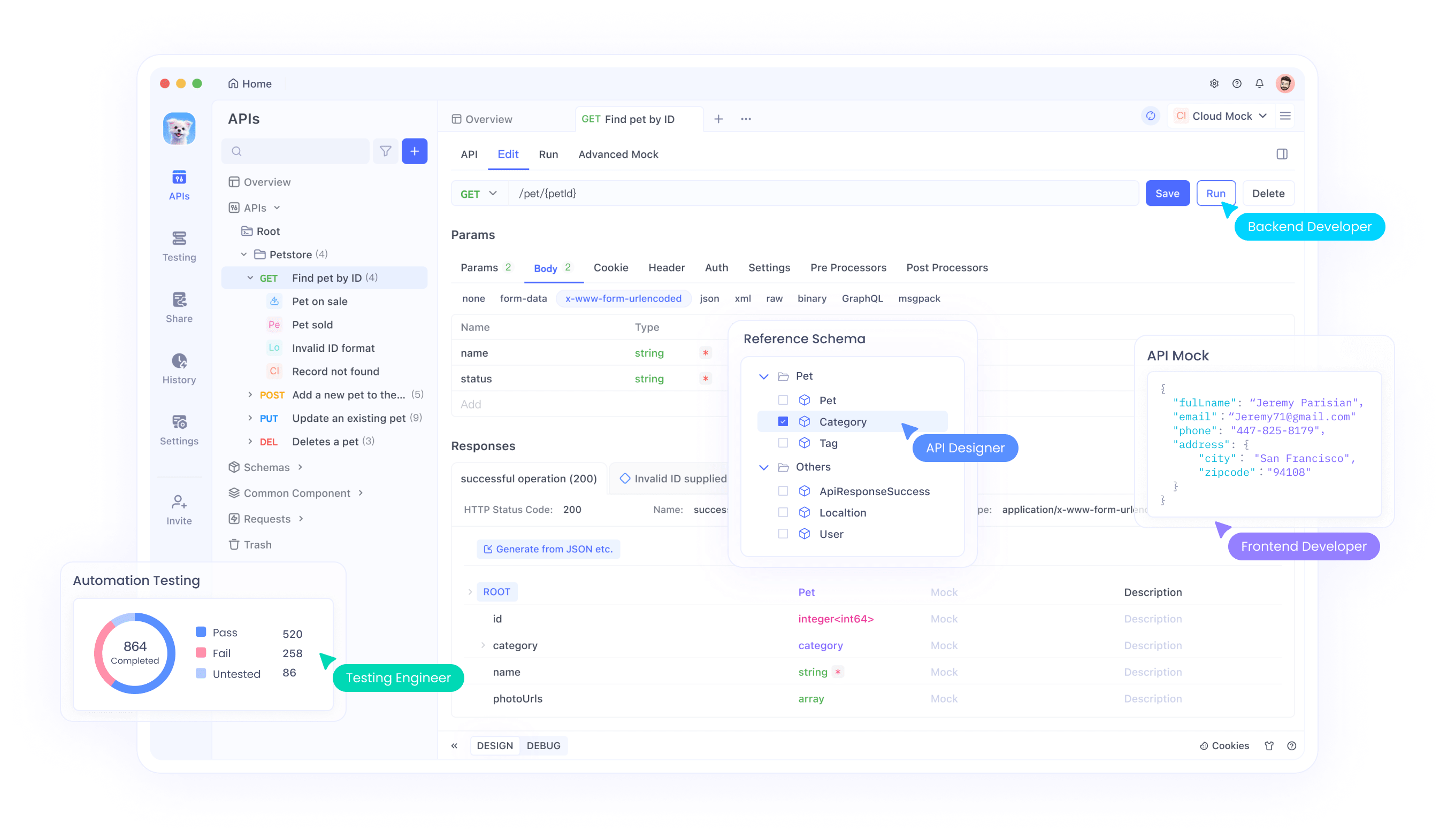
In practice, this means faster iterations. A developer investigating API standards could use Deep Research to gather specifications from official documentation sites. Combining this with tools like Apidog, they test implementations immediately. Apidog's dashboard visualizes API responses, aligning perfectly with Deep Research's output.
Understanding Manus AI: The Paid Counterpart
Manus AI emerges as a sophisticated autonomous agent, developed by Butterfly Effect Technology. The name derives from Latin for "hand," symbolizing its role in executing tasks beyond mere information retrieval. Manus integrates multiple AI models, including fine-tuned versions of Anthropic's Claude, to perform complex operations autonomously.
At its core, Manus handles multi-step workflows. Users provide high-level instructions, and the agent breaks them down into actionable steps. For research, it scours the web, analyzes data, and generates reports or even automates tasks like email drafting. Its interface features a task gallery, showcasing capabilities in areas like data analysis and productivity.
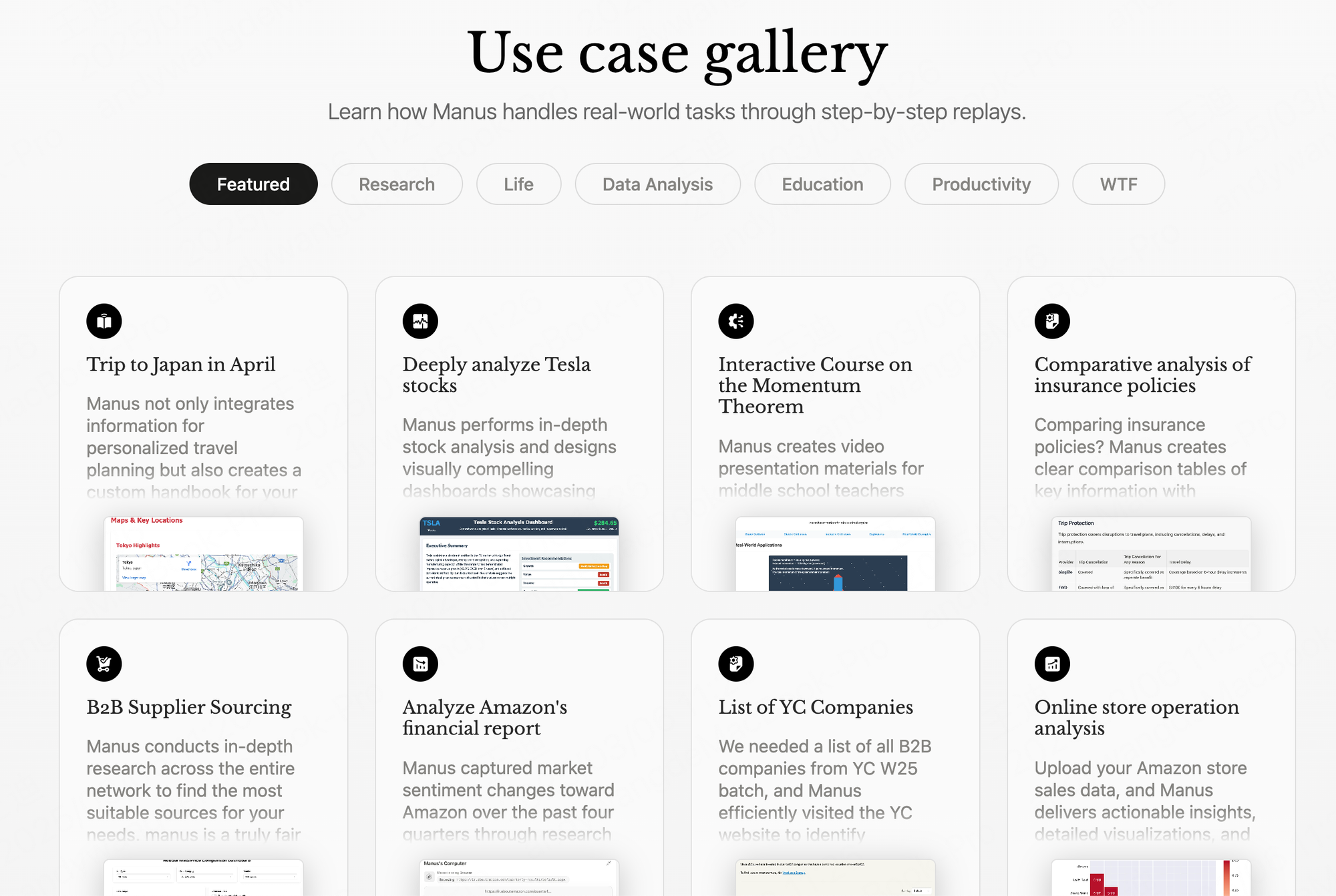
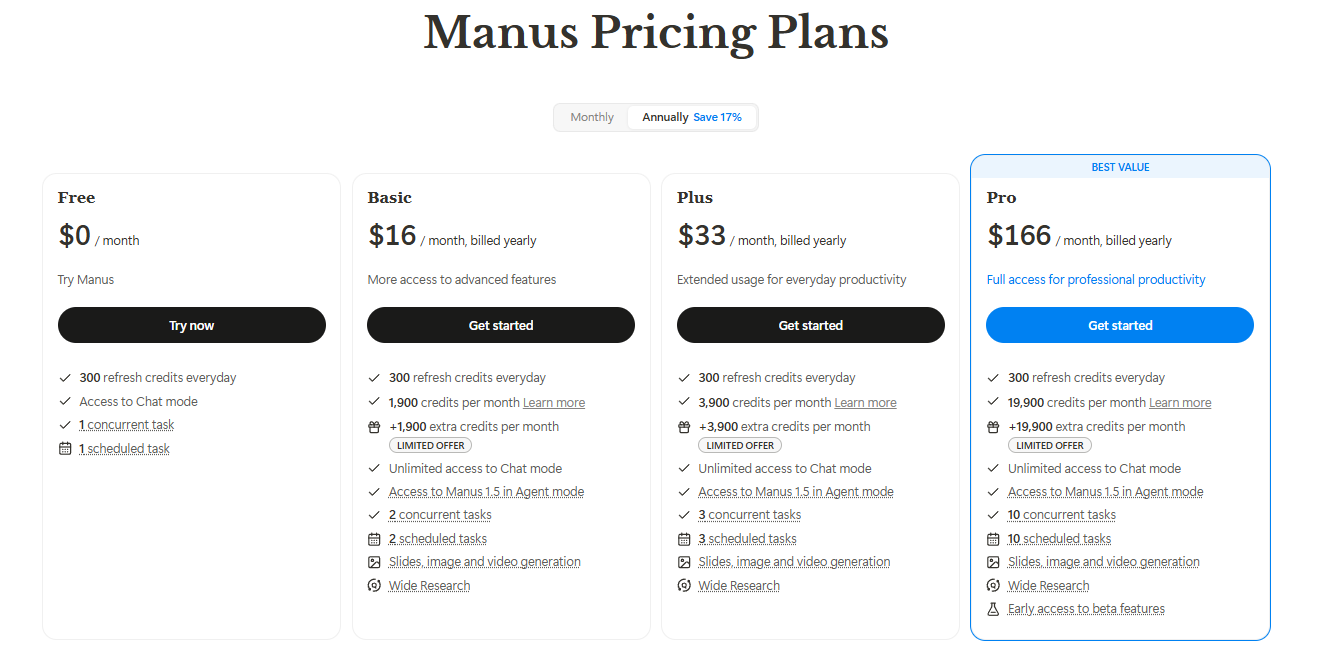
However, Manus operates on a subscription model, with costs scaling based on usage. This premium structure provides advanced features, such as custom integrations and priority support, but limits accessibility for casual users. Technically, Manus excels in agentic behavior, where it reasons through problems without constant human input. It supports tasks like resume screening, where it ranks candidates based on criteria.
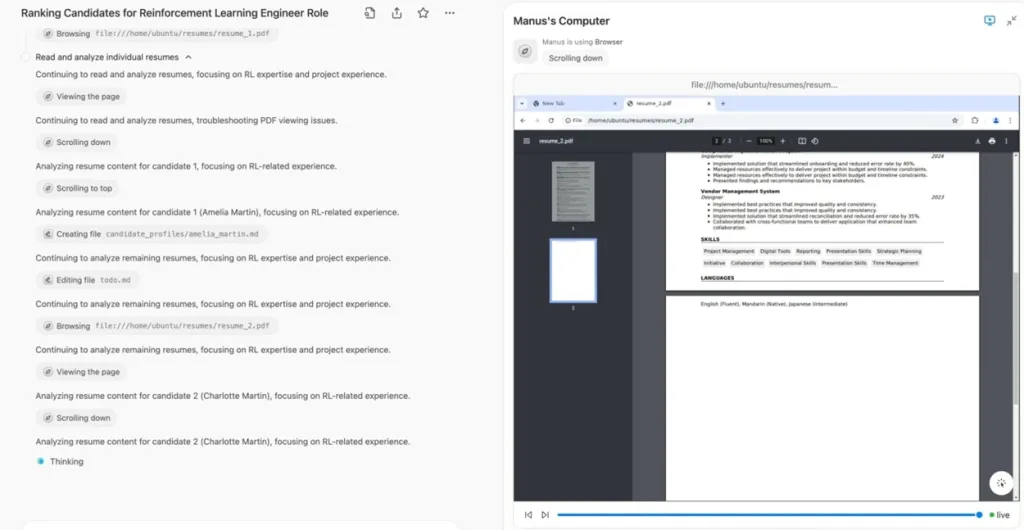
Despite its strengths, Manus requires users to navigate potential privacy concerns, as it processes sensitive data. Developers appreciate its API extensibility, but the fee barrier prompts searches for free alternatives like Deep Research.
Key Comparisons: Deep Researchvs. Manus AI
Deep Research and Manus AI both facilitate in-depth investigations, yet differences arise in accessibility, scope, and cost. Deep Research offers free access through NotebookLM, while Manus demands payment for full functionality.
In terms of scope, Manus handles broader automation, including non-research tasks like scheduling. Deep Research focuses on information synthesis, excelling in report generation from web sources. For technical users, this means Deep Research suits pure research, whereas Manus adapts to workflow automation.
Moreover, integration varies. Deep Research seamlessly connects with Google Workspace, allowing exports to Sheets or Docs. Manus provides API hooks for custom builds, but setup requires more effort. Performance-wise, both leverage advanced LLMs, but Deep Research benefits from Google's vast index, potentially yielding more comprehensive results.
However, Manus edges out in autonomy for complex chains, like combining research with execution (e.g., booking travel after planning). Deep Research prioritizes analysis over action. Cost savings with Deep Research appeal to budget-conscious teams, especially when paired with free tools like Apidog for API-related extensions.
| Feature | Deep Research | Manus AI |
|---|---|---|
| Cost | Free | Paid subscription |
| Core Focus | Web research and report synthesis | Autonomous task execution |
| Integration | Google Workspace | Custom APIs |
| Autonomy Level | High for research | High for multi-step workflows |
| User Accessibility | Broad, no fees | Limited to subscribers |
This table illustrates the trade-offs, guiding users toward Deep Research for cost-effective research.
Benefits of Using Deep Research for Free
Organizations adopt Deep Research to accelerate knowledge acquisition without financial overhead. It democratizes advanced AI, enabling startups and educators to compete with well-funded entities. Technically, the tool reduces manual labor by automating source curation, freeing time for analysis.
Additionally, its annotated sources promote critical thinking. Users verify claims easily, mitigating misinformation risks. For developers, Deep Research uncovers technical specifications quickly, supporting innovation. When combined with Apidog, it forms a pipeline: research APIs via Deep Research , then test them in Apidog's environment.
Furthermore, scalability stands out. Deep Research handles large queries efficiently, processing hundreds of sites in minutes. This efficiency boosts productivity, as teams iterate faster. Privacy benefits also emerge, since NotebookLM keeps data within Google's secure ecosystem.
In educational settings, instructors use it to create customized study materials. Students explore topics deeply, fostering deeper understanding. Overall, the free model encourages widespread adoption, driving AI literacy across sectors.
Integrating Deep Research with Tools Like Apidog
Apidog enhances Deep Research by bridging research and development. As an AI-powered API platform, Apidog generates schemas, mock data, and test cases automatically. When Deep Research uncovers API documentation, users import it into Apidog for hands-on testing.
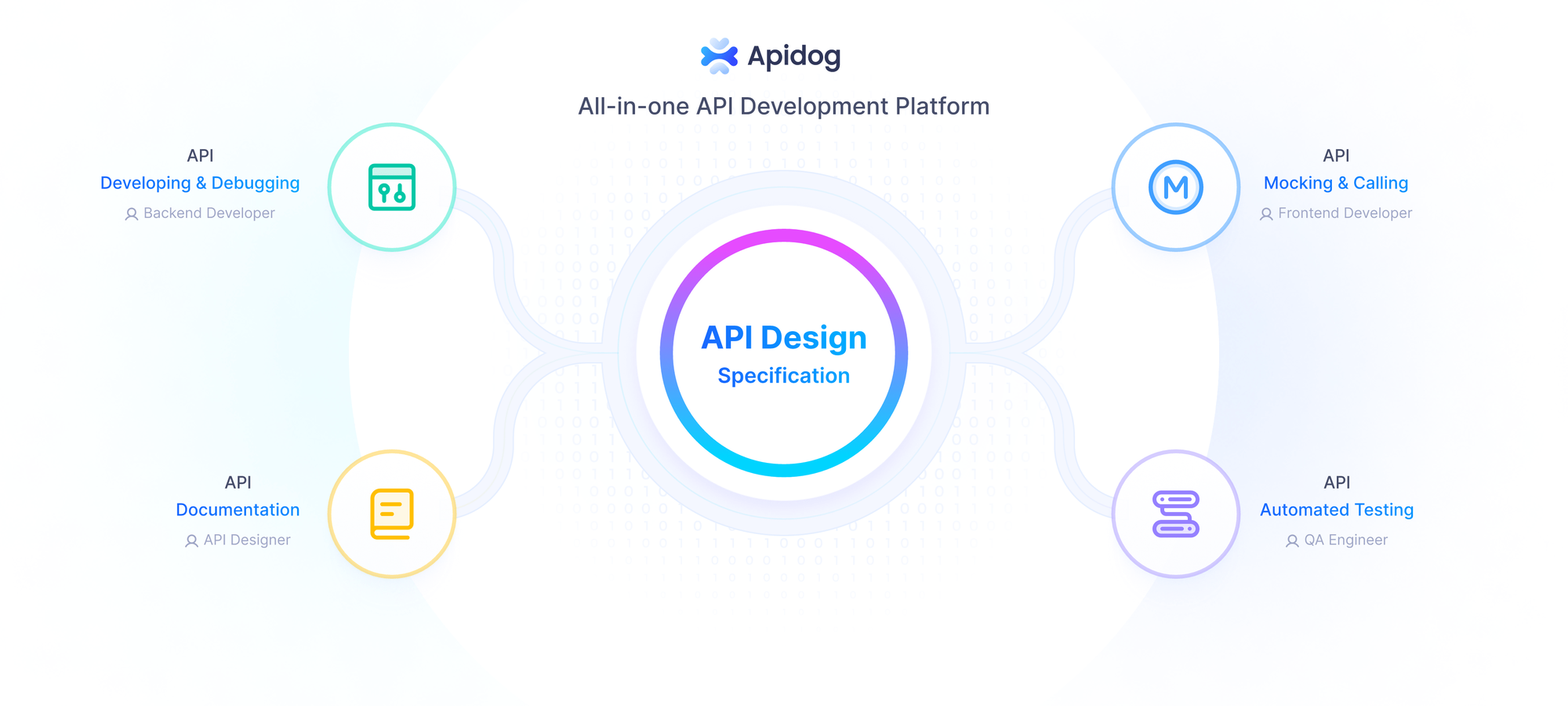
For example, after researching RESTful services, Apidog visualizes endpoints and simulates responses. This integration accelerates prototyping. Apidog's free tier aligns with Deep Research's model, offering features like collaboration and monitoring without costs.
Technically, Apidog supports JSON/XML schemas, complementing Deep Research's structured outputs. Developers chain the tools: research in NotebookLM, then debug in Apidog. This workflow minimizes errors and optimizes efficiency.
Moreover, Apidog's AI assists in modifying schemas, adding descriptions or validations. For teams building AI agents similar to Manus, this proves crucial. The synergy underscores how free tools democratize technical workflows.
Conclusion
Google equips users with Deep Research , a free powerhouse in NotebookLM that rivals Manus AI's capabilities. From automated reports to source annotations, it delivers technical precision without costs. By comparing features and exploring use cases, this post highlights its advantages.
Remember, pairing it with Apidog amplifies results—download Apidog free to handle API aspects seamlessly. As AI advances, tools like these transform research, making sophisticated analysis available to all. Adopt them today to stay ahead in your field.