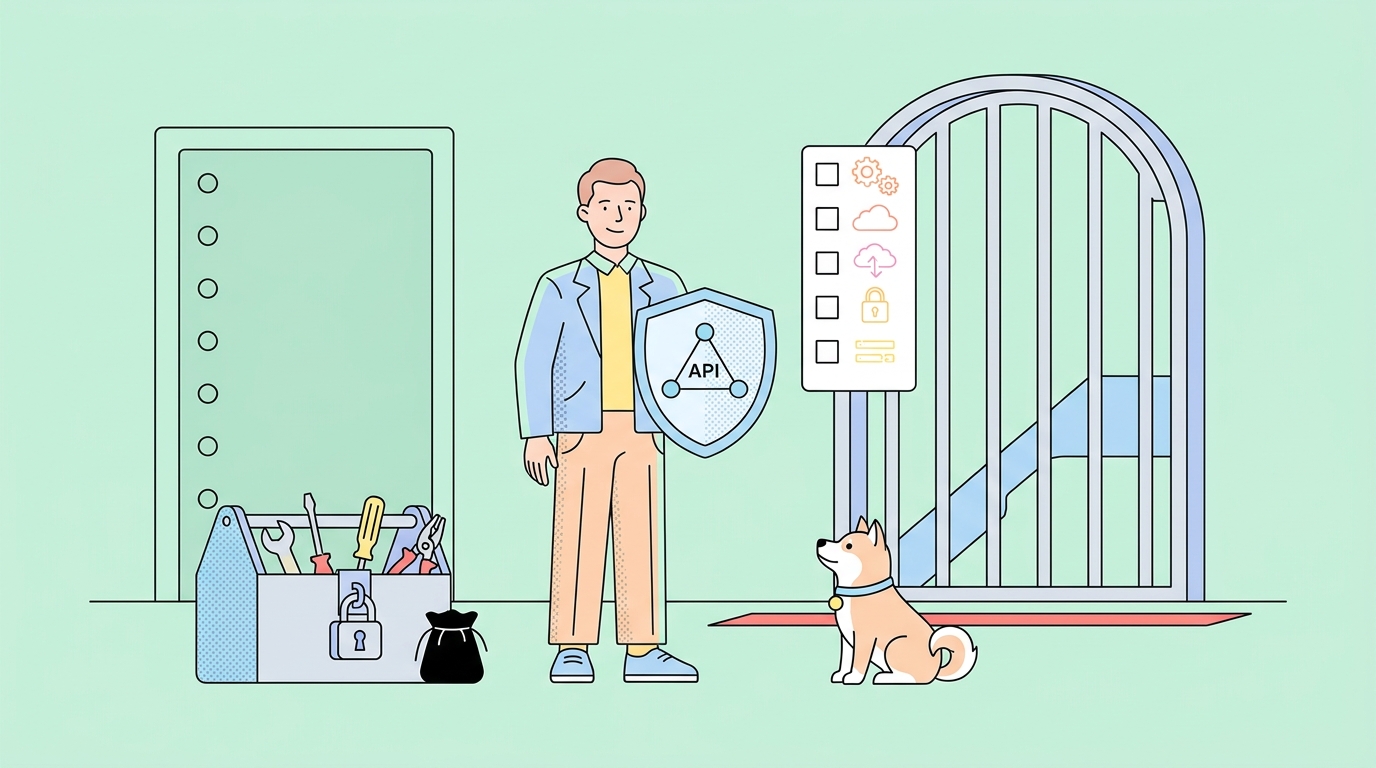
You're on a team building a new mobile app. The frontend developers are ready to start coding the user interface, but the backend team is still designing the database schema. The frontend team is stuck — they can't build the login screen without an authentication API to call, and they can't test the product listing page without product data. Sound familiar?
This classic development bottleneck has a modern solution: the mock server. But when should you use a mock server versus waiting for the real server? And what exactly is the difference between them?
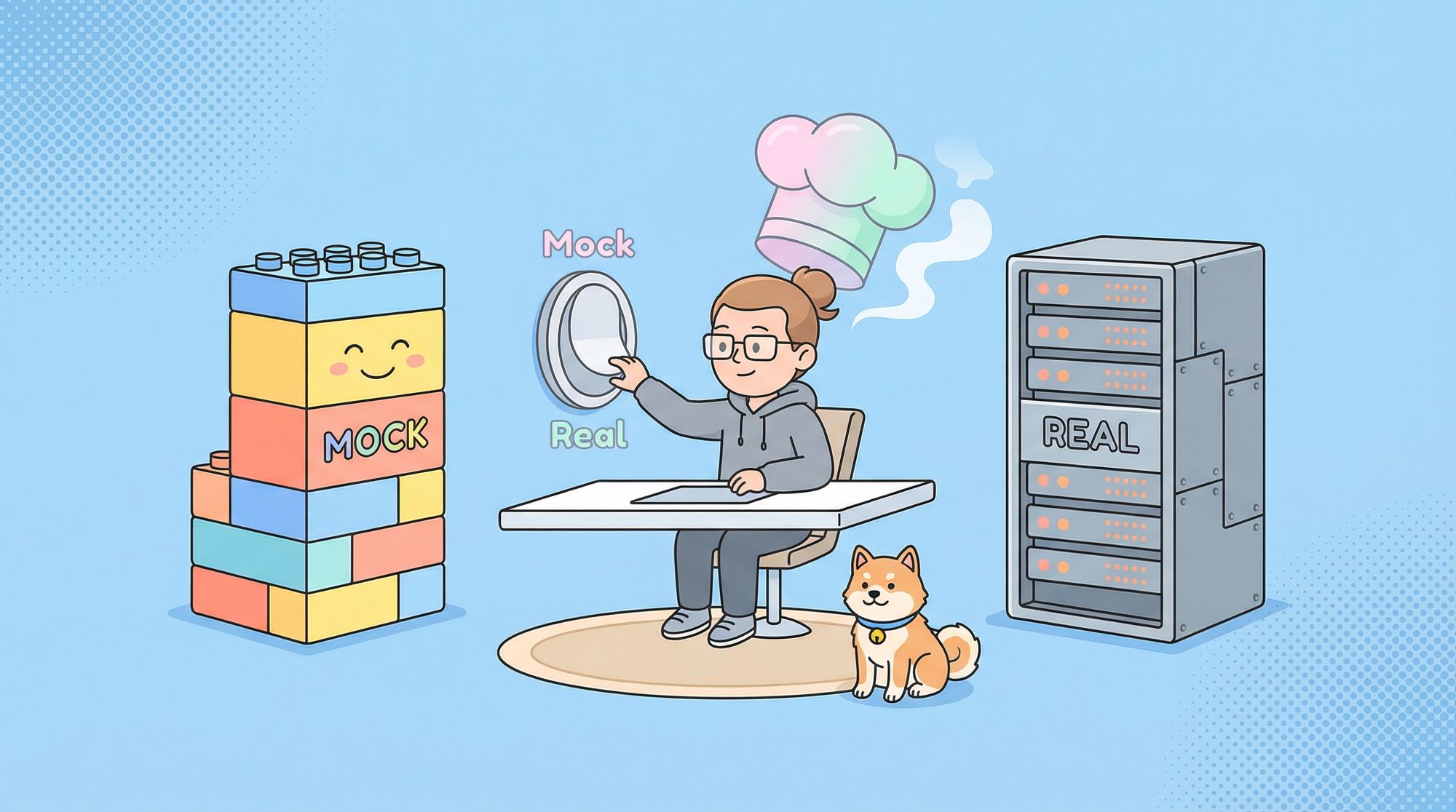
Think of it this way: a real server is like cooking a full meal from scratch with fresh ingredients. A mock server is like using high-quality pre-made components to test a recipe quickly. Both have their place in the kitchen, and knowing when to use each makes you a better chef.
If you're involved in software development, understanding this distinction can dramatically accelerate your workflow and improve collaboration between teams.
In this post, we'll dive deep into mock server vs real server, breaking down how they work, their advantages, and how tools like Apidog make the whole process seamless with powerful API mocking features.
Now, let's dive into the world of mock servers and real servers to understand their strengths, weaknesses, and perfect use cases.
What is a Real Server?
A real server (often called a production server or backend server) is the actual, fully functional application that processes requests, executes business logic, interacts with databases, and returns real data.
Key Characteristics of a Real Server
- Live Data: Connects to real databases and returns actual user data
- Full Business Logic: Implements complete authentication, validation, and processing rules
- Integrated Systems: Connects to other services like payment gateways, email services, and third-party APIs
- Stateful: Maintains application state across requests
- Performance Constraints: Subject to real-world limitations like network latency, database load, and memory usage
When You Absolutely Need a Real Server
- Production Environment: When real users are interacting with your application
- Integration Testing: Testing how different systems work together
- Performance Testing: Measuring actual response times under load
- Security Testing: Validating authentication and authorization flows
- End-to-End Testing: Testing complete user journeys
What is a Mock Server?
A mock server is a simulated API server that returns predefined responses without executing actual business logic or connecting to real databases. It mimics the behavior of a real server based on an API specification.
Key Characteristics of a Mock Server
- Predefined Responses: Returns canned data that you specify in advance
- No Business Logic: Doesn't process data or perform calculations
- Stateless: Doesn't maintain application state between requests
- Instant Availability: Can be set up before any backend code is written
- Consistent Behavior: Always returns the same responses for the same requests
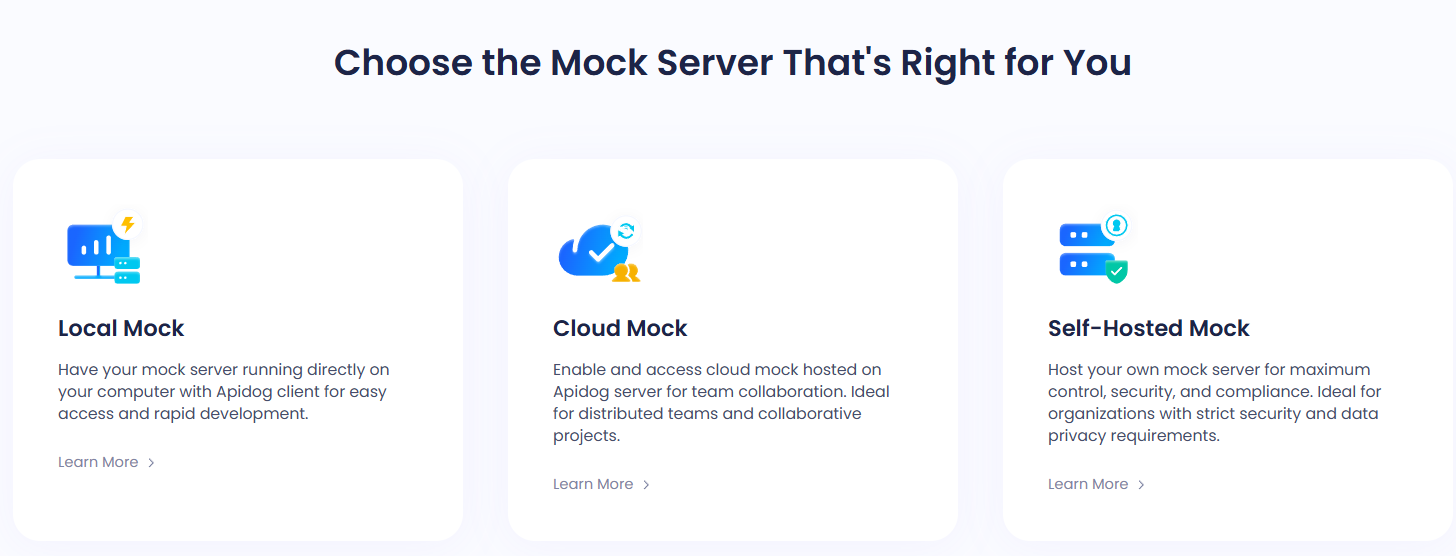
The Magic of Modern Mocking with Apidog
Modern tools like Apidog have transformed mocking from a basic simulation into a powerful development accelerator. Apidog's API mocking features allow you to:
- Generate mocks automatically from your API designs
- Create dynamic responses with realistic data patterns
- Simulate different scenarios like error responses, slow networks, or specific data states
- Collaborate with team members on mock designs before implementation begins
See how Apidog mocks APIs in one minute without coding.
Key Difference Between Mock Server and Real Server
At first glance, they might look similar after all, both return data in the same format, use HTTP requests, and follow the same endpoints. But the difference lies beneath the surface.
Here’s a simple comparison table:
| Feature | Mock Server | Real Server |
|---|---|---|
| Purpose | Simulate API responses for testing and development | Process real API logic and user data |
| Data Type | Fake, predefined, or randomly generated | Real data from databases or external services |
| Speed | Extremely fast (no processing logic) | Depends on system complexity |
| Setup | Quick and easy | Requires full backend infrastructure |
| Use Case | Early development, testing, demo | Production, staging, live environments |
| Risk | Safe for experiments | Can impact real systems or data |
| Availability | Always available (even offline) | Can face downtime or maintenance windows |
So, the mock server is your sandbox a safe space for experimentation.
The real server is your playground where real users and data interact.
When to Use a Mock Server: The Perfect Scenarios
1. Frontend Development (The Classic Use Case)
This is where mocking shines brightest. Frontend developers can build and test entire user interfaces without waiting for backend APIs to be ready.
Before Mocking:
- Frontend team waits 2 weeks for backend API
- Backend delivers API with unexpected changes
- Frontend has to rewrite code, causing delays
With Mocking:
- Teams agree on API contract first
- Frontend uses mock server immediately
- Backend implements to the agreed specification
- Integration happens smoothly with minimal surprises
2. API Design and Prototyping
Mock servers are perfect for designing APIs before writing any code. You can experiment with different response structures and get feedback from consumers.
3. Testing Specific Scenarios
Need to test how your application handles a 500 error? Or a very slow response? With a real server, you might have to deliberately break things. With a mock server, you can simulate these scenarios on demand.
4. Documentation and Demos
Mock servers provide live examples for API documentation. They're also perfect for sales demos where you can't use real customer data.
5. Continuous Integration
Mock servers can run API tests in CI/CD pipelines without needing access to real databases or external services.
When to Use a Real Server: Non-Negotiable Scenarios
1. Production Deployment
This is obvious but crucial: real users should always interact with real servers handling real data.
2. Performance Testing
While you can simulate slow responses with mocks, only real servers can show you actual performance under load with real database queries and network conditions.
3. Integration Testing
Testing how your system integrates with third-party services requires real endpoints (or at least very sophisticated mocks).
4. Data-Sensitive Operations
Any operation involving financial transactions, user authentication, or sensitive data validation must be tested against real servers.
The Development Workflow: A Practical Example
Let's walk through how a typical feature development might flow between mock and real servers:
Week 1: Design Phase
- API Design: The team designs the new user profile API using Apidog's visual editor
- Mock Generation: Apidog automatically generates a mock server from the API design
- Frontend Development: The mobile team starts building the user profile screen against the mock server
- Feedback Loop: The frontend team provides immediate feedback on the API design
Week 2: Implementation Phase
- Backend Development: The backend team implements the actual API
- Parallel Testing: The frontend team continues testing against the mock while the backend team works
- Contract Validation: Automated tests verify that the real server matches the mock's behavior
Week 3: Integration Phase
- Switch to Real Server: The frontend team points their application to the real backend
- Bug Fixing: Any discrepancies between mock and real are quickly identified and fixed
- Production Ready: The feature is deployed with confidence
This parallel workflow can cut development time by 30-50% compared to sequential development.
How Mock Servers Work (Simplified)
Here’s a step-by-step breakdown of how mock servers operate:
- Define Your API Endpoints: You specify routes like
/users,/products, or/login. - Set Up Expected Responses: Each endpoint is configured to return mock JSON data or other content when called.
- Start the Mock Server: Tools like Apidog host it locally or on the cloud. You’ll get a mock base URL, e.g.,
https://mock.apidog.io/project/users. - Send Requests: Your frontend or testing tool sends HTTP requests to the mock server just like it would to a real one.
- Receive Mocked Responses: The mock server instantly returns the predefined or dynamically generated responses.
- Switch to the Real Server Later: Once your real backend is ready, simply change the base URL no code rewrites needed.
This workflow allows developers to test and iterate quickly, keeping projects moving even when backend progress lags.
How Real Servers Work (and Why They’re Still Essential)
While mock servers are incredibly useful, real servers are irreplaceable when it comes to executing real logic and serving production users.
Here’s what happens in a real server:
- A client (like your mobile app) sends a request to an API endpoint.
- The server receives it and processes the request.
- It retrieves or updates real data in a database.
- It applies business logic and validation.
- It returns a real-time response.
So while mock servers focus on speed and simulation, real servers handle functionality and truth.
In short:
Mock servers help you build.
Real servers help you run.
The Big Picture: How Mock and Real Servers Work Together
Here’s a reality check: you don’t have to choose between mock servers and real servers.
In fact, the best development teams use both strategically.
During the early phase of development, you can connect your frontend to a mock server using Apidog.
As the backend APIs become ready, you can gradually switch from mock URLs to real endpoints with just a few clicks.
This workflow ensures:
- Zero downtime.
- Continuous testing and integration.
- Faster releases.
Example Workflow Using Apidog
Let's say you're building a "User Profile" page.
You create a mock API for /users/{id} in Apidog.
You define the mock response:
{
  "id": 1,
  "name": "Jane Doe",
  "email": "jane@example.com"
}
Your frontend team builds and tests the UI using that endpoint.
Meanwhile, the backend team develops the real API.
Once it’s ready, you switch from mock.apidog.io to the real API base URL.
Everything works without changing your code logic.
That's how powerful mock-to-real synchronization is when using a tool like Apidog.
The Pros and Cons of Each Server Type
To be fair, both mock and real servers have strengths and weaknesses. Let’s look at them side by side:
Mock Server Pros
- Faster development and testing.
- No dependency on backend completion.
- Always available and predictable.
- Safe for experimentation.
- Great for demos and CI/CD pipelines.
Mock Server Cons
- Doesn’t reflect actual backend logic.
- Can give false confidence if not updated.
- Doesn’t test real integrations or database performance.
Real Server Pros
- Reflects real application behavior.
- Ensures accuracy in integration and performance.
- Handles real user authentication and data.
- Required for production deployment.
Real Server Cons
- Slower and harder to maintain.
- Risk of downtime or data issues.
- Testing can be risky or disruptive.
In essence, use mock servers for speed and independence, and real servers for accuracy and deployment.
Advanced Mocking Techniques with Apidog
Basic mocking returns the same response every time. Advanced mocking, like what Apidog provides, can simulate complex real-world behaviors:
Dynamic Response Generation
Instead of static responses, Apidog can generate realistic data:
{
  "users": [
    {
      "id": "{{randomInt(1,100)}}",
      "name": "{{randomFirstName}} {{randomLastName}}",
      "email": "{{randomEmail}}",
      "createdAt": "{{now}}"
    }
  ]
}
Scenario Simulation
You can configure different responses for the same endpoint based on parameters, headers, or request body content.
Error Case Testing
Easily simulate 4xx and 5xx errors to ensure your application handles failures gracefully.
Latency Simulation
Test how your application behaves with slow network responses by configuring response delays.
Testing APIs with Apidog: Bridging the Gap
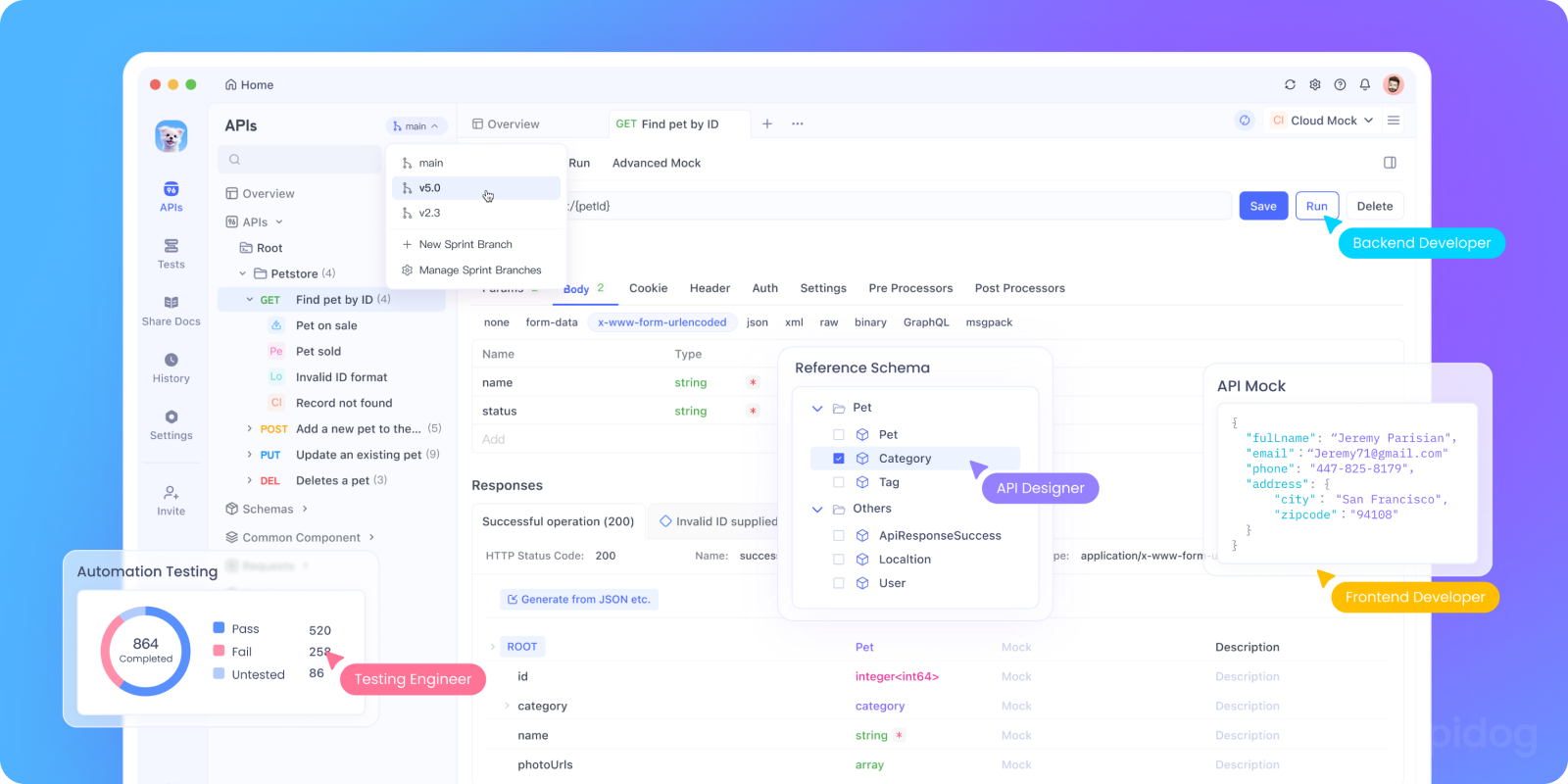
Now, let’s talk about what makes Apidog stand out from other mock server tools. Apidog isn't just another mock API generator, but a complete API development ecosystem. It combines. Apidog makes it easy to transition between mock and real servers throughout your development lifecycle:
All in one unified workspace.

The platform's comprehensive mocking documentation shows how to set up everything from basic examples to complex conditional responses.
Key Mocking Features You'll Love
According to Apidog's documentation, here’s what makes it powerful:
Instant Mock Server Creation
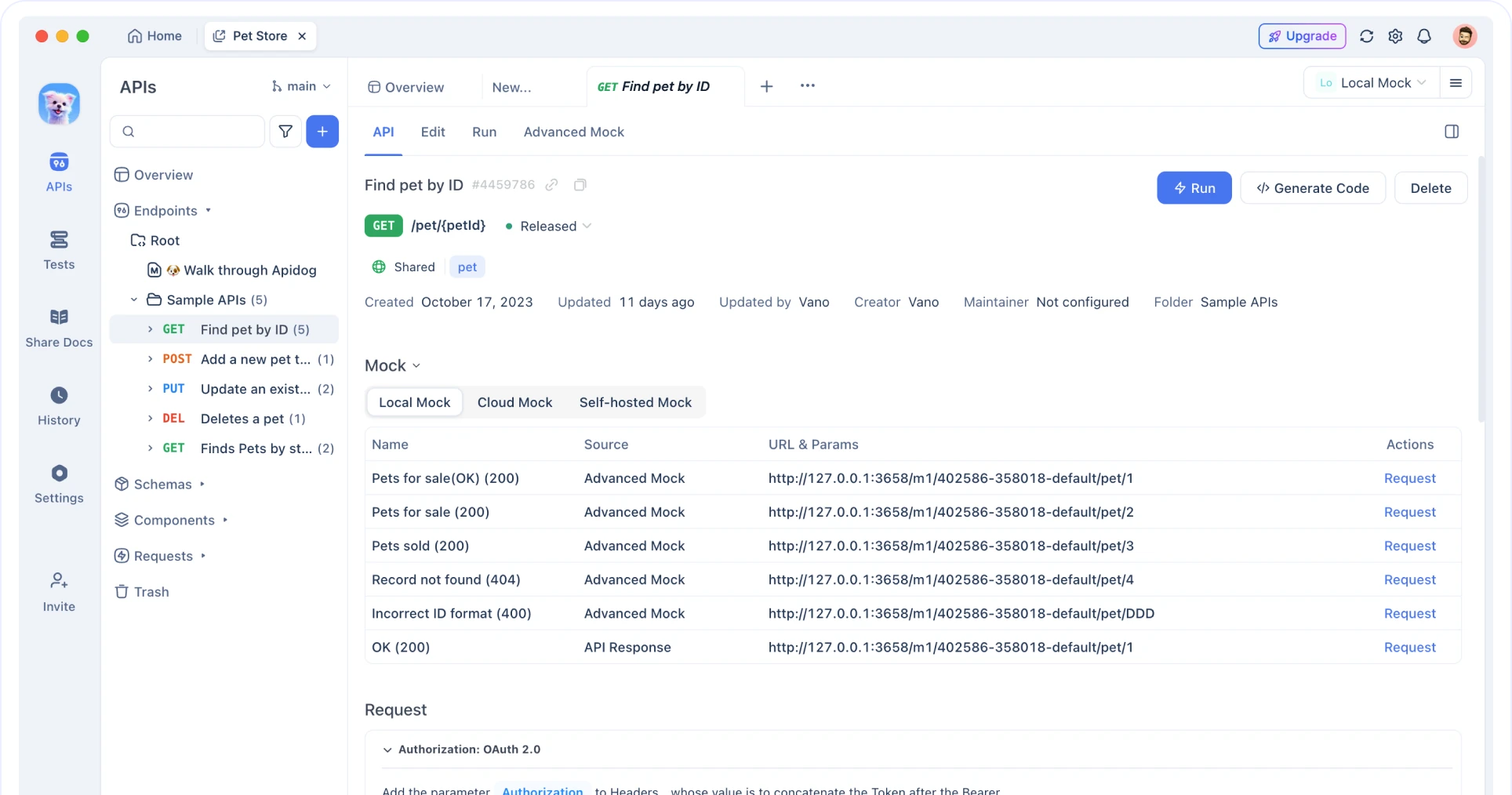
You can automatically generate mock servers from your API definitions no manual setup required.
Dynamic Mock Rules
Use placeholders, random generators, or expressions to create dynamic responses like random user names or IDs.
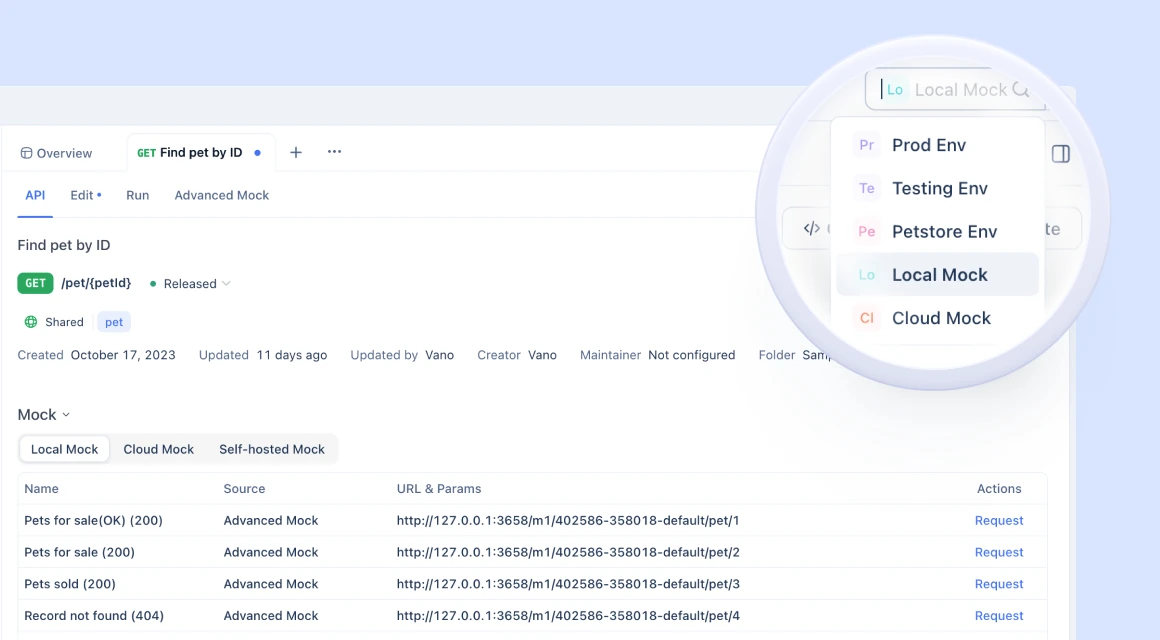
Environment Switching
Toggle between mock and real servers with one click perfect for staging, testing, or demo environments.
Custom Response Conditions
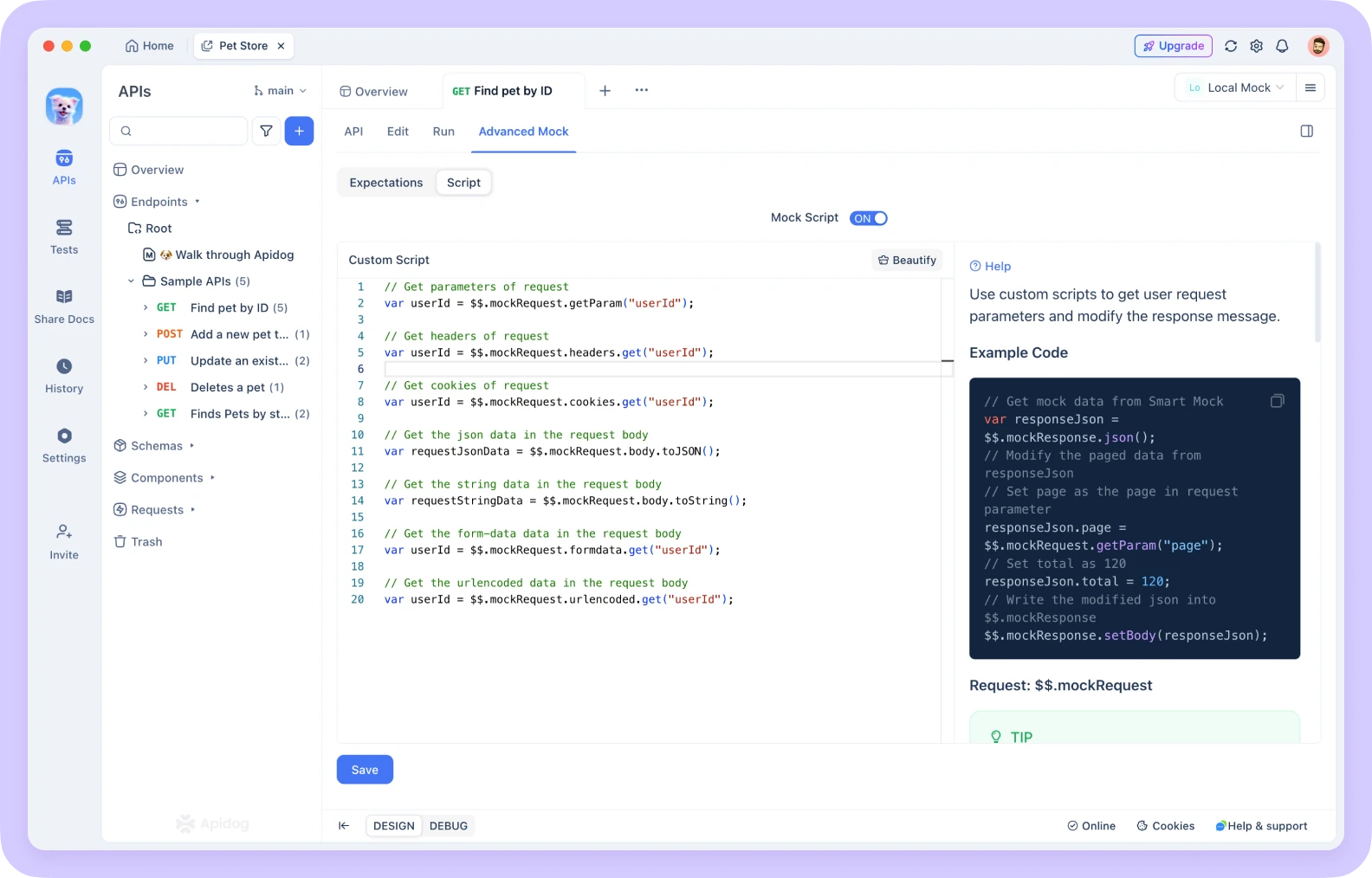
Set conditions for different request types or parameters. For example, return a success response when id=1, and an error when id=2.
Realistic Simulation
Add artificial delays to simulate real-world network latency.
Team Collaboration

Teams can share mock APIs, ensuring consistent responses across all developers.
Apidog brings the flexibility of mock environments with the precision of real servers bridging the gap beautifully.
Common Pitfalls and How to Avoid Them
The "Mock vs. Reality" Gap
Problem: The mock server behaves differently than the real server, causing integration issues.
Solution: Use contract testing to ensure consistency. Apidog helps by generating both mocks and tests from the same API specification.
Over-Mocking
Problem: Mocking everything, even when real services are available.
Solution: Use a strategic approach: mock external dependencies and unavailable services, but use real services when they're ready and reliable.
Stale Mocks
Problem: Mocks don't get updated when APIs change.
Solution: Integrate mock generation into your API design process. When the specification changes, regenerate the mocks automatically.
Conclusion: The Right Tool for the Right Job
Mock servers and real servers aren't competitors. They're complementary tools that serve different purposes in the software development lifecycle.
Use mock servers when you need to:
- Develop frontends before backends are ready
- Design and prototype APIs quickly
- Test specific scenarios reliably
- Demonstrate features without real data
- Run tests in isolated environments
Use real servers when you need to:
- Serve production traffic to real users
- Test performance under real conditions
- Validate integrations with external systems
- Handle sensitive data and transactions
- Measure actual system behavior
The most effective teams use both strategically, transitioning smoothly from mocks to real implementations as features mature. By leveraging powerful tools like Apidog that integrate both mocking and real API testing, you can accelerate development while maintaining quality and reliability.
Remember, mocking isn't about cutting corners it's about working smarter. It enables parallel development, better collaboration, and faster feedback cycles. So the next time you're facing development dependencies, consider whether a mock server might be the key to unlocking your team's productivity.
And if you’re using Apidog, that transition is seamless literally one click away.
So don’t let unfinished APIs slow your project down. Embrace API mocking as a standard part of your workflow.