
If you still run swagger-cli validate and swagger-cli bundle in your pipeline, you’re maintaining a script around a tool that nobody maintains anymore. The swagger-cli GitHub repo now says so directly: the package is no longer maintained, the README cites the burden of keeping up with a huge userbase that contributes little back, and it points new users elsewhere.
So this is a good moment to decide where your spec workflow lives next. This guide is a migration runbook, not a usage tutorial. If you’re not ready to move and just want to keep using the old tool, the Swagger CLI guide covers validate and bundle in detail. This article is about leaving, specifically how to migrate Swagger CLI to Apidog CLI without breaking your CI.
Download Apidog if you want to follow along with real commands. It’s free to start, no credit card required.
Why migrate now
The honest answer first: swagger-cli has been deprecated and unmaintained for a while. It still runs. Plenty of pipelines call it today. But a tool that won’t get bug fixes or spec updates is technical debt sitting in your build, and the maintainers themselves recommend moving on.
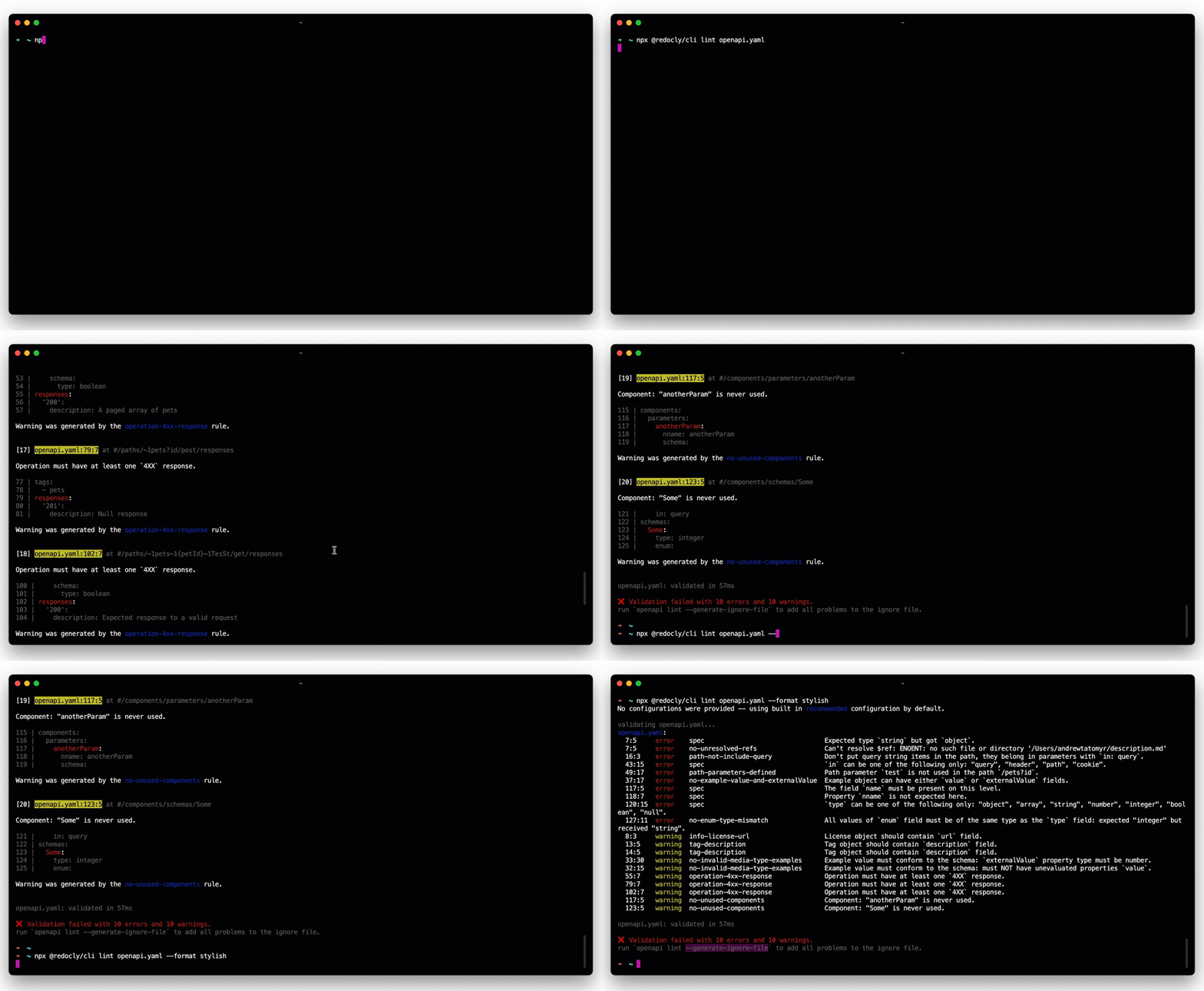
They point at one successor in particular. Redocly CLI is the closest drop-in replacement if all you ever wanted was validate plus bundle in the terminal. It’s open source, code-first, and terminal-native. Its lint command does structural validation, and redocly bundle follows $ref pointers exactly like swagger-cli bundle did. If your only goal is a 1:1 swap that keeps the spec as a flat file in your repo, Redocly is the natural choice, and Redocly publishes its own migration guide with the command mapping. There’s no shame in taking that path.
Apidog is for a different goal. Migrate to Apidog CLI when you want the spec to do more than sit in a file. Instead of validating and bundling a static document, you bring the whole definition into a living workspace, then validate it on import, export a consolidated file when you need one, and optionally mock the API, run test scenarios against it, and publish docs from the same source. swagger-cli only ever did two things. Apidog covers the rest of the lifecycle.
Pick based on fit, not hype. If you want a lightweight, config-driven linter and bundler you run purely from the terminal, Redocly wins. If you’d rather have one platform for design, mocking, testing, and docs instead of stitching several tools together, Apidog wins.
What swagger-cli did vs what Apidog CLI does
swagger-cli had exactly two commands:
swagger-cli validate <file>checked a Swagger 2.0 or OpenAPI 3.0 document against the schema and verified its$refpointers resolved.swagger-cli bundle <file>followed those$refpointers and combined a multi-file definition into a single file, with options for output path (-o), type (-t json|yaml), full dereferencing (-r), and indentation (-f).
That’s the whole tool. It didn’t lint with style rules, generate docs, run tests, or mock anything.
Apidog CLI maps those two jobs onto two of its commands, then keeps going:
apidog importingests a definition into an Apidog project and validates it on the way in. Multi-file specs get their$refpointers resolved into unified resources automatically. This is your validate step, plus ingestion.apidog exportemits a single consolidated file from the project, and lets you choose the OpenAPI version on the way out. This is your bundle step, plus an optional version upgrade and the ability to emit HTML or Markdown docs.apidog runexecutes test scenarios and suites, with JUnit and other reporters for CI. swagger-cli had no equivalent.- Resource commands (
endpoint,schema,mock,environment,branch, and more) manage the project from the terminal once the spec is in.
One precise point so the mapping stays honest: Apidog validates structure on import, but it is not a configurable style-guide linter. There’s no apidog lint and no custom rulesets. If you relied on opinionated linting, that part doesn’t carry over, and the What you gain section covers how to handle it.
Install and log in
Apidog CLI ships as an npm package. Install it globally:
npm install -g apidog-cli@latest
Then authenticate with an access token:
apidog login --with-token <TOKEN>
You get the token from the Apidog app or web: click your avatar, go to Account Settings, then API Access Token, and generate one. The CLI stores it in ~/.apidog/config.toml. Treat it like any other secret. Don’t print it in logs or commit it to your repo.
If you want every flag and a deeper tour, the Apidog CLI complete guide and the official Apidog CLI docs cover the full surface. For this migration, install plus login is all you need to start.
Command-mapping table
Here’s the direct translation from swagger-cli to Apidog CLI. The one structural difference: Apidog works against a project, so most flows are import-then-export rather than a single command on a loose file.
| swagger-cli command | Apidog CLI equivalent | What changes |
|---|---|---|
swagger-cli validate openapi.yaml |
apidog import --project <id> --format openapi --file ./openapi.yaml |
Validates the spec on import; invalid specs fail the command |
swagger-cli bundle openapi.yaml -o out.json |
apidog import ... then apidog export --project <id> --format openapi --output ./out.json |
Bundling becomes an export from the project; $refs already resolved on import |
swagger-cli bundle -t yaml |
apidog export --project <id> --format openapi --output ./out.yaml |
Output format follows the file you write |
| (no equivalent) | apidog export --project <id> --format openapi --output ./out.json --oas-version 3.1 |
Upgrade a 2.0 or 3.0 spec to 3.1 on export |
| (no equivalent) | apidog export --project <id> --format html --output ./docs.html |
Emit standalone HTML docs |
| (no equivalent) | apidog export --project <id> --format markdown --output ./docs.md |
Emit Markdown docs |
| (no equivalent) | apidog run --project <id> -t <scenarioId> -e <envId> -r junit |
Run API tests in CI |
The two cells that matter most for migration are the first two rows. Everything below them is capability swagger-cli never had. The --oas-version flag is the clearest upgrade: swagger-cli could bundle a Swagger 2.0 file, but it couldn’t turn it into OpenAPI 3.1. Apidog can, on export, which is handy when you’re modernizing an old contract. If your goal is doc output specifically, exporting OpenAPI to Markdown walks through that format in more depth.
Step-by-step migration
Here’s the full path from a swagger-cli setup to a working Apidog flow.
1. Get your project ID. Create or open a project in the Apidog app. The project ID appears in the project settings and in the URL. You’ll pass it to every CLI command via --project.
2. Import the root spec. Point Apidog at the entry file of your definition. Multi-file specs with $ref pointers resolve automatically, so you import the root and Apidog pulls in the rest:
apidog import --project 123456 --format openapi --file ./openapi.yaml
If the spec is malformed or a $ref dangles, the import fails. That failure is your validation gate, the same job swagger-cli validate used to do, now folded into ingestion.
3. Verify in the app. Open the project and confirm your endpoints, schemas, and parameters landed correctly. This visual check has no swagger-cli equivalent, and it’s worth doing once during migration to confirm the import did what you expected.
4. Export the consolidated file. When you need a single flat file (for a downstream tool, a client generator, or an artifact), export it. Pick the OpenAPI version you want:
apidog export --project 123456 --format openapi --output ./openapi.json --oas-version 3.1
That replaces swagger-cli bundle. The $ref pointers were already resolved on import, so the export is your consolidated, single-file output.
5. Wire it into CI. Replace your old swagger-cli step with import (validate on ingest) and export (bundle), and add a test run if you have scenarios. The next section has a full GitHub Actions example.
CI example with GitHub Actions
This workflow installs the CLI, logs in with a token from repo secrets, imports the spec to validate it, exports a consolidated artifact, then runs test scenarios with the JUnit reporter so a failing test fails the check and gates the PR.
name: API spec check

on:
  pull_request:
    branches: [main]

jobs:
  apidog:
    runs-on: ubuntu-latest
    steps:
      - uses: actions/checkout@v4

      - uses: actions/setup-node@v4
        with:
          node-version: '20'

      - name: Install Apidog CLI
        run: npm install -g apidog-cli@latest

      - name: Log in
        run: apidog login --with-token ${{ secrets.APIDOG_ACCESS_TOKEN }}

      - name: Import spec (validates on import)
        run: apidog import --project 123456 --format openapi --file ./openapi.yaml

      - name: Export consolidated spec
        run: apidog export --project 123456 --format openapi --output ./dist/openapi.json --oas-version 3.1

      - name: Run test scenarios
        run: apidog run --project 123456 -t 7890 -e 4567 -r "cli,junit" --out-dir ./reports
Store the token as APIDOG_ACCESS_TOKEN in your repo secrets so it never appears in logs. The -r "cli,junit" reporter writes a JUnit XML file your CI can surface as a test report, and a failing scenario returns a non-zero exit code that blocks the merge. For deeper pipeline patterns, see the Apidog CLI CI/CD guide, and for runner-specific setup the Apidog CLI with GitHub Actions walkthrough.
What you gain beyond validate and bundle
This is where the migration pays off, and where being honest matters most.
Mock servers. Once your spec is in a project, Apidog can serve mock responses from it. You can develop a frontend against the API before the backend exists. swagger-cli never touched runtime behavior.
Automated test scenarios. apidog run executes real requests against a running API and asserts on the responses. You build scenarios visually in the app, then run them headless in CI. That closes the gap swagger-cli left wide open: a valid spec tells you the contract is well-formed, not that the implementation matches it.
Hosted and exported docs. apidog export --format html or --format markdown produces docs straight from the same source. No separate doc-build step to maintain.
Now the honest limit. Apidog CLI does not have a configurable, code-first style-guide linter with custom rulesets. It validates structure on import, but you can’t author Spectral-style or Redocly-style rules through the CLI, and there is no apidog lint command. If your old setup leaned on heavy linting (consistent naming, required descriptions, examples on every response), keep a dedicated linter in the loop. Pair Apidog with Spectral or Redocly for that, and run it as a separate CI step. The OpenAPI linter setup guide covers how to wire one in. Using both isn’t a contradiction: lint with a specialist tool, then manage the lifecycle in Apidog.