TL;DR
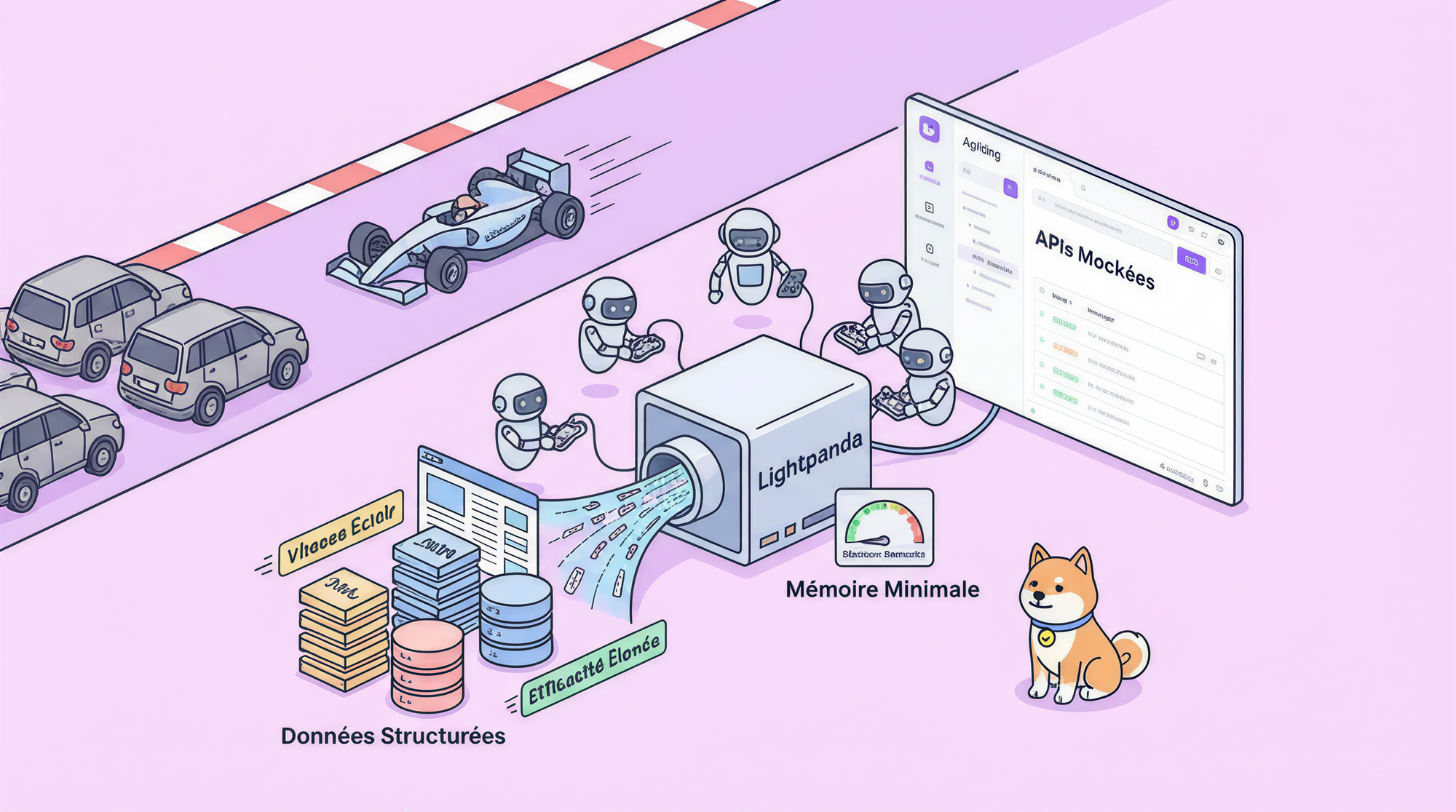
Lightpanda is a purpose-built headless browser for AI agents written in Zig. It runs 11× faster than Chrome, uses 9× less memory, and speaks Chrome DevTools Protocol (CDP) natively so every automation framework you already use (Puppeteer, Playwright, chromedp) works without modification.
Running hundreds of Chrome instances in production to power your AI agents is not a strategy it is a liability. Lightpanda is the headless browser for AI agents built entirely from scratch in Zig, delivering 11× faster execution and 9× lower memory consumption than Chrome. If you build automated pipelines, LLM-driven scrapers, or end-to-end test suites and rely on tools like Apidog to design and validate your APIs, Lightpanda belongs in your stack. This guide walks through what it is, how it works, and how to connect it to your existing Puppeteer or Playwright workflow today.
Why a New Headless Browser for AI Agents? The Problem Apidog Users Face
The question Lightpanda's authors ask is blunt: "Take a huge desktop application, hack it, and run it on the server. Hundreds or thousands of instances of Chrome if you use it at scale. Are you sure it's a good idea?"
Most developers who build headless automation pipelines with a headless browser for AI agents start with Chrome or Chromium. It works. Until it doesn't.
Here is what breaks at scale:
- Memory bloat: A single Chrome instance consumes 200–400 MB at idle. Run 50 parallel AI agents and you have provisioned a small data center.
- Slow cold starts: Chrome takes seconds to initialize. For short-lived tasks fetching a page, extracting structured data, running a quick test that startup time is pure overhead.
- Operational complexity: Chrome was designed for human use on a desktop. Grafting it into a server-side automation pipeline requires constant tuning of flags like
--no-sandbox,--disable-dev-shm-usage, and GPU bypass options.
Teams that use Apidog for API design and testing face a related challenge: the browser automation layer that exercises their frontend or validates webhooks adds unacceptable latency and resource cost to the CI pipeline. Apidog lets you design, mock, and test APIs with precision but when the API drives a JavaScript-rendered page, you still need a browser, and Chrome's footprint makes scaling painful.
Lightpanda was built to fix all of this. It is not a fork of Chrome or WebKit. It is a headless browser for AI agents written in 97,178 lines of Zig across 312 source files a clean-room implementation designed for exactly one job: automated, server-side, AI-driven web interaction.
What Makes Lightpanda Different and Why Apidog Users Should Care
Lightpanda is a headless browser for AI agents and Apidog-adjacent automation that stands apart on three axes.
Performance Numbers That Change the Apidog Economics
The benchmarks are not marketing copy they come from the project's own test suite:
| Metric | Chrome | Lightpanda |
|---|---|---|
| Execution speed | 1× | 11× faster |
| Memory per instance | 1× | 9× less |
| Startup time | Seconds | Near-instant |
For Apidog users running parallel integration tests that drive a browser to validate UI flows, these numbers mean you can run 9× more concurrent test workers on the same hardware or cut your CI infrastructure cost by 89%.
Full JavaScript Execution No Compromises for Apidog Workflows
Lightpanda uses the V8 JavaScript engine (the same one Chrome uses) wrapped in a native Zig bridge. This means:
- Full ES2024 JavaScript execution
fetchandXMLHttpRequest(XHR) APIslocalStorage,sessionStorage, and partialIndexedDBMutationObserver,IntersectionObserver,requestAnimationFrame- A complete DOM implementation with live
NodeListandHTMLCollection - Cookie jar with proper persistence across navigations
When you hit an Apidog-mocked endpoint from inside a Lightpanda page script, the response is processed by real V8 not a simulated runtime. This fidelity matters when your AI agent needs to follow authentication redirects, parse JSON from an Apidog mock server, or submit a form that triggers a series of XHR calls.
Chrome DevTools Protocol Drop-in Replacement for Apidog Automation
Lightpanda implements 22 CDP domains including Page, Runtime, DOM, Network, Input, Fetch, CSS, Accessibility, and Emulation. This means any Apidog automation script already written for Chrome works against Lightpanda with a single line change: point your CDP client at ws://127.0.0.1:9222 instead of Chrome's debug port.
Core Architecture: Inside the Headless Browser for AI Agents Built for Apidog Pipelines
The Apidog-Compatible CDP Server
At its core, Lightpanda runs a WebSocket server on port 9222 that speaks the Chrome DevTools Protocol. When your Puppeteer script sends a Page.navigate command, Lightpanda:
- Resolves the URL through its libcurl-based HTTP client (HTTP/1.1 and HTTP/2, TLS via BoringSSL)
- Parses the HTML using
html5ever, a Rust-based HTML5-compliant parser - Constructs the full DOM tree
- Executes all JavaScript in a V8 isolate
- Processes microtask and macrotask queues until the page settles
- Returns control to your automation script via CDP
The entire chain fetch, parse, render, execute happens without a GPU, without a display server, and without any of the overhead Chrome carries for desktop use. Apidog engineers who want to test a JavaScript-heavy SPA will find Lightpanda handles dynamic content just as faithfully as Chrome, at a fraction of the cost.
Network Interception and Apidog Mock Integration
Lightpanda's Network and Fetch CDP domains support full request interception. This lets you:
- Redirect outbound calls to an Apidog mock server during testing
- Block analytics or tracking requests to speed up page loads
- Assert on HTTP headers and payloads in the same way Apidog's request validation works
Three Runtime Modes: Headless Browser for AI Agents at Every Scale Powered by Apidog Thinking
Apidog CI Pipelines: serve Mode
./lightpanda serve --host 127.0.0.1 --port 9222
This starts a persistent CDP server. Connect any Puppeteer, Playwright, or chromedp client. Ideal for long-running Apidog test suites that spawn multiple browser sessions.
Apidog Data Pipelines: fetch Mode
./lightpanda fetch --url https://example.com
One-shot page fetch: Lightpanda loads the URL, executes all JavaScript, and dumps the final rendered HTML to stdout. No persistent process, near-zero startup time. Perfect for LLM training pipelines that need clean, JavaScript-rendered HTML at scale.
Apidog AI Agent Integration: mcp Mode
./lightpanda mcp
Starts a Model Context Protocol server that exposes browser tools directly to LLMs. Your AI agent can call navigate, click, type, and query as structured tool calls no CDP boilerplate needed. This is the native headless browser for AI agents interface Lightpanda was built to provide.
Connecting Puppeteer to Lightpanda Apidog-Friendly Workflow
Switching from Chrome to Lightpanda in your Puppeteer script requires exactly one change. Start the Lightpanda CDP server, then connect puppeteer-core directly:
import puppeteer from "puppeteer-core";

// Connect to Lightpanda's CDP server instead of Chrome
const browser = await puppeteer.connect({
  browserWSEndpoint: "ws://127.0.0.1:9222",
});

const page = await browser.newPage();

// Optional: intercept requests and redirect to your Apidog mock server
await page.setRequestInterception(true);
page.on("request", (req) => {
  if (req.url().includes("api.yourapp.com")) {
    // Redirect to Apidog mock endpoint for isolated testing
    req.continue({ url: req.url().replace("api.yourapp.com", "localhost:4523") });
  } else {
    req.continue();
  }
});

await page.goto("https://your-app.com/dashboard");

// Extract data for LLM processing or Apidog validation
const data = await page.evaluate(() => {
  return {
    title: document.title,
    apiResponse: window.__INITIAL_STATE__, // hydrated SPA data
  };
});

console.log(data);
await browser.close();
This script runs against Lightpanda instead of Chrome with zero changes to your Puppeteer API usage. The request interception block shows how to redirect live API calls to an Apidog mock server, keeping your tests deterministic and your Apidog collection the single source of truth for expected responses.
Unit Testing and Quality Assurance with Lightpanda and Apidog
Running the Lightpanda Apidog-Style Unit Test Suite
Lightpanda ships with a comprehensive unit test infrastructure built into the Zig build system:
# Run all unit tests
make test

# Run a filtered unit test subset (equivalent to Apidog's test case filtering)
make test F="dom"

# Or use the environment variable directly
TEST_FILTER=network make test
This mirrors the kind of targeted testing Apidog supports — you can focus your unit test run on the DOM implementation, the network layer, or the JavaScript runtime in isolation. The project's GitHub Actions pipeline runs unit tests (zig-test.yml), end-to-end integration tests (e2e-test.yml), and Web Platform Tests (wpt.yml) on every pull request, so you can trust the browser's behavior against the web standards your APIs depend on.
When you integrate Lightpanda into an Apidog-driven pipeline, the pattern is:
- Apidog defines and mocks the API contract
- Lightpanda loads the frontend and executes the JavaScript that calls those APIs
- Your unit test asserts that the DOM reflects the correct state after the API response
This three-layer approach catches integration bugs that neither pure API testing nor pure unit tests surface alone.
Conclusion
Lightpanda is the headless browser for AI agents that the automation ecosystem has needed for years. Built from scratch in Zig, it runs 11× faster and uses 9× less memory than Chrome while speaking native CDP making it a drop-in replacement for every Puppeteer and Playwright workflow you have today.
For teams that use Apidog to design, mock, and validate APIs, Lightpanda closes the last gap in the pipeline: a fast, lightweight browser layer that exercises JavaScript-rendered frontends against your Apidog mocks without the overhead of a full desktop engine. Whether you are running a unit test suite in CI, training an LLM on rendered web content, or deploying autonomous AI agents that navigate live applications, Lightpanda and Apidog together give you a complete, production-grade automation stack.
Get started:
- Install Lightpanda from lightpanda.io (Linux x86_64, macOS aarch64)
- Connect Puppeteer to
ws://127.0.0.1:9222as shown above - Point your Apidog mock server at the intercepted requests for fully isolated testing
- Run
./lightpanda mcpto expose browser tools directly to your LLM agents via Model Context Protocol.
FAQ
Is Lightpanda a fork of Chrome or Chromium? No. Lightpanda is a fully independent headless browser for AI agents written in Zig. It uses the V8 JavaScript engine and the html5ever HTML parser, but the browser engine itself DOM, networking, event system, layout logic is a clean-room implementation.
Does Lightpanda work with Apidog mock servers? Yes. Lightpanda's CDP Network and Fetch domains support full request interception. You can redirect any outbound request to an Apidog mock endpoint, making it straightforward to run isolated browser tests against your Apidog-defined API contracts.
Can I use Playwright instead of Puppeteer with Lightpanda? Playwright supports CDP-based connections, so Lightpanda works as a drop-in CDP target. Full Playwright compatibility is documented in the project README with known caveats for Playwright-specific protocol extensions.
What does the mcp mode do? MCP mode starts a Model Context Protocol server that exposes browser actions (navigate, click, type, query) as structured tool calls. LLMs can call these tools directly without writing CDP code making Lightpanda a first-class headless browser for AI agents in an AI tool-use architecture.
How do I run a unit test for a specific Lightpanda module? Use make test F="module-name" or set the TEST_FILTER environment variable before running make test. The project's Zig test framework supports granular filtering across all 312 source files.
Is Lightpanda production-ready? Lightpanda is under active development (AGPL-3.0, maintained by Selecy SAS). It passes a substantial portion of the Web Platform Tests and is used in production scraping and AI automation workloads. Check the project's WPT dashboard for current spec compliance before adopting it for critical workflows.