

Fiat-to-crypto on-ramps used to mean weeks of compliance paperwork, banking relationships, and KYC vendors bolted together with duct tape. The MoonPay API collapses that stack into a single integration: you generate a signed URL, drop a widget into your app, and MoonPay handles card processing, bank transfers, identity verification, and payouts to a user’s wallet.
This guide walks through how to use the MoonPay API end to end: partner account setup, widget vs. direct API, signed URL construction, webhook verification, the sell flow, NFT checkout, and the compliance limits you need to plan around. Every request below was tested against the sandbox and documented in the official MoonPay developer portal. You can run the same calls inside Apidog while you build.
If you are still comparing providers, start with our roundup of the best fiat on-ramp and off-ramp APIs to see where MoonPay fits against Transak, Ramp, and Stripe Crypto. Developers evaluating custodial infrastructure should also read how to use the Circle API for a view of the USDC side of the stack.
TL;DR
- MoonPay is a regulated fiat-to-crypto on-ramp and off-ramp used by wallets, NFT marketplaces, and exchanges in 160+ countries.
- Two integration paths: the Ramps SDK/widget (fastest, MoonPay-hosted UI) or direct REST API (full control, you build the UI).
- All widget URLs must be signed with HMAC-SHA256 using your secret key; unsigned URLs are rejected in production.
- KYC, card processing, and bank rails are handled server-side by MoonPay; you receive status via webhooks signed with the same HMAC pattern.
- Pricing is a processing fee (3.5%-4.5% card, lower for bank transfer) plus the underlying network fee, passed transparently to the user.
- Off-ramp (sell) mirrors the buy flow: signed URL, user sends crypto to a deposit address, MoonPay settles fiat to the user’s bank.
What is MoonPay?
MoonPay is a licensed payments company that lets your users buy and sell crypto with cards, bank transfers, Apple Pay, Google Pay, SEPA, and local rails. It operates as a money services business in the US, has an EMI license in the EU, and holds registrations across the UK, Canada, and Australia. The practical effect: you do not have to become a money transmitter to accept a card and deliver ETH to a user’s wallet.
The platform covers 110+ cryptocurrencies across 40+ networks (Ethereum, Solana, Bitcoin, Polygon, Base, Arbitrum), plus NFT checkout. It is the on-ramp inside MetaMask, Trust Wallet, and OpenSea.
Authentication and setup
Sign up for a partner account at moonpay.com/business. After approval you get two sets of keys: sandbox and production. Each set has a publishable key (pk_test_...) and a secret key (sk_test_...). Treat the secret key like a database password; it signs every URL and verifies every webhook.
Set them in your environment:
export MOONPAY_API_KEY="pk_test_123..."
export MOONPAY_SECRET_KEY="sk_test_abc..."
export MOONPAY_BASE_URL="https://api.moonpay.com"
The sandbox has the same endpoints as production but returns test transactions you can flip between states using the dashboard. Use it for the full happy path, then flip to production keys once your compliance review with MoonPay clears.
Core endpoints
MoonPay exposes a few endpoint groups you will hit most often: currencies, quotes, transactions, and webhooks. The full REST reference lists every resource.
List supported currencies
Before you build a picker, fetch the live list. Availability varies by country, so you should filter with the user’s IP or declared location.
curl -X GET "https://api.moonpay.com/v3/currencies" \
  -H "Authorization: Api-Key $MOONPAY_API_KEY"
The response returns an array with code, name, type (crypto or fiat), minBuyAmount, maxBuyAmount, and per-network metadata for tokens that live on multiple chains.
Get a real-time quote
Quotes tell the user exactly how much crypto they will receive before they commit. Fees are included.
curl -X GET "https://api.moonpay.com/v3/currencies/eth/buy_quote?apiKey=$MOONPAY_API_KEY&baseCurrencyAmount=100&baseCurrencyCode=usd" \
  -H "Content-Type: application/json"
You get back quoteCurrencyAmount, feeAmount, networkFeeAmount, and totalAmount. Cache the quote for the few seconds it takes the user to click through; MoonPay honors it for roughly 60 seconds.
Build a signed buy widget URL (Node)
The buy widget is the fastest path to a working integration. You construct a URL with query parameters, sign it with your secret, and either redirect the user or load it in an iframe. Here is the Node version:
import crypto from "node:crypto";

function buildMoonPayBuyUrl({ walletAddress, currencyCode, baseAmount, email }) {
  const params = new URLSearchParams({
    apiKey: process.env.MOONPAY_API_KEY,
    currencyCode,
    walletAddress,
    baseCurrencyCode: "usd",
    baseCurrencyAmount: String(baseAmount),
    email,
    redirectURL: "https://yourapp.com/moonpay/complete",
  });

  const originalUrl = `https://buy.moonpay.com?${params.toString()}`;

  const signature = crypto
    .createHmac("sha256", process.env.MOONPAY_SECRET_KEY)
    .update(new URL(originalUrl).search)
    .digest("base64");

  return `${originalUrl}&signature=${encodeURIComponent(signature)}`;
}
Pass this URL to the user. The signature binds the parameters to your account, so a malicious client cannot swap the walletAddress or change the amount without invalidating it. The buy widget quickstart documents every supported parameter.
Verify webhook signatures
MoonPay sends lifecycle events to your endpoint: transaction_created, transaction_updated, transaction_failed, and sell/NFT variants. Every request includes a Moonpay-Signature-V2 header that you must verify before trusting the payload.
import crypto from "node:crypto";

export function verifyMoonPayWebhook(rawBody, header, secret) {
  const [tPart, sPart] = header.split(",");
  const timestamp = tPart.split("=")[1];
  const signature = sPart.split("=")[1];

  const expected = crypto
    .createHmac("sha256", secret)
    .update(`${timestamp}.${rawBody}`)
    .digest("hex");

  return crypto.timingSafeEqual(
    Buffer.from(expected, "hex"),
    Buffer.from(signature, "hex"),
  );
}
Reject any request older than five minutes to stop replay attacks. The webhook reference lists every event type and payload shape.
Sell (off-ramp) flow
The sell flow mirrors buy. You build a signed URL pointing at sell.moonpay.com, the user picks a crypto and amount, MoonPay generates a deposit address, and the user sends funds from their wallet. Once the transaction confirms on chain, MoonPay settles fiat to the user’s linked bank account.
const sellParams = new URLSearchParams({
  apiKey: process.env.MOONPAY_API_KEY,
  baseCurrencyCode: "eth",
  baseCurrencyAmount: "0.5",
  quoteCurrencyCode: "usd",
  refundWalletAddress: "0x742d35Cc6634C0532925a3b844Bc9e7595f0bEbc",
});

const sellUrl = `https://sell.moonpay.com?${sellParams.toString()}`;
// sign the same way as the buy URL
refundWalletAddress is important: if the user sends the wrong asset or the transaction fails KYC, MoonPay returns funds there.
NFT checkout
NFT checkout lets a user buy a listed NFT with a card. You register the listing with MoonPay (or use a supported marketplace integration), then generate a signed URL with contractAddress, tokenId, and listingId. MoonPay handles the fiat leg and the on-chain transfer in one flow, which dramatically reduces drop-off on high-value primary sales.
Common errors and rate limits
Most integration problems land in a short list:
400 invalid_signaturemeans your HMAC input does not match the server’s. The most frequent cause is URL encoding differences between your client and the signer. Sign the exact query string you send.403 geo_restrictedsignals the user’s IP falls in a country MoonPay does not serve for that currency. Check theisAllowedfield on the currency object before rendering it.422 transaction_limit_exceededmeans the user hit daily, weekly, or monthly caps. Card limits are typically $2,000/day and $10,000/month until the user completes enhanced KYC.429 rate_limitedtriggers at roughly 100 requests per minute per API key on public endpoints. Cache currency lists and quotes aggressively.
For state, trust the webhook, not the user’s browser. A user who closes the tab before the redirect still has a funded wallet once the transaction_updated event fires with status: completed.
If you are building multi-wallet support, our guides on how to use the MetaMask API and the best crypto wallet APIs pair well with this one. For the identity side of compliance, see our best KYC API roundup.
MoonPay pricing
MoonPay charges a processing fee plus the network fee, both shown to the user inside the widget:
- Card purchases: 3.5%-4.5% of the fiat amount, with a $3.99 minimum.
- Bank transfer (ACH, SEPA, Open Banking): 1%-1.9%, much cheaper on large tickets.
- Network fee: passed through at cost, varies by chain and congestion.
- Sell flow: similar structure, with payout fees depending on destination rail.
Revenue share for partners is negotiated separately once volume picks up. High-volume integrations typically get custom pricing plus a dedicated compliance contact.
Testing MoonPay with Apidog
Signed URLs and HMAC webhooks are the two places most MoonPay integrations break, and both are faster to debug in a proper API client than in application code. Apidog lets you import the MoonPay OpenAPI spec, store your sandbox keys as environment variables, and run the full buy-quote, transaction-status, and webhook-replay cycle without touching your backend.
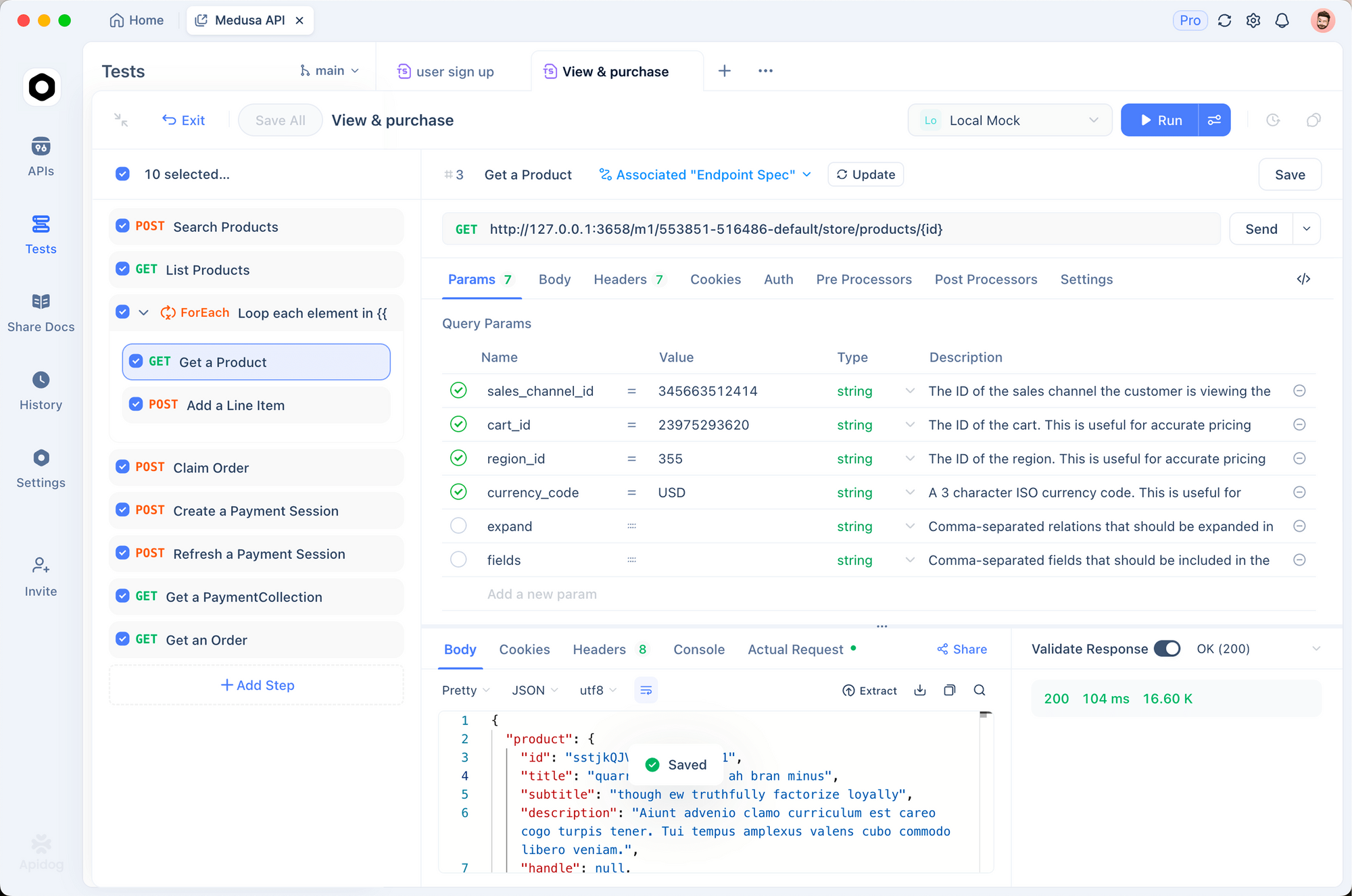
A practical workflow: create an Apidog environment for sandbox and another for production, script the signature generation as a pre-request hook using the Node crypto snippet above, and save sample transaction IDs as variables so you can jump straight from createTransaction to getTransactionStatus. When a webhook arrives in production, copy the raw body into Apidog’s mock server and replay it against your local endpoint until your verifier passes. Download Apidog to get the signing hooks, mock server, and environment switcher in one place.
FAQ
Do I need my own KYC vendor on top of MoonPay?No. MoonPay runs identity verification server-side; your app never sees an ID document. If you want to front-load verification for other parts of your product, see our best KYC API comparison.
Can I use MoonPay without showing their branded widget?Yes, through the direct API or the headless Ramps SDK, but you need an additional compliance review because the branded flow covers many of the required disclosures automatically. Most teams ship the widget first and migrate once volume justifies the review.
What countries does MoonPay support?160+ countries for buy and a smaller set (roughly 50) for sell, with currency and payment method availability varying by region. The currencies endpoint returns the current matrix per user location.
How long does a transaction take?Card purchases settle to the user’s wallet in under five minutes in the happy path. Bank transfers take 1-3 business days for fiat clearance before crypto is released. Sell transactions settle fiat to the user’s bank in 1-3 days after on-chain confirmations.
What happens if a webhook delivery fails?MoonPay retries with exponential backoff for up to 24 hours. You should return a 2xx response only after you have persisted the event, and dedupe on id because retries can produce duplicates.
Is the sandbox production-equivalent?Close, but not identical. Geo restrictions are relaxed, KYC is bypassed with test documents, and transactions move through states based on dashboard controls. Always run a final production smoke test after keys are issued.


