TL;DR / Quick Answer
gstack is Garry Tan’s open-source system that turns Claude Code into a virtual engineering team of 20 specialists. As Y Combinator’s President and CEO, Garry ships 10,000-20,000 lines of production code per day (35% tests) while running YC full-time. gstack achieves this through structured slash commands: /office-hours for product strategy, /plan-ceo-review for scope validation, /review for bug detection, /qa for browser testing, and /ship for deployment. Install in 30 seconds with git clone ~/.claude/skills/gstack && ./setup. Free, MIT licensed.
Introduction
“I don’t think I’ve typed like a line of code probably since December, basically, which is an extremely large change.”
When Andrej Karpathy said this on the No Priors podcast in March 2026, the tech world listened. The cofounder of OpenAI was describing a fundamental shift: one person, armed with AI agents, can now ship like a team of twenty.
Peter Steinberger proved it. He built OpenClaw — 247,000 GitHub stars — essentially solo with AI agents. The revolution isn’t coming. It’s here.
Garry Tan knows this better than most. As President and CEO of Y Combinator, he works with thousands of startups — Coinbase, Instacart, Rippling — when they’re still one or two people in a garage. Before YC, he was one of the first engineers at Palantir, cofounded Posterous (sold to Twitter), and built Bookface, YC’s internal social network. gstack is his answer to the question everyone’s asking: How does one person ship like a team of twenty?
The numbers speak for themselves. In the last 60 days: 600,000+ lines of production code (35% tests), 10,000-20,000 lines per day, part-time, while running YC full-time. His last /retro across 3 projects: 140,751 lines added, 362 commits, ~115k net LOC in one week.
Same person who made 772 GitHub contributions in 2013 building Bookface. Now at 1,237 contributions in 2026. The difference isn’t effort. It’s tooling.
This guide breaks down what gstack is, how it works, and whether it belongs in your workflow. You’ll see the full skill catalog, real examples, and the philosophy behind the system.
/qa skill can validate your API endpoints, and /document-release keeps your API docs in sync with shipped changes.What Is gstack?
gstack is an open-source collection of 28 Claude Code skills that transform Claude from a copilot into a virtual engineering team. Each skill is a specialist: a CEO who rethinks your product, an eng manager who locks architecture, a designer who catches AI slop, a reviewer who finds production bugs, a QA lead who opens a real browser, a security officer who runs OWASP + STRIDE audits, and a release engineer who ships the PR.
Twenty specialists and eight power tools. All slash commands. All Markdown. All free, MIT license.
The Core Insight
Most AI coding tools treat you like you’re flying solo with a smart autocomplete. gstack treats you like a CEO with a team.
When you tell gstack “I want to build a daily briefing app for my calendar,” it doesn’t start coding. It runs /office-hours — a YC-style product consultation that asks six forcing questions, pushes back on your framing, and extracts the real problem. You might walk away realizing you don’t want a “daily briefing app.” You want a personal chief of staff AI.
Then it runs /plan-ceo-review to challenge scope, /plan-eng-review to lock architecture, /plan-design-review to rate every design dimension 0-10, /review to find bugs, /qa to test in a real browser, and /ship to push the PR.
Eight commands, end to end. That’s not a copilot. That’s a team.
The Sprint Structure
gstack isn’t a random collection of tools. It’s a process — a sprint that runs in order:
Think → Plan → Build → Review → Test → Ship → Reflect
Each skill feeds into the next. /office-hours writes a design doc that /plan-ceo-review reads. /plan-eng-review writes a test plan that /qa picks up. /review catches bugs that /ship verifies are fixed. Nothing falls through the cracks because every step knows what came before it.
The 28 Skills Explained
Product & Strategy Skills
/office-hours — YC Office Hours
Your specialist: YC Partner
What it does: Starts every project with six forcing questions that reframe your product before you write code. Pushes back on your framing, challenges premises, generates implementation alternatives.
Example output:
You said "daily briefing app." But what you actually described is a
personal chief of staff AI. Here are 5 capabilities you didn't realize
you were describing...

[challenges 4 premises — you agree, disagree, or adjust]
[generates 3 implementation approaches with effort estimates]

RECOMMENDATION: Ship the narrowest wedge tomorrow, learn from real usage.
The full vision is a 3-month project — start with the daily briefing that
actually works.
When to use: First skill on any new feature or product. The design doc it writes feeds into every downstream skill automatically.
/plan-ceo-review — CEO / Founder
Your specialist: CEO who rethinks the product
What it does: Rethinks the problem from first principles. Finds the 10-star product hiding inside the request. Four modes: Expansion (what if we went bigger?), Selective Expansion (which parts deserve 10x?), Hold Scope (this is right as-is), Reduction (what if we cut 80%?).
When to use: After /office-hours produces a design doc. Run before any implementation starts.
/plan-design-review — Senior Designer
Your specialist: Senior Product Designer
What it does: Rates each design dimension 0-10, explains what a 10 looks like, then edits the plan to get there. Includes AI slop detection. Interactive — one AskUserQuestion per design choice.
When to use: After eng review, before implementation. Catches design debt before it becomes code debt.
/design-consultation — Design Partner
Your specialist: Design Partner
What it does: Builds a complete design system from scratch. Researches the landscape, proposes creative risks, generates realistic product mockups.
When to use: When you need a full design system, not just a review. More comprehensive than /plan-design-review.
Engineering & Architecture Skills
/plan-eng-review — Eng Manager
Your specialist: Engineering Manager
What it does: Locks in architecture, data flow, diagrams, edge cases, and tests. Forces hidden assumptions into the open. Generates ASCII diagrams for data flow, state machines, and error paths.
Example output:
Architecture Review:
┌─────────────┐     ┌──────────────┐     ┌────────────┐
│   Client    │────▶│  API Gateway │────▶│  Database  │
└─────────────┘     └──────────────┘     └────────────┘
       │                    │
       ▼                    ▼
  [State Cache]      [Rate Limiter]

Test Matrix:
- Happy path: authenticated user, valid data
- Edge case: concurrent modifications
- Failure mode: database connection timeout
- Security: SQL injection, XSS, CSRF
When to use: After CEO/design review, before coding. The test plan it writes feeds into /qa.
/review — Staff Engineer
Your specialist: Staff Engineer who finds production bugs
What it does: Finds bugs that pass CI but blow up in production. Auto-fixes the obvious ones. Flags completeness gaps.
Example output:
[AUTO-FIXED] 2 issues:
- Null check missing in getUserById()
- Unhandled promise rejection in api handler

[ASK] Race condition in concurrent update → you approve fix

[COMPLETENESS GAP] No retry logic for transient failures
When to use: After implementation, before /qa. Run on any branch with changes.
/investigate — Debugger
Your specialist: Root-Cause Debugger
What it does: Systematic root-cause debugging. Iron Law: no fixes without investigation. Traces data flow, tests hypotheses, stops after 3 failed fixes.
When to use: When you hit a bug that /review couldn’t auto-fix. Never skip investigation — the Iron Law exists for a reason.
/codex — Second Opinion
Your specialist: OpenAI Codex CLI
What it does: Independent code review from a different model. Three modes: review (pass/fail gate), adversarial challenge, and open consultation. Cross-model analysis when both /review and /codex have run.
When to use: After /review for a second opinion. Especially valuable for critical paths or when you want cross-model validation.
Testing & QA Skills
/qa — QA Lead
Your specialist: QA Engineer with a real browser
What it does: Opens a real Chromium browser, clicks through flows, finds and fixes bugs with atomic commits. Auto-generates regression tests for every fix.
Example workflow:
1. Opens staging URL in headless Chromium
2. Executes test plan from /plan-eng-review
3. Finds bug: "Submit button doesn't disable during loading"
4. Creates atomic commit with fix
5. Re-verifies: clicks again, confirms fix
6. Generates regression test: test_submit_button_disables()
When to use: After /review clears the branch. Run on your staging URL.
/qa-only — QA Reporter
Your specialist: QA Reporter
What it does: Same methodology as /qa but report only. Pure bug report without code changes.
When to use: When you want a bug report without auto-fixes. Useful for audit trails or when someone else handles fixes.
/benchmark — Performance Engineer
Your specialist: Performance Engineer
What it does: Baselines page load times, Core Web Vitals, and resource sizes. Compares before/after on every PR.
Metrics tracked:
- First Contentful Paint (FCP)
- Largest Contentful Paint (LCP)
- Cumulative Layout Shift (CLS)
- Time to Interactive (TTI)
- Bundle sizes
When to use: Before major refactors, after performance optimizations, on any PR that touches rendering.
/browse — QA Engineer
Your specialist: Browser Automation
What it does: Real Chromium browser, real clicks, real screenshots. ~100ms per command.
Commands:
goto <url>— Navigate to URLclick <selector>— Click elementtype <selector> <text>— Type in inputscreenshot <name>— Capture screenwait <selector>— Wait for element
When to use: Anytime you need to verify something in a browser. Used internally by /qa.
/setup-browser-cookies — Session Manager
Your specialist: Browser Session Manager
What it does: Imports cookies from your real browser (Chrome, Arc, Brave, Edge) into the headless session. Test authenticated pages.
When to use: Before /qa if your staging app requires login. One-time setup per browser.
Security & Compliance Skills
/cso — Chief Security Officer
Your specialist: Chief Security Officer
What it does: OWASP Top 10 + STRIDE threat model. Zero-noise: 17 false positive exclusions, 8/10+ confidence gate, independent finding verification. Each finding includes a concrete exploit scenario.
Example output:
[CRITICAL] SQL Injection in /api/users?id= parameter
Exploit: GET /api/users?id=1' OR '1'='1
Impact: Full database read access
Fix: Use parameterized queries
Confidence: 9/10

[FALSE POSITIVE EXCLUDED] XSS in admin panel
Reason: Output is properly escaped with DOMPurify
When to use: Before any production release. Run on any feature that handles user data or authentication.
Shipping & Deployment Skills
/ship — Release Engineer
Your specialist: Release Engineer
What it does: Syncs main, runs tests, audits coverage, pushes, opens PR. Bootstraps test frameworks if you don’t have one.
Example workflow:
1. git checkout main && git pull
2. git checkout -b feature/daily-briefing
3. npm test (or bootstraps Jest/Vitest if missing)
4. Coverage audit: 42 tests → 51 tests (+9 new)
5. git push origin feature/daily-briefing
6. Opens PR: github.com/you/app/pull/42
When to use: After /qa clears the branch. One command from “tested” to “PR opened.”
/land-and-deploy — Release Engineer
Your specialist: Deployment Engineer
What it does: Merges the PR, waits for CI and deploy, verifies production health. One command from “approved” to “verified in production.”
Example workflow:
1. Merge PR via GitHub API
2. Wait for CI (GitHub Actions, CircleCI, etc.)
3. Wait for deploy (Vercel, Railway, Fly.io, etc.)
4. Run production health checks
5. Report: "Deployed to production, all checks passing"
When to use: After PR approval. Handles the entire release pipeline.
/canary — SRE
Your specialist: Site Reliability Engineer
What it does: Post-deploy monitoring loop. Watches for console errors, performance regressions, and page failures.
Monitors:
- Browser console errors
- API error rates
- Page load regressions
- JavaScript exceptions
When to use: Immediately after /land-and-deploy. Runs for 5-15 minutes post-deploy.
/document-release — Technical Writer
Your specialist: Technical Writer
What it does: Updates all project docs to match what you just shipped. Catches stale READMEs automatically.
Example output:
[UPDATED] README.md — added new /qa command to docs
[UPDATED] CHANGELOG.md — v0.4.2 release notes
[CREATED] docs/qa-guide.md — new QA workflow guide
[FLAGGED] API.md — may need update for new endpoints
When to use: After /ship or /land-and-deploy. Keeps docs in sync with code.
Reflection & Analytics Skills
/retro — Eng Manager
Your specialist: Engineering Manager
What it does: Team-aware weekly retro. Per-person breakdowns, shipping streaks, test health trends, growth opportunities. /retro global runs across all your projects and AI tools (Claude Code, Codex, Gemini).
Example output:
Week of March 17-23, 2026

Garry:
- 140,751 lines added
- 362 commits
- ~115k net LOC
- Test coverage: 35% (↑2% from last week)

Projects:
- gstack: 89 commits, 45k LOC
- ycombinator.com: 156 commits, 62k LOC
- internal-tools: 117 commits, 33k LOC

Shipping streak: 47 days
When to use: End of week. Run /retro for team insights, /retro global for cross-project view.
Power Tools
/careful — Safety Guardrails
What it does: Warns before destructive commands (rm -rf, DROP TABLE, force-push). Say “be careful” to activate. Override any warning.
When to use: Prefix any risky session. “Be careful — I’m about to run some destructive commands.”
/freeze — Edit Lock
What it does: Restricts file edits to one directory. Prevents accidental changes outside scope while debugging.
When to use: When debugging in a specific area. “Freeze edits to /src/auth only.”
/guard — Full Safety
What it does: /careful + /freeze in one command. Maximum safety for prod work.
When to use: Production debugging, database migrations, any high-risk session.
/unfreeze — Unlock
What it does: Removes the /freeze boundary.
When to use: After debugging session completes.
/setup-deploy — Deploy Configurator
What it does: One-time setup for /land-and-deploy. Detects your platform, production URL, and deploy commands.
When to use: First time using /land-and-deploy on a new project.
/autoplan — Review Pipeline
What it does: One command, fully reviewed plan. Runs CEO → design → eng review automatically with encoded decision principles. Surfaces only taste decisions for your approval.
When to use: When you want the full planning pipeline without running each skill manually.
/gstack-upgrade — Self-Updater
What it does: Upgrades gstack to latest. Detects global vs vendored install, syncs both, shows what changed.
When to use: Monthly, or when you see a new feature announced.
Installation Guide
gstack installs in 30 seconds. Nothing touches your PATH. Nothing runs in the background. Everything lives inside .claude/.
Requirements
- Claude Code
- Git
- Bun v1.0+
- Node.js (Windows only — Bun has a known bug with Playwright’s pipe transport on Windows)
Step 1: Install on Your Machine
Open Claude Code and paste this. Claude does the rest:
Install gstack: run git clone https://github.com/garrytan/gstack.git ~/.claude/skills/gstack && cd ~/.claude/skills/gstack && ./setup then add a “gstack” section to CLAUDE.md that says to use the /browse skill from gstack for all web browsing, never use mcp__claude-in-chrome__* tools, and lists the available skills: /office-hours, /plan-ceo-review, /plan-eng-review, /plan-design-review, /design-consultation, /review, /ship, /land-and-deploy, /canary, /benchmark, /browse, /qa, /qa-only, /design-review, /setup-browser-cookies, /setup-deploy, /retro, /investigate, /document-release, /codex, /cso, /autoplan, /careful, /freeze, /guard, /unfreeze, /gstack-upgrade. Then ask the user if they also want to add gstack to the current project so teammates get it.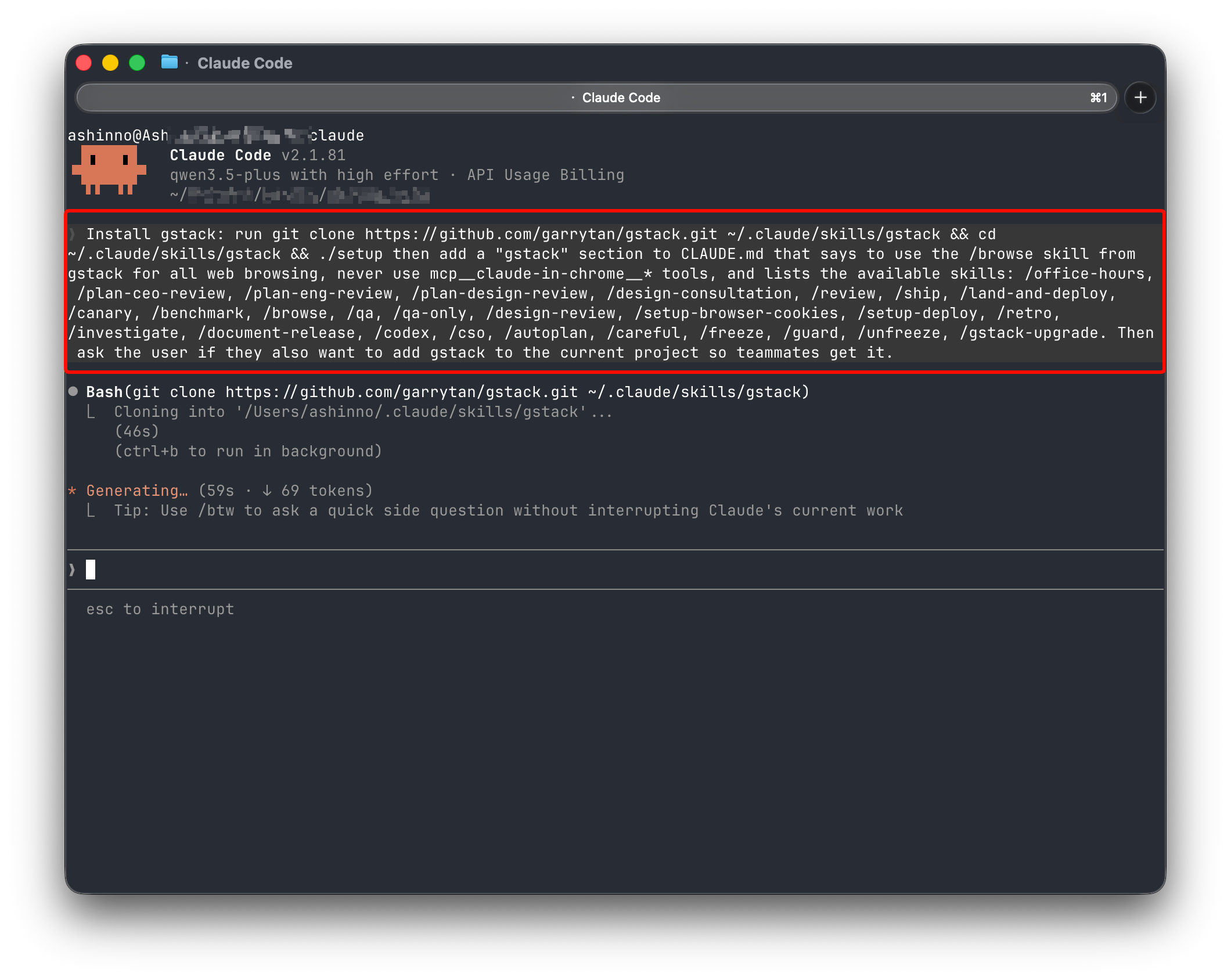
Step 2: Add to Your Repo (Optional)
So teammates get gstack on git clone:
Add gstack to this project: runcp -Rf ~/.claude/skills/gstack .claude/skills/gstack && rm -rf .claude/skills/gstack/.git && cd .claude/skills/gstack && ./setupthen add a “gstack” section to this project’s CLAUDE.md that says to use the /browse skill from gstack for all web browsing, never use mcp__claude-in-chrome__* tools, lists the available skills, and tells Claude that if gstack skills aren’t working, runcd .claude/skills/gstack && ./setupto build the binary and register skills.
Codex, Gemini CLI, or Cursor
gstack works on any agent that supports the SKILL.md standard. Skills live in .agents/skills/ and are discovered automatically.
Install to one repo:
git clone https://github.com/garrytan/gstack.git .agents/skills/gstack
cd .agents/skills/gstack && ./setup --host codex
Install once for your user account:
git clone https://github.com/garrytan/gstack.git ~/gstack
cd ~/gstack && ./setup --host codex
Auto-detect which agents you have:
git clone https://github.com/garrytan/gstack.git ~/gstack
cd ~/gstack && ./setup --host auto
Troubleshooting
Skill not showing up?
cd ~/.claude/skills/gstack && ./setup
/browse fails?
cd ~/.claude/skills/gstack && bun install && bun run build
Stale install?Run /gstack-upgrade — or set auto_upgrade: true in ~/.gstack/config.yaml
Windows users:gstack works on Windows 11 via Git Bash or WSL. Node.js is required in addition to Bun. Make sure both bun and node are on your PATH.
Claude says it can’t see the skills?Add this to your project’s CLAUDE.md:
## gstack
Use /browse from gstack for all web browsing. Never use mcp__claude-in-chrome__* tools.
Available skills: /office-hours, /plan-ceo-review, /plan-eng-review, /plan-design-review,
/design-consultation, /review, /ship, /land-and-deploy, /canary, /benchmark, /browse,
/qa, /qa-only, /design-review, /setup-browser-cookies, /setup-deploy, /retro,
/investigate, /document-release, /codex, /cso, /autoplan, /careful, /freeze, /guard,
/unfreeze, /gstack-upgrade.
Real-World Example: Building a Daily Briefing App
Here’s gstack in action, end to end:
You:    I want to build a daily briefing app for my calendar.
You:    /office-hours
Claude: [asks about the pain — specific examples, not hypotheticals]

You:    Multiple Google calendars, events with stale info, wrong locations.
        Prep takes forever and the results aren't good enough...

Claude: I'm going to push back on the framing. You said "daily briefing
        app." But what you actually described is a personal chief of
        staff AI.
        [extracts 5 capabilities you didn't realize you were describing]
        [challenges 4 premises — you agree, disagree, or adjust]
        [generates 3 implementation approaches with effort estimates]
        RECOMMENDATION: Ship the narrowest wedge tomorrow, learn from
        real usage. The full vision is a 3-month project — start with
        the daily briefing that actually works.
        [writes design doc → feeds into downstream skills automatically]

You:    /plan-ceo-review
        [reads the design doc, challenges scope, runs 10-section review]

You:    /plan-eng-review
        [ASCII diagrams for data flow, state machines, error paths]
        [test matrix, failure modes, security concerns]

You:    Approve plan. Exit plan mode.
        [writes 2,400 lines across 11 files. ~8 minutes.]

You:    /review
        [AUTO-FIXED] 2 issues. [ASK] Race condition → you approve fix.

You:    /qa https://staging.myapp.com
        [opens real browser, clicks through flows, finds and fixes a bug]

You:    /ship
        Tests: 42 → 51 (+9 new). PR: github.com/you/app/pull/42
You said “daily briefing app.” The agent said “you’re building a chief of staff AI” — because it listened to your pain, not your feature request. Eight commands, end to end.
Parallel Sprints: Running Multiple Agents at Once
gstack works well with one sprint. It gets interesting with ten running at once.
Conductor runs multiple Claude Code sessions in parallel — each in its own isolated workspace. One session on /office-hours, another on /review, a third implementing a feature, a fourth running /qa. All at the same time.
The sprint structure is what makes parallelism work. Without a process, ten agents is ten sources of chaos. With a process, each agent knows exactly what to do and when to stop.
Example parallel workflow:
Session 1: /office-hours — refining product spec
Session 2: /review — reviewing yesterday's feature
Session 3: /qa — testing staging deployment
Session 4: Implementation — building approved plan
Four sessions, four different stages of the sprint. You’re the bottleneck, not the agents.
Privacy & Telemetry
gstack includes opt-in usage telemetry to help improve the project. Here’s exactly what happens:
- Default is off. Nothing is sent anywhere unless you explicitly say yes.
- On first run, gstack asks if you want to share anonymous usage data. You can say no.
- What’s sent (if you opt in): skill name, duration, success/fail, gstack version, OS. That’s it.
- What’s never sent: code, file paths, repo names, branch names, prompts, or any user-generated content.
- Change anytime:
gstack-config set telemetry offdisables everything instantly.
Data is stored in Supabase (open source Firebase alternative). The schema is in the repository — you can verify exactly what’s collected. The Supabase publishable key is a public key — row-level security policies restrict it to insert-only access.
Local analytics are always available. Run gstack-analytics to see your personal usage dashboard from the local JSONL file — no remote data needed.
Who Should Use gstack?
Founders and CEOs — especially technical ones who still want to ship. gstack lets you move at startup speed without hiring a team.
First-time Claude Code users — structured roles instead of a blank prompt. If you’re new to AI coding, gstack gives you guardrails.
Tech leads and staff engineers — rigorous review, QA, and release automation on every PR. Even if you don’t use the planning skills, /review and /qa alone will catch bugs that would have reached production.
Solo builders — if you’re building alone, gstack is your virtual team. Peter Steinberger built OpenClaw (247K stars) essentially solo with AI agents. gstack systematizes that workflow.
YC startups — Garry built this for YC founders. If you’re in the batch, this is the house stack.
Who Should Skip gstack?
Teams with established workflows — if you already have a review process, CI/CD pipeline, and design system, gstack might be overkill. Pick individual skills (/review, /qa) instead of the full sprint.
Non-Claude Code users — gstack is built for Claude Code. It works on Codex, Gemini CLI, and Cursor via the SKILL.md standard, but the experience is optimized for Claude.
Builders who prefer freeform AI — if you like giving open-ended prompts and seeing what happens, gstack’s structure will feel constraining. It’s designed for rigor, not exploration.
The Philosophy Behind gstack
gstack isn’t just tools. It’s a philosophy about how to build software with AI.
Boil the Lake
Don’t half-boil the lake. If you’re going to do something, do it completely. Half measures create more work than full commitment.
Search Before Building
Before writing code, search for existing solutions. The best code is code you don’t write.
Three Layers of Knowledge
- Explicit — what you can write down (docs, comments)
- Tacit — what you know but can’t articulate (intuition, muscle memory)
- Unknown — what you don’t know you don’t know (blind spots)
gstack encodes tacit knowledge into explicit skills. The /review skill isn’t just “check for bugs.” It’s Garry’s 20 years of production debugging, written as a checklist.
The Iron Law of Debugging
No fixes without investigation. Three failed fixes, stop and reassess. This exists because AI agents (and humans) tend to spray fixes without understanding root causes.
Conclusion
gstack is Garry Tan’s answer to the question everyone’s asking: How does one person ship like a team of twenty?
The answer isn’t working harder. It’s working with better tooling. Twenty specialists — a CEO, eng manager, designer, reviewer, QA lead, security officer, release engineer — all available as slash commands. Free, MIT licensed, open source.
The sprint is simple:
/office-hours— reframe the problem/plan-ceo-review— challenge scope/plan-eng-review— lock architecture/plan-design-review— rate design- Build — implement the plan
/review— find bugs/qa— test in browser/ship— push the PR
Eight commands, end to end. That’s how Garry ships 10,000-20,000 lines per day while running YC full-time.
Next steps:
- Install gstack:
git clone ~/.claude/skills/gstack && ./setup - Run
/office-hourson your next feature idea - See if the output changes how you think about the problem
FAQ
Is gstack free?
Yes, 100% free and MIT licensed. No premium tier, no waitlist. Fork it, improve it, make it yours.
Do I need Claude Code to use gstack?
gstack is optimized for Claude Code, but it works on any agent that supports the SKILL.md standard: Codex CLI, Gemini CLI, Cursor. Skills live in .agents/skills/ and are discovered automatically.
How long does installation take?
About 30 seconds. Clone the repo, run ./setup, and you’re done. Nothing touches your PATH. Nothing runs in the background.
Can I use individual skills without the full sprint?
Yes. If you only want /review and /qa, use them standalone. The sprint structure is a recommendation, not a requirement.
Does gstack work with private repos?
Yes. Skills live in .claude/skills/gstack inside your repo. Commit them, and teammates get gstack on git clone.
What if I’m on Windows?
gstack works on Windows 11 via Git Bash or WSL. Node.js is required in addition to Bun — Bun has a known bug with Playwright’s pipe transport on Windows.
How does /browse work?
/browse uses Playwright to control a headless Chromium browser. Commands execute in ~100ms. Use /setup-browser-cookies to import your browser’s cookies for authenticated testing.
Can I customize the skills?
Yes. Skills are Markdown files. Edit them to match your workflow. If you improve something, consider opening a PR upstream.
What’s the difference between /qa and /qa-only?
/qa finds bugs and auto-fixes them with atomic commits. /qa-only finds bugs but only reports them — no code changes. Use /qa-only for audit trails.
How does telemetry work?
Opt-in only. If you enable it, gstack sends skill name, duration, success/fail, version, and OS. No code, file paths, repo names, branch names, or prompts are ever sent. Disable anytime with gstack-config set telemetry off.
What if I hit a bug in gstack itself?
Run /investigate on gstack’s own codebase. Or open an issue on GitHub. Garry and the community are active contributors.
Can I run gstack skills in parallel?
Yes, with Conductor. Run multiple Claude Code sessions in parallel — each in its own isolated workspace. The sprint structure makes parallelism work.