OpenAI shipped a new generation of voice models on November 6, 2026, and the headline release is GPT-Realtime-2: the first speech-to-speech model with GPT-5-class reasoning, a 128,000-token context window, and configurable reasoning effort that scales latency against answer quality. It runs on the existing Realtime API surface, so if you already wired up gpt-realtime, the migration is a model-string change and a few new tool fields.
This guide covers what GPT-Realtime-2 is, what changed against the prior model, the full pricing table, and how to call it through both WebSocket and SIP. We also include a working setup in Apidog so you can replay Realtime sessions without re-recording audio every time.
For context on OpenAI’s broader 2026 model line, see What is GPT-5.5. For the multimodal sibling, see How to use the GPT-Image-2 API.
TL;DR
- GPT-Realtime-2 is OpenAI’s flagship speech-to-speech model with GPT-5-class reasoning, 128k context, and 32k max output tokens.
- Audio pricing is $32 per 1M input tokens and $64 per 1M output tokens, with cached input at $0.40/1M.
- Two new voices, Cedar and Marin, are exclusive to the Realtime API; the eight existing voices got a quality refresh.
- Five reasoning levels:
minimal,low,medium,high,xhigh. Default islowfor latency. - Connect over WebSocket at
wss://api.openai.com/v1/realtime?model=gpt-realtime-2, or take inbound calls over SIP. - Companion releases: GPT-Realtime-Translate (live translation, 70 input languages, $0.034/min) and GPT-Realtime-Whisper (streaming STT, $0.017/min).
- Use Apidog to script the WebSocket session, capture frames, and diff audio events between runs.
What is GPT-Realtime-2?
GPT-Realtime-2 is a single speech-to-speech model. You stream audio in, you stream audio out, and the model handles transcription, reasoning, tool selection, and voice generation in one pass. There is no STT-then-LLM-then-TTS pipeline; that older pattern is what gpt-realtime replaced last year, and v2 sharpens the same surface with a stronger reasoning core.
The model accepts text, audio, and images as input, and emits text and audio as output. Image input is the new modality here: you can drop a photo or a screenshot into a live conversation and ask the agent to describe what is on the user’s screen, then keep talking. That makes it possible to build voice copilots that see what the user sees, which is a class of agent the prior model could not run end-to-end.
Specs at a glance:
| Attribute | Value |
|---|---|
| Model ID | gpt-realtime-2 |
| Context window | 128,000 tokens |
| Max output | 32,000 tokens |
| Modalities (in) | text, audio, image |
| Modalities (out) | text, audio |
| Knowledge cutoff | 2024-09-30 |
| Reasoning levels | minimal, low, medium, high, xhigh |
| Function calling | yes |
| Remote MCP servers | yes |
| Image input | yes |
| SIP phone calling | yes |
What changed against gpt-realtime
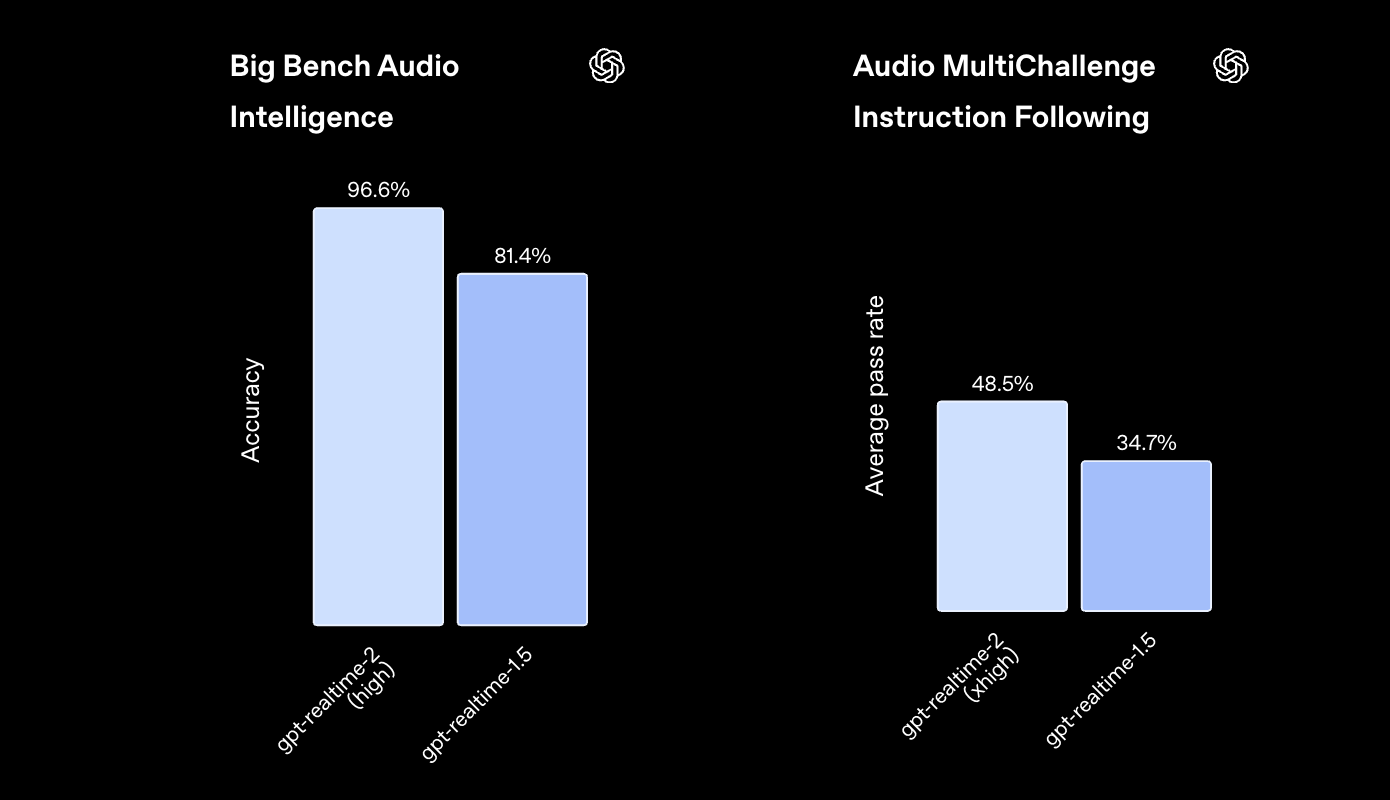
The benchmark gains are real, not cosmetic. Against gpt-realtime-1.5, the v2 model posts:
- Big Bench Audio (audio intelligence): 81.4% → 96.6%, a 15.2-point jump.
- Audio MultiChallenge (instruction following): 34.7% → 48.5%, a 13.8-point jump.
Those scores ran at high and xhigh reasoning. Production defaults to low for latency, so day-to-day quality lands between the two ends. The model also picked up four behaviors worth calling out:
- Preambles. The model can say short filler phrases like “let me check that” before producing a real answer, which hides reasoning latency from the user.
- Parallel tool calls with audio narration. The model can fire several function calls at once and narrate progress while they resolve, instead of going silent for two seconds.
- Stronger recovery. Ambiguous or partially-failed turns get handled gracefully instead of looping back to the start.
- Domain tone control. Specialized terminology stays consistent across a long session, and the model adapts delivery (formal, casual, slow) when you ask in-session.
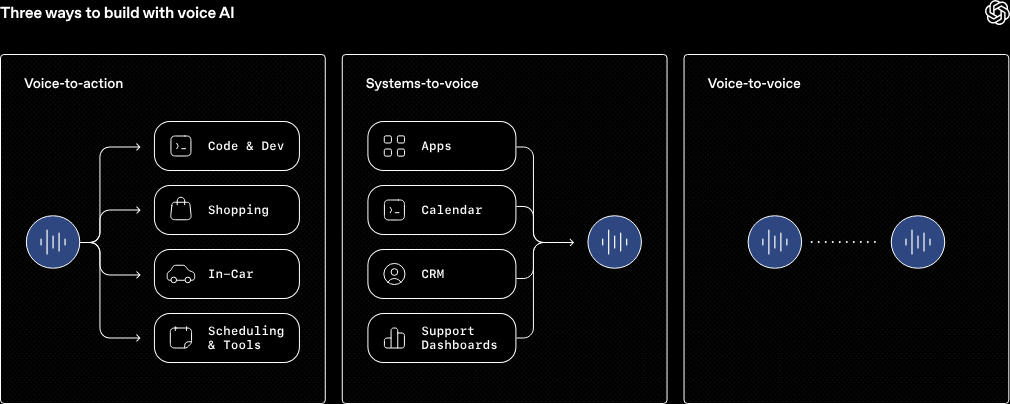
Context grew from 32k to 128k tokens, which is the change that lets you build long voice sessions; banking, support, and tutoring use cases are the obvious wins.
Pricing
GPT-Realtime-2 is billed per token, with separate rates for text, audio, and image input.
| Token type | Input | Cached input | Output |
|---|---|---|---|
| Text | $4.00 / 1M | $0.40 / 1M | $24.00 / 1M |
| Audio | $32.00 / 1M | $0.40 / 1M | $64.00 / 1M |
| Image | $5.00 / 1M | $0.50 / 1M | n/a |
Cached input drops the bill by 80x for repeated context, so any agent with a stable system prompt or a re-used document should keep cache warm. For comparison with the rest of the OpenAI line, see GPT-5.5 pricing.
The companion models price differently because they are minute-metered:
- GPT-Realtime-Translate: $0.034 per minute. Handles 70 input languages and 13 output languages, with 12.5% lower Word Error Rate than any other model tested in Hindi, Tamil, and Telugu.
- GPT-Realtime-Whisper: $0.017 per minute. Streaming speech-to-text built for live captions and continuous transcription; faster than running batch Whisper on a rolling buffer.
Pick GPT-Realtime-2 when you need reasoning and speech generation together, GPT-Realtime-Translate for live multilingual interpretation, and GPT-Realtime-Whisper when you only need the transcript.
Endpoints and authentication
GPT-Realtime-2 is exposed across several endpoints depending on what you are doing:
POST https://api.openai.com/v1/chat/completions
POST https://api.openai.com/v1/responses
WSS  wss://api.openai.com/v1/realtime?model=gpt-realtime-2
WSS  wss://api.openai.com/v1/realtime?call_id={call_id}   # for SIP
POST https://api.openai.com/v1/realtime/translations
POST https://api.openai.com/v1/realtime/transcription_sessions
For voice agents, the WebSocket endpoint is the one you want. Auth is the same bearer-token pattern OpenAI uses everywhere:
Authorization: Bearer $OPENAI_API_KEY
OpenAI-Beta: realtime=v1
Set OPENAI_API_KEY once and reuse it.
export OPENAI_API_KEY="sk-proj-..."
Connecting over WebSocket
A minimal Node.js client looks like this:
import WebSocket from "ws";

const ws = new WebSocket(
  "wss://api.openai.com/v1/realtime?model=gpt-realtime-2",
  {
    headers: {
      Authorization: `Bearer ${process.env.OPENAI_API_KEY}`,
      "OpenAI-Beta": "realtime=v1",
    },
  }
);

ws.on("open", () => {
  ws.send(JSON.stringify({
    type: "session.update",
    session: {
      voice: "cedar",
      instructions: "You are a friendly support agent for a fintech app.",
      input_audio_format: "pcm16",
      output_audio_format: "pcm16",
      turn_detection: { type: "server_vad" },
      reasoning: { effort: "low" },
    },
  }));
});

ws.on("message", (raw) => {
  const event = JSON.parse(raw.toString());
  if (event.type === "response.audio.delta") {
    // base64 PCM16 audio chunk; pipe to your speaker or browser
    process.stdout.write(Buffer.from(event.delta, "base64"));
  }
});
The session is event-driven. You send input_audio_buffer.append frames as the user speaks, and the server emits response.audio.delta events as it talks back. PCM16 at 24 kHz is the safe default; G.711 mu-law and A-law are also supported, which matters when you bridge to phone systems.
For the Python equivalent, the openai SDK >= 2.1.0 exposes a realtime client with the same event names. If you want to compare the Realtime surface against the Responses API, see How to use the GPT-5.5 API.
Voices
Two new voices ship with this release:
- Cedar: warm, mid-range male voice. Default for general agents.
- Marin: bright, clear female voice. Good for translation and announcements.
Both are exclusive to the Realtime API. The previous eight voices (alloy, ash, ballad, coral, echo, sage, shimmer, verse) are still available and were retuned to use the new model’s audio stack, so they sound noticeably less robotic than they did on v1.
Switch voice mid-session by sending another session.update with the new voice field. There is no extra latency from a voice swap.
Image input
You can attach an image to any user turn. The model sees it the way GPT-4o vision sees a photo, except now you can ask follow-up questions out loud and it answers out loud:
ws.send(JSON.stringify({
  type: "conversation.item.create",
  item: {
    type: "message",
    role: "user",
    content: [
      { type: "input_image", image_url: "https://example.com/screenshot.png" },
      { type: "input_text", text: "What does this error mean?" },
    ],
  },
}));
ws.send(JSON.stringify({ type: "response.create" }));
Common patterns we see in early production builds:
- Voice-driven QA. Tester points a phone camera at a broken UI; the agent narrates what it sees and dictates the bug report.
- Field support. Technician shares a photo of a wiring panel; the agent walks through the diagnostic.
- Accessibility. Live screen-reader-style narration of a user’s current screen during a support call.
For a deeper look at OpenAI’s image stack, see How to use the GPT-Image-2 API.
Function calling and MCP
GPT-Realtime-2 supports both standard function tools and remote MCP servers in the same session.
Standard function calling works like Chat Completions: declare tools in the session config, the model emits a response.function_call_arguments.delta event, you execute, you reply with conversation.item.create of type function_call_output. The new behavior is parallel calls; the model can fire two or three at once and narrate “checking your balance and your last three transactions” while they resolve.
Remote MCP servers are the bigger change. Configure an MCP URL and an allow-list of tools in the session, and the Realtime API itself executes the calls; your code never has to round-trip through the function-call event loop. That keeps voice agents responsive when they pull from a tool catalog of fifty endpoints instead of five.
ws.send(JSON.stringify({
  type: "session.update",
  session: {
    tools: [{
      type: "mcp",
      server_url: "https://mcp.example.com/sse",
      allowed_tools: ["lookup_account", "list_transactions"],
    }],
  },
}));
If you are testing MCP servers before you wire them into a voice agent, the MCP server testing in Apidog walkthrough covers the request-replay setup we use internally.
SIP phone calling
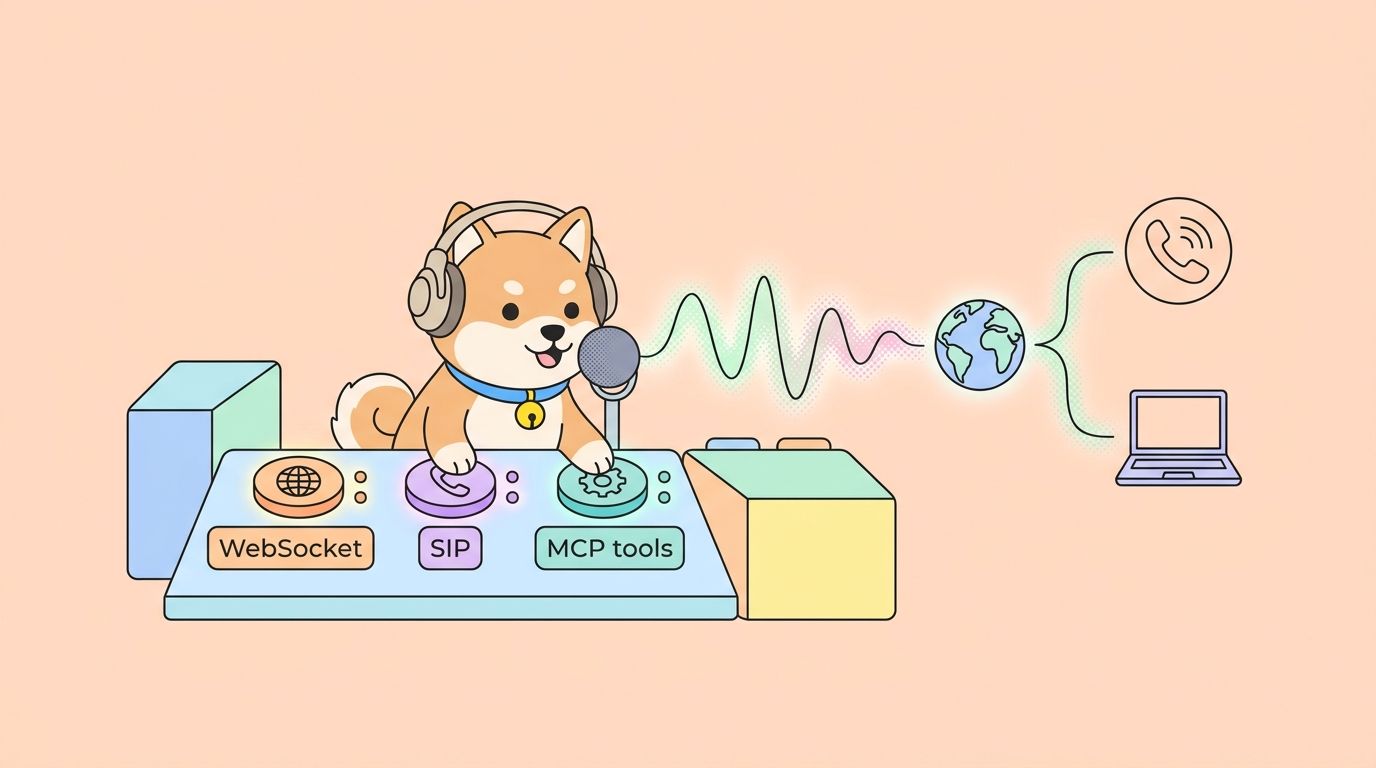
Realtime voice agents can take real phone calls. Point your SIP trunk at OpenAI’s SIP gateway, and inbound calls open a WebSocket session at wss://api.openai.com/v1/realtime?call_id={call_id}. The model accepts G.711 mu-law and A-law directly, so you do not need to transcode in your bridge.
This is the part that makes GPT-Realtime-2 a credible call-center model instead of a browser demo. It pairs naturally with parallel tool calls and MCP, because most phone agents are mostly tool dispatch.
Reasoning levels
The five reasoning levels behave like a single throttle on latency vs answer quality:
| Level | Use case | Approx. latency cost |
|---|---|---|
minimal |
Single-turn yes/no answers | none |
low |
Default; everyday support and chat | small |
medium |
Disambiguation, complex tool dispatch | moderate |
high |
Multi-step reasoning, code review by voice | high |
xhigh |
Benchmarks, hard analytical questions | highest |
Default is low. Move up only when you measure quality regressions on low; the latency cost on high and xhigh is real enough that users notice the gap on calls.
Testing the Realtime API in Apidog
WebSocket APIs are hard to debug from the terminal because the conversation has state. Apidog has first-class WebSocket support, so you can:
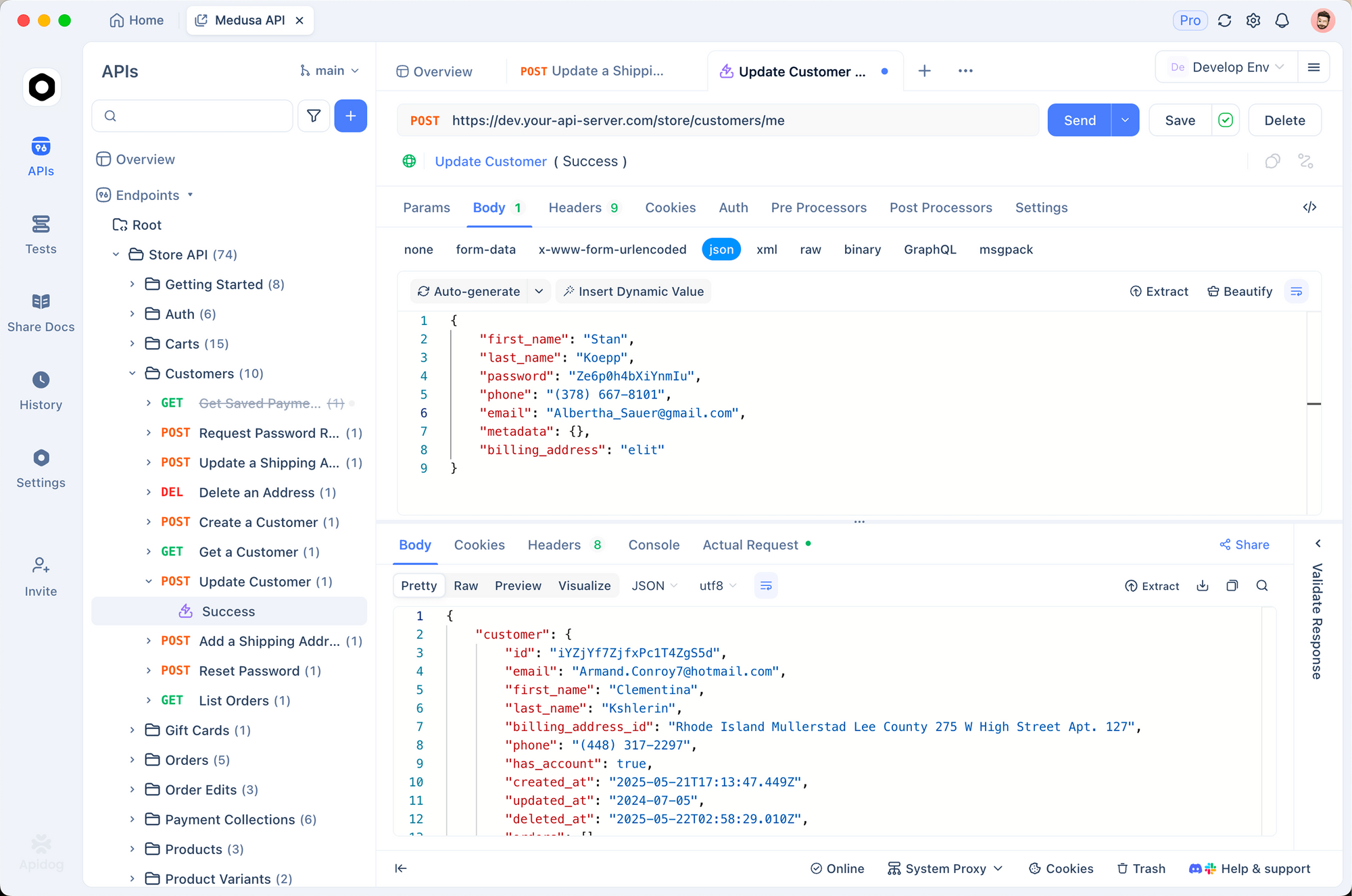
- Save the WebSocket URL with the
OpenAI-Betaheader pre-filled. - Stage a sequence of JSON messages (session.update, input_audio_buffer.append, response.create) as a script.
- Replay the script against a single connection and capture every server event into a tree.
- Diff two runs side by side; useful when you change reasoning effort and want to compare audio output token counts.
Download Apidog, create a new WebSocket request, and paste your bearer token under Auth. The collection shape mirrors what you keep for HTTP: environments for OPENAI_API_KEY, variables for voice, scripts that run on each connection.
For comparison with another fast multimodal model, see How to use the Gemini 3 Flash Preview API.
FAQ
What model ID do I pass?gpt-realtime-2. The earlier model is still available as gpt-realtime if you need to roll back. For the lite version, gpt-realtime-2-mini is also live.
Can I stream input audio while output audio is still playing?Yes. The Realtime API uses server-side voice activity detection (VAD) by default, so the model will stop speaking when the user starts. You can disable VAD and drive turn boundaries from the client.
Does the 128k context include audio tokens?Yes. Audio is tokenized; one second of audio is roughly 50 tokens depending on format. A long support call burns context faster than a long text chat, so check usage before you assume the 128k window is generous.
Is fine-tuning supported?Not yet. Per the model card, GPT-Realtime-2 does not yet support fine-tuning, predicted outputs, or text streaming on Chat Completions. The Realtime endpoint streams audio inherently.
How does this compare to GPT-5.5 with TTS bolted on?You lose end-to-end speech reasoning. A voice-aware model can pick up tone, hesitation, and emphasis; a text model with TTS cannot. For agents that need to react to how the user is speaking, GPT-Realtime-2 is the right tool. For pure text reasoning, see How to use the GPT-5.5 API.
What rate limits apply?Tier 1 starts at 40,000 tokens per minute and scales to 15M TPM at Tier 5. Rate limits are per model, so existing GPT-5 quota does not carry over.
For context on the API this version supersedes,our guide to the original GPT-Realtime API covers the session setup, audio codec options, and VAD behavior that carry forward into this release.
Wrapping up
GPT-Realtime-2 closes the gap between voice agents and text agents. The 128k context, the GPT-5-class reasoning, image input, native MCP, and SIP support together make it possible to build a single voice agent that answers a phone call, looks at a screenshot, dispatches a remote tool, and recovers from a failure mid-sentence, all without leaving the WebSocket. The pricing is honest at $32/$64 per million audio tokens, and cached input cuts the bill on stable system prompts.
The fastest path to production is to script the WebSocket session in Apidog, lock down a tool list, and start with low reasoning. Move up only when you can measure a quality gap.