TL;DR
Debugging is the core skill that separates competent developers from those who struggle. While you can copy code from Stack Overflow or ChatGPT, you can’t copy the ability to trace why your API returns 500 errors at 3 AM. Mastering debugging means understanding how systems fail, reading error messages correctly, and using tools like Apidog to inspect requests and responses in real-time.
Why Debugging Matters More Than Writing Code ?
Here’s an uncomfortable truth: you’ll spend 70-80% of your development time debugging, not writing new code. A study by Cambridge University found that developers spend an average of 50% of their programming time finding and fixing bugs. For complex systems, that number climbs higher.
Writing code is the easy part. You have documentation, tutorials, AI assistants, and Stack Overflow. But when your authentication flow breaks in production, when your API integration returns cryptic errors, or when your database queries slow to a crawl under load—that’s when debugging skills matter.
The problem gets worse with modern development. You’re not just debugging your code anymore. You’re debugging:
- Third-party API integrations
- Microservices talking to each other
- Database queries across distributed systems
- Frontend-backend communication
- Authentication and authorization flows
- Caching layers and CDNs
Each layer adds complexity. Each integration point is a potential failure point.
The developers who advance fastest aren’t the ones who write the most code. They’re the ones who can debug problems quickly. They can look at a stack trace and know where to start. They can reproduce bugs consistently. They can isolate variables and test hypotheses systematically.
This skill compounds over time. Every bug you fix teaches you something about how systems fail. Every debugging session builds your mental model of how code works. After a few years, you develop an intuition for where bugs hide.
The Copy-Paste Trap
Let’s be honest: we all copy code. You find a solution on Stack Overflow, paste it into your project, and it works. Great. But what happens when it doesn’t work?
This is where the copy-paste trap reveals itself. You don’t understand the code you pasted. You don’t know why it works (or doesn’t). When it breaks, you’re stuck. You can’t debug code you don’t understand.
I’ve seen developers spend hours trying to fix a bug in code they copied, when the fix would take 5 minutes if they understood what the code was doing. They change random variables, hoping something will work. They copy more code from different sources, creating a Frankenstein solution that barely functions.
The rise of AI coding assistants makes this worse. ChatGPT and Claude models can generate entire functions for you. When the generated code fails, you’re on your own.
What Makes Debugging Hard
Debugging is hard because it requires a different mindset than writing code. When you write code, you’re creating. When you debug, you’re investigating. You’re a detective, not an architect.
1. The Problem Space Is Infinite
When you write code, you know what you want to build. When you debug, you don’t know what’s wrong. The bug could be anywhere:
- Your code
- A library you’re using
- The framework
- The database
- The network
- The browser
- The operating system
- The hardware
Each possibility branches into more possibilities. Your authentication might fail because:
- The password is wrong
- The password hash algorithm changed
- The database connection timed out
- The session expired
- The cookie wasn’t set
- The cookie was blocked by browser settings
- The CORS policy rejected the request
- The API endpoint moved
- The API is down
- The API key expired
- The rate limit was hit
You need to systematically eliminate possibilities until you find the root cause.
2. Bugs Hide
Bugs don’t announce themselves. They hide behind misleading error messages, work intermittently, or only appear under specific conditions. You might see:
- An error that points to the wrong line of code
- A symptom far from the actual cause
- Different behavior in development vs production
- Bugs that only appear for certain users
- Race conditions that happen randomly
- Memory leaks that take hours to manifest
3. Systems Are Complex
Modern applications are distributed systems. Your code runs across multiple servers, databases, caches, and services. A single user action might trigger:
- A frontend API call
- A backend service
- A database query
- A cache lookup
- A message queue
- A third-party API call
- A webhook
- A background job
When something breaks, you need to trace the problem across this entire chain. You need to understand how each piece works and how they interact.
4. Time Pressure
Debugging often happens under pressure. Production is down. Users are complaining. Your manager is asking for updates. You need to fix it fast. This pressure makes it harder to think clearly and debug systematically.
Essential Debugging Skills Every Developer Needs
Let’s break down the specific skills that make someone good at debugging. These aren’t innate talents—they’re learnable skills you can develop with practice.
1. Reading Error Messages Correctly
Most developers skim error messages and miss critical information. A good debugger reads the entire error message, including:
- The error type
- The error message
- The stack trace
- The file and line number
- The context (what was happening when it failed)
Example error message:
TypeError: Cannot read property 'id' of undefined
    at getUserData (api.js:45)
    at processRequest (handler.js:23)
    at Server.handleRequest (server.js:89)
A beginner sees “Cannot read property ‘id’ of undefined” and starts guessing. An experienced debugger sees:
- The error is a TypeError (type-related, not logic)
- Something is undefined when we expect an object
- It happens in getUserData function
- Line 45 of api.js
- Called from processRequest, which was called from handleRequest
This tells you exactly where to look and what to look for.
2. Reproducing Bugs Consistently
You can’t fix a bug you can’t reproduce. The first step in debugging is creating a reliable way to make the bug happen. This means:
- Identifying the exact steps that trigger the bug
- Noting the environment (browser, OS, data state)
- Creating a minimal test case
- Documenting the expected vs actual behavior
If you can’t reproduce a bug consistently, you can’t verify your fix works.
3. Isolating Variables
Complex systems have many moving parts. Good debuggers isolate variables to narrow down the problem. They ask:
- Does it happen with different data?
- Does it happen in a different environment?
- Does it happen with a different user?
- Does it happen at different times?
- Does it happen with different configurations?
By changing one variable at a time, you can identify which factor causes the bug.
4. Using Debugging Tools Effectively
Every platform has debugging tools. Learn to use them:
- Browser DevTools: Inspect network requests, console logs, breakpoints
- IDE Debuggers: Step through code, inspect variables, set conditional breakpoints
- API Clients: Test endpoints, inspect requests/responses, save test cases
- Logging: Add strategic log statements to trace execution flow
- Profilers: Identify performance bottlenecks
- Database Tools: Analyze queries, check indexes, view execution plans
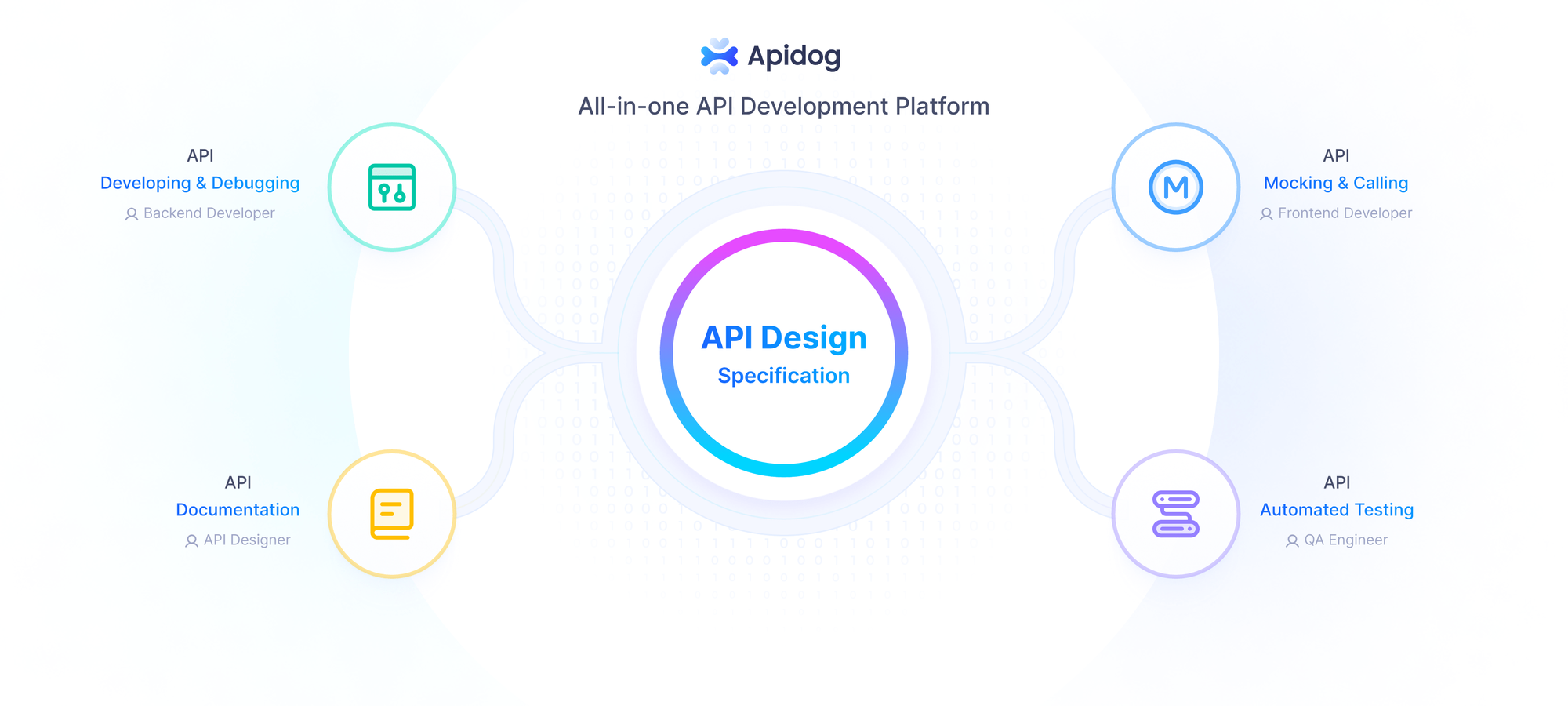
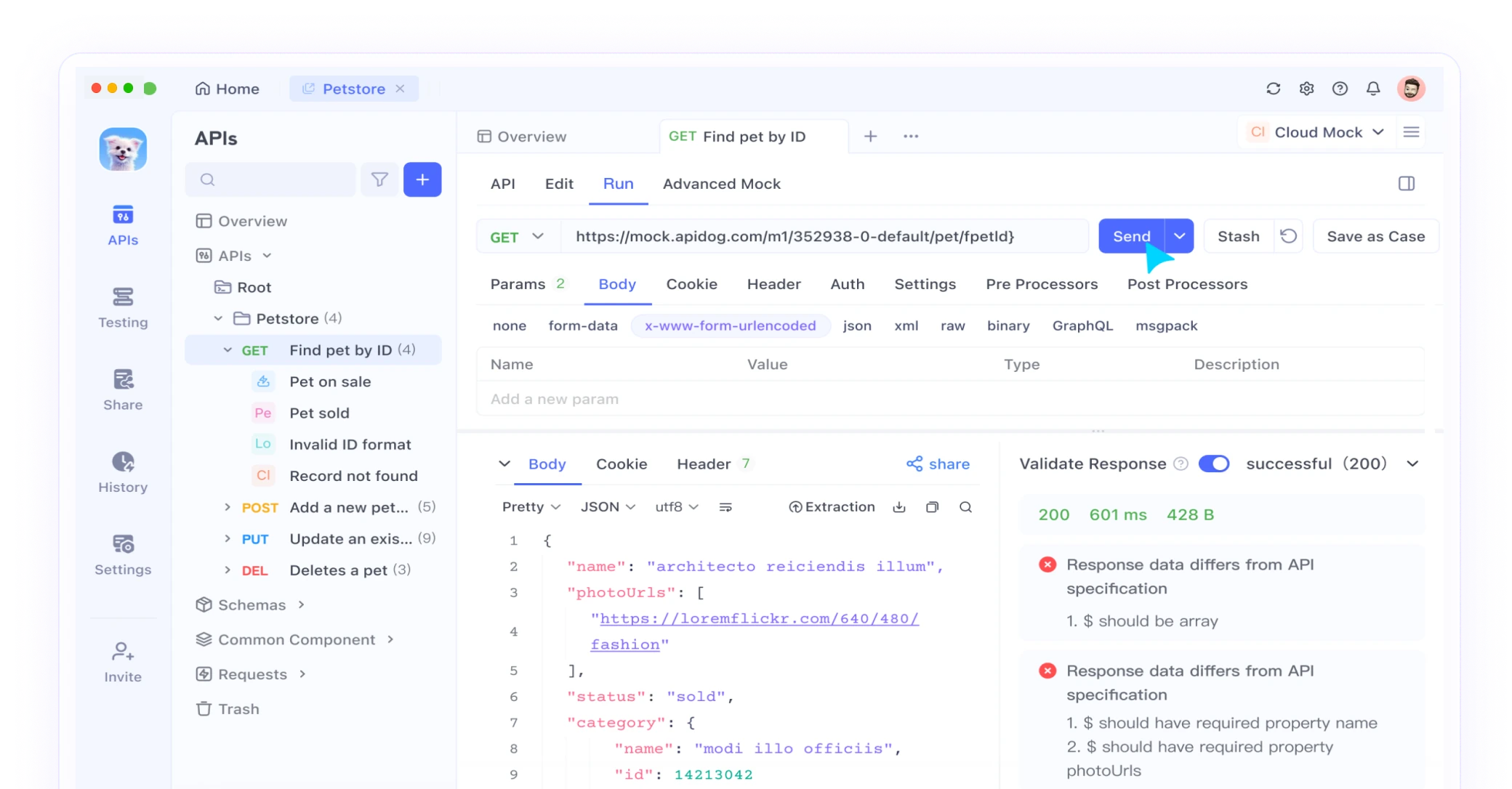
Apidog combines many of these tools for API debugging. Instead of switching between curl, Postman, and your browser’s network tab, you can test APIs, inspect requests, save test cases, and share them with your team—all in one place.
5. Reading Documentation
When you’re debugging a library or API, the documentation often contains the answer. But you need to know how to read it:
- Check the version you’re using
- Look for “common issues” or “troubleshooting” sections
- Read the changelog for breaking changes
- Check GitHub issues for similar problems
- Look at example code
6. Forming and Testing Hypotheses
Debugging is the scientific method applied to code. You:
- Observe the problem
- Form a hypothesis about the cause
- Design a test to verify the hypothesis
- Run the test
- Analyze the results
- Refine your hypothesis
Example:
- Observation: API returns 500 error
- Hypothesis: The request body format is wrong
- Test: Send a request with the exact format from the documentation
- Result: Still fails
- New hypothesis: The API endpoint changed
- Test: Check the API documentation for updates
- Result: Endpoint moved to /v2/users
- Fix: Update the endpoint URL
7. Understanding System Behavior
You need a mental model of how your system works:
- How does HTTP work?
- How does your framework handle requests?
- How does your database execute queries?
- How does your authentication flow work?
- How do your services communicate?
When you understand the system, you can predict where bugs might hide.
8. Knowing When to Ask for Help
Sometimes you’re stuck. You’ve tried everything and the bug persists. Knowing when to ask for help is a skill. Before asking:
- Document what you’ve tried
- Create a minimal reproduction
- Gather relevant logs and error messages
- Check if others have had the same problem
This makes it easier for others to help you and often helps you solve the problem yourself.
Debugging APIs: The Modern Developer’s Challenge
API debugging deserves special attention because it’s where many developers struggle. APIs are invisible—you can’t see the HTTP requests flying between services. You need tools to make them visible.
Common API Debugging Scenarios
1. Authentication Failures
Your API returns 401 or 403 errors. The problem could be:
- Wrong API key
- Expired token
- Missing authentication header
- Wrong authentication scheme (Bearer vs Basic)
- Token in wrong format
- CORS blocking the request
To debug this, you need to:
- Inspect the actual request headers being sent
- Compare them to the API documentation
- Check if the token is valid
- Verify the authentication scheme matches
- Test with a known-good token
2. Request Format Issues
Your API returns 400 Bad Request. The problem could be:
- Wrong Content-Type header
- Invalid JSON format
- Missing required fields
- Wrong data types
- Extra fields not allowed
- Wrong URL parameters
To debug this, you need to:
- Inspect the request body
- Validate the JSON format
- Compare field names to documentation
- Check data types match expectations
- Look at the API’s error response for clues
3. Response Parsing Errors
Your code crashes when parsing the API response. The problem could be:
- Response format changed
- Unexpected null values
- Different data types than expected
- Missing fields
- Nested structure different than expected
To debug this, you need to:
- Inspect the actual response
- Compare it to your expectations
- Check for null/undefined values
- Validate the response structure
- Add defensive parsing code
4. Intermittent Failures
Your API works sometimes but fails randomly. The problem could be:
- Rate limiting
- Timeouts
- Network issues
- Server load
- Race conditions
- Caching issues
To debug this, you need to:
- Check response headers for rate limit info
- Measure response times
- Test under different loads
- Look for patterns in failures
- Check server status pages
Tools That Make Debugging Easier
The right tools make debugging faster and less frustrating. Here’s what you should have in your toolkit:
Browser Developer Tools
Every browser has built-in developer tools. Learn to use:
- Console: View logs, errors, and warnings
- Network tab: Inspect HTTP requests and responses
- Debugger: Set breakpoints, step through code
- Elements: Inspect DOM and CSS
- Performance: Profile JavaScript execution
- Application: View cookies, localStorage, sessionStorage
Keyboard shortcuts:
- Chrome/Edge: F12 or Cmd+Option+I (Mac) / Ctrl+Shift+I (Windows)
- Firefox: F12 or Cmd+Option+K (Mac) / Ctrl+Shift+K (Windows)
- Safari: Cmd+Option+I (enable Developer menu first)
IDE Debuggers
Your IDE has a debugger. Use it instead of console.log:
- Set breakpoints to pause execution
- Step through code line by line
- Inspect variable values
- Evaluate expressions
- Set conditional breakpoints
- Watch variables
Popular IDE debuggers:
- VS Code: Built-in debugger for JavaScript, Python, and more
- IntelliJ IDEA: Powerful debugger for Java, Kotlin, and more
- PyCharm: Python-specific debugging
- Xcode: iOS/macOS debugging
API Testing Tools
For API debugging, you need a dedicated tool:
Apidog
- Visual request builder
- Response inspector
- Test case management
- Environment switching
- Request history
- Team collaboration
- Mock servers
- API documentation
curl
- Command-line HTTP client
- Good for quick tests
- Easy to share commands
- Works everywhere
Postman
- Popular API client
- Large community
- Many integrations
- Can be slow for large projects
Logging Tools
Strategic logging helps you trace execution flow:
Console Logging
console.log('User data:', userData);
console.error('Failed to fetch:', error);
console.warn('Deprecated function called');
console.table(arrayOfObjects); // Format arrays as tables
Structured Logging
logger.info('User logged in', {
  userId: user.id,
  timestamp: new Date(),
  ip: request.ip
});
Log Aggregation
- Datadog
- Splunk
- ELK Stack (Elasticsearch, Logstash, Kibana)
- CloudWatch (AWS)
Database Tools
For database debugging:
- pgAdmin: PostgreSQL GUI
- MySQL Workbench: MySQL GUI
- MongoDB Compass: MongoDB GUI
- DBeaver: Universal database tool
- SQL query analyzers: EXPLAIN ANALYZE for query optimization
Network Tools
For network-level debugging:
- Wireshark: Packet analyzer
- Charles Proxy: HTTP proxy for inspecting traffic
- ngrok: Expose local servers to the internet for webhook testing
- Fiddler: Web debugging proxy
Performance Tools
For performance debugging:
- Chrome DevTools Performance tab: Profile JavaScript execution
- Lighthouse: Audit web performance
- WebPageTest: Test from different locations
- New Relic: Application performance monitoring
- Datadog APM: Distributed tracing
How to Build Your Debugging Muscle
Debugging is a skill you develop through practice. Here’s how to get better:
1. Debug Deliberately
Don’t just fix bugs and move on. After fixing a bug:
- Document what caused it
- Note how you found it
- Identify what you learned
- Think about how to prevent similar bugs
Keep a debugging journal. Write down interesting bugs and how you solved them. Review it periodically to reinforce patterns.
2. Read Other People’s Code
Reading code teaches you how systems work and where bugs hide. When you read code:
- Try to understand the design decisions
- Look for potential bugs
- Note patterns and anti-patterns
- See how others structure their code
Open source projects are great for this. Pick a project you use and read the source code.
3. Practice Systematic Debugging
When you encounter a bug, resist the urge to guess and check. Instead:
- Reproduce the bug consistently
- Form a hypothesis about the cause
- Design a test to verify the hypothesis
- Run the test
- Analyze the results
- Repeat until you find the root cause
This systematic approach is slower at first but faster in the long run.
4. Learn Your Tools Deeply
Spend time learning your debugging tools:
- Watch tutorials on browser DevTools
- Read your IDE’s debugging documentation
- Learn keyboard shortcuts
- Explore advanced features
An hour learning your tools saves hours of debugging time.
5. Build Mental Models
Understand how your systems work:
- Read documentation thoroughly
- Draw diagrams of system architecture
- Trace request flows
- Understand data flows
- Learn about failure modes
The better your mental model, the faster you can locate bugs.
6. Debug in Pairs
Pair debugging with a colleague. Explaining your thinking helps clarify it. Your partner might spot things you miss. You’ll learn different debugging approaches.
7. Fix Bugs in Open Source
Contributing bug fixes to open source projects is great practice:
- You work in unfamiliar codebases
- You learn different architectures
- You see how experienced developers debug
- You get feedback on your approach
Start with “good first issue” labels on GitHub.
8. Create Debugging Challenges
Set up deliberate practice:
- Introduce bugs into working code and try to find them
- Time yourself debugging common issues
- Practice with different types of bugs (logic, performance, security)
- Work through debugging exercises and tutorials
Common Debugging Mistakes to Avoid
Even experienced developers make these mistakes. Avoid them:
1. Changing Multiple Things at Once
You change three things, and the bug disappears. Great! But which change fixed it? You don’t know. Now you have unnecessary changes in your code.
Fix: Change one thing at a time. Test after each change.
2. Not Reading Error Messages
You see an error and immediately start guessing. But the error message tells you exactly what’s wrong.
Fix: Read the entire error message. Read the stack trace. Look up error codes.
3. Debugging Without Reproducing
You can’t reproduce the bug, but you make changes anyway, hoping they’ll fix it.
Fix: Always reproduce the bug first. If you can’t reproduce it, you can’t verify your fix works.
4. Ignoring the Obvious
You assume the bug must be complex, so you ignore simple explanations. But often the bug is simple—a typo, a missing semicolon, a wrong variable name.
Fix: Check the obvious things first. Is the server running? Is the database connected? Is the file saved?
5. Not Using Version Control
You make changes while debugging and lose track of what you changed. Now your code is in an unknown state.
Fix: Commit working code before debugging. Use git to track changes. Create a debugging branch.
6. Debugging Tired
You’ve been debugging for hours. You’re tired and frustrated. You’re making mistakes and missing obvious things.
Fix: Take breaks. Step away from the computer. Come back fresh. Sleep on it.
7. Not Asking for Help
You’re stuck but don’t want to bother anyone. You waste hours on a problem someone else could solve in minutes.
Fix: Ask for help after you’ve tried systematically. Prepare your question with context, what you’ve tried, and relevant code.
8. Fixing Symptoms, Not Causes
You fix the immediate problem without understanding the root cause. The bug comes back in a different form.
Fix: Always find the root cause. Ask “why” five times to get to the underlying issue.
9. Not Testing the Fix
You think you fixed the bug, but you don’t test it thoroughly. The bug still exists in edge cases.
Fix: Test your fix thoroughly. Test edge cases. Add automated tests to prevent regression.
10. Debugging in Production
You’re testing changes directly in production. This is dangerous and unprofessional.
Fix: Debug in development or staging environments. Use production logs and monitoring, but test fixes elsewhere.
FAQ
Q: How long should I spend debugging before asking for help?
A: Try systematically for 30-60 minutes. If you’re stuck after that, ask for help. But prepare your question: document what you’ve tried, create a minimal reproduction, and gather relevant logs.
Q: Should I use console.log or a debugger?
A: Use a debugger for complex issues. It’s more powerful and faster. Use console.log for quick checks or when you can’t use a debugger (like in production).
Q: How do I debug production issues without access to the production environment?
A: Use logging and monitoring. Add structured logs that capture relevant context. Use error tracking tools like Sentry. Reproduce the issue in staging with production data (anonymized).
Q: What’s the best way to debug API integration issues?
A: Use an API client like Apidog to test endpoints independently. Inspect the actual requests and responses. Compare them to the API documentation. Test with known-good data first.
Q: How do I debug intermittent bugs?
A: Add logging to capture context when the bug occurs. Look for patterns in when it happens. Try to identify variables that differ between working and failing cases. Consider race conditions, timing issues, and external dependencies.
Q: Should I fix bugs immediately or document them for later?
A: Depends on severity. Critical bugs (security, data loss, crashes) fix immediately. Minor bugs (cosmetic, edge cases) can be documented and prioritized. Always document bugs you don’t fix immediately.
Q: How do I prevent bugs in the first place?
A: Write tests. Use type checking. Do code reviews. Follow coding standards. But accept that bugs are inevitable. Focus on finding and fixing them quickly.
Q: What’s the difference between debugging and testing?
A: Testing verifies that code works as expected. Debugging finds why code doesn’t work. Testing is proactive (before bugs appear). Debugging is reactive (after bugs appear).
Q: How do I debug someone else’s code?
A: Start by understanding what the code is supposed to do. Read documentation and comments. Trace the execution flow. Don’t assume the bug is where the error appears—it might be earlier in the flow.
Q: What if I can’t find the bug?
A: Take a break. Explain the problem to someone else (rubber duck debugging). Simplify the problem. Create a minimal reproduction. Search for similar issues. Ask for help.
Master Debugging, Master Development
Debugging isn’t just about fixing broken code. It’s about understanding how systems work, how they fail, and how to make them better. Every bug you fix teaches you something. Every debugging session builds your skills.
The developers who succeed aren’t the ones who write perfect code (no one does). They’re the ones who can debug problems quickly and systematically. They can look at an error message and know where to start. They can reproduce bugs, isolate variables, and test hypotheses. They can use tools effectively and know when to ask for help.
Copy-paste will get you started. But debugging skills will carry your career.
Ready to level up your API debugging skills? Try Apidog free—no credit card required. Test APIs, inspect requests and responses, save test cases, and collaborate with your team. See why developers choose Apidog for API debugging and testing.