
TL;DR
Cursor's new agent computer use feature allows AI cloud agents to control their own virtual machines, enabling them to build, test, and verify code autonomously. Agents run in isolated VMs with full development environments, can open browsers and navigate localhost, and produce merge-ready pull requests with videos and logs. Access via Cursor Desktop, Web, Slack, GitHub, or API. Over 30% of Cursor's internal code changes are now created by these autonomous agents.
Introduction
The way developers write code is changing fast. For years, AI coding assistants like Cursor have worked as intelligent autocomplete tools—suggesting the next line, explaining code, or helping refactor existing work. But a major shift is happening.
Cursor announced what they call "the biggest shift in how we build software since the move from Tab autocomplete to working synchronously with agents." Their cloud agents can now control their own virtual machines to build, test, and demonstrate working code.
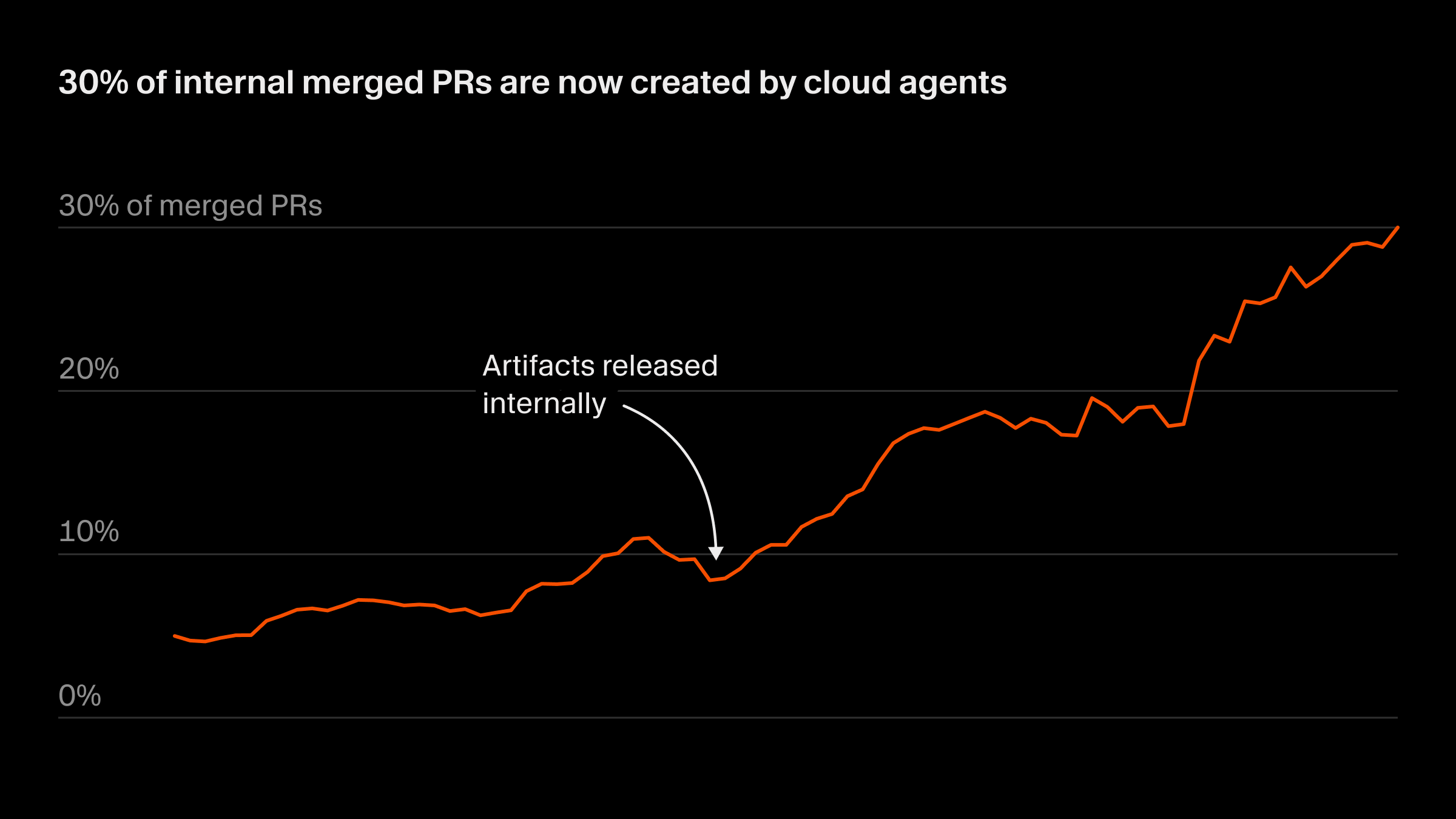
This isn't just incremental improvement. According to Cursor's announcement, 30-35% of their merged pull requests are now created by autonomous cloud agents.
In this guide, you'll learn what Cursor's agent computer use feature does, how it works, and exactly how to set it up.
What Is Cursor Agent Computer Use?
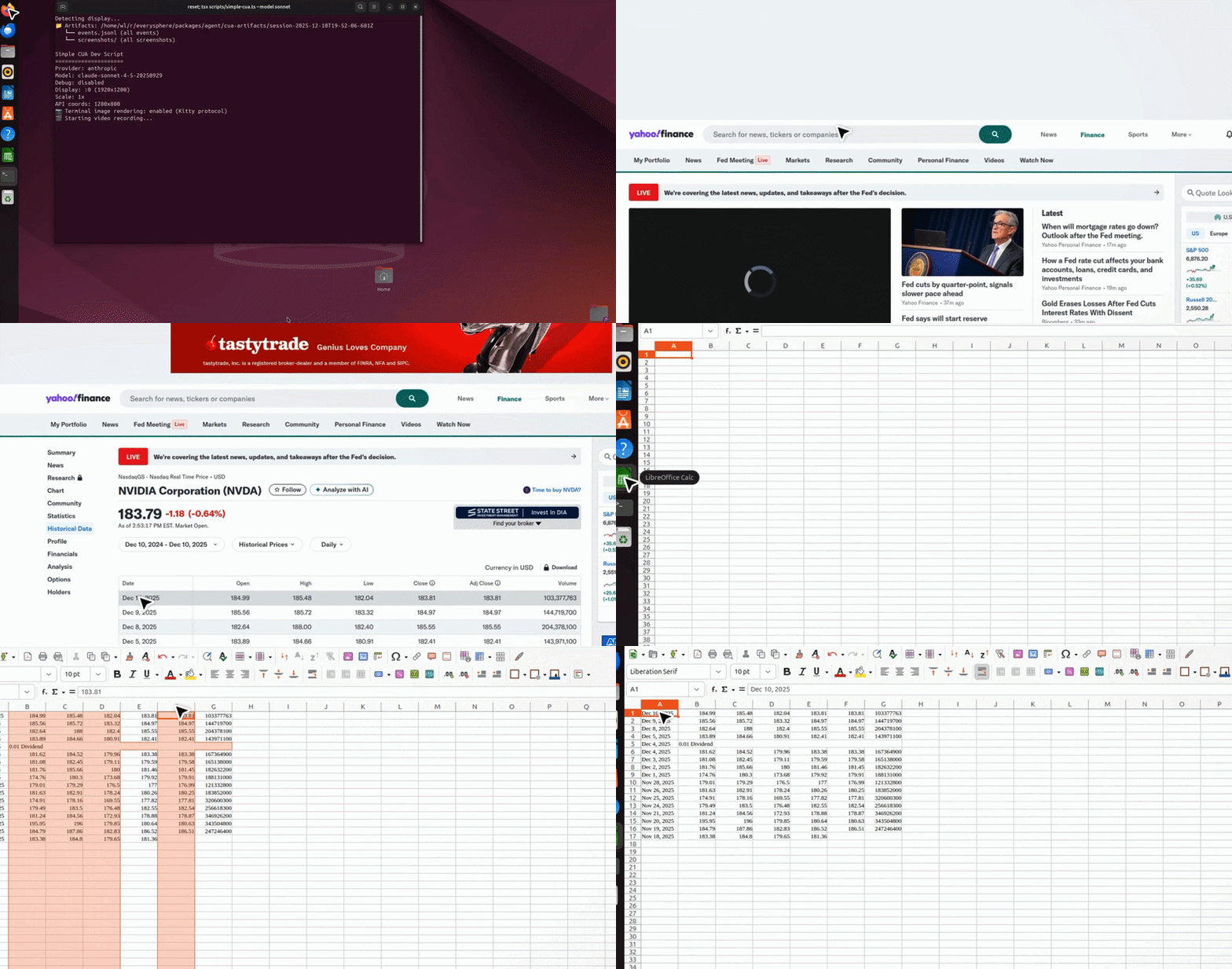
Cursor agent computer use is a feature that lets AI agents operate in their own isolated virtual machines rather than just interacting with your local development environment. When you launch a cloud agent, it spins up a full development environment in the cloud—an isolated VM with everything needed to build, test, and verify software.
Why This Matters
Traditional AI coding assistants work by:
- Suggesting code completions in your IDE
- Answering questions about your codebase
- Helping refactor or explain existing code
Cursor's cloud agents take this further by actually doing the work:
- Running in isolated cloud environments
- Installing dependencies and building projects
- Opening browsers and testing UI
- Verifying changes work before reporting back
- Creating merge-ready pull requests with evidence
The Technology Behind It
Each cloud agent runs in its own isolated virtual machine. This creates several important benefits:
- Isolation: Agents don't compete for local resources
- Parallelism: Multiple agents can work simultaneously
- Verification: Agents can actually test their changes
- Evidence: Each PR includes videos, screenshots, and logs
Cloud Agents vs. Traditional IDE AI Assistance
Understanding the difference between cloud agents and traditional IDE-based AI helps set realistic expectations:
Traditional AI Coding (Cursor Classic Mode):
- Suggestions appear in your IDE as you type
- Requires you to review and accept each change
- Limited to your local machine's resources
- No ability to run tests or verify functionality
- You maintain full control and context at all times
Cloud Agents (Autonomous):
- Agents work independently without constant supervision
- Changes are tested and verified before you see them
- Full VM resources available for builds and tests
- Produces reviewable artifacts showing what was done
- You intervene only at PR review stage
The key shift is from "AI assists me" to "AI does it for me." This doesn't replace developers—it shifts your role from implementation to review and direction.
Technical Requirements Explained
Understanding what's happening under the hood helps when troubleshooting:
- VM Environment: Each agent gets a fresh Ubuntu-based VM with common development tools pre-installed
- Repository Cloning: The agent clones your repo, including any submodules, to work with your actual codebase
- Dependency Management: The agent can install npm packages, pip requirements, or other dependencies as needed
- Network Access: Agents can access the internet to clone packages, run curl commands, or navigate to localhost servers
- Artifact Storage: Videos and screenshots are stored and linked in the generated PR
This transparency means you always know what environment your code was built and tested in.
How Cursor Cloud Agents Work
Architecture Overview
When you kick off a Cursor cloud agent, here's what happens:
- VM Provisioning: Cursor spins up an isolated virtual machine with a full development environment
- Repository Access: The agent clones your repository and any dependencies
- Task Execution: The agent reads your requirements, makes changes, and runs tests
- Verification: The agent opens browsers, navigates to localhost, clicks through UI to verify everything works
- Artifact Generation: The agent records videos, screenshots, and logs showing what was done
- PR Creation: The agent creates a pull request with all the evidence
Where You Can Launch Agents
Cursor cloud agents are accessible from multiple platforms:
| Platform | How to Launch |
|---|---|
| Cursor Desktop | Select "Cloud" in the dropdown under the agent input |
| Cursor Web | Visit cursor.com/agents |
| Slack | Use the @cursor command |
| GitHub | Comment @cursor on a PR or issue |
| API | Use the Cursor API to kick off an agent |
| Linear | Use the @cursor command |
Requirements
Before using cloud agents, ensure you have:
- Max Mode-compatible models enabled (only these models support cloud agents)
- Read-write privileges to your repository
- Any dependent repos or submodules accessible
Currently, cloud agents support GitHub and GitLab repositories.
Step-by-Step Setup Guide
Step 1: Access the Onboarding
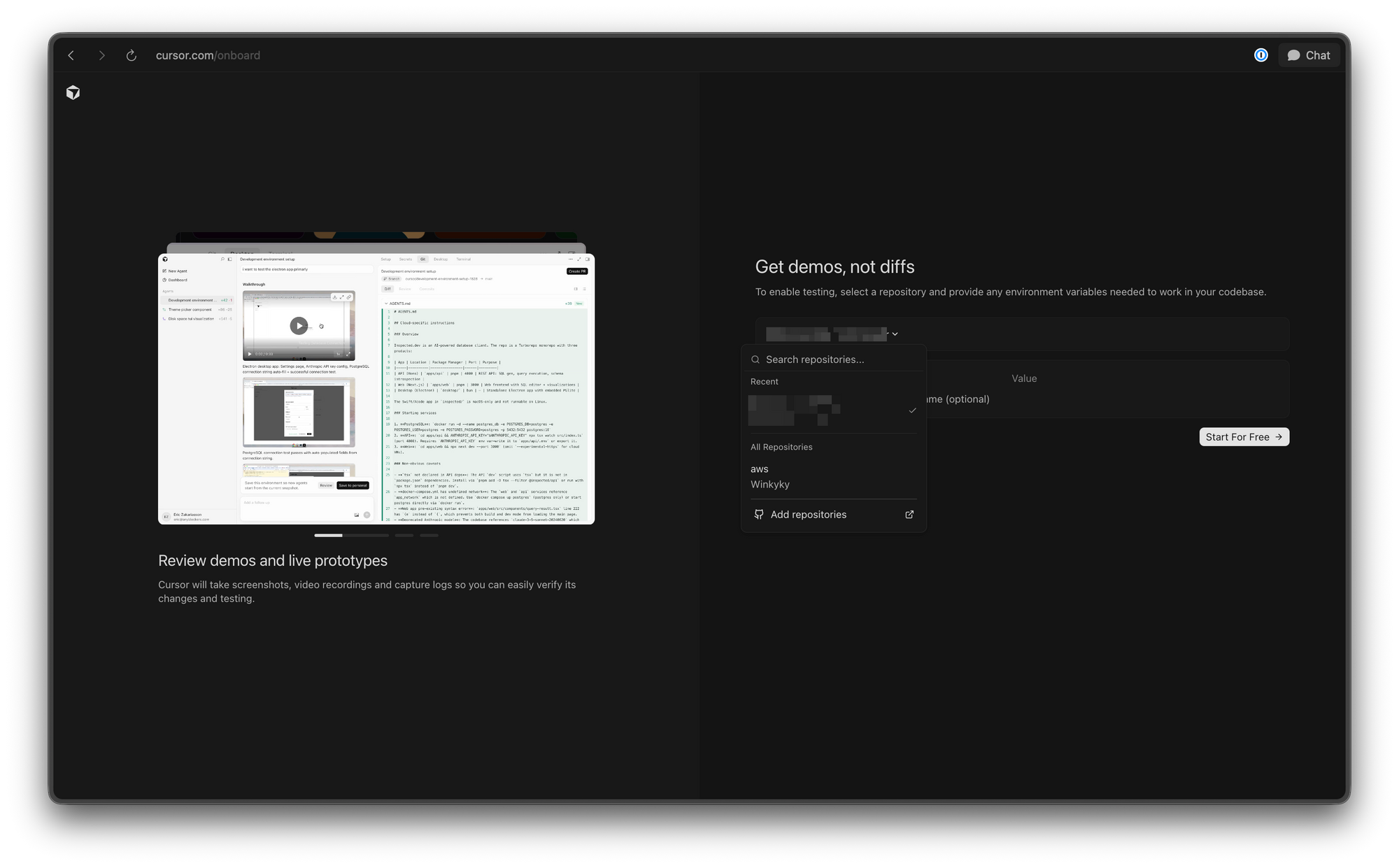
Navigate to cursor.com/onboard to get started. This page walks you through the initial agent configuration and lets you watch the agent set itself up.
Step 2: Choose Your Launch Platform
You have multiple options:
Option A: Cursor Desktop
- Open Cursor IDE
- Find the agent input at the bottom
- Click the dropdown and select "Cloud"
- Describe what you want built
Option B: Cursor Web
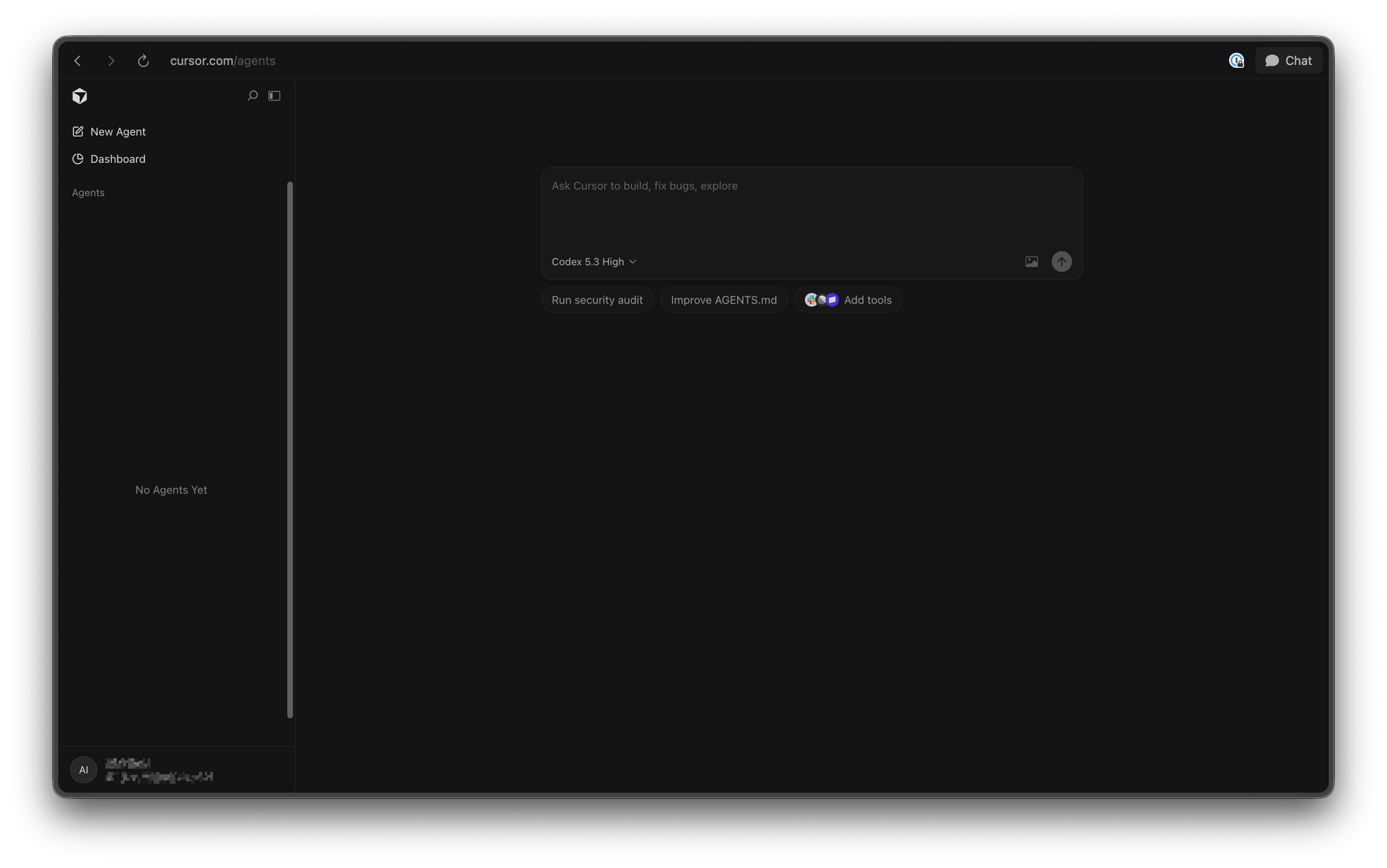
- Go to cursor.com/agents
- Sign in with your account
- Select your repository
- Describe your task
Option C: GitHub Integration
- Navigate to your repository
- Open an issue or PR
- Comment
@cursor build a feature that... - The agent will pick up the task
Step 3: Configure Agent Privileges
When you first use a cloud agent, you'll need to grant:
- Repository read/write access
- Access to any dependent repositories
- Access to submodules if applicable
Step 4: Define Your Task
Be specific about what you want the agent to accomplish. For example:
- "Build a login page with email and password fields"
- "Add dark mode toggle to the settings page"
- "Fix the bug where the API returns 500 on invalid input"
The more context you provide, the better the agent can deliver.
Step 5: Monitor and Review
While agents work autonomously, you can:
- Watch the agent's remote desktop in real-time
- Review generated artifacts (videos, screenshots)
- Take over the session to try changes yourself
- Approve or request changes to the PR
Key Features and Capabilities
Self-Testing and Iteration
Perhaps the most powerful feature: agents can actually verify their work. They can:
- Start development servers
- Open browsers and navigate to localhost
- Click through UI elements
- Run automated tests
- Verify functionality works as expected
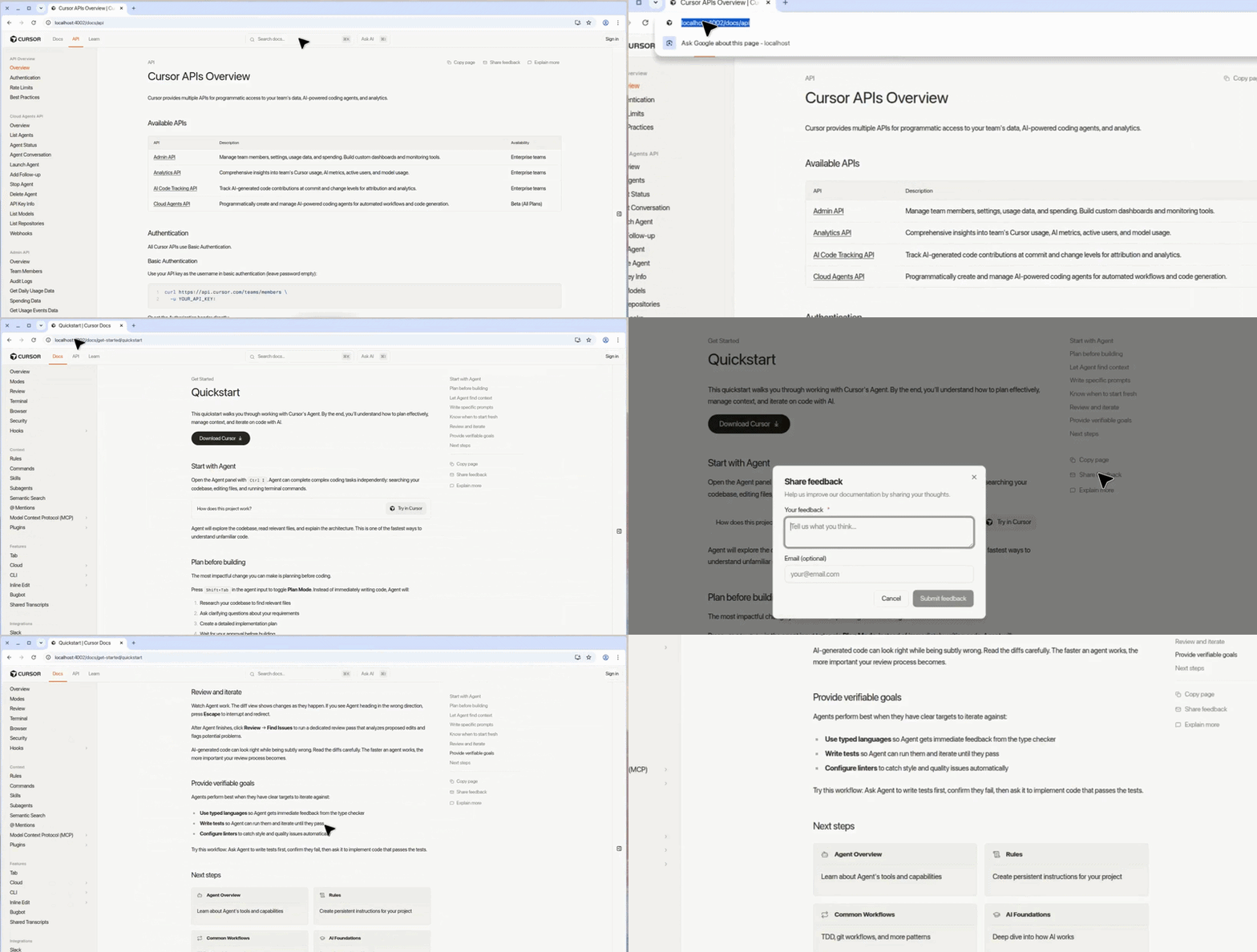
The agent spent 45 minutes doing a full walkthrough of cursor docs site. It provided a summary of all the features it tested, including the sidebar, top navigation, search, copy page button, share feedback dialog, table of contents, and theme switching.
Artifact Recording
Every agent run produces rich artifacts:
- Videos showing the feature in action
- Screenshots of key moments
- Logs from build and test processes
- Diff of all code changes
This makes review fast—you can see exactly what was done without checking out the branch.
Remote Desktop Control
Want to try the changes yourself? You can take over the agent's remote desktop directly. This lets you:
- Test the feature in the agent's environment
- Verify it works before merging
- Make additional changes if needed
- Avoid checking out the branch locally
Multi-Platform Access
Cloud agents work wherever you are:
- Desktop: Full IDE integration
- Web: Browser-based agent management
- Mobile: On-the-go monitoring
- Slack: Quick agent commands
- GitHub: Issue and PR integration
Real-World Use Cases
Building New Features
Describe a feature you need, and the agent builds it end-to-end: scaffolding, implementation, tests, and verification.
Reproducing Bugs
Tell the agent to reproduce a bug, and it can:
- Set up the environment
- Trigger the bug conditions
- Investigate the root cause
- Propose and test a fix
Quick Fixes
For small changes, you can delegate entirely to the agent without context switching.
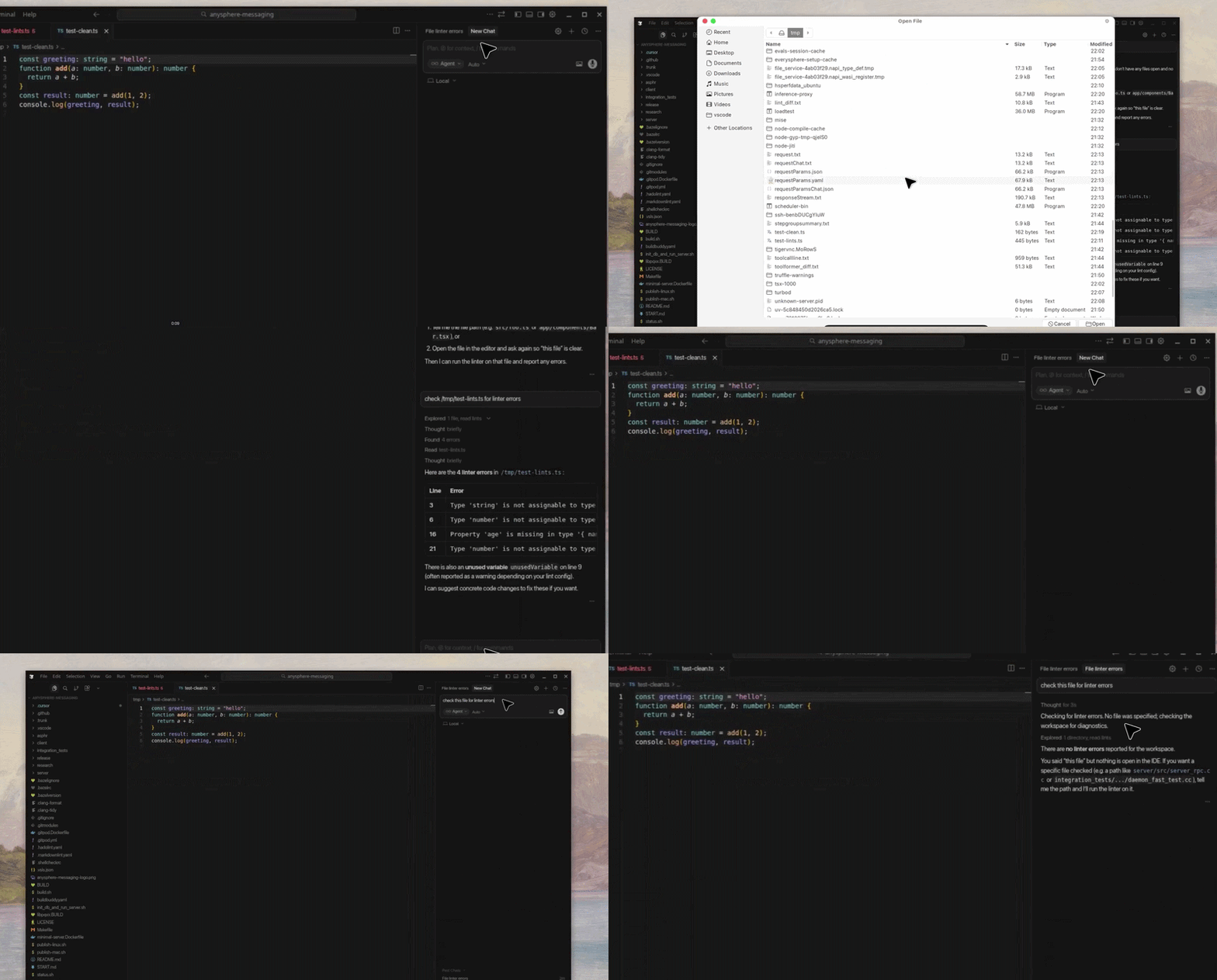
UI Testing
Agents can click through interfaces to verify:
- User flows work correctly
- Responsive design renders properly
- Interactive elements respond as expected
API Integration Work
When building API integrations, agents can:
- Set up mock servers
- Test API endpoints
- Verify response handling
- Generate documentation
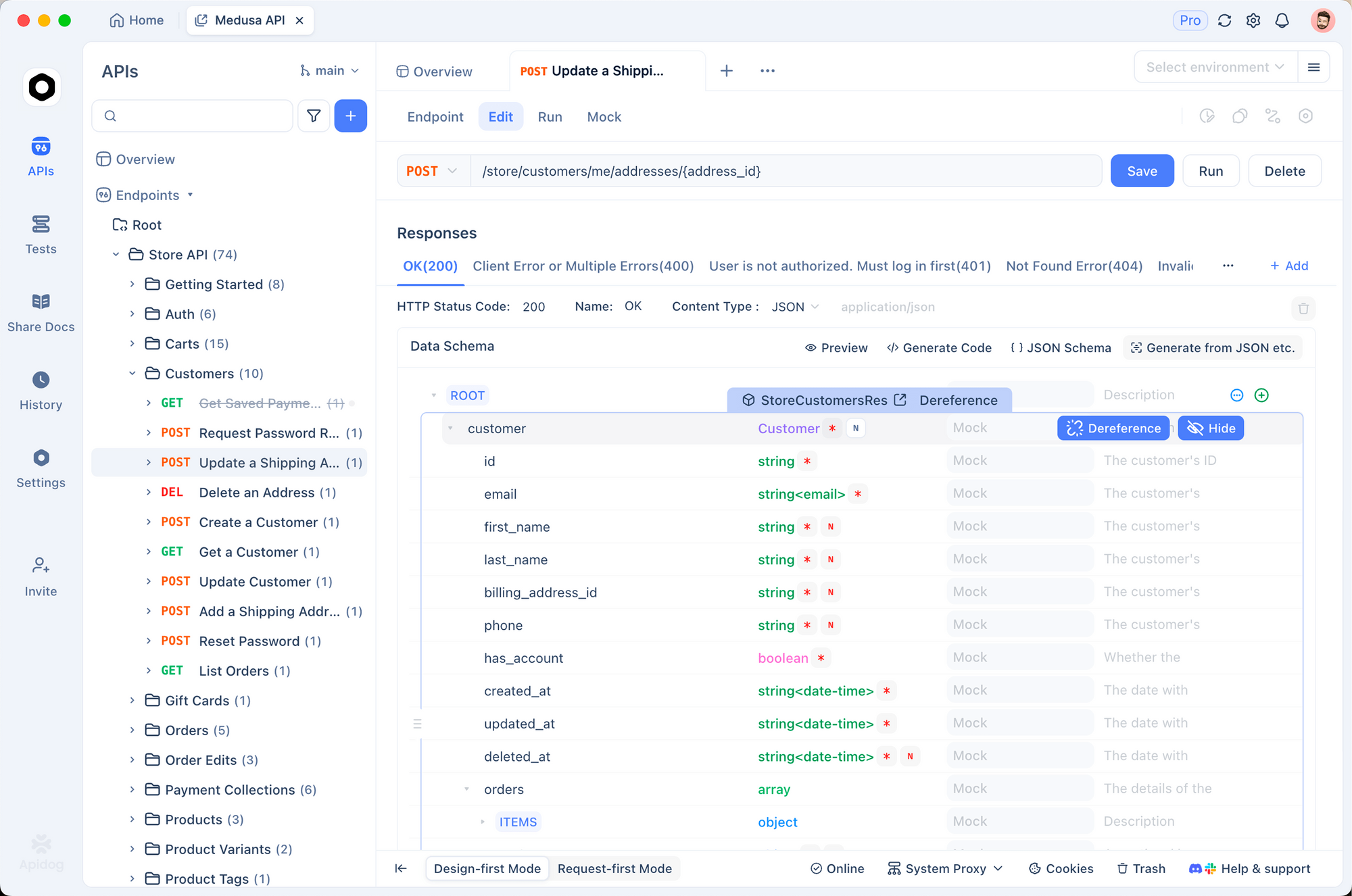
This is where tools like Apidog complement Cursor's agents beautifully—use Apidog to design and test your APIs, then let Cursor agents handle the frontend implementation and integration. For example, you can test localhost APIs with webhook services to verify your API integrations work correctly before deploying.
Limitations and Considerations
Current Limitations
- Repository support: Currently GitHub and GitLab only
- Model restriction: Only Max Mode-compatible models work
- Privilege requirement: Need full read-write access
- New feature: Still evolving, some edge cases possible
When to Use vs. Not Use
Best for:
- Well-scoped feature requests
- Bug reproduction and fixes
- Boilerplate and scaffolding
- Testing and verification tasks
May not be ideal for:
- Highly security-sensitive code (review privileges carefully)
- Complex architectural decisions (human judgment needed)
- Tasks requiring specific local environment setup
Security Considerations
When granting agents repository access, keep these security best practices in mind:
- Use scoped tokens: Instead of granting full repository access, use tokens with minimal required permissions
- Review agent actions: Always review PRs thoroughly before merging, especially for production code
- Separate environments: Consider using agents only on non-production branches initially
- Audit logs: Take advantage of Cursor's artifact recording to audit what the agent did
- Start small: Begin with low-risk tasks to build confidence before tackling critical features
Cursor's isolated VM approach is inherently safer than giving agents direct local access, but responsible use still requires vigilance.
Future of Autonomous Coding Agents
Best Practices for Getting the Most Out of Cloud Agents
To maximize productivity with Cursor's autonomous agents, follow these proven practices:
1. Write Clear, Specific Prompts
The quality of agent output directly correlates with prompt clarity. Instead of vague requests like "fix the login bug," be specific: "When a user submits the login form with valid credentials, they should be redirected to /dashboard but instead see a 401 error. The server returns the correct token in the response."
2. Provide Context Early
Give agents relevant context upfront: file paths, relevant code snippets, error messages, or links to related issues. Agents can only work with what they know.
3. Use Iterative Refinement
Don't try to have agents build everything at once. Start with a minimal viable version, review the results, then expand. This produces better outcomes than dumping massive requirements in one prompt.
4. Leverage Multiple Agents in Parallel
Since agents run in isolated VMs, you can kick off multiple agents for different tasks simultaneously—one for a new feature, another for a bug fix, a third for documentation updates.
5. Review Artifacts Thoroughly
The video and screenshot artifacts aren't just nice-to-have—they're your window into what the agent actually did. Watch them to catch issues you might miss in code review.
Integration with Your Existing Workflow
Cursor agents integrate smoothly with common development workflows:
- CI/CD: Agents can create PRs that trigger your existing CI pipeline
- Code Review: Standard PR review process applies—no special tooling needed
- Testing: Agents can run your test suite and include results in PRs
- Documentation: Agents can update README files, API docs, or inline comments
The key insight is that agents augment your workflow rather than replacing it. You still review, test, and approve—but the grunt work happens automatically.
Cursor's announcement represents a broader trend. The AI coding space is heating up:
- Anthropic released Claude Code with agent capabilities
- OpenAI introduced Codex for autonomous coding
- Microsoft continues expanding GitHub Copilot features
- Google is integrating AI agents into development workflows
Cursor's 30-35% autonomous PR rate suggests this model works. Expect more tools to adopt similar approaches as the technology matures.
For API development specifically, combining autonomous agents with dedicated API tools creates a powerful workflow: agents handle implementation and testing, while specialized tools like Apidog manage API design, documentation, and comprehensive testing.
Conclusion
Cursor's agent computer use feature represents a fundamental shift in how software gets built. By letting AI agents operate in their own virtual machines, test their changes, and produce verified, artifact-rich pull requests, Cursor is proving autonomous coding works at scale.
The setup is straightforward: choose your platform, define your task, and let the agent work. With 30%+ of Cursor's own code now written by agents, the technology has proven itself.
Next steps:
- Try the onboarding at cursor.com/onboard
- Start with a small, well-scoped task
- Review the generated artifacts to understand agent capabilities
- Consider how autonomous agents could augment your development workflow
Get started with Apidog: Try Apidog free to design, test, and document your APIs while leveraging AI-powered coding assistants like Cursor for implementation.


