TL;DR
Claude is the standard AI chatbot for conversations and general tasks. Claude Code is a command-line AI coding assistant for developers who prefer terminal workflows. Claude Cowork is a desktop application that brings agentic AI capabilities to non-coding knowledge work, allowing Claude to access your local files and execute multi-step tasks autonomously. Choose Claude for chat-based assistance, Claude Code for terminal-based coding, and Cowork for desktop automation of complex, multi-step projects.
Introduction
Anthropic offers three distinct products under the Claude AI brand, each designed for different workflows and user needs. If you've been wondering about the differences between Claude, Claude Code, and Claude Cowork, you're not alone. Many developers and knowledge workers find the distinctions unclear, especially as Anthropic continues to expand its product lineup.
The confusion is understandable, all three products use the same underlying Claude AI models, but they differ significantly in how you interact with them, what tasks they're designed for, and who they're built for. This guide breaks down each product's strengths, limitations, and ideal use cases so you can make an informed decision about which one fits your workflow.
Whether you're a developer looking for terminal-based coding assistance, a business user needing to automate document processing, or simply someone who wants a powerful AI chatbot, this comparison will help you find the right tool.
What is Claude?
Claude is the standard Anthropic AI assistant available through web, mobile apps, and the Claude Desktop application. It's the product most people think of when they hear "Claude", a conversational AI chatbot that can answer questions, help with writing, analyze documents, and assist with general knowledge work.

Key Features
- Chat-based interface: Traditional message-and-response interaction
- Web and mobile access: Available at claude.ai and via iOS/Android apps
- No file access by default: You paste content or upload documents for analysis
- Artifact generation: Create code snippets, documents, and interactive outputs
- Memory (paid plans): Remembers context across conversations
- Free tier available: Basic access at no cost
Best For
- General Q&A and conversations
- Writing assistance and editing
- Document summarization and analysis
- Brainstorming and ideation
- Quick tasks that don't require file access
Claude excels at being your AI conversation partner. If you need to chat with an AI, get quick answers, or handle simple tasks that don't require accessing your files, the standard Claude chat interface is the right choice.
What is Claude Code?
Claude Code is Anthropic's command-line AI coding assistant designed specifically for developers. It brings Claude's AI capabilities directly into your terminal, allowing you to interact with an AI assistant while working in your development environment without leaving the command line.
Key Features
- Terminal-based interaction: Works entirely in your command line
- Developer-focused capabilities: Write code, run commands, navigate files, execute git operations
- MCP (Model Context Protocol) support: Connect to external tools and services
- IDE integration: Works alongside your existing code editor
- No GUI required: Pure terminal workflow
- API access: Programmatic access for automation
Key Capabilities for Developers
# Install Claude Code
npm install -g @anthropic-ai/claude-code

# Start a session
claude

# Typical interactions
- "Write a function to process this data"
- "Explain this error message"
- "Refactor this code for better performance"
- "Create a new React component"
Claude Code is purpose-built for developers who spend most of their time in the terminal. It understands software development workflows, can execute code, run tests, and help with the entire development lifecycle, from scaffolding new projects to debugging production issues.
What is Claude Cowork?
Claude Cowork is a research preview that brings Claude Code's agentic capabilities to the desktop application. Unlike the standard chat interface, Cowork allows Claude to autonomously execute complex, multi-step tasks on your local machine, organizing files, generating documents, analyzing data, and more.

Key Features
- Desktop application: Works within the Claude Desktop app (macOS/Windows)
- Direct local file access: Read, edit, and create files without manual uploads
- Agentic task execution: Claude breaks complex tasks into steps and executes them
- Scheduled tasks: Automate recurring workflows (daily briefings, weekly reports)
- Professional outputs: Generate Excel spreadsheets with formulas, PowerPoint presentations
- Connector integrations: Pull context from Slack, Notion, Figma, and other tools
- Research preview: Active development with evolving capabilities
How Cowork Works
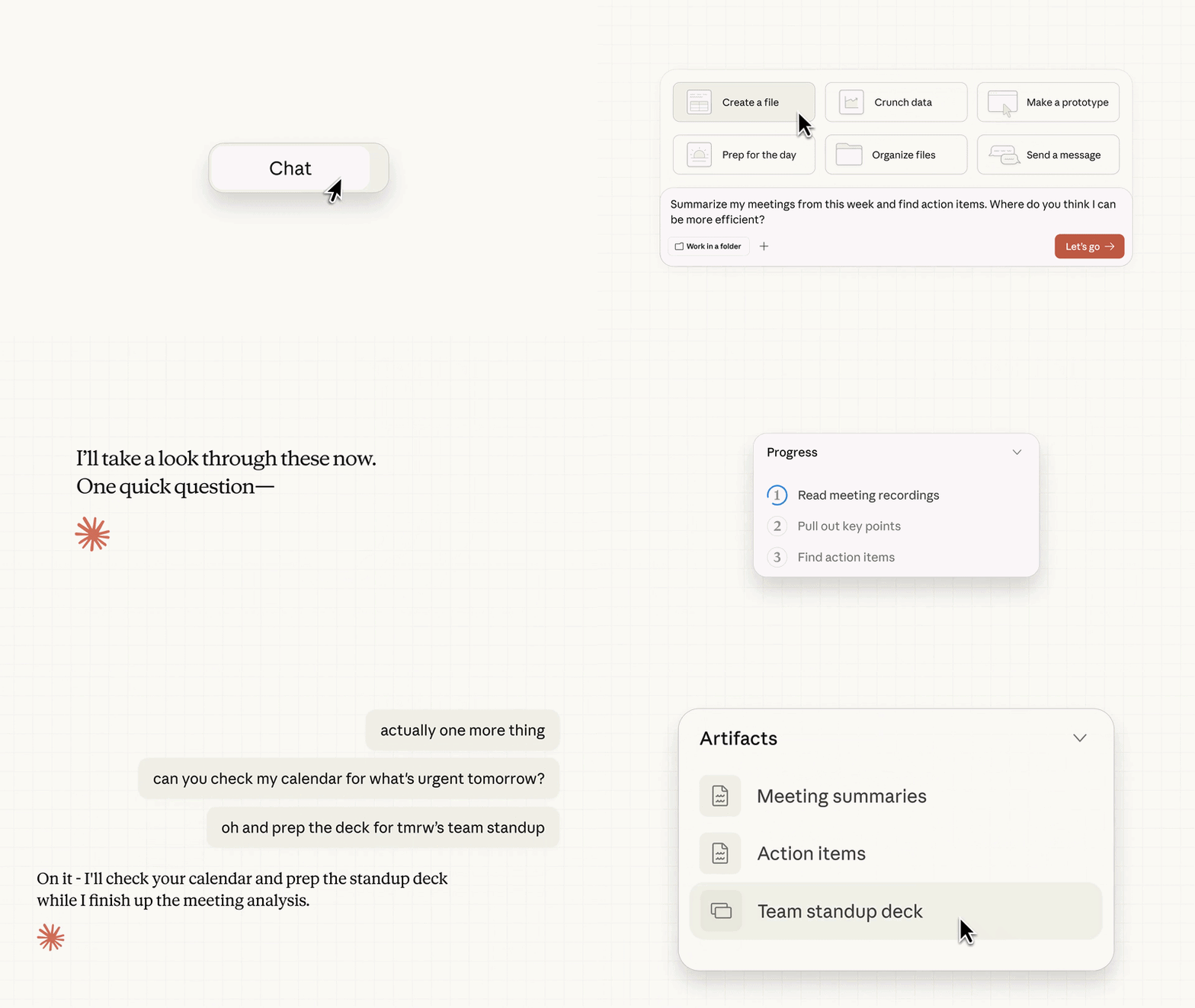
When you start a task in Cowork:
- Describe your goal: "Organize my Downloads folder and create a budget spreadsheet"
- Claude analyzes: Breaks the task into manageable subtasks
- You approve: Review Claude's plan before it takes action
- Claude executes: Works autonomously in a virtual machine environment
- Deliver finished work: Results appear directly in your file system
Example Workflow
Feature-by-Feature Comparison
| Feature | Claude (Chat) | Claude Code | Claude Cowork |
|---|---|---|---|
| Interface | Web/App | Terminal | Desktop App |
| Platform | Web, iOS, Android | macOS, Linux, Windows | macOS, Windows |
| File Access | Manual upload only | Command line | Direct local access |
| Agentic Tasks | No | Yes (coding) | Yes (multi-step) |
| Scheduling | No | No | Yes |
| Pricing | Free + Pro | Free + Pro | Paid plans only |
| Best For | Conversations | Coding tasks | Knowledge work automation |
Interaction Model Comparison
| Aspect | Claude | Claude Code | Claude Cowork |
|---|---|---|---|
| How you interact | Send messages, get responses | Type commands, get AI assistance | Describe outcomes, watch execution |
| Task completion | Answers questions, suggests approaches | Executes code, runs terminal commands | Completes entire workflows autonomously |
| Your involvement | Continuous back-and-forth | Step-by-step guidance | Initial prompt + approval, then autonomous |
| Typical session | 5-30 minute conversations | Hours of coding work | Minutes to hours of background work |
Capabilities Matrix
| Capability | Claude (Chat) | Claude Code | Claude Cowork |
|---|---|---|---|
| Answer questions | ✅ | ✅ | ✅ |
| Write code | ✅ | ✅ | ✅ |
| Run terminal commands | ❌ | ✅ | ❌ |
| Access local files | ❌ | ✅ | ✅ |
| Create Excel spreadsheets | ❌ | ❌ | ✅ |
| Create PowerPoint slides | ❌ | ❌ | ✅ |
| Schedule recurring tasks | ❌ | ❌ | ✅ |
| Browse the web | ✅ | ✅ (via MCP) | ✅ (connector) |
Use Cases: When to Use Each
When to Use Claude (Chat)
- Quick research: "What's the best practice for JWT authentication?"
- Writing assistance: "Help me draft this email"
- Document analysis: "Summarize this PDF I just uploaded"
- Learning: "Explain how React hooks work"
- Simple tasks: Anything that doesn't require file access or automation
Example: You have a quick question about an API concept and want a conversational answer. Open Claude chat, ask your question, and get an immediate response.
When to Use Claude Code
- Writing new code: "Create a REST API endpoint for user authentication"
- Debugging: "Help me understand this error in my logs"
- Code review: "Review this PR for potential issues"
- Terminal automation: "Run these tests and summarize the results"
- Developer workflow: Any task where you're already in the terminal
Example: You're building a new feature and need an AI pair programmer. Open your terminal, start Claude Code, and collaborate on writing and testing code in real-time.
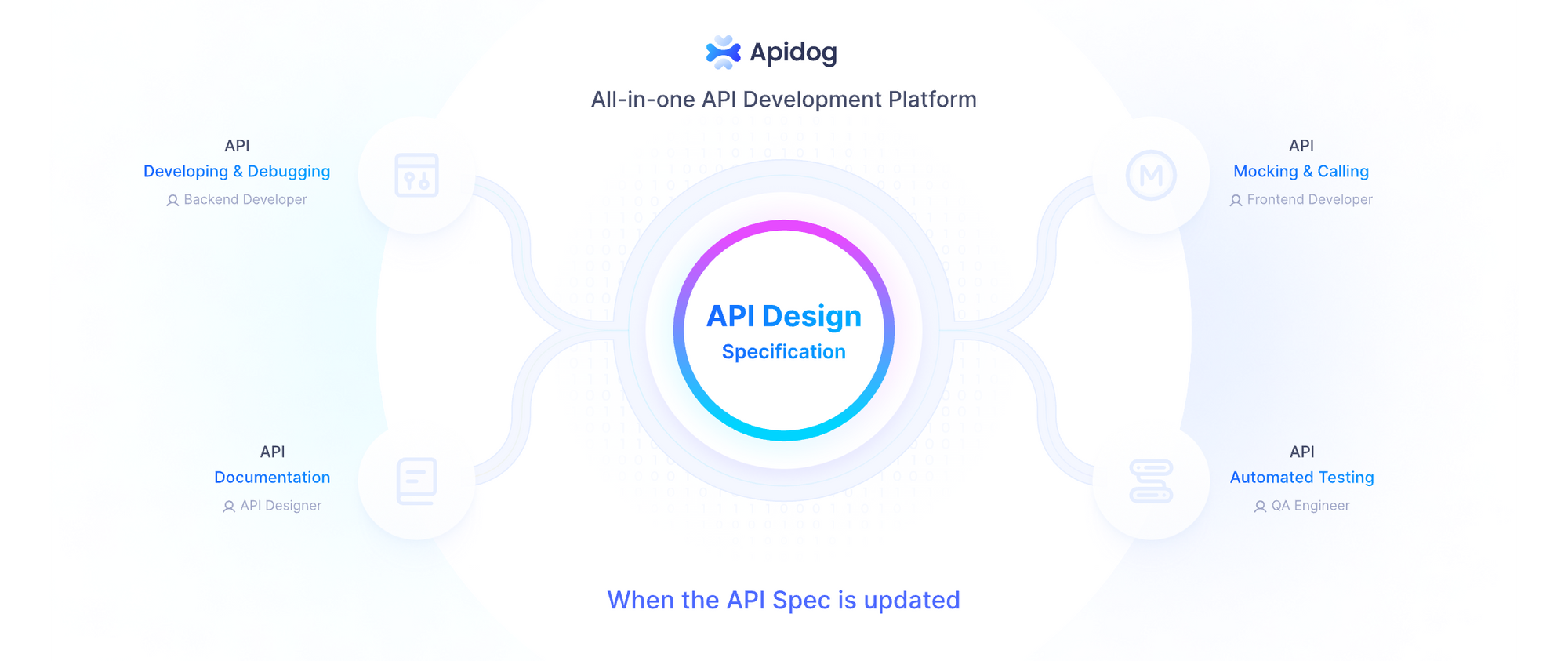
When building integrations with Claude's API, developers often need to test API endpoints, validate responses, and manage authentication. Apidog streamlines this process with its intuitive interface for testing Anthropic's Claude API, supporting environment variables for API keys, request history, and automated test scenarios.
When to Use Claude Cowork
- File organization: "Organize my Downloads folder by type and date"
- Report generation: "Create a monthly sales report from these spreadsheet exports"
- Data analysis: "Analyze this dataset and create visualizations"
- Research synthesis: "Compile research from these articles into a summary document"
- Document creation: "Generate an Excel budget with formulas and conditional formatting"
- Scheduled automation: "Create a daily briefing from Slack and email"
Example: You need to process dozens of files, generate a formatted document, or automate a weekly workflow. Describe the outcome to Cowork, approve the plan, and come back to completed work.
Decision Flowchart
Start here:
├─ Need quick answer or simple task?
│  └─ Yes → Use Claude (Chat)
│
├─ Developer working in terminal?
│  └─ Yes → Use Claude Code
│
├─ Need to automate multi-step tasks with file access?
│  └─ Yes → Use Claude Cowork
│
└─ Not sure?
   └─ Start with Claude (Chat) - free and accessible
Pricing and Availability
| Product | Free Tier | Paid Plans |
|---|---|---|
| Claude (Chat) | ✅ (limited) | Pro ($17-20/month), Max ($100-200/month) |
| Claude Code | ✅ (limited) | Pro, Max |
| Claude Cowork | ❌ Research preview | Pro, Max, Team, Enterprise |
Claude Cowork Pricing Details
- Pro: Included, uses 5x rate limits ($17-20/month)
- Max: Included, higher limits ($100-200/month)
- Team/Enterprise: Available with additional controls
Note: Cowork consumes usage limits faster than standard chat because agentic tasks require more compute resources.
Security Considerations
Claude (Chat)
- Conversations stored on Anthropic's servers (with configurable retention)
- No access to your local files or systems
- Standard security practices apply
Claude Code
- Runs in your terminal with your user permissions
- Has access to files and commands you run
- MCP connections require careful permission management
- Code executes in your development environment
Claude Cowork
- Runs in an isolated virtual machine (VM) on your computer
- File access controlled by permissions you grant
- Network access controlled via allowlist settings
- Important: Cowork activity is NOT captured in Audit Logs, Compliance API, or Data Exports for Team/Enterprise plans
- Not suitable for regulated workloads due to research preview status
Which Claude Product is Right for You?
Choose Claude (Chat) If:
- You want the simplest, most accessible way to use Claude
- Your tasks are question-answering, writing, or learning
- You're new to AI assistants and want to explore
- You need mobile access
Choose Claude Code If:
- You're a developer who lives in the terminal
- You want AI assistance integrated into your coding workflow
- You need to execute code, run tests, and manage git operations
- You prefer command-line tools
Choose Claude Cowork If:
- You have complex, multi-step tasks that involve file processing
- You want to automate knowledge work (reports, data analysis, document organization)
- You're on a paid Claude plan and need agentic capabilities
- You want to schedule recurring workflows
The Bottom Line
All three products use the same underlying Claude AI models, but they serve fundamentally different workflows:
- Claude = Conversation – Talk to an AI
- Claude Code = Coding – AI helps you write and execute code
- Claude Cowork = Automation – AI completes work for you
Many users benefit from using multiple products for different needs, Claude for quick questions, Code for development work, and Cowork for automating repetitive tasks.
Get Started with API Testing
Ready to test your Claude API integrations? Apidog provides a complete API development and testing platform that works seamlessly with Anthropic's Claude API.
- Free to start: No credit card required
- Import your Anthropic API key: Configure environment variables in seconds
- Test API calls: Send requests and validate responses
- Automate testing: Create test scenarios for continuous integration
Try Apidog free to streamline your Claude API testing workflow today.
FAQ
Can I use multiple Claude products together?
Yes. Many developers use Claude (Chat) for quick questions, Claude Code for coding sessions, and Cowork for automation. Your conversation history and settings are separate across products.
Does Claude Cowork replace Claude Code?
No. Cowork is designed for non-coding knowledge work, while Code is optimized for developer workflows in the terminal. They serve different purposes, Cowork can't execute arbitrary code or run terminal commands the way Code can.
Is Claude Cowork available on Linux?
Currently, Cowork is only available for macOS and Windows desktop apps. Linux support is not available yet.
Can I use Claude Code without installing the desktop app?
Yes. Claude Code is a separate command-line tool that works independently of the Claude Desktop app. You install it via npm and use it directly in your terminal.
What's the difference between Claude's free and paid plans?
Paid plans (Pro, Max) include higher usage limits, access to more capable models (Opus), priority access to new features, and for Pro/Max plans, includes Claude Cowork access.
Is Claude Cowork safe to use with sensitive files?
Cowork runs in an isolated VM and you control which folders it can access. However, as a research preview, it has some limitations, review the permissions settings carefully and avoid using it with highly sensitive data until it reaches general availability.