Meet Claude Memory: The Future of Persistent AI Context for Teams
For API developers and engineering teams, context switching and repetitive explanations slow down productivity. Imagine an AI assistant that not only answers technical questions but also remembers your ongoing API projects, team workflows, and coding preferences—so you never need to repeat yourself. This is exactly what Claude Memory, a feature from Anthropic’s Claude AI, delivers.
In this guide, we break down how Claude Memory works, its advantages for technical teams, and how it compares to typical chatbots. We’ll also share practical examples for engineering workflows and how tools like Apidog can fit into your productivity stack.
💡 Looking for an API testing tool that generates beautiful API documentation? Want a unified platform for your developer team to maximize productivity? Apidog delivers all of this—and replaces Postman at a more affordable price!
What Is Claude Memory? Persistent Conversations for Developers
Claude Memory is Anthropic’s answer to the common frustration: repeating technical details to your AI assistant. Instead of starting from scratch every session, Claude Memory enables Claude to search and reference your project’s past conversations. Think of it as having a digital project notebook, always ready to recall your discussions on API design, bug triage, or release planning.
Key capabilities:
- Stores and organizes your chat history across sessions
- Remembers project specifics, technical preferences, and workflow details
- Launched for individuals in August 2025, expanded to teams in September
Practical example:
You’re working with Claude on a new API endpoint specification. After a week away, just ask “What decisions did we make about authentication?”—Claude recalls your previous discussions and summarizes the details, so you’re back on track instantly.
Seamless Project Continuity: Picking Up Where You Left Off
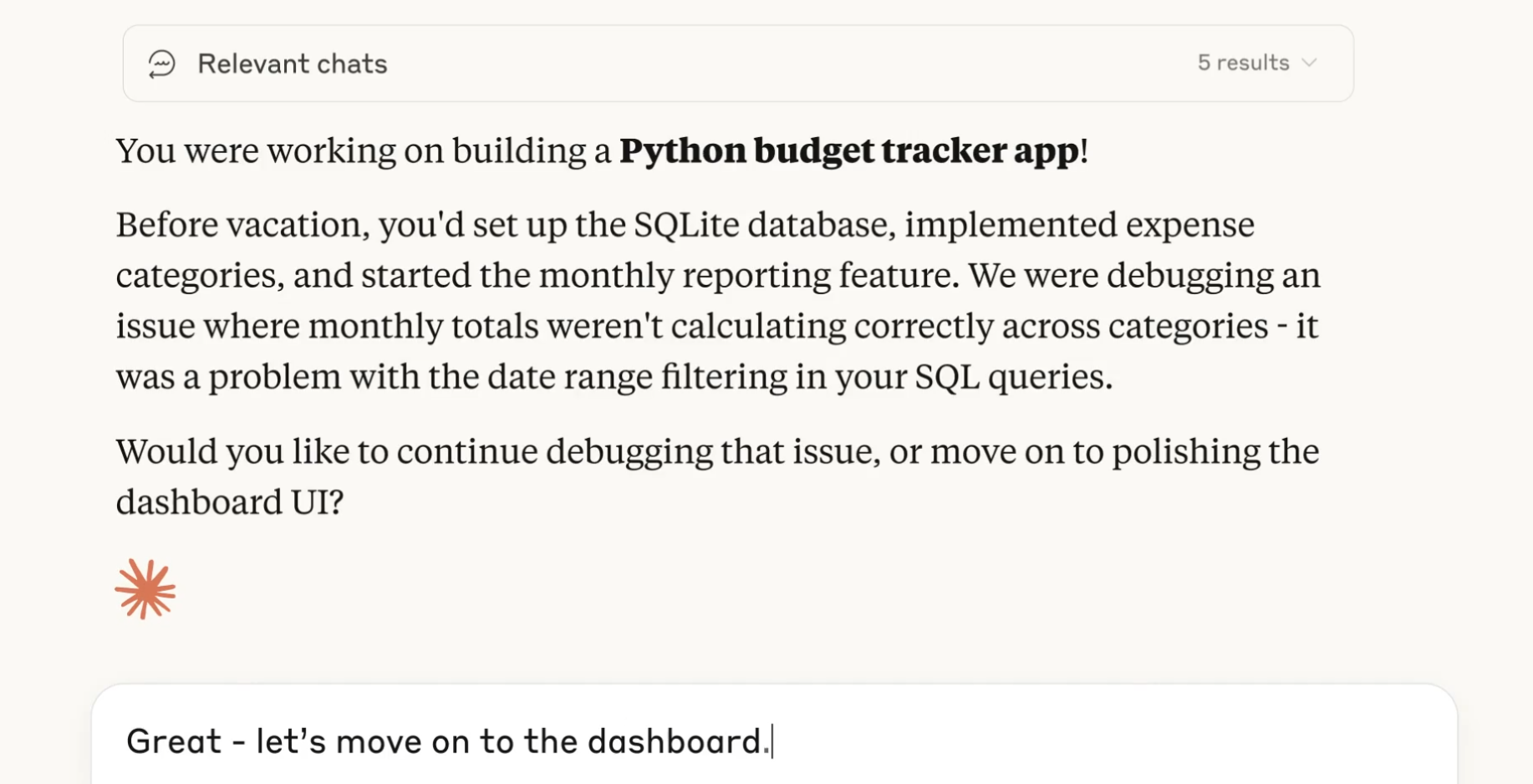
Where most chatbots forget everything between sessions, Claude Memory enables seamless context retrieval. For API engineers managing multiple endpoints or long-term integrations, this means less time spent recapping and more time shipping code.
Use case:
- A product manager brainstorms API features with Claude.
- After a break, they ask, “What were our last ideas for rate limiting?”
- Claude references chat history, summarizes the decisions, and provides next steps.
This workflow makes Claude feel less like a generic Q&A bot and more like a technical project collaborator.
Project-Scoped Memory: Keeping Technical Context Accurate
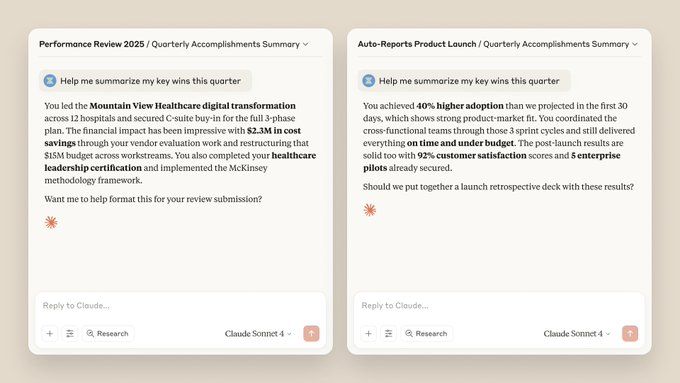
One standout feature for engineering teams: Claude Memory is project-scoped. This means Claude keeps memories tied to specific projects or workspaces, so there’s no risk of cross-contaminating API project details or exposing sensitive client data.
Example for API teams:
- You manage both an internal API refactor and a client integration.
- Ask Claude, “Summarize error handling changes,” within the internal project—Claude only references relevant discussions, not client-specific topics.
- This separation safeguards privacy and ensures precise context for each initiative.
For technical leads juggling multiple clients or internal projects, project-scoped memory prevents confusion and accidental leaks between conversations.
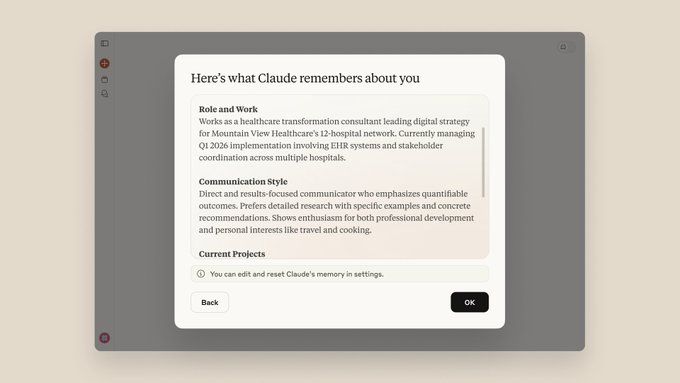
Full Control: Optional Memory and Granular Privacy Settings
Security and privacy are top priorities for API development teams. Claude Memory addresses these with transparent, user-controlled settings:
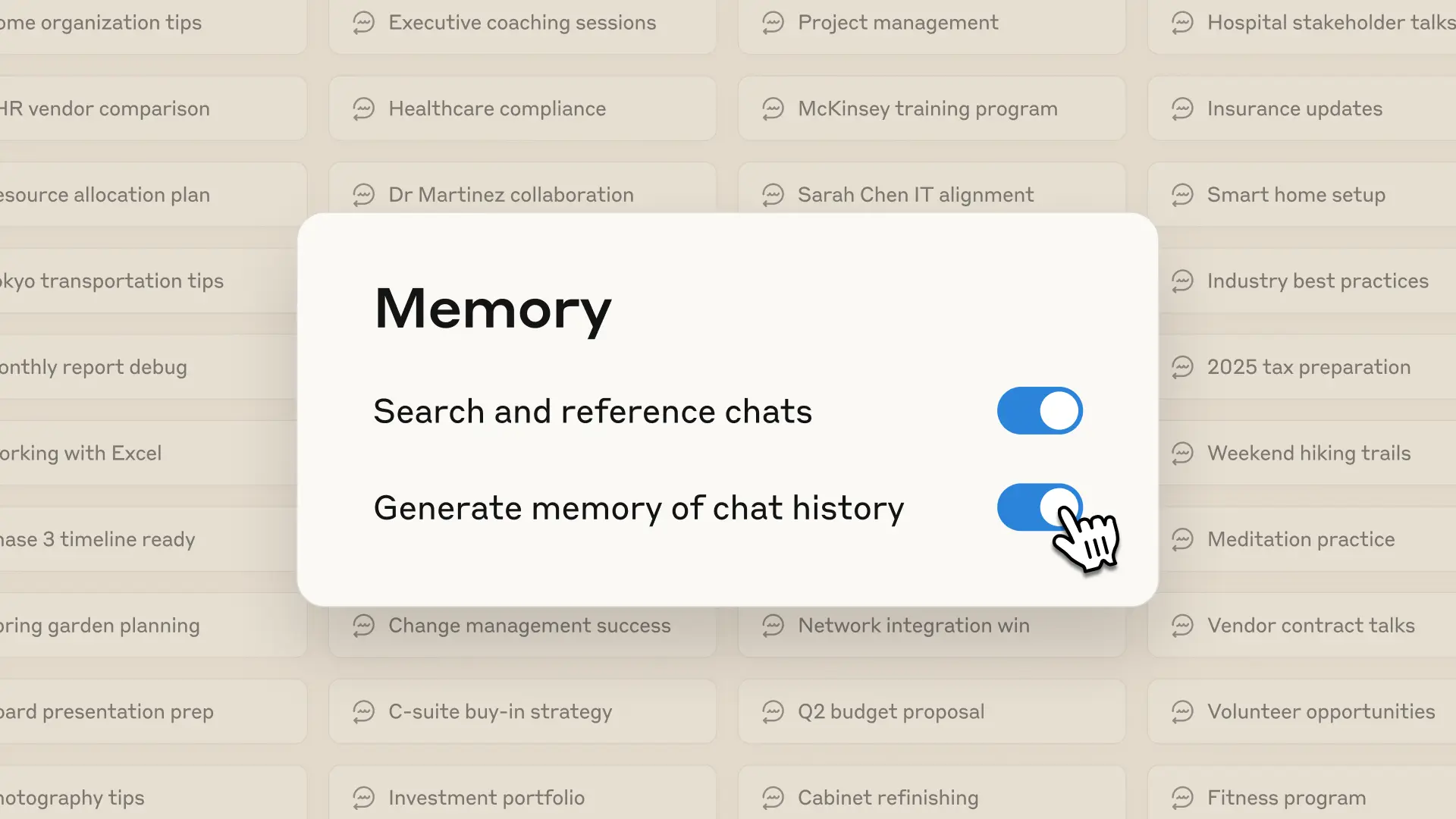
- Enable or disable memory in Claude’s settings (
claude.ai/settings/features) - View and edit the memory summary—see exactly what’s stored
- Prioritize or exclude certain types of information (e.g., “ignore casual chats,” “focus on deployment notes”)
- Memory is only accessed when you explicitly prompt Claude or based on current session context
- Visual indicators show when memory is being referenced
If you want Claude to “forget” everything, simply turn memory off—nothing is stored or recalled.
Incognito Chats: Start Fresh, No Context Stored
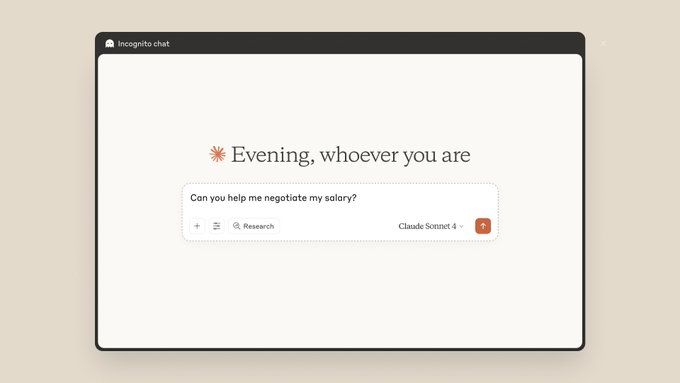
For confidential discussions or throwaway brainstorming, Claude offers Incognito chats. This feature is available on all plans—including free—and ensures nothing from the session is saved or referenced later.
When to use Incognito:
- Discussing sensitive API keys, credentials, or incident reports
- Experimenting with new ideas you don’t want tracked
- One-off troubleshooting sessions
Just select “Incognito” when starting a chat—Claude treats it as a blank slate.
Which Claude Plans Support Memory?
As of September 2025, Claude Memory is available for paid plans:
- Claude Max: For individual engineers, supports full memory features.
- Claude Team: Designed for collaborative workspaces, enables project-scoped memory—ideal for API teams.
- Claude Enterprise: Adds admin controls for memory management at the organization level.
Free users have access to basic conversations and Incognito mode, but not persistent memory. For teams handling multiple APIs and clients, upgrading to Team or Enterprise unlocks the full power of Claude Memory for technical collaboration.
Why Developers Should Use Claude Memory
Claude Memory transforms AI from a simple chatbot into a true engineering partner. By remembering technical context, staying organized by project, and offering clear privacy controls, it reduces friction for API teams, QA engineers, and technical leads.
Top benefits for developer teams:
- Reduce time spent repeating technical details
- Maintain project continuity across breaks
- Prevent context leaks between clients or products
- Retain full control over what’s remembered or forgotten
Combined with robust API management tools like Apidog—which helps teams generate API documentation, increase productivity, and replace Postman at lower cost—you can build a faster, smarter developer workflow.
Ready to try Claude Memory? Visit your Claude settings, enable memory, and experience seamless context retention for your next API project.