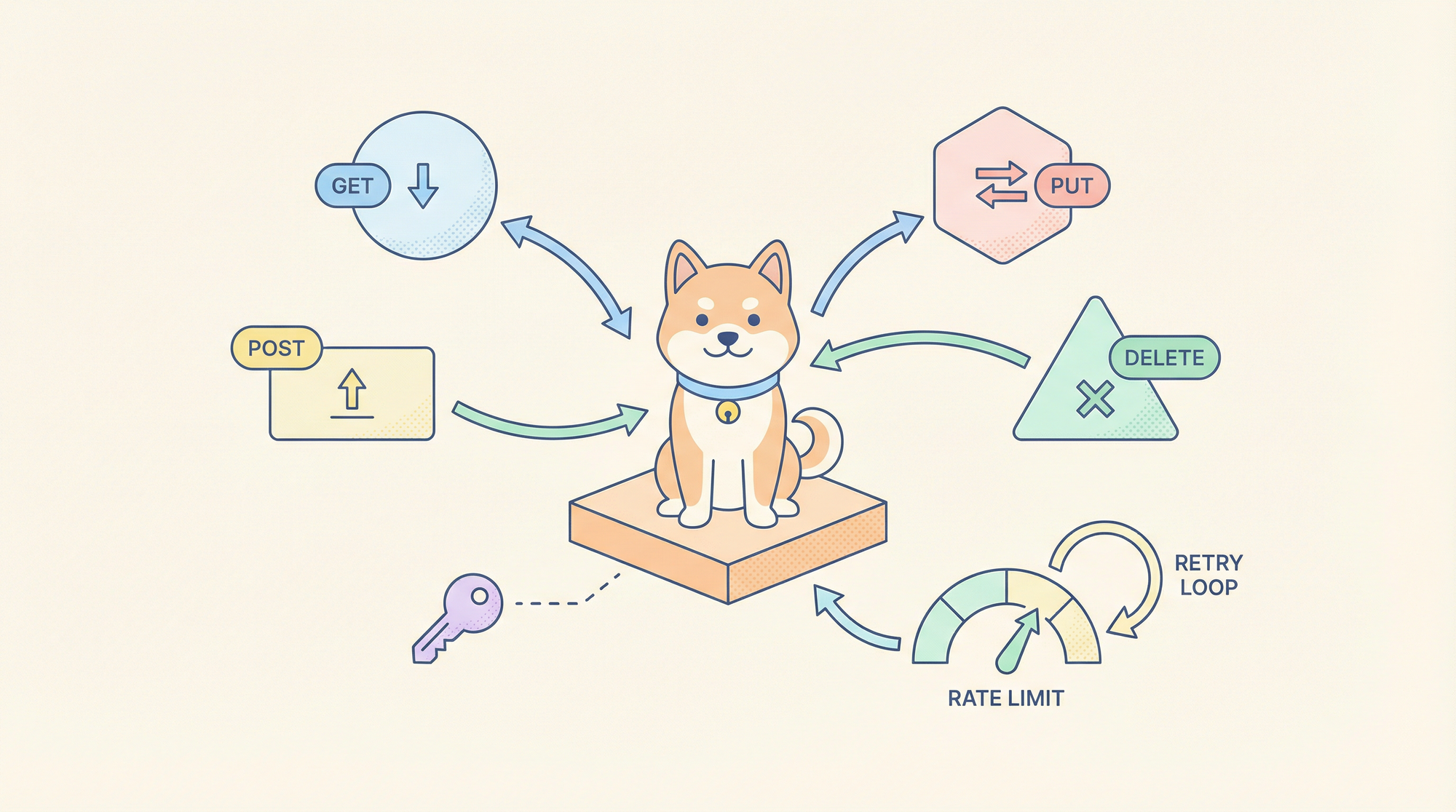
Manually crafting fetch calls, handling auth tokens, and parsing API responses for every new integration is the modern equivalent of writing assembly code for web apps. Claude Code Skills for data-fetching turn HTTP requests into declarative, reusable tools that understand authentication patterns, pagination, and response validation, eliminating boilerplate while enforcing consistency across your codebase.
Why API Networking Skills Matter for Development Workflows
Every developer spends hours on repetitive API plumbing: setting up headers for OAuth 2.0, implementing exponential backoff for rate-limited endpoints, and writing type guards for unpredictable JSON responses. These tasks are error-prone and tightly coupled to specific services, making them hard to test and maintain. Claude Code Skills abstract this complexity into versioned, testable tools that your AI assistant can invoke with natural language.
The shift is from imperative API calls to declarative data fetching. Instead of writing fetch(url, { headers: {...} }), you describe intent: “Fetch user data from the GitHub API using the token from ENV and return typed results.” The skill handles credential management, retry logic, and response parsing, returning strongly-typed data that your application can consume immediately.
Want an integrated, All-in-One platform for your Developer Team to work together with maximum productivity?
Apidog delivers all your demands, and replaces Postman at a much more affordable price!
Setting Up the data-fetching Skill in Claude Code
Step 1: Install Claude Code and Configure MCP
If you haven’t installed the Claude Code CLI:
npm install -g @anthropic-ai/claude-code
claude --version  # Should show >= 2.0.70
Create the MCP configuration directory and file:
# macOS/Linux
mkdir -p ~/.config/claude-code
touch ~/.config/claude-code/config.json

# Windows
mkdir %APPDATA%\claude-code
echo {} > %APPDATA%\claude-code\config.json

Step 2: Clone and Build the data-fetching Skill
The official data-fetching skill provides patterns for REST, GraphQL, and generic HTTP requests.
git clone https://github.com/anthropics/skills.git
cd skills/skills/data-fetching
npm install
npm run build
This compiles the TypeScript handlers to dist/index.js.
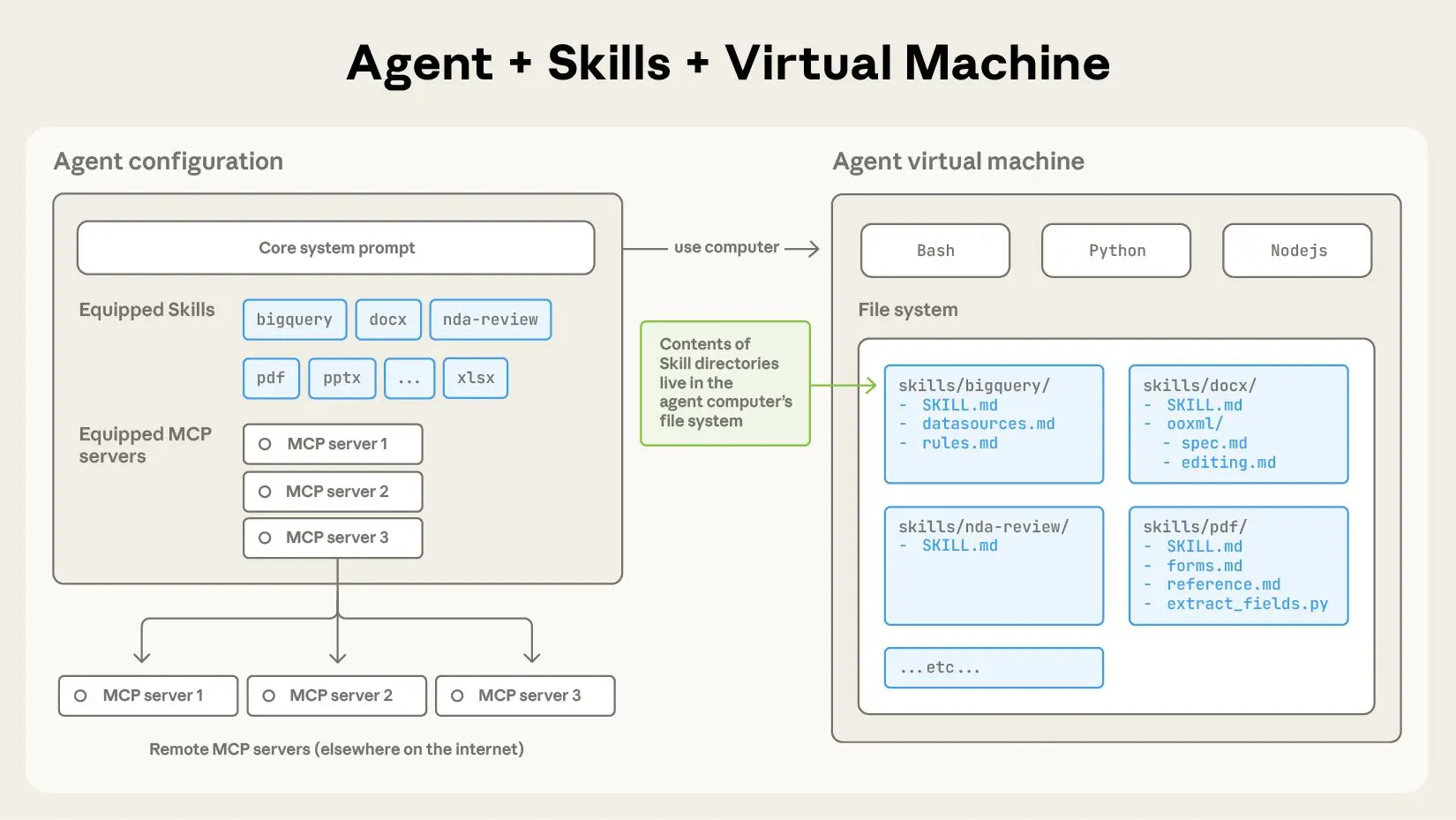
Step 3: Configure MCP to Load the Skill
Edit ~/.config/claude-code/config.json:
{
  "mcpServers": {
    "data-fetching": {
      "command": "node",
      "args": ["/absolute/path/to/skills/data-fetching/dist/index.js"],
      "env": {
        "DEFAULT_TIMEOUT": "30000",
        "MAX_RETRIES": "3",
        "RATE_LIMIT_PER_MINUTE": "60",
        "CREDENTIALS_STORE": "~/.claude-credentials.json"
      }
    }
  }
}
Critical:
- Use absolute paths for
args - Configure environment variables:
DEFAULT_TIMEOUT: Request timeout in millisecondsMAX_RETRIES: Number of retry attempts for 5xx errorsRATE_LIMIT_PER_MINUTE: Throttle thresholdCREDENTIALS_STORE: Path to encrypted credentials file
Step 4: Set Up Credentials Store
Create the credentials file to avoid hardcoding tokens:
# Create encrypted credentials store
mkdir -p ~/.claude
echo '{}' > ~/.claude/credentials.json
chmod 600 ~/.claude/credentials.json
Add your API tokens:
{
  "github": {
    "token": "ghp_your_github_token_here",
    "baseUrl": "https://api.github.com"
  },
  "slack": {
    "token": "xoxb-your-slack-token",
    "baseUrl": "https://slack.com/api"
  },
  "custom-api": {
    "token": "Bearer your-jwt-token",
    "baseUrl": "https://api.yourcompany.com",
    "headers": {
      "X-API-Version": "v2"
    }
  }
}
The skill reads this file at startup and injects credentials into requests.
Step 5: Verify Installation
claude
Once loaded, run:
/list-tools
You should see:
Available tools:
- data-fetching:rest-get
- data-fetching:rest-post
- data-fetching:rest-put
- data-fetching:rest-delete
- data-fetching:graphql-query
- data-fetching:graphql-mutation
- data-fetching:raw-http
Core API Request Patterns
1. RESTful GET Requests
Tool: data-fetching:rest-get
Use case: Fetch data from REST endpoints with authentication, pagination, and caching
Parameters:
service: Key matching credentials store (github, slack, custom-api)endpoint: API path (e.g.,/users,/repos/owner/name)params: Query parameters objectcache: TTL in seconds (optional)transform: JMESPath expression for response transformation
Example: Fetch GitHub user repositories
Use rest-get to fetch repositories for user "anthropics" from GitHub API, including pagination for 100 items per page, and return only name, description, and stargazers_count.
Generated execution:
// Handler executes:
const response = await fetch('https://api.github.com/users/anthropics/repos', {
  headers: {
    'Authorization': 'token ghp_your_github_token_here',
    'Accept': 'application/vnd.github.v3+json'
  },
  params: {
    per_page: 100,
    page: 1
  }
});

// Transform with JMESPath
const transformed = jmespath.search(response, '[*].{name: name, description: description, stars: stargazers_count}');
return transformed;
Claude Code usage:
claude --skill data-fetching \
  --tool rest-get \
  --params '{"service": "github", "endpoint": "/users/anthropics/repos", "params": {"per_page": 100}, "transform": "[*].{name: name, description: description, stars: stargazers_count}"}'
2. POST/PUT/DELETE Requests
Tool: data-fetching:rest-post / rest-put / rest-delete
Use case: Create, update, or delete resources
Parameters:
service: Credentials store keyendpoint: API pathbody: Request payload (object or JSON string)headers: Additional headersidempotencyKey: For retry safety
Example: Create a GitHub issue
Use rest-post to create an issue in the anthorpics/claude repository with title "Feature Request: MCP Tool Caching", body containing the description, and labels ["enhancement", "mcp"].
Execution:
await fetch('https://api.github.com/repos/anthropics/claude/issues', {
  method: 'POST',
  headers: {
    'Authorization': 'token ghp_...',
    'Content-Type': 'application/json'
  },
  body: JSON.stringify({
    title: "Feature Request: MCP Tool Caching",
    body: "Description of the feature...",
    labels: ["enhancement", "mcp"]
  })
});
3. GraphQL Queries
Tool: data-fetching:graphql-query
Use case: Complex data fetching with nested relationships
Parameters:
service: Credentials store keyquery: GraphQL query stringvariables: Query variables objectoperationName: Named operation
Example: Fetch repository issues with comments
Use graphql-query to fetch the 10 most recent open issues from the anthorpics/skills repository, including title, author, comment count, and labels.
query RecentIssues($owner: String!, $repo: String!, $limit: Int!) {
  repository(owner: $owner, name: $repo) {
    issues(first: $limit, states: [OPEN], orderBy: {field: CREATED_AT, direction: DESC}) {
      nodes {
        title
        author { login }
        comments { totalCount }
        labels(first: 5) { nodes { name } }
      }
    }
  }
}
Parameters:
{
  "service": "github",
  "query": "query RecentIssues($owner: String!, $repo: String!, $limit: Int!) { ... }",
  "variables": {
    "owner": "anthropics",
    "repo": "skills",
    "limit": 10
  }
}
4. Raw HTTP Requests
Tool: data-fetching:raw-http
Use case: Edge cases not covered by REST/GraphQL tools
Parameters:
url: Full URLmethod: HTTP methodheaders: Header objectbody: Request bodytimeout: Override default timeout
Example: Webhook delivery with custom headers
Use raw-http to POST to https://hooks.slack.com/services/YOUR/WEBHOOK/URL with a JSON payload containing {text: "Deployment complete"}, and custom header X-Event: deployment-success.
Advanced Networking Scenarios
Pagination Handling
The skill automatically detects pagination patterns:
// GitHub Link header parsing
const linkHeader = response.headers.get('Link');
if (linkHeader) {
  const nextUrl = parseLinkHeader(linkHeader).next;
  if (nextUrl && currentPage < maxPages) {
    return {
      data: currentData,
      nextPage: currentPage + 1,
      hasMore: true
    };
  }
}
Request all pages:
Use rest-get to fetch all repositories for user "anthropics", handling pagination automatically until no more pages exist.
The skill returns a flat array of all results.
Rate Limiting and Retry Logic
Configure retry behavior per request:
{
  "service": "github",
  "endpoint": "/rate_limit",
  "maxRetries": 5,
  "retryDelay": "exponential",
  "retryOn": [429, 500, 502, 503, 504]
}
The skill implements exponential backoff with jitter:
const delay = Math.min(
  (2 ** attempt) * 1000 + Math.random() * 1000,
  30000
);
await new Promise(resolve => setTimeout(resolve, delay));
Concurrent Request Management
Batch multiple API calls efficiently:
Use rest-get to fetch details for repositories: ["claude", "skills", "anthropic-sdk"], executing requests concurrently with a maximum of 3 parallel connections.
The skill uses p-limit to throttle concurrency:
import pLimit from 'p-limit';
const limit = pLimit(3); // Max 3 concurrent

const results = await Promise.all(
  repos.map(repo =>
    limit(() => fetchRepoDetails(repo))
  )
);
Request Interception and Mocking
For testing, intercept requests without hitting real APIs:
// In skill configuration
"env": {
  "MOCK_MODE": "true",
  "MOCK_FIXTURES_DIR": "./test/fixtures"
}
Now requests return mocked data from JSON files:
// test/fixtures/github/repos/anthropics.json
[
  {"name": "claude", "description": "AI assistant", "stars": 5000}
]
Practical Application: Building a GitHub Dashboard
Step 1: Fetch Repository Data
Use rest-get to fetch all repositories from GitHub for organization "anthropics", including full description, star count, fork count, and open issues count. Cache results for 5 minutes.
Step 2: Enrich with Contributor Data
For each repository, fetch top contributors:
Use rest-get to fetch contributor statistics for repository "anthropics/claude", limit to top 10 contributors, and extract login and contributions count.
Step 3: Generate Summary Statistics
Combine data in Claude Code:
const repos = await fetchAllRepos('anthropics');
const enrichedRepos = await Promise.all(
  repos.map(async (repo) => {
    const contributors = await fetchTopContributors('anthropics', repo.name);
    return { ...repo, topContributors: contributors };
  })
);

return {
  totalStars: enrichedRepos.reduce((sum, r) => sum + r.stars, 0),
  totalForks: enrichedRepos.reduce((sum, r) => sum + r.forks, 0),
  repositories: enrichedRepos
};
Step 4: Publish Dashboard
Use rest-post to create a GitHub Pages site with the dashboard data using the GitHub API to commit to the gh-pages branch.
Error Handling and Resilience
The skill categorizes errors for proper handling:
// 4xx errors: Client errors
if (response.status >= 400 && response.status < 500) {
  throw new SkillError('client_error', `Invalid request: ${response.status}`, {
    statusCode: response.status,
    details: await response.text()
  });
}

// 5xx errors: Server errors (retry eligible)
if (response.status >= 500) {
  throw new SkillError('server_error', `Server error: ${response.status}`, {
    retryable: true,
    statusCode: response.status
  });
}

// Network errors: Connection failures
if (error.code === 'ECONNREFUSED' || error.code === 'ETIMEDOUT') {
  throw new SkillError('network_error', 'Network unreachable', {
    retryable: true,
    originalError: error.message
  });
}
Claude Code receives structured errors and can decide to retry, abort, or request user intervention.
Conclusion
Claude Code Skills for API networking transform ad-hoc HTTP requests into reliable, type-safe, and observable data-fetching tools. By centralizing credential management, implementing smart retries, and providing structured error handling, you eliminate the most common sources of API integration bugs. Start with the four core tools—rest-get, rest-post, graphql-query, and raw-http—then extend them for your specific use cases. The investment in skill configuration pays immediate dividends in code consistency and development velocity.
When your data-fetching skills interact with internal APIs, validate those endpoints with Apidog to ensure your AI-driven integrations consume reliable contracts.