API development and integration are central to modern software, but testing real APIs in live environments can be risky, expensive, and error-prone. The solution? An API sandbox—a dedicated, controlled environment that lets developers and testers interact with APIs safely, efficiently, and without affecting production data. In this guide, you'll discover what an API sandbox is, why it matters, how it works, and how to implement it for robust API workflows.
What is an API Sandbox?
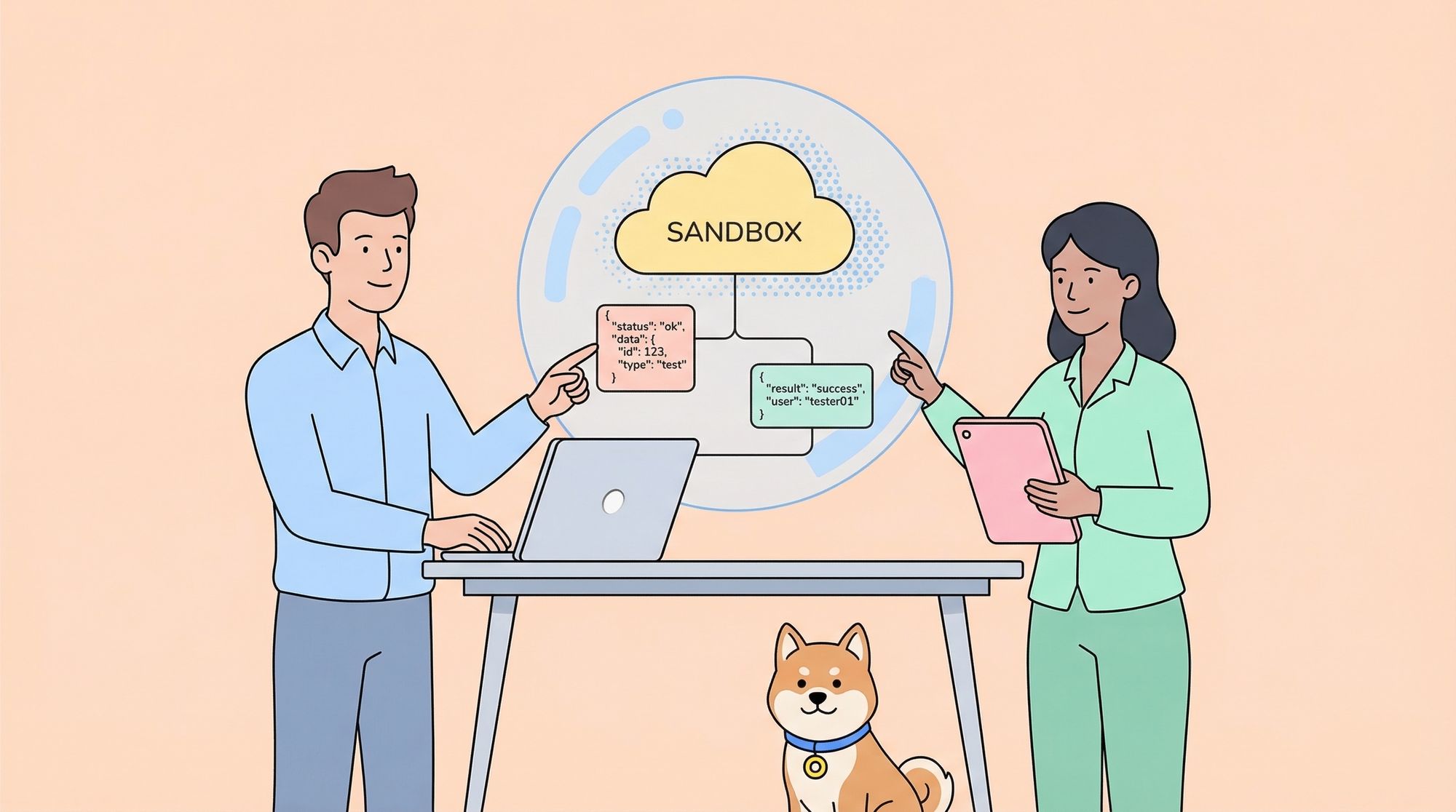
An API sandbox is a virtual, isolated testing environment that simulates the behavior of a real API. It allows developers, testers, and integrators to make API requests and receive realistic responses—without interacting with live production systems or impacting actual data.
Think of the API sandbox as a secure playground for experimentation. Whether an API is still under development, subject to limited access, or costly to call in real-time, the sandbox provides a safe space to:
- Test API requests and responses
- Validate integration workflows
- Simulate error conditions and edge cases
- Develop and debug client applications
Unlike production environments, the API sandbox is designed for experimentation. It prevents unintended side effects, data corruption, or security risks, and accelerates API adoption by enabling concurrent development and testing.
Why Does an API Sandbox Matter?
With APIs acting as the backbone of digital products, errors or failures can have serious business consequences. Here’s why adopting an API sandbox is essential:
- Risk Reduction: Isolates testing from production, eliminating the risk of data loss, corruption, or downtime.
- Accelerated Development: Enables teams to build and test applications before the real API is ready or available.
- Cost Efficiency: Avoids incurring fees from third-party API usage or overage during testing.
- Comprehensive Testing: Makes it easy to simulate edge cases, error responses, and rare conditions that may be hard to reproduce in production.
- Parallel Workflows: Allows back-end and front-end teams to work simultaneously, decoupling dependencies.
Pro Tip: Apidog is a leading API development platform that supports API sandboxing through visual tools, mock data generation, and integrated testing, making it easier for teams to leverage the power of API sandboxes in their workflow.
Key Features and Components of an API Sandbox
To serve its purpose, an API sandbox typically includes several core features:
1. Isolation from Production
All operations in the sandbox are completely separated from live systems and data. This guarantees that no test request can impact real-world users or business processes.
2. Mocked API Endpoints
The API sandbox provides endpoints that mimic the structure and behavior of the real API. These endpoints return predefined—or dynamically generated—responses based on the request parameters.
3. Configurable Data and Scenarios
Developers can set up the sandbox to handle various test scenarios, including:
- Successful responses
- Error codes (e.g., 400, 401, 404, 500)
- Delays and timeouts
- Rate limiting and throttling
- Edge cases and invalid requests
4. Authentication and Security
While the sandbox is not production, it often replicates the authentication mechanisms (API keys, OAuth tokens, etc.) of the real API, allowing developers to test authorization flows.
5. Monitoring and Logging
Detailed logs of requests and responses help teams debug issues and optimize integration before going live.
6. Realistic Data Modeling
The sandbox may use sample or synthetic data that closely matches the production data format, supporting realistic testing without privacy or compliance risks.
How Does an API Sandbox Work?
An API sandbox functions by intercepting and responding to API requests in a controlled environment. Here’s a simplified flow:
1. The developer or tester configures their application to point to the sandbox API base URL (e.g., https://sandbox.apiexample.com/v1/).
2. The application sends requests as it would to the production API, using test credentials.
3. The sandbox receives the request, processes it according to predefined rules and scenarios, and returns a mock response.
4. The client application processes the response, enabling the team to validate logic, handle errors, and refine workflows.
Example:
POST https://sandbox.api-bank.com/v1/transfer
Content-Type: application/json
Authorization: Bearer test_token{
  "from_account": "123456",
  "to_account": "654321",
  "amount": 100.00
}
Sandbox Response:
{
  "transaction_id": "test_txn_001",
  "status": "success",
  "message": "Funds transferred successfully in sandbox environment"
}
If you want to simulate an error, you could trigger it with a specific input:
{
  "transaction_id": null,
  "status": "error",
  "message": "Insufficient funds"
}
Platforms like Apidog allow you to easily configure such mock endpoints and custom responses for fast, flexible API sandboxing.
Benefits of Using an API Sandbox
1. Safer Experimentation
Developers can try out new features or integration ideas without the fear of breaking anything or exposing sensitive data.
2. Faster Development and Testing
Teams don’t need to wait for API readiness—front-end, back-end, and QA can all work in parallel, reducing time-to-market.
3. Lower Costs
Most API sandboxes are free to use or come at a lower cost than production endpoints, and they prevent accidental usage charges.
4. Enhanced API Quality
By testing a wide range of scenarios (including edge cases and errors), teams build more reliable and robust API integrations.
5. Simplified Onboarding
API sandboxes make it easy for new developers to learn and test the API without risk, accelerating adoption.
API Sandbox vs. API Virtualization vs. Mock APIs
While these terms are sometimes used interchangeably, they have subtle differences:
- API Sandbox: A dedicated environment for safe, isolated API testing. May use mocked or virtualized endpoints.
- API Virtualization: Emulates the behavior of an API by simulating its endpoints and responses, especially useful when the real API is not yet available.
- Mock APIs: Standalone endpoints that return fixed or dynamic responses, often used within API sandboxes.
In practice, a robust API sandbox often leverages both virtualization and mocking to provide a complete simulation of the production API.
Implementing an API Sandbox: Best Practices
1. Use Realistic Data and Scenarios
Design your sandbox to return responses that mirror real-world usage as closely as possible, including error conditions and edge cases.
2. Automate Testing
Integrate your API sandbox into automated test suites for regression, integration, and performance testing.
3. Maintain Clear Documentation
Provide comprehensive, up-to-date API docs for your sandbox, including endpoint URLs, authentication requirements, sample requests, and possible responses.
Apidog automatically generates online API documentation for your sandbox endpoints, keeping your team aligned and reducing errors.
4. Secure Your Sandbox
While sandbox environments are not production, they still need appropriate security measures to prevent abuse or data leaks.
5. Clean Up Test Data
Regularly reset or anonymize sandbox data to avoid confusion or privacy risks.
Practical Examples of API Sandbox Usage
Example 1: Payment Gateway Integration
A fintech startup wants to integrate with a payment processor. The payment processor provides an API sandbox to:
- Test payment initiation, refund, and chargeback flows
- Simulate declined cards, expired tokens, or fraud alerts
- Validate webhook handling and reconciliation
This enables the startup to launch faster and with greater confidence.
Example 2: E-commerce Platform
An e-commerce SaaS offers an API sandbox for third-party developers to:
- Build and test shopping cart, order, and inventory integrations
- Simulate sales, stock-outs, shipping events, and returns
- Ensure apps handle all expected and unexpected API responses
Example 3: Healthcare Data Exchange
A healthcare app needs to interface with a patient data API. The API provider offers a sandbox to:
- Test authentication and authorization scenarios
- Simulate various patient records, lab results, and error conditions
- Validate compliance with privacy regulations using synthetic data
Example 4: Using Apidog for API Sandbox Creation
Suppose your team is developing a new public API. With Apidog, you can:
- Design API endpoints visually
- Enable mock data responses for each endpoint
- Share the sandbox environment with front-end teams and partners
- Automatically document the sandbox API
- Iterate rapidly without touching production systems
This streamlined approach speeds up development and minimizes integration pain, making Apidog an ideal companion for modern API sandboxing.
How to Get Started with an API Sandbox
1. Identify or create your API sandbox environment: Many API providers supply a dedicated sandbox URL; if not, use tools like Apidog to build your own.
2. Obtain sandbox credentials: Sign up or request test API keys, tokens, or accounts.
3. Configure your application: Point API requests to the sandbox endpoints instead of production.
4. Run test cases: Execute both positive and negative scenarios, including edge cases.
5. Review logs and responses: Debug and refine your integration until it’s production-ready.
Common Challenges and Solutions
Challenge: Sandbox and Production Drift
APIs evolve, and sometimes the sandbox lags behind production. To avoid surprises:
- Use automated sync tools to keep sandbox specs up to date.
- Regularly review and update mock data and scenarios.
Challenge: Limited Test Scenarios
If the sandbox only returns static responses, it may not fully reflect production behavior. Solution:
- Implement dynamic mocks or API virtualization for more flexible testing.
- Use platforms like Apidog to define custom responses based on request parameters.
Challenge: Security and Abuse
Even sandboxes can be targets for misuse. Protect them by:
- Throttling requests
- Using authentication and rate limits
- Monitoring logs for unusual activity
Conclusion: Maximizing Success with API Sandbox
The API sandbox is a powerful ally for every API-driven team. It provides a safe, cost-effective, and flexible environment for development, testing, and integration—reducing risk, speeding up workflows, and boosting quality.
By leveraging best practices and using robust tools like Apidog, your organization can streamline API development and deliver reliable, production-ready integrations. Make the API sandbox a core part of your API lifecycle, and enjoy faster launches, safer innovation, and happier teams.