Most AI systems today are single agents. One model, one prompt loop, one set of tools. That works until the job is too big for one agent, or until you need an agent built by another team to handle a step your agent can’t. Then you hit a wall: there is no standard way for two independent agents to find each other, exchange work, and report results. Agent2Agent (A2A) is the protocol built to remove that wall.
This guide explains what A2A is, the problem it solves, how it works under the hood, and how it differs from MCP. If you want to test an A2A agent after reading this, the Apidog A2A Debugger guide picks up where this post ends.
What is Agent2Agent (A2A)?
Agent2Agent (A2A) is an open protocol for communication between AI agents. It defines how one agent advertises its capabilities, how another agent connects to it, how the two exchange messages and files, and how task status flows back to the caller.
The key word is between. A2A is not about giving one agent more tools. It is about letting separate agents, often built on different frameworks by different teams, work together without either side knowing the other’s internals.
Think of it as HTTP for agent traffic. HTTP lets a browser talk to any web server without caring what language the server runs. A2A lets a LangGraph agent talk to a CrewAI agent without caring how that agent was built. Both sides agree on the envelope; neither side leaks its implementation.
Google introduced A2A in 2025 and later moved it to the Linux Foundation as a vendor-neutral project. The spec lives in the open on the A2A GitHub repository, and reference implementations are published at the A2A project site.
The problem A2A solves
Before A2A, connecting two agents meant writing glue code. Every pairing was custom. If your agent needed to call a partner team’s research agent, someone wrote a bespoke client, picked a payload shape, invented an auth scheme, and maintained all of it by hand. The next pairing started from zero again.
That approach breaks down fast:
- No discovery. There was no standard way for an agent to ask “what can you do?” before sending work.
- No shared task model. One agent returned a plain string, another returned a custom JSON blob, a third streamed tokens. The caller had to special-case each one.
- No common auth. Every integration reinvented credentials and headers.
- No interoperability. An agent built on AutoGen could not drop in as a replacement for one built on LangGraph, even when they did the same job.
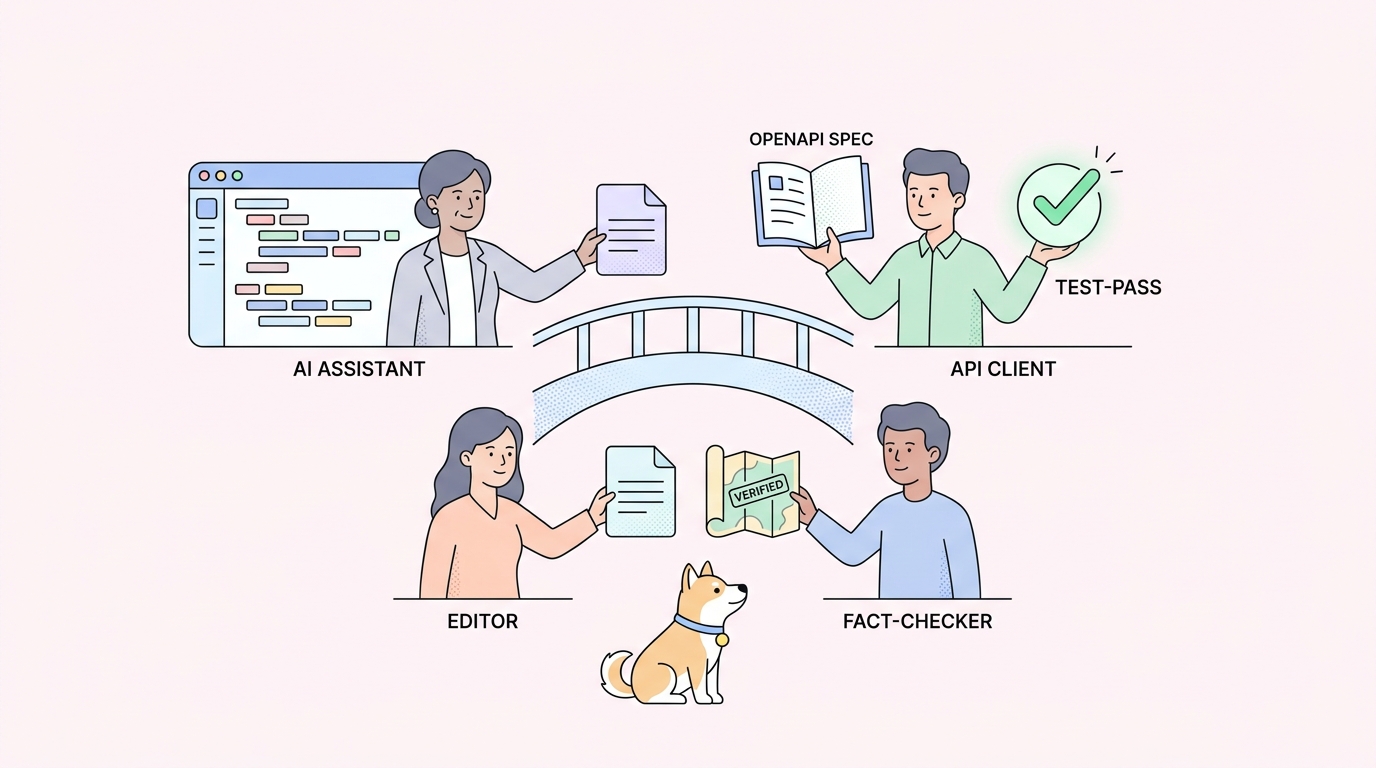
A2A fixes this the way OpenAPI fixed REST integrations: one agreed-upon contract, so any compliant agent can talk to any other compliant agent.
How A2A works
A2A has four core concepts. Once you know them, the whole protocol fits in your head.
The Agent Card
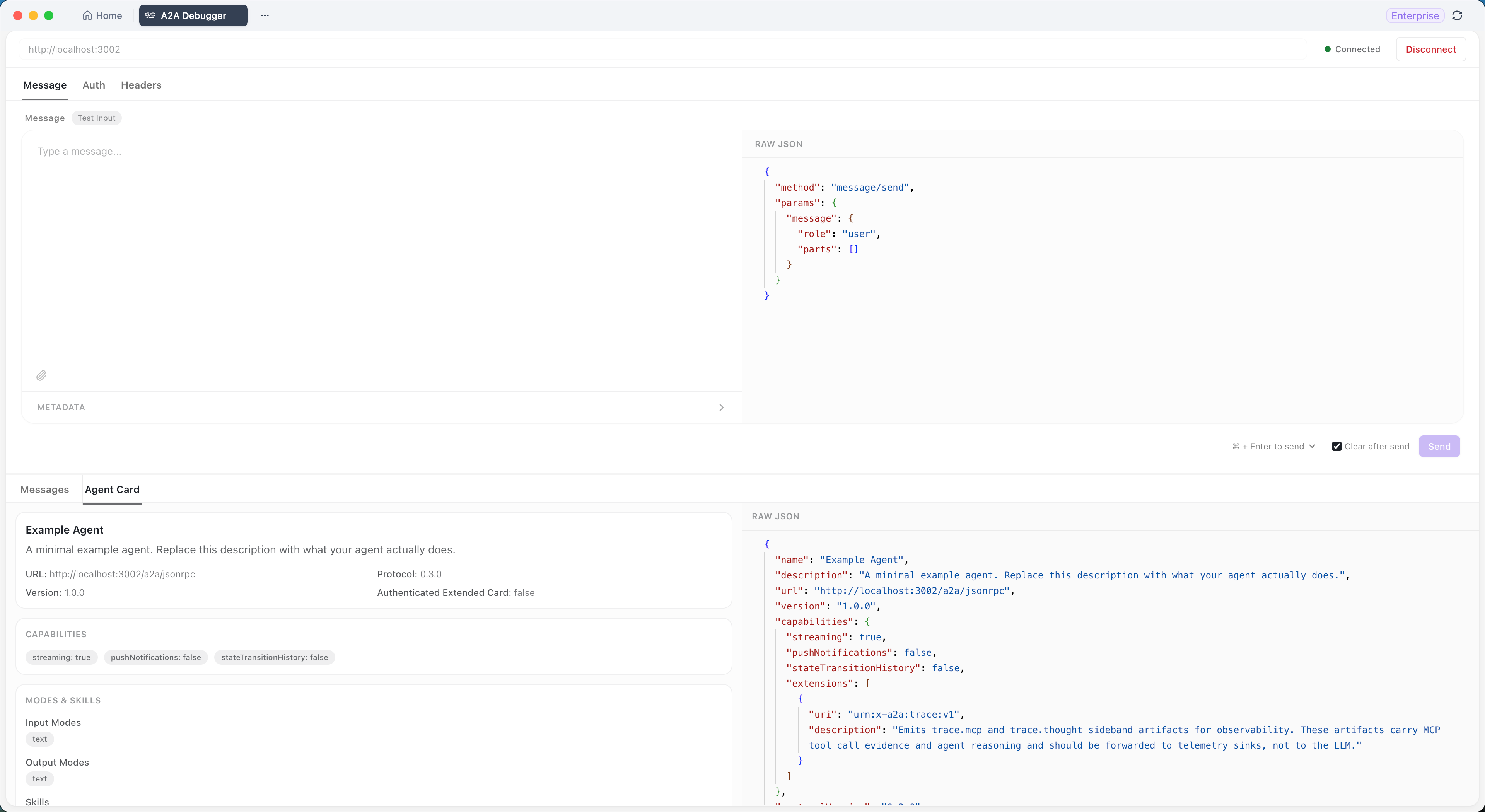
The Agent Card is a JSON document an agent publishes to describe itself. It is the discovery entrypoint. It lists the agent’s name, description, capabilities, declared skills, supported input and output types, authentication requirements, and protocol version.
By convention the card sits at a well-known path, often https://your-agent.example.com/.well-known/agent.json. A calling agent fetches that URL first, reads the card, and learns exactly what it can ask for before sending a single message.
Tasks
A task is the unit of work in A2A. When one agent asks another to do something, that request becomes a task with its own ID and a status that moves through states like submitted, working, input-required, and completed. The caller can poll the task or subscribe to updates. This shared task model is what makes A2A agents swappable; the caller handles status the same way regardless of who is doing the work.
Messages and artifacts
A message carries the actual content between agents. A message is made of parts: a text part, a file part, structured data, or a mix. The receiving agent reads the parts its skill needs.
When the agent finishes, it returns artifacts; the structured outputs of the task. An artifact might be a generated document, a data table, a summary, or a file reference. Artifacts are also built from parts, so the format stays consistent in both directions.
Streaming and updates
Long-running tasks do not have to block. A2A supports server-sent events, so an agent can stream partial results and status changes as the work progresses. A research agent can emit “found 3 sources” before it emits the final report. The caller renders progress instead of staring at a spinner.
Put together, a typical A2A exchange looks like this:
- Agent A fetches Agent B’s Agent Card and reads its skills.
- Agent A sends a message that creates a task.
- Agent B works the task and streams status updates.
- Agent B returns artifacts when the task reaches
completed. - Agent A consumes the artifacts and moves on.
The whole conversation is JSON over HTTP. Nothing exotic.
A2A vs MCP
A2A and the Model Context Protocol (MCP) get confused constantly because both involve agents and both are open protocols. They solve different problems.
| A2A | MCP | |
|---|---|---|
| Connects | Agent to agent | Agent to tools and data |
| Question it answers | “Can another agent do this step for me?” | “What tools and resources can this one agent reach?” |
| Typical use | Multi-agent workflows across teams | A single agent calling a database, file system, or API |
| Unit of exchange | Tasks, messages, artifacts | Tool calls, resources, prompts |
MCP is how an agent reaches into external systems. A2A is how an agent reaches out to another agent. A real production system often uses both: an agent uses MCP to query a database and A2A to hand a sub-task to a specialist agent. The MCP server vs A2A breakdown covers the decision in depth, and Apidog’s MCP client debugger shows the MCP side in practice.
Multi-agent collaboration in the wild
A2A is one way to make agents collaborate, but not the only one. Some systems use direct orchestration instead, where one agent plans the work and explicitly delegates to another.
A clear open-source example is Codex-Claude-Collab, a skill that coordinates a real-time workflow between OpenAI Codex and Claude Code. Codex plans the task, delegates implementation to Claude Code, then reviews the diff and verifies the result before answering the user. It is a tight planner-and-builder loop between two different coding agents.
That pattern is hard-wired orchestration; one side knows exactly who the other is. A2A generalizes the same idea: instead of Codex knowing it is calling Claude Code specifically, an A2A caller reads an Agent Card and works with whatever compliant agent answers. Orchestration is great when you control both ends. A2A is what you want when the agents are independent, owned by different teams, or need to be swappable. Most mature systems end up with both: orchestration inside a team, A2A across team boundaries.
How to test an A2A agent
Once you build or consume an A2A agent, you need to see the traffic. Console logs hide the structured fields, and bespoke test scripts rot. This is where a visual A2A debugger earns its place.
Apidog ships an A2A Debugger in its standard client. You paste an Agent Card URL, click Connect, and Apidog reads the card and shows the agent’s name, capabilities, and skills. You send a test message, attach files, add metadata, and read the reply in three views: a readable preview, the raw content, and the full JSON-RPC payload. It handles Bearer Token, Basic Auth, and API-key headers without curl.
The point is isolation. When an agent misbehaves, you want to know whether the transport is wrong or the agent’s logic is wrong. Seeing the exact wire payload answers that in seconds. The Apidog A2A Debugger guide walks through a full connect-send-read loop, and the broader principle of testing AI agents that call your APIs applies the same confirm-the-wire-first discipline.
Getting started with A2A
If you want to build or connect an A2A agent, a short path:
- Read the A2A specification so you know the required Agent Card fields and the task lifecycle.
- Run one of the reference sample agents locally. Most start in a few minutes and expose a working Agent Card.
- Point an A2A debugger at the sample’s Agent Card URL and send a “hello” message. Confirm you can see the round trip.
- Build your own agent, expose a valid Agent Card, and test it the same way before wiring it into a workflow.
- Layer in auth, file attachments, and streaming once the plain-text path works.
A2A is young, but it is backed by a vendor-neutral foundation and a growing list of framework integrations. Treating agent traffic as a first-class protocol now saves you the custom-glue rewrite later. The AI agents are the new API consumers post makes the longer case, and designing APIs for AI agents covers what changes when your consumer is an agent rather than a human.
Common questions
Is A2A made by Google?
Google introduced A2A in 2025, then donated it to the Linux Foundation as a vendor-neutral open project. The spec is developed in the open, and any vendor can implement it.
Do I need A2A if I only have one agent?
No. A2A solves agent-to-agent communication. A single agent with a set of tools needs MCP, not A2A. You reach for A2A once a second agent enters the picture.
What frameworks support A2A?
A2A is framework-agnostic by design. Any agent that publishes a valid Agent Card and speaks the protocol can participate, so LangGraph, CrewAI, AutoGen, and custom agents all work. The agent’s internal framework is invisible to callers.
Is A2A the same as MCP?
No. MCP connects one agent to tools and data sources. A2A connects agents to each other. They are complementary, and many systems run both at once.
How do I debug an A2A integration?
Use a visual A2A debugger such as the Apidog A2A Debugger. Paste the Agent Card URL, send test messages, and inspect the raw request and response so you can tell transport bugs apart from agent logic bugs.
Does A2A support long-running tasks?
Yes. The task model has explicit status states, and the protocol supports server-sent events for streaming partial results and progress updates, so long jobs do not block the caller.