TL;DR / Quick Answer
The Trigger.dev API helps you trigger, monitor, replay, and cancel background job runs without building your own queueing and orchestration layer from scratch. If you pair Trigger.dev with Apidog, you can document your run workflows, test payloads, inspect run states, and share a repeatable internal reference for your backend and QA teams.
Introduction
Background jobs look simple until they start failing in production. You queue a task, wait for the result, add retries, add observability, add delayed execution, and suddenly you are maintaining an entire job system instead of shipping the feature you cared about in the first place.
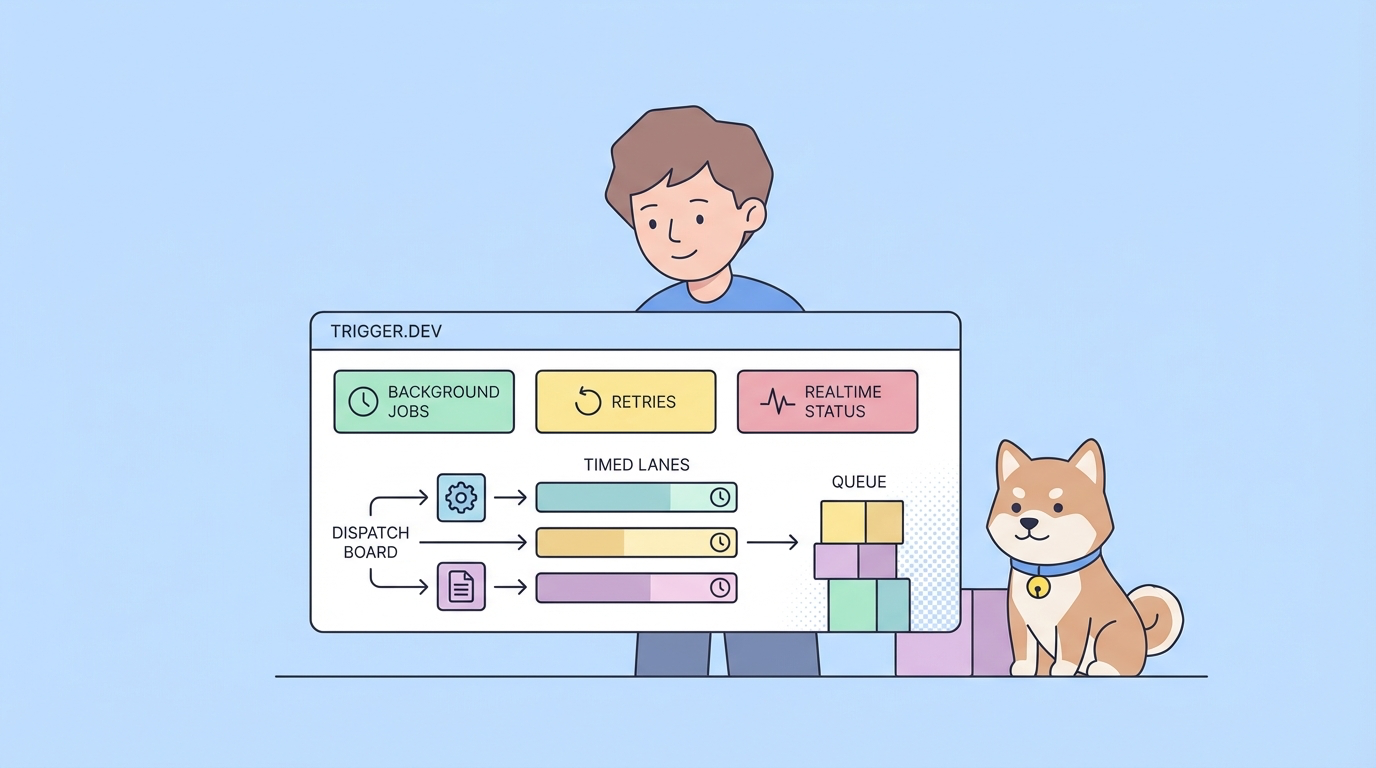
That is why Trigger.dev has become interesting for modern teams. Trigger.dev is an open-source background jobs framework for writing long-running workflows in plain async code, with retries, scheduling, observability, and realtime run updates built in. Based on the official Trigger.dev docs reviewed on March 26, 2026, the platform gives you a task-centric SDK, a Runs API, batching support, delayed execution, replay, cancelation, and realtime subscriptions for run state changes.
What the Trigger.dev API Solves
Trigger.dev is built for teams that need reliable background execution without stitching together a queue, a worker fleet, custom retry logic, and a monitoring layer by hand. Instead of managing multiple moving parts separately, you define tasks in code and let Trigger.dev handle execution, retries, waiting states, delayed runs, and observability.

From the official docs, the core value is straightforward:
- Write tasks in your existing codebase
- Trigger them programmatically with typed payloads
- Monitor each run and attempt over time
- Replay or cancel runs when needed
- Subscribe to realtime run updates
- Run on Trigger.dev Cloud or self-host
That matters because background work is rarely just "run this function later." In practice, teams need:
- Reliable retries for transient failures
- Status visibility during long-running work
- Idempotency to avoid duplicate execution
- Delays and TTLs for time-sensitive jobs
- A safe way to document and test operational workflows
Here is the real-world architecture challenge:
User action -> Trigger task -> Queue and execution -> Run status changes -> Result handling -> Retry or replayIf every piece of that chain lives in a different place, debugging becomes slow. One team member checks logs, another checks the dashboard, another replays jobs manually, and nobody shares the same request examples or status vocabulary. Apidog helps close that gap by giving your team one place to document the inputs, expected run states, and supporting API calls around your Trigger.dev workflows.
How the Trigger.dev API Works
Trigger.dev is centered on tasks and runs.
Tasks
A task is the unit of background work you define in your application. You write the logic in code, then Trigger.dev handles execution, retries, and orchestration around it.
This is an important distinction from a traditional "remote job API" product. Trigger.dev is not just a plain REST endpoint where you post arbitrary jobs to a black box. It is a framework plus platform. Your application defines tasks, and Trigger.dev gives you an API and SDK to trigger and monitor them reliably.
Runs
According to the official docs, a run is created whenever you trigger a task. A run represents one instance of that task executing with a specific payload. Each run has:
- A unique run ID
- A current status
- The input payload
- Associated metadata
That run-centric model is the part you need to understand first, because most operational workflows in Trigger.dev revolve around runs rather than around generic HTTP requests.
Attempts
A run can contain one or more attempts. If the task succeeds on the first try, the run has a single attempt. If it fails and retries, Trigger.dev creates additional attempts until the task succeeds or reaches the retry limit.
That means "run failed" and "attempt failed" are not the same thing. This is one of the easiest places for teams to get confused when they first build around job systems. The run is the bigger lifecycle object. The attempt is one execution inside it.
Lifecycle states
Trigger.dev documents several run-state helpers, including queued, executing, waiting, completed, canceled, and failed states. It also distinguishes waiting states from active execution states, which matters when you think about concurrency and system load.
For teams building dashboards or alerts, this state model is useful because it gives you a shared vocabulary:
QUEUEDor delayed work has been accepted but is not running yetEXECUTINGor dequeued work is actively consuming execution timeWAITINGmeans the run is paused without actively executing- completed states mean the run has finished with success or a terminal outcome
That is exactly the kind of lifecycle detail worth documenting in Apidog for internal consumers, especially if support or QA teams need to reason about job progress.
Send and Monitor Your First Trigger.dev Run
The official docs show Trigger.dev usage through the SDK. That is the right starting point because it reflects how most teams actually integrate the platform.
Trigger a task
Here is a simplified example based on the docs:
import { tasks } from "@trigger.dev/sdk";
import type { myTask } from "./trigger/myTask";

const response = await tasks.trigger<typeof myTask>({
 foo: "bar"
});

console.log(response.id);
This creates a run and gives you a response that you can use to fetch the full run later.
Retrieve a run
Once the task is triggered, you can retrieve the run:
import { runs } from "@trigger.dev/sdk";

const run = await runs.retrieve("run_1234");

console.log(run.status);
console.log(run.payload);
console.log(run.output);
If you have the task type available, you can keep payload and output typing accurate:
import { runs } from "@trigger.dev/sdk";
import type { myTask } from "./trigger/myTask";

const run = await runs.retrieve<typeof myTask>("run_1234");

console.log(run.payload.foo);
console.log(run.output?.bar);
Subscribe to realtime updates
One of Trigger.dev's more useful capabilities is realtime run monitoring. Instead of polling blindly, you can subscribe to run changes:
import { runs } from "@trigger.dev/sdk";

for await (const run of runs.subscribeToRun("run_1234")) {
 console.log(run.status);

 if (run.isCompleted) {
 console.log("Run completed");
 break;
 }
}
This is a strong fit for user-facing progress UIs and for internal operational tooling.
Cancel or replay a run
Trigger.dev also documents ways to cancel and replay runs:
import { runs } from "@trigger.dev/sdk";

await runs.cancel("run_1234");
await runs.replay("run_1234");
That matters operationally because background workflows do not always end when the first implementation works. Teams need a safe way to stop a run, rerun a task, or recover after a transient issue.
Use idempotency and TTL
The docs also call out idempotency keys and TTL settings. Those are not optional details if your tasks can be triggered by user actions, webhook retries, or distributed services.
Example:
await yourTask.trigger(
 { orderId: "ord_123" },
 {
 idempotencyKey: "order-ord_123",
 ttl: "10m"
 }
);
This gives you two important protections:
- You avoid duplicate execution for the same business event.
- You stop time-sensitive work from starting too late.
That is exactly the kind of operational contract you should document in Apidog so teammates understand not just the payload but also the execution guarantees.
Best Practices for Trigger.dev API Workflows
Once the basic integration works, these are the practices that matter most.
1. Treat idempotency as part of the API contract
If the same event can arrive twice, define the idempotency key strategy early. Do not leave it as a late-stage reliability fix.
2. Separate trigger success from business success
A successful trigger only means the run was created. It does not mean the underlying job finished successfully. Your docs, UI, and alerts should reflect that difference.
3. Document the meaning of each run state
Your backend team may understand WAITING or delayed states immediately. Other teams may not. Explain what each state means for users and operations.
4. Decide when replay is safe
Replay is useful, but not every task is safe to rerun. Financial side effects, outbound messaging, and third-party writes need clear replay rules.
5. Define cancelation behavior clearly
If a run is canceled, what should the user see? What happens to child work? What should support do next? These are workflow questions, not just SDK questions.
6. Keep Apidog and Trigger.dev docs aligned
If your internal payload schema changes, update the saved Apidog examples and the operational notes at the same time. Otherwise your docs fall behind your execution model fast.
Download Apidog free to document your Trigger.dev workflows, save request examples, and turn background job behavior into a shared team reference.
Trigger.dev Alternatives and Comparisons
If you are evaluating Trigger.dev, you are probably also comparing queue-first systems, internal cron and worker setups, or broader workflow platforms.
| Option | Strength | Tradeoff |
|---|---|---|
| Hand-rolled queues and workers | Maximum control | Higher maintenance and observability cost |
| Traditional queue infrastructure | Familiar worker pattern | More setup and more custom orchestration work |
| Trigger.dev | Strong developer experience for long-running background jobs | You adopt Trigger.dev's task and run model |
| Trigger.dev + Apidog | Strong execution framework plus better shared API workflow docs | Two tools instead of one |
The useful comparison is not "which tool sends HTTP requests." It is "which setup gives your team the fastest path from background job idea to reliable production workflow." Trigger.dev helps with execution. Apidog helps with the documentation, testing, and team clarity around that execution.
Conclusion
Trigger.dev is a strong fit for teams that want reliable background execution without building a full jobs platform from scratch. The key idea is not just that you can run tasks asynchronously. It is that Trigger.dev gives you a structured model for triggering, observing, replaying, delaying, and canceling long-running work.
If you want to move faster, start by defining one real business workflow in Trigger.dev, then document the trigger input, run states, and recovery actions in Apidog. That gives your team a cleaner path from implementation to operations than relying on dashboard knowledge alone.
FAQ
What is the Trigger.dev API used for?
The Trigger.dev API is used to trigger and manage background job execution through tasks and runs. Based on the official docs, it supports run retrieval, listing, replay, cancelation, delays, TTLs, batching, and realtime run subscriptions.
Is Trigger.dev a REST API or an SDK?
For most developers, it is experienced through the SDK and the broader Trigger.dev platform. The docs emphasize tasks, runs, and runtime helpers rather than a simple standalone REST-only interface.
What is a run in Trigger.dev?
A run is one execution instance of a task. It includes the payload, status, metadata, and one or more attempts depending on whether retries occur.
What is the difference between a run and an attempt?
A run is the full lifecycle object for a triggered task. An attempt is one execution inside that run. If retries happen, one run can contain multiple attempts.
Can I replay or cancel Trigger.dev runs?
Yes. The official docs describe both runs.replay() and runs.cancel() for managing run execution after a task has been triggered.
How do I monitor Trigger.dev runs in realtime?
Trigger.dev documents realtime subscriptions that let you watch run updates as they happen. This is useful for operational dashboards and user-facing progress experiences.
Where does Apidog fit if I use Trigger.dev?
Apidog fits around the workflow. It helps you document the inputs, outputs, status transitions, and supporting endpoints your application uses alongside Trigger.dev, then share that reference across engineering and QA teams.