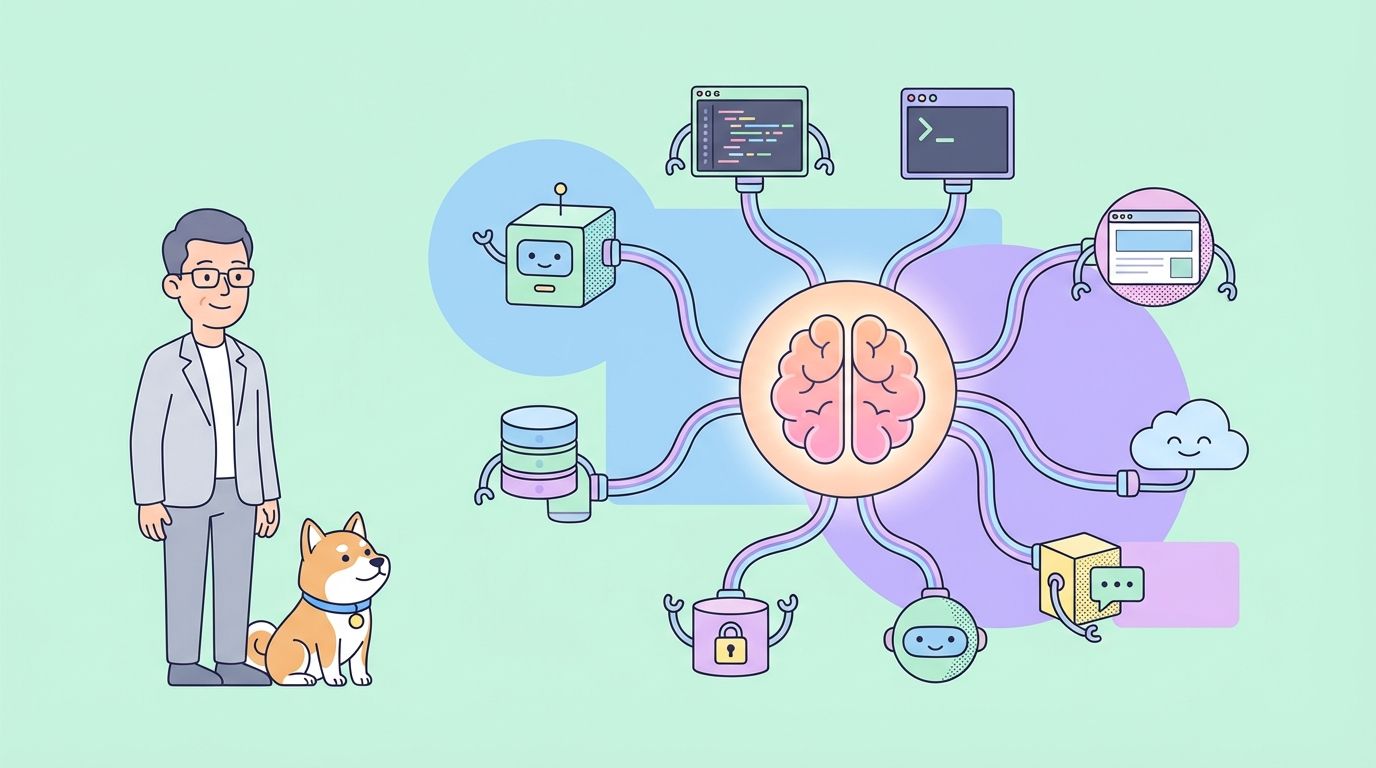
The Model Context Protocol (MCP) is an open standard designed to create a common language between Large Language Model (LLM) applications and external services. It establishes a standardized way for an AI model to discover and interact with tools, access data, and use predefined prompts, regardless of how the model or the external services are built.
At its core, MCP allows an application, known as an "MCP Client," to connect to one or more "MCP Servers." These servers expose capabilities that the LLM can then utilize. This decouples the AI's core logic from the specific implementations of the tools it uses, making AI systems more modular, scalable, and interoperable.
The protocol defines several types of features that a server can offer. An MCP client might support some or all of these features, depending on its purpose. Understanding these features is key to grasping what an MCP integration enables.
| Feature | Description |
|---|---|
| Tools | Executable functions that an LLM can invoke to perform actions. |
| Prompts | Pre-defined templates for structuring interactions with the LLM. |
| Resources | Server-exposed data and content that an LLM can read. |
| Discovery | The ability to be notified when a server's capabilities change. |
| Instructions | Server-provided guidance on how the LLM should behave. |
| Sampling | Server-initiated LLM completions and parameter suggestions. |
| Roots | Definitions of filesystem boundaries for the LLM's operations. |
| Elicitation | A mechanism for the server to request information from the user. |
| Tasks | A way to track the status of long-running operations. |
| Apps | Interactive HTML interfaces provided by the server. |
By supporting these features, different applications can leverage the same set of external tools and data sources in a consistent manner, fostering a richer ecosystem of interconnected AI services.
A Guide to MCP Clients
An MCP Client is any application that can connect to an MCP Server to consume the features it provides. These clients act as the bridge between the user, the LLM, and the vast world of external capabilities. They can range from developer-focused tools like code editors and command-line interfaces to user-friendly desktop applications and no-code platforms.
The primary function of a client is to manage the connection to one or more MCP servers and integrate the discovered Tools, Prompts, and Resources into its own user experience. For example, a coding assistant might use MCP to find and execute a tool that runs tests, while a chatbot could use it to pull data from a company's internal knowledge base via a Resource.
The growth of the MCP ecosystem has led to a diverse range of clients, each tailored to different workflows and use cases. Exploring some of the top clients can provide a clearer picture of how this protocol is being implemented in practice to build more powerful and context-aware AI applications.
Top 10 MCP Clients
The following clients demonstrate the breadth of MCP adoption, from widely-used commercial products to innovative open-source projects. Each provides a unique way to interact with the growing ecosystem of MCP servers.
Apidog MCP Client
Apidog is a comprehensive API development platform that includes a built-in MCP Client for debugging and testing MCP servers. This makes it an excellent tool for developers who are building or integrating with MCP, as it provides a dedicated interface for interacting with all major MCP features.
The client supports two main transport methods for connecting to servers: STDIO for local processes and HTTP for remote servers. This flexibility allows developers to test a wide variety of server configurations.
To start, a new MCP request can be created within an Apidog project. Connecting to a server is straightforward. One can simply paste a command used to start a local server. For example, to connect to a sample server, you might use a command like this:
npx -y @modelcontextprotocol/server-everything
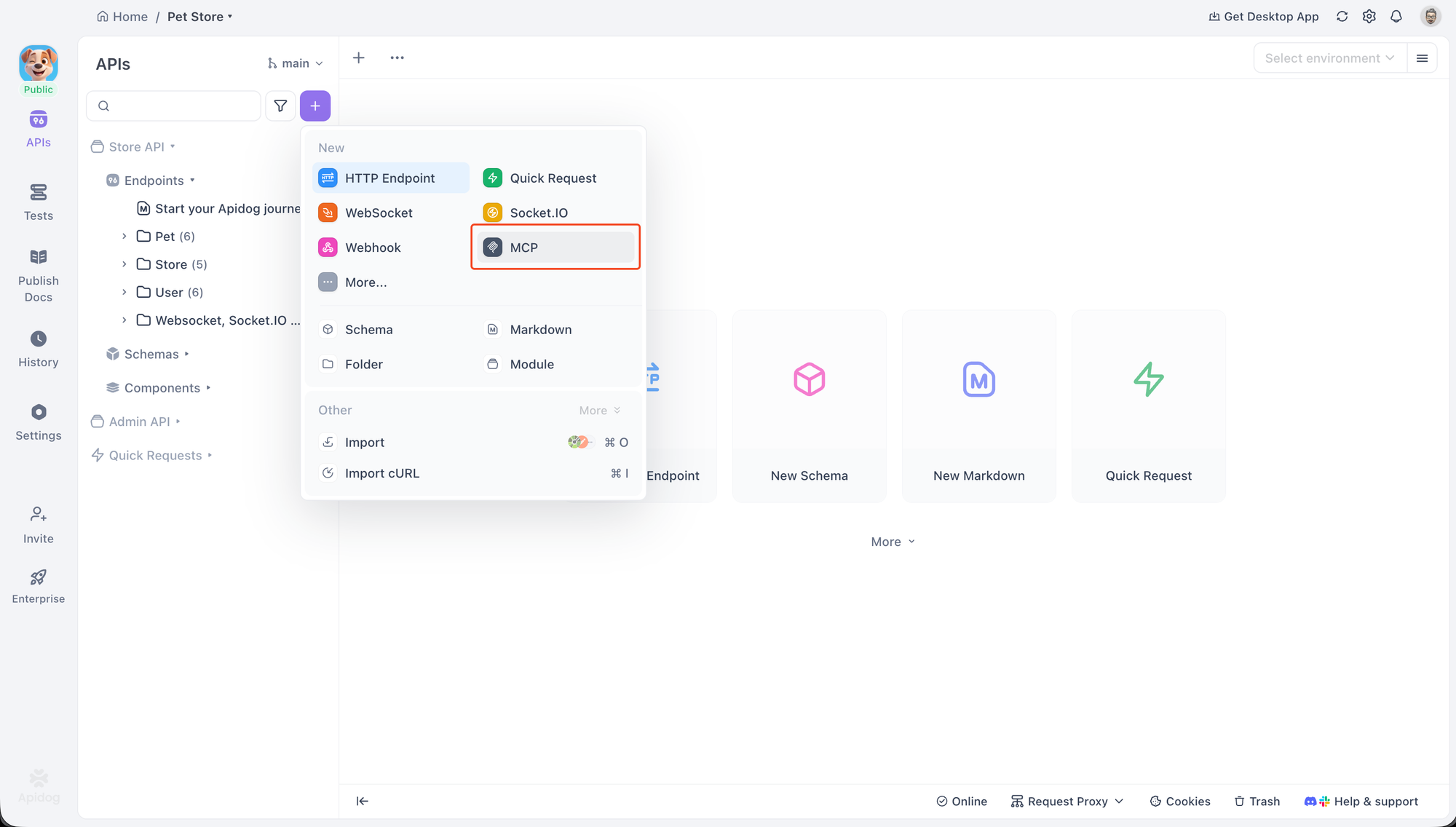
Apidog will recognize this as a command, automatically select the STDIO protocol, and prompt for security confirmation before starting the local process. For remote servers, pasting a URL will switch the protocol to HTTP.
Once connected, Apidog displays a directory tree of all the Tools, Prompts, and Resources provided by the server. This allows for direct interaction and debugging. Users can select a Tool, fill in its parameters using a form or a JSON editor, and execute it to see the response. Similarly, Prompts can be run to view the generated output, and Resources can be fetched to inspect their content.
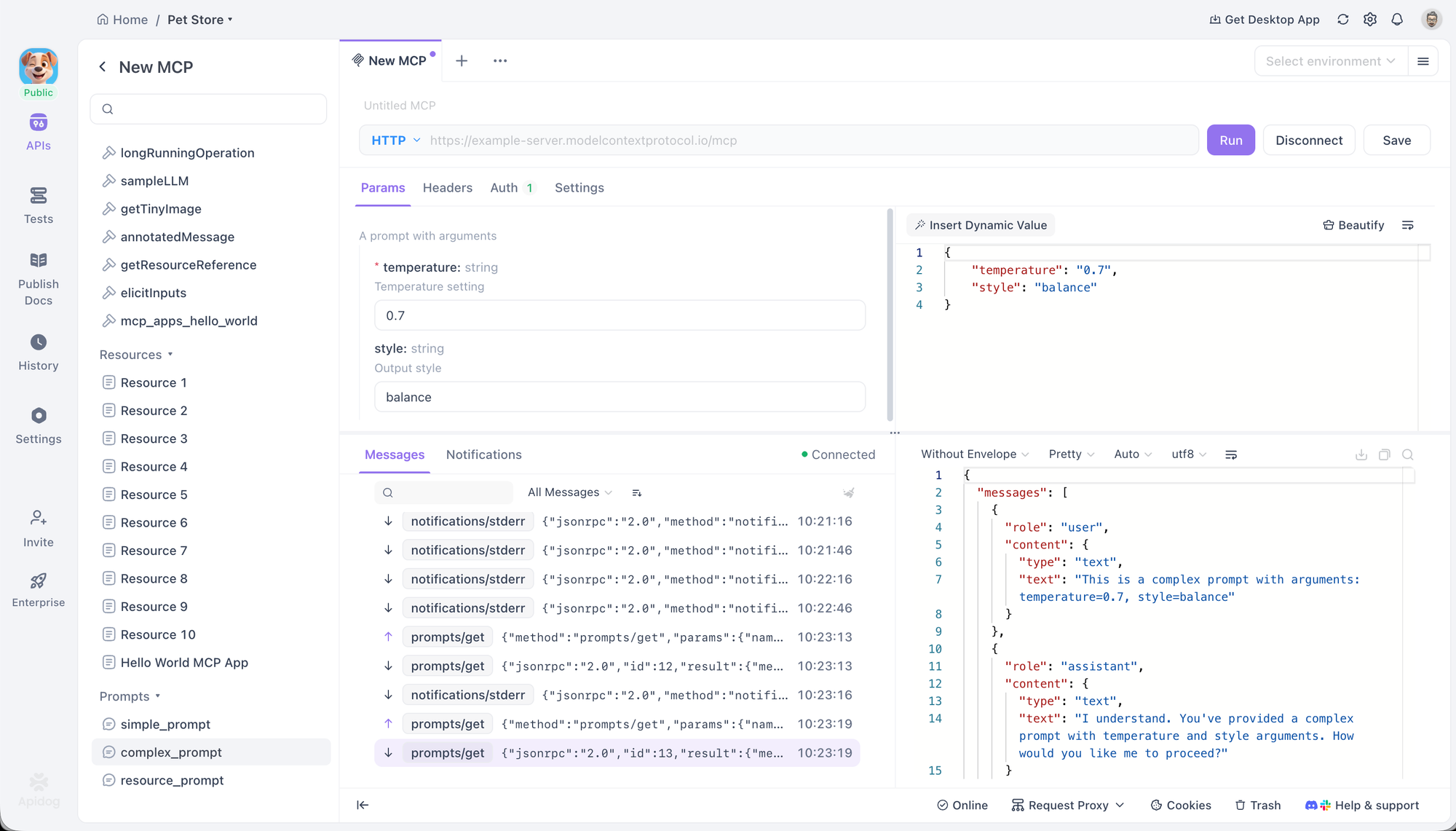
The client also provides advanced configuration options. For HTTP connections, it supports various authentication methods, including OAuth 2.0, API Keys, and Bearer Tokens, and can automatically handle the OAuth 2.0 flow. Custom headers and environment variables can also be set, with full support for Apidog's variable system.
ChatGPT
As OpenAI's flagship AI assistant, ChatGPT's integration of MCP is a significant indicator of the protocol's growing importance. It supports connecting to remote MCP servers, allowing it to leverage external tools for conducting deep research and accessing specialized functionalities.
The integration is managed through the connections UI in ChatGPT's settings. Once a server is configured, its tools become available to the model. This enables ChatGPT to go beyond its built-in capabilities, using tools from configured servers to perform tasks like searching proprietary databases or interacting with third-party APIs in a standardized way. This support is particularly valuable in enterprise environments where security and compliance are paramount.
The Claude Ecosystem
Anthropic has deeply integrated MCP across its suite of products, including its web assistant claude.ai, the Claude Desktop App, and the agentic coding tool Claude Code. This multi-faceted support showcases different aspects of the MCP standard.
claude.ai supports remote MCP servers, allowing web users to connect their Claude conversations to external tools, prompts, and resources.
The Claude Desktop App goes further by enabling connections to local servers, which enhances privacy and security by keeping data on the user's machine. It has full support for Resources, Prompts, Tools, and even interactive Apps.
Claude Code is a powerful example of a bidirectional integration. It acts as an MCP client, consuming Tools, Prompts, and Resources from other servers to aid in its coding tasks. Simultaneously, it also functions as an MCP server, exposing its own capabilities to other MCP clients.
GitHub Copilot Coding Agent
GitHub Copilot, the most widely adopted AI coding assistant, leverages MCP to augment its context and capabilities. The Copilot coding agent can delegate tasks and interact with both local and remote MCP servers to use external tools.
This integration allows developers to tailor Copilot to their specific project needs. For instance, a developer can connect Copilot to an internal MCP server that provides tools for interacting with a proprietary build system or a project-specific database. This extends Copilot's awareness beyond the code itself, enabling it to perform more complex and context-aware development tasks.
Cursor
Cursor is an AI-first code editor designed from the ground up for AI-powered development. Its native support for MCP is a core part of its architecture, allowing for deep integration with a developer's workflow.
The editor supports MCP Tools through its Composer feature, enabling users to invoke external functions directly while coding. It also supports Prompts, Roots, and Elicitation, which allows it to have more complex, interactive sessions with servers. Cursor can connect to servers via both STDIO and SSE, providing flexibility for both local and remote toolsets.
LM Studio
LM Studio is a popular desktop application that makes it easy to discover, download, and run open-source LLMs locally. Its key contribution to the MCP ecosystem is its ability to connect these local models to MCP servers.
This bridges the gap between the world of open-source models and the standardized tool-use provided by MCP. Users can add server configurations to a local mcp.json file to get started. A standout feature is its tool confirmation UI, which prompts the user for approval before a local model is allowed to execute a tool call, providing an important layer of security and control.
Amazon Q
Amazon's AI-powered assistant, Amazon Q, has embraced MCP in both its command-line (Amazon Q CLI) and IDE (Amazon Q IDE) versions. This demonstrates the protocol's utility in professional development environments for managing cloud infrastructure and streamlining coding tasks.
The Amazon Q CLI is an agentic coding assistant for the terminal that offers full support for MCP servers. It allows users to access tools and saved prompts directly from their command line.
The Amazon Q IDE, available for major IDEs like VS Code and JetBrains, brings similar capabilities into a graphical interface. It allows users to control and organize AWS resources and manage permissions for each MCP tool through the IDE's UI, offering granular control over the assistant's capabilities.
AIQL TUUI
AIQL TUUI is a free and open-source desktop AI chat application that stands out for its comprehensive support of the MCP standard and its cross-platform nature. It works on macOS, Windows, and Linux and supports a wide array of AI providers and local models.
Its MCP integration is extensive, covering Resources, Prompts, Tools, Discovery, Sampling, and Elicitation. This allows for a rich, interactive experience where users can seamlessly switch between different LLMs and agents. The application provides advanced control over sampling parameters and allows for the customization of tools, making it a powerful choice for advanced users and developers who want a highly configurable client.
Langflow
Langflow is an open-source visual builder for creating AI applications. Its unique position in the MCP ecosystem is its dual role as both a client and a server, facilitated by a graphical, flow-based interface.
As an MCP client, Langflow can use tools from any MCP server to build agents and workflows. This allows users to drag-and-drop nodes representing MCP tools into their flows, making complex integrations more accessible.
Conversely, users can also export their created agents and flows as a complete MCP server. This powerful feature allows developers to visually prototype a set of tools and then expose them to other MCP clients, dramatically lowering the barrier to creating and sharing custom AI capabilities.
AgenticFlow
AgenticFlow targets a different audience by providing a no-code AI platform for building agents that handle sales, marketing, and creative tasks. It uses MCP as the underlying protocol to securely connect to a massive library of over 10,000 tools and 2,500 APIs.
The platform simplifies the process of connecting to an MCP server to just a few steps, abstracting away the technical details. This allows non-developers to build powerful AI agents that can interact with a wide range of external services. Users can securely manage their connections and revoke access at any time, making it a safe and accessible entry point into the world of AI tool-use.
Conclusion
The Model Context Protocol is quickly becoming a foundational layer for how AI systems interact with the outside world. By standardizing the way LLMs discover and use tools, prompts, and data sources, MCP removes tight coupling between models and services and replaces it with a clean, modular, and interoperable architecture. This shift makes AI applications easier to extend, safer to operate, and far more adaptable to real-world workflows.
As the growing list of MCP clients shows, the protocol is already being embraced across a wide spectrum of use cases—from developer tools like Apidog, Cursor, and GitHub Copilot, to enterprise assistants like ChatGPT and Amazon Q, and even no-code platforms such as Langflow and AgenticFlow. Each client applies MCP differently, but all benefit from the same core promise: reuse, flexibility, and consistent tool integration.
Looking ahead, MCP's real value lies in the ecosystem it enables. As more servers expose high-quality tools and more clients adopt the protocol, developers and users alike gain the freedom to mix models, tools, and workflows without rebuilding integrations from scratch. Whether you are debugging an MCP server, building an agentic coding assistant, or designing AI workflows visually, MCP provides a common ground that lets innovation scale.