Browser automation is essential for modern API development, testing, and data extraction—but traditional tools like Selenium and Playwright can be brittle, complex, and time-consuming to maintain. Enter Stagehand, a new AI-powered browser automation framework that promises a smarter, more flexible way to automate web tasks. In this review and tutorial, we’ll explore how Stagehand elevates browser automation for developers, QA engineers, and API-focused teams.
💡 Looking for an API testing tool that generates beautiful API documentation? Want an all-in-one platform for your developer team to collaborate with maximum productivity? Apidog delivers all of this, replacing Postman at a much more affordable price!
Why Traditional Browser Automation Falls Short
Frameworks like Selenium and Playwright have long dominated browser automation. They offer precise control, but require you to target elements with brittle selectors. For example:
// Click the login button with a specific selector
await page.locator('button[data-testid="login-button"]').click();

// Type into a username field
await page.locator('input[name="username"]').fill('my-user');
This approach works—until a minor UI change breaks your scripts. Maintaining selectors across large test suites quickly becomes tedious and error-prone.
AI-powered automation agents try to solve this by letting you issue natural language instructions, e.g., “Log in with my credentials.” But these can be unreliable and unpredictable in real-world production environments.
Stagehand aims to bridge this gap: blending the precision of Playwright’s code-based approach with the flexibility of AI-powered, natural language commands. The result? Automation that’s both robust and adaptable.
What Makes Stagehand Different? Core Features Explained
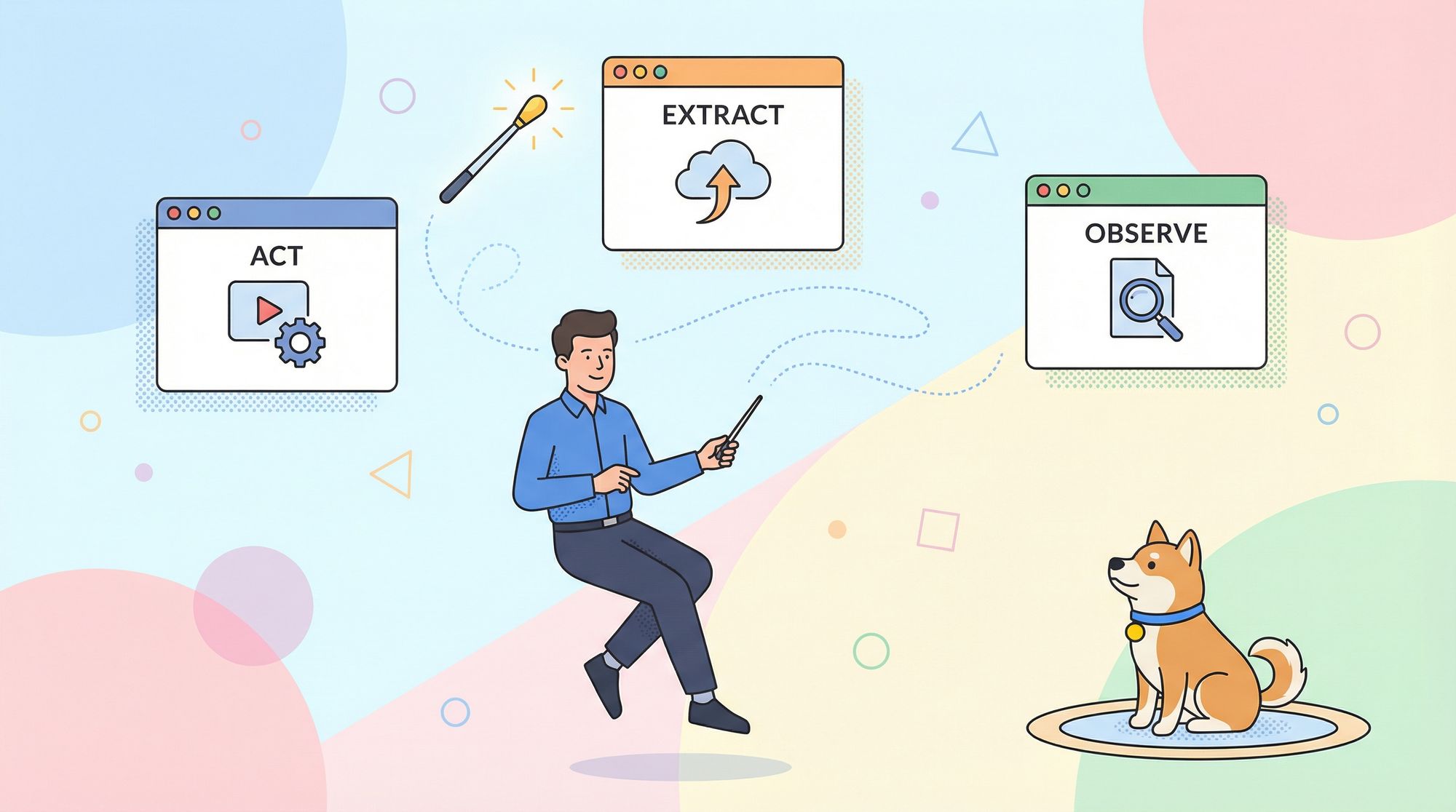
Stagehand enhances Playwright’s API with three primary methods—act, extract, and observe—plus a high-level agent for complex workflows. Here’s how each feature works:
1. act: Natural Language Actions
With act, you instruct the browser using plain English, making scripts more resilient to UI changes.
// Instead of brittle selectors...
await page.act("Click the sign in button");
await page.act("Type 'hello world' into the search input");
Stagehand’s AI analyzes the current DOM, finds relevant elements (like “sign in” buttons), and executes the correct action. This reduces your reliance on fragile selectors—if a human can spot the button, Stagehand usually can too.
Best Practice: Keep instructions atomic, such as “Click the checkout button” rather than “Order me a pizza.” Break complex tasks into clear step-by-step actions.
2. observe: Predictability and Caching
AI can be unpredictable. The observe method previews what action Stagehand would take for a given instruction—returning a serializable descriptor you can log, inspect, or cache.
const [action] = await page.observe("Click the sign in button");
await page.act(action); // Use the observed action for exact repeatability
Why cache actions?
- Reliability: Ensures the same action runs every time, reducing AI variability.
- Performance: Skips repeated AI calls, making tests faster.
- Cost savings: Fewer API calls to language models lower your operational costs.
Example caching pattern:
const instruction = "Click the sign in button";
let cachedAction = await getFromCache(instruction);

if (cachedAction) {
  await page.act(cachedAction);
} else {
  const [observedAction] = await page.observe(instruction);
  await saveToCache(instruction, observedAction);
  await page.act(observedAction);
}
3. extract: Schema-Based Data Extraction
Traditional scraping relies on selectors that break when the page changes. Stagehand’s extract lets you specify what data to gather in natural language, optionally validated with a Zod schema.
For example, to extract a pull request’s author and title from GitHub:
import { z } from "zod";
const { author, title } = await page.extract({
  instruction: "extract the author and title of the PR",
  schema: z.object({
    author: z.string().describe("The username of the PR author"),
    title: z.string().describe("The title of the PR"),
  }),
});
console.log(`PR: "${title}" by ${author}`);
This approach is robust—even if the HTML structure changes, as long as the information is visible to a human, Stagehand’s AI can usually extract it.
4. agent: Multi-Step Autonomous Automation
While act handles atomic actions, the agent can tackle high-level goals: it plans and executes a series of actions and extractions to achieve your objective.
await stagehand.page.goto("https://www.google.com");

const agent = stagehand.agent({
  provider: "openai",
  model: "gpt-4o", // Or an Anthropic model
});

await agent.execute(
  "Find the official website for the Stagehand framework and tell me who developed it."
);
This is ideal for exploratory tasks, complex web navigation, or cases where scripting every step is impractical. Human-in-the-loop oversight ensures control and safety.
Getting Started: Quick Stagehand Setup Guide
To try Stagehand, use the CLI tool to scaffold a new project:
npx create-browser-app my-stagehand-project
cd my-stagehand-project
Add your LLM (e.g., OpenAI, Anthropic) and, optionally, Browserbase API keys to .env.
A minimal script using Stagehand:
import { Stagehand } from "@browserbasehq/stagehand";
import StagehandConfig from "./stagehand.config";
import { z } from "zod";

async function main() {
  const stagehand = new Stagehand(StagehandConfig);
  await stagehand.init();
  const page = stagehand.page;

  try {
    await page.goto("https://github.com/trending");
    await page.act("Click on the first repository in the list");

    const { description } = await page.extract({
      instruction: "Extract the repository description",
      schema: z.object({ description: z.string() }),
    });

    console.log("Repository description:", description);

  } finally {
    await stagehand.close();
  }
}

main();
This workflow—init, navigate, act, extract, cleanup—is clean, readable, and robust to UI changes.
How Does Stagehand Compare? Pros and Cons
Advantages:
- Developer-friendly: Familiar Playwright API with powerful natural language extensions.
- Resilient: Scripts withstand UI changes, reducing test maintenance overhead.
- Predictable:
observeand caching solve the unpredictability of pure-AI solutions. - Flexible: Choose between atomic actions and high-level AI planning.
- Structured data extraction: Zod integration makes scraping and validation easier.
Potential Limitations:
- LLM Dependency: Quality relies on the underlying AI model. While current models are strong, they’re not flawless.
- API Costs: Calls to large language models can add up, though caching can offset this.
- Learning Curve: Developers must adapt to new concepts like atomic actions and hybrid AI/code workflows.
Where Does Apidog Fit In?
Browser automation and API testing often go hand-in-hand. If you’re automating authentication flows, scraping data, or validating web application behavior, you’ll likely need to manage and test APIs too.
Apidog is designed for developer teams who want:
- Beautiful, up-to-date API documentation
- An all-in-one workspace for API design, testing, and collaboration (maximum productivity)
- Seamless integration with browser automation and other dev tools
- A more cost-effective alternative to Postman (see how Apidog compares)
By combining Stagehand for browser automation and Apidog for API management, your team can automate end-to-end flows—from web interactions to API assertions—efficiently and reliably.
Conclusion: Should You Use Stagehand for Automation?
Stagehand delivers on its promise of smarter, more robust browser automation by blending the control of code with the adaptability of AI. For API developers, QA engineers, and technical teams, it reduces maintenance, accelerates test writing, and opens up new possibilities for resilient automation.
If you’re frustrated with brittle selectors or want to automate complex browser workflows, Stagehand is a compelling tool to consider. And when paired with Apidog, you’re equipped for seamless, full-spectrum API and web automation.