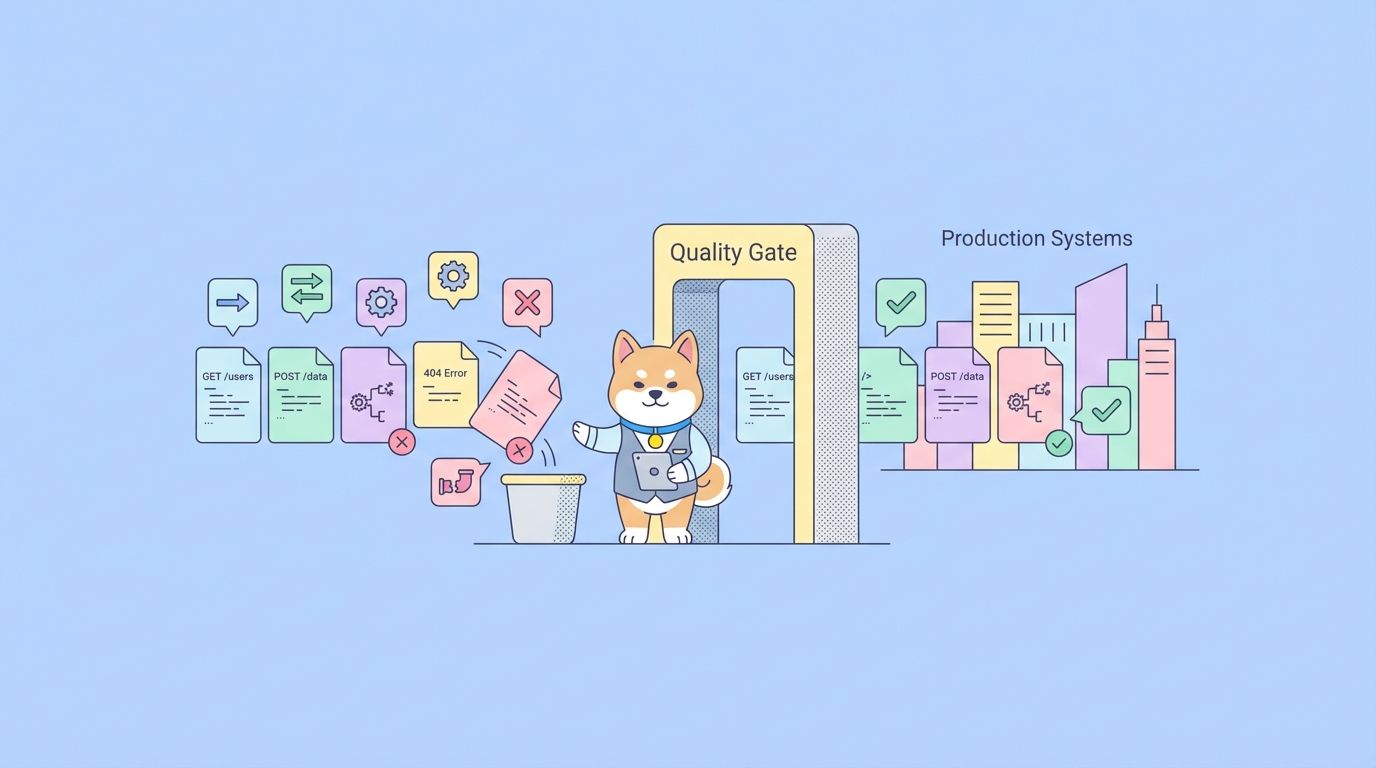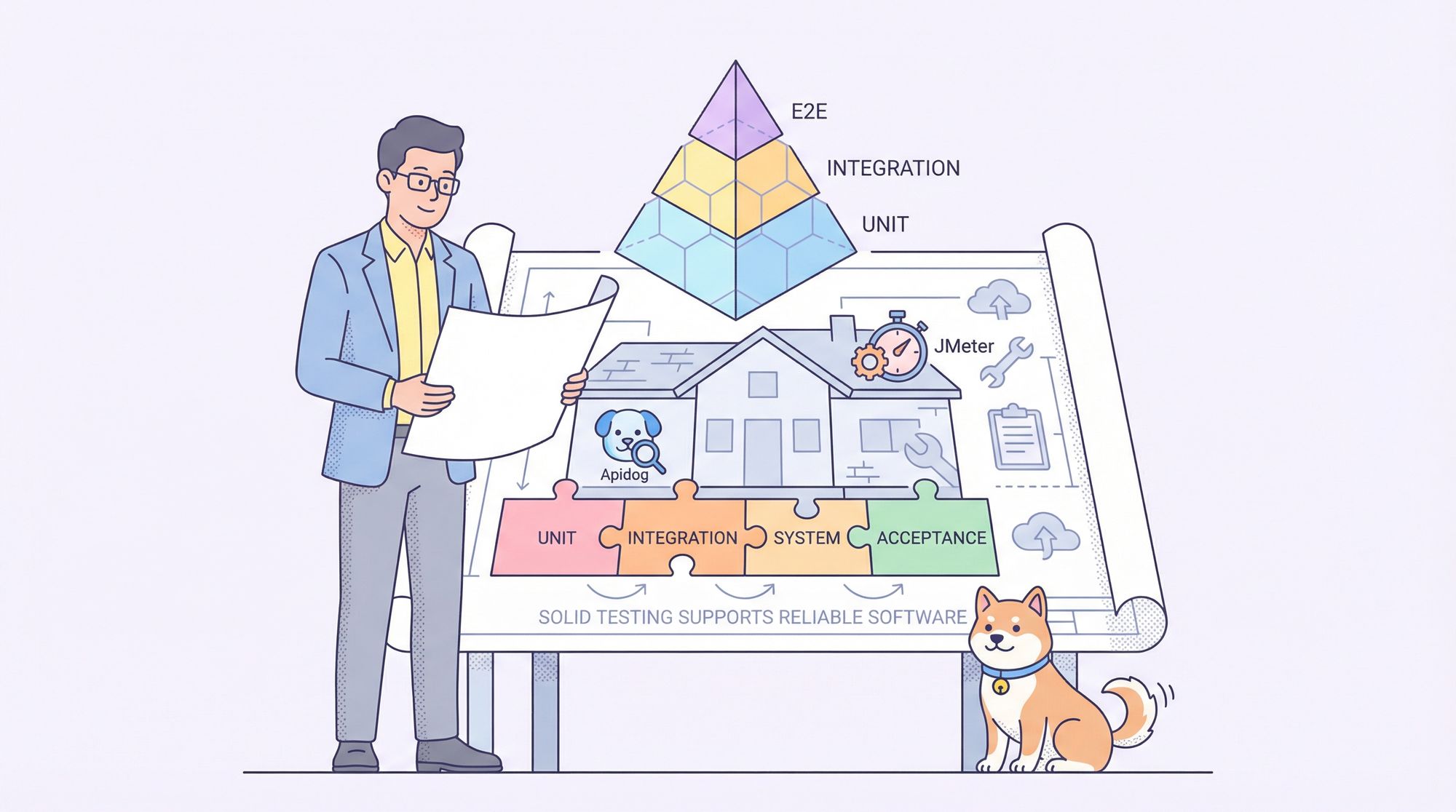
Software development without testing is like building a house on sand. Eventually the foundation is going to crack! As a result, understanding software testing basics is key to ensure that you are going to deliver a reliable, maintainable, and user-friendly application. In this article, we will revisit the core testing principles, explore the standard testing lifecycle and popular models, and map out the tools commonly used at different stages of the development lifecycle, from unit tests to API testing with Apidog and more!
What is Software Testing & Why It Matters
Software testing refers to evaluating a software application to ensure it meets requirements, works correctly, and is free from major defects. According to standards like ANSI/IEEE 1059, testing helps detect differences between current behavior and required behavior — but it cannot prove the absence of bugs. Instead, it reveals faults.
Major benefits of good testing:
- Early detection: bugs caught during development are far cheaper to fix than post-release.
- Improved reliability and quality: testing reduces unexpected behavior, crashes, or failures.
- Better performance and user satisfaction.
- Risk mitigation: especially important for complex systems or critical applications.
Because exhaustive testing (testing everything in all conditions) is practically impossible, the goal is to focus testing on high-risk areas, adopt a context-aware strategy, and maintain tests over time (to avoid the “pesticide paradox,” where unchanged tests stop catching new bugs).
Software Testing Life Cycle (STLC) & Common Models
Rather than testing ad hoc, many development teams follow a structured Software Testing Life Cycle (STLC). STLC defines a set of phases that ensure systematic testing and quality assurance from start to finish. According to most definitions, STLC includes:
- Requirement analysis — determine what needs testing.
- Test planning & strategy — define scope, timeline, resources.
- Test case design — write test cases or scripts.
- Test environment setup — prepare environment, mock servers, databases.
- Test execution — run tests, log defects.
- Test closure — analyze results, report, archive test artifacts.
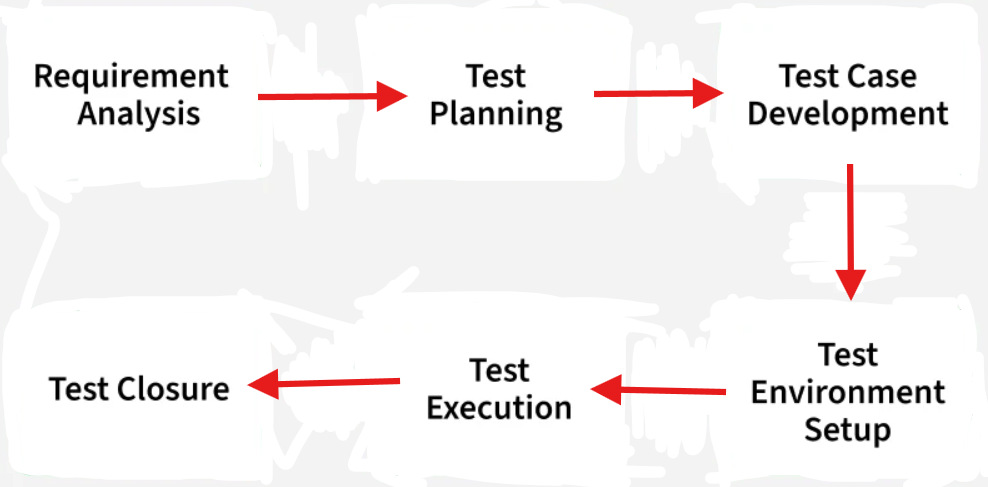
This lifecycle complements the larger software development lifecycle (SDLC), but focuses exclusively on testing activities (Ijarcs).
Models of Testing Process
Several models guide when and how to apply STLC. Two of the most common:
V-Model: a sequential model aligned with development phases: each development step has a corresponding testing phase. For instance, system testing corresponds to system design, integration testing corresponds to module design, and so on. (Best Software Training Chennai)
Test Pyramid (or Honeycomb / hybrid models): encourages many fast, low-level tests (unit tests) at the base; fewer integration tests in the middle; and a minimal number of system or end-to-end tests at the top. This model balances speed, coverage, and maintainability. (While not a formal standard, this pattern has become a widely adopted best practice among developers.)
These models help teams organize testing efforts to maximize early defect detection, faster feedback, and efficient maintenance.
Popular Tools for Software Testing (by Use Case)
Different stages and types of testing benefit from different tools. Here’s a breakdown of some widely used tools (as of 2025), categorized by testing purpose:
1. Performance / Load / Stress Testing:
Apache JMeter — open-source, supports many protocols (HTTP, REST, FTP, etc.), popular for API and web performance/load testing. (apidog)

Gatling — modern load-testing framework (Scala/Java, with JS/TS SDK), efficient load generation and CI/CD integration.
LoadRunner — enterprise-grade, supports multi-protocol load tests (web, mobile, database), preferred for large-scale systems. (apidog)
2. API Testing:
Apidog (Recommended) — designed for API design, documentation, mocking, and automated testing; supports REST, GraphQL, WebSocket, gRPC; integrates well with CI/CD.
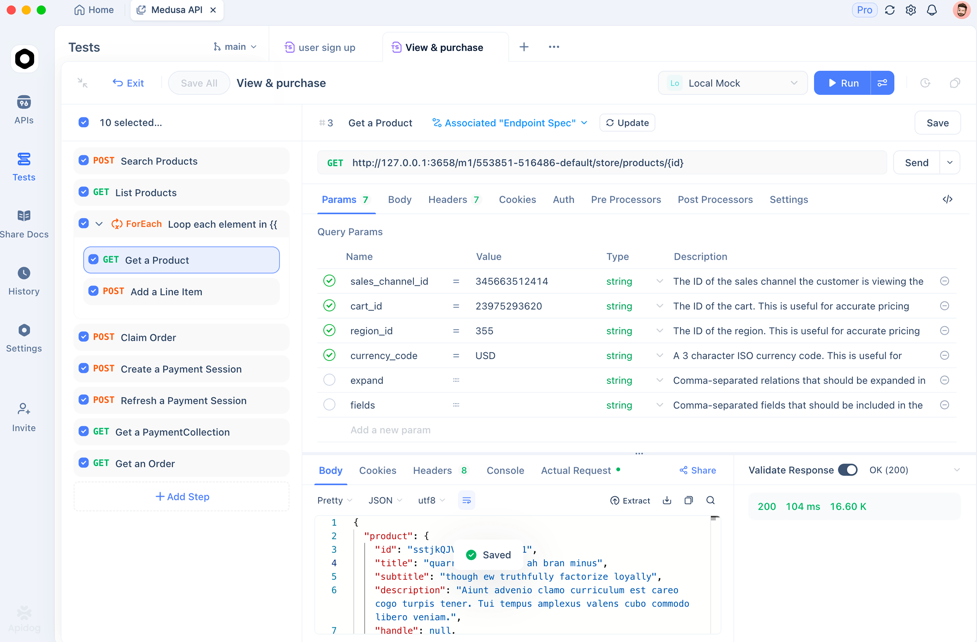
Other popular tools: Postman, SoapUI, Katalon Studio, Karate DSL — each offering different balances of ease-of-use, automation, scripting support, and protocol coverage.
3. Management, Collaboration, BDD / Test Orchestration
Tools for test case tracking, bug tracking, and behavior-driven development: Jira, Cucumber (BDD framework) — helpful for coordinating test planning, tracking issues, linking tests to requirements.
Katalon Platform — supports both UI, API, and mobile testing, allowing integrated test orchestration and analytics.
By combining tools depending on your project needs (performance, API, UI, load, regression), you can build a robust and flexible testing infrastructure.
Testing Levels, Types & Methods
- Testing Levels: Unit → Integration → System → Acceptance — forming a pyramid of reliability and coverage.
- Testing Types: Functional (does it work?) and Non-Functional (how well does it work: performance, security, compatibility, usability).
- Testing Methods: Manual vs Automated; Black-box (behavior-focused), White-box (code-path focused), Gray-box (hybrid approach).
Use a mix of these to balance coverage and effort while addressing both correctness and quality aspects of software.
Integrating Testing Into Workflow: Why Life Cycle & Models Matter
By embracing STLC and structured models like the V-Model or Test Pyramid, teams benefit from:
- Early defect detection — tests (especially unit and integration) happen early, reducing bug propagation and cost to fix.
- Clear testing strategy and accountability — phases are defined, ensuring consistency, coverage, and clarity about what gets tested and when.
- Scalable, maintainable test suites — the pyramid approach ensures that tests remain fast, manageable, and meaningful, avoiding overly heavy end-to-end suites that slow down development.
- Flexibility to adapt — as the project evolves, you can add more tests (performance, security, regression), adjust scope, and integrate tools such as Apidog, JMeter, or CI/CD pipelines.
This structured yet flexible approach balances speed and quality — ideal for modern agile or CI-driven teams.
Frequently Asked Questions
Q1. Why can't testing guarantee bug-free software?
Testing reveals defects in the cases it covers — but because it's impossible to test every possible input, state, or user behavior, some bugs may still remain. Testing increases confidence but does not guarantee perfection.
Q2. When should I begin testing in the development process?
As early as possible — ideally during development, when writing code or designing APIs. Early testing (unit, integration) helps catch bugs when they are cheap and easy to fix.
Q3. Should I automate all my tests?
Not necessarily. Automated tests are excellent for regression, performance, API, and logic-level testing. But manual testing remains valuable for exploratory, usability, edge-case, and user-experience testing that are hard to automate.
Q4. How do I choose between different testing tools?
Choose tools based on what you need:
- Use Apidog for API functional and regression testing.
- Use JMeter or Gatling if you need performance or load testing.
- Use Katalon, Cucumber, Jira for test orchestration, BDD workflows, CI/CD integration, and collaboration. The key is matching tool strengths to your project’s testing needs.
Q5. Is following a testing model (like V-Model or Test Pyramid) worth the overhead?
Yes — especially for medium to large projects. A testing model structures your testing efforts, ensures consistency, and helps maintain balance between fast feedback and broad coverage. The upfront investment pays off in reduced bugs, clearer processes, and smoother deployments.
Conclusion
Understanding software testing basics — not just types or levels of tests, but also how and when to test, what tools to use, and how testing fits into your development lifecycle — is crucial for building quality software. By adopting structured approaches like STLC or the Test Pyramid, and combining the right tools (unit test frameworks, load-testing tools like JMeter or Gatling, API tools like Apidog, and test-management tools like Jira or Cucumber), you can create a robust testing strategy that scales as your project grows.
Testing isn’t an afterthought — it’s an integral part of software craftsmanship. Use these practices to build reliable, secure, and maintainable applications that users trust.