Choosing the right environment for development and testing can make or break your software projects. Sandbox vs test environment is a common debate among API developers, QA testers, and DevOps engineers. Understanding their differences, use cases, and how they fit into your workflow is vital for building robust, secure, and scalable applications. This guide explores everything you need to know about sandbox vs test environment — from definitions to practical applications—so you can make the best decisions for your team and your APIs.
button
-
What Are Sandbox and Test Environments?
Defining a Sandbox Environment
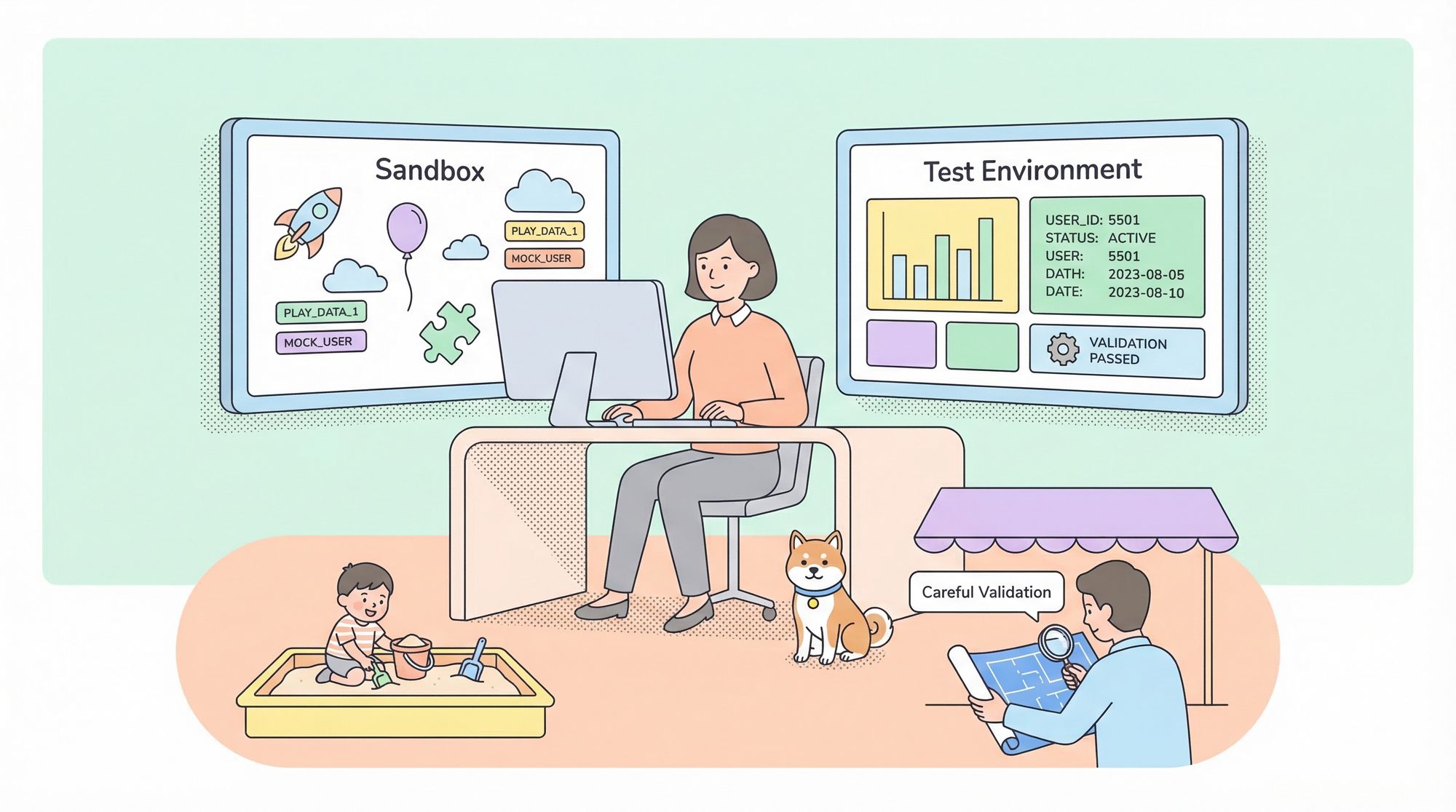
A sandbox environment is a highly isolated, controlled space that mimics certain aspects of a production system but is intentionally walled off from critical infrastructure and real data. Sandboxes are designed to let developers and testers safely experiment, run untrusted code, or integrate with third-party APIs without risking damage to core systems or sensitive information.
Key characteristics of a sandbox:
- Isolation: No access to production databases, services, or user data.
- Disposable: Can be quickly created, modified, or destroyed.
- Safe experimentation: Perfect for testing new features, integrations, or potentially risky changes.
Defining a Test Environment
A test environment is a broader term describing any setup used to validate software functionality before production release. Test environments are typically configured to closely resemble production, including staging databases, application servers, and external dependencies.
Key characteristics of a test environment:
- Production-like: Mirrors the production stack as closely as possible.
- Integration-focused: Used for system testing, integration testing, and user acceptance testing.
- Stable: Persistent and shared by QA, developers, and sometimes business stakeholders.
Sandbox vs Test Environment: The Core Differences
Understanding sandbox vs test environment means recognizing their unique roles and how they fit into the software lifecycle.
Feature Sandbox Environment Test Environment Isolation Level High—fully separated from production Moderate—often mirrors production but may connect to shared resources Purpose Safe experimentation, rapid prototyping End-to-end testing, integration, UAT Data Used Dummy, fake, or mock data Realistic (but not live) data, often anonymized Persistence Often ephemeral, short-lived Persistent, stable across test cycles Users Developers, security testers QA teams, business testers, product owners Risk of Impact Minimal—cannot affect real systems Low, but higher than sandbox if misconfigured
-
When to Use a Sandbox vs Test Environment
- Sandbox: When you need to test untrusted code, prototype integrations, or validate third-party APIs without risk. Ideal for experimenting with new logic, simulating edge cases, or conducting security assessments.
- Test Environment: When validating the full application stack, running regression or UAT, or performing load/performance testing that must closely resemble production.
button
-
Why the Distinction between Sandbox vs Test Environment Matters
Choosing between a sandbox and a test environment is not just about technical setup—it's about risk management, development speed, and ensuring software quality. Misusing one for the other's purpose can lead to data leaks, bugs escaping into production, or wasted developer effort.
For example:
- Running integration tests with live data in a sandbox undermines isolation.
- Using a test environment for risky experiments can disrupt QA workflows or contaminate shared data.
Practical Examples: Sandbox vs Test Environment in Action
Example 1: API Development
Suppose you’re building a payment gateway integration. The provider offers a sandbox API endpoint. Here’s how you might use sandbox vs test environment:
- Sandbox: You use the payment gateway’s sandbox URL and fake credentials to simulate transactions. No real money moves, and you can try edge cases without risk.
- Test Environment: Once your code works in the sandbox, you deploy your app to your company’s test environment, using test accounts and realistic (but anonymized) data to validate full payment flows end-to-end.
How Apidog helps: Apidog allows you to create API mocks and simulate requests in a sandboxed workspace, then move to more integrated testing using its collaboration features for shared test environments.
button
-
Example 2: Security Testing
- Sandbox: Security teams run potentially malicious code in a sandbox VM, ensuring no harm can reach the network or production resources.
- Test Environment: After passing initial sandbox checks, updates are deployed to the test environment for regression and user testing.
Example 3: SaaS Product Releases
- Sandbox: Product teams enable experimental features for internal users only, using a feature-flagged sandbox environment.
- Test Environment: QA verifies that new features work as expected before green-lighting them for production.
Setting Up Sandboxes and Test Environments
Best Practices for a Sandbox Environment
- Full Isolation: Use containerization, VM isolation, or API mocks to guarantee separation from production.
- Automated Provisioning: Tools like Apidog can automatically spin up isolated sandboxes for API design, testing, and collaboration.
- Ephemerality: Destroy and recreate sandboxes easily to ensure a clean slate for every test run.
Best Practices for a Test Environment
- Production Parity: Replicate production infrastructure, dependencies, and configurations as closely as possible.
- Stable Data Sets: Use anonymized but realistic data for comprehensive testing.
- Controlled Access: Limit who can deploy or modify the test environment to prevent accidental disruptions.
Common Pitfalls When Choosing Sandbox vs Test Environment
1. Blurring the Lines: Using sandboxes for integration testing or sharing them among teams can lead to data contamination and failed tests.
2. Insufficient Isolation: Weak sandboxing can expose sensitive data or production systems to risk.
3. Neglecting Test Parity: Test environments that diverge from production can hide critical bugs.
How to Choose: Sandbox or Test Environment?
Ask these questions:
- What’s the risk if something goes wrong? If high, use a sandbox.
- Do I need to test end-to-end flows? If yes, use a test environment.
- Do I need rapid, disposable setups? Sandboxes are ideal.
- Is user acceptance or system integration the focus? Test environments are best.
Integrating Sandbox and Test Environments with Modern API Tools
Leveraging platforms like Apidog streamlines the workflow between sandbox and test environments:
- Sandboxing APIs: Use Apidog’s mock features to simulate endpoints and responses, perfect for early sandbox testing.
- Moving to Test Environments: Apidog’s collaborative workspaces enable seamless transition from isolated sandbox experiments to integrated test scenarios, supporting import/export of API definitions and test cases.
- Documentation & Collaboration: Apidog auto-generates documentation and supports team workflows, maintaining consistency as APIs move from sandbox to test environments.
button
-
Real-World Use Cases: Sandbox vs Test Environment
Financial Services
- Sandbox: Banks offer API sandboxes to fintech partners for safe third-party integration testing.
- Test Environment: Internal teams use test environments to run comprehensive security and compliance checks.
E-commerce
- Sandbox: Developers experiment with new recommendation algorithms using synthetic data in a sandbox.
- Test Environment: QA tests the checkout process, inventory updates, and user flows before pushing updates live.
Healthcare
- Sandbox: New integrations with external health data sources are validated in an isolated sandbox.
- Test Environment: System-wide updates are tested for data integrity and compliance in a test environment.
Summary: Sandbox vs Test Environment at a Glance
- Use sandbox environments for rapid, safe experimentation, API mocking, and running untrusted code—always in isolation.
- Use test environments for thorough, production-like validation, regression, and user acceptance testing.
- Integrate both in your workflow using tools like Apidog for maximum efficiency, safety, and team collaboration.