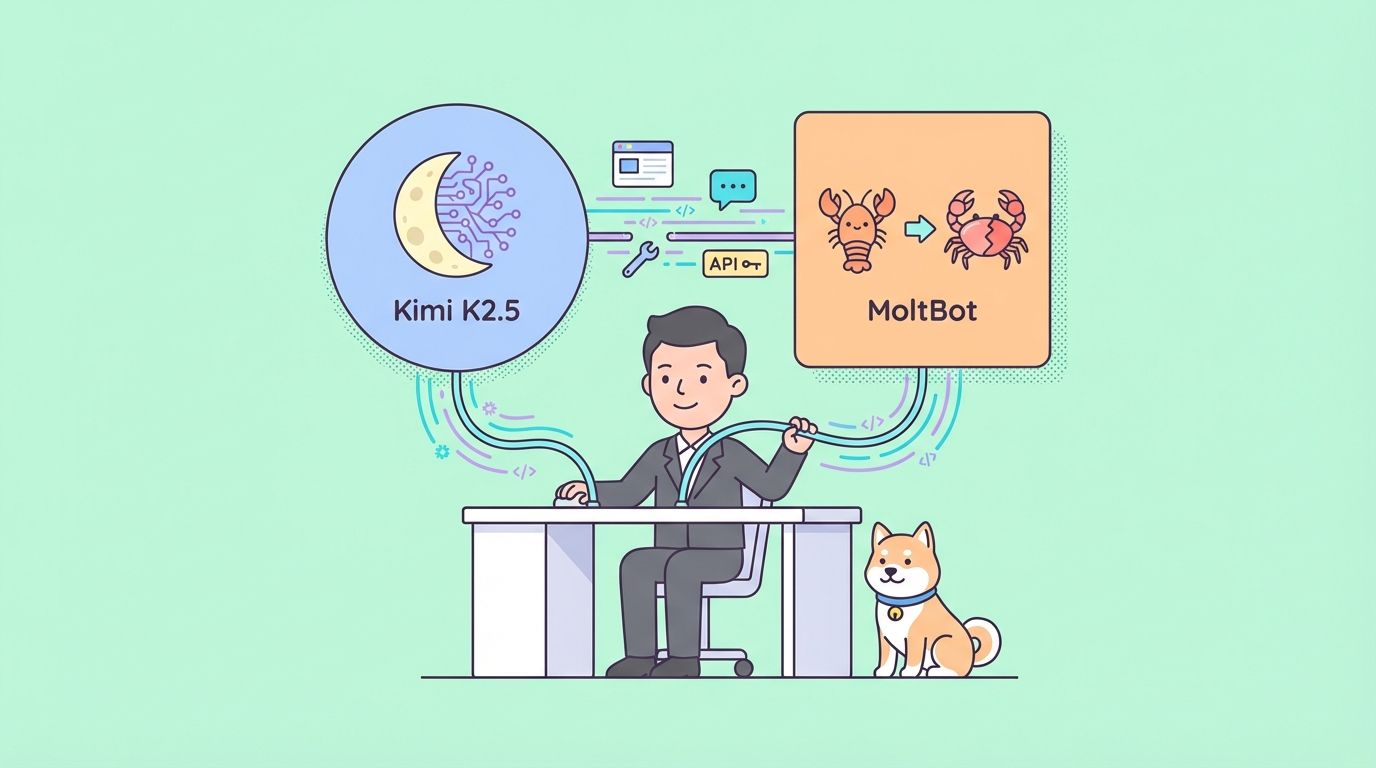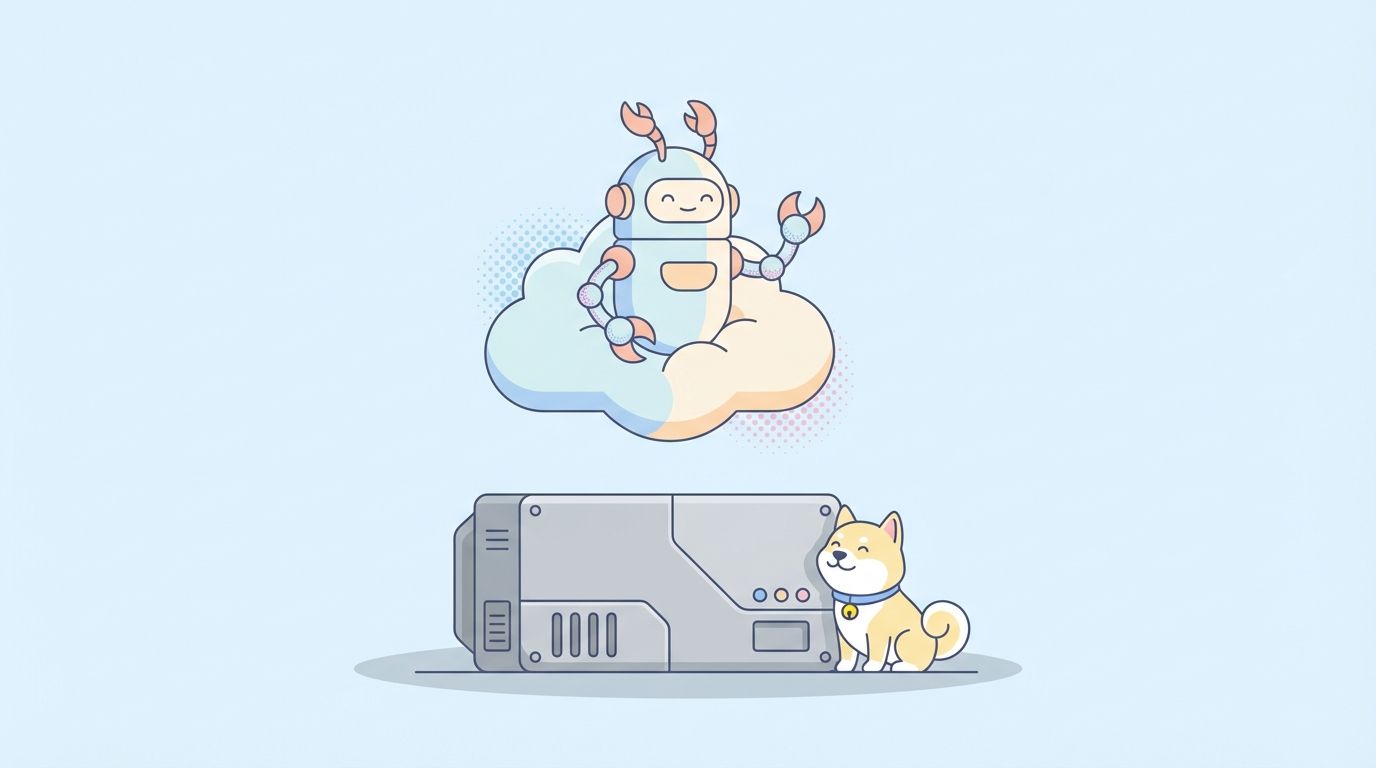
Moltbot (formerly ClawdBot) is a self-hosted AI assistant that runs on your device and executes tasks through chat apps like WhatsApp and Discord. Instead of buying a $500+ Mac mini, deploy it on Cloudflare Workers for just $5/month using Moltworker. This serverless approach gives you 24/7 uptime, automatic scaling, zero hardware maintenance, and built-in persistence—all while testing API integrations with tools like Apidog.
Introduction
The internet went wild in January 2026 when Moltbot (originally ClawdBot) went viral. This self-hosted AI assistant promised to be your personal "intern"—controlling your computer, managing files, automating workflows, and responding through chat apps. The hype was real: Cloudflare's stock surged 20%, Mac minis sold out everywhere, and developers scrambled to get their hands on this powerful automation tool.
But here's the problem: Most tutorials told you to buy a $500+ Mac mini just to keep Moltbot running 24/7. That's expensive, power-hungry, and requires physical hardware maintenance.
What if you could run Moltbot in the cloud for just $5 per month? No hardware. No electricity bills. No maintenance. Just pure serverless automation.
What is Moltbot (ClawdBot)?
Moltbot (formerly ClawdBot) is an open-source, self-hosted personal AI assistant created by Peter Steinberger in late 2025. Unlike cloud-based AI assistants like ChatGPT or Claude, Moltbot runs on your own infrastructure and has full access to your local system.
Key Features
Multi-Platform Chat Integration. Moltbot connects to messaging platforms including WhatsApp, Telegram, Slack, Discord, iMessage, and Signal. You send natural language commands through chat, and Moltbot executes them on your machine.
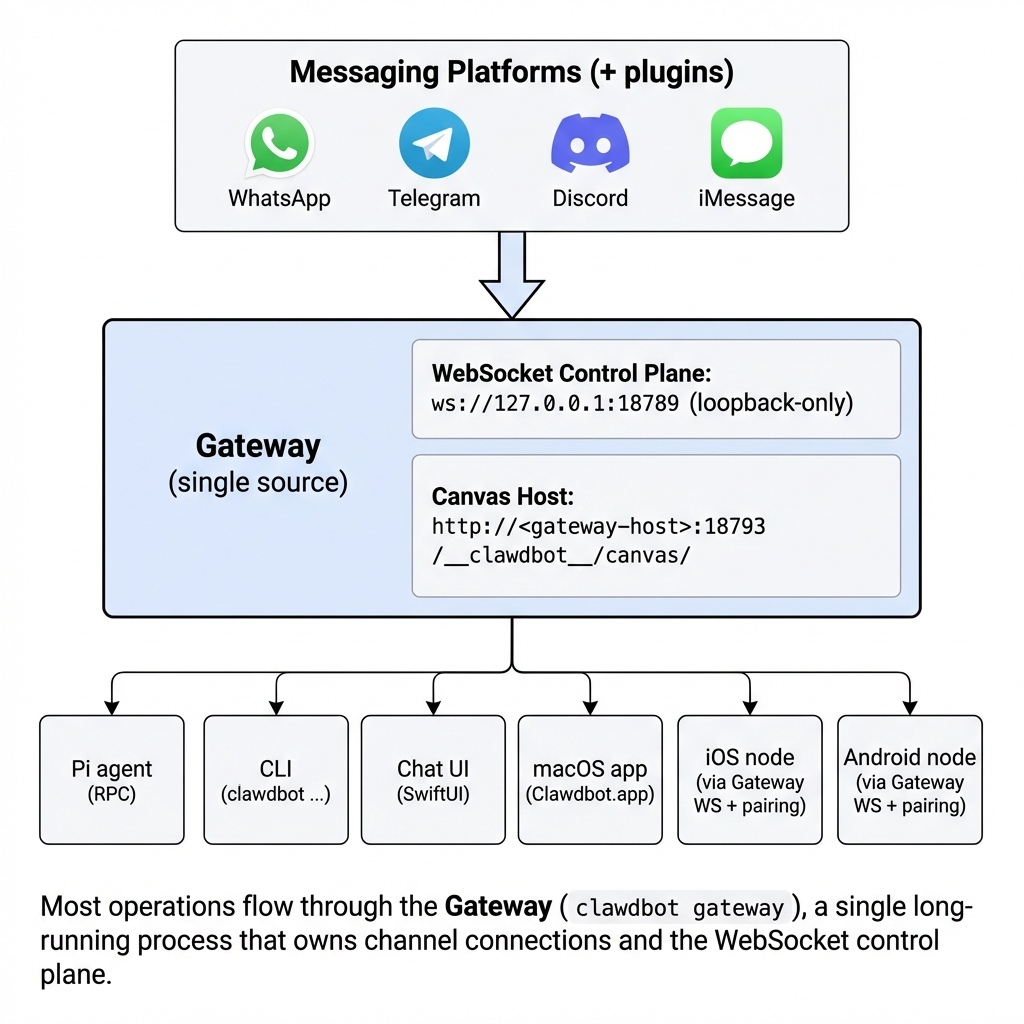
Full System Access. Unlike restricted cloud assistants, Moltbot can:
- Run terminal commands and shell scripts
- Read and modify local files
- Execute Python scripts
- Control browser automation
- Manage smart home devices
- Access your calendar and emails
- Automate complex workflows
Proactive Intelligence. Moltbot doesn't just wait for commands. It can:
- Monitor your email inbox and summarize important messages
- Provide morning briefings based on your calendar
- Send alerts when specific conditions are met (price drops, news mentions, etc.)
- Schedule recurring automation tasks
Extensible Skill System. The Moltbot community has created over 100 skills (plugins) for tasks like:
- GitHub automation
- Notion integration
- Weather reports
- Web scraping
- Database queries
- API integrations
Model Flexibility. Moltbot is model-agnostic. While originally optimized for Anthropic's Claude 3.5 Sonnet, you can connect it to several model
The Viral Rise and Rebranding
In January 2026, ClawdBot exploded in popularity after TechCrunch covered it and developers shared demos on social media. However, Anthropic issued a trademark request because "Clawd" sounded too similar to "Claude."
The project was quickly rebranded to Moltbot, keeping the lovable lobster mascot. According to this DEV Community post, the rename happened within days, but the community adapted fast.
Why Developers Love It
Moltbot represents a shift toward agentic AI—AI that takes actions, not just answers questions. As MacStories noted, "Moltbot showed me what the future of personal AI assistants looks like."
For developers, it's the perfect tool for:
- Automating repetitive dev tasks (deployments, testing, code reviews)
- Building custom AI workflows without vendor lock-in
- Maintaining full control over data and privacy
- Experimenting with AI agent architectures
Why Everyone Was Buying Mac Minis
When Moltbot went viral, a strange thing happened: Mac mini sales skyrocketed. Developers started buying $500-$700 Mac minis just to run this AI assistant 24/7.
The Logic Behind Mac Mini Deployments
Always-On Requirement: For Moltbot to be truly useful, it needs to run continuously. You want it to:
- Respond to chat messages instantly (even at 3 AM)
- Monitor systems proactively
- Execute scheduled tasks
- Maintain conversation context
This meant you couldn't just run it on your laptop—you needed dedicated hardware.
Low Power Consumption : Compared to full desktop PCs, Mac minis consume only 10-30 watts. For 24/7 operation, this translates to roughly $3-5/month in electricity costs.
Reliable macOS Environment: Moltbot was originally developed on macOS, and many early adopters were Mac developers. The Mac mini offered a familiar, stable environment.
One-Time Cost: At $500-$700, a Mac mini seemed like a reasonable investment compared to ongoing cloud hosting fees (or so people thought).
The Hidden Costs
But the Mac mini approach had serious downsides:
| Cost Factor | Mac Mini Reality |
|---|---|
| Initial Hardware | $500–$700 upfront |
| Electricity (24/7) | $36–$60 per year |
| Internet/Networking | Stable home network required |
| Maintenance | OS updates, hardware failures |
| Scaling | Buy another Mac mini for redundancy |
| Portability | Physical location-dependent |
| Noise/Heat | Occupies physical space |
If you calculate the total cost of ownership over 3 years:
- Mac mini: $500 + ($48/year × 3) = $644
- Plus your time for setup, maintenance, and troubleshooting
And if the hardware fails after 2-3 years? You're buying another one.
The VPS Alternative
Some developers turned to VPS hosting at $3-5/month, running Moltbot on DigitalOcean, Railway, or AWS EC2. This was smarter than Mac mini, but still had limitations:
- Manual server management (SSH, updates, security)
- Potential vendor lock-in
- Single-region deployment (higher latency)
- No automatic scaling
Enter Cloudflare Moltworker: The Smart Solution
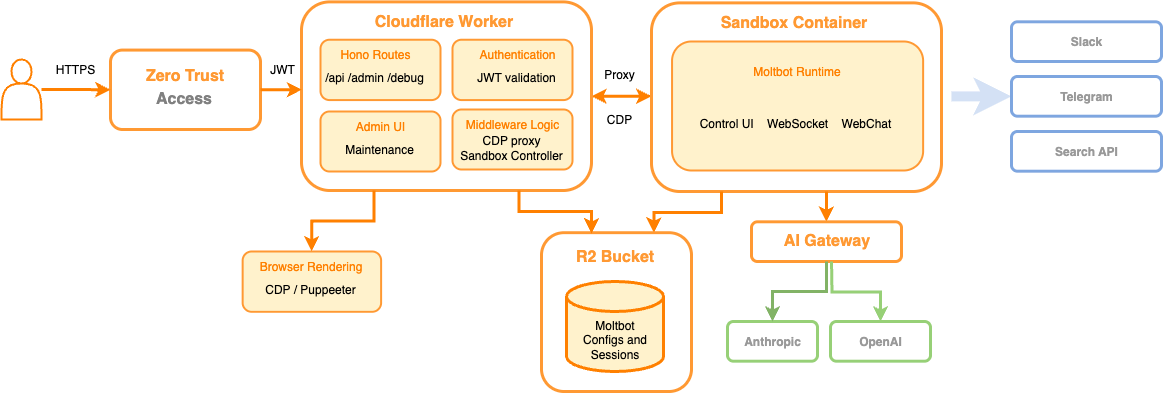
Cloudflare released Moltworker—an official proof-of-concept that runs Moltbot on Cloudflare Workers instead of dedicated hardware.
According to Cloudflare's, Moltworker demonstrates how a self-hosted AI agent can operate in a serverless, sandbox environment while retaining persistent state.
What is Moltworker?
Moltworker is a middleware solution that:
- Packages Moltbot for the Cloudflare Workers runtime environment
- Uses Cloudflare Sandboxes (containerized execution environments) for isolated AI agent operations
- Leverages Durable Objects for persistent state management across requests
- Integrates with Cloudflare R2 (optional) for file storage
Think of it as "Moltbot-as-a-Service" on Cloudflare's global edge network.
Cloudflare Moltworker Pricing
Workers Paid Plan: $5/month
This includes:
- 10 million requests/month (more than enough for personal use)
- Durable Objects (30 GB-hours of compute + 1 GB storage included)
- Workers KV (for key-value storage)
- R2 Storage (10 GB free, then $0.015/GB/month)
For a typical Moltbot usage pattern:
- 500 chat messages/day = 15,000 requests/month
- Durable Object active time = ~2-3 GB-hours (conversation state)
- R2 storage = <1 GB (files, attachments)
Estimated monthly cost: $5.00 (base plan covers everything)
According to Cloudflare's pricing documentation, even heavy usage rarely exceeds $5-8/month for personal AI agents.
Step-by-Step Setup Guide: Run Moltbot on Cloudflare
Now let's get your hands dirty. This section walks you through deploying Moltworker from scratch.
Prerequisites
Before starting, you'll need:
- Cloudflare account (sign up free at cloudflare.com)
- Anthropic API key for Claude (console.anthropic.com)
Chat platform bot token:
- Discord: Discord Developer Portal
- Telegram: @BotFather
- Slack: api.slack.com/apps
- Node.js 18+ and npm installed locally
- Git for cloning the Moltworker repository
Step 1: Upgrade to Workers Paid Plan
- Log into Cloudflare Dashboard
- Navigate to Workers & Pages → Overview
- Click Upgrade to Paid (you'll be charged $5/month)
- Confirm your payment method
Note: The free Workers tier doesn't include Sandboxes (required for Moltworker).
Step 2: Get Your Cloudflare Account ID and API Token
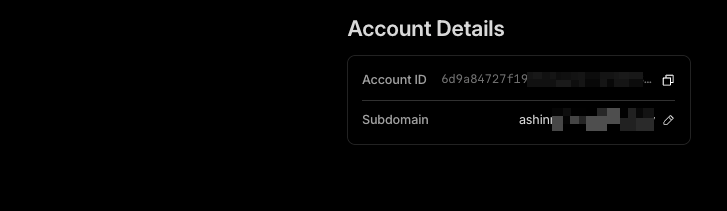
Find Account ID:
- In Cloudflare Dashboard, click your profile icon (top right)
- Select your account from the dropdown
- Look for Account ID in the right sidebar
- Click to copy (looks like a1b2c3d4e5f6g7h8i9j0)
Create API Token:
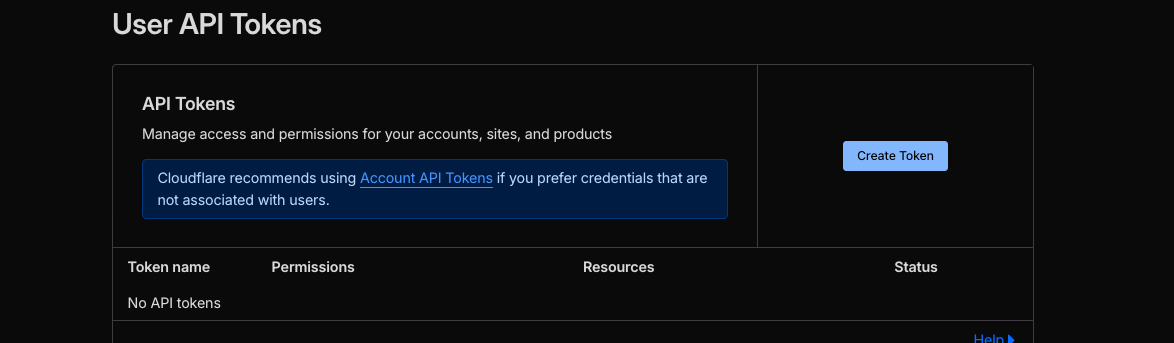
- Go to My Profile → API Tokens
- Click Create Token
- Use the Edit Cloudflare Workers template
- Under Account Resources, select your account
- Click Continue to Summary → Create Token
Copy the token (starts with _)—you'll need this for Wrangler CLI
Step 3: Install Wrangler CLI
Wrangler is Cloudflare's official CLI for Workers development.
# Install globally
npm install -g wrangler
# Login to Cloudflare
wrangler login
# This opens a browser for OAuth authentication
# Verify your account
wrangler whoami
Expected output:
You are logged in with an OAuth Token, associated with the email '<your-email>@example.com'!
Account: <Your Account Name>
Account ID: a1b2c3d4e5f6g7h8i9j0
Step 4: Clone and Configure Moltworker
# Clone the official Moltworker repository
git clone https://github.com/cloudflare/moltworker.git
cd moltworker
# Install dependencies
npm install
Now edit wrangler.toml to add your Account ID:

name = "moltworker"
main = "src/index.ts"
compatibility_date = "2026-01-01"
# Add your Account ID here
account_id = "YOUR_ACCOUNT_ID_HERE"
# Durable Object bindings
[[durable_objects.bindings]]
name = "MOLTBOT_STATE"
class_name = "MoltbotDurableObject"
script_name = "moltworker"
# Optional R2 storage for files
[[r2_buckets]]
binding = "MOLTBOT_FILES"
bucket_name = "moltbot-storage"
Replace YOUR_ACCOUNT_ID_HERE with your actual Account ID from Step 2.
Step 5: Configure Secrets (API Keys & Bot Tokens)
Moltworker needs several secrets. Never commit these to Git—use Wrangler's secret management.
Set Anthropic API Key:
wrangler secret put ANTHROPIC_API_KEY
# Paste your Claude API key when prompted (sk-ant-...)
Set Discord Bot Token (if using Discord):
wrangler secret put DISCORD_BOT_TOKEN
# Paste your Discord bot token
Set Telegram Bot Token (if using Telegram):
wrangler secret put TELEGRAM_BOT_TOKEN
# Paste your Telegram bot token from @BotFather
Step 6: Deploy to Cloudflare
Now the exciting part—deploy your Moltbot instance to the edge!
npm run deploy
# Or directly:
wrangler deploy
Expected output:
⛅️ Uploading... (2.3 MB)
✨ Uploaded successfully
🌎 Publishing to Cloudflare...
✨ Published moltworker (2.1 sec)
  https://moltworker.your-subdomain.workers.dev
Important: Save that URL! This is your Moltbot API endpoint.
Step 8: Test Your Moltbot
Send a test message to your bot:
Discord: @YourBot hello. Telegram: /start then what can you do? Slack: @YourBot help
Expected response:
Hello! I'm Moltbot, your personal AI assistant running on Cloudflare Workers.
I can help you with:
- File management
- System commands
- Web searches
- Automation tasks
- And much more!

Try asking me: "What's the weather in San Francisco?" or "Create a summary of my inbox"
If you get this response, congratulations! Your Moltbot is live on Cloudflare.
Testing Moltbot APIs with Apidog
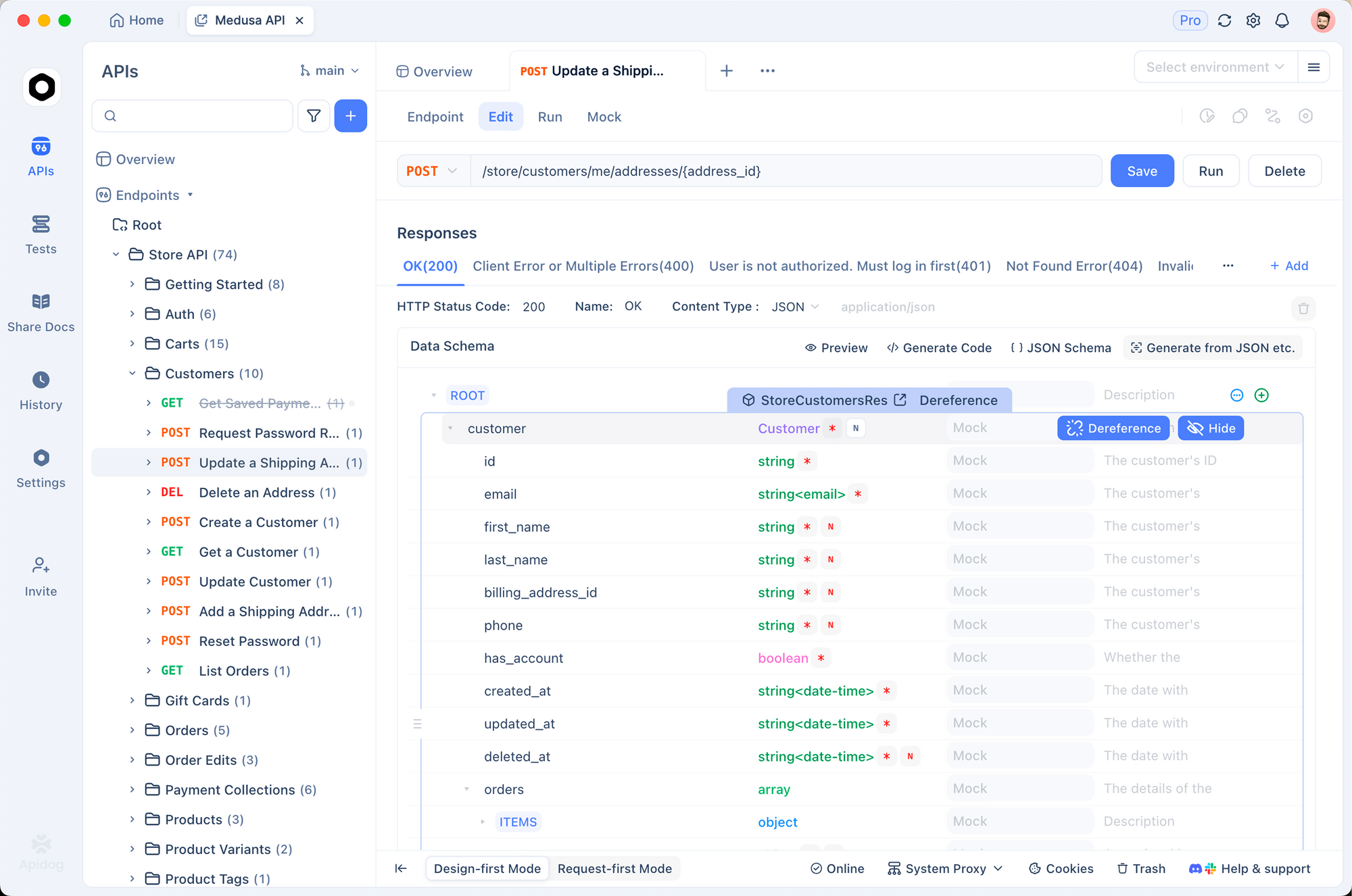
Your Moltbot is running, but how do you monitor API calls, debug webhook failures, or test custom integrations? This is where Apidog shines.
Why Use Apidog for Moltbot Development?
Apidog is an all-in-one API development platform that combines design, testing, documentation, and mocking. For Moltbot deployments, it's perfect for:
- Testing webhook endpoints before connecting chat platforms
- Monitoring Anthropic API calls (token usage, latency, errors)
- Debugging Durable Object state by inspecting API responses
- Mocking external services during skill development
- Documenting your Moltbot's custom endpoints for team members
Conclusion
The Moltbot (ClawdBot) hype sparked a Mac mini buying frenzy, but as we've shown, you don't need $500+ hardware to run a 24/7 AI assistant. Cloudflare Moltworker delivers the same functionality for just $5/month.