Stoplight Prism Mock is an open-source HTTP mock server developed by Stoplight that simulates real web APIs by providing endpoints and validation rules described in OpenAPI specifications. This powerful tool enables developers to simulate API behavior based on OpenAPI (formerly known as Swagger) specifications, making it particularly valuable for teams working in design-first API development approaches.
However, while Prism Mock serves as a solid foundation for API mocking, modern development teams are increasingly turning to more comprehensive solutions that offer enhanced features, better user experience, and seamless integration with their development workflows.

The Power of API Mocking
API mocking is a technique that allows developers to simulate the behavior of a real API without actually implementing the backend logic. This approach offers numerous benefits throughout the API lifecycle:
- Rapid Prototyping: Developers can quickly create a working prototype of an API, allowing stakeholders to interact with and provide feedback on the design before significant resources are invested in implementation.
- Parallel Development: Frontend and backend teams can work simultaneously, with frontend developers using the mock API while backend developers build the actual implementation.
- Testing and Debugging: QA teams can test edge cases and error scenarios more easily by configuring the mock server to return specific responses.
- Demonstration and Training: Product managers and sales teams can showcase API functionality to potential clients or train users without relying on a production environment.
Key Features of Stoplight Prism Mock
Stoplight Prism Mock offers several core features that make it a functional choice for basic API mocking:
Dynamic Response Generation
While static examples are useful, they can lead to overly rigid client implementations. Prism Mock addresses this by offering dynamic response generation2. When run with the -d flag, Prism uses the Faker.js library to create realistic, randomized data that conforms to the schema defined in the OpenAPI document. This feature helps developers build more robust clients that can handle a variety of response scenarios.
Validation
Prism Mock doesn't just generate responses; it also validates incoming requests against the OpenAPI specification1. This bi-directional validation ensures that both the client and server are adhering to the agreed-upon contract, catching discrepancies early in the development process.
Extensive Logging
To aid in debugging and understanding API interactions, Prism Mock provides detailed logs of all requests and responses. This visibility is invaluable when troubleshooting issues or optimizing API usage.
Support for OpenAPI v2 and v3
Prism Mock is compatible with both OpenAPI v2 (Swagger) and OpenAPI v3 specifications. This broad support ensures that teams can use Prism regardless of which version of OpenAPI they've adopted.
Getting Started with Prism Mock
Setting up Prism Mock is straightforward, making it accessible to developers of all skill levels. Here's a quick guide to getting started:
Installation: Prism can be installed globally via npm or yarn:
install -g @stoplight/prism-cliyarn global add @stoplight/prism-cliRunning the Mock Server: Once installed, you can start a mock server using an OpenAPI specification file:
prism mock path/to/your/openapi.yamlDynamic Mocking: To enable dynamic response generation, add the -d flag:
mock -d path/to/your/openapi.yamlModifying Responses: Prism allows you to modify responses using the Prefer header:
- Force specific response status:
Prefer: code=404 - Request specific examples:
Prefer: example=exampleKey - Override dynamic mode:
Prefer: dynamic=false
Advanced Usage
Prism Mock offers several advanced features for more complex scenarios:
Custom Examples
While Prism can generate dynamic responses, you may want to provide specific examples for certain endpoints. You can do this by adding examples to your OpenAPI specification, which Prism will then use when generating responses.
Faker.js Integration
For even more control over dynamic response generation, Prism supports the x-faker extension in OpenAPI specifications. This allows you to specify exactly how you want Faker.js to generate data for each field.
Pet:

  type: object

  properties:

    name:

      type: string

      x-faker: name.firstName

    photoUrls:

      type: array

      items:

        type: string

        x-faker: image.imageUrl
Contract Testing
In addition to mocking, Prism can be used as a validation proxy for contract testing. By running Prism in proxy mode, you can validate that your actual API implementation matches the OpenAPI specification:
prism proxy path/to/your/openapi.yaml https://your-api.comThis mode analyzes requests and responses from your actual API and reports discrepancies with your OpenAPI specification.
Why Apidog is the Superior Choice for API Mocking
While Prism Mock provides basic functionality, Apidog offers a comprehensive, user-friendly alternative that addresses many of the limitations found in traditional mocking tools. Apidog is a complete API development platform that combines powerful mocking capabilities with design, testing, debugging and documentation tools in a single, intuitive interface.
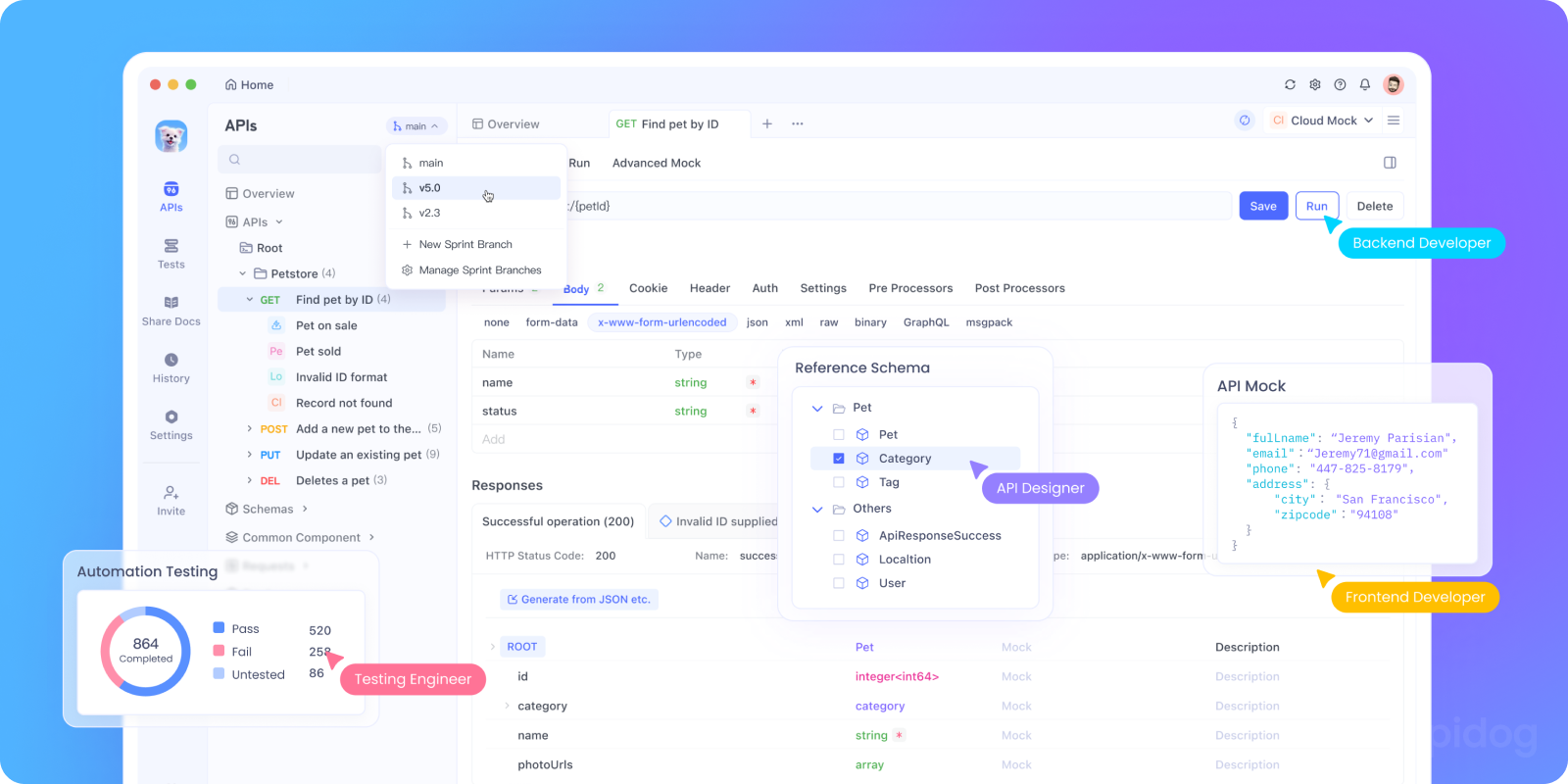
Mock an API Using Apidog in Under One Minute
Unlike Prism Mock, which requires command-line setup and configuration, Apidog enables you to mock APIs in under one minute without writing a single line of code:
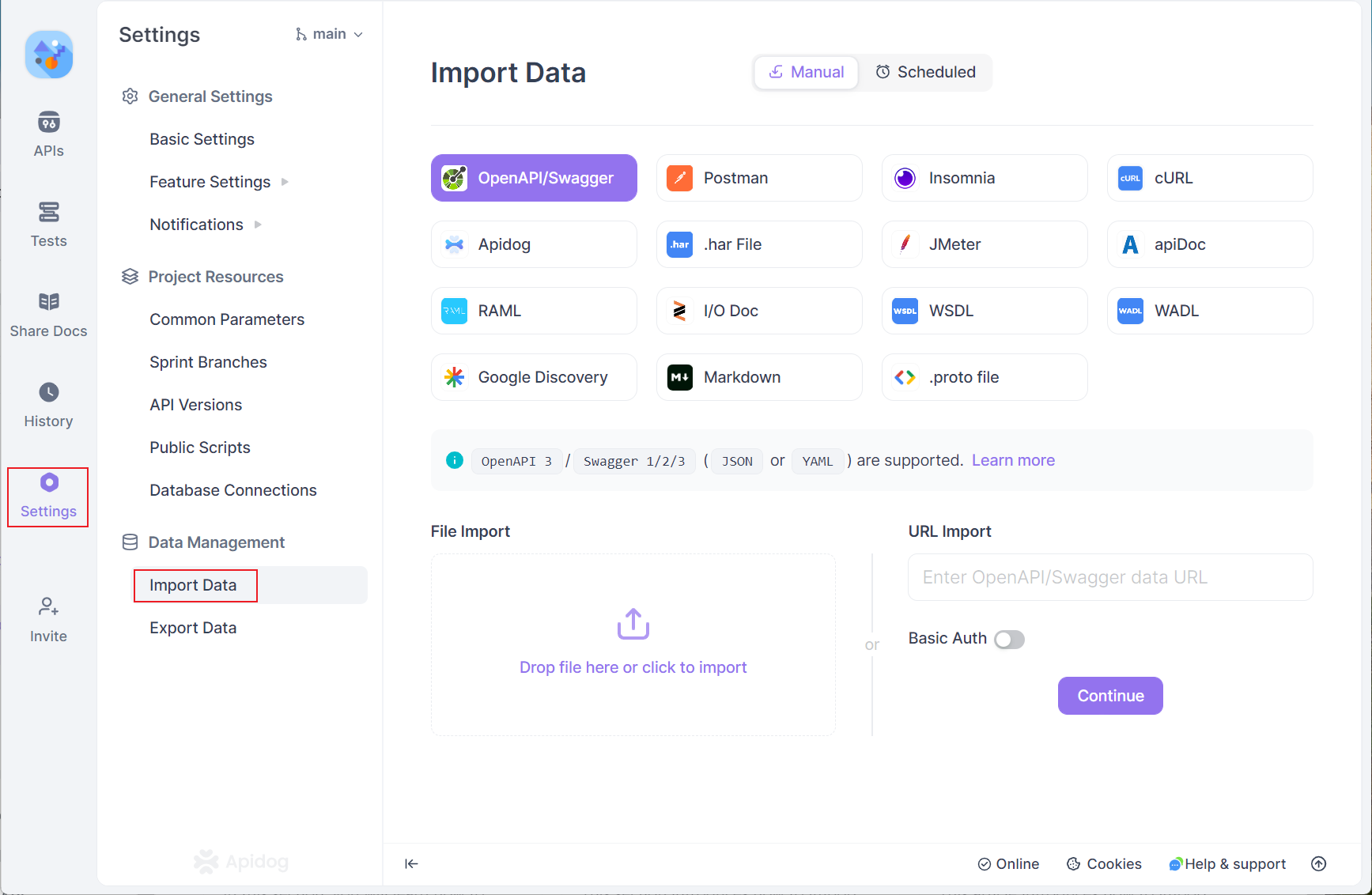
- Import API Specs: Simply drag and drop your OpenAPI specification file into Apidog
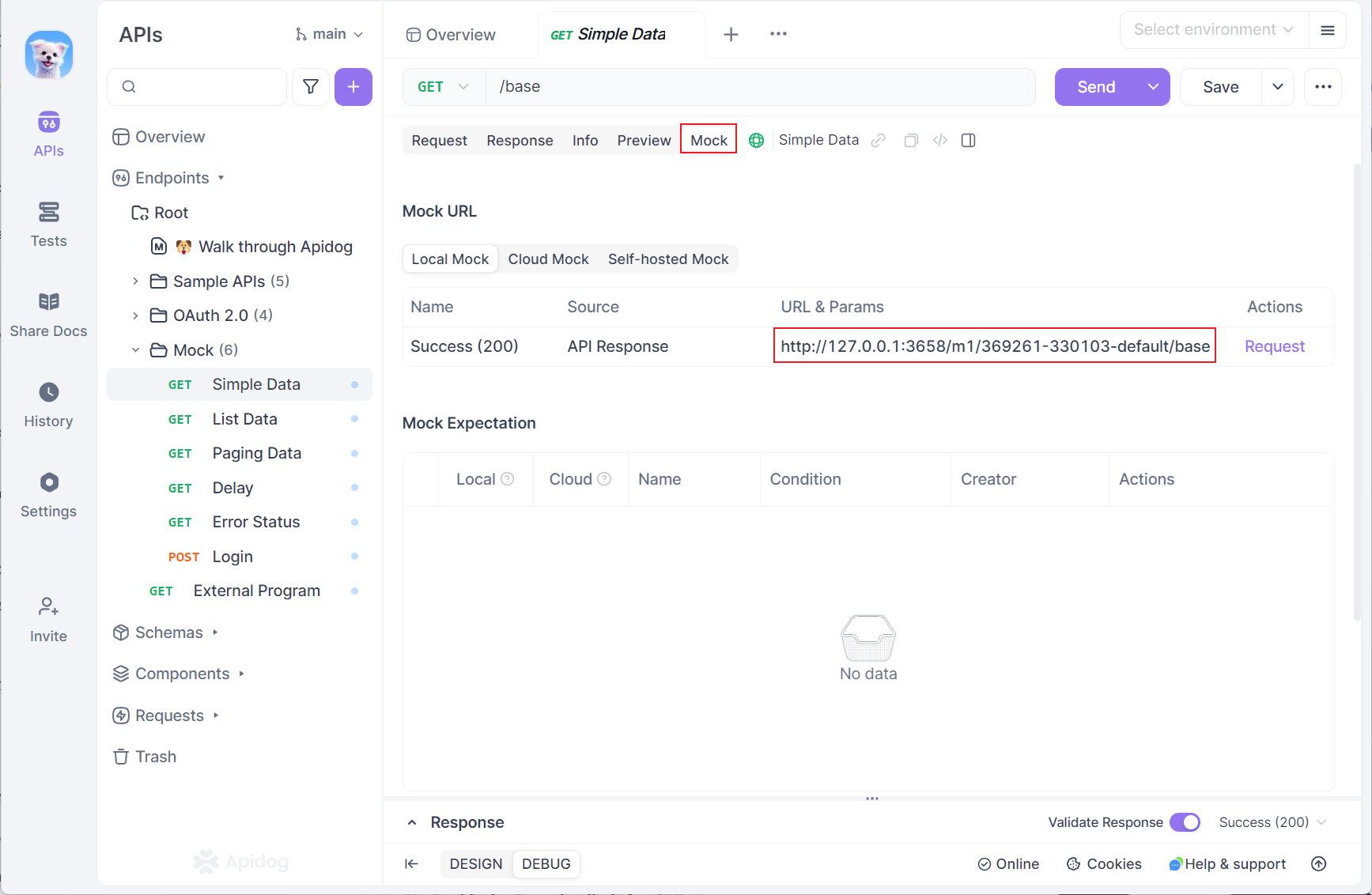
- Get Mock URL: Click on any endpoint and copy the mock URL
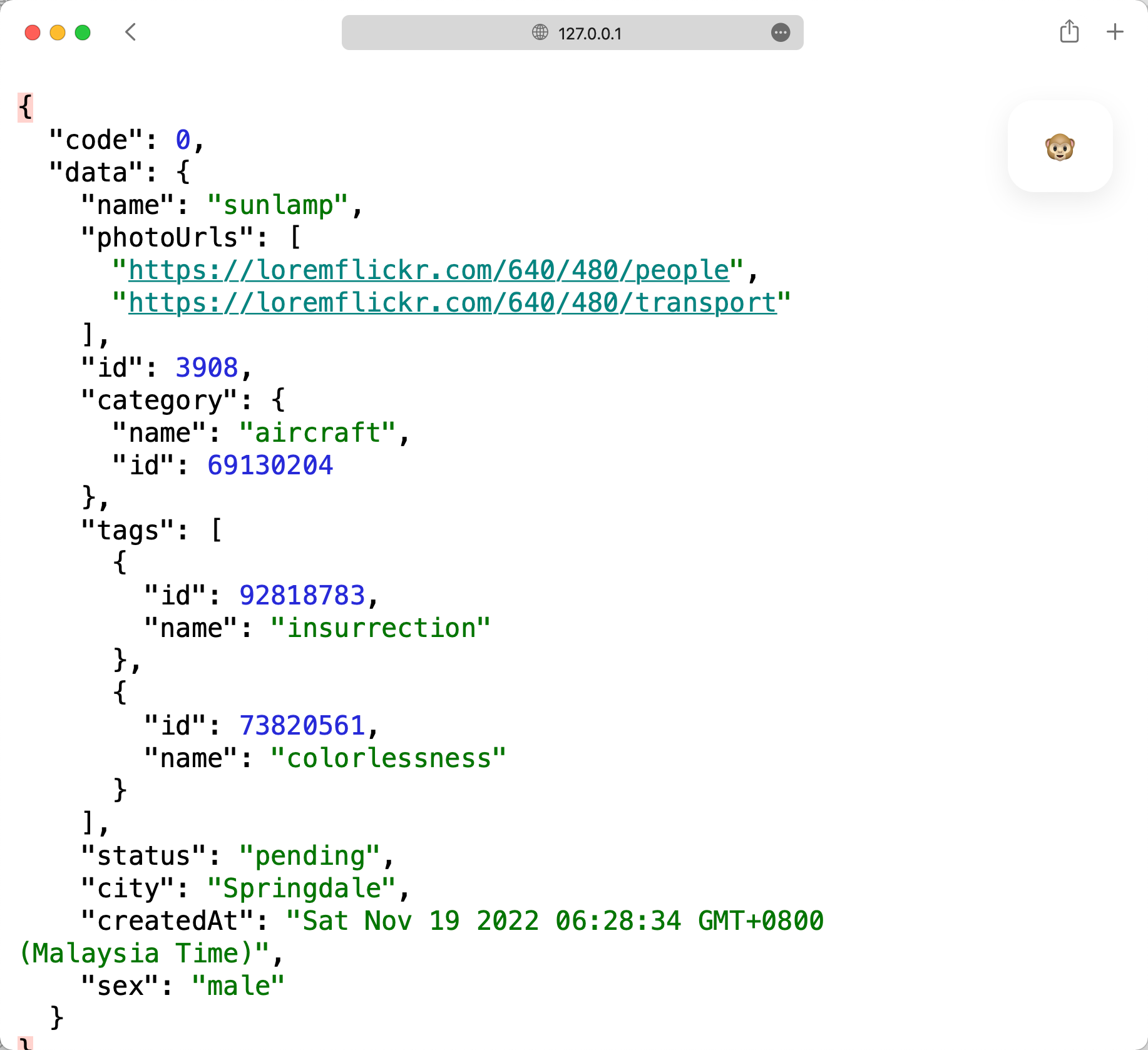
- Start Using: Paste the URL in your browser or application to get realistic mock data
Apidog Smart Mock - Zero Configuration Required
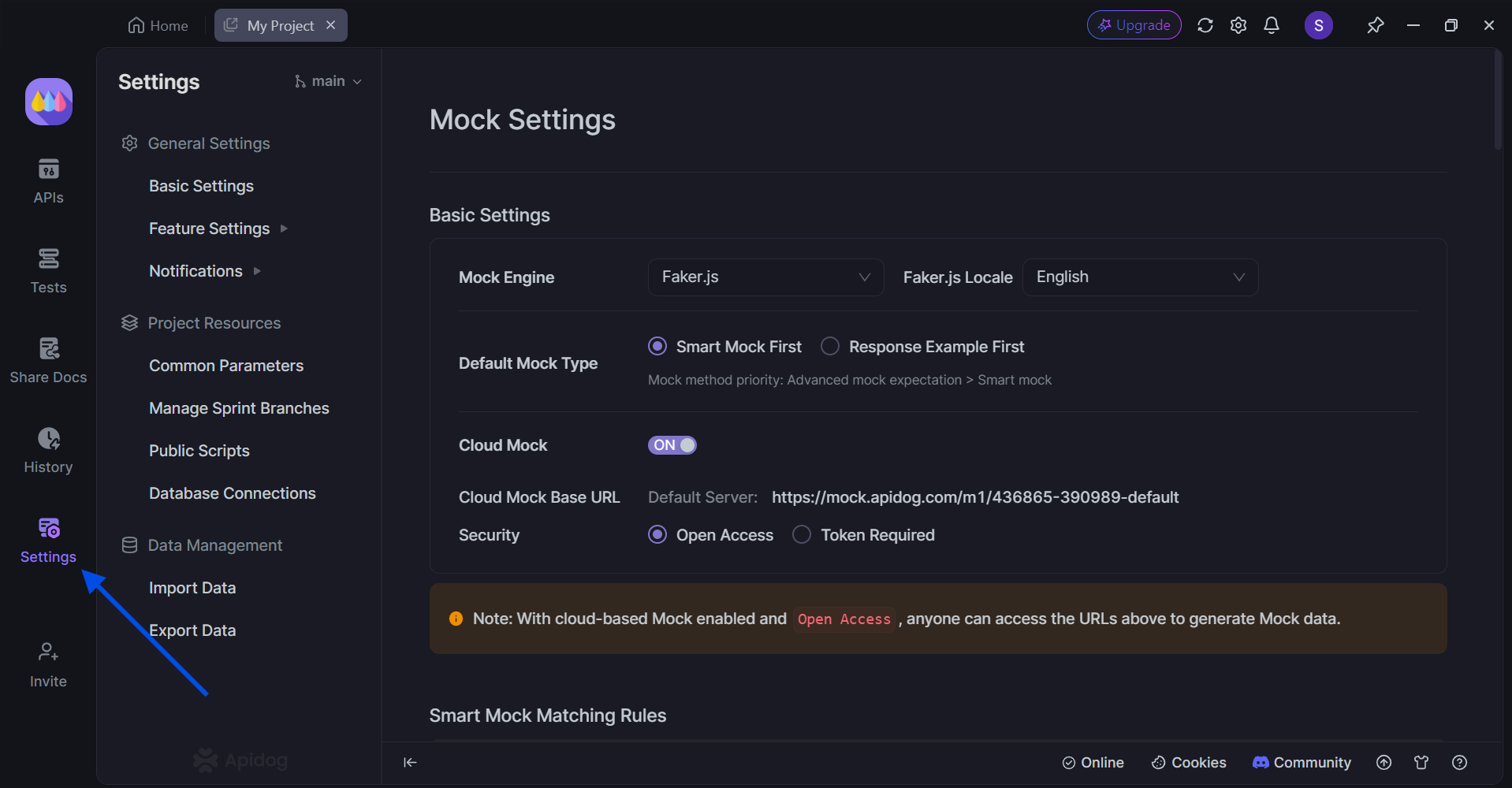
Apidog's Smart Mock automatically generates realistic data based on your API specification without any manual configuration. The system uses intelligent algorithms to:
- Match field names to appropriate data types (e.g., "email" fields get email addresses, "name" fields get realistic names)
- Respect JSON Schema constraints like string length limits, enum values, and numeric ranges
- Generate contextual data that makes sense for your specific API
Advanced Mock Customization
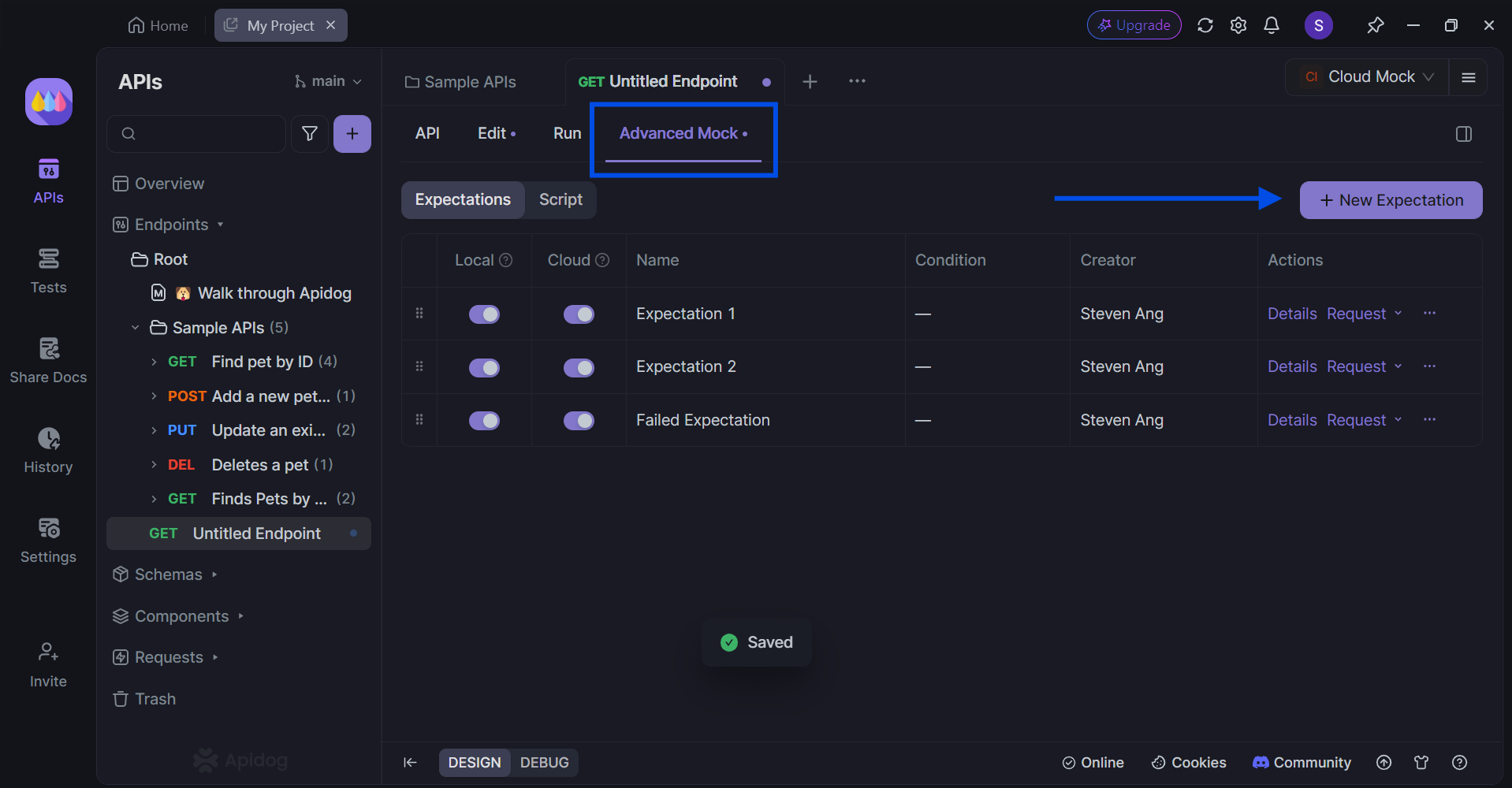
For more sophisticated scenarios, Apidog offers powerful customization options:
Custom Field Values
- Fixed Values: Set specific values for certain fields while auto-generating others
- Faker.js Integration: Use enhanced Faker.js syntax with parameters for precise control
- Dynamic Expressions: Combine multiple dynamic expressions for complex field generation
Mock Expectations
Create conditional responses based on request parameters:
- Fixed Responses: Always return the same data
- Conditional Responses: Return different data based on query parameters, headers, or request body
- Dynamic Responses: Use Faker.js and Nunjucks templating for complex, realistic data generation
Mock Scripts
For advanced scenarios requiring logical relationships between data:
- Access request parameters and modify responses accordingly
- Implement business logic in JavaScript
- Maintain data consistency across related fields
Multiple Mock Server Options
Apidog provides three deployment options to fit different team needs:
Local Mock
- Runs on your local machine
- Perfect for individual development and debugging
- Automatically starts when the Apidog client is opened
Cloud Mock
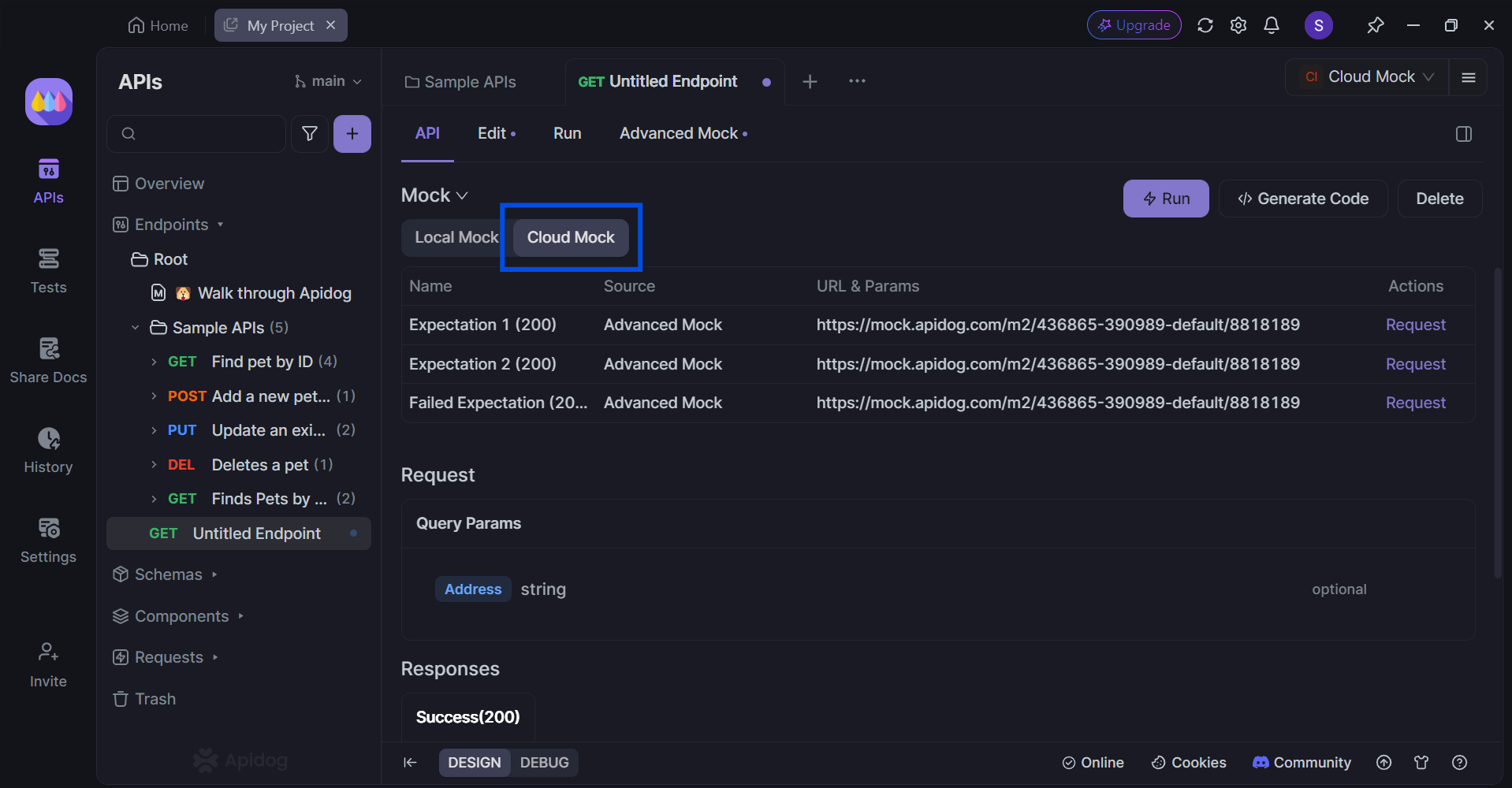
- Deployed on Apidog servers for 24/7 availability
- Ideal for team collaboration and public API documentation
- Supports token authentication for secure access
- Perfect for sandbox environments
Self-Hosted Runner Mock
- Deployed on your team's own infrastructure
- Suitable for sensitive APIs and large-scale testing
- Complete control over data and access
Key Advantages of Apidog Mock Over Prism Mock
| Feature | Prism Mock | Apidog |
|---|---|---|
| Setup Time | Command-line installation and configuration | Under 1 minute with GUI |
| User Interface | Command-line only | Intuitive graphical interface |
| Smart Data Generation | Basic Faker.js integration | Advanced AI-powered smart mock |
| Team Collaboration | Limited | Built-in team features and cloud deployment |
| Customization | Manual OpenAPI editing | Visual mock expectation builder |
| Integration | Standalone tool | Part of comprehensive API platform |
| Access Control | None | Token authentication and permissions |
| Real-time Updates | Manual restart required | Automatic updates and live collaboration |
Conclusion
While Prism Mock has served as a foundational tool for API mocking, the landscape of API development has evolved significantly. Modern development teams require solutions that offer not just basic mocking capabilities, but comprehensive platforms that integrate seamlessly into their workflows.
Apidog represents the evolution of API mocking tools, addressing the key limitations of traditional approaches:
- Speed: Mock APIs in under one minute without configuration
- Intelligence: AI-powered smart mock that understands your data context
- Collaboration: Built-in team features and cloud deployment options
- Flexibility: From simple auto-generation to complex custom scenarios
- Integration: Part of a complete API development platform
The future of API development lies in tools that eliminate friction, promote collaboration, and accelerate development cycles. Apidog's mocking capabilities exemplify this evolution, providing developers with the power to focus on what matters most: building exceptional APIs and applications.
Whether you're a solo developer looking to streamline your workflow or part of a large team managing complex microservices, Apidog offers the comprehensive mocking solution you need to succeed in today's fast-paced development environment.