
The debate around Playwright vs Cypress has dominated testing discussions for the past three years. While both tools promise fast, reliable end-to-end testing, fundamentally they actually take different approaches. And choosing the wrong tool can lock your team into a toolchain that doesn't match your architecture, skill set, or testing philosophy. This guide cuts through the hype and provides a clear, practical comparison to help you make the right decision for your specific needs.
What Is Playwright?
Playwright is an open-source testing framework developed by Microsoft that automates browser actions across Chromium, Firefox, and Safari using a single API. It supports multiple languages (JavaScript, Python, C#, Java) and runs tests in parallel by default. Playwright’s architecture uses a WebSocket connection to control browsers directly, enabling ultra-fast execution and reliable cross-browser testing.
Key strength: True cross-browser compatibility and language flexibility.
What Is Cypress?
Cypress is a JavaScript-first testing framework built specifically for modern web applications. It runs inside the browser, giving it native access to DOM elements, network traffic, and application state. Cypress provides a rich debug experience with time-travel snapshots and automatic waiting. However, it only supports Chromium-based browsers and JavaScript.
Key strength: Developer experience and debuggability.
Playwright vs Cypress: Key Similarities
Despite their differences, both tools share important characteristics that make them leaders in modern testing:
| Similarity | Playwright | Cypress |
|---|---|---|
| Open Source | Yes | Yes (with paid dashboard) |
| Auto-Waiting | Waits for elements, network | Waits for elements, network |
| Parallel Execution | Built-in | With CI parallelization |
| CI/CD Integration | All major platforms | All major platforms |
| Debug Experience | Trace viewer, screenshots | Time-travel, snapshots |
| API Testing | Native support | Native support |
Both tools eliminate flaky tests through intelligent waiting and provide solid foundations for modern test automation.
Playwright vs Cypress: Critical Differences
The Playwright vs Cypress choice hinges on these architectural and philosophical differences:
| Feature | Playwright | Cypress | Winner |
|---|---|---|---|
| Browser Support | Chromium, Firefox, Safari | Chromium only | Playwright |
| Language Support | JS, Python, C#, Java | JavaScript only | Playwright |
| Execution Speed | Very fast (WebSocket) | Fast (in-browser) | Playwright |
| Debug Experience | Trace viewer, Inspector | Time-travel, snapshots | Tie |
| Cross-Origin | Seamless | Limited (requires workarounds) | Playwright |
| Test Isolation | Full isolation per test | Shared state (requires cy.origin) | Playwright |
| Mobile Testing | Real device support | Limited (viewport only) | Playwright |
| Community | Growing rapidly | Very large, mature | Cypress |
| Learning Curve | Moderate (multiple languages) | Gentle (JS-only) | Cypress |
| Enterprise Features | Microsoft support | Cypress Dashboard | Tie |
Code Examples: Playwright vs Cypress Side-by-Side
Let’s compare Playwright vs Cypress with a practical test for a login flow:
Cypress Implementation
// Cypress test
describe('User Login', () => {
  beforeEach(() => {
    cy.visit('/login');
  });

  it('logs in with valid credentials', () => {
    cy.get('[data-testid="email"]')
      .type('test@example.com');

    cy.get('[data-testid="password"]')
      .type('ValidPass123');

    cy.get('[data-testid="login-button"]')
      .click();

    cy.url()
      .should('include', '/dashboard');

    cy.get('[data-testid="welcome-message"]')
      .should('contain', 'Welcome back');
  });
});
Playwright Implementation
// Playwright test
import { test, expect } from '@playwright/test';

test.describe('User Login', () => {
  test.beforeEach(async ({ page }) => {
    await page.goto('/login');
  });

  test('logs in with valid credentials', async ({ page }) => {
    await page.locator('[data-testid="email"]')
      .fill('test@example.com');

    await page.locator('[data-testid="password"]')
      .fill('ValidPass123');

    await page.locator('[data-testid="login-button"]')
      .click();

    await expect(page)
      .toHaveURL(/\/dashboard/);

    await expect(page.locator('[data-testid="welcome-message"]'))
      .toContainText('Welcome back');
  });
});
Key observation: Playwright’s locator() is more flexible than Cypress's get(), and Playwright’s assertions are more explicit.
When to Use Playwright vs Cypress
Choose Playwright vs Cypress based on your specific context:
Use Playwright When:
- You need true cross-browser testing (Safari, Firefox matter)
- Your team uses multiple languages (Python, C#, Java)
- You test mobile web on real devices
- You need to test across multiple domains/ origins
- Performance and parallel execution are critical
- You’re building a Microsoft-centric stack
Use Cypress When:
- Your team is 100% JavaScript/TypeScript
- You need the absolute best debug experience
- You’re testing a single-page React/Vue/Angular app
- You value a large plugin ecosystem
- You want the gentlest learning curve
- You already use the Cypress Dashboard
Playwright vs Cypress for API Testing
Both tools support API testing, but Apidog complements them by automating the heavy lifting:
With Playwright
// Playwright API test
test('creates user via API', async ({ request }) => {
  const response = await request.post('/api/users', {
    data: {
      name: 'Test User',
      email: 'test@example.com'
    }
  });

  expect(response.ok()).toBeTruthy();
  const user = await response.json();
  expect(user.id).toBeDefined();
});
With Cypress
// Cypress API test
it('creates user via API', () => {
  cy.request('POST', '/api/users', {
    name: 'Test User',
    email: 'test@example.com'
  }).then((response) => {
    expect(response.status).to.eq(201);
    expect(response.body.id).to.exist;
  });
});
Apidog's Enhancement
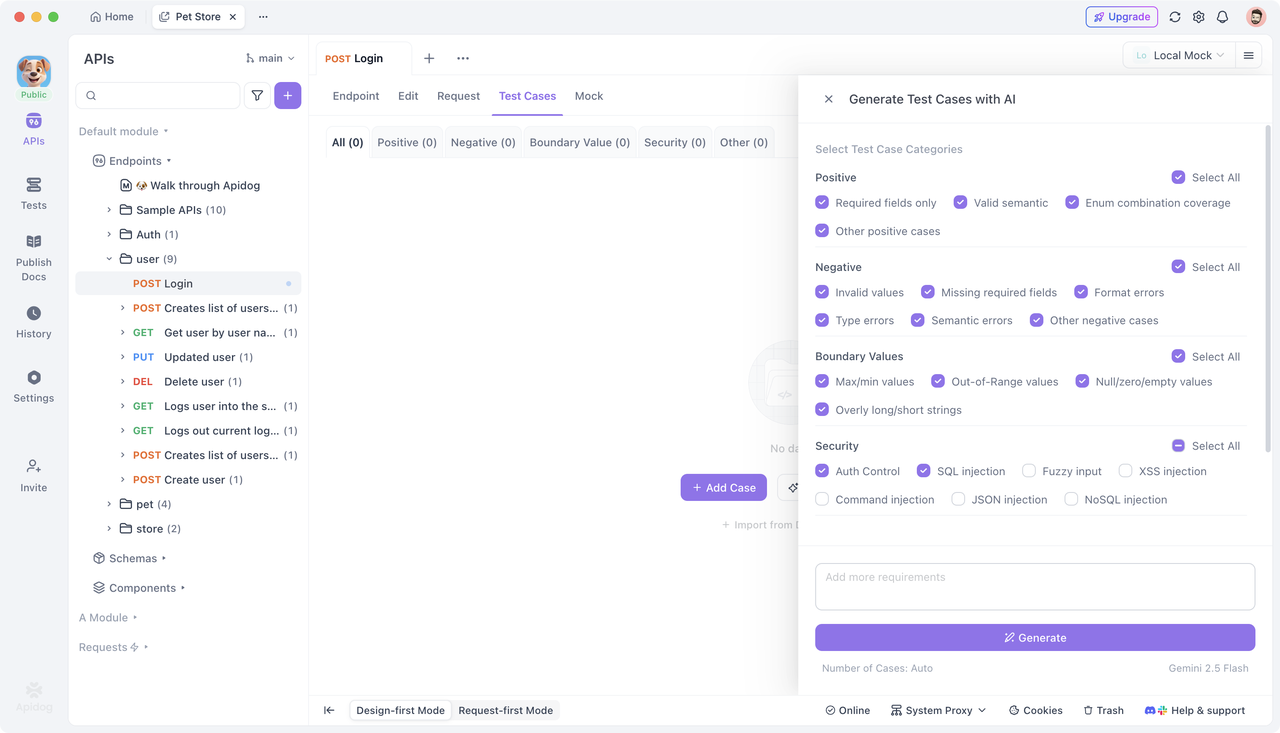
Apidog generates these tests automatically from your OpenAPI spec:
- Creates positive, negative, and boundary test cases
- Manages authentication tokens
- Validates response schemas
- Runs tests in CI/CD without writing code
Hybrid Strategy: Using Both Tools
Some teams successfully use Playwright vs Cypress together:
| Use Case | Tool |
|---|---|
| Component tests | Cypress (fast, isolated) |
| Cross-browser E2E | Playwright (Safari, Firefox) |
| Visual regression | Playwright (screenshot API) |
| API contract tests | Apidog (automated generation) |
| Mobile testing | Playwright (real devices) |
Frequently Asked Questions
Q1: Can I migrate from Cypress to Playwright easily?
Ans: The syntax is similar but not identical. Budget 2-3 weeks for a medium-sized suite. Apidog can help by regenerating API tests that work with both frameworks.
Q2: Which tool handles flaky tests better?
Ans: Both have excellent auto-waiting. Playwright’s WebSocket connection makes it slightly more reliable for network-heavy apps. Cypress’s in-browser execution eliminates some timing issues.
Q3: Is Playwright’s multi-language support actually useful?
Ans: Extremely. Python teams use Playwright for data science dashboards. C# teams test Blazor apps. Java teams test Spring Boot frontends. Cypress locks you into JavaScript.
Q4: Does Cypress’s JavaScript-only limitation matter?
Ans: If your entire stack is JavaScript, no. But if you have microservices in Python or Java, Playwright lets you use one testing framework across everything.
Q5: How does Apidog fit into a Playwright or Cypress pipeline?
Ans: Apidog handles API testing while Playwright/Cypress focus on UI. Use Apidog to validate backend contracts, then run E2E tests that rely on those stable APIs. This reduces UI test flakiness dramatically.
Conclusion
The Playwright vs Cypress debate doesn’t have a universal winner—only the right choice for your context. Playwright excels at cross-browser compatibility, language flexibility, and enterprise scenarios. Cypress dominates in JavaScript ecosystems where developer experience and debuggability are paramount.
For most modern teams, Playwright’s broader capabilities make it the safer long-term choice, especially as applications become more complex and multi-platform. However, Cypress remains a fantastic tool for teams fully invested in the JavaScript ecosystem.
Regardless of your UI testing choice, Apidog should be part of your strategy. It automates the API testing layer that both Playwright and Cypress rely on, ensuring your backend contracts are solid before you write a single UI test. This combination—robust UI testing with Playwright or Cypress plus automated API testing with Apidog—creates a quality assurance foundation that scales with your product.
Start with one tool, master it, then layer in complementary solutions. Quality isn’t about picking the single best tool—it’s about orchestrating the right tools for each layer of your testing pyramid.