
OpenClaw moved fast: from Moltbot to Clawdbot naming turbulence to a stable identity and rapidly growing community adoption. If you're here, you likely want one practical outcome: a reliable OpenClaw node running on a Raspberry Pi that you can trust at home or at the edge.
This guide is for deep technical builders. You’ll set up OpenClaw with:
- reproducible system dependencies,
- service isolation,
- heartbeat-driven health checks (cheap checks first),
- selective model invocation,
- optional secure sandboxing patterns,
- and API-level observability.
Along the way, I’ll show where Apidog helps: validating OpenClaw endpoints, building regression tests, and documenting your local API surface for team use.
1) Architecture decisions before you install
Before touching apt, decide how your Pi will run inference workflows.
Option A: Pi as orchestrator, model offloaded
Best for Raspberry Pi 4/5 with limited RAM.
- OpenClaw runs orchestration, scheduling, plugins, and heartbeats locally.
- Heavy LLM inference routes to remote providers or a LAN model server.
- Lower thermal load, better uptime.
Option B: Pi for lightweight local models only
Good for strict privacy and offline tasks.
- Use compact models (quantized, small context windows).
- Restrict heavy pipelines and long chains.
- Expect latency tradeoffs.
Option C: Hybrid routing
Most practical architecture.
- Cheap deterministic checks first.
- Only escalate to model calls when needed.
- Route low-risk tasks local, high-complexity remote.
This “cheap checks first, models only when needed” pattern has become a core OpenClaw reliability strategy because it controls cost, thermal pressure, and latency spikes.
2) Hardware and OS baseline
Recommended hardware
- Raspberry Pi 5 (8GB) preferred
- Raspberry Pi 4 (4GB+) works for lighter workloads
- NVMe or high-quality SSD over microSD for durability
- Stable power supply and active cooling
OS
Use Raspberry Pi OS Lite (64-bit) or Ubuntu Server 24.04 for ARM64.
Then update:
bash sudo apt update && sudo apt upgrade -y sudo reboot
Set hostname and time sync (important for logs and token expirations):
bash sudo hostnamectl set-hostname openclaw-pi sudo timedatectl set-ntp true
3) Install runtime dependencies
OpenClaw stacks commonly use Python and/or Node workers depending on plugins. Install both to stay compatible with evolving modules.
sudo apt install -y git curl wget jq build-essential pkg-config python3 python3-venv python3-pip nodejs npm redis-server sqlite3Check versions:
bash python3 --version node --version npm --version redis-server --version
Why Redis + SQLite?
- Redis: low-latency queue/state signaling.
- SQLite: lightweight local persistence for single-node setups.
For multi-node later, migrate persistence to Postgres.
4) Create a dedicated service user
Avoid running agents as pi or root.
sudo useradd -m -s /bin/bash openclaw sudo usermod -aG sudo openclaw sudo mkdir -p /opt/openclaw sudo chown -R openclaw:openclaw /opt/openclaw
Switch user:
bash sudo su - openclaw cd /opt/openclaw
5) Clone and configure OpenClaw
bash git clone https://github.com//.git app cd app
Replace with the current official repo path from the OpenClaw project page.
Create Python environment:
python3 -m venv .venv source .venv/bin/activate pip install --upgrade pip pip install -r requirements.txtIf there is a Node service:
npm ciCopy environment template:
cp .env.example .envTypical .env shape:
env OPENCLAW_HOST=0.0.0.0 OPENCLAW_PORT=8080 OPENCLAW_LOG_LEVEL=info
STATE_BACKEND=redis REDIS_URL=redis://127.0.0.1:6379 DB_URL=sqlite:////opt/openclaw/app/data/openclaw.db
MODEL_ROUTER=hybrid LOCAL_MODEL_ENABLED=true REMOTE_MODEL_ENABLED=true REMOTE_MODEL_API_KEY=your_key_here
HEARTBEAT_INTERVAL_SEC=15 HEARTBEAT_TIMEOUT_SEC=5 CHEAP_CHECKS_ENABLED=true
SANDBOX_MODE=on SANDBOX_PROVIDER=process
Use chmod 600 .env to protect secrets.
6) Add systemd service for reliability
Create /etc/systemd/system/openclaw.service:
ini [Unit] Description=OpenClaw Agent Service After=network-online.target redis.service Wants=network-online.target
[Service] Type=simple User=openclaw WorkingDirectory=/opt/openclaw/app Environment="PYTHONUNBUFFERED=1" ExecStart=/opt/openclaw/app/.venv/bin/python -m openclaw.server Restart=always RestartSec=3 TimeoutStartSec=30 TimeoutStopSec=20
Basic hardening
NoNewPrivileges=true PrivateTmp=true ProtectSystem=full ProtectHome=true ReadWritePaths=/opt/openclaw/app/data /opt/openclaw/app/logs
[Install] WantedBy=multi-user.target
Enable and start:
sudo systemctl daemon-reload sudo systemctl enable openclaw sudo systemctl start openclaw sudo systemctl status openclawTail logs:
bash journalctl -u openclaw -f
7) Implement heartbeat strategy (cheap checks first)
A recurring community lesson: don’t spend model tokens to detect obvious failures.
Recommended layered heartbeat
- L0 process check: service alive, port open.
- L1 dependency check: Redis/DB reachable, queue lag acceptable.
- L2 deterministic task check: run static validation script.
- L3 model-backed probe: only if previous checks pass but confidence is low.
Example pseudo-config:
yaml heartbeat: interval_sec: 15 timeout_sec: 5 stages: - name: process type: tcp target: 127.0.0.1:8080 - name: deps type: internal checks: [redis_ping, db_read] - name: deterministic type: task command: "python scripts/selfcheck.py" - name: model_probe type: llm enabled_on: degraded_only
This pattern reduces cost and false alarms while protecting uptime on constrained hardware.
8) Secure execution with sandbox boundaries
If OpenClaw runs tools (shell, browser, file writes), isolate execution.
Minimum baseline on Pi:
- run tools under non-privileged user,
- deny broad filesystem writes,
- whitelist directories,
- set subprocess timeout and memory ceilings.
If your stack supports hardened sandboxes (similar to secure-agent sandbox models), use that for untrusted tool calls.
Practical guardrails:
env TOOL_EXEC_TIMEOUT_MS=12000 TOOL_MAX_STDOUT_KB=256 TOOL_ALLOWED_PATHS=/opt/openclaw/app/workdir TOOL_BLOCK_NETWORK_BY_DEFAULT=true
For network-enabled tools, allow explicit host lists only.
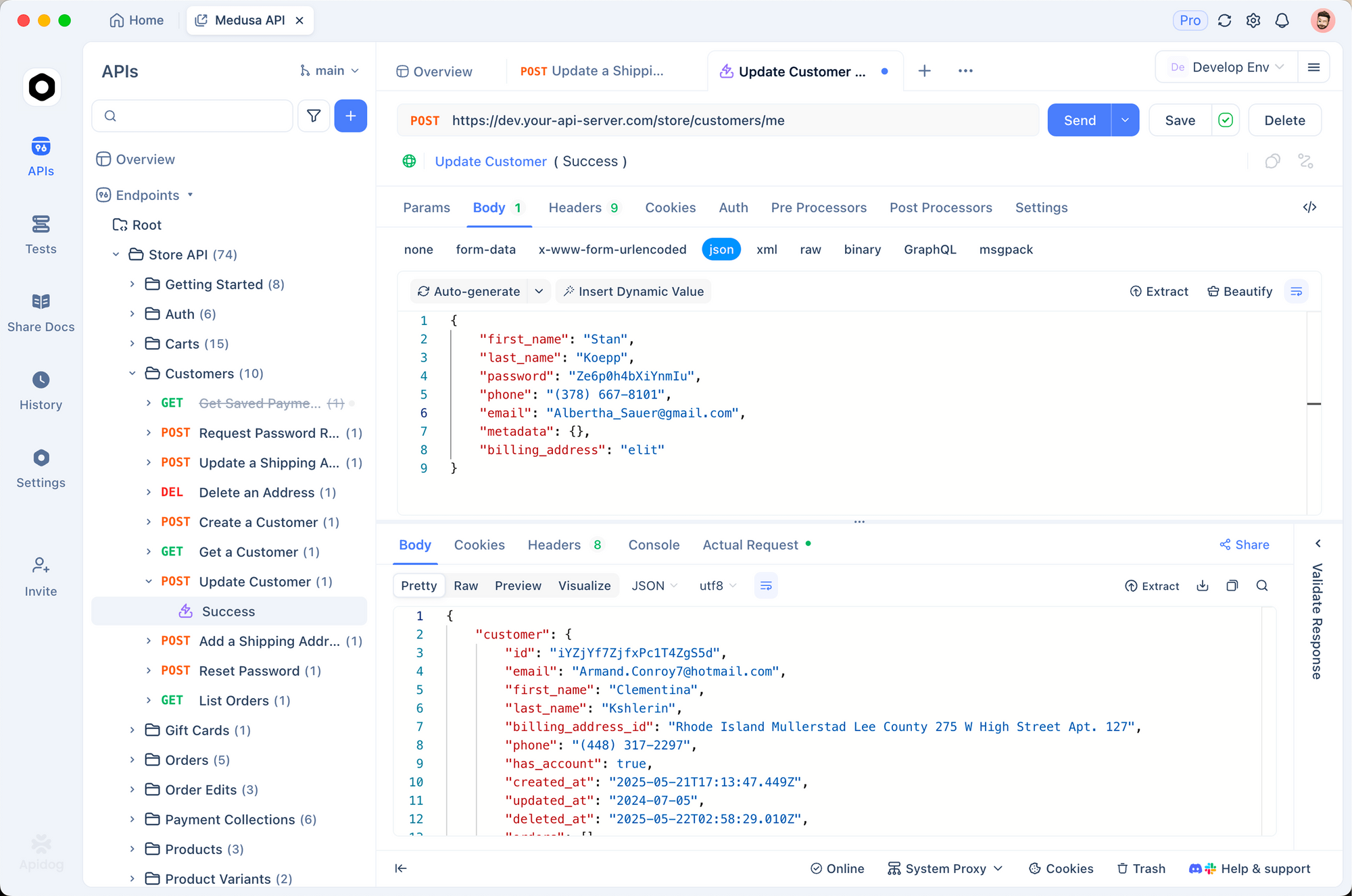
9) Validate OpenClaw APIs with Apidog
Once OpenClaw is up, treat it like any API product: define contracts, test behavior, and track regressions.
Why Apidog here
You can use Apidog to:
- import or design your OpenClaw OpenAPI spec,
- run automated testing against local Pi endpoints,
- create visual assertions for heartbeat payloads,
- mock downstream dependencies for offline debugging,
- publish interactive docs for teammates.
Example health endpoint test
Assume endpoint:
GET /healthz
Expected response:
{ "status": "ok", "checks": { "redis": "ok", "db": "ok", "queue_lag_ms": 12 } }
In Apidog, create a test scenario:
- Assert HTTP 200.
- Assert
status == ok. - Assert
checks.queue_lag_ms < 100. - Add a negative environment where Redis is stopped; expect degraded state.
This converts “it seems fine” into repeatable API quality gates.
10) Performance tuning on Raspberry Pi
CPU and thermal control
Monitor:
bash vcgencmd measure_temp uptime top
If temperature exceeds safe sustained limits, inference latency will spike due to throttling.
Memory pressure
Enable zram or modest swap if needed, but avoid swap-heavy workloads for real-time flows.
Queue and concurrency
Start conservative:
env WORKER_CONCURRENCY=1 MAX_INFLIGHT_TASKS=4
Then increase after observing p95 latency and error rates.
Log rotation
Prevent SD/SSD wear:
bash sudo apt install -y logrotate
Add rotation rules for /opt/openclaw/app/logs/*.log.
11) Troubleshooting playbook
Service flaps every few seconds
- Check bad env keys or missing API key.
- Run app manually inside venv to see full traceback.
bash sudo su - openclaw cd /opt/openclaw/app source .venv/bin/activate python -m openclaw.server
Redis connection refused
bash sudo systemctl status redis redis-cli ping
If not PONG, fix Redis before debugging OpenClaw.
High latency after a few minutes
Likely thermal throttling or memory pressure.
- reduce model context,
- lower worker concurrency,
- move heavy calls to remote model.
Heartbeats passing but tasks failing
Your checks are too shallow. Add deterministic task probes that mimic real workflows (file read, parse, summarize, response encode).
12) Hardening checklist for near-production edge use
- Dedicated user (
openclaw), no root runtime - systemd restart policy and resource constraints
- Secrets in
.envwith strict permissions - TLS termination via reverse proxy (Caddy/Nginx)
- Firewall allowlist (LAN/VPN only)
- Heartbeat tiers with model probe escalation
- Tool sandbox restrictions
- API contract tests in Apidog
- Automated test run in CI/CD for config changes
If you collaborate across backend, QA, and frontend teams, put the OpenClaw API spec into a shared Apidog workspace. You’ll keep schema changes, tests, mocks, and docs synchronized instead of scattered across tools.
13) Example endpoint map you should expose
Keep the surface small and explicit:
GET /healthz— basic healthGET /readyz— dependency readinessGET /metrics— Prometheus-compatible metricsPOST /v1/tasks— submit taskGET /v1/tasks/{id}— poll statusPOST /v1/chat/completions— optional compatibility endpoint
Document these in OpenAPI. Then use Apidog’s schema-first workflow to enforce response consistency and avoid breaking consumers when OpenClaw modules evolve.
Conclusion
Running OpenClaw on a Raspberry Pi is absolutely viable when you design for constraints:
- orchestrate locally, infer selectively,
- use heartbeat layers with cheap checks first,
- sandbox tool execution,
- treat your local agent as a real API service with tests and documentation.
That combination gives you a node that’s affordable, private, and stable enough for daily automation.
If you want a clean next step, import your OpenClaw endpoints into Apidog and create three automated tests today: healthz, readyz, and one end-to-end task flow. You’ll catch regressions early and keep your Pi deployment trustworthy as your agent stack grows.