TL;DR
OpenClaw automates development workflows through intelligent task orchestration, reducing manual work by up to 80%. This guide covers setting up automated CI/CD pipelines, code reviews, testing, and deployment processes. Key benefits include faster release cycles, fewer human errors, and seamless integration with tools like Apidog for API workflow automation. You’ll learn practical automation patterns, troubleshooting techniques, and advanced configurations that work in real production environments.
Introduction
Development teams waste countless hours on repetitive tasks. You know the drill: running tests manually, deploying code through multiple environments, reviewing pull requests, and managing API workflows. It’s tedious, error-prone, and honestly? It’s killing your productivity.
That’s where OpenClaw comes in.
OpenClaw is changing how teams approach development automation. Unlike traditional automation tools that require extensive scripting knowledge, OpenClaw uses intelligent orchestration to understand your workflow and automate it naturally. Think of it as having a skilled DevOps engineer working 24/7, handling all the boring stuff while you focus on building great features.
Why Automate Development Workflows
Let’s be honest: manual processes are holding your team back. Here’s what happens when you don’t automate:
Time Drain: Your developers spend 30-40% of their time on repetitive tasks. That’s two full days every week doing work a machine could handle in seconds.
Human Error: Manual deployments fail. Someone forgets to run migrations, skips a test suite, or deploys to the wrong environment. We’ve all been there, and it’s never fun explaining to stakeholders why production is down.
Inconsistency: Different team members follow different processes. One developer runs the full test suite, another skips integration tests “just this once.” Your codebase becomes a minefield of inconsistent quality.
Slow Feedback Loops: Without automation, you wait hours or days to discover bugs. By then, you’ve moved on to other work, and context-switching back costs even more time.
Scaling Problems: As your team grows, manual processes become bottlenecks. You can’t hire fast enough to keep up with the coordination overhead.
Automation solves all of this. But here’s the thing: automation done wrong creates new problems. Bad automation is rigid, breaks constantly, and requires more maintenance than it saves. That’s why OpenClaw’s approach matters.
The OpenClaw Difference
OpenClaw doesn’t just execute scripts. It understands context. When a test fails, it knows whether to retry, skip, or alert your team. When deployment conditions aren’t met, it waits intelligently rather than failing immediately. This contextual awareness makes automation actually reliable.
OpenClaw Automation Capabilities
Before we get into the how-to, let’s look at what OpenClaw can actually do. Understanding these capabilities helps you design better automation workflows.
Intelligent Task Orchestration
OpenClaw manages complex task dependencies automatically. You define what needs to happen, and it figures out the optimal execution order. If Task B depends on Task A, OpenClaw ensures A completes successfully before starting B. Simple concept, but it eliminates tons of brittle scripting.
Conditional Execution
Not every workflow is linear. OpenClaw handles branching logic naturally. Run integration tests only if unit tests pass. Deploy to staging only if code review is approved. Skip deployment if it’s Friday afternoon (seriously, don’t deploy on Fridays).
Parallel Processing
Why run tests sequentially when you can run them in parallel? OpenClaw automatically identifies independent tasks and executes them concurrently. Your 30-minute test suite might finish in 8 minutes.
Error Recovery
Things fail. Networks hiccup, APIs timeout, services restart. OpenClaw includes smart retry logic with exponential backoff. It distinguishes between transient failures (retry) and permanent failures (alert and stop).
Integration Ecosystem
OpenClaw connects with your existing tools: GitHub, GitLab, Jenkins, Docker, Kubernetes, AWS, and yes, Apidog. You’re not replacing your stack; you’re orchestrating it better.
Common Development Workflows to Automate
Let’s get practical. Here are the workflows that give you the biggest return on automation investment.
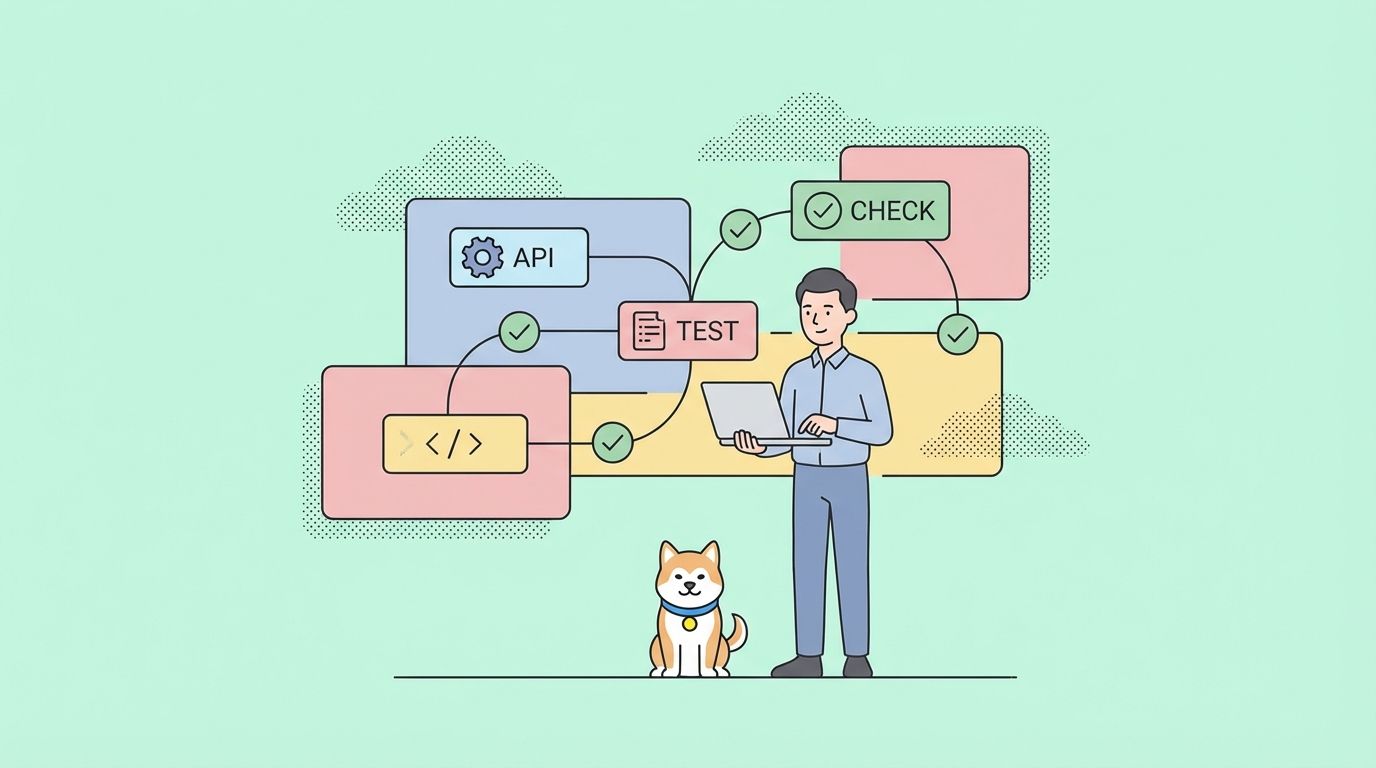
Code Commit to Deployment Pipeline
The classic CI/CD pipeline, but smarter. When a developer pushes code:
- OpenClaw triggers automated tests
- Runs code quality checks and linting
- Builds Docker containers
- Deploys to staging environment
- Runs integration tests against staging
- Waits for approval (or auto-approves based on rules)
- Deploys to production
- Monitors for errors and rolls back if needed
This entire flow happens without human intervention, unless something requires attention.
Pull Request Workflow
Code review is important, but the mechanical parts shouldn’t require human time:
- Automatic code formatting and linting
- Security vulnerability scanning
- Test coverage analysis
- Performance regression detection
- API contract validation (this is where Apidog shines)
- Automated merge when all checks pass
Reviewers focus on logic and architecture, not style issues or missing tests.
API Development and Testing
If you’re building APIs (and who isn’t?), this workflow saves massive time:
- Detect API changes in commits
- Generate updated API documentation
- Run contract tests against new endpoints
- Validate request/response schemas
- Test authentication and authorization
- Check performance and rate limiting
- Update API mocks for frontend teams
Apidog integrates directly into this workflow, providing automated API testing that catches breaking changes before they reach production.
Database Migration Management
Database changes are risky. Automate the safety checks:
- Validate migration scripts for syntax errors
- Run migrations in test environment first
- Verify data integrity after migration
- Create automatic rollback scripts
- Test rollback procedures
- Document schema changes
Environment Management
Keeping development, staging, and production environments in sync is painful. Automate it:
- Provision new environments on demand
- Sync configuration across environments
- Manage secrets and credentials securely
- Monitor resource usage and costs
- Tear down unused environments automatically
Step-by-Step Automation Setup
Enough theory. Let’s build something real. We’ll create an automated workflow that handles code commits through production deployment.
Prerequisites
You’ll need:
- OpenClaw installed (version 2.4 or later)
- Git repository with your project
- Docker for containerization
- Access to your deployment environment
- Apidog account for API testing (optional but recommended)
Step 1: Install and Configure OpenClaw
First, install OpenClaw on your system:
curl -fsSL https://openclaw.dev/install.sh | sh
Initialize OpenClaw in your project directory:
cd your-project
openclaw init
This creates a .openclaw directory with configuration files. The main file is openclaw.yml, which defines your workflows.
Step 2: Define Your First Workflow
Open openclaw.yml and add a basic CI workflow:
workflows:
  continuous-integration:
    trigger:
      - on: push
        branches: [main, develop]

    tasks:
      - name: install-dependencies
        command: npm install

      - name: run-linter
        command: npm run lint
        depends_on: [install-dependencies]

      - name: run-unit-tests
        command: npm test
        depends_on: [install-dependencies]
        parallel: true

      - name: run-integration-tests
        command: npm run test:integration
        depends_on: [run-unit-tests]

      - name: build-application
        command: npm run build
        depends_on: [run-linter, run-integration-tests]
This workflow runs automatically when you push to main or develop branches. Notice how tasks declare dependencies, and some run in parallel.
Step 3: Add Conditional Logic
Real workflows need branching logic. Let’s add deployment that only happens when tests pass:
      - name: deploy-to-staging
        command: ./scripts/deploy.sh staging
        depends_on: [build-application]
        conditions:
          - all_tests_passed: true
          - branch: develop

      - name: deploy-to-production
        command: ./scripts/deploy.sh production
        depends_on: [build-application]
        conditions:
          - all_tests_passed: true
          - branch: main
          - manual_approval: true
Production deployment requires manual approval. OpenClaw pauses the workflow and sends a notification. Someone clicks “approve” and deployment continues.
Step 4: Configure Error Handling
Add retry logic for flaky tests or network issues:
      - name: run-integration-tests
        command: npm run test:integration
        depends_on: [run-unit-tests]
        retry:
          max_attempts: 3
          backoff: exponential
          initial_delay: 5s
        on_failure:
          notify: [slack, email]
          action: stop_workflow
If integration tests fail, OpenClaw retries up to 3 times with increasing delays. After 3 failures, it stops the workflow and notifies your team.
Step 5: Test Your Workflow
Commit your openclaw.yml file and push:
git add .openclaw/openclaw.yml
git commit -m "Add OpenClaw automation workflow"
git push origin develop
OpenClaw detects the push and starts your workflow. Watch it run:
openclaw logs --follow
You’ll see each task execute in real-time. If something fails, the logs show exactly what went wrong.
CI/CD Integration
OpenClaw works alongside your existing CI/CD tools, or replaces them entirely. Here’s how to integrate with popular platforms.
GitHub Actions Integration
If you’re using GitHub Actions, OpenClaw can trigger from GitHub events:
# .github/workflows/openclaw.yml
name: OpenClaw Workflow
on: [push, pull_request]

jobs:
  run-openclaw:
    runs-on: ubuntu-latest
    steps:
      - uses: actions/checkout@v3
      - name: Run OpenClaw
        uses: openclaw/action@v2
        with:
          workflow: continuous-integration
          token: ${{ secrets.OPENCLAW_TOKEN }}
This setup gives you GitHub’s event system with OpenClaw’s intelligent orchestration.
Jenkins Integration
For Jenkins users, install the OpenClaw plugin:
pipeline {
    agent any
    stages {
        stage('Run OpenClaw') {
            steps {
                openclawRun workflow: 'continuous-integration'
            }
        }
    }
}
Jenkins handles scheduling and triggers, OpenClaw handles execution logic.
GitLab CI Integration
GitLab CI configuration is straightforward:
# .gitlab-ci.yml
openclaw:
  image: openclaw/cli:latest
  script:
    - openclaw run continuous-integration
  only:
    - main
    - develop
Standalone Mode
You don’t need external CI/CD at all. OpenClaw can monitor your repository directly:
openclaw watch --repository https://github.com/yourorg/yourproject
OpenClaw polls for changes and triggers workflows automatically. This works great for smaller teams or projects where you want minimal infrastructure.
Code Review Automation
Code review is where automation really shines. Humans should review logic and design, not catch formatting issues or missing tests.
Automated Code Quality Checks
Configure OpenClaw to run quality checks on every pull request:
workflows:
  pull-request-checks:
    trigger:
      - on: pull_request
        actions: [opened, synchronize]

    tasks:
      - name: format-code
        command: npm run format
        auto_commit: true

      - name: check-code-style
        command: npm run lint

      - name: security-scan
        command: npm audit
        severity_threshold: moderate

      - name: check-test-coverage
        command: npm run test:coverage
        coverage_threshold: 80

      - name: detect-secrets
        command: gitleaks detect
        on_failure:
          action: block_merge
The format-code task automatically fixes formatting and commits the changes. If security vulnerabilities or secrets are detected, the PR can’t merge.
Performance Regression Detection
Catch performance issues before they reach production:
      - name: performance-benchmark
        command: npm run benchmark
        compare_to: main
        threshold:
          max_regression: 10%
        on_regression:
          notify: [slack]
          add_comment: true
This compares performance metrics against the main branch. If your changes make things 10% slower, OpenClaw adds a comment to the PR warning reviewers.
Automated Merge
When all checks pass, why wait for someone to click the merge button?
      - name: auto-merge
        depends_on: [all_checks]
        conditions:
          - all_checks_passed: true
          - approvals: 2
          - no_conflicts: true
        command: git merge --ff-only
This merges automatically when two people have approved and all automated checks pass. You can still require manual merge for sensitive changes by adjusting conditions.
Testing Automation
Testing is the foundation of reliable automation. OpenClaw makes it easy to run comprehensive test suites without slowing down development.
Multi-Level Testing Strategy
Structure your tests in layers:
workflows:
  comprehensive-testing:
    tasks:
      - name: unit-tests
        command: npm run test:unit
        parallel: true
        timeout: 5m

      - name: integration-tests
        command: npm run test:integration
        depends_on: [unit-tests]
        parallel: true
        timeout: 15m

      - name: e2e-tests
        command: npm run test:e2e
        depends_on: [integration-tests]
        environment: staging
        timeout: 30m

      - name: load-tests
        command: npm run test:load
        depends_on: [e2e-tests]
        conditions:
          - branch: main
        timeout: 20m
Unit tests run first because they’re fast. Integration tests run in parallel after units pass. E2E tests run against staging. Load tests only run on main branch commits.
Test Environment Management
OpenClaw can spin up test environments on demand:
      - name: create-test-environment
        command: docker-compose up -d
        outputs:
          - DATABASE_URL
          - API_URL

      - name: run-tests
        command: npm test
        depends_on: [create-test-environment]
        environment:
          DATABASE_URL: ${create-test-environment.DATABASE_URL}
          API_URL: ${create-test-environment.API_URL}

      - name: cleanup-test-environment
        command: docker-compose down
        depends_on: [run-tests]
        always_run: true
The always_run: true flag ensures cleanup happens even if tests fail. No more orphaned Docker containers eating resources.
Flaky Test Management
Flaky tests are the worst. OpenClaw helps manage them:
      - name: run-tests
        command: npm test
        flaky_test_handling:
          max_retries: 3
          quarantine_after: 5
          notify_on_quarantine: true
If a test fails intermittently 5 times, OpenClaw quarantines it (marks it as known-flaky) and notifies your team. The test still runs, but failures don’t block deployment. This prevents flaky tests from grinding your workflow to a halt while you fix them.
Test Result Analysis
OpenClaw tracks test results over time:
openclaw test-report --workflow comprehensive-testing --days 30
This shows trends: which tests fail most often, average test duration, coverage changes. Use this data to prioritize test improvements.
Deployment Automation
Deployment is where automation pays off most. Manual deployments are stressful and error-prone. Automated deployments are boring (in a good way).
Blue-Green Deployment
Zero-downtime deployments with automatic rollback:
workflows:
  blue-green-deployment:
    tasks:
      - name: deploy-to-green
        command: ./scripts/deploy.sh green
        environment: production

      - name: health-check-green
        command: ./scripts/health-check.sh green
        depends_on: [deploy-to-green]
        retry:
          max_attempts: 10
          initial_delay: 10s

      - name: switch-traffic
        command: ./scripts/switch-traffic.sh green
        depends_on: [health-check-green]

      - name: monitor-errors
        command: ./scripts/monitor.sh
        depends_on: [switch-traffic]
        duration: 10m
        error_threshold: 1%

      - name: rollback
        command: ./scripts/switch-traffic.sh blue
        depends_on: [monitor-errors]
        conditions:
          - error_rate_exceeded: true
This deploys to a green environment, runs health checks, switches traffic, monitors for errors, and automatically rolls back if error rates spike.
Canary Deployments
Roll out changes gradually to reduce risk:
      - name: canary-5-percent
        command: ./scripts/canary-deploy.sh 5
        depends_on: [deploy-artifact]

      - name: monitor-canary
        command: ./scripts/monitor-canary.sh
        depends_on: [canary-5-percent]
        duration: 15m
        metrics:
          - error_rate: 0.1%
          - latency_p99: 500ms

      - name: full-rollout
        command: ./scripts/canary-deploy.sh 100
        depends_on: [monitor-canary]
        conditions:
          - canary_healthy: true
Start with 5% of traffic, monitor for 15 minutes, then roll out to everyone. If the canary shows problems, roll back automatically.
Multi-Environment Deployment
Managing multiple environments manually is painful. Automate promotion:
workflows:
  environment-promotion:
    trigger:
      - on: workflow_complete
        workflow: continuous-integration

    tasks:
      - name: deploy-dev
        command: ./deploy.sh dev
        conditions:
          - branch: develop

      - name: smoke-test-dev
        command: npm run test:smoke -- --env dev
        depends_on: [deploy-dev]

      - name: promote-to-staging
        command: ./deploy.sh staging
        depends_on: [smoke-test-dev]
        conditions:
          - all_tests_passed: true
          - time_of_day: business_hours

      - name: regression-test-staging
        command: npm run test:regression -- --env staging
        depends_on: [promote-to-staging]

      - name: promote-to-production
        command: ./deploy.sh production
        depends_on: [regression-test-staging]
        conditions:
          - manual_approval: true
          - all_tests_passed: true
Code flows automatically from development through staging, stopping only when manual approval is required for production.
Apidog Integration for API Workflow Automation
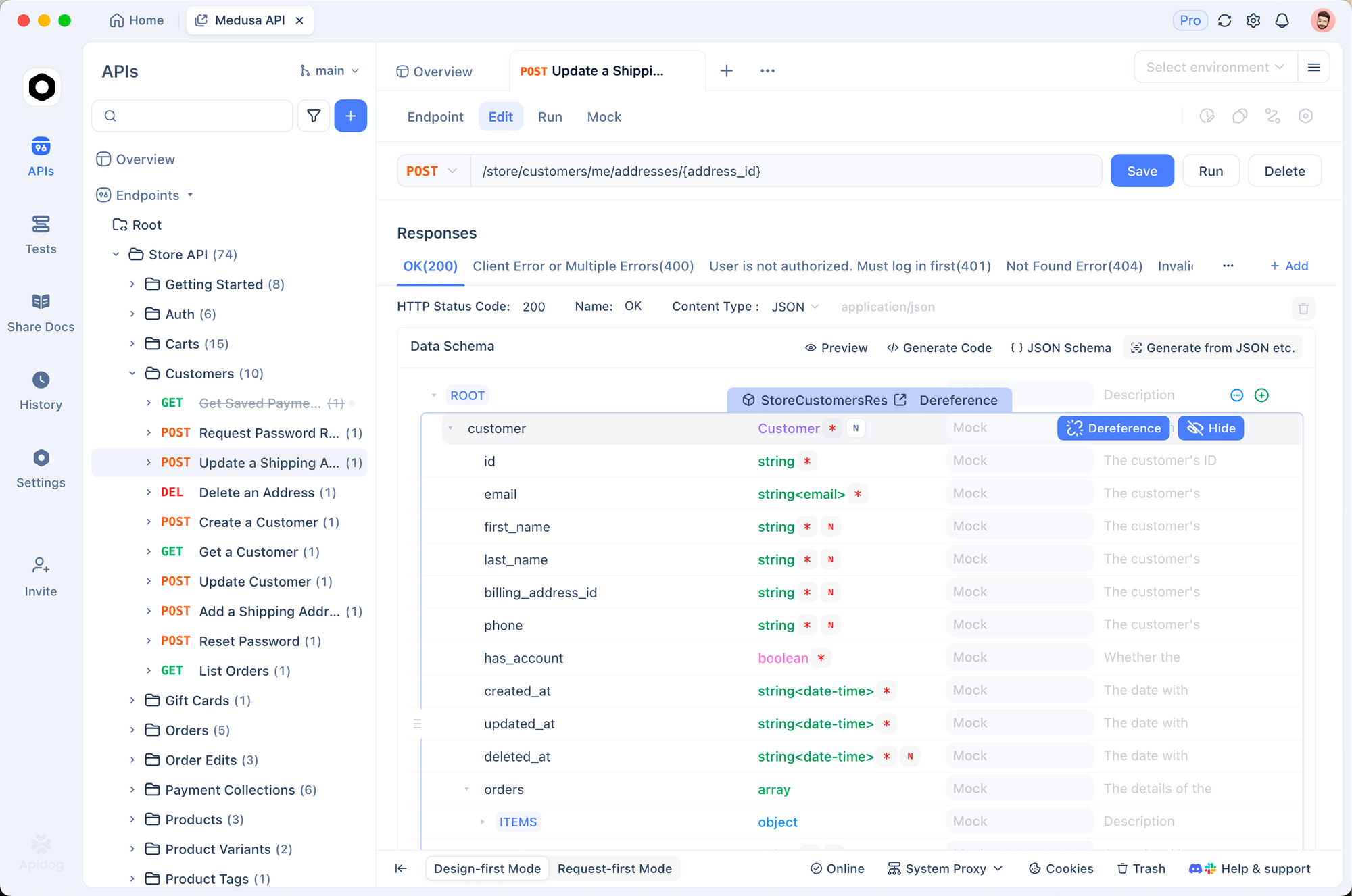
APIs are at the center of modern development, and Apidog is one of the best tools for managing them. When you combine Apidog with OpenClaw, you get powerful API workflow automation that catches issues early.
What Apidog Brings to the Table
Apidog is a comprehensive API development platform that handles API design, documentation, testing, and mocking in one place. It’s particularly strong at collaborative API development where multiple teams need to coordinate around API contracts.
For automation purposes, Apidog’s key features are:
- Automated API testing with assertions
- API contract validation
- Mock server for frontend/backend parallelization
- Environment management for different API targets
- Team synchronization for API definitions
Advanced Automation Patterns
Once you’ve got basic automation running, these advanced patterns take things to the next level.
Feature Flag Integration
Deploy code without releasing features. OpenClaw can manage feature flags:
      - name: enable-feature-flag
        command: ./scripts/feature-flag.sh enable new-checkout-flow
        depends_on: [deploy-production]
        conditions:
          - deployment_successful: true
          - manual_approval: true
        rollback:
          command: ./scripts/feature-flag.sh disable new-checkout-flow
          trigger: error_rate_spike
Deploy the code, get approval, enable the flag. If error rates spike, the flag disables automatically.
Scheduled Automation
Not everything triggers from code pushes. Schedule recurring tasks:
workflows:
  scheduled-maintenance:
    trigger:
      - cron: "0 2 * * 0"  # Sunday at 2 AM

    tasks:
      - name: database-cleanup
        command: ./scripts/db-cleanup.sh

      - name: log-rotation
        command: ./scripts/rotate-logs.sh

      - name: dependency-audit
        command: npm audit

      - name: generate-weekly-report
        command: ./scripts/weekly-report.sh
        notify: [engineering-lead]
Maintenance tasks run weekly without anyone touching a keyboard.
Cross-Repository Dependencies
In microservices architectures, changes in one service affect others. OpenClaw handles cross-repo automation:
workflows:
  service-update:
    trigger:
      - on: workflow_complete
        repository: api-service
        workflow: deploy-production

    tasks:
      - name: update-client-library
        command: ./scripts/update-api-client.sh

      - name: run-consumer-tests
        command: npm run test:consumer
        depends_on: [update-client-library]
When the API service deploys, dependent services automatically update their client libraries and run consumer-driven contract tests.
Auto-Scaling Based on Deployment
Coordinate infrastructure changes with deployments:
      - name: scale-up-for-deployment
        command: kubectl scale deployment app --replicas=10
        depends_on: [run-migrations]

      - name: deploy-application
        command: kubectl apply -f k8s/
        depends_on: [scale-up-for-deployment]

      - name: wait-for-rollout
        command: kubectl rollout status deployment/app
        depends_on: [deploy-application]

      - name: scale-down
        command: kubectl scale deployment app --replicas=5
        depends_on: [wait-for-rollout]
Scale up for deployment headroom, deploy, verify, then scale back down.
Monitoring and Alerting
Automation without observability is flying blind. Set up monitoring so you know when things go wrong.
Workflow Metrics
OpenClaw exposes metrics that integrate with Prometheus, Datadog, or CloudWatch:
monitoring:
  metrics:
    enabled: true
    provider: prometheus
    port: 9090

  dashboards:
    - type: grafana
      url: ${GRAFANA_URL}
      api_key: ${GRAFANA_API_KEY}

  alerts:
    - name: workflow-failure-rate
      condition: failure_rate > 10%
      window: 1h
      notify: [pagerduty]

    - name: deployment-duration
      condition: duration > 30m
      notify: [slack]
Get alerted when workflow failure rates spike or deployments take longer than expected.
Notification Configuration
Nobody wants to be paged for every minor issue. Configure intelligent alerting:
notifications:
  channels:
    slack:
      webhook_url: ${SLACK_WEBHOOK}
      channels:
        critical: "#incidents"
        warnings: "#engineering"
        info: "#deployments"

    pagerduty:
      service_key: ${PAGERDUTY_KEY}
      escalation_policy: engineering-oncall

  rules:
    - event: workflow_failed
      severity: critical
      channels: [pagerduty, slack-critical]

    - event: deployment_succeeded
      channels: [slack-info]

    - event: performance_regression
      severity: warning
      channels: [slack-warnings]
Critical failures page the on-call engineer. Successful deployments post to a #deployments channel. Performance regressions go to the general engineering channel.
Audit Logging
For compliance and debugging, OpenClaw logs all workflow activities:
logging:
  level: info
  destinations:
    - type: file
      path: /var/log/openclaw/workflows.log
      retention: 90d

    - type: s3
      bucket: your-audit-bucket
      prefix: openclaw-logs/
      retention: 365d

  include:
    - workflow_name
    - task_name
    - start_time
    - end_time
    - actor
    - git_commit
    - environment
Every deployment is logged with who triggered it, what commit was deployed, and when. Invaluable for incident post-mortems.
Troubleshooting Automation Issues
Automation breaks sometimes. Here’s how to debug and fix common issues.
Workflow Won’t Trigger
If your workflow isn’t starting when expected:
# Check workflow syntax
openclaw validate openclaw.yml

# Check trigger configuration
openclaw triggers list

# Test trigger manually
openclaw trigger continuous-integration --dry-run
Common causes:
- Syntax errors in
openclaw.yml - Incorrect branch name patterns
- Missing webhook configuration
- Permission issues with repository access
Task Failing Unexpectedly
When a specific task fails:
# View detailed task logs
openclaw logs --workflow continuous-integration --task run-unit-tests --verbose

# Replay a failed workflow
openclaw replay workflow-run-id

# Run a single task interactively
openclaw run-task run-unit-tests --interactive
The --interactive flag opens a shell in the task’s environment so you can debug directly.
Environment Variable Issues
Environment variables cause more headaches than you’d expect:
# List all variables available to a task
openclaw env list --task deploy-to-staging

# Validate secrets are properly configured
openclaw secrets validate

# Test variable substitution
openclaw env test --workflow continuous-integration
Check that secrets are set in the right scope (workflow vs. task level) and that variable names match exactly.
Performance Problems
If workflows are running slowly:
# Analyze workflow performance
openclaw analyze --workflow continuous-integration --last 50 runs

# Identify bottleneck tasks
openclaw bottleneck-report
Usually the fix is parallelizing independent tasks or caching dependencies between runs.
Dependency Caching
Speed up workflows with dependency caching:
      - name: install-dependencies
        command: npm install
        cache:
          key: node-modules-${hash(package-lock.json)}
          paths:
            - node_modules/
          restore_keys:
            - node-modules-
This caches node_modules based on package-lock.json hash. If the lockfile hasn’t changed, installation is skipped. This alone can cut workflow time by 40%.
Debugging in Production
When something fails in production and you need to understand why:
# Get detailed workflow execution report
openclaw report --run-id prod-deploy-20260309-001 --format json

# Compare failed run with last successful run
openclaw diff --run1 prod-deploy-20260309-001 --run2 prod-deploy-20260308-001

# Export logs for incident analysis
openclaw export-logs --run-id prod-deploy-20260309-001 --output incident-report.tar.gz
The diff command is particularly useful: it highlights exactly what changed between a successful and failed run.
Conclusion
Automating your development workflow with OpenClaw isn’t a one-day project, but you don’t need to do everything at once. Start with a simple CI pipeline for your most active repository. Get comfortable with the basics, then add complexity as your team’s automation maturity grows.
The ROI is real. Teams that fully automate their workflows ship 60% faster and have significantly fewer production incidents. More importantly, developers actually enjoy their work more when they’re not babysitting manual processes.
The combination of OpenClaw for workflow orchestration and Apidog for API lifecycle management gives you a complete solution. OpenClaw handles the when and how of your automation, while Apidog ensures your APIs stay well-tested, documented, and compatible across teams.
Start small, measure the impact, and iterate. Your future self will thank you every time a deployment just works.
FAQ
Q: Is OpenClaw difficult to set up if I’m not a DevOps expert?
Not really. OpenClaw is designed to be approachable. The YAML configuration is readable and well-documented. If you can write a Dockerfile or a basic CI pipeline, you can get started with OpenClaw in an afternoon. The main learning curve is understanding task dependencies and conditions, which become intuitive after a few workflows.
Q: Can OpenClaw replace my existing CI/CD tool like Jenkins or GitHub Actions?
It depends on your needs. OpenClaw can work standalone and replace traditional CI/CD, or run alongside your existing tools. Many teams use OpenClaw for intelligent orchestration while keeping GitHub Actions for simple workflows. There’s no requirement to rip and replace — start by adding OpenClaw to complement what you have.
Q: How does OpenClaw handle secrets and sensitive environment variables?
OpenClaw integrates with secret managers like HashiCorp Vault, AWS Secrets Manager, and Azure Key Vault. Secrets are never stored in your openclaw.yml file. They’re referenced by name and injected at runtime. Audit logs track secret access without exposing values.
Q: What’s the cost difference between automation and manual processes?
The calculation varies by team size, but a rough estimate: if a developer earns $100K/year and spends 30% of their time on manual tasks, that’s $30K per year in wasted productivity. OpenClaw’s overhead (setup, maintenance) is typically 5-10% of the time you’ll save. The math makes automation obvious.
Q: How does Apidog integration help teams that don’t build APIs?
If your team consumes third-party APIs (almost everyone does), Apidog still helps. You can automate validation that APIs you depend on still behave as expected, set up mocks for development without hitting rate limits, and get alerts when API contracts change unexpectedly.
Q: Can I run OpenClaw locally for testing?
Yes. OpenClaw has a local mode that simulates workflow execution without triggering external systems:
openclaw run continuous-integration --local --dry-run
This lets you test your automation configuration before pushing changes. Essential for iterating on complex workflows.
Q: How should I handle automation for legacy codebases that aren’t well-tested?
Start with what you have. Even if test coverage is low, automate what tests exist. Add linting and security scanning. Set up automated deployment to staging. As you add tests, the automation value increases automatically. Don’t wait for perfect test coverage to start automating — automation actually encourages better testing practices.
Q: What happens when automation goes wrong and breaks production?
This is why rollback automation matters. Every deployment workflow should include automatic rollback conditions. OpenClaw’s blue-green deployment support makes rollbacks instant. For database changes, always generate rollback scripts as part of the migration process. The goal isn’t to eliminate all failures but to recover from them faster than manual processes allow.