
You've just finalized your OpenAPI specification. It's beautiful, clean endpoints, well-defined request/response schemas, and comprehensive documentation. But there's a problem. Your frontend team is tapping their feet, waiting for a working backend to start developing against. Your QA team needs something to test. You're stuck in that awkward limbo where the API is designed but not yet built.
What if you could instantly bring that OpenAPI spec to life? What if you could generate realistic, customizable mock data that perfectly matches your schema, giving everyone a working API to use today? This isn't a fantasy. With the right tool, you can transform your static OpenAPI document into a dynamic, fully functional mock API in minutes.
Now, let's walk through the exact process of generating mock data from your OpenAPI schemas using Apidog, step by step.
Step 1: Import Your OpenAPI Schema into Apidog

The journey begins by bringing your API contract into Apidog. This is a straightforward process.
1. Create a New Project or Select an Existing One:
Log into your Apidog workspace. You can either create a new project specifically for this API or select an existing project where you want to house the mock.
2. Initiate the Import:
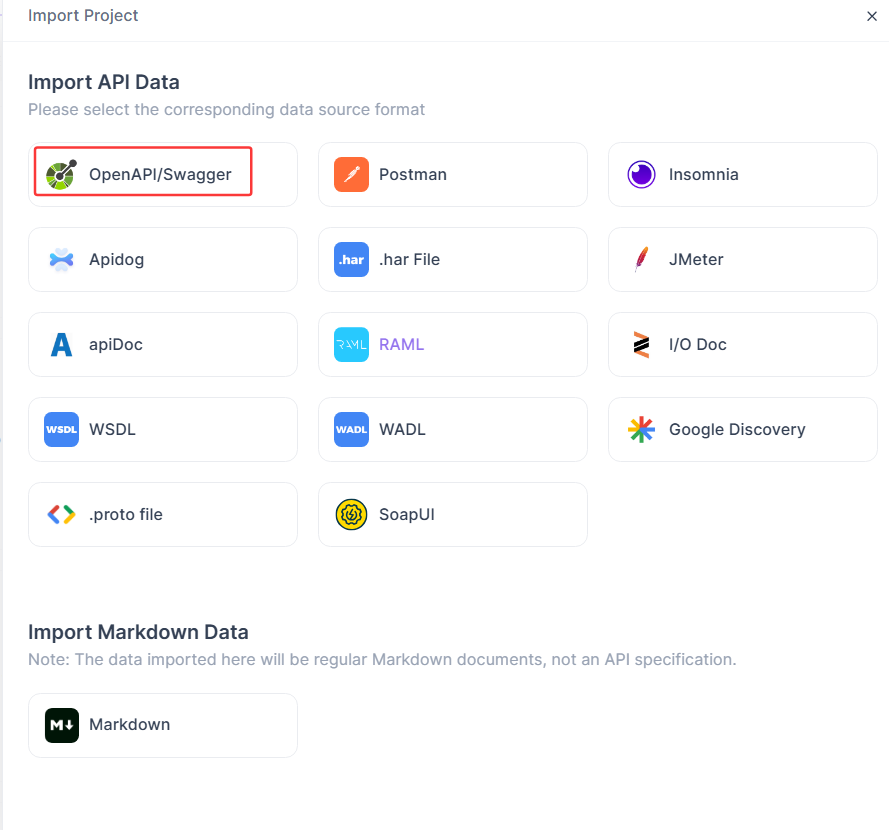
Look for the "Import" option. In Apidog, this is typically a prominent button (often a "+" icon or a dedicated "Import" menu). Click it and select "OpenAPI/Swagger" from the list of import options.
3. Provide Your OpenAPI Document:
You have three convenient ways to do this:
- Upload a File: Drag and drop your
openapi.yamloropenapi.jsonfile directly into the import window. - Import via URL: If your OpenAPI spec is hosted online (e.g., in a GitHub repo or a public URL), simply paste the link. Apidog will fetch it for you.
- Paste Raw Text: Manually copy and paste the entire content of your OpenAPI spec.
4. Configure Import Settings (Optional but Recommended):
Apidog will show you a preview and ask for confirmation. Here, you can usually:
- Choose to import all endpoints or select specific ones.
- Decide how to handle authentication definitions in the spec.
- Map the servers defined in your OpenAPI to environments in Apidog.
5. Complete the Import:
Click the final "Import" button. Apidog will process your spec. In seconds, you'll see your entire API structure materialize in the Apidog interface all your paths, methods, parameters, and most importantly, your request and response schemas are now faithfully reproduced.
Step 2: Apidog Automatically Generates Mocking Services
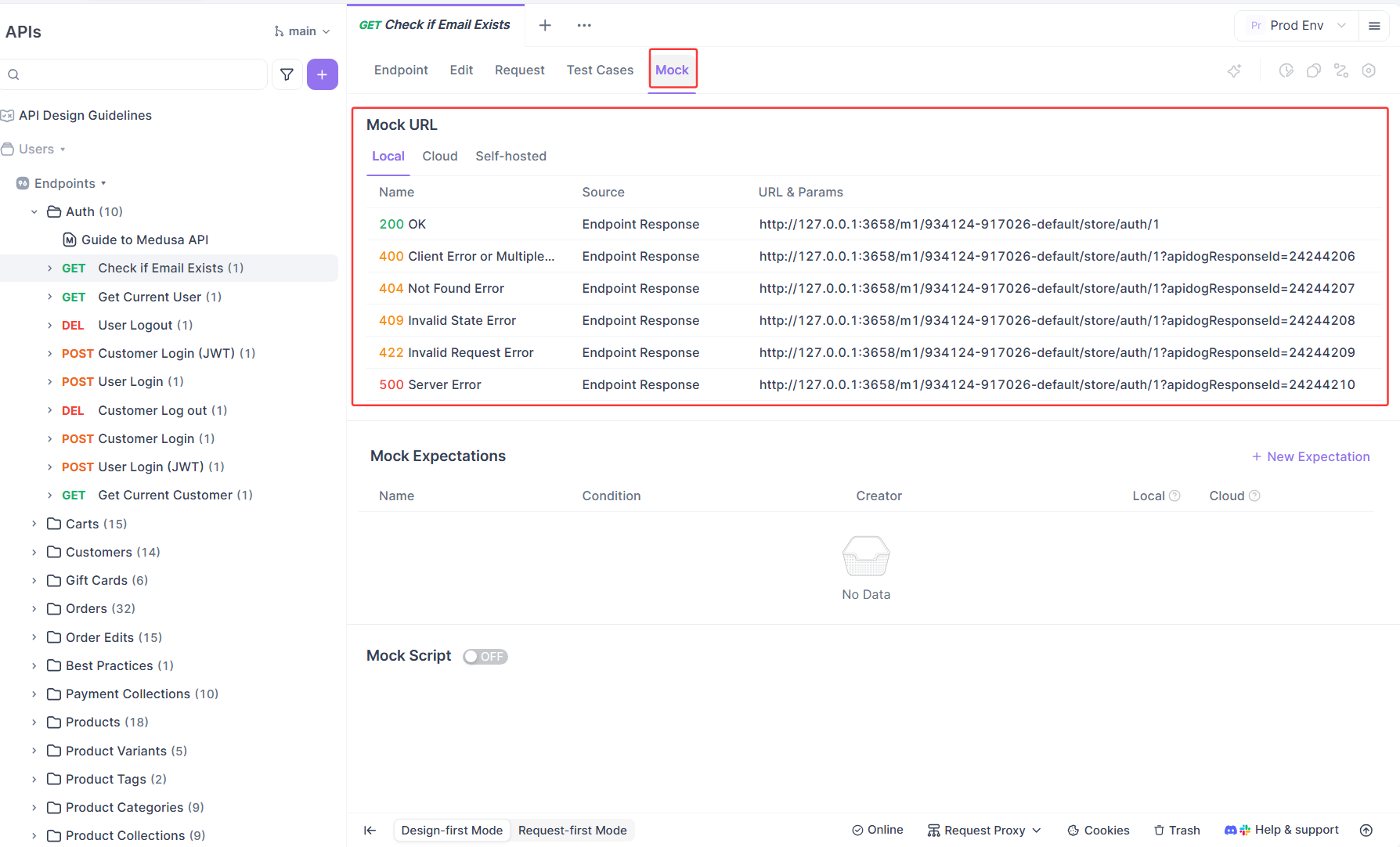
Here's where the magic happens. You don't need to manually configure each endpoint to start mocking. The moment your OpenAPI schema is inside Apidog, the platform is ready to generate mock services.
Locate the Mock Feature:
Within your imported API project, navigate to any endpoint. You'll see tabs or sections for "Edit" "Request" and "Mock". The Mock section is your control center.
Step 3: Harness the Power of Smart Mock
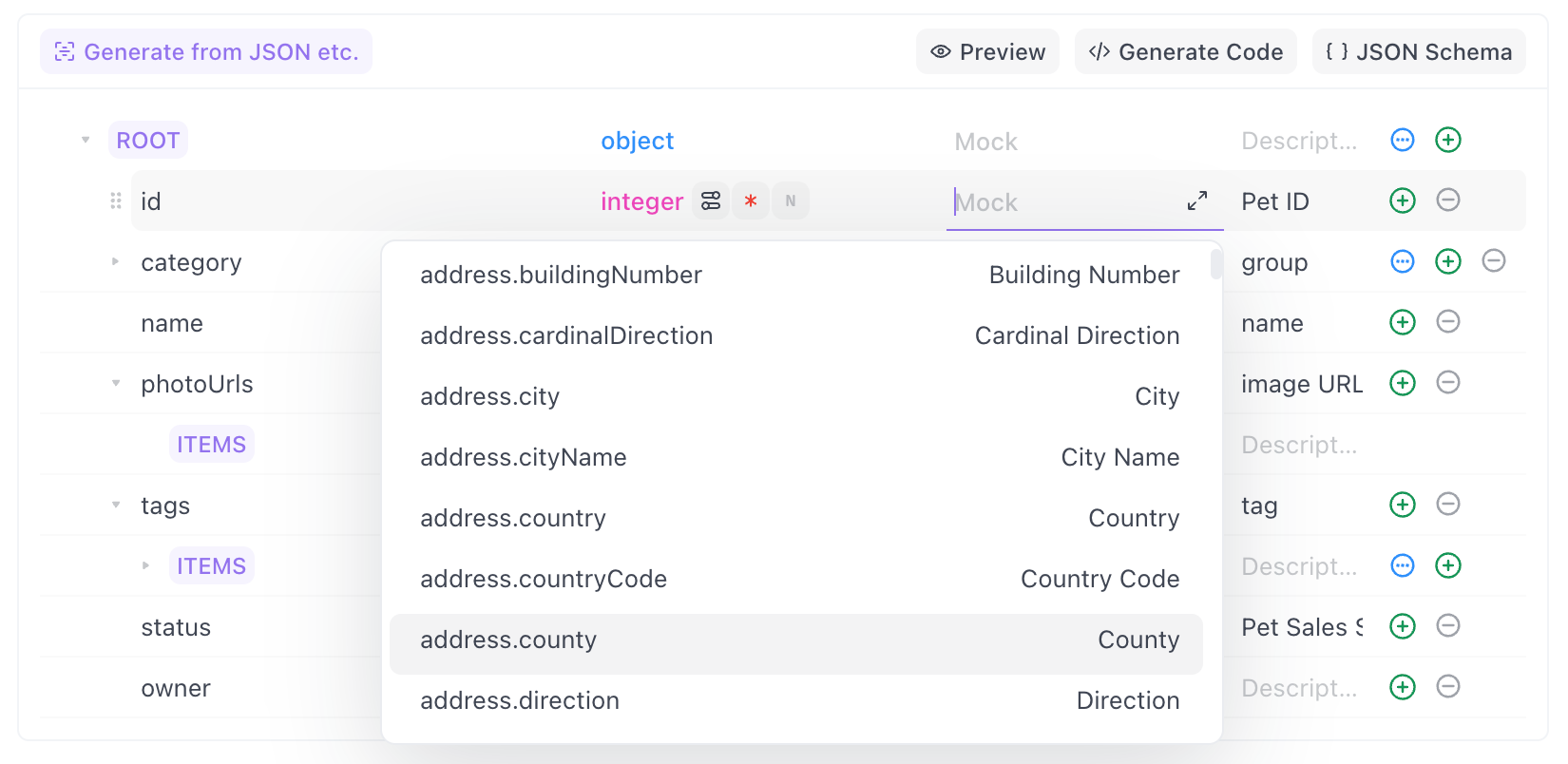
The initial mock data is good, but Apidog's Smart Mock feature makes it greater. Smart Mock takes context into account to generate more realistic and useful data.
How Smart Mock Works:
Smart Mock analyzes your property names and types to infer what kind of data should be there. It's not just random strings and numbers; it's semantically appropriate data.
- Property Name Inference: A field named
emailwill generate a realistic email address (john.doe@example.com). A field namedavatarUrlwill generate a link to a placeholder image. - Data Type & Format Awareness: A
stringwithformat: date-timewill generate a valid ISO timestamp. Astringwithformat: uuidwill generate a valid UUID. - Contextual Generation: For a
GET /usersendpoint, Smart Mock will generate an array of user objects with consistent, realistic data across multiple fields (ID, name, email, etc.).
This means your frontend developers will see data like "firstName": "Emma", "city": "San Francisco", and "ipAddress": "192.168.1.1" instead of generic placeholders, making their development and testing experience vastly more valuable.
Step 4: Take Full Control with Custom Mock
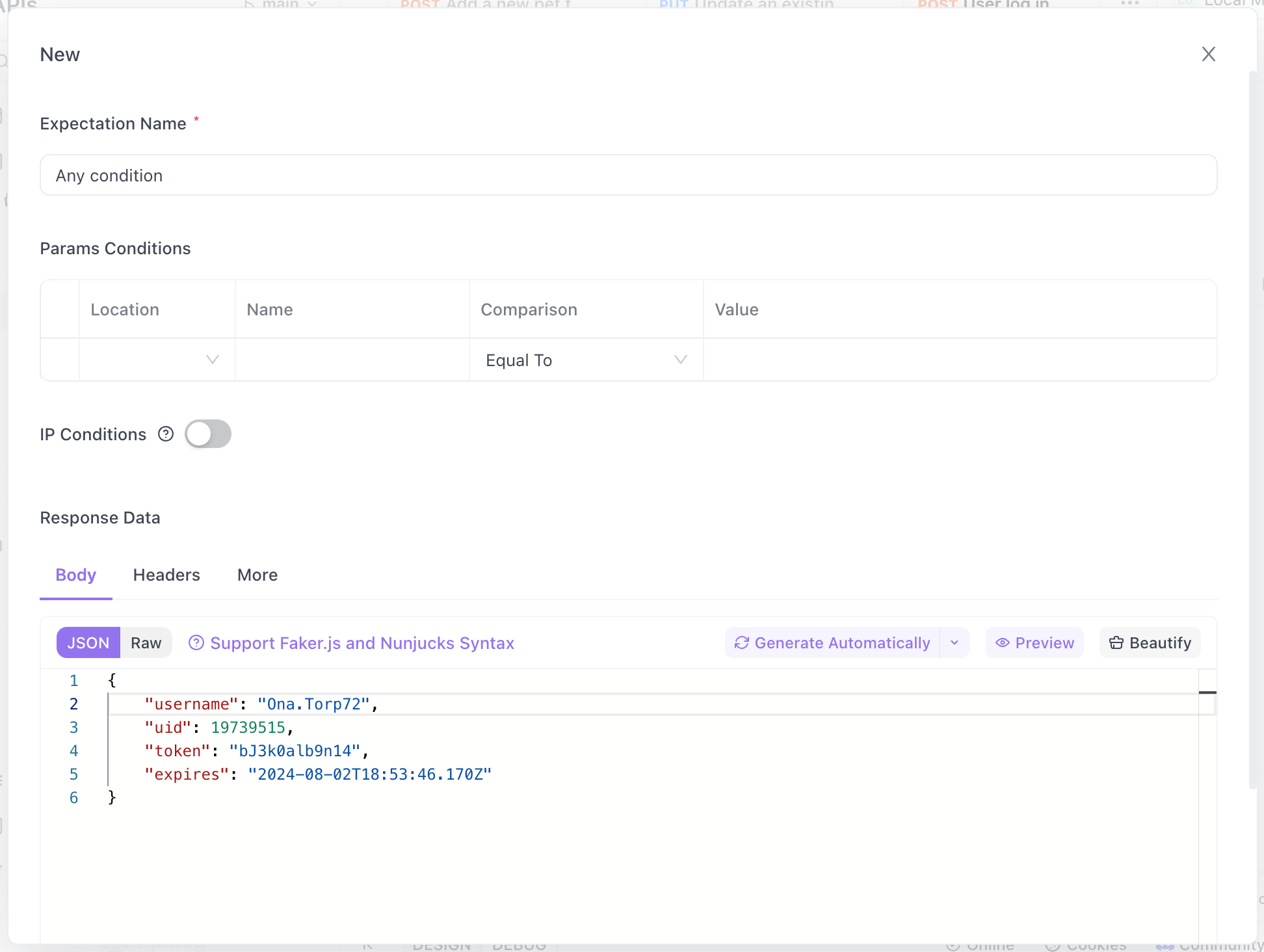
While Smart Mock is powerful, sometimes you need precise control. This is where Apidog's Custom Mock capabilities shine. You can define exactly what data is returned for specific endpoints or even specific fields.
Conclusion: Your API, Instantly Alive
Generating mock data from OpenAPI schemas with Apidog transforms your development cycle from a sequential waiting game into a parallel, efficient powerhouse. In less time than it takes to brew a coffee, you can go from a static spec to a dynamic, intelligent mock API that accelerates every team around you.
The process is simple but powerful: Import, Generate, and Customize. Apidog handles the heavy lifting of interpreting your schemas and providing both intelligent defaults and granular control.
Stop letting beautifully designed APIs gather dust in specification documents. Bring them to life immediately, test their design, and unblock your entire team.
Ready to turn your OpenAPI specs into working mock APIs in minutes? Download Apidog for free today and experience the fastest path from API design to development-ready simulation.