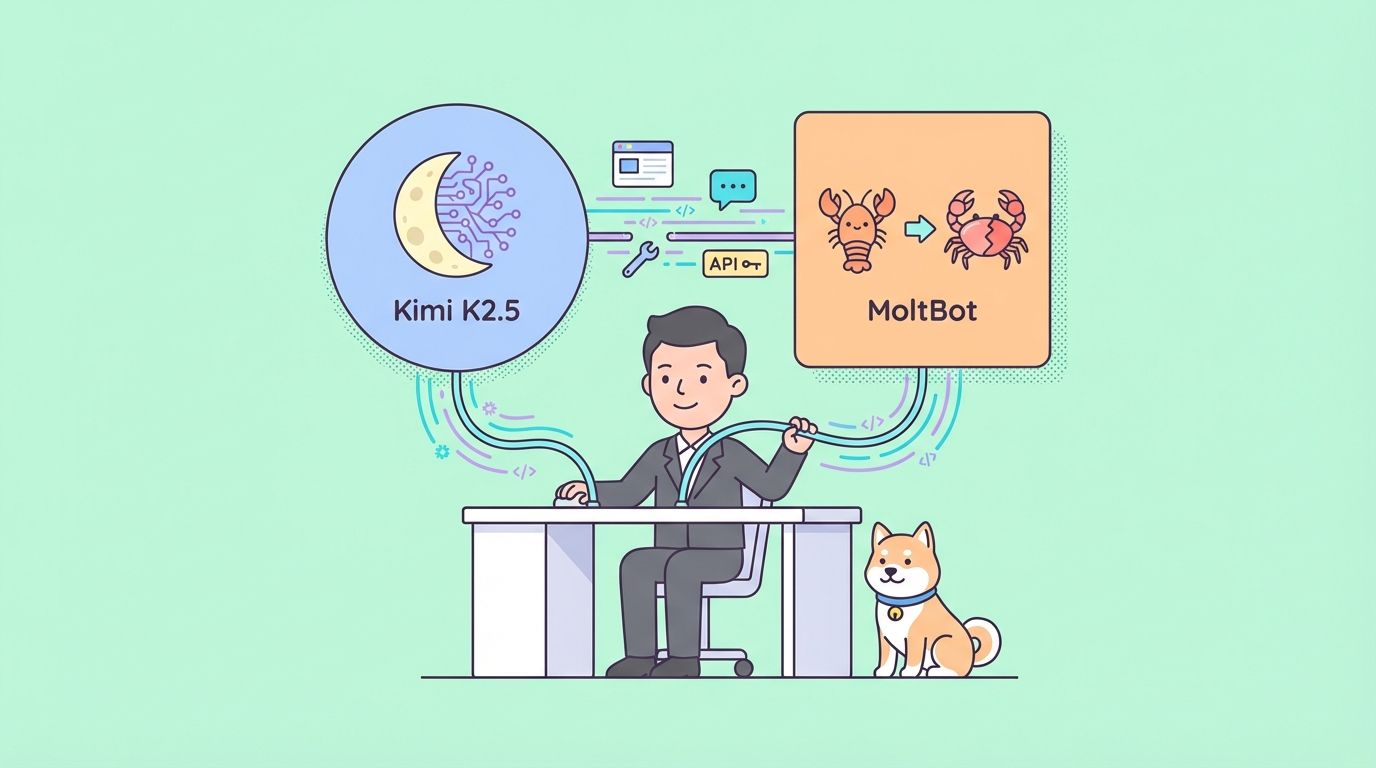
MoltBot, previously known as ClawdBot, stands out as a self-hosted agent that integrates directly with messaging platforms such as Telegram, WhatsApp, Discord, and Slack. It executes real tasks on your machine while maintaining privacy and low latency.
Connecting Kimi K2.5 to MoltBot creates a versatile, cost-efficient assistant. Users gain strong performance for general tasks, creative work, and agentic behaviors at a fraction of the cost of models like Claude 3.5 Sonnet or GPT-4o. For privacy-focused setups, local deployment using quantized GGUF weights eliminates external data transmission.
This guide explains both API and local methods in detail. It includes configuration examples, verification steps, and solutions for frequent problems.
Why Pair MoltBot with Kimi K2.5?
MoltBot serves as the execution layer, while the LLM provides intelligence. Kimi K2.5 offers distinct advantages in this role.
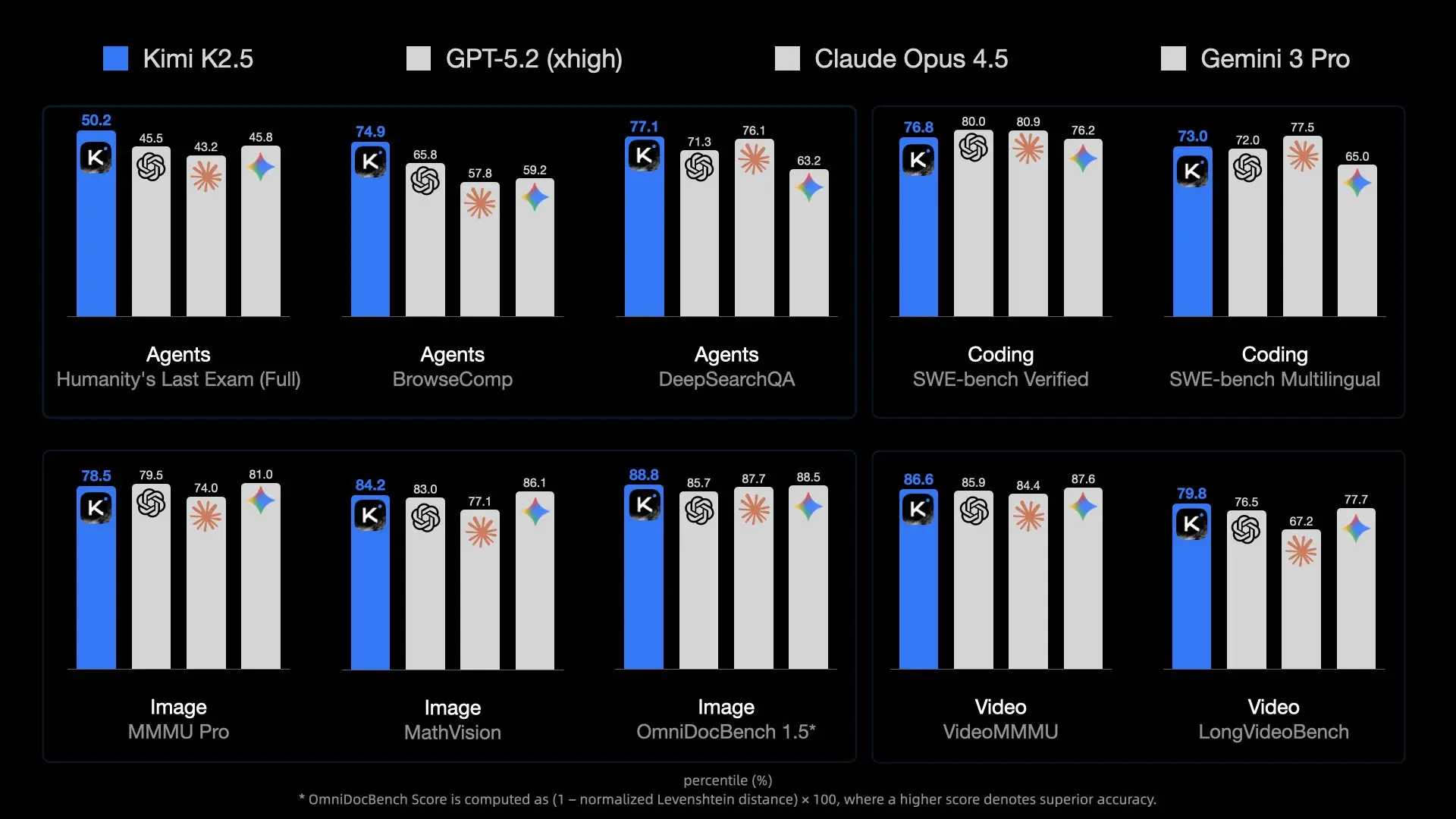
The model delivers high capacity through its MoE design, activating relevant experts efficiently. It handles multimodal inputs natively, allowing MoltBot to process screenshots, UI designs, or short videos for tasks like code generation from visuals.
Context length reaches 256K tokens in most deployments, enabling retention of extensive project codebases, documentation, or conversation histories—essential for persistent assistants.
API costs stay low compared to Western alternatives. Heavy users save substantially over time. For zero ongoing expense and maximum control, local inference works on consumer hardware with quantization.
Kimi K2.5 demonstrates strong agentic capabilities, including self-directed swarms of up to 100 sub-agents for parallel tool execution. When routed through MoltBot's skill system, these features automate complex workflows directly from chat messages.
MoltBot's flexibility supports any OpenAI-compatible endpoint. Switching providers requires only configuration updates, so users experiment easily.
Prerequisites
Prepare these elements before configuration.
Install MoltBot fully. Run the installation script if not already done:
curl -fsSL https://molt.bot/install.sh | bash
The project rebranded from ClawdBot to MoltBot on January 27, 2026, following a trademark request from Anthropic. Older installations may retain the ~/.clawdbot directory, but recent versions use moltbot commands and ~/.moltbot or similar paths. Check documentation at molt.bot or the GitHub repository (github.com/moltbot/moltbot) for your exact setup.
Obtain Kimi K2.5 access:
- API route: Create an account at platform.moonshot.ai, generate an API key, and note any project budget limits.
- Local route: Download quantized weights (e.g., from Hugging Face moonshotai/Kimi-K2.5 or community repos like unsloth/Kimi-K2.5-GGUF). Install llama.cpp and start a server.
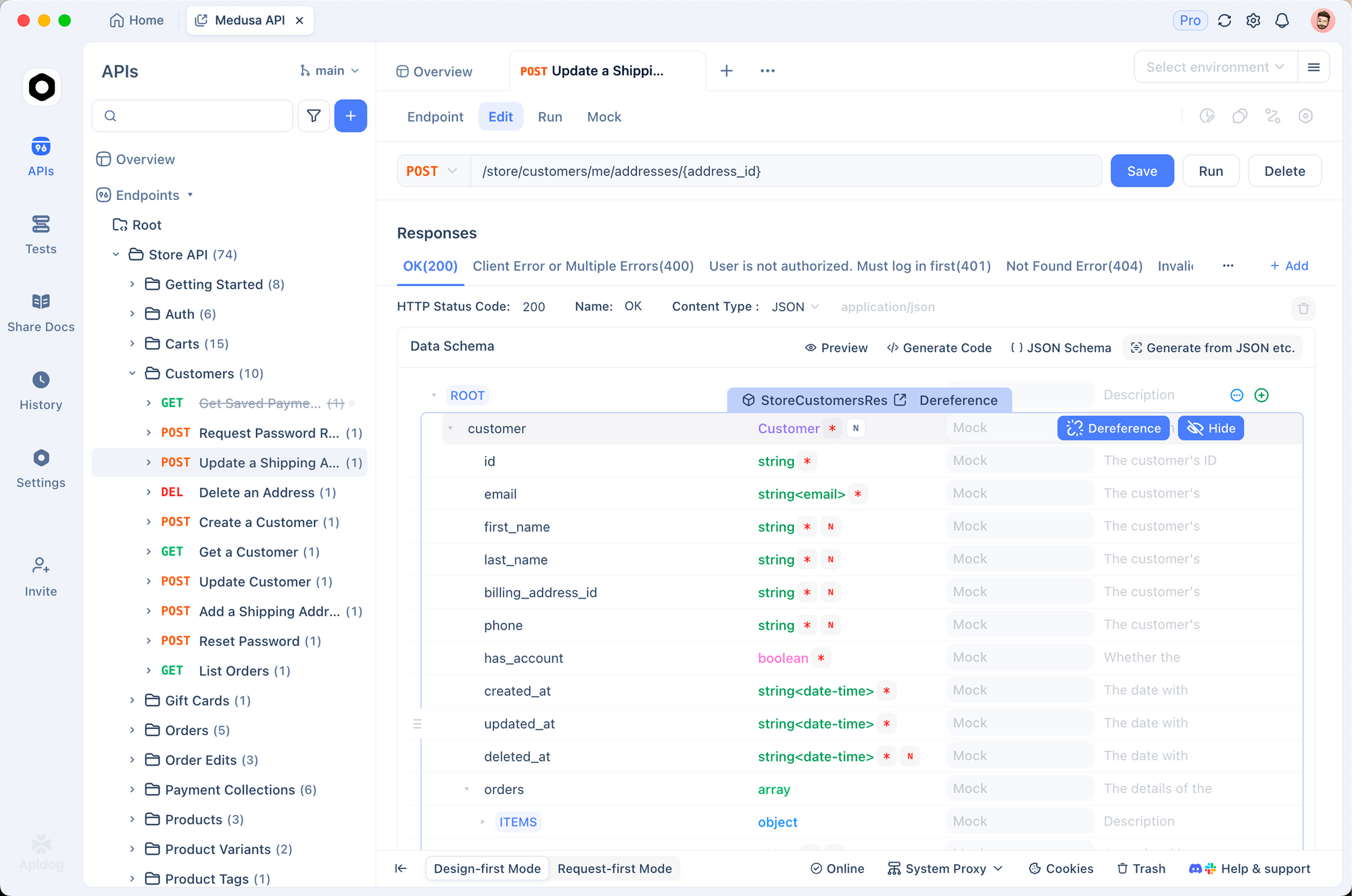
Install Apidog for testing. It handles authentication headers, JSON bodies, and response streaming effectively.
Ensure Node.js runs for MoltBot. Basic terminal familiarity helps with editing JSON files.
Method 1: Connecting via Moonshot API (Recommended for Most Users)
This approach requires minimal hardware and provides full 256K context plus multimodal support.
Step 1: Validate the API Connection Using Apidog
Launch Apidog and create a new POST request.
Set the URL to:
https://api.moonshot.ai/v1/chat/completions
Add the header:
Authorization: Bearer sk-XXXXXXXXXXXXXXXXXXXXXXXXXXXXXXXX
(Replace with your actual key.)
Use this body for a basic test:
{
  "model": "kimi-k2.5",
  "messages": [
    {
      "role": "user",
      "content": "Confirm you are Kimi K2.5 and describe your capabilities briefly."
    }
  ],
  "temperature": 0.7,
  "max_tokens": 256
}
Send the request. A successful 200 response with coherent output confirms the key works. Note any rate-limit or budget errors here.
Step 2: Locate and Edit the Configuration File
MoltBot stores settings in a JSON file, typically:
~/.moltbot/moltbot.json- Or legacy:
~/.clawdbot/moltbot.json/~/.clawdbot/agents/default/config.json
Open it with an editor.
Add or modify the providers section:
{
  "agent": {
    "model": {
      "primary": "moonshot/kimi-k2.5"
    }
  },
  "models": {
    "providers": {
      "moonshot": {
        "baseUrl": "https://api.moonshot.ai/v1",
        "apiKey": "sk-your-moonshot-api-key-here",
        "api": "openai-completions",
        "models": [
          {
            "id": "kimi-k2.5",
            "name": "Kimi K2.5 (API)",
            "contextWindow": 262144,
            "maxTokens": 8192
          }
        ]
      }
    }
  }
}
Security note: Avoid hardcoding keys in production. Set an environment variable (e.g., export MOONSHOT_API_KEY=sk-...) and reference it if MoltBot supports expansion.
Step 3: Apply Changes and Restart
Save the file, then restart:
moltbot restart
Or stop and start the gateway/service as needed.
Method 2: Connecting via Local Kimi K2.5 Deployment
Local execution prioritizes privacy and eliminates recurring costs, though it demands substantial VRAM/RAM.
Step 1: Launch the Local Inference Server
Use llama.cpp for compatibility.
Build llama.cpp with GPU support if available:
git clone https://github.com/ggerganov/llama.cpp
cd llama.cpp
make LLAMA_CUDA=1  # or appropriate flags
Download a quantized GGUF variant (e.g., UD-TQ1_0 for balance):
Use huggingface-cli or direct download.
Start the OpenAI-compatible server:
./llama-server \
  -m /path/to/Kimi-K2.5-UD-TQ1_0.gguf \
  --port 8080 \
  --ctx-size 32768 \          # Adjust up to hardware limit; 256K needs extreme resources
  --n-gpu-layers 99 \
  --host 0.0.0.0
Verify by browsing http://localhost:8080/v1/models.
Step 2: Update MoltBot Configuration for Local Endpoint
Edit the JSON file:
{
  "agent": {
    "model": {
      "primary": "local-kimi/kimi-k2.5"
    }
  },
  "models": {
    "providers": {
      "local-kimi": {
        "baseUrl": "http://127.0.0.1:8080/v1",
        "apiKey": "sk-no-key-required",
        "api": "openai-completions",
        "models": [
          {
            "id": "kimi-k2.5-local",
            "name": "Kimi K2.5 Local",
            "contextWindow": 32768,   // Must match --ctx-size
            "maxTokens": 4096
          }
        ]
      }
    }
  }
}
Docker note: If MoltBot runs containerized, replace 127.0.0.1 with host.docker.internal.
Step 3: Restart and Monitor Resource Usage
Restart MoltBot and watch system monitors. Local inference consumes significant memory; offload layers or reduce context if needed.
Testing and Verification
Confirm the integration works.
Send a message to your MoltBot instance (via connected app):
"Who are you powered by right now?"
Kimi K2.5 typically responds identifying Moonshot AI.
Check logs:
moltbot logs
Look for requests routed to api.moonshot.ai or localhost:8080.
Test multimodal if using API: Upload an image via chat and ask for description or code generation from it.

Troubleshooting Common Issues
Provider verification fails → Re-test exact baseUrl + key in Apidog. Network proxies or firewalls often interfere.
Context overflow errors → Align contextWindow in JSON with server --ctx-size. MoltBot truncates or summarizes when limits hit; mismatched values cause crashes.
Slow responses locally → Reduce gpu-layers, use lower quantization, or enable flash attention in llama.cpp.
Unexpected formatting/hallucinations → Experiment with temperature (0.6–1.0) or add custom system prompts in MoltBot agent config for Kimi-specific tuning.
API budget exhaustion → Monitor usage at platform.moonshot.ai and set daily limits.
Conclusion
Integrating Kimi K2.5 with MoltBot delivers a high-performance, economical, and optionally fully private personal AI agent. The API method offers convenience and maximum capabilities, while local setup ensures complete data sovereignty.
Experiment with both approaches. Use Apidog throughout to isolate issues quickly. As Moonshot continues updating Kimi models and MoltBot evolves, this combination positions users at the forefront of accessible agentic AI.
Start configuring now—your enhanced assistant awaits.