Hey, Apidog users! 👋 Over the past year, we've built a comprehensive automated testing platform around Test Scenarios—reusable workflow sequences that chain multiple API requests into complete business flows. Test Scenarios solve the "how to test" problem, but we've heard consistent feedback from teams about a different challenge: "how to organize what to test."
Teams tell us they have hundreds of test cases organized by business modules, but when it's time for release regression, they only want to run their P0 cases—not everything. Currently, they have to manually search and select each one. Others maintain both positive and negative test cases but want smoke tests to only cover positive flows. And when new cases are added, they're often forgotten in regression lists.
Today, we're introducing Test Suites: a new resource type that lets you organize and execute tests by rules rather than by individual selection. Test Suites bring three core capabilities to your testing workflow:
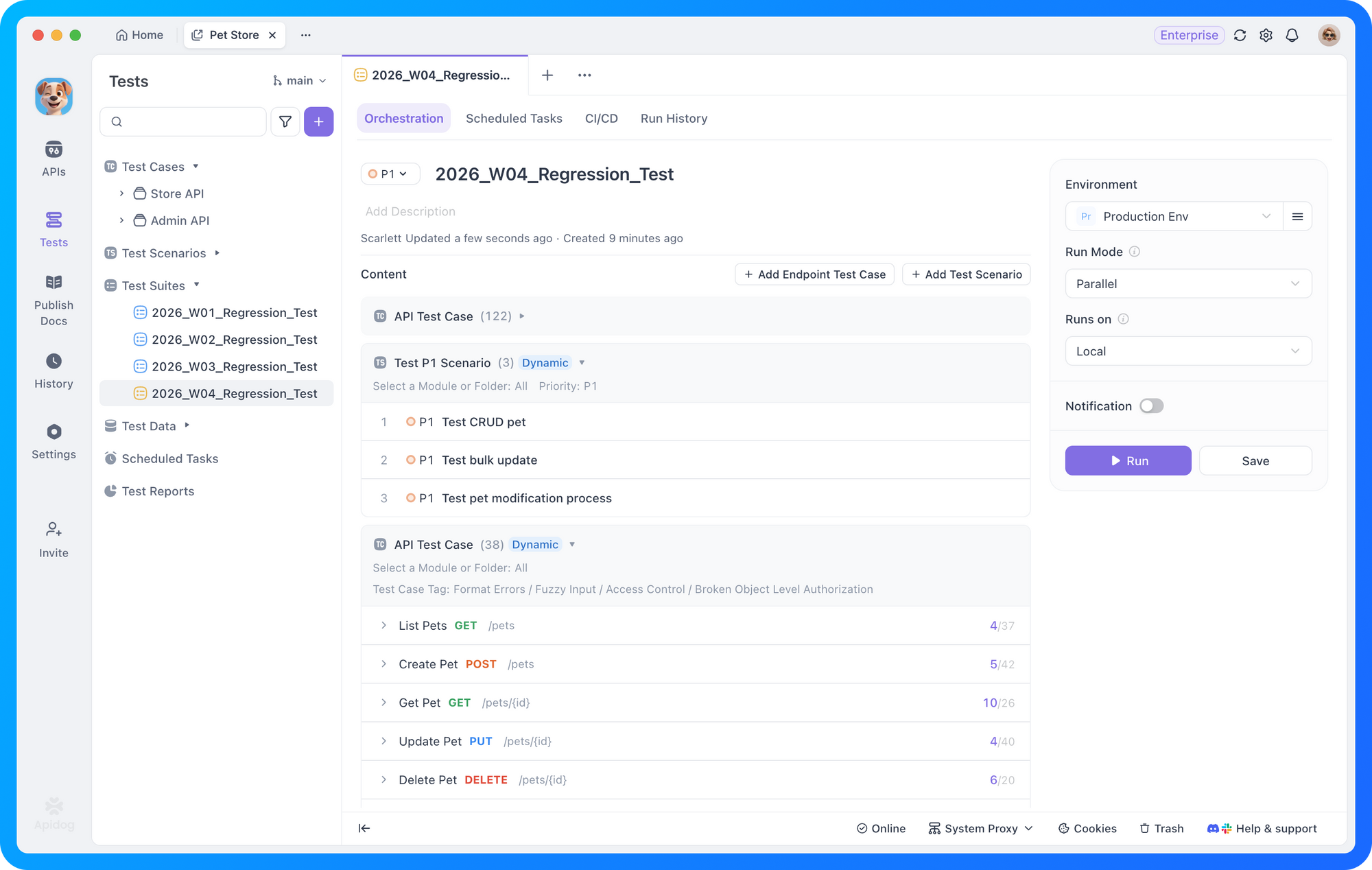
- Dynamic test routing: Define filtering rules once—by tags, directories, or priority levels—and matching cases are automatically included at runtime. New cases that meet your criteria are added without manual maintenance.
- Parallel execution: Toggle between serial and parallel mode with one click. The system automatically optimizes concurrency based on available resources, reducing hour-long regressions to minutes.
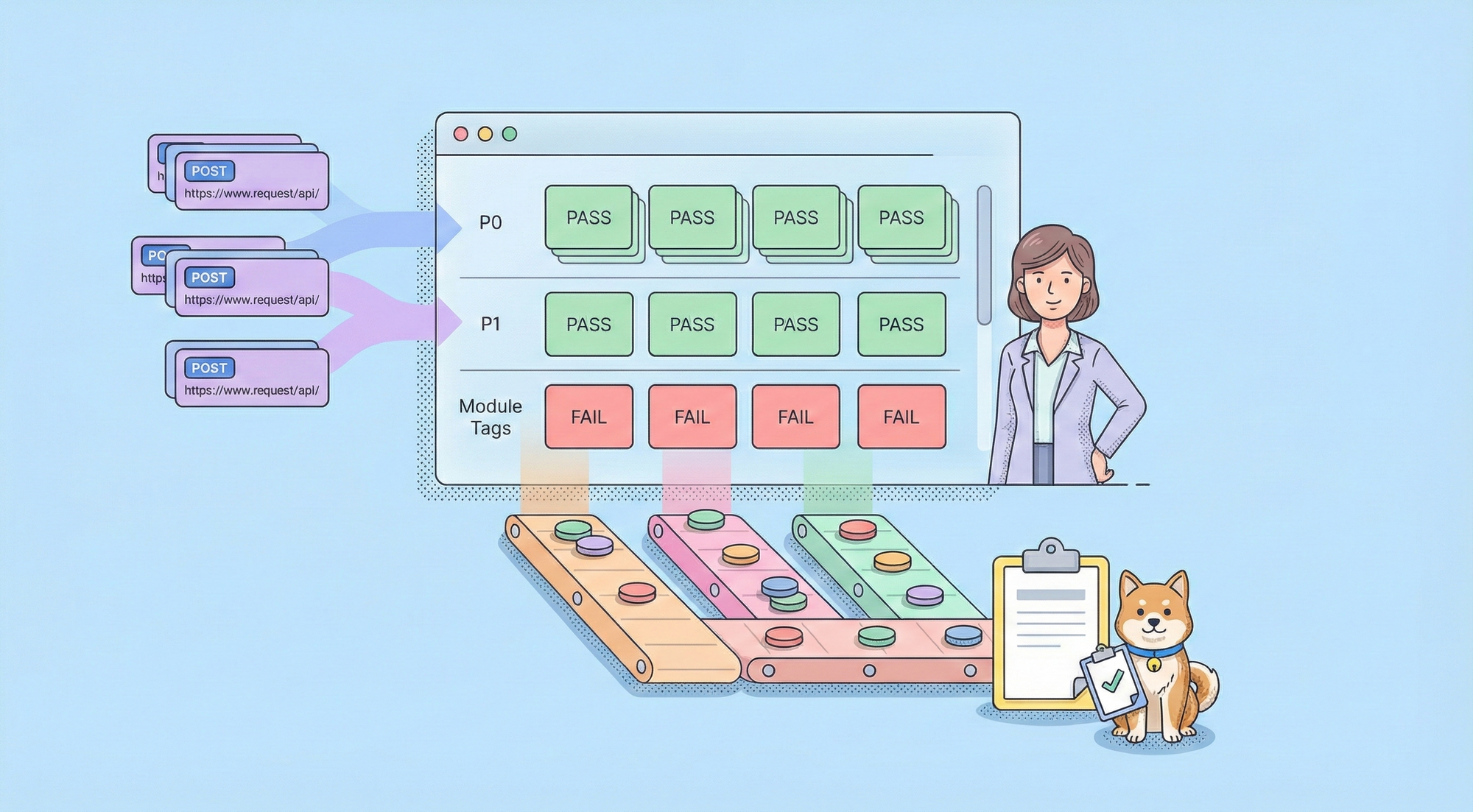
- Structured test reports: View results grouped by your organization logic—by module, priority, or tag—instead of scrolling through flat lists. Failed cases surface immediately with clear context.
Here's a closer look at how each capability works.
Dynamic test routing
The most common request we hear from QA teams is: "I want to run all P0 cases in the payment module without selecting them one by one." Test Suites solve this by separating test authoring from test organization.
Test Scenarios remain your building blocks—each one represents a complete business workflow (login, create order, pay, verify status). Test Suites let you group these scenarios by conditions: tags, directories, priority levels, or any combination. When you run a suite, it automatically includes all matching cases at execution time.
This becomes increasingly important as AI-powered development tools accelerate code and test generation. With dynamic suites, you don't need to manually update regression lists every time a new case is added. Write the case, apply the right tags, and the suite handles the rest.
We support two modes to fit different testing needs:
Static mode gives you a fixed list of cases. You select exactly which scenarios to include, and that list remains unchanged until you modify it. This works well for smoke tests—a curated set of 5-15 critical scenarios that rarely change but run frequently.
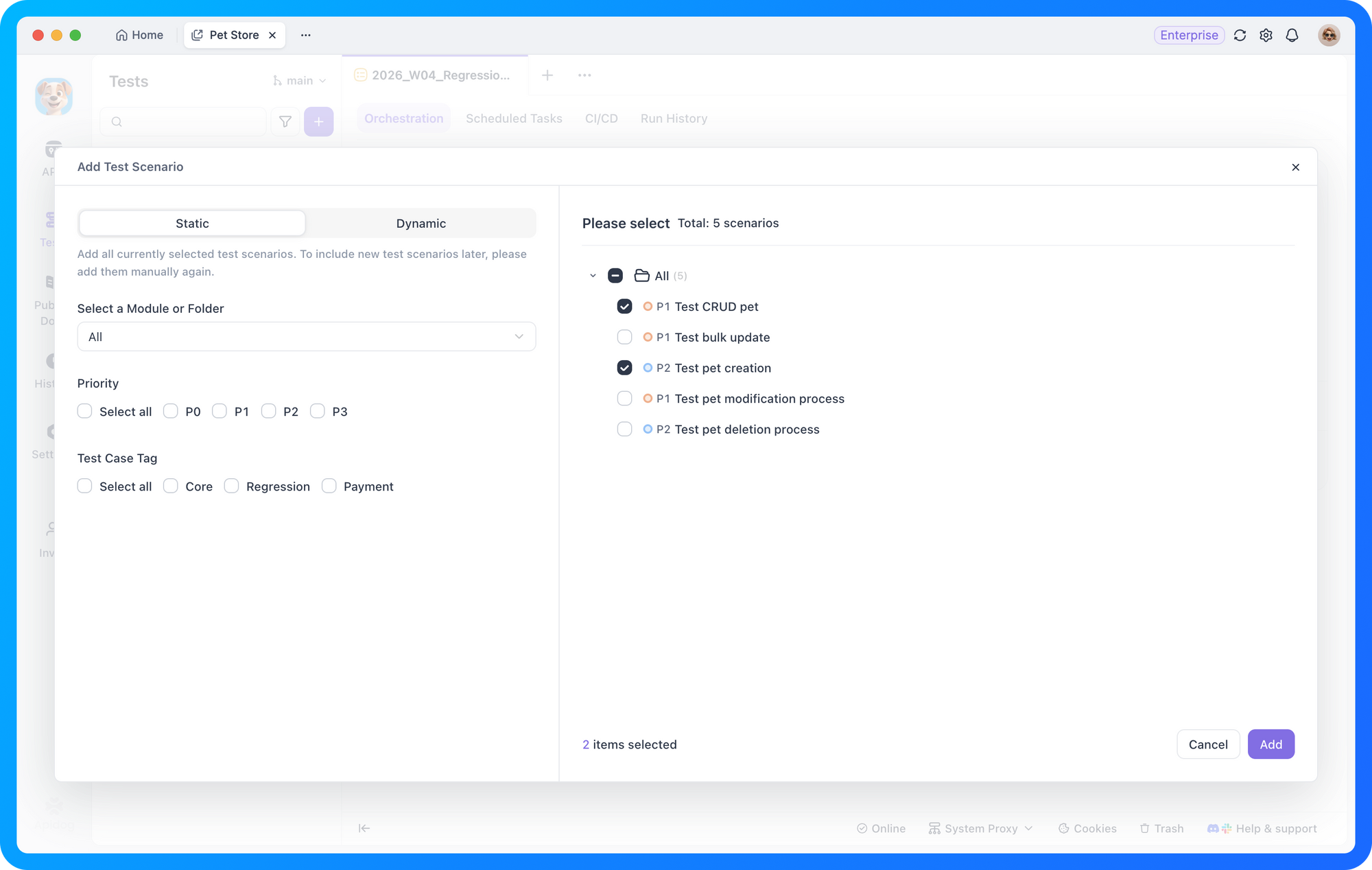
Dynamic mode uses rules to automatically include matching cases. Define a condition (all cases in the "Payment" directory with P0 priority), and the suite stays current as your test library evolves. This works well for module regression, where case counts change regularly.
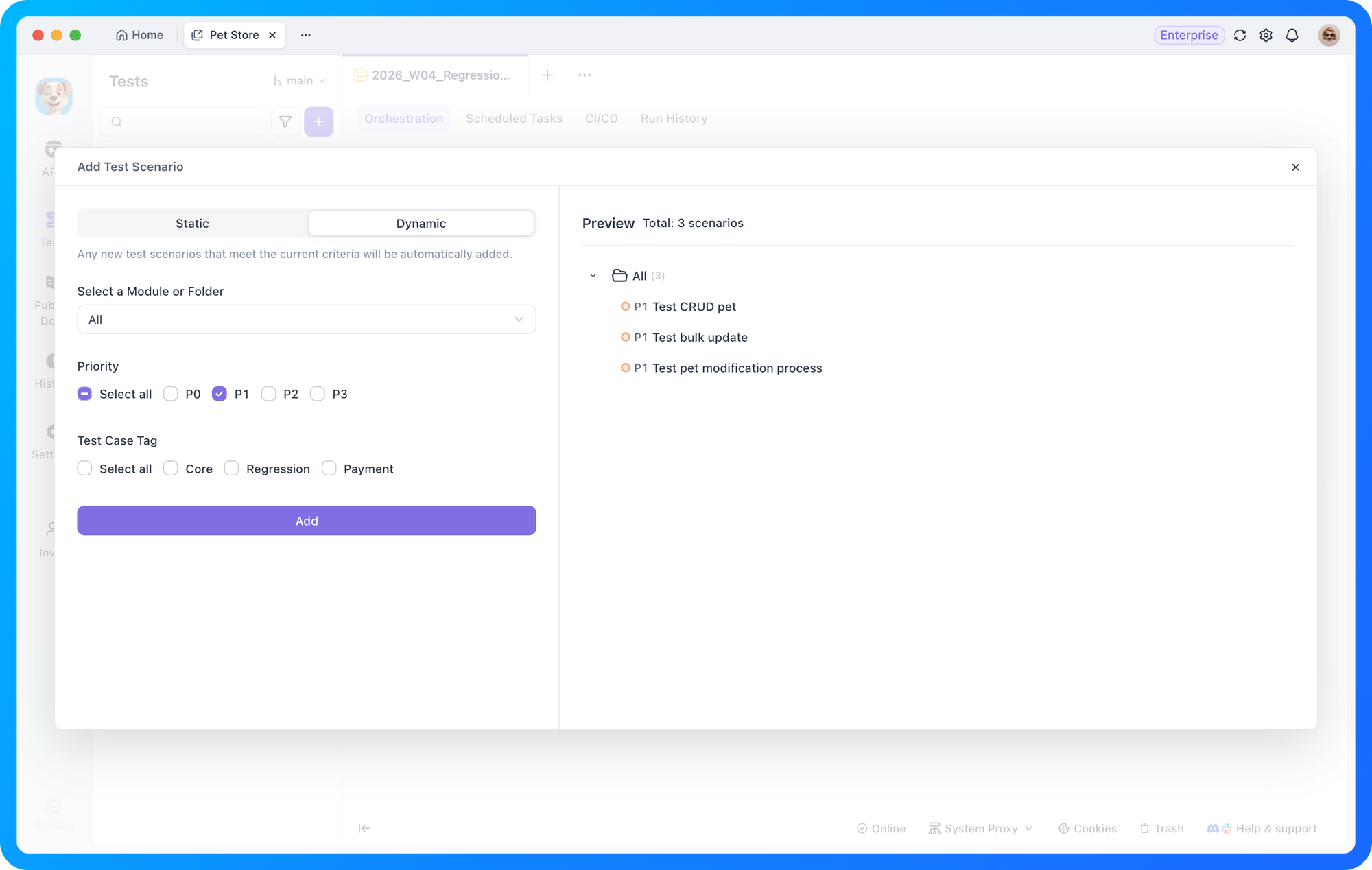
In the product interface, we guide you through this choice without requiring you to understand the terminology upfront. When you select static mode, checkboxes appear for individual selection. When you select dynamic mode, you see a read-only preview of matched cases with a note: "New cases matching these conditions will be automatically included."
Parallel execution
When your test suite grows to hundreds of cases, serial execution becomes a bottleneck. A full regression that takes an hour to complete delays your release pipeline and slows down issue detection in production monitoring.
Test Suites support parallel execution out of the box. Simply toggle between serial and parallel mode—the system automatically determines the optimal concurrency based on your machine's available resources. No manual tuning required. This reduces a 60-minute regression to under 30 minutes without changing your test logic.
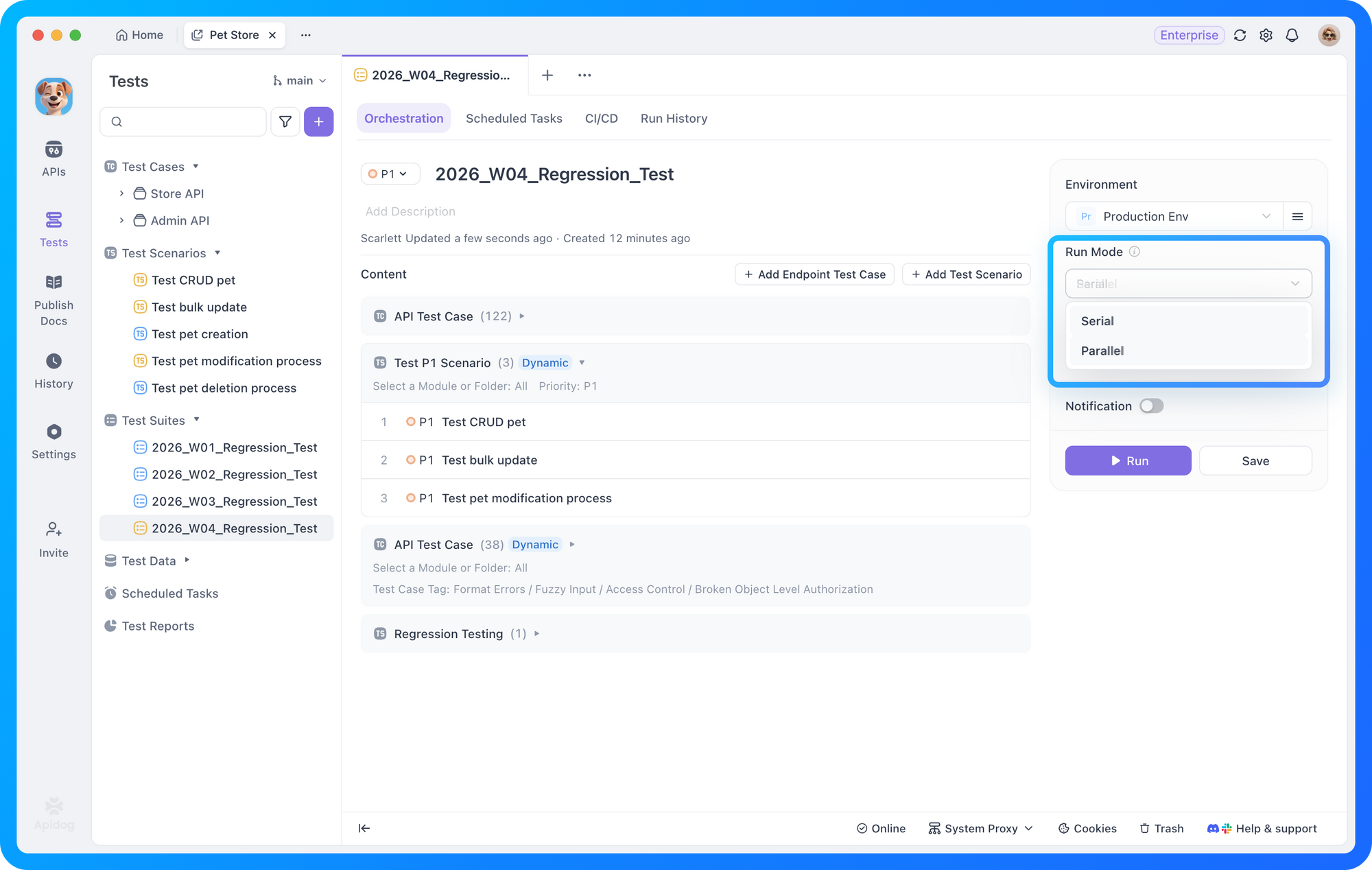
Parallel execution handles dependency isolation automatically. Each scenario runs in its own context, ensuring that shared variables or environment state from one scenario don't interfere with another. For scenarios that genuinely depend on each other, you can group them into a single scenario with sequential steps.
Structured test reports
Traditional test reports list results one by one. When you're running a suite with 200 cases across multiple modules, finding the failures that matter becomes tedious.
Test Suite reports are structured around your organization logic. Results are grouped by the conditions you defined—by module, by priority, by tag. You can immediately see that "Payment Module: 45/47 passed" and "User Module: 32/32 passed" without scrolling through individual entries.
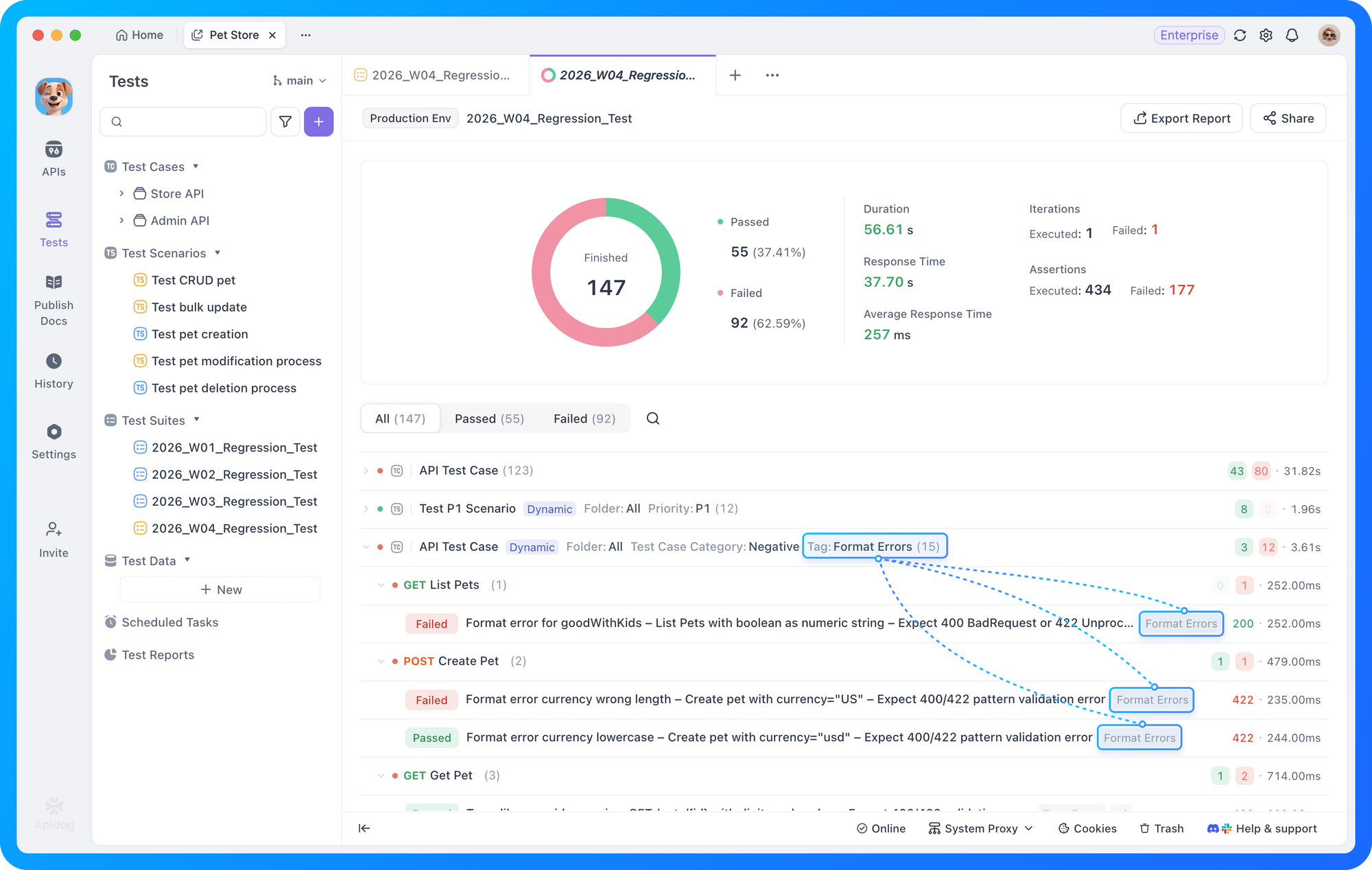
Each group expands to show individual scenario results with execution time, assertion counts, and failure details. Failed scenarios surface to the top with clear error context, so you can triage issues without hunting through logs.
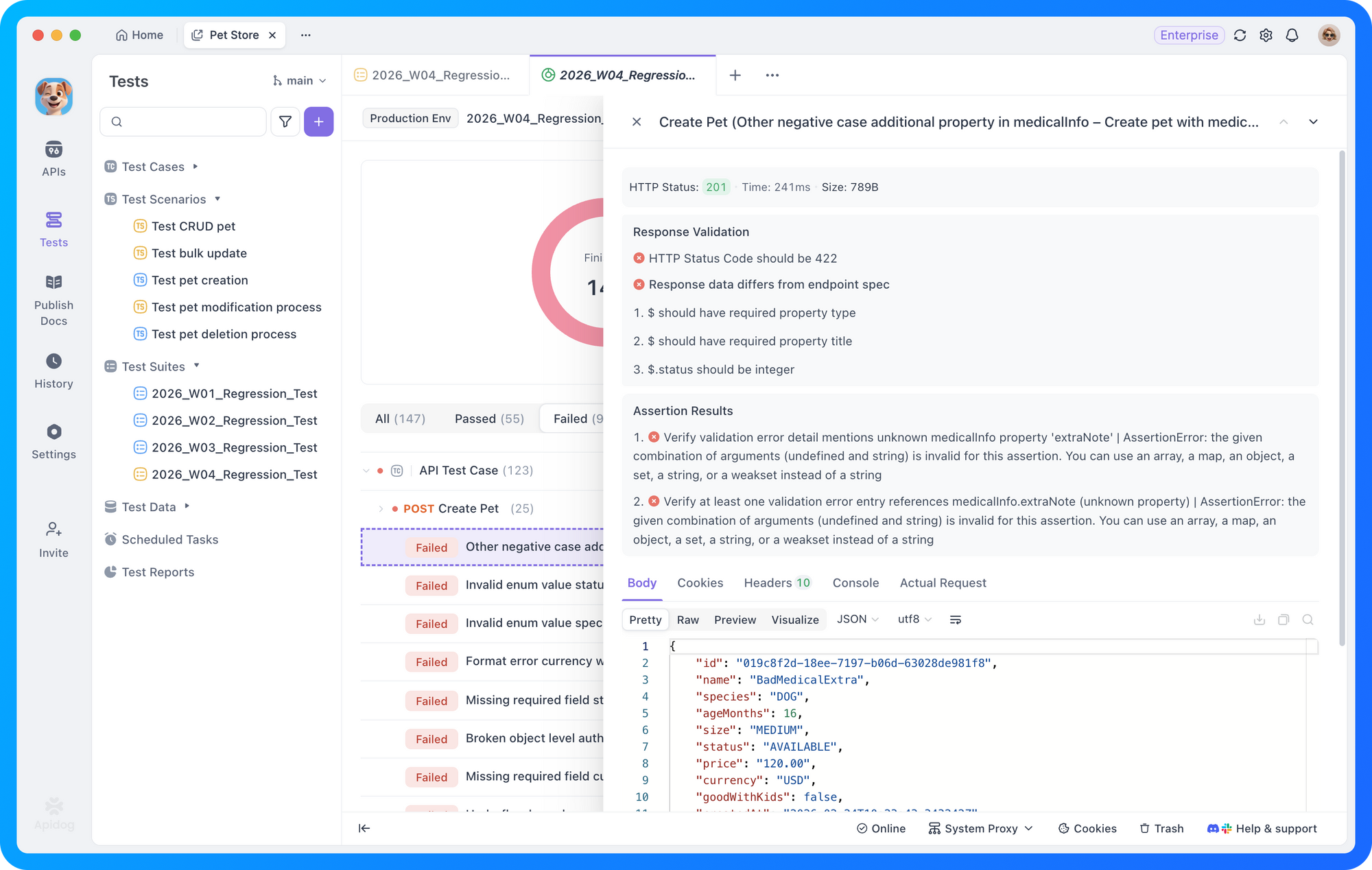
Reports also include execution metadata: total duration, parallel efficiency (time saved compared to serial execution), and environment configuration used. This helps you optimize suite configuration over time and provides audit trails for compliance requirements.
Unified configuration with flexible overrides
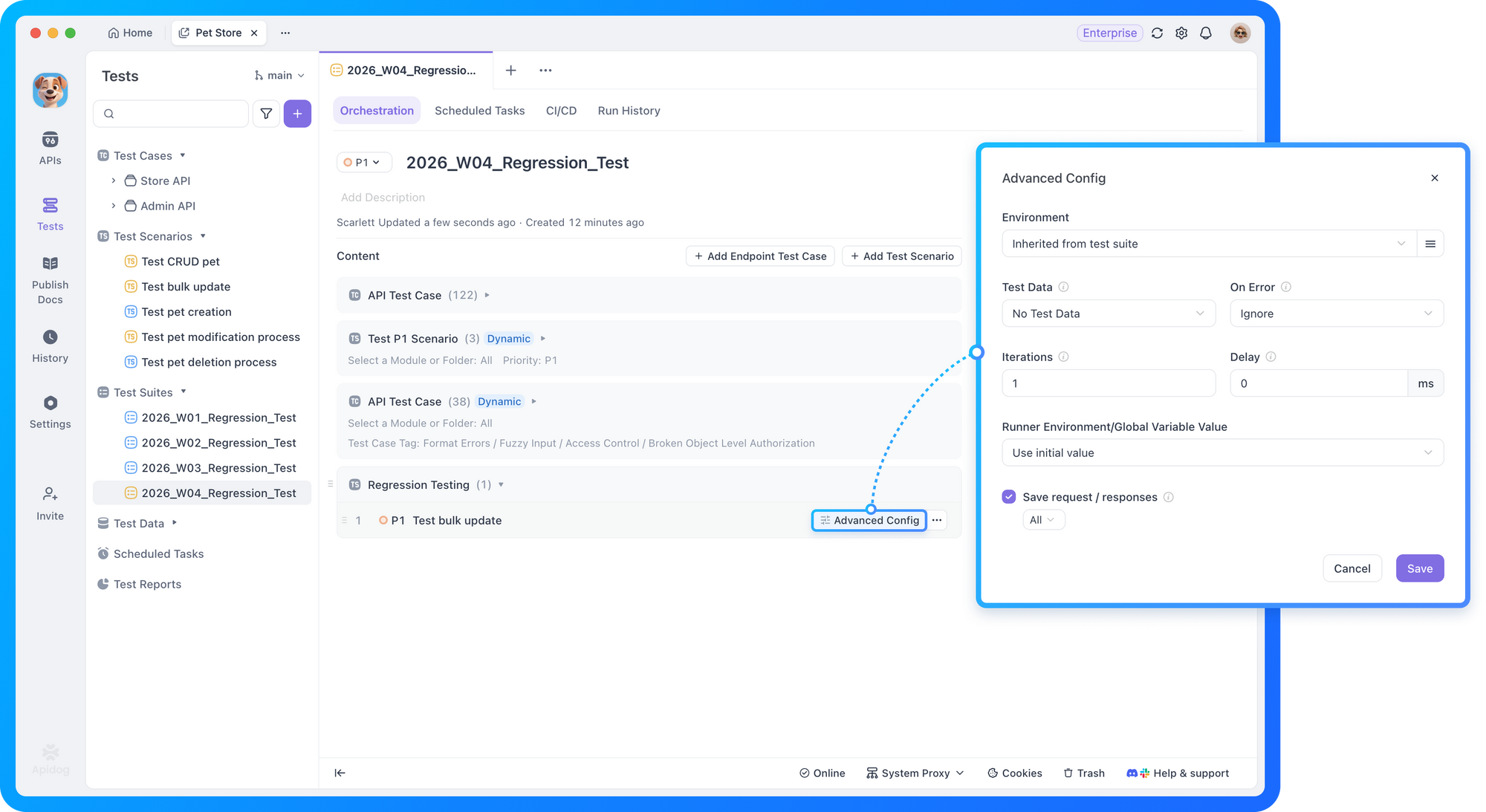
Each Test Scenario may have its own run configuration: environment, loop count, and other settings. When you group multiple scenarios into a suite, you need to decide whose configuration takes precedence.
By default, each scenario runs with its saved configuration—the most intuitive behavior. For environment settings specifically, the suite provides a unified environment selector that scenarios can inherit. This lets you switch your entire regression suite from staging to production with a single change.
If you need full control, you can specify a custom configuration that overrides all scenario-level settings. This option is available in advanced settings to keep the common path simple.
Test Suites vs. directory batch runs
Apidog already supports batch runs at the directory level. Test Suites serve a different purpose.
Directories organize cases by physical structure. One case belongs to one folder.
Test Suites organize cases by logical rules. One case can belong to multiple suites simultaneously.
For example: A P0 payment test case can appear in both "Payment Module Regression" (all payment-tagged P0/P1 cases) and "Full Smoke Test" (all P0 cases across the system). This flexibility enables you to build reusable test execution units for different scenarios—smoke tests triggered on every commit, full regression before releases, and scheduled health checks in production.
Capability | Purpose | Best for |
|---|---|---|
Test Scenario | Business flow orchestration | Defining individual test workflows |
Directory | Physical organization | Team collaboration, case management |
Directory batch run | Quick execution | Exploratory testing, ad-hoc regression |
Test Suite | Reusable execution unit | Release regression, smoke tests, scheduled monitoring |
What we're building next
We're evaluating suite nesting (composing suites from other suites) and automatic retry on failure. Dynamic mode already handles most composition needs, and we want to avoid masking genuine failures with retries. We'll revisit based on usage patterns.
How to get started
Test Suites are available now in Apidog. Create your first suite from the Automated Testing module, select static or dynamic mode, define your conditions, and run. Integrate with your CI/CD pipeline using the CLI to trigger suites on code merge or schedule.
Join the Conversation
We'd like to hear how Test Suites fit into your workflow. Share feedback in our community channels.Connect with fellow API engineers and the Apidog team:
- Discord: Join our community for real-time discussions and testing strategies
- X (Twitter): Follow us for the latest product updates and API insights
- LinkedIn: Connect with us for professional updates and industry perspectivesExplore the complete details of all these updates in the Apidog Changelog! 🚀
Happy testing!