TL;DR
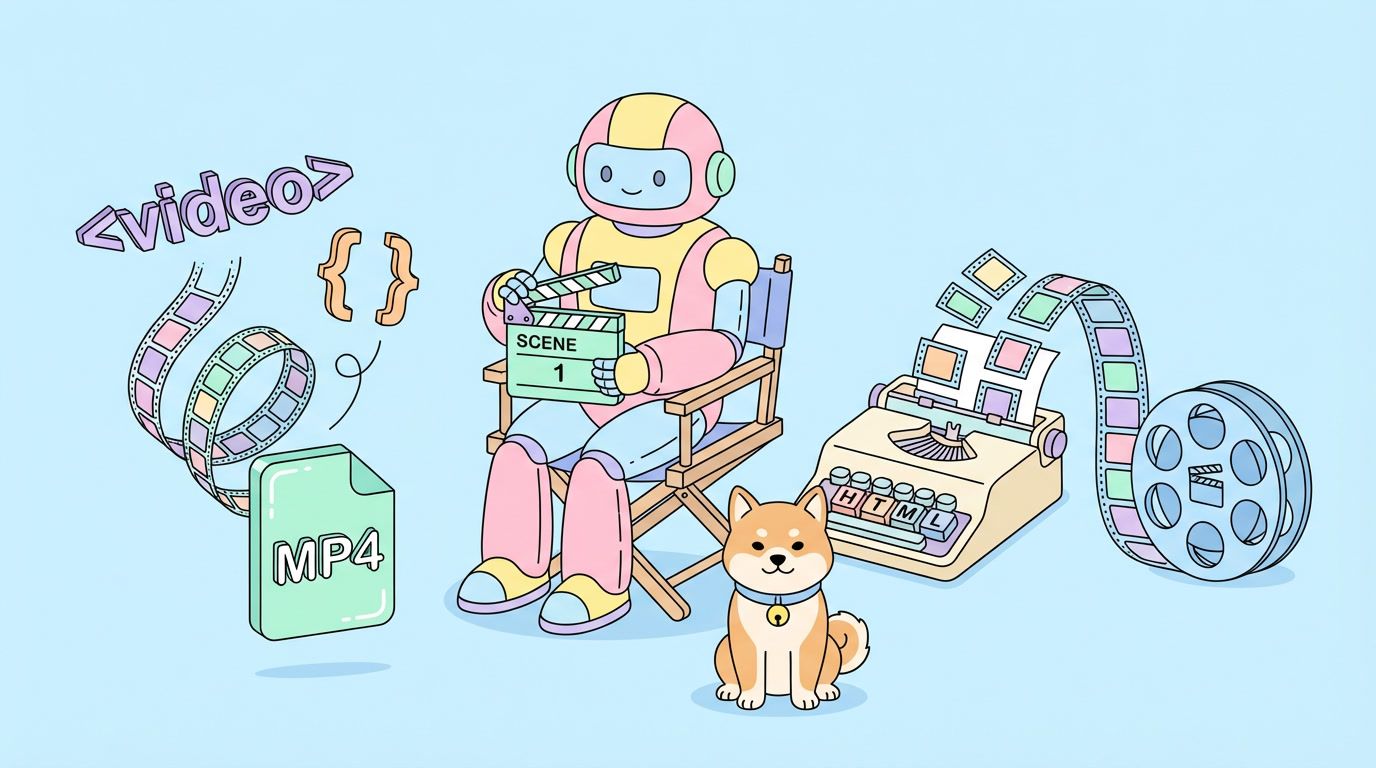
AI agents can write code, call APIs, and run multi-step workflows. Until now, one capability kept eluding them: editing video. Professional tools like After Effects and DaVinci Resolve use layered timelines and JSON scene graphs that LLMs weren’t trained on. HeyGen’s new open-source project, HyperFrames, flips the approach. It lets AI agents compose video using HTML, CSS, and JavaScript, then renders the result to MP4, MOV, or WebM. You install it as a Claude Code skill with one command, and your agent becomes a video editor.
Introduction
Video is the most engaging communication format on the web. Every other medium an AI agent can produce (text, code, images, charts) has a clear toolchain. Video didn’t.
You could prompt a model to generate a full clip with Sora, Veo, or Runway, but that approach has limits. You get a single monolithic video from a prompt. You can’t compose it. You can’t iterate on motion graphics or overlay specific brand animations. You can’t tell the agent “redo scene 3 with a slower fade.”
HeyGen shipped HyperFrames on April 17, 2026 to close this gap. Instead of teaching agents traditional video software, they gave agents a format they already know: HTML. This guide walks through how it works, why the approach makes sense, and how to set it up so your own agent can edit video.
If you’re building API-driven agent workflows that produce video, you’ll also want to test the orchestration layer. We’ll cover how Apidog fits in at the end.
Why AI agents couldn’t edit video before
Traditional video editing tools weren’t built for agents. They were built for humans clicking on timelines.
Three specific barriers:
Timeline-based UIs don’t map to code. After Effects, Premiere, and DaVinci Resolve store projects as proprietary binary formats or deeply nested JSON scene graphs. Even if an agent could read these files, the semantic space is narrow. Almost no training data exists for model weights on these formats.
Motion graphics require visual thinking. Keyframing animations, easing curves, and layer compositing are usually done by eye. Agents don’t see a preview window. They need a text-first abstraction to reason about motion.
The tools assume a human operator. Render pipelines, plugin ecosystems, and codec choices all live behind UI menus. Automating them through scripts works for limited cases (ExtendScript in After Effects, for example), but the APIs are narrow and fragile.
Result: agents could write a script to call ffmpeg, stitch clips together, and overlay text with basic filters. Anything beyond that required a human.
The HTML-for-video insight
HeyGen’s team had a different observation. LLMs were trained on billions of pages of HTML, CSS, and JavaScript. They’ve seen hundreds of thousands of GSAP animations, SVG compositions, Canvas experiments, and Lottie files. The web is the single largest creative medium in their training data.

When you ask a frontier model to produce a visually rich animation, it writes HTML fluently. It knows how to:
- Position elements with CSS
- Animate with GSAP or CSS keyframes
- Render SVG paths
- Compose layered scenes with
z-indexandopacity - Tween between states
All the visual primitives an editor needs already exist in the browser. The missing piece was turning a timeline of HTML scenes into a rendered video file.
That’s what HyperFrames does. The name says it: HTML becomes video Frames. HyperFrames.
How HyperFrames works
HyperFrames adds a small set of data- attributes to standard HTML. These attributes define the video timeline. Everything else is plain web code.
The core attributes:
| Attribute | Purpose |
|---|---|
data-composition-id |
Unique ID for the video composition |
data-width / data-height |
Output resolution in pixels |
data-start |
Scene start time in seconds |
data-duration |
Scene duration in seconds |
data-track-index |
Layering order for overlapping scenes |
The agent writes a normal HTML file. HyperFrames reads the data attributes, runs the page in a headless browser, captures frames at the target frame rate, and encodes the output with FFmpeg.
That’s it. No new DSL. No scene graph. No keyframe editor. The animation lives in GSAP timelines or CSS animations, exactly the code the model already produces.
A minimal example
Here’s a 5-second video composition in under 70 lines of HTML. Two scenes: a title card that fades in, then blur-crossfades into a closing screen.
<!DOCTYPE html>
<html lang="en">
<head>
  <meta charset="UTF-8">
  <script src="https://cdn.jsdelivr.net/npm/gsap@3.14.2/dist/gsap.min.js"></script>
  <style>
    body { margin:0; width:1920px; height:1080px; overflow:hidden; background:#0D1B2A; }
    .scene { position:absolute; inset:0; width:1920px; height:1080px; overflow:hidden; background:#0D1B2A; }
    #scene2 { z-index:2; opacity:0; }
    .s1 { display:flex; flex-direction:column; justify-content:center; padding:120px 160px; gap:20px; }
    .s2 { display:flex; flex-direction:column; justify-content:center; align-items:center; padding:100px 160px; gap:32px; }
  </style>
</head>
<body>
  <div id="root" data-composition-id="hyperframes-intro"
       data-width="1920" data-height="1080" data-start="0" data-duration="5">
    <div id="scene1" class="scene">
      <div class="s1">
        <div class="s1-title">HTML is Video</div>
        <div class="s1-sub">Compose. Animate. Render.</div>
      </div>
    </div>

    <div id="scene2" class="scene">
      <div class="s2-title">Start composing.</div>
    </div>
  </div>
  <script>
    window.__timelines = window.__timelines || {};
    const tl = gsap.timeline({ paused: true });

    // Scene 1: title entrance
    tl.from(".s1-title", { x:-40, opacity:0, duration:0.5, ease:"power3.out" }, 0.25);
    tl.from(".s1-sub", { y:15, opacity:0, duration:0.4, ease:"power2.out" }, 0.5);

    // Blur crossfade transition
    const T = 2.2;
    tl.to("#scene1", { filter:"blur(8px)", scale:1.03, opacity:0, duration:0.35, ease:"power2.inOut" }, T);
    tl.fromTo("#scene2",
      { filter:"blur(8px)", scale:0.97, opacity:0 },
      { filter:"blur(0px)", scale:1, opacity:1, duration:0.35, ease:"power2.inOut" }, T + 0.08);

    window.__timelines["hyperframes-intro"] = tl;
  </script>
</body>
</html>
Two things to notice:
- The animation logic is pure GSAP. Any model that has seen GSAP tutorials can write timelines like this.
- The HyperFrames overhead is tiny. A few
data-attributes on the root element. Nothing else.
Render this file and you get a 1920x1080 MP4 of the animation. Change the text, change the colors, swap the fonts, add a logo: the whole file is plain HTML.
What the agent can actually use
Because the render pipeline is a real browser, any web technology works:
- CSS animations and transitions for simple motion
- GSAP timelines for complex choreography
- SVG for logos, shapes, and path animations
- Canvas for particle systems or generative backgrounds
- Three.js for 3D scenes
- D3.js for data visualizations
- Lottie for imported After Effects animations
- Web fonts from Google Fonts or custom sources
- Background video or images loaded via
<video>or<img>
No wrappers, no plugin architecture, no framework-to-learn. The agent uses what it already knows.
How to give your agent video editing in one command
HyperFrames ships as a Claude Code skill. If you use Claude Code, the installation is a single npm command.
npx skills add heygen-com/hyperframes
This fetches the skill from HeyGen’s GitHub repository, installs the toolchain, and registers the video editing capability with Claude Code.
After install, prompt your agent naturally:
Build me a 10-second product explainer video for a new API.
Start with a dark gradient background, animate the product name
sliding up from the bottom with a fade, then cut to three
bullet points with icons, end on a call-to-action card.
The agent writes the HTML, runs a local preview, and renders the final MP4. No API keys. No external services. Everything runs on your machine.
Setting up without Claude Code
HyperFrames is framework-agnostic. You can call it from any agent that can run shell commands and read files.
Clone the repo:
git clone https://github.com/heygen-com/hyperframes
cd hyperframes
npm install
Render a composition file:
npx hyperframes render my-video.html --output my-video.mp4
Preview locally:
npx hyperframes preview my-video.html
The preview command opens a browser window where you can scrub the timeline and check frame-by-frame accuracy before committing to a full render.
What this unlocks for developers
A few use cases open up immediately.
Automated product marketing. Your agent can pull release notes, generate scene-by-scene HTML, and ship a render to your CDN. Every release gets a video without a human touching a timeline.
Personalized video responses. API webhooks trigger an agent that renders a personalized clip per user event. Welcome videos, receipts, milestone celebrations, all generated on demand.
Data storytelling. Feed metrics to an agent. It writes D3 visualizations wrapped in HyperFrames scenes. The output is a narrated walkthrough of your dashboard, automatically refreshed every quarter.
Dynamic B-roll for podcasts or long-form content. An agent reads a transcript, generates motion graphics illustrating each key point, and layers them over the audio.
API documentation videos. Parse your OpenAPI spec, generate endpoint walkthroughs with animated request/response diagrams, export as shareable clips.
Testing the agent orchestration with Apidog
HyperFrames handles the render step. Everything upstream is orchestration: the agent loop, tool calls, LLM API requests, and the logic that decides what video to produce from what input.
That’s where things break in production. Malformed tool payloads, timed-out API requests, incorrect tool_use_id references, or mismatched message schemas all stop the video pipeline before a single frame gets rendered.
Apidog gives you a test environment for the parts HyperFrames doesn’t cover:
Mock the LLM endpoints. Build a dummy Claude or OpenAI endpoint in Apidog with the exact schema your agent expects. Test how your pipeline reacts to malformed or delayed responses before real API costs kick in.
Validate tool-use payloads. If your agent calls external APIs (for asset retrieval, stock footage lookups, or brand kit fetches), set up those endpoints in Apidog and chain them into test scenarios. Confirm the agent’s tool call structure matches your API before running it end-to-end.
Track token consumption. Claude Opus 4.7 uses a new tokenizer that produces up to 35% more tokens than Opus 4.6. A video composition with rich CSS and 200 lines of JavaScript is not small. Apidog’s usage tracking helps you size your prompts before costs surprise you.
Debug multi-turn agent flows. A full video render often needs 5-10 LLM turns (plan the video, draft scenes, revise timing, fix animations, finalize). Apidog lets you replay the exact conversation to find where the agent went off the rails.
The philosophical argument
HeyGen’s team makes a stronger claim than “HTML is a convenient format for agent-generated video.” They believe HTML is the right format for the future of video, full stop.
The reasoning holds up. Traditional video is locked inside proprietary formats controlled by Adobe, Blackmagic, and a handful of codec vendors. HTML is open, standardized, versionable, searchable, and editable with every text tool on earth.
If HTML-based video becomes the interchange format, videos become:
- Diffable in git. You can see exactly what changed between revisions.
- Componentizable. A title card is a React component. A motion graphic is an importable module.
- Responsive. The same composition renders at 1080p, 4K, or vertical 9:16 without a rebuild.
- Accessible. Screen readers parse the source. Alt text for visual elements is baked in.
- Searchable. Text inside videos is literally text, not OCR’d pixels.
None of this is theoretical. Every one of those properties already works in the browser. HyperFrames is the bridge that takes browser-native content and makes it a viable video source.
Limitations to know about
HyperFrames is version 1. A few real constraints:
- Render speed depends on complexity. A scene with Three.js particles and Canvas shaders takes longer to encode than a simple GSAP text animation. Plan accordingly.
- Live video input is limited. You can embed
<video>tags, but real-time camera feeds or streaming sources need more glue code. - Audio support is basic. You can add audio tracks, but advanced mixing (ducking, EQ, noise reduction) still requires FFmpeg post-processing.
- Agent creativity still depends on the model. Opus 4.6 and Gemini 3 were the first models that produced consistent, aesthetically striking output from plain prompts. Opus 4.7 is the current best for this workflow.
None of these are deal-breakers, but plan for them if you’re building a production pipeline.
Getting started checklist
If you want to try HyperFrames right now:
- [ ] Install Claude Code (or use your preferred agent)
- [ ] Run
npx skills add heygen-com/hyperframes - [ ] Prompt your agent to build a simple 5-second video
- [ ] Render the output and inspect the MP4
- [ ] Iterate: change the styling, timing, or scene count
- [ ] For API-driven workflows, set up your LLM and tool endpoints in Apidog
- [ ] Build one real video (a product teaser, a data story, a release note summary)
- [ ] Star the GitHub repo at github.com/heygen-com/hyperframes
Conclusion
AI agents have been able to code for years. Until now, video editing was the last major creative domain where they needed a human in the loop. HyperFrames removes that dependency by meeting agents where they already work: HTML, CSS, and JavaScript.
The approach is simple enough to describe in one sentence and flexible enough to produce broadcast-quality motion graphics. If you’re building anything that needs video as an output (marketing automation, personalized content, data storytelling, agent-driven documentation), HyperFrames belongs in your stack.
For the API and orchestration layer that sits around it, test your agent’s conversations, tool calls, and LLM requests with Apidog before you scale. Failed API requests don’t render to MP4.