TL;DR
Google Workspace CLI (gws) is a command-line tool that gives AI agents direct access to Gmail, Drive, Calendar, Sheets, Docs, and every Google Workspace API through structured JSON output. With native OpenClaw support and 100+ pre-built agent skills, you can automate your entire Workspace workflow through messaging apps like WhatsApp or Discord. Setup takes 5 minutes with npm install -g @googleworkspace/cli followed by gws auth setup.
Introduction
What if your AI agent could read your Gmail, update your Calendar, and organize your Google Drive without you lifting a finger?
Most Google Workspace automation tools require complex API setups, custom code, or expensive third-party services. Developers spend hours wrestling with OAuth flows, rate limits, and outdated documentation. Meanwhile, AI agents sit idle because they lack direct access to the tools we use every day.
Google engineers just released something that changes everything. The Google Workspace CLI (gws) has already accumulated 12,400+ GitHub stars and ships with 100+ pre-built agent skills. It’s built in Rust, reads Google’s Discovery Service at runtime, and outputs structured JSON that any AI agent can parse.
What is Google Workspace CLI?
Google Workspace CLI (gws) is a single command-line tool that wraps every Google Workspace API into clean, composable commands. It covers Gmail, Google Drive, Calendar, Sheets, Docs, Slides, Chat, Tasks, Meet, Forms, Keep, Classroom, Admin, and basically every Google Workspace API that exists.
Here’s what makes it different from other CLI tools you’ve used.
Most developer tools ship with a fixed list of commands. When Google adds a new API endpoint, someone has to manually update the tool, cut a new release, and hope everyone upgrades. It’s a maintenance treadmill that never ends. Most Google Workspace wrappers you’ve seen are already out of date by the time you install them.
gws solves this in a fundamentally different way. Instead of hardcoding commands, it talks directly to Google’s Discovery Service. Think of this as Google’s own live catalog of every single action available across all their Workspace apps. Every API, every method, every parameter. Google maintains this catalog themselves, and it’s always current.
When you run gws, the first thing it does is pull this live catalog and build its entire command structure on the fly from whatever Google says is available right now. If Google ships a new Sheets feature at 2pm today, your CLI already supports it at 2:01pm. No update. No new version. No waiting for a maintainer to catch up.
The tool literally cannot fall behind because it’s reading from the source of truth every time.
Quick Example
# List the 10 most recent files
gws drive files list --params '{"pageSize": 10}'

# Create a spreadsheet
gws sheets spreadsheets create --json '{"properties": {"title": "Q1 Budget"}}'

# Send a Chat message
gws chat spaces messages create \
  --params '{"parent": "spaces/xyz"}' \
  --json '{"text": "Deploy complete."}'
Every response comes back as structured JSON. Not HTML. Not formatted text. Clean, predictable, machine-readable data that an AI agent can immediately reason about and act on.
Why gws Matters for AI Agents
The AI agent community is excited about gws for specific technical reasons.
Structured JSON Output: Every single response comes back as structured JSON. Your agent doesn’t need to parse HTML or guess at formatting. It gets clean data it can work with immediately.
No Custom Tooling Required: Most AI agent setups require you to build custom tools for each API you want to access. With gws, the tooling is already built. Your agent just needs to know how to execute shell commands.
100+ Pre-Built Agent Skills: The repo ships with over 100 SKILL.md files - one for every supported API, plus higher-level helpers for common workflows and 50 curated recipes for Gmail, Drive, Docs, Calendar, and Sheets.
Native OpenClaw Support: Google included OpenClaw setup instructions directly in the README. This isn’t a community hack or workaround. It’s built-in, first-class support.
MCP Server Built-In: gws includes a Model Context Protocol server that exposes Google Workspace APIs as structured tools. Any MCP-compatible client (Claude Desktop, Gemini CLI, VS Code) can call these tools directly.
The Agent Economy Infrastructure
We’re seeing the emergence of agent infrastructure faster than most people realize. Tools like gws represent the plumbing that will power autonomous workflows. Instead of building custom integrations for every SaaS platform, agents can rely on standardized CLIs with consistent output formats.
This matters because it lowers the barrier to entry. You don’t need a team of engineers to build AI automation for your Workspace. You need npm and 5 minutes.
How gws Works: The Architecture
gws uses a two-phase parsing strategy that’s worth understanding.
Phase 1: Service Identification
When you run gws drive files list, the CLI reads the first argument (drive) to identify the service.
Phase 2: Dynamic Command Building
The CLI fetches the service’s Discovery Document from Google (cached for 24 hours). It builds a clap::Command tree from the document’s resources and methods. This is where the magic happens - the entire command surface is generated from Google’s own API specification.
Phase 3: Request Execution
The CLI re-parses the remaining arguments, authenticates using your configured credentials, builds the HTTP request, and executes it.
All output - success responses, errors, download metadata - is structured JSON.
┌─────────────────────────────────────────────────────────┐
│  argv[1] = "drive"                                      │
│       ↓                                                 │
│  Fetch Discovery Document (cached 24h)                 │
│       ↓                                                 │
│  Build clap::Command tree from resources & methods     │
│       ↓                                                 │
│  Re-parse remaining arguments                          │
│       ↓                                                 │
│  Authenticate → Build HTTP Request → Execute           │
│       ↓                                                 │
│  Output: Structured JSON                               │
└─────────────────────────────────────────────────────────┘
This architecture means gws can support every Google Workspace API without hardcoding a single command. The Discovery Document is the source of truth, and gws reads it live every time.
OpenClaw Integration: Step-by-Step
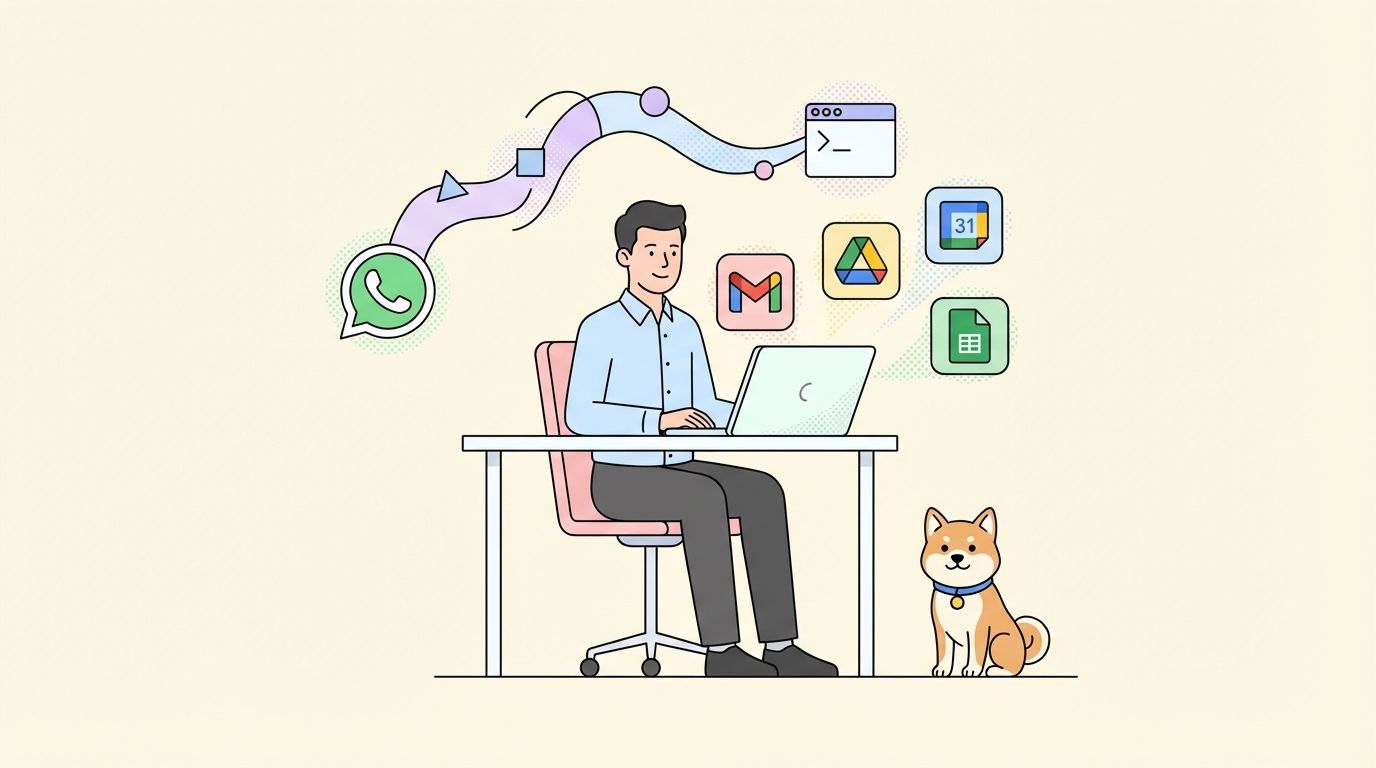
OpenClaw is a self-hosted AI agent framework that connects to messaging apps like WhatsApp, Telegram, and Discord. When you integrate gws with OpenClaw, you get an AI assistant that can manage your entire Google Workspace through text messages.
Google literally included OpenClaw setup instructions in the README. Here’s how to get started.
Option 1: Symlink All Skills (Recommended for Development)
# Clone the repo
git clone https://github.com/googleworkspace/cli.git
cd cli

# Symlink all skills into your OpenClaw skills directory
ln -s $(pwd)/skills/gws-* ~/.openclaw/skills/
This keeps everything in sync with the repo. When Google updates the skills, you get the updates automatically.
Option 2: Copy Specific Skills
# Only grab what you need
cp -r skills/gws-drive skills/gws-gmail ~/.openclaw/skills/
Option 3: Use the Skills CLI
# Install all skills at once
npx skills add https://github.com/googleworkspace/cli

# Or pick individual skills
npx skills add https://github.com/googleworkspace/cli/tree/main/skills/gws-drive
npx skills add https://github.com/googleworkspace/cli/tree/main/skills/gws-gmail
The gws-shared Skill
The gws-shared skill is especially smart. It includes an install block that auto-installs the CLI via npm if gws isn’t already on your PATH. Your OpenClaw agent can bootstrap itself - it checks for the tool, installs it if needed, and starts working. No manual setup required.
Using gws Through WhatsApp
Once integrated, you can send messages like:
"Check my calendar for today's meetings"
"Find unread emails from my boss"
"Create a new spreadsheet called Q2 Budget"
"Upload this PDF to the Projects folder"
OpenClaw receives your message, determines which gws command to run, executes it, and sends back the results - all through WhatsApp.
100+ Agent Skills Breakdown
The repo ships with over 100 SKILL.md files organized into four categories. If you’re not familiar with the SKILL.md format, it’s the emerging standard for giving AI agents structured, composable capabilities. Think of skills like apps but for agent knowledge and tool access.
Service Skills (25+)
One skill per Google Workspace API. These are your building blocks:
| Skill | Purpose |
|---|---|
| gws-drive | Managing files, folders, and shared drives |
| gws-gmail | Sending, reading, and managing email |
| gws-calendar | Managing calendars and events |
| gws-sheets | Reading and writing spreadsheets |
| gws-docs | Reading and writing Google Docs |
| gws-slides | Presentations |
| gws-tasks | Task lists |
| gws-chat | Google Chat spaces and messages |
| gws-people | Contacts and profiles |
| gws-admin | Managing users, groups, and devices |
| gws-classroom | Classes, rosters, and coursework |
| gws-forms | Google Forms |
| gws-keep | Google Keep notes |
| gws-meet | Conference management |
| gws-vault | eDiscovery |
| gws-apps-script | Managing Apps Script projects |
Additional skills cover Cloud Identity, Alert Center, Group Settings, Licensing, Reseller, and Model Armor for safety filtering.
Persona Skills (10 Pre-Built Agent Roles)
Google created 10 ready-to-use persona bundles that define complete agent roles:
| Persona | Responsibilities |
|---|---|
| Executive Assistant | Manages schedules, inbox, and communications |
| Project Manager | Coordinates projects, tracks tasks, schedules meetings |
| HR Coordinator | Handles onboarding, announcements, employee communications |
| Sales Ops | Manages sales workflows, tracks deals, schedules calls |
| IT Admin | Administers users, monitors security, configures Workspace |
| Content Creator | Creates, organizes, and distributes content |
| Customer Support | Manages tickets, responds to issues, handles escalation |
| Event Coordinator | Plans events, manages invitations, handles logistics |
| Team Lead | Runs standups, coordinates tasks, manages team communication |
| Researcher | Organizes research, manages references, handles collaboration |
Each persona bundles together the right service skills, helper commands, and workflow patterns for that specific role. You don’t have to figure out which combination of Gmail + Calendar + Drive + Sheets skills your agent needs. Just give it the persona and it knows what to do.
Helper Skills
These are shortcut commands for the most common operations:
- gws-drive-upload for quick file uploads
- gws-gmail-send for sending emails
- gws-modelarmor-sanitize-prompt for cleaning up prompts before they hit your agent
Recipe Skills (50 Curated Workflows)
Multi-step task sequences with real commands baked in. Examples include:
- Auditing externally shared Drive files
- Sending personalized emails from Sheets data
- Creating meeting agendas from Calendar events
- Generating weekly status reports from multiple sources
These are the “copy-paste and go” workflows that save hours of prompt engineering.
Real-World Automation Workflows
Here are concrete examples of what you can automate with gws and OpenClaw.
Gmail Automation
# Search your inbox for unread emails from a specific sender
gws gmail users.messages list \
  --params '{"userId": "me", "q": "from:boss@company.com is:unread"}'

# Read a specific email
gws gmail users.messages get --params '{"userId": "me", "id": "MSG_ID"}'

# Send an email (the helper handles all the encoding)
gws gmail +send --to alice@company.com --subject 'Q2 Report Ready' \
  --body 'Hey Alice, the Q2 report is ready for review.'

# Triage your unread inbox (agent-friendly summary)
gws gmail +triage --max 5 --query 'from:boss'
Calendar Management
# See what's on your calendar today
gws calendar +agenda

# Create a meeting with attendees
gws calendar +insert --summary 'Weekly Standup' \
  --start '2026-03-10T09:00:00-07:00' \
  --end '2026-03-10T09:30:00-07:00'

# Create a recurring event with all the details
gws calendar events insert \
  --params '{"calendarId": "primary"}' \
  --json '{
    "summary": "Weekly Standup",
    "start": {"dateTime": "2026-03-10T09:00:00", "timeZone": "America/Vancouver"},
    "end": {"dateTime": "2026-03-10T09:30:00", "timeZone": "America/Vancouver"},
    "recurrence": ["RRULE:FREQ=WEEKLY;BYDAY=MO"],
    "attendees": [{"email": "team@company.com"}]
  }'

# Reschedule an event and notify attendees
gws calendar events patch \
  --params '{"calendarId": "primary", "eventId": "EVENT_ID", "sendUpdates": "all"}' \
  --json '{
    "start": {"dateTime": "2026-03-10T14:00:00", "timeZone": "America/Vancouver"},
    "end": {"dateTime": "2026-03-10T15:00:00", "timeZone": "America/Vancouver"}
  }'
Drive File Management
# List your 10 most recent files
gws drive files list --params '{"pageSize": 10}'

# Upload a file to a specific folder
gws drive +upload --file ./report.pdf --parent FOLDER_ID

# Create a new project folder
gws drive files create \
  --json '{"name": "Q2 Project", "mimeType": "application/vnd.google-apps.folder"}'

# Download a file
gws drive files get \
  --params '{"fileId": "FILE_ID", "alt": "media"}' -o report.pdf

# Export a Google Doc as PDF
gws drive files export \
  --params '{"fileId": "FILE_ID", "mimeType": "application/pdf"}' -o document.pdf

# Share a folder with a colleague
gws drive permissions create \
  --params '{"fileId": "FOLDER_ID"}' \
  --json '{"role": "writer", "type": "user", "emailAddress": "colleague@company.com"}'
Sheets Operations
# Read data from a specific range
gws sheets +read --spreadsheet-id SHEET_ID --range 'Contacts!A2:C'

# Append a new row of data
gws sheets +append --spreadsheet-id SHEET_ID --range 'Sheet1' \
  --values '["2026-03-05", "Marketing", "Ad spend", "1500"]'

# Create a brand new spreadsheet
gws drive files create \
  --json '{"name": "Expense Tracker 2026", "mimeType": "application/vnd.google-apps.spreadsheet"}'
Docs and Content Creation
# Create a new document
gws docs documents create --json '{"title": "Meeting Notes - March 2026"}'

# Write content to an existing doc
gws docs +write --document-id DOC_ID \
  --text '## Project: Q2 Launch\n\n### Objective\nLaunch the new feature by end of Q2.'
Chat, Meet, Forms, and More
# Send a team notification in Google Chat
gws chat +send --space spaces/TEAM_SPACE \
  --text 'Important: Please check your email for the updated policy.'

# Create a Google Meet room
gws meet spaces create --json '{"config": {"accessType": "OPEN"}}'

# Create a feedback form
gws forms forms create \
  --json '{"info": {"title": "Event Feedback", "documentTitle": "Event Feedback Form"}}'

# Create a presentation
gws slides presentations create --json '{"title": "Quarterly Review Q2"}'
Notice the pattern. Every action is one line. The + helper commands (like +send, +upload, +agenda, +triage, +read, +append, +write) handle all the messy encoding and formatting that would normally take 10 lines of boilerplate. Your agent doesn’t need to know about RFC 2822 email formatting or base64 encoding. It just says what it wants to do and gws handles the rest.
Security and Model Armor
Here’s something that doesn’t get enough attention. The repo includes integration with Google Cloud Model Armor for response sanitization.
What is Model Armor?
When your agent reads data from Gmail or Drive, that data could contain prompt injection attacks. Someone could craft an email specifically designed to manipulate your agent’s behavior. Model Armor scans API responses before they reach your agent and filters out potentially malicious content.
gws gmail users messages get --params '...' \
  --sanitize "projects/P/locations/L/templates/T"
Sanitization Modes
| Mode | Behavior |
|---|---|
| warn | Flags suspicious content but still returns it |
| block | Strips out potentially malicious content entirely |
Why This Matters
Cisco’s AI security team found that 26% of the 31,000+ skills on ClawHub contain vulnerabilities. SecurityScorecard reported that 63% of exposed OpenClaw instances are misconfigured. Agent security isn’t a theoretical problem. It’s happening right now.
Having safety filtering built into the data pipeline is a smart move from Google.
Environment Variables for Security
# Default Model Armor template
export GOOGLE_WORKSPACE_CLI_SANITIZE_TEMPLATE="projects/P/locations/L/templates/T"

# Sanitization mode (warn or block)
export GOOGLE_WORKSPACE_CLI_SANITIZE_MODE="block"
gws vs Alternatives
Let’s compare gws to other approaches you might consider.
gws vs gcloud CLI
| Feature | gws | gcloud CLI |
|---|---|---|
| Scope | Google Workspace APIs | All Google Cloud services |
| Agent Skills | 100+ pre-built | None |
| OpenClaw Support | Native | Manual setup |
| Output Format | Structured JSON | Variable |
| Workspace-Specific | Yes | Partial |
Use gcloud for infrastructure management. Use gws for Workspace automation.
gws vs Google Apps Script
| Feature | gws | Apps Script |
|---|---|---|
| Execution | Local CLI / AI agents | Cloud-based |
| Language | Shell commands | JavaScript |
| AI Integration | Built-in | Manual |
| Authentication | OAuth / Service Account | OAuth |
| Use Case | Automation / Agents | In-Workspace automation |
Apps Script excels at automating workflows within Google Workspace. gws excels at giving external tools and AI agents access to Workspace.
gws vs Third-Party Tools (Zapier, Make)
| Feature | gws | Zapier/Make |
|---|---|---|
| Cost | Free | $20-500/month |
| Customization | Full control | Limited to platform |
| Rate Limits | Google API limits only | Platform limits |
| Data Privacy | Local execution | Third-party servers |
| Learning Curve | Technical | Low-code |
Third-party tools make sense for non-technical users. gws makes sense for developers and AI agent setups.
Getting Started Guide
Ready to try this? Here’s the quickest path to a working setup.
Prerequisites
- Node.js 18+ (for npm install)
- A Google Cloud project (for OAuth credentials)
- A Google account with access to Google Workspace
- gcloud CLI installed (optional but recommended for fastest setup)
Step 1: Install gws
npm install -g @googleworkspace/cli
The npm package bundles pre-built native binaries for your OS and architecture. No Rust toolchain required.
Step 2: Set Up Authentication
gws auth setup
This walks you through Google Cloud project configuration. It creates a Cloud project, enables APIs, and logs you in.
If you don’t have gcloud installed, you can set up OAuth manually through the Google Cloud Console.
Step 3: Login
gws auth login
This opens a browser for OAuth scope selection and login.
Step 4: Test Your Setup
gws drive files list --params '{"pageSize": 5}'
You should see a JSON response with your recent files.
Step 5: Integrate with OpenClaw
# Clone the repo
git clone https://github.com/googleworkspace/cli.git
cd cli

# Symlink all skills
ln -s $(pwd)/skills/gws-* ~/.openclaw/skills/
Step 6: Start Using Through Messaging
Send a message through your configured OpenClaw messaging platform:
"List my 5 most recent Drive files"
OpenClaw will execute the appropriate gws command and send back the results.
Troubleshooting Common Issues
“Access blocked” or 403 during login
Your OAuth app is in testing mode and your account is not listed as a test user.
Fix: Open the OAuth consent screen in your GCP project, go to Test users, add your Google account email, then retry gws auth login.
“Google hasn’t verified this app”
Expected when your app is in testing mode. Click Advanced, then “Go to (unsafe)” to proceed. This is safe for personal use.
Too many scopes error
Unverified (testing mode) apps are limited to about 25 OAuth scopes. The recommended scope preset includes many scopes and will exceed this limit.
Fix: Select only the scopes you need:
gws auth login --scopes drive,gmail,calendar
API not enabled
If a required Google API is not enabled for your GCP project, you’ll see a 403 error with reason accessNotConfigured.
gws prints an actionable hint with a link to enable the API. Click the link, enable it, wait about 10 seconds, then retry.
Conclusion
Google Workspace CLI represents something significant for the AI agent ecosystem. It’s not just another CLI wrapper. It’s infrastructure that makes AI automation accessible to anyone with npm installed.
The architecture is solid. The skill coverage is impressive. The fact that Google built OpenClaw compatibility from day one tells you where they think the agent ecosystem is headed.
For developers building on OpenClaw, Claude Code, or any agent platform, gws is one of those tools you’ll want in your toolkit. It handles the complexity of Google Workspace APIs so your agent can focus on what matters - getting work done.
The agent economy is getting its infrastructure. And it’s happening faster than most people realize.
FAQ
Q: Is gws free to use?
A: Yes, gws is open source under Apache-2.0 license. You only pay for Google API usage if you exceed free quotas.
Q: Do I need a Google Workspace account?
A: A standard Google account works for most features. Some Admin APIs require a Workspace subscription.
Q: Can I use gws without OpenClaw?
A: Absolutely. gws works as a standalone CLI tool. OpenClaw integration is optional for messaging-based access.
Q: How do I update gws?
A: Run npm update -g @googleworkspace/cli to get the latest version. The CLI reads Google’s Discovery Service at runtime, so it always has access to the latest APIs.
Q: Is my data secure with gws?
A: gws stores credentials encrypted at rest using AES-256-GCM with keys in your OS keyring. Model Armor integration provides additional security for agent workflows.
Q: Can I use gws in CI/CD pipelines?
A: Yes. Export your credentials with gws auth export --unmasked > credentials.json and set GOOGLE_WORKSPACE_CLI_CREDENTIALS_FILE in your CI environment.
Q: What’s the difference between gws and the Google APIs Explorer?
A: gws is a CLI tool designed for automation and AI agent integration. The APIs Explorer is a web-based testing tool. gws outputs structured JSON and supports scripting.
Q: Does gws work with service accounts?
A: Yes. Set GOOGLE_WORKSPACE_CLI_CREDENTIALS_FILE to your service account JSON key file. No interactive login required.
Q: Can I contribute to gws?
A: Yes, the project is open source on GitHub. Note that pull requests from non-collaborators are temporarily disabled per the repository maintainers.
Q: What platforms does gws support?
A: gws ships pre-built binaries for macOS, Linux, and Windows. The npm package handles native binary installation automatically.