TL;DR
GitHub will start using your Copilot interaction data for AI model training on April 24, 2026. Your code snippets, chat conversations, and acceptance decisions become training data unless you manually opt out. Change your settings at github.com/settings/copilot before the deadline to keep your code private.
Introduction
Your development workflow is about to become someone else's training data.
On April 24, 2026, GitHub's updated Copilot policy takes effect. The change allows Microsoft and GitHub to use everything you type into Copilot: code snippets, debugging questions, refactoring requests, as training material for their next-generation AI models. This includes proprietary code from your company's private repositories.
Most developers won't receive a direct notification. They'll continue working, unaware that their intellectual property becomes part of GitHub's training corpus with each Copilot interaction.
If you manage a development team or work with sensitive codebases, bookmark this page and share it with your engineering lead. The opt-out window closes soon.
What Changed in GitHub's Copilot Policy
GitHub's announcement frames the policy update as an improvement to "personalize and improve" Copilot experiences. The data usage extends far beyond personalization.
The Policy Timeline
April 24, 2026 marks the enforcement date. After this date, GitHub assumes implicit consent unless you've manually opted out through your account settings.
The original announcement states that GitHub will use "interaction data" to train future AI models. This language sounds benign until you examine what "interaction data" includes.
What GitHub Collects
GitHub's Copilot interaction data encompasses:
Data Type | What It Includes | Privacy Risk |
|---|---|---|
Code snippets | Any code you write or modify with Copilot assistance | Proprietary algorithms, business logic, API integrations |
Chat conversations | Full context of Copilot Chat sessions | Architecture decisions, debugging workflows, system design |
Acceptance decisions | Which suggestions you accept or reject | Training signal for what constitutes "good" code |
File context | Surrounding code when Copilot generates suggestions | Database schemas, authentication flows, internal APIs |
Correction patterns | How you modify Copilot's output | Your team's coding standards and security practices |
This data trains GitHub's next-generation models. Once incorporated, your code patterns become part of the model's weights and may surface in suggestions to other users, including competitors.
Why the Default Matters
GitHub's announcement uses language like "review this update and manage your preferences." This framing places the burden on users to discover and activate privacy protections.
The default setting after April 24: opted in.
This structure creates what privacy researchers call "dark patterns": design choices that make privacy-protective behavior difficult while making data sharing effortless. Most users never change defaults, especially for tools they use daily.
For context, approximately 15-20% of users typically opt out of data collection when presented with clear choices. GitHub's approach assumes the inverse: 80%+ will remain opted in by default.
Step-by-Step: How to Opt Out of GitHub Copilot Data Collection
Opting out takes less than two minutes. Follow these steps before April 24.
Method 1: Individual Account Settings
Navigate to Copilot Settings
- Go to github.com
- Click your profile icon (top-right)
- Select "Settings" from the dropdown
- Click "Copilot" in the left sidebar
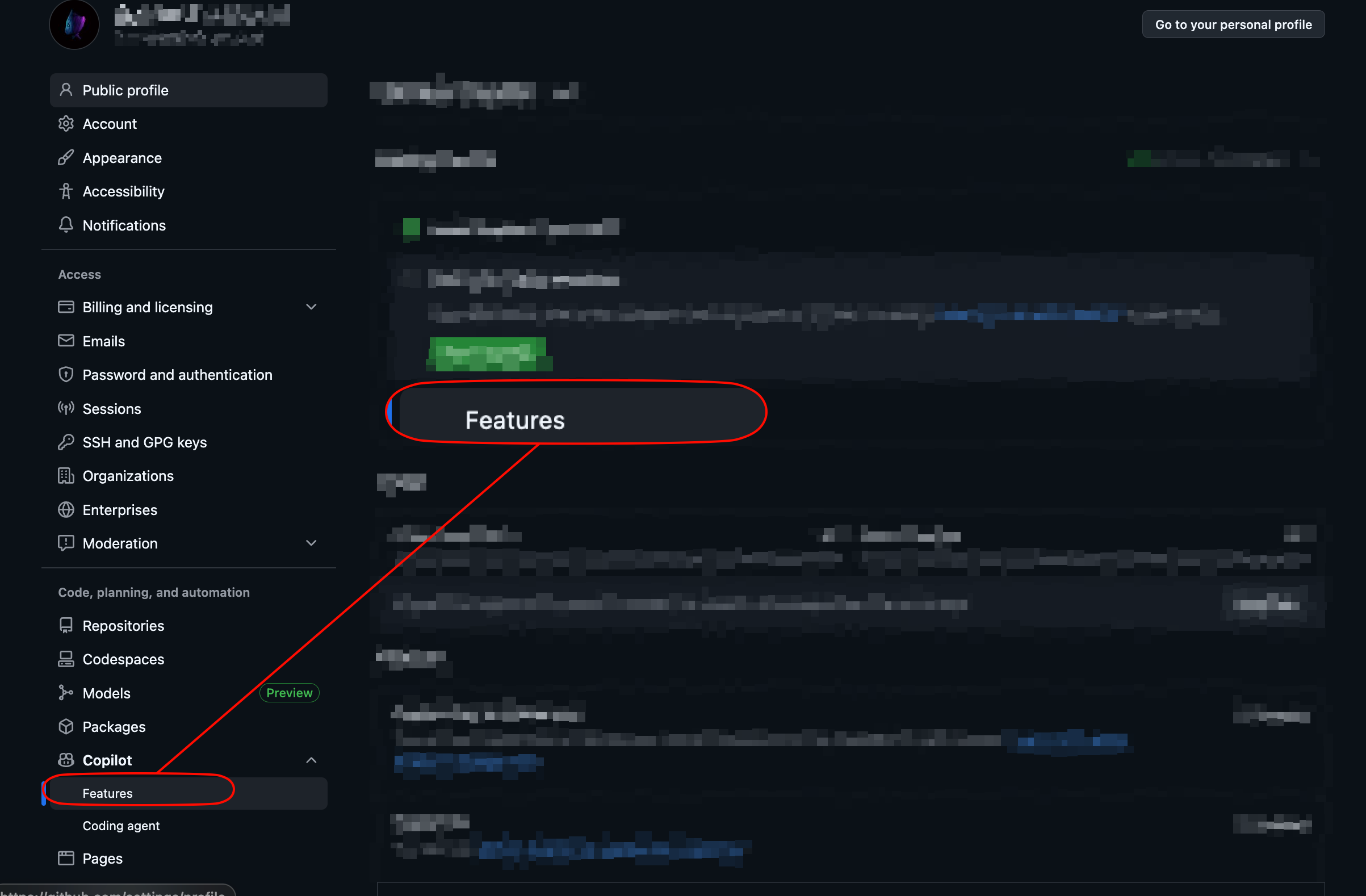
Find the Data Usage Section
- Scroll to "Privacy"
- Look for the option labeled "Allow GitHub to use my data for AI model training"
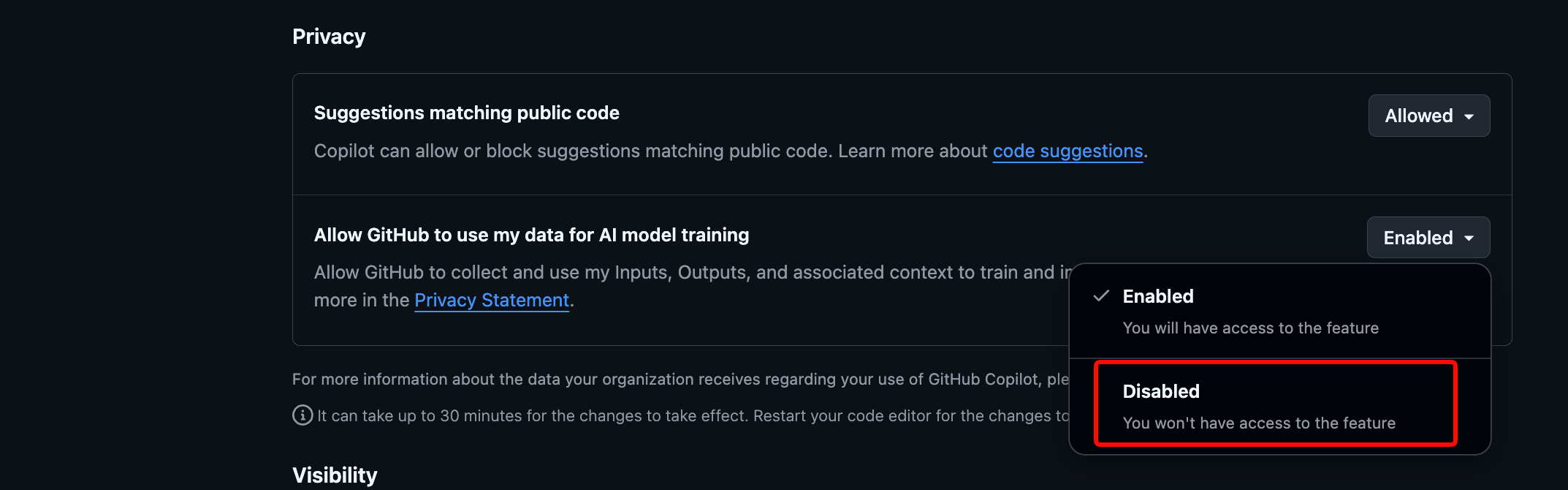
- Disabled the option
- Verify the setting shows as disabled
Confirm the Change
- It can take up to 30 minutes for the changes to take effect.
- Restart your code editor for the changes to take effect immediately.
Method 2: Organization-Wide Settings (For Admins)
If you manage a GitHub Organization, you can enforce opt-out settings across all members:
Access Organization Settings
- Go to your organization's main page
- Click "Settings" in the org navigation
- Select "Copilot" from the left menu
Configure Data Policies
- Find "Copilot data usage policies"
- Select "Disable interaction data collection for all members"
- Save changes
Communicate to Your Team
- Document the policy change in your internal wiki
- Notify developers via Slack or email
- Add to onboarding checklists for new hires
Verification Steps
After opting out, verify your settings took effect:
# No CLI verification exists, but you can:
# 1. Check settings page shows unchecked
# 2. Review GitHub's data download (Settings > Privacy > Download your data)
# 3. Monitor Copilot behavior for any changes
Important: Opting out does not delete data already collected. It only prevents future collection starting from the moment you change the setting.
Enterprise and Compliance Considerations
If you work in a regulated industry or handle sensitive customer data, GitHub's policy change introduces additional risk vectors.
Industries Requiring Extra Scrutiny
Industry | Regulation | Concern |
|---|---|---|
Healthcare | HIPAA | PHI exposure through code comments or variable names |
Finance | SOC 2, GDPR | Customer transaction logic, PII handling patterns |
Government | FedRAMP, ITAR | Classified system architectures, security protocols |
Enterprise SaaS | Customer contracts | Proprietary algorithms, competitive advantages |
Questions to Ask Your Legal Team
Before April 24, schedule a review with your compliance or legal counsel:
- Does our current MSA with GitHub address AI training data usage?
- Do customer contracts prohibit sharing code with third-party AI services?
- What liability exists if proprietary code surfaces in competitor suggestions?
- Should we pursue an enterprise agreement with explicit data restrictions?
GitHub Enterprise Options
GitHub Enterprise customers may have additional negotiating power. Contact your GitHub account representative to discuss:
- Contractual guarantees against training data usage
- Private model instances for regulated workloads
- Enhanced audit logging for compliance reporting
- Custom data retention policies
Apidog for API Development Privacy
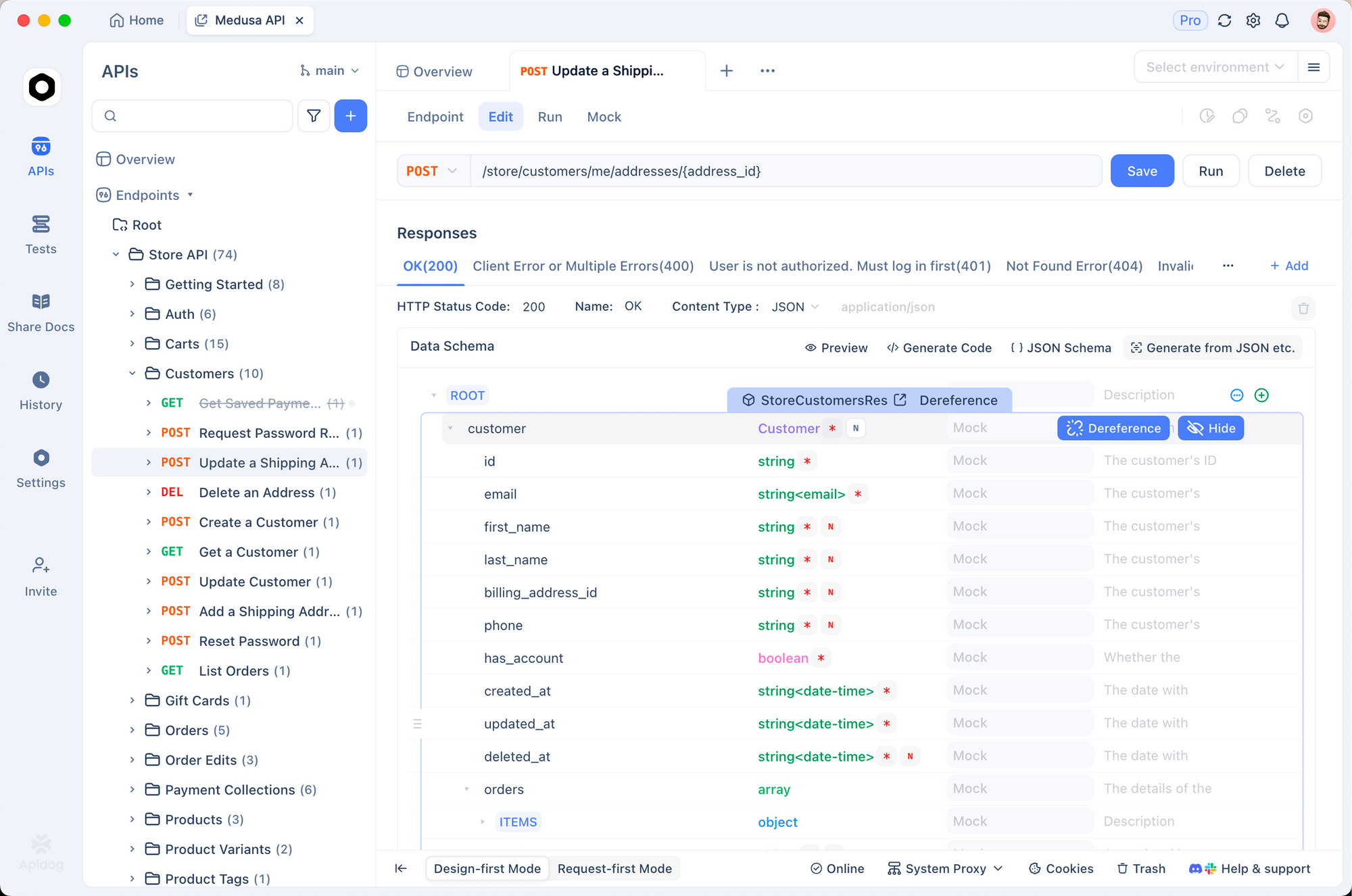
For teams building and testing APIs, privacy extends beyond code completion. Apidog provides a privacy-first alternative to cloud-based API development tools:
- Local-first architecture: Your API specifications stay on your machine
- No training on customer data: Apidog doesn't use your API definitions to train models
- Self-hosted options: Complete data sovereignty for regulated environments
- Team collaboration without exposure: Share specs internally without third-party access
When evaluating AI-powered development tools, ask: "Where does my data go, and how is it used?" The answer should be clear, documented, and contractually binding.
What Happens If You Don't Opt Out
After April 24, if you remain opted in:
Your code enters the training pipeline
- Interaction data batches continuously
- No notification when your data gets used
- No mechanism to request deletion later
Potential exposure scenarios
- A competitor prompts Copilot with similar context
- GitHub's model generates suggestions resembling your code
- No audit trail shows which training data influenced outputs
Compliance complications
- Customer audits may flag AI training data usage
- Regulatory inquiries require data mapping you can't provide
- Contractual violations may trigger breach notifications
Can You Opt Out Later?
Yes, but with limitations:
- Future data: Stops collection going forward
- Historical data: Already incorporated into models; deletion not guaranteed
- Model retraining: Even if deleted from datasets, model weights retain learned patterns
The cleanest approach: opt out before April 24.
Conclusion
GitHub's Copilot policy change takes effect April 24. Your interaction data: code snippets, chat conversations, acceptance patterns, becomes training material for GitHub's AI models unless you manually opt out.
The two minutes required to opt out protect your intellectual property, your team's proprietary code, and your organization's compliance posture. Don't wait until April 25 to discover your code trained your competitor's AI assistant.
For teams building APIs who want powerful tooling without the privacy trade-offs, explore Apidog: the all-in-one API development platform that keeps your specifications private by default.