Developers increasingly turn to serverless platforms for AI inference, and Fal.ai API stands out as a robust option for generative media. This API enables you to run models for image, video, voice, and code generation without managing infrastructure. You access over 600 production-ready models through a unified interface, which scales efficiently with on-demand GPUs.
Next, we explore the fundamentals of Fal.ai API and guide you through its access and usage.
What Is Fal.ai API?
Fal.ai API provides a generative media platform that powers applications with fast AI inference. Engineers use it to integrate state-of-the-art models into software, bypassing the need for server management. The platform offers 10x faster performance compared to traditional setups, thanks to optimized serverless GPUs that scale to thousands of H100 equivalents.

At its core, Fal.ai API focuses on media generation. For instance, you generate high-quality images from text prompts using models like FLUX.1. Additionally, it supports video animation, speech-to-text, and large language model interactions. However, the API emphasizes production readiness, with features like streaming inference and webhook support for asynchronous tasks.
Furthermore, Fal.ai API operates on a pay-per-use model, which keeps costs predictable. You pay only for the compute you consume, making it suitable for both prototypes and scaled applications. Transitioning to specifics, let's examine how you sign up.
How Do I Sign Up for Fal.ai API?
You start by creating an account on the Fal.ai website. Navigate to fal.ai and locate the signup button in the top right corner. Provide your email address, set a password, and verify your account through the confirmation email. This process takes less than a minute.
Once registered, you access the dashboard. Here, you manage models, view usage stats, and generate API keys. Fal.ai requires no credit card for initial signup, but you add payment details later for paid features. Moreover, the platform offers a free tier with limited credits, which allows you to test basic functionalities.
After signup, explore the model catalog. You select from categories like text-to-image or text-to-video. This step familiarizes you with available endpoints. Now, with an account ready, you proceed to obtain your API key.
How to Obtain Your Fal.ai API Key?
Fal.ai API relies on API keys for authentication. You generate one from the dashboard. First, log in and click on the "Keys" section under your profile. Then, select "Generate New Key" and name it for reference, such as "Development Key."
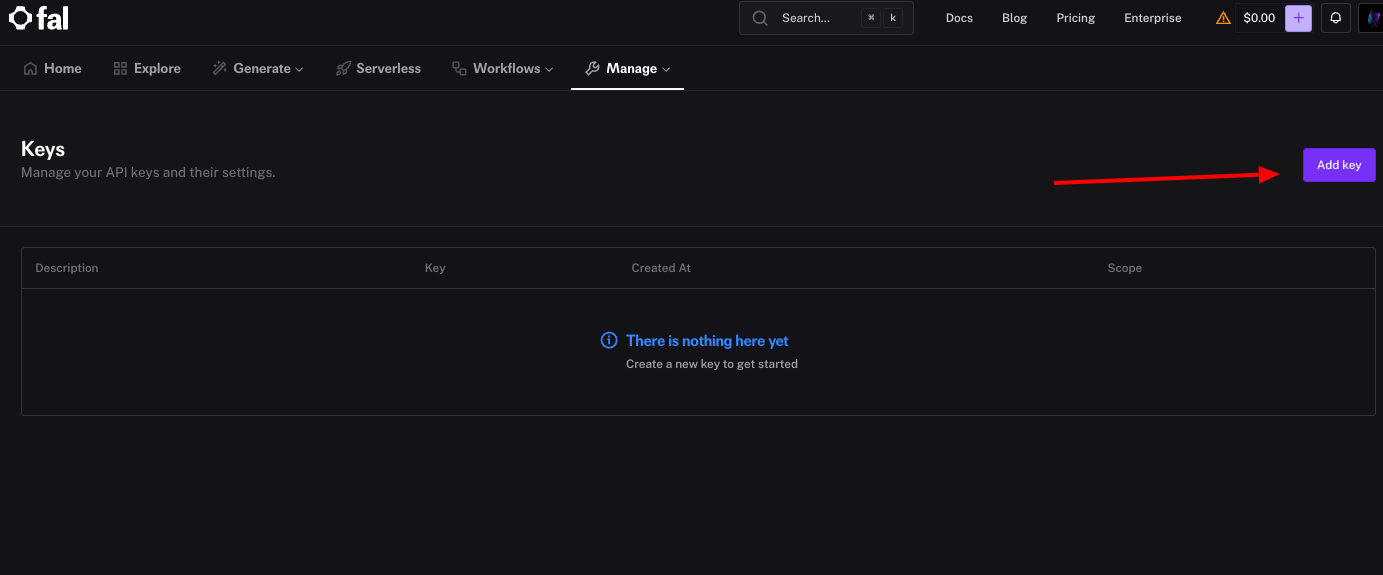
The system displays the key immediately—copy it and store it securely, as Fal.ai does not show it again. You set this key as an environment variable, like export FAL_KEY="your_key_here", to avoid hardcoding it in scripts.
If you work with multiple projects, generate separate keys for each. This practice enhances security by allowing revocation without affecting other integrations. Additionally, monitor key usage in the dashboard to detect anomalies. With the key in hand, you install the client library next.
How to Install the Fal.ai Client?
Fal.ai provides official client libraries for easier integration. For JavaScript or Node.js environments, you install the client via npm. Run the command npm install --save @fal-ai/client in your project directory.
This library handles authentication, request submission, and response parsing. It replaces the deprecated @fal-ai/serverless-client, so ensure you use the latest version. For Python users, install fal-client with pip install fal-client.
Once installed, import the library in your code. For example, in JavaScript: import { fal } from "@fal-ai/client";. You configure it with your credentials if not using environment variables. This setup simplifies calls to Fal.ai API endpoints. Moving forward, authentication becomes the next critical step.
How to Authenticate Requests with Fal.ai API?
Authentication secures your interactions with Fal.ai API. You primarily use the API key in headers or environment variables. For direct HTTP requests, include Authorization: Key your_fal_key in the header.
However, the client library automates this. Configure it once: fal.config({ credentials: "your_fal_key" });. This approach prevents exposure in client-side code—always proxy requests if building web apps.
Fal.ai API supports no other authentication methods like OAuth currently. Test authentication by making a simple request; a 401 error indicates issues. Furthermore, rotate keys periodically for best security practices. Authenticated now, you explore available models.
What Are the Available Models in Fal.ai API?
Fal.ai API hosts a diverse model library. Key categories include text-to-image, text-to-video, speech-to-text, and large language models. For example, FLUX.1 [dev] generates images from prompts with its 12-billion-parameter transformer.
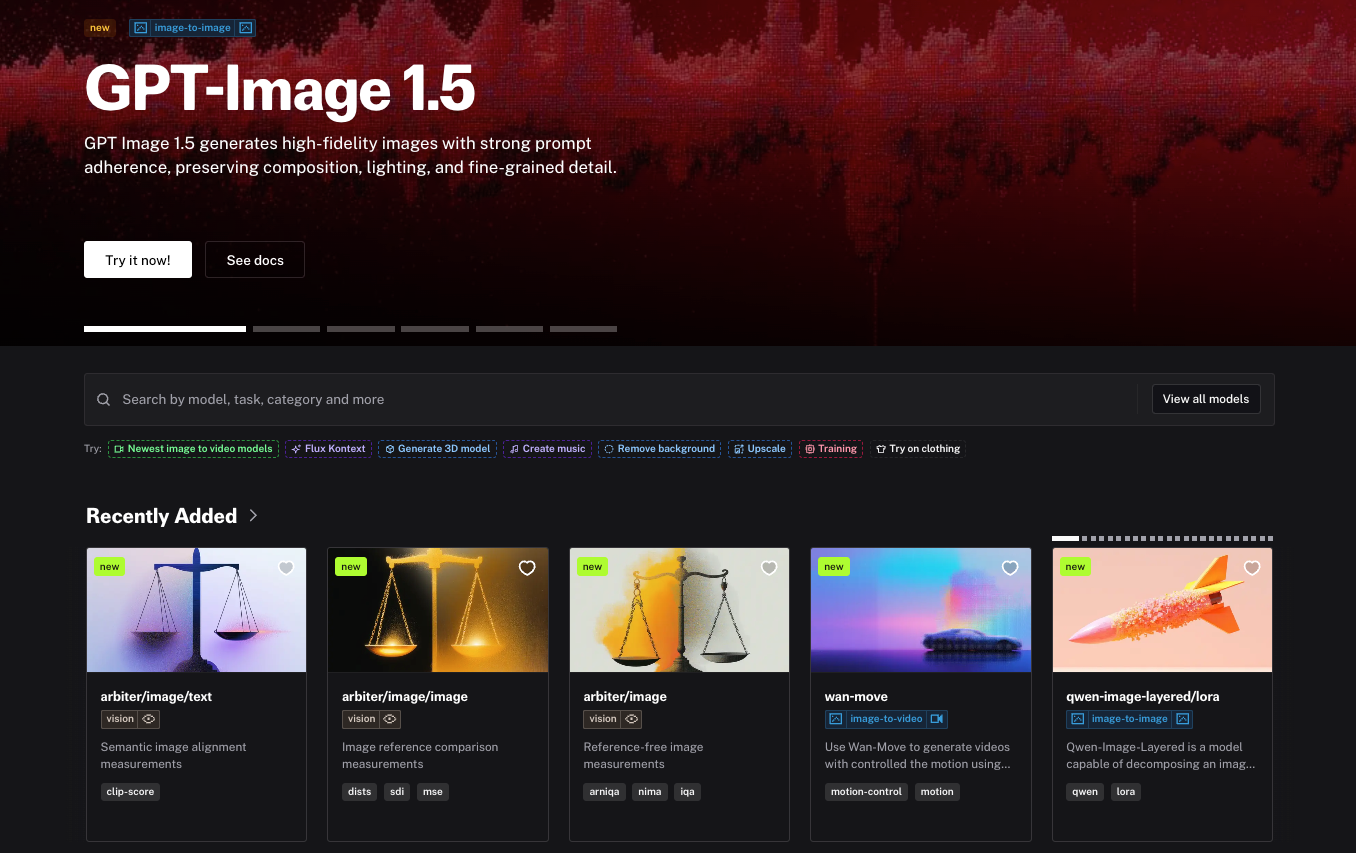
Other notable models: FLUX.1 [schnell] for fast generation in 1-4 steps, Stable Diffusion 3.5 for typography-rich images, and Whisper for audio transcription. You access them via unique IDs like "fal-ai/flux/dev".
Browse the model playground at fal.ai/models to test interactively. Each model page details parameters, examples, and pricing. This variety allows tailored selections. For instance, choose Recraft V3 for vector art. With models identified, you learn to generate images.
How to Generate Images Using Fal.ai API?
You generate images by subscribing to a model endpoint. Use the client to send a POST request with input parameters. For FLUX.1 [dev], the code looks like this:
import { fal } from "@fal-ai/client";

const result = await fal.subscribe("fal-ai/flux/dev", {
  input: {
    prompt: "A futuristic cityscape at dusk, with neon lights and flying cars",
    image_size: "landscape_16_9",
    num_inference_steps: 28,
    guidance_scale: 3.5
  }
});

console.log(result.images[0].url);
This request produces an image URL. The API processes the prompt and returns metadata like timings and seed. Additionally, enable safety checks to filter NSFW content: enable_safety_checker: true.
Test variations by adjusting prompts. For batch generation, set num_images: 4. Outputs include URLs, dimensions, and content types. This method forms the basis for media tasks. Next, customize with advanced parameters.
Advanced Usage: Parameters and Customization in Fal.ai API
Fal.ai API offers extensive parameters for fine-tuning. For image generation, prompt drives content, while guidance_scale controls adherence—higher values yield stricter results, typically between 1.0 and 20.0.
Set image_size as enums like "square_hd" or custom objects: { width: 1024, height: 768 }. Inference steps (num_inference_steps) balance speed and quality; 20-50 works well. Seed ensures reproducibility: provide an integer for consistent outputs.
Acceleration modes ("none", "regular", "high") optimize runtime. For output, choose "jpeg" or "png" via output_format. Handle files by uploading via fal.storage.upload(file) or using URLs/base64.
Customize further with webhooks for notifications. These options enhance control. However, monitor costs, as more steps increase billing. Transitioning to efficiency, asynchronous handling follows.
How to Handle Asynchronous Requests and Queues in Fal.ai API?
Fal.ai API supports queues for long tasks. Submit via fal.queue.submit(model_id, { input: {...} }), receiving a request_id. Poll status: fal.queue.status(model_id, { requestId: "id" }).
Retrieve results: fal.queue.result(model_id, { requestId: "id" }). Include webhookUrl for callbacks. This decouples submission from waiting, ideal for batch processing.
Streaming provides real-time updates:
const stream = await fal.stream("fal-ai/flux/dev", { input: {...} });
for await (const event of stream) {
  console.log(event);
}
const result = await stream.done();
Queues prevent timeouts. Moreover, logs (logs: true) aid debugging. With async mastered, integrate testing tools like Apidog.
How to Integrate Fal.ai API with Apidog?
Apidog enhances Fal.ai API development by providing a unified platform for testing. First, create a project in Apidog and import the OpenAPI schema from fal.ai/docs (e.g., /api/openapi/queue/openapi.json?endpoint_id=fal-ai/flux/dev).
Configure authentication: Add Authorization: Key your_fal_key in headers. Set up requests for endpoints like POST to "fal-ai/flux/dev", including JSON payloads with prompt and parameters.
Apidog simulates responses, mocking GPU delays and outputs. Upload files for image edits or test edge cases. Run collections to cover scenarios, debugging prompts iteratively.
Benefits include faster iterations (up to 40% reported), cost savings via mocks, and error detection (e.g., 429 rate limits). Team collaboration features ensure consistency. This integration optimizes workflows. Next, adopt best practices.
Best Practices for Using Fal.ai API
Optimize performance by selecting appropriate models—use schneller variants for speed. Limit data points in requests to avoid latency. Additionally, implement caching for repeated prompts.
Secure keys with environment variables and proxies. Monitor usage via dashboard to control costs. Batch requests where possible, but respect rate limits.
For production, use dedicated clusters for heavy loads. Test thoroughly with mocks in Apidog. Furthermore, join Fal.ai's Discord for community insights. These practices ensure reliable integrations. However, errors occur, so handle them properly.
How to Handle Errors in Fal.ai API?
Fal.ai API returns structured errors. Client issues (e.g., validation) yield 4xx codes with details like "Invalid prompt." Server errors are 5xx, often transient—retry with exponential backoff.
Common errors: 401 (auth failed)—check key; 429 (rate limit)—wait and reduce frequency; 400 (bad input)—validate parameters.
In code, catch exceptions:
try {
  const result = await fal.subscribe(...);
} catch (error) {
  console.error(error.response.data);
}
Logs help diagnose. Apidog simulates errors for testing. Proper handling maintains robustness. Finally, consider pricing.
What Is the Pricing for Fal.ai API?
Fal.ai API uses pay-per-use pricing. Serverless charges per output, e.g., $0.0001 per megapixel for images. Video models like Veo 3 cost $0.20/second (audio off).
Free tier provides initial credits. Upgrade for more via dashboard. Hourly GPU pricing starts at $1.2 for H100s in Compute mode.
Track expenses in the dashboard. Optimize by reducing steps or using faster models. This model suits variable workloads. In summary, Fal.ai API empowers efficient AI development.
Conclusion
You now understand how to access and use Fal.ai API comprehensively. From signup and key generation to advanced integrations with Apidog, this guide equips you for production-ready applications. Experiment with models, handle errors diligently, and monitor costs. As AI evolves, Fal.ai API remains a versatile tool. Start building today.