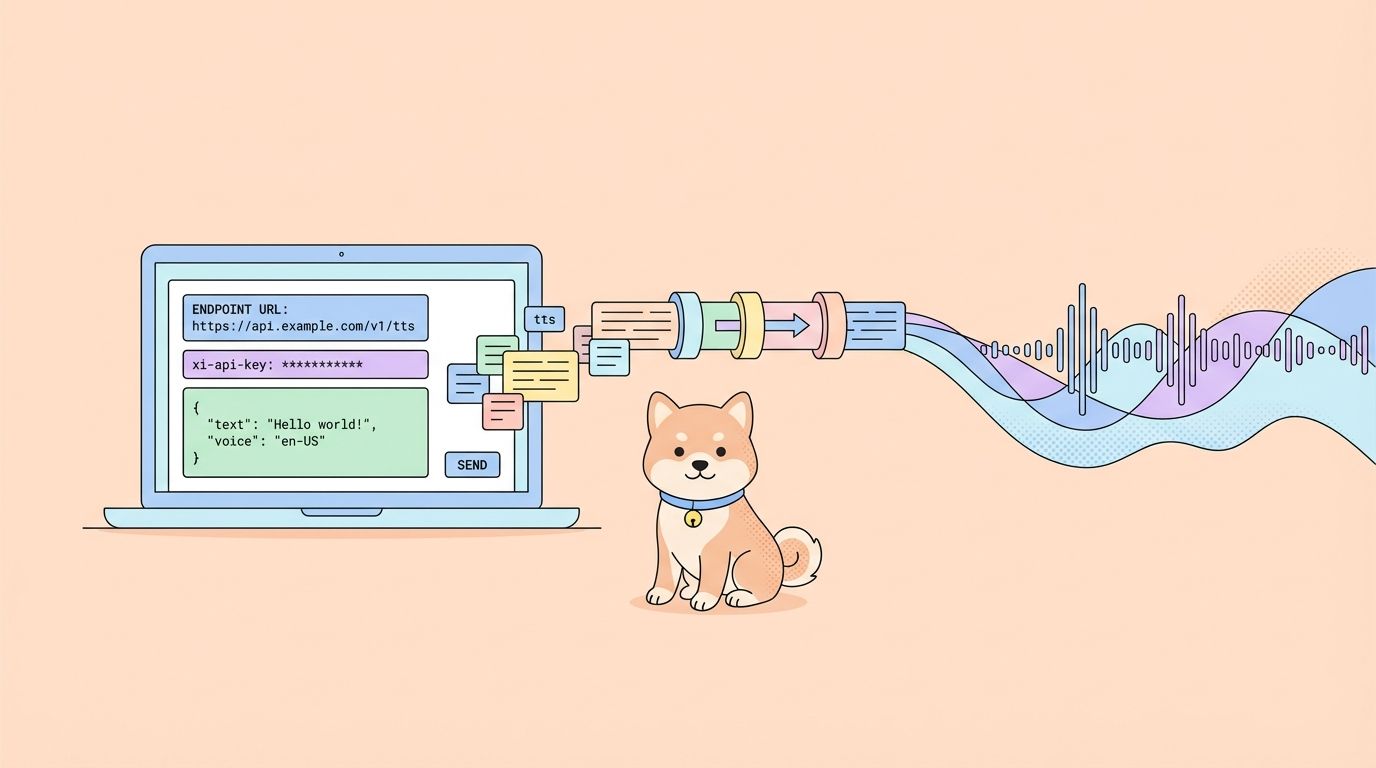
ElevenLabs turns text into natural speech and supports a wide range of voices, languages, and styles. The API makes it easy to embed voice into apps, automate narration pipelines, or build real-time experiences like voice agents. If you can send an HTTP request, you can generate audio in seconds.
What Is ElevenLabs API?
ElevenLabs API provides programmatic access to AI models that generate, transform, and analyze audio. The platform started as a text-to-speech service but has expanded into a full audio AI suite.
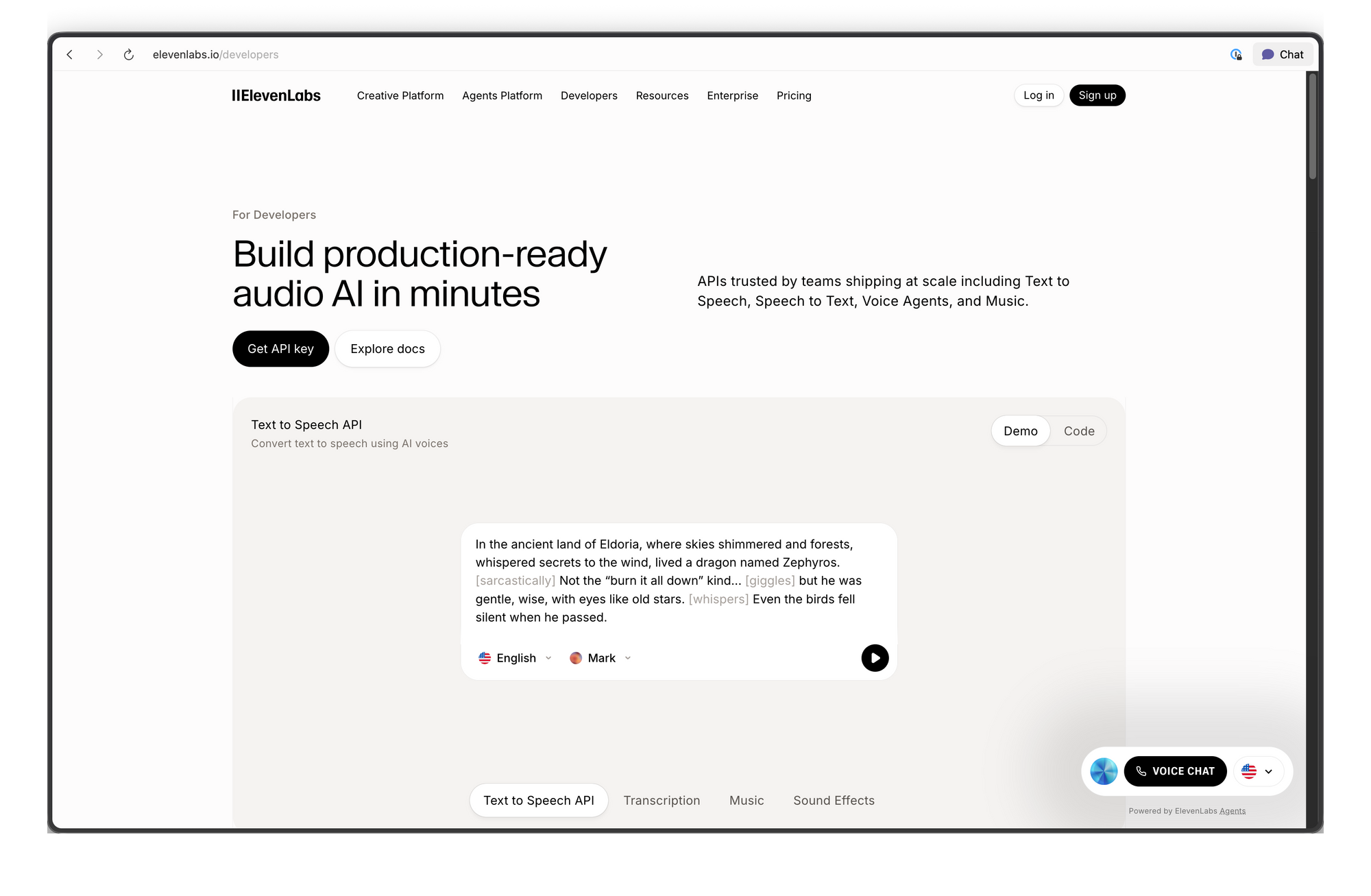
Core capabilities:
- Text-to-Speech (TTS): Convert written text into spoken audio with control over voice characteristics, emotion, and pacing
- Speech-to-Speech (STS): Transform one voice into another while preserving the original intonation and timing
- Voice Cloning: Create a digital replica of any voice from as little as 60 seconds of clean audio
- AI Dubbing: Translate and dub audio/video content into different languages while maintaining the speaker's voice characteristics
- Sound Effects: Generate sound effects from text descriptions
- Speech-to-Text: Transcribe audio into text with high accuracy
The API works over standard HTTP and WebSocket protocols. You can call it from any language, but official SDKs exist for Python and JavaScript/TypeScript with type safety and streaming support built in.
Getting the ElevenLabs API Key
Before making any API call, you need an API key. Here's how to get one:
Step 1: Create a free account. Even the free plan includes API access with 10,000 characters per month.
Step 2: Log in and navigate to the Profile + API Key section. You can find this by clicking your profile icon in the bottom-left corner, or by going directly to the developer settings.
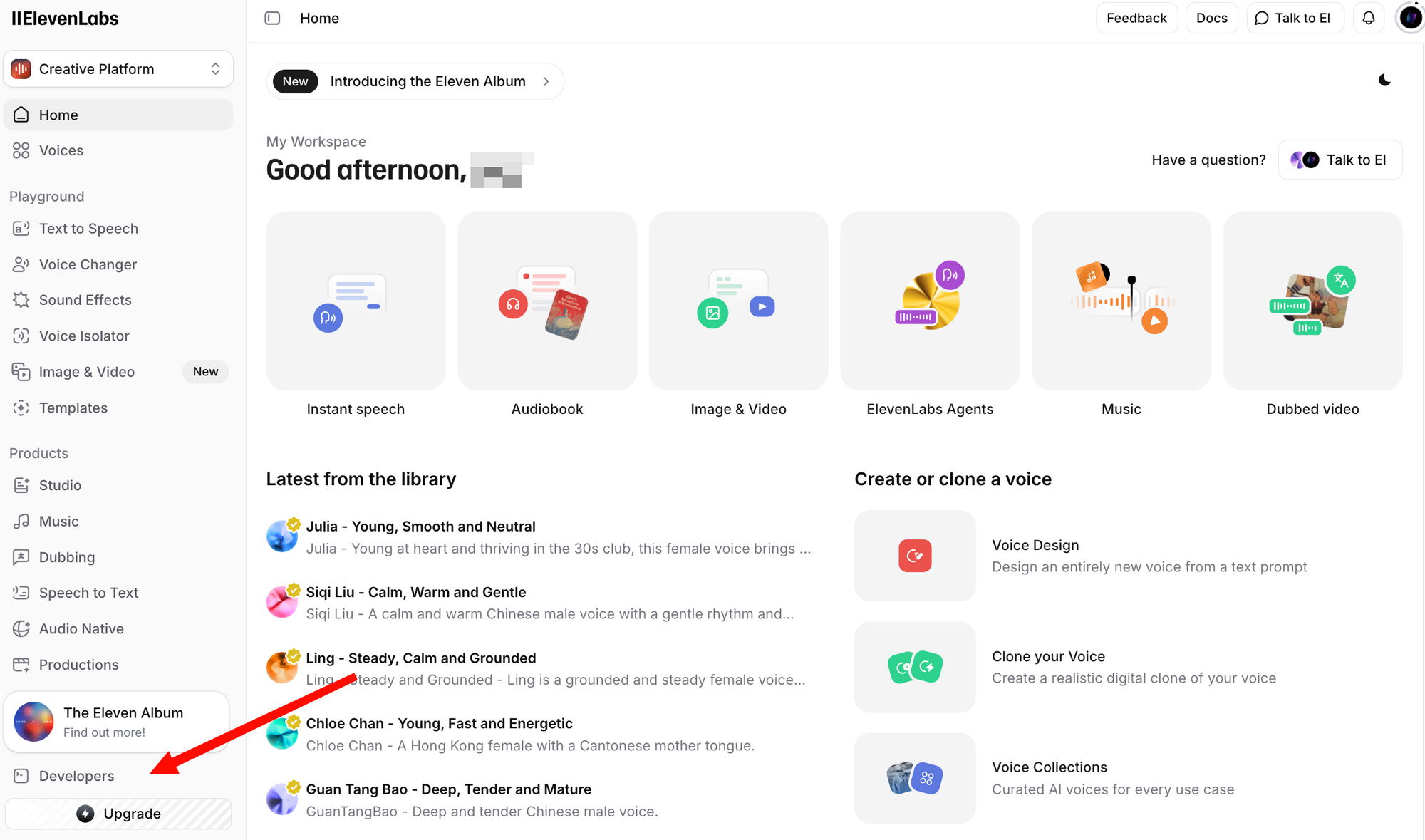
Step 3: Click Create API Key. Copy the key and store it securely—you won't be able to see the full key again.
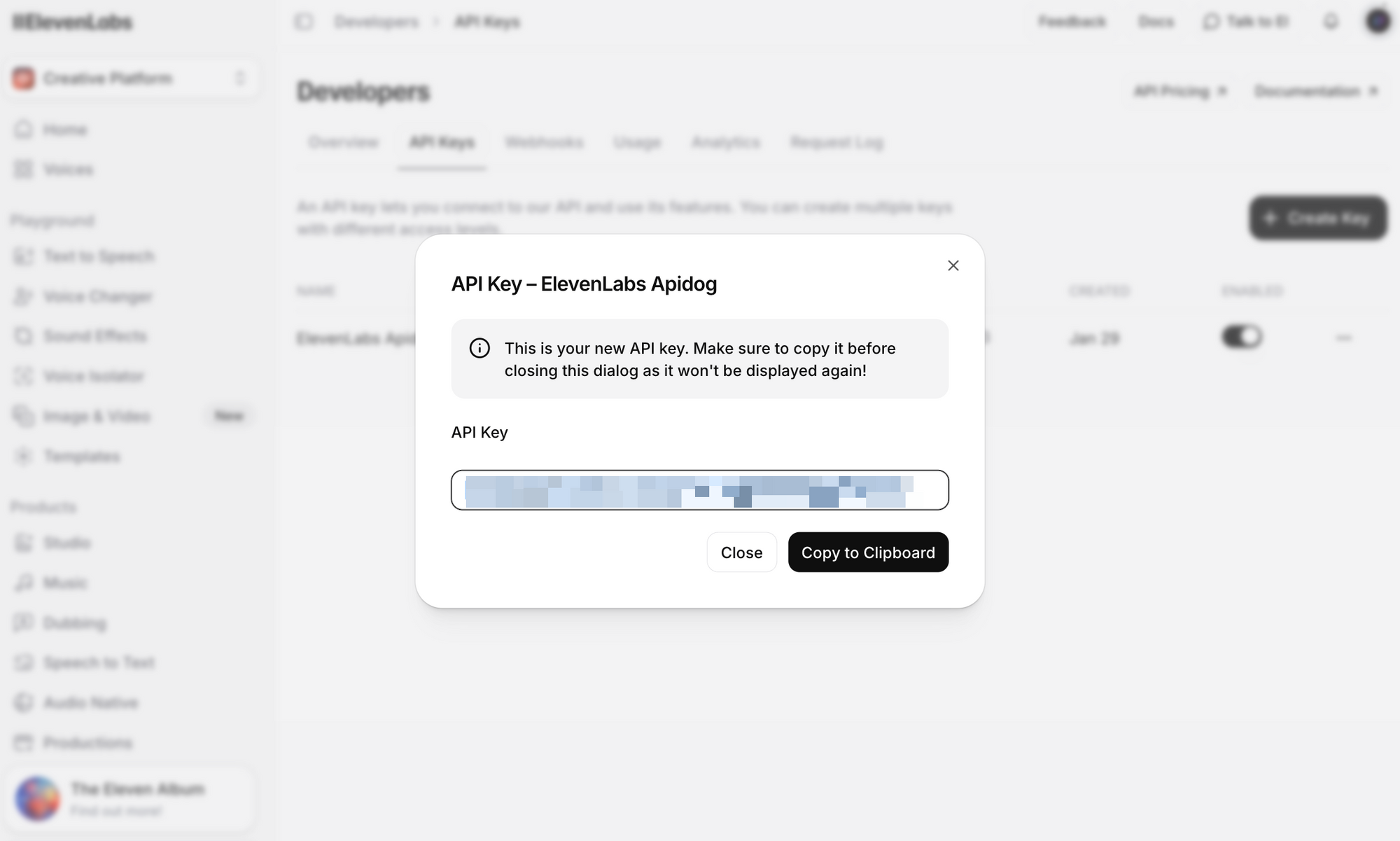
Important security notes:
- Never commit your API key to version control
- Use environment variables or a secrets manager in production
- API keys can be scoped to specific workspaces for team environments
- Rotate keys regularly and revoke compromised keys immediately
Set it as an environment variable for the examples in this guide:
# Linux/macOS
export ELEVENLABS_API_KEY="your_api_key_here"

# Windows (PowerShell)
$env:ELEVENLABS_API_KEY="your_api_key_here"
ElevenLabs API Endpoints Overview
The API is organized around several resource groups. Here are the most commonly used endpoints:
| Endpoint | Method | Description |
|---|---|---|
/v1/text-to-speech/{voice_id} | POST | Convert text to speech audio |
/v1/text-to-speech/{voice_id}/stream | POST | Stream audio as it's generated |
/v1/speech-to-speech/{voice_id} | POST | Convert speech from one voice to another |
/v1/voices | GET | List all available voices |
/v1/voices/{voice_id} | GET | Get details for a specific voice |
/v1/models | GET | List all available models |
/v1/user | GET | Get user account info and usage |
/v1/voice-generation/generate-voice | POST | Generate a new random voice |
Base URL: https://api.elevenlabs.io
Authentication: All requests require the xi-api-key header:
xi-api-key: your_api_key_here
Text-to-Speech with cURL
The fastest way to test the API is with a cURL command. This example uses the Rachel voice (ID: 21m00Tcm4TlvDq8ikWAM), one of the default voices available on all plans:
curl -X POST "https://api.elevenlabs.io/v1/text-to-speech/21m00Tcm4TlvDq8ikWAM" \
  -H "xi-api-key: $ELEVENLABS_API_KEY" \
  -H "Content-Type: application/json" \
  -d '{
    "text": "Welcome to our application. This audio was generated using the ElevenLabs API.",
    "model_id": "eleven_flash_v2_5",
    "voice_settings": {
      "stability": 0.5,
      "similarity_boost": 0.75,
      "style": 0.0,
      "use_speaker_boost": true
    }
  }' \
  --output speech.mp3
If successful, you'll get an speech.mp3 file with the generated audio. Play it with any media player.
Breaking down the request:
- voice_id (in URL): The ID of the voice to use. Every voice in ElevenLabs has a unique ID.
- text: The content to convert to speech. The Flash v2.5 model supports up to 40,000 characters per request.
- model_id: Which AI model to use.
eleven_flash_v2_5offers the best balance of speed and quality. - voice_settings: Optional fine-tuning parameters (covered in detail below).
The response returns raw audio data. The default format is MP3, but you can request other formats by adding the output_format query parameter:
# Get PCM audio instead of MP3
curl -X POST "https://api.elevenlabs.io/v1/text-to-speech/21m00Tcm4TlvDq8ikWAM?output_format=pcm_44100" \
  -H "xi-api-key: $ELEVENLABS_API_KEY" \
  -H "Content-Type: application/json" \
  -d '{"text": "Hello world", "model_id": "eleven_flash_v2_5"}' \
  --output speech.pcm
Using the Python SDK
The official Python SDK simplifies integration with type hints, built-in audio playback, and streaming support.
Installation
pip install elevenlabs
To play audio directly through your speakers, you may also need mpv or ffmpeg:
# macOS
brew install mpv

# Ubuntu/Debian
sudo apt install mpv
Basic Text-to-Speech
import os
from elevenlabs.client import ElevenLabs
from elevenlabs import play

client = ElevenLabs(
    api_key=os.getenv("ELEVENLABS_API_KEY")
)

audio = client.text_to_speech.convert(
    text="The ElevenLabs API makes it easy to add realistic voice output to any application.",
    voice_id="JBFqnCBsd6RMkjVDRZzb",  # George voice
    model_id="eleven_multilingual_v2",
    output_format="mp3_44100_128",
)

play(audio)
Save Audio to File
from elevenlabs.client import ElevenLabs

client = ElevenLabs(api_key="your_api_key")

audio = client.text_to_speech.convert(
    text="This audio will be saved to a file.",
    voice_id="21m00Tcm4TlvDq8ikWAM",
    model_id="eleven_flash_v2_5",
)

with open("output.mp3", "wb") as f:
    for chunk in audio:
        f.write(chunk)

print("Audio saved to output.mp3")
List Available Voices
from elevenlabs.client import ElevenLabs

client = ElevenLabs(api_key="your_api_key")

response = client.voices.search()

for voice in response.voices:
    print(f"Name: {voice.name}, ID: {voice.voice_id}, Category: {voice.category}")
This prints all voices available in your account, including premade voices, cloned voices, and community voices you've added.
Async Support
For applications using asyncio, the SDK provides AsyncElevenLabs:
import asyncio
from elevenlabs.client import AsyncElevenLabs

client = AsyncElevenLabs(api_key="your_api_key")

async def generate_speech():
    audio = await client.text_to_speech.convert(
        text="This was generated asynchronously.",
        voice_id="21m00Tcm4TlvDq8ikWAM",
        model_id="eleven_flash_v2_5",
    )

    with open("async_output.mp3", "wb") as f:
        async for chunk in audio:
            f.write(chunk)

    print("Async audio saved.")

asyncio.run(generate_speech())

Using the JavaScript SDK
The official Node.js SDK (@elevenlabs/elevenlabs-js) provides full TypeScript support and works in Node.js environments.
Installation
npm install @elevenlabs/elevenlabs-js
Basic Text-to-Speech
import { ElevenLabsClient, play } from "@elevenlabs/elevenlabs-js";

const elevenlabs = new ElevenLabsClient({
  apiKey: process.env.ELEVENLABS_API_KEY,
});

const audio = await elevenlabs.textToSpeech.convert(
  "21m00Tcm4TlvDq8ikWAM",  // Rachel voice ID
  {
    text: "Hello from the ElevenLabs JavaScript SDK!",
    modelId: "eleven_multilingual_v2",
  }
);

await play(audio);
Save to File (Node.js)
import { ElevenLabsClient } from "@elevenlabs/elevenlabs-js";
import { createWriteStream } from "fs";
import { Readable } from "stream";
import { pipeline } from "stream/promises";

const elevenlabs = new ElevenLabsClient({
  apiKey: process.env.ELEVENLABS_API_KEY,
});

const audio = await elevenlabs.textToSpeech.convert(
  "21m00Tcm4TlvDq8ikWAM",
  {
    text: "This audio will be written to a file using Node.js streams.",
    modelId: "eleven_flash_v2_5",
  }
);

const readable = Readable.from(audio);
const writeStream = createWriteStream("output.mp3");
await pipeline(readable, writeStream);

console.log("Audio saved to output.mp3");
Error Handling
import { ElevenLabsClient, ElevenLabsError } from "@elevenlabs/elevenlabs-js";

const elevenlabs = new ElevenLabsClient({
  apiKey: process.env.ELEVENLABS_API_KEY,
});

try {
  const audio = await elevenlabs.textToSpeech.convert(
    "21m00Tcm4TlvDq8ikWAM",
    {
      text: "Testing error handling.",
      modelId: "eleven_flash_v2_5",
    }
  );
  await play(audio);
} catch (error) {
  if (error instanceof ElevenLabsError) {
    console.error(`API Error: ${error.message}, Status: ${error.statusCode}`);
  } else {
    console.error("Unexpected error:", error);
  }
}
The SDK retries failed requests up to 2 times by default, with a 60-second timeout. Both values are configurable.
Streaming Audio in Real Time
For chatbots, voice assistants, or any application where latency matters, streaming lets you start playing audio before the entire response is generated. This is critical for conversational AI where users expect near-instant responses.
Python Streaming
from elevenlabs import stream
from elevenlabs.client import ElevenLabs

client = ElevenLabs(api_key="your_api_key")

audio_stream = client.text_to_speech.stream(
    text="Streaming allows you to start hearing audio almost instantly, without waiting for the entire generation to complete.",
    voice_id="JBFqnCBsd6RMkjVDRZzb",
    model_id="eleven_flash_v2_5",
)

# Play streamed audio through speakers in real time
stream(audio_stream)
JavaScript Streaming
import { ElevenLabsClient, stream } from "@elevenlabs/elevenlabs-js";

const elevenlabs = new ElevenLabsClient();

const audioStream = await elevenlabs.textToSpeech.stream(
  "JBFqnCBsd6RMkjVDRZzb",
  {
    text: "This audio streams in real time with minimal latency.",
    modelId: "eleven_flash_v2_5",
  }
);

stream(audioStream);
WebSocket Streaming
For the lowest latency, use WebSocket connections. This is ideal for real-time voice agents where text arrives in chunks (e.g., from an LLM):
import asyncio
import websockets
import json
import base64

async def stream_tts_websocket():
    voice_id = "21m00Tcm4TlvDq8ikWAM"
    model_id = "eleven_flash_v2_5"
    uri = f"wss://api.elevenlabs.io/v1/text-to-speech/{voice_id}/stream-input?model_id={model_id}"

    async with websockets.connect(uri) as ws:
        # Send initial config
        await ws.send(json.dumps({
            "text": " ",
            "voice_settings": {"stability": 0.5, "similarity_boost": 0.75},
            "xi_api_key": "your_api_key",
        }))

        # Send text chunks as they arrive (e.g., from an LLM)
        text_chunks = [
            "Hello! ",
            "This is streaming ",
            "via WebSockets. ",
            "Each chunk is sent separately."
        ]

        for chunk in text_chunks:
            await ws.send(json.dumps({"text": chunk}))

        # Signal end of input
        await ws.send(json.dumps({"text": ""}))

        # Receive audio chunks
        audio_data = b""
        async for message in ws:
            data = json.loads(message)
            if data.get("audio"):
                audio_data += base64.b64decode(data["audio"])
            if data.get("isFinal"):
                break

        with open("websocket_output.mp3", "wb") as f:
            f.write(audio_data)
        print("WebSocket audio saved.")

asyncio.run(stream_tts_websocket())
Voice Selection and Management
ElevenLabs offers hundreds of voices. Picking the right one matters for your application's user experience.
Default Voices
These voices are available on all plans, including the free tier:
| Voice Name | Voice ID | Description |
|---|---|---|
| Rachel | 21m00Tcm4TlvDq8ikWAM | Calm, young female |
| Drew | 29vD33N1CtxCmqQRPOHJ | Well-rounded male |
| Clyde | 2EiwWnXFnvU5JabPnv8n | War veteran character |
| Paul | 5Q0t7uMcjvnagumLfvZi | Ground reporter |
| Domi | AZnzlk1XvdvUeBnXmlld | Strong, assertive female |
| Dave | CYw3kZ02Hs0563khs1Fj | Conversational British male |
| Fin | D38z5RcWu1voky8WS1ja | Irish male |
| Sarah | EXAVITQu4vr4xnSDxMaL | Soft, young female |
Finding Voice IDs
Use the API to search all available voices:
curl -X GET "https://api.elevenlabs.io/v1/voices" \
  -H "xi-api-key: $ELEVENLABS_API_KEY" | python3 -m json.tool
Or filter by category (premade, cloned, generated):
from elevenlabs.client import ElevenLabs

client = ElevenLabs(api_key="your_api_key")

# List only premade voices
response = client.voices.search(category="premade")

for voice in response.voices:
    print(f"{voice.name}: {voice.voice_id}")
You can also copy a voice ID directly from the ElevenLabs website: select a voice, click the three-dot menu, and choose Copy Voice ID.
Choosing the Right Model
ElevenLabs offers multiple models, each optimized for different use cases:
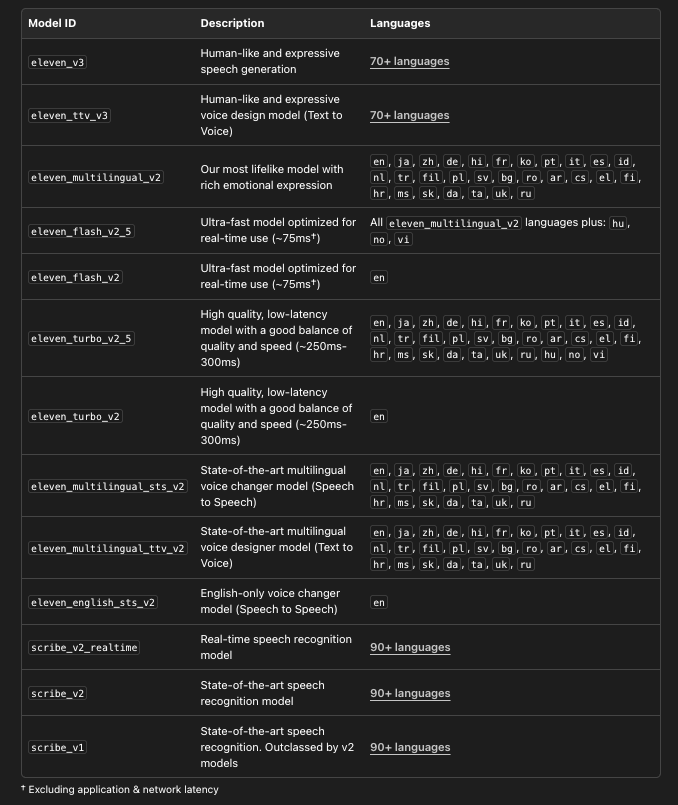
# List all available models with details
from elevenlabs.client import ElevenLabs

client = ElevenLabs(api_key="your_api_key")
models = client.models.list()

for model in models:
    print(f"Model: {model.name}")
    print(f"  ID: {model.model_id}")
    print(f"  Languages: {len(model.languages)}")
    print(f"  Max chars: {model.max_characters_request_free_user}")
    print()
Testing ElevenLabs API with Apidog
Before writing integration code, it helps to test API endpoints interactively. Apidog makes this straightforward—you can configure requests visually, inspect responses (including audio), and generate client code once you're satisfied.
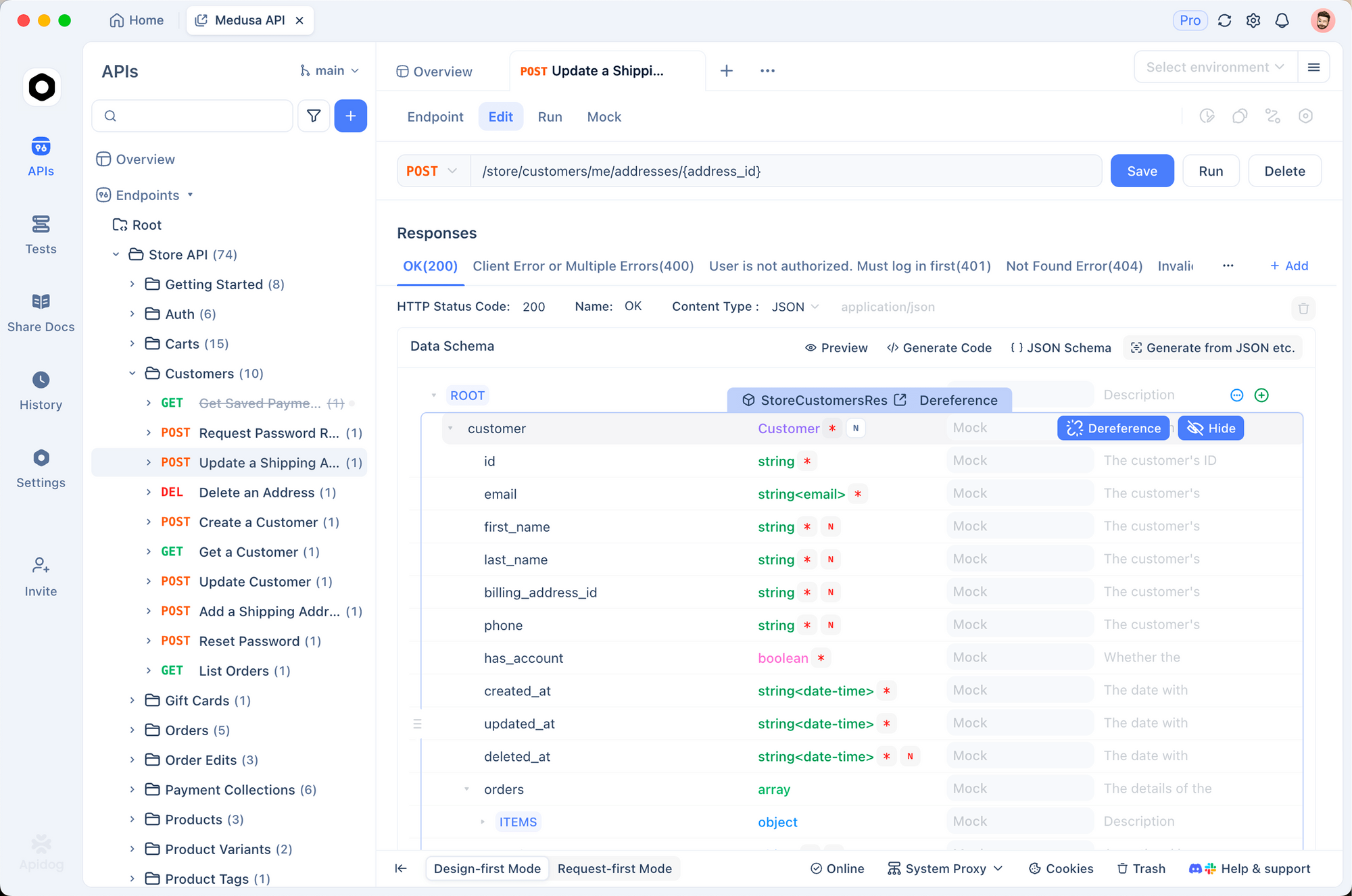
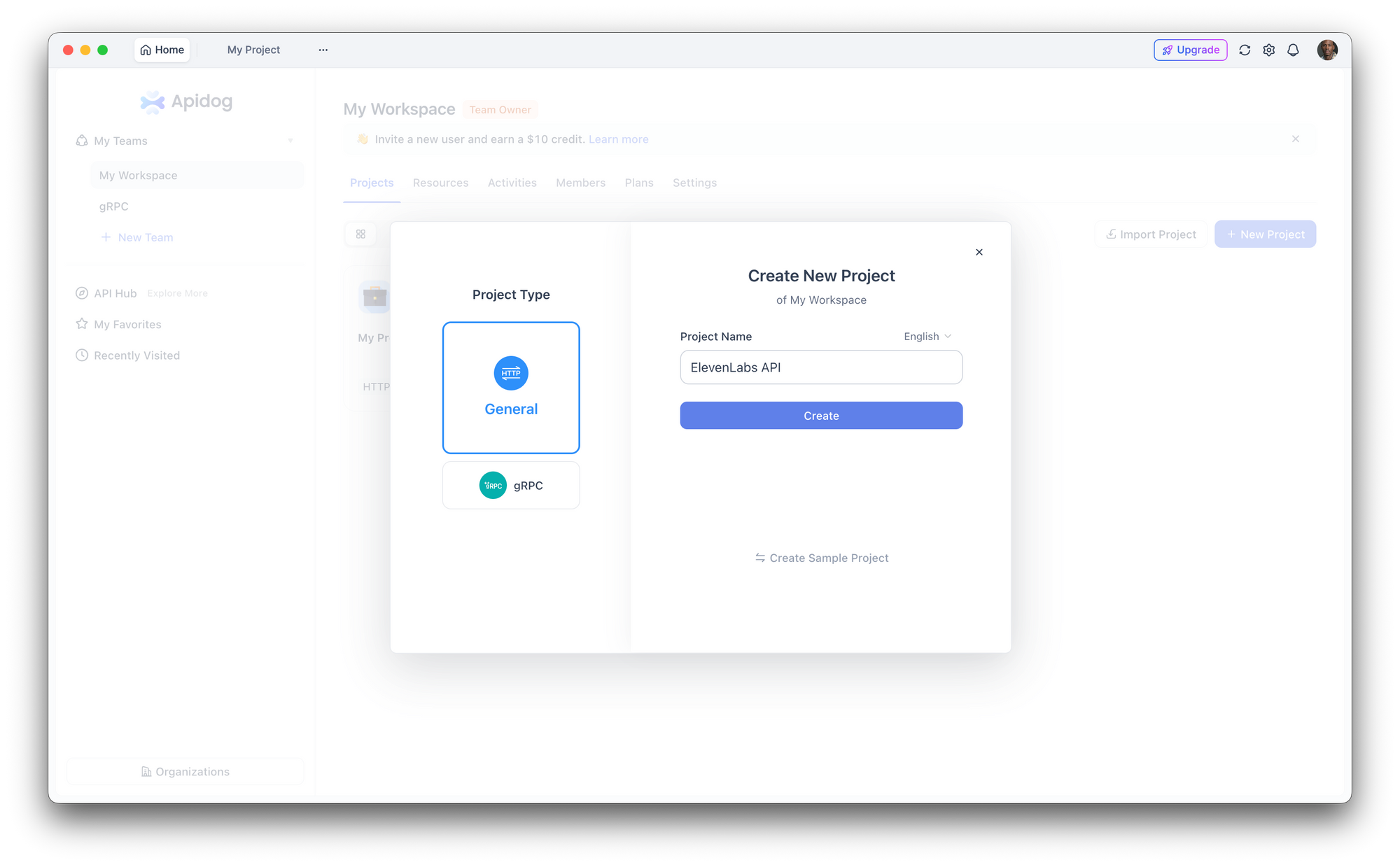
Step 1: Set Up a New Project
Open Apidog and create a new project. Name it "ElevenLabs API" or add the endpoints to an existing project.
Step 2: Configure Authentication
Go to Project Settings > Auth and set up a global header:
- Header name:
xi-api-key - Header value: your ElevenLabs API key
This automatically attaches authentication to every request in the project.
Step 3: Create a Text-to-Speech Request
Create a new POST request:
- URL:
https://api.elevenlabs.io/v1/text-to-speech/21m00Tcm4TlvDq8ikWAM - Body (JSON):
{
  "text": "Testing the ElevenLabs API through Apidog. This makes it easy to experiment with different voices and settings.",
  "model_id": "eleven_flash_v2_5",
  "voice_settings": {
    "stability": 0.5,
    "similarity_boost": 0.75
  }
}
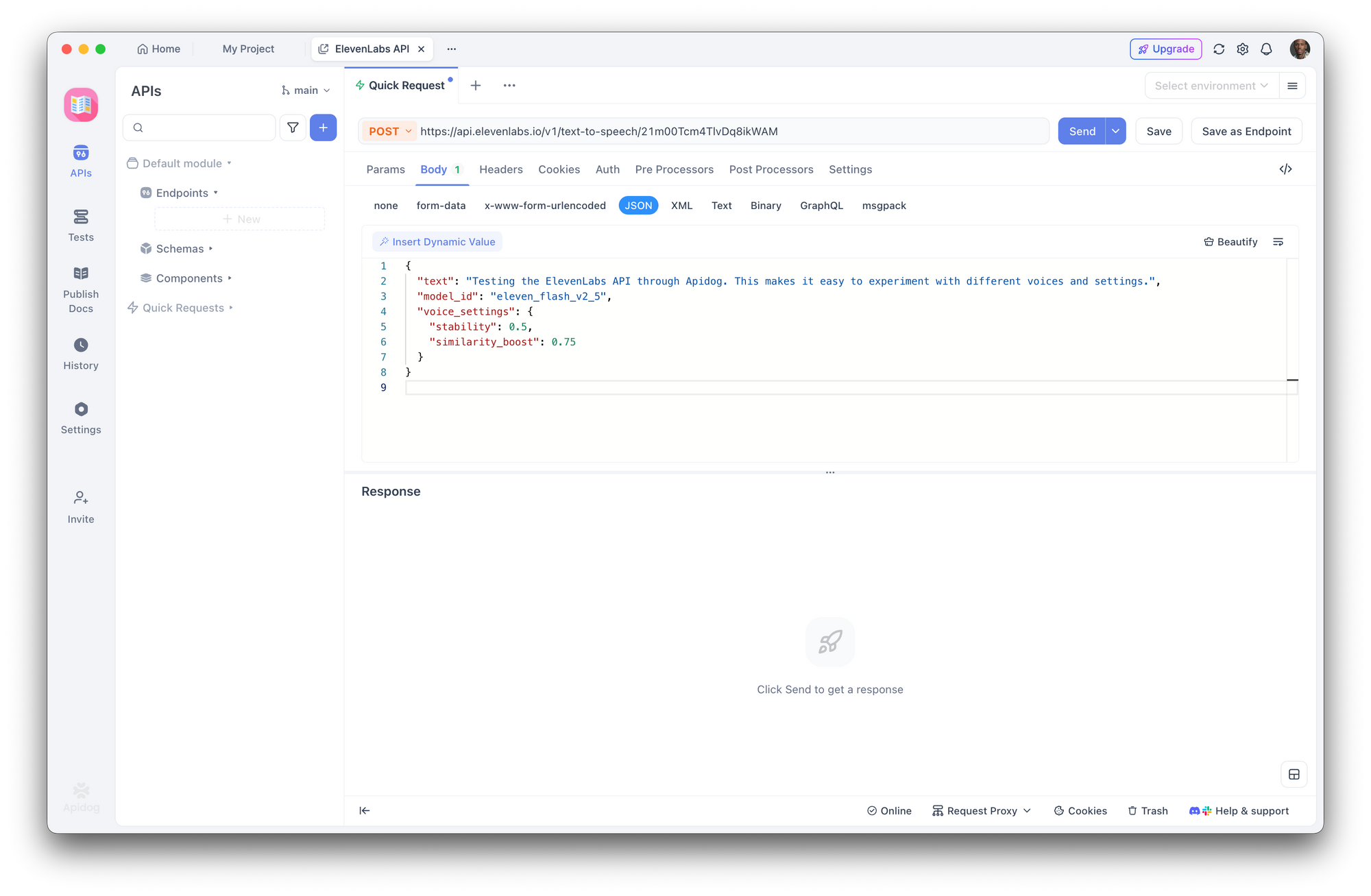
Click Send. Apidog displays the response headers and lets you download or play the audio directly.
Step 4: Experiment with Parameters
Use Apidog's interface to quickly swap voice IDs, change models, or adjust voice settings without editing raw JSON. Save different configurations as separate endpoints in your collection for easy comparison.
Step 5: Generate Client Code
Once you've confirmed the request works, click Generate Code in Apidog to get ready-to-use client code in Python, JavaScript, cURL, Go, Java, and more. This eliminates manual translation from API docs to working code.
Try it now: Download Apidog free to test ElevenLabs API endpoints, compare voice outputs, and share API collections with your team—no credit card required.
Voice Settings and Fine-Tuning
Voice settings let you adjust how a voice sounds. These parameters are sent in the voice_settings object:
| Parameter | Range | Default | Effect |
|---|---|---|---|
stability | 0.0 - 1.0 | 0.5 | Higher = more consistent, less expressive. Lower = more variable, more emotional. |
similarity_boost | 0.0 - 1.0 | 0.75 | Higher = closer to the original voice. Lower = more variation. |
style | 0.0 - 1.0 | 0.0 | Higher = more exaggerated style. Increases latency. Only for Multilingual v2. |
use_speaker_boost | boolean | true | Boosts similarity to the original speaker. Minor latency increase. |
Practical examples:
from elevenlabs.client import ElevenLabs

client = ElevenLabs(api_key="your_api_key")

# Narration voice: consistent, stable
narration = client.text_to_speech.convert(
    text="Chapter One. It was a bright cold day in April.",
    voice_id="21m00Tcm4TlvDq8ikWAM",
    model_id="eleven_multilingual_v2",
    voice_settings={
        "stability": 0.8,
        "similarity_boost": 0.8,
        "style": 0.2,
        "use_speaker_boost": True,
    },
)

# Conversational voice: expressive, natural
conversational = client.text_to_speech.convert(
    text="Oh wow, that's actually a great idea! Let me think about how we could make it work.",
    voice_id="JBFqnCBsd6RMkjVDRZzb",
    model_id="eleven_multilingual_v2",
    voice_settings={
        "stability": 0.3,
        "similarity_boost": 0.6,
        "style": 0.5,
        "use_speaker_boost": True,
    },
)
Guidelines:
- For audiobooks and narration, use higher stability (0.7-0.9) for consistent delivery
- For chatbots and conversational AI, use lower stability (0.3-0.5) for natural variation
- For character voices, experiment with lower similarity_boost (0.4-0.6) to create distinct personalities
- The
styleparameter only works with Multilingual v2 and adds latency—skip it for real-time applications
ElevenLabs API Pricing and Rate Limits
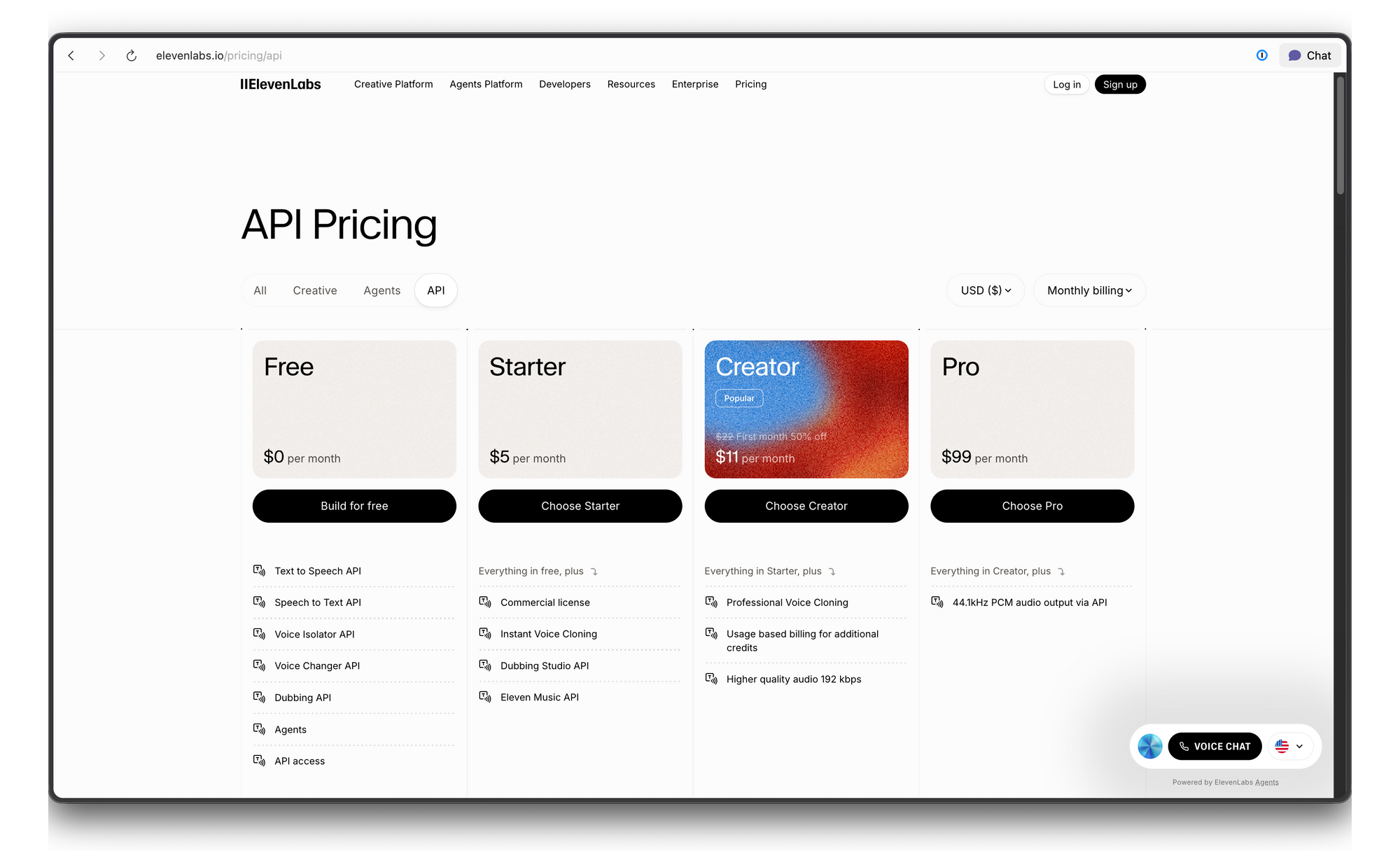
ElevenLabs uses a credit-based pricing system. Here's the breakdown:
Troubleshooting
| Error | Cause | Fix |
|---|---|---|
| 401 Unauthorized | Invalid or missing API key | Check your xi-api-key header value |
| 422 Unprocessable Entity | Invalid request body | Verify voice_id exists and text isn't empty |
| 429 Too Many Requests | Rate limit exceeded | Add exponential backoff, or upgrade your plan |
| Audio sounds robotic | Wrong model or settings | Try Multilingual v2 with stability at 0.5 |
| Pronunciation errors | Text normalization issue | Spell out numbers/abbreviations, or use SSML-like formatting |
Conclusion
The ElevenLabs API gives developers access to some of the most realistic speech synthesis available today. Whether you need a few lines of narration or a full real-time voice pipeline, the API scales from simple cURL calls to production WebSocket streams.
Ready to add realistic voice to your application? Download Apidog to test ElevenLabs API endpoints, experiment with voice settings, and generate client code—all free, no credit card required.