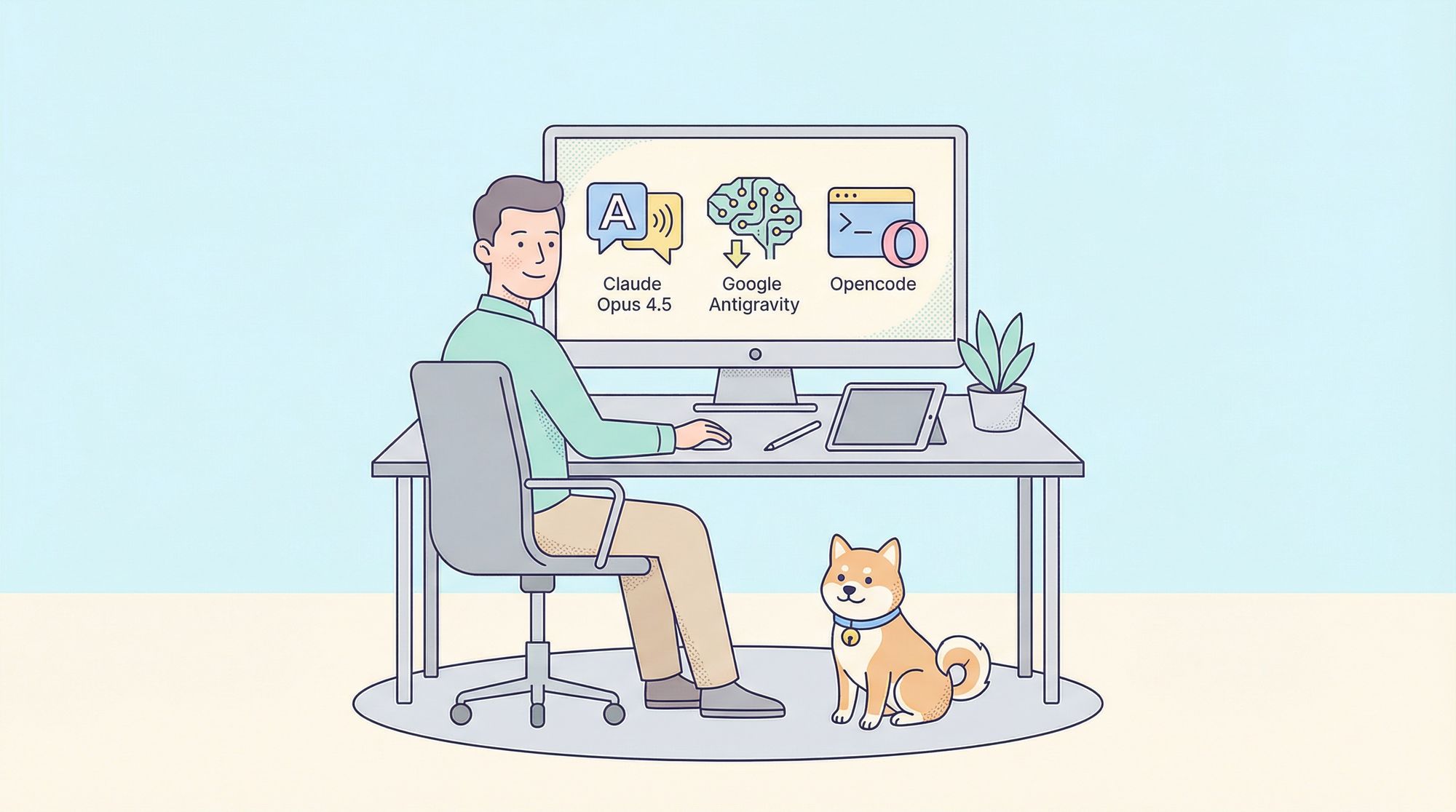
Developers thrive on efficient tools that amplify productivity without draining resources. Claude Opus 4.5, Anthropic's flagship language model, delivers unparalleled performance in code generation, debugging, and complex reasoning tasks. However, its premium access often poses a barrier. Engineers overcome this by harnessing Opencode, an open-source AI coding agent, alongside Google Antigravity, Google's AI-powered integrated development environment. This combination enables users to tap into Claude Opus 4.5 free, leveraging community plugins for seamless integration.
The process centers on authenticating through Google Antigravity's generous quotas and OAuth mechanisms, bypassing traditional rate limits. Developers gain access to high-context windows and multimodal capabilities, ideal for real-world coding scenarios. Moreover, this method fosters innovation in terminal-based workflows, where Opencode excels as a REPL-like interface for interacting with large language models.
In the following sections, we break down the technical setup, explore advanced configurations, and provide practical examples. By the end, you will equip yourself with a cost-effective pipeline for Claude Opus 4.5 free usage.
Understanding Opencode: The Foundation for AI Coding Assistance
Opencode emerges as a powerful, open-source AI coding agent designed specifically for developers who prefer command-line efficiency. It operates as a terminal-based assistant, providing intelligent suggestions, code refactoring, and feature planning directly within your workflow. Unlike traditional IDEs, Opencode integrates with various large language models through a REPL (Read-Eval-Print Loop) environment, supporting plugins that extend its functionality to providers like Anthropic and Google.
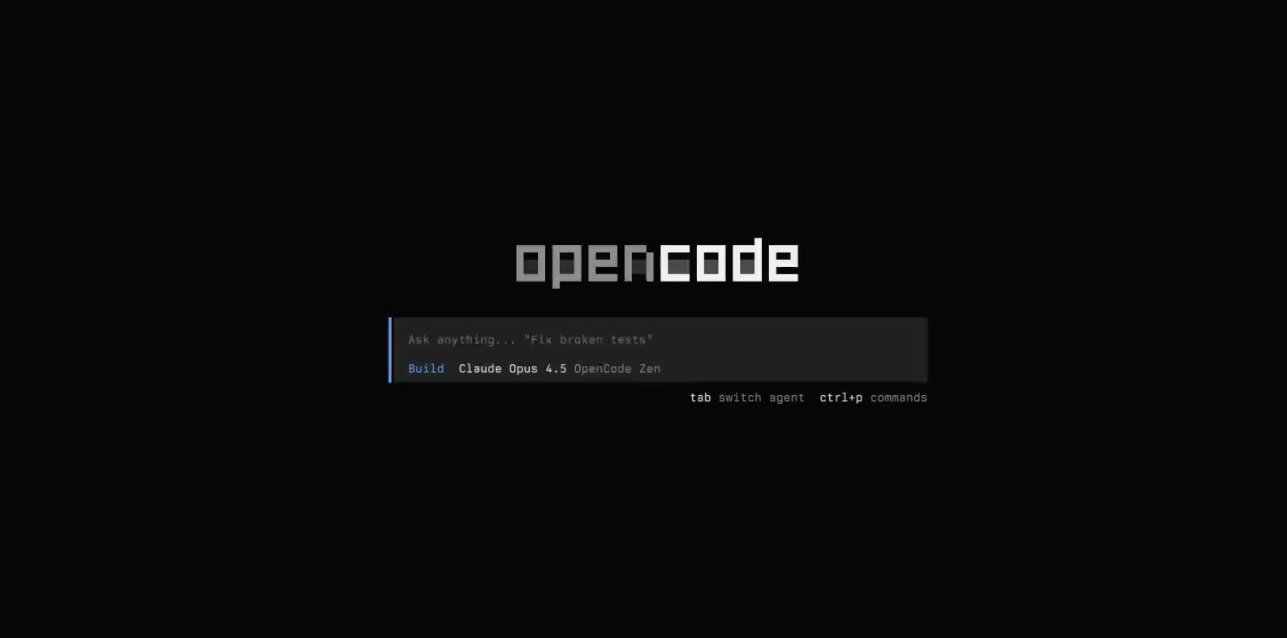
Technically, Opencode loads Language Server Protocols (LSPs) automatically for the selected LLM, ensuring syntax highlighting, autocompletion, and error detection. It supports multiple modes, including chat for interactive prompting and run for executing specific queries. For instance, users configure models in a JSON file at ~/.config/opencode/opencode.json, defining parameters like context limits and modalities. This flexibility makes Opencode an ideal platform for accessing Claude Opus 4.5 free, as it abstracts complex API interactions into simple commands.
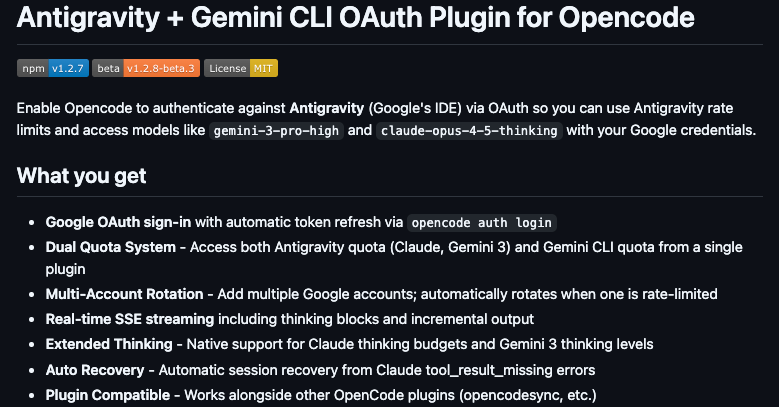
Furthermore, Opencode's open-source nature encourages community contributions, resulting in plugins like opencode-antigravity-auth. This plugin bridges Opencode with external services, enabling authentication and model invocation without proprietary locks. Developers appreciate its lightweight design, which runs on Linux, Mac, and Windows with minimal dependencies—primarily Python and basic CLI tools.
Transitioning to practical benefits, Opencode reduces development time by automating mundane tasks. For example, it analyzes codebases, suggests optimizations, and even undoes mistakes through version control integration. When paired with Claude Opus 4.5, it handles tasks like generating Python sorting algorithms or debugging JavaScript promises with high accuracy.
Exploring Google Antigravity: Google's AI-Powered IDE Ecosystem
Google Antigravity represents a revolutionary AI-powered IDE that prioritizes agentic workflows for software development. Launched in late 2025, it leverages Gemini 3 Pro and other advanced models to create autonomous agents that plan, execute, and validate code. The platform offers a VS Code-like interface but with embedded AI capabilities, making it accessible for beginners and experts alike.
At its core, Google Antigravity provides generous quotas for high-end models, including integrations with Claude Opus 4.5 through OAuth authentication. Users access features like real-time streaming, thinking budgets (low, medium, high), and multimodal inputs—text, images, and PDFs. This environment bypasses standard subscription costs during its free preview phase, allowing developers to experiment with Claude Opus 4.5 free via discounted family bucket plans or carpool deals.
Engineers utilize Antigravity for building applications step-by-step. For instance, an AI agent might squash bugs in a web stack project by analyzing code and suggesting fixes. The platform's trust-focused design ensures secure handling of enterprise codebases, with automatic token refresh and multi-account support to manage rate limits.
Importantly, Antigravity complements Opencode by providing the backend quotas. The opencode-antigravity-auth plugin taps into this, authenticating your Google account to unlock Claude Opus 4.5. This synergy democratizes access, enabling hobbyists and professionals to harness Claude Opus 4.5 free without financial hurdles.
Why Opt for Claude Opus 4.5 Free Access Through This Method?
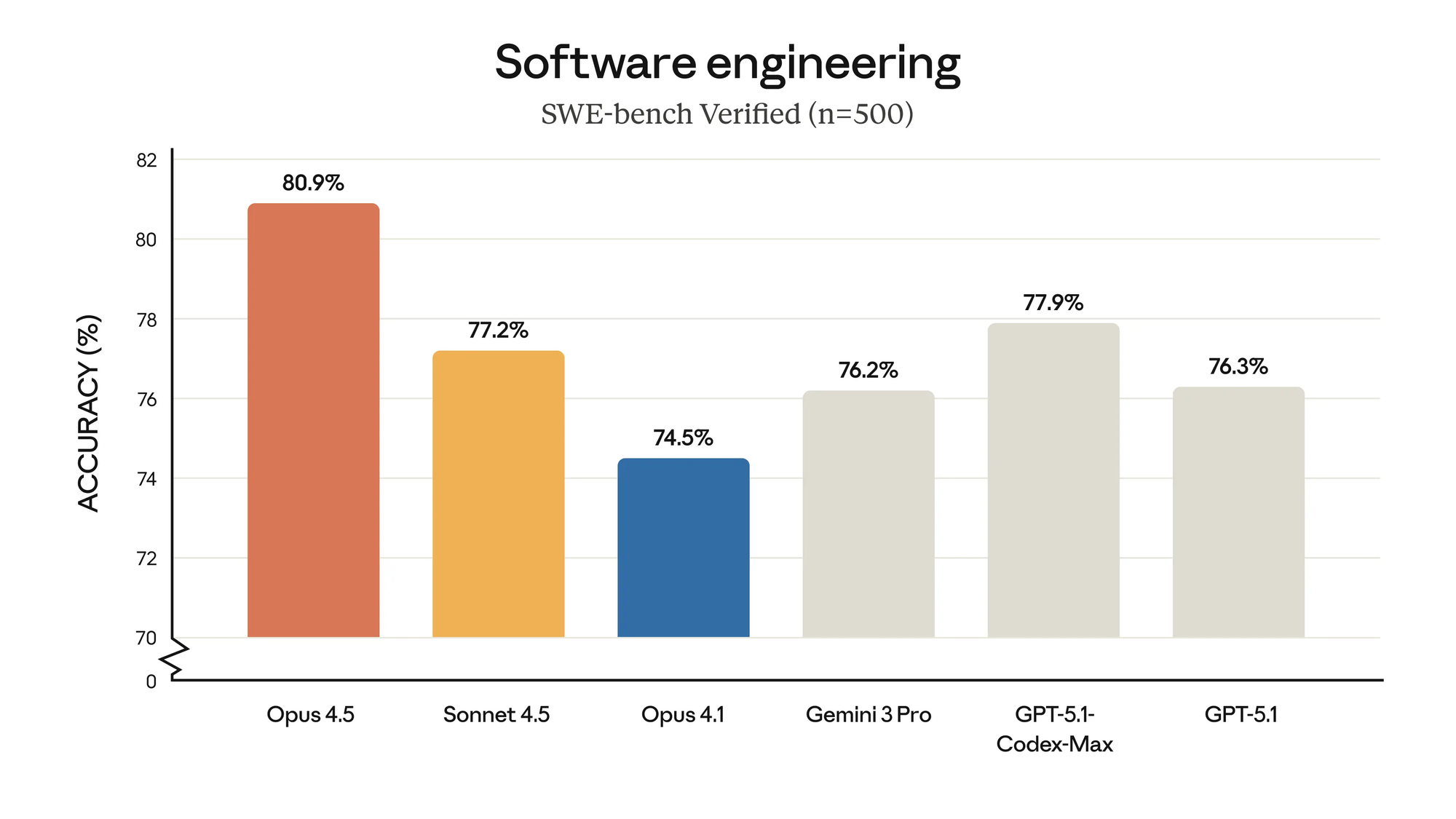
Users choose this approach for its cost-efficiency and technical superiority. Claude Opus 4.5 boasts a 200,000-token context window, outperforming many alternatives in handling large codebases. By freeloadin via Opencode and Google Antigravity, developers avoid Anthropic's paid tiers while enjoying similar performance.
Additionally, the method supports advanced features like thinking budgets, which allocate tokens for deeper reasoning—low (8K tokens) for quick tasks, high (32K) for complex analyses. This granularity optimizes resource use, especially under free quotas.
Compared to direct API access, this integration offers better error recovery, such as auto-handling "tool_result_missing" issues. It also enables multi-model workflows, blending Claude with Gemini for hybrid applications.
However, the real edge comes from tools like Apidog. Once set up, Apidog manages API calls, providing insights into latency and quotas. This ensures your Claude Opus 4.5 free sessions remain productive, with features like mocking for offline testing.
In essence, this method empowers small teams to compete with enterprises, fostering innovation through open-source collaboration.
Prerequisites for Setting Up Claude Opus 4.5 Free Access
Prepare your environment meticulously to ensure smooth integration. First, install Opencode via pip: pip install opencode. Verify the installation by running opencode --version.
Next, secure a Google account with Antigravity access. Search for discounted yearly plans, often available for under $50 through family sharing. These provide ample quotas for Claude Opus 4.5.
Gather basic tools: Python 3.10+, a text editor for JSON configs, and terminal access. For enhanced testing, install Apidog from its official site—it's free and supports cross-platform use.
Finally, familiarize yourself with OAuth flows, as authentication involves browser redirects. This setup takes about 15 minutes but unlocks hours of productive AI assistance.
Step-by-Step Guide: Installing and Configuring the Plugin
The plugin enables OAuth authentication with Google AntiGravity, providing access to models like antigravity-claude-opus-4-5-thinking-low. You can install it manually or let an LLM agent handle it.
Option 1: LLM-Assisted Installation (Easiest)
Open Opencode (or compatible tools like Claude Code, Cursor, or other LLM coding agents) and paste this prompt into the chat:
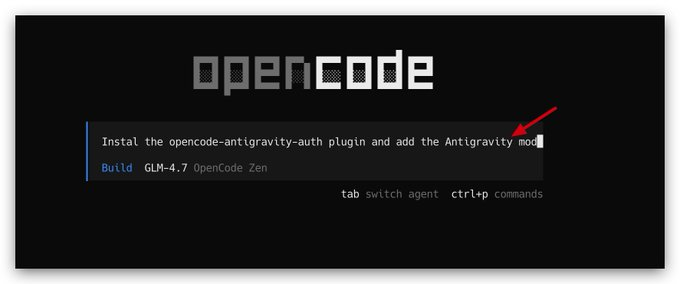
Install the opencode-antigravity-auth plugin and add the Antigravity model definitions to ~/.config/opencode/opencode.json by following: https://raw.githubusercontent.com/NoeFabris/opencode-antigravity-auth/main/README.md
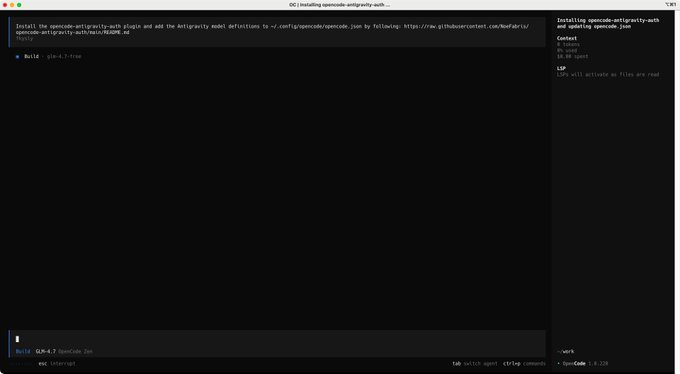
The LLM will guide you through adding the plugin to your config file and setting up models. This automates much of the process, making it ideal for beginners.
Option 2: Manual Installation
Add the Plugin to Your Config File:
Edit ~/.config/opencode/opencode.json and add the plugin:
{
  "plugin": ["opencode-antigravity-auth@1.2.7"]
}
Authenticate with Google:
In your terminal (not inside Opencode), run:
opencode auth login
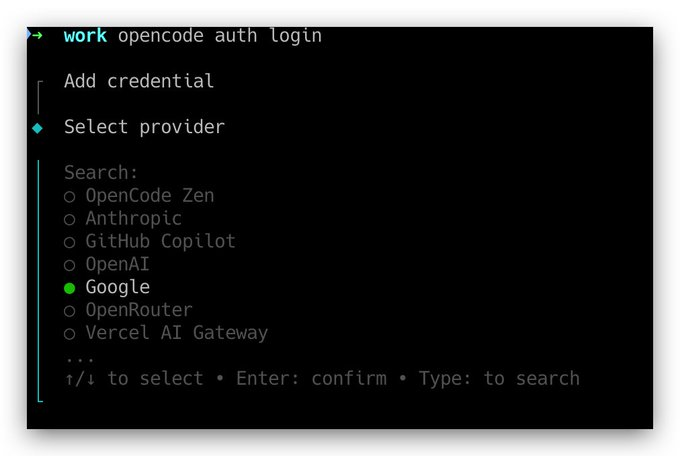
Use the arrow keys to select "Google - OAuth with Google (AntiGravity)". When prompted for Project ID, press Enter to leave it blank. This will open a browser window—log in with your Google account that has AntiGravity access. The plugin handles token refresh automatically.
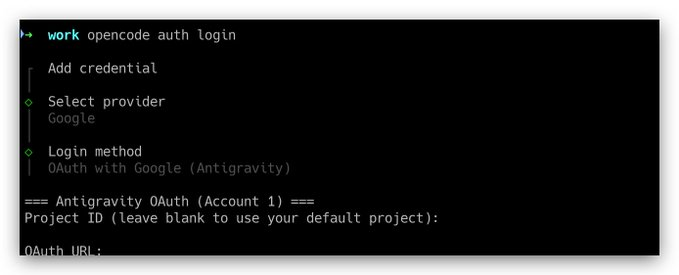
Add Model Definitions:
Update your config file to include Claude Opus 4.5 variants. Here's a sample with multiple models for flexibility:
{
  "$schema": "https://opencode.ai/config.json",
  "plugin": ["opencode-antigravity-auth@1.2.7"],
  "provider": {
    "google": {
      "models": {
        "antigravity-claude-opus-4-5-thinking-low": {
          "name": "Claude Opus 4.5 Low (AntiGravity)",
          "limit": {
            "context": 200000,
            "output": 64000
          },
          "modalities": {
            "input": ["text", "image", "pdf"],
            "output": ["text"]
          }
        },
        "antigravity-claude-opus-4-5-thinking-medium": {
          "name": "Claude Opus 4.5 Medium (AntiGravity)",
          "limit": {
            "context": 200000,
            "output": 64000
          },
          "modalities": {
            "input": ["text", "image", "pdf"],
            "output": ["text"]
          }
        },
        "antigravity-claude-opus-4-5-thinking-high": {
          "name": "Claude Opus 4.5 High (AntiGravity)",
          "limit": {
            "context": 200000,
            "output": 64000
          },
          "modalities": {
            "input": ["text", "image", "pdf"],
            "output": ["text"]
          }
        }
      }
    }
  }
}
These configurations support thinking budgets: low (8K), medium (16K), high (32K) for enhanced reasoning.
Verify the Setup:
Test it in the terminal:
opencode run "Hello" --model=google/antigravity-claude-opus-4-5-thinking-low
If you see a normal response like "Hello! How can I assist you today?", the setup is successful.
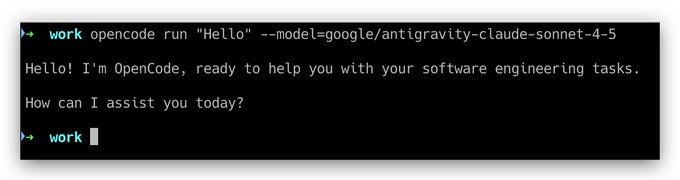
Now, launch Opencode and start using Claude Opus 4.5 for your coding tasks.
Enhancing Your Workflow with Apidog
Once configured, Opencode exposes Claude Opus 4.5 as an API-like interface. To take it further, integrate Apidog for professional API management. Apidog allows you to create, test, and document API requests, which is perfect for debugging complex prompts or chaining multiple model calls.
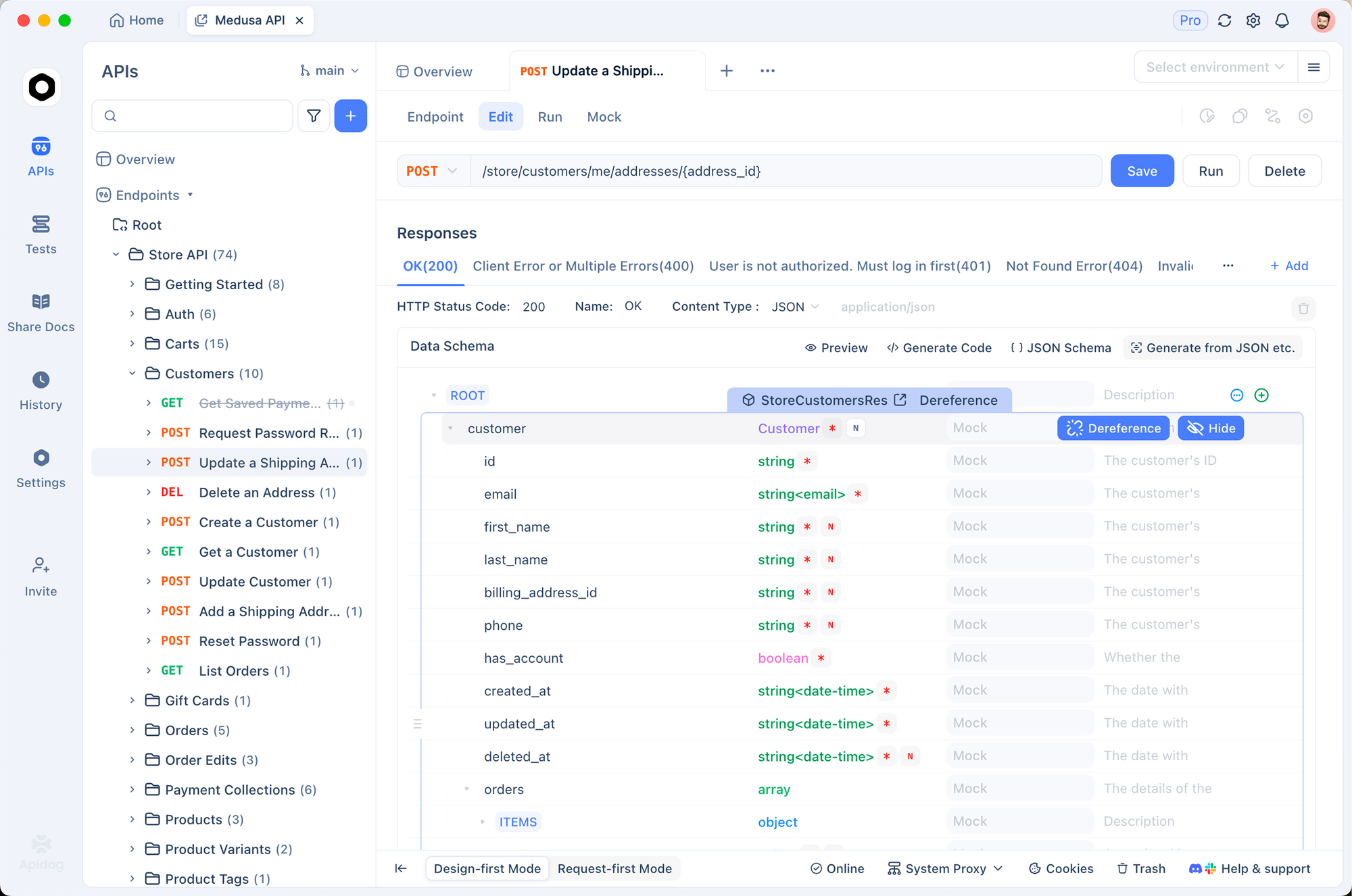
How to Use Apidog with Your Opencode Setup
Download and Install Apidog:
Get it for free. It supports Windows, Mac, Linux, and web versions.
Create a New API Project:
In Apidog, start a new project named "Claude Opus 4.5 via Opencode". Define an endpoint mimicking Opencode's run command, e.g., POST to a local proxy if you've set one up, or directly to Google's API if exposed.
Set Up Authentication:
Import your OAuth tokens from Opencode's config. In Apidog's authorization tab, select OAuth 2.0 and input your Google credentials. This mirrors the opencode auth login process.
Test Requests:
Craft a sample request:
- Method: POST
- URL: (Use a proxy like
http://localhost:8000/runif running Opencode as a server; otherwise, script it.) - Body (JSON):
{
  "prompt": "Generate a Python function for sorting algorithms.",
  "model": "google/antigravity-claude-opus-4-5-thinking-low"
}
Send the request and inspect the response. Apidog's features like request chaining and assertions help verify output quality, token usage, and error handling.
Advanced Features:
- Mocking: Simulate rate-limited scenarios to test multi-account rotation.
- Collaboration: Share your Apidog project with teams for collective prompt engineering.
- Monitoring: Track latency and quotas, optimizing for high-thinking modes.
- Integration with Domestic Models: If switching to GLM or MiniMax (from my other post), import their APIs into the same Apidog project for comparisons.
Using Apidog transforms your free Claude access into a robust development pipeline. For example, if you're building an AI agent, test multimodal inputs (e.g., uploading PDFs) directly in Apidog's interface.
Available Models and Configuration Options
Explore the range of models accessible via this setup:
| Model Name | Description | Context Limit | Thinking Budget | Modalities |
|---|---|---|---|---|
| google/antigravity-claude-opus-4-5-thinking-low | Efficient for quick tasks | 200,000 | 8K | Text, Image, PDF |
| google/antigravity-claude-opus-4-5-thinking-medium | Balanced reasoning | 200,000 | 16K | Text, Image, PDF |
| google/antigravity-claude-opus-4-5-thinking-high | Deep analysis | 200,000 | 32K | Text, Image, PDF |
| google/antigravity-claude-sonnet-4-5 | Versatile alternative | 200,000 | N/A | Text |
| google/antigravity-gemini-3-pro-high | Google's flagship | 1,048,576 | High | Multimodal |
Customize configs for specific needs, such as enabling SSE for streaming.
Advanced Techniques: Multi-Account Rotation and Hybrid Workflows
Scale usage with multi-account rotation. Configure multiple Google profiles in Opencode, switching via plugins to evade limits.
Hybridize by routing simple tasks to free domestic models, reserving Claude for complex ones. Use Apidog to orchestrate this.
Enable agentic flows in Antigravity, where Claude plans multi-step executions.
Best Practices for Security and Performance
Secure tokens by storing them encrypted. Monitor usage logs in Apidog to detect anomalies.
Optimize prompts for conciseness, reducing token spend. Use low-thinking for drafts, high for finals.
Contribute to the plugin's GitHub for community improvements.
Troubleshooting Common Challenges
Address auth failures by revoking and reauthorizing tokens. For model errors, validate JSON syntax.
If quotas hit, rotate accounts or downgrade thinking levels. Apidog helps simulate issues offline.
Conclusion: Revolutionizing AI Coding with Free Tools
Accessing Claude Opus 4.5 free via Opencode and Google Antigravity transforms development workflows. With Apidog's support, you achieve professional-grade testing. Embrace this method to innovate efficiently.