Claude just announced something that made developers stop scrolling: Claude can now control your computer.
Not through APIs. Not through integrations. Directly. It opens apps, navigates browsers, clicks buttons, fills spreadsheets — anything you’d do sitting at your desk.
This isn’t a demo. It’s available now in Claude Cowork and Claude Code for macOS users on Pro and Max plans. The announcement has 23 million views in 8 hours. People are paying attention.
But here’s what matters for developers: this changes how we think about automation. Including API testing.
What Claude’s computer use actually does
Let’s be clear about what’s happening here.
Claude isn’t just generating text anymore. It can:
- Open applications on your desktop
- Navigate browsers and interact with web pages
- Fill in forms and spreadsheets
- Click buttons, scroll, type — the full range of GUI interactions
- Work while you’re away — assign from mobile, return to finished work

The key insight: Claude uses your connected integrations first (Slack, Calendar, etc.). When there’s no connector for the tool you need, it asks permission to open the app directly on your screen.
This is a fundamental shift. We’re moving from “AI that responds” to “AI that acts.”
Why this matters for API developers
You might be thinking: “Cool, but I’m an API developer. What does this have to do with me?”
Here’s the thing: API testing is about to change.
Right now, API testing looks like this:
- Write test scripts
- Set up environments
- Run collections
- Parse results
- Debug failures
- Document findings
It’s manual. It’s repetitive. It requires context switching between tools.
Now imagine this workflow instead:
“Claude, test the payment API endpoint. Try the happy path, then test edge cases for invalid cards, expired tokens, and network timeouts. Log any failures in the bug tracker.”
Claude opens your API testing tool, runs the requests, analyzes responses, identifies anomalies, and logs issues. You review the summary.
That’s the direction we’re heading.
The AI agent testing workflow
Let’s map out what AI-powered testing might look like:
Current workflow
Developer → Write tests → Run manually → Check results → Debug → Document
AI agent workflow
Developer → Assign task → Agent runs tests → Agent analyzes → Agent documents → Developer reviews
The agent handles the repetitive middle steps. You focus on:
- Defining what to test
- Reviewing edge cases
- Making architectural decisions
This isn’t science fiction. The building blocks exist:
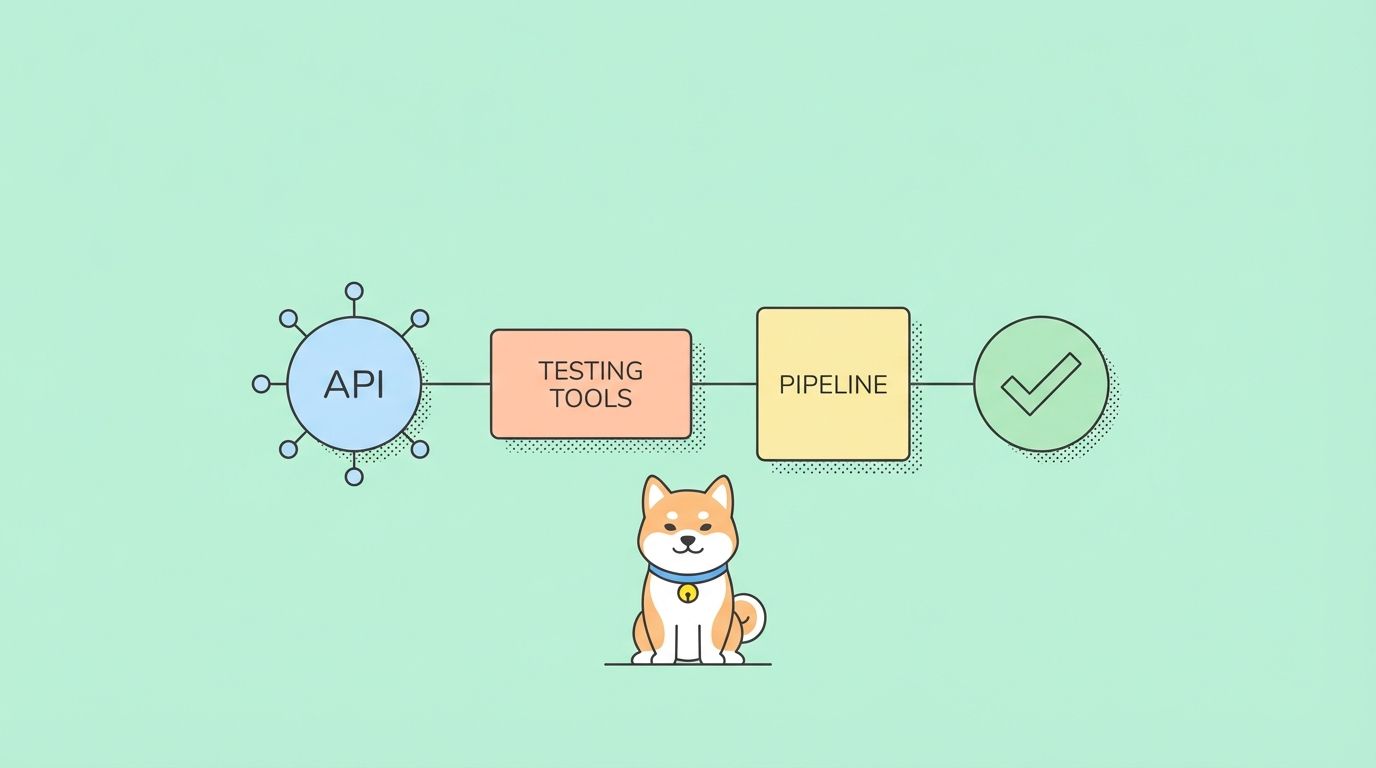
- Apidog stores your API specs and test cases
- CI/CD pipelines run tests automatically
- Claude now can orchestrate tools on your desktop
The gap is closing.
What developers should prepare for
If you’re building or testing APIs, here’s what to start thinking about:
1. Document your testing workflows
AI agents need clear instructions. The better documented your testing process, the easier it is to delegate.
Write down:
- How you test each endpoint
- What edge cases you check
- How you handle failures
- Where you log bugs
2. Make your tools accessible
Claude works best with apps it can open and control. Ensure your testing tools:
- Have clear UIs (even if you use CLI normally)
- Can be launched programmatically
- Export results in readable formats
3. Define success criteria
When you tell an AI agent to “test the API,” what does success look like?
- All tests pass?
- Response time under 200ms?
- No 5xx errors?
- Data validation passes?
Explicit criteria make agent testing reliable.
4. Prepare for the permission model
Claude asks permission before taking control. Get used to:
- Reviewing what the agent wants to do
- Understanding the scope of access
- Setting boundaries for sensitive operations
This is actually good security practice anyway.
The security conversation we need to have
Let’s address the elephant in the room.
Giving an AI control of your computer raises obvious security questions:
- What can it access?
- Where does the data go?
- How do you audit its actions?
- What if it makes a mistake?
Anthropic has built in safeguards:
- Permission prompts before app control
- Connected integrations preferred over direct control
- MacOS only for now (more controlled environment)
- Research preview — they’re learning too
For API testing specifically:
- Don’t give agents access to production APIs
- Use sandbox environments
- Review logs of what actions were taken
- Start with low-risk operations
This is new territory. Treat it accordingly.
How Apidog fits into this future
Here’s where tools like Apidog become critical.
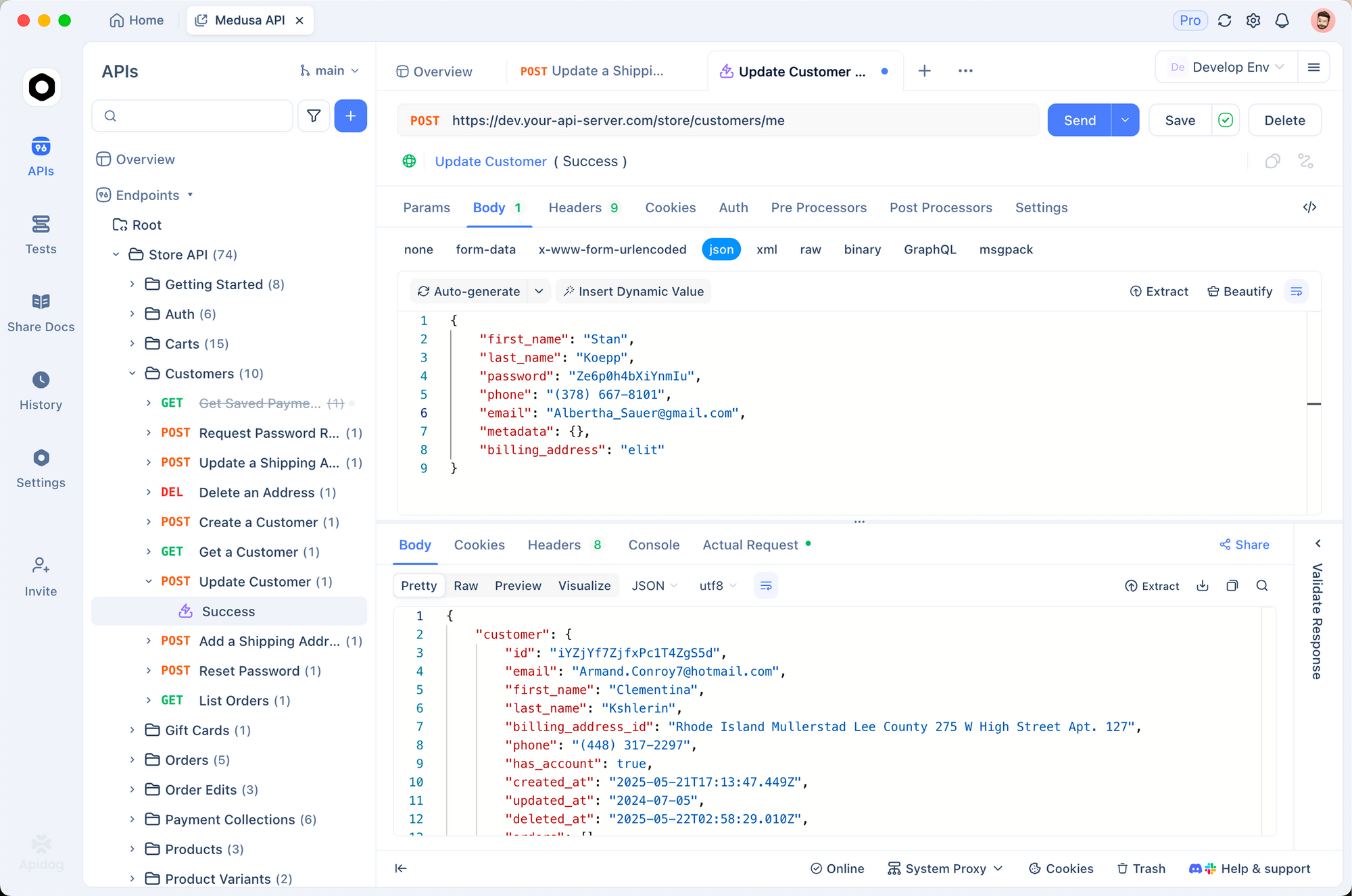
When an AI agent needs to test APIs, it needs:
- API specifications (OpenAPI/Swagger)
- Test collections with defined requests
- Environment configurations (staging, production)
- Response validation rules
- Clear documentation of expected behavior
Apidog provides all of this in a structured, accessible format.
The agent doesn’t need to guess what endpoints exist or what parameters are valid. It reads the spec, executes the tests, validates responses against schemas.
This is exactly the kind of structured environment where AI agents excel.
Start testing APIs with Apidog - free
What this means for your job
Let’s be direct about the career implications.
AI agents won’t replace API developers. But they will change the job.
Here’s what shifts:
| Current responsibility | Future state |
|---|---|
| Writing test scripts | Designing test strategies |
| Running test suites | Reviewing agent results |
| Debugging failures | Defining failure criteria |
| Documenting APIs | Curating agent documentation |
The tedious parts get automated. The thinking parts remain human.
Your value shifts from “doing the testing” to “knowing what to test and why.”
That’s actually an upgrade. More strategy, less repetition.
When to start experimenting
This is a research preview. It’s early. But that’s exactly when smart developers start experimenting.
Here’s how to dip your toes in:
Week 1: Try Claude’s computer use
- Update your Claude desktop app
- Pair with mobile
- Give it simple tasks: “Open my calendar and find meetings tomorrow”
- Get comfortable with the permission prompts
Week 2: Apply to your workflow
- Try: “Open my API docs and summarize the authentication flow”
- Then: “Run through the user registration endpoints and note any missing fields”
- See what works, what breaks
Week 3: Think about testing
- Document one API testing workflow step-by-step
- Consider what an agent would need to execute it
- Identify gaps in your documentation
Week 4: Evaluate tools
- Does your API testing tool support automation?
- Are your specs up to date?
- What would need to change for agent-driven testing?
The bigger picture
Claude’s computer use isn’t just about convenience. It’s part of a broader shift.
We’re moving toward AI agents as coworkers:
- Not chatbots that respond
- Not scripts that run on schedules
- Agents that understand context, take action, and report back
The companies that figure out how to work with AI agents will have a productivity advantage. The ones that don’t will spend more time on manual work.
API testing is a perfect use case:
- Well-defined tasks
- Clear success criteria
- Repetitive execution
- Structured outputs
If there’s a place AI agents make sense, it’s here.
What to watch next
This space is moving fast. Keep an eye on:
- Agent capabilities — what else can Claude control?
- Tool integrations — will Apidog get a direct Claude connector?
- Enterprise adoption — how do teams deploy this at scale?
- Competitive response — what will ChatGPT, Gemini, and others do?
The next 12 months will define how developers work with AI agents.
Bottom line
Claude can now use your computer. That’s not hype — it’s a fundamental capability shift.
For API developers, this means:
- Automation is getting smarter — not just scheduled scripts, but context-aware agents
- Documentation matters more — agents need clear instructions
- Your workflow will change — less execution, more direction
- Tools like Apidog become critical — structured specs enable agent testing
The future isn’t AI replacing developers. It’s AI agents handling the repetitive work so developers can focus on architecture, security, and product decisions.
That’s a future worth preparing for.
Get started today
While AI agents evolve, you still need solid API testing tools.
Apidog gives you:
- Visual API design and documentation
- Automated test collections
- Team collaboration
- CI/CD integration
When AI agents are ready to run your tests, your specs will be too.
Start testing APIs with Apidog - free
FAQ
Is Claude’s computer use available to everyone?No. Currently macOS only, Pro and Max plans. It’s a research preview, so expect changes.
Can Claude access any app?Claude asks permission before controlling apps. It prefers connected integrations (Slack, Calendar) over direct app control.
Is this secure for enterprise use?Research preview means proceed with caution. Don’t give agents access to production systems or sensitive data. Use sandboxes.
Will this replace QA engineers?No. It shifts their work from execution to strategy. QA engineers will design test plans, review agent results, and define quality criteria.
How is this different from RPA (Robotic Process Automation)?RPA follows rigid scripts. Claude understands natural language instructions and adapts to context. It’s more flexible but also less predictable.
What happens if Claude makes a mistake?You review actions before they happen. Claude asks permission. For API testing, use non-production environments and verify results.
Can I use this for API testing right now?Yes, but it’s early. You’d instruct Claude to open your testing tool and run through requests. The experience will improve as the feature matures.