Developers constantly seek tools that accelerate project setup without sacrificing precision. Claude Code, an agentic coding assistant from Anthropic, empowers engineers to handle complex tasks through natural language interactions in the terminal. This article explores how professionals use Claude Code for Tailwind setup, focusing on streamlined processes that integrate utility-first styling into modern web applications. By leveraging Claude Code, teams generate and configure Tailwind CSS components rapidly, reducing manual effort.
What is Claude Code?
Anthropic engineers designed Claude Code as a terminal-based tool that integrates Claude AI directly into development environments. Users install Claude Code via npm or similar package managers, then invoke it in the command line to perform agentic tasks. For instance, Claude Code analyzes codebases, identifies patterns, and executes commands like file creation or dependency installation.
Moreover, Claude Code excels in context-aware operations. It pulls relevant files into prompts automatically, ensuring responses align with existing project structures. Developers direct Claude Code with plain English instructions, such as "Install Tailwind CSS in this React project," and it responds by planning steps, writing code, and verifying outcomes.
In practice, Claude Code reduces development time significantly. Anthropic reports that tasks taking 45 minutes manually complete in seconds through its automation. Additionally, it supports multi-agent workflows, where Claude Code delegates subtasks like research or debugging. This capability proves invaluable for Tailwind setup, as Claude Code handles configuration files and CSS imports precisely.
However, users must configure API keys and environment variables first. Anthropic provides documentation for setup, emphasizing security through controlled tool access. As a result, Claude Code transforms traditional coding into a conversational process, making it accessible yet powerful for technical users.
To illustrate, consider a scenario where a developer needs to migrate from Tailwind CSS v3 to v4. Claude Code researches changes, updates configurations, and tests compatibility—all within the terminal. Such efficiency underlines why professionals adopt Claude Code for repetitive setup tasks.
What is Tailwind CSS?
Tailwind CSS operates as a utility-first framework that enables rapid UI construction through predefined classes. Developers apply classes like "bg-blue-500" or "p-4" directly in HTML, avoiding custom CSS files for most styling needs. This approach promotes consistency and speeds up iteration.
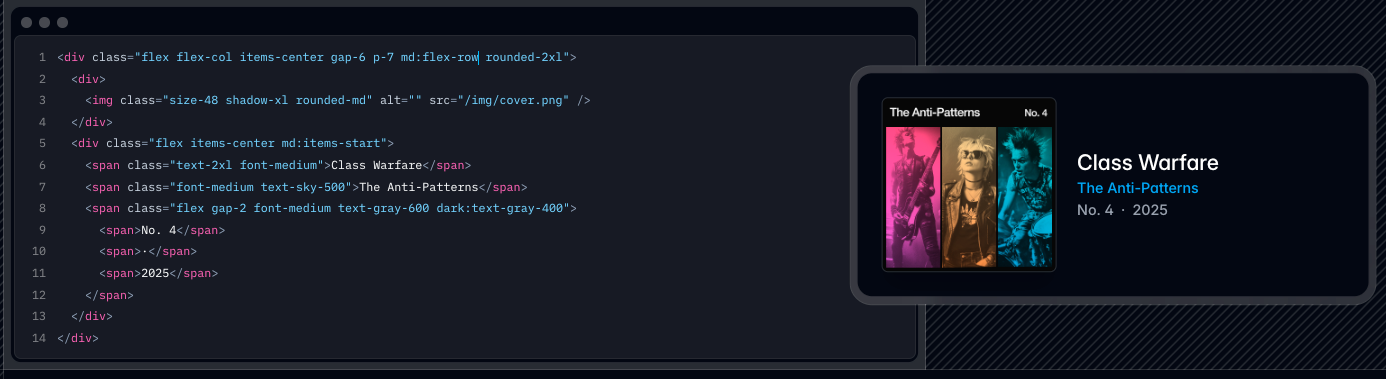
Furthermore, Tailwind CSS integrates seamlessly with build tools. In version 4, configurations shift to CSS files using directives like @theme and @plugin, simplifying setup compared to earlier JavaScript-based configs. Users install Tailwind via npm, then define content sources to scan for class usage.
Tailwind also supports customization. Developers extend themes with colors, spacing, and fonts in the configuration, ensuring designs match brand guidelines. Plugins add features like typography or forms, expanding functionality without bloat.
In web development, Tailwind CSS shines in frameworks like React or Next.js. It compiles to efficient CSS, purging unused styles for optimal performance. Consequently, projects load faster, enhancing user experience.
Mastering Tailwind requires understanding its atomic design principles. Beginners often combine it with components from libraries like Tailwind UI for reusable patterns. Overall, Tailwind CSS empowers developers to focus on logic rather than styling intricacies.
Why Use Claude Code for Tailwind Setup?
Engineers choose Claude Code for Tailwind setup because it automates tedious steps. Traditional installation involves manual npm commands, file edits, and build configurations—Claude Code handles these autonomously.
Additionally, Claude Code adapts to project specifics. It scans directories, detects frameworks, and suggests tailored setups. For example, in a Vite project, Claude Code installs @tailwindcss/vite and updates vite.config.js accordingly.
Claude Code also mitigates errors. It verifies installations by running build commands and fixing issues iteratively. This reduces debugging time, allowing focus on creative aspects.
Moreover, integration with AI enhances productivity. Developers prompt Claude Code for "Generate a Tailwind-configured landing page," and it produces complete code, including classes and responsive variants.
In team environments, Claude Code promotes consistency. It enforces best practices, like using Tailwind's purge feature, across contributions. Therefore, projects maintain clean, scalable stylesheets.
Finally, Claude Code scales with complexity. For advanced setups involving plugins or custom themes, it researches documentation and implements changes accurately. This combination makes Claude Code ideal for efficient Tailwind integration.
Prerequisites for Tailwind Setup with Claude Code
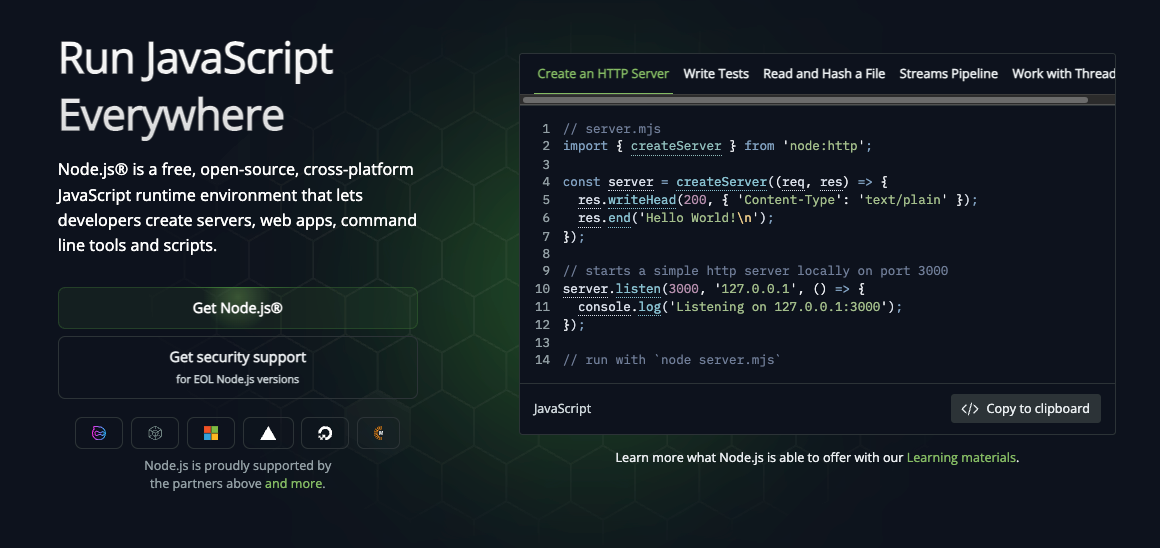
Before proceeding, users prepare their environment. First, install Node.js version 18 or higher, as Tailwind and Claude Code rely on modern npm features.
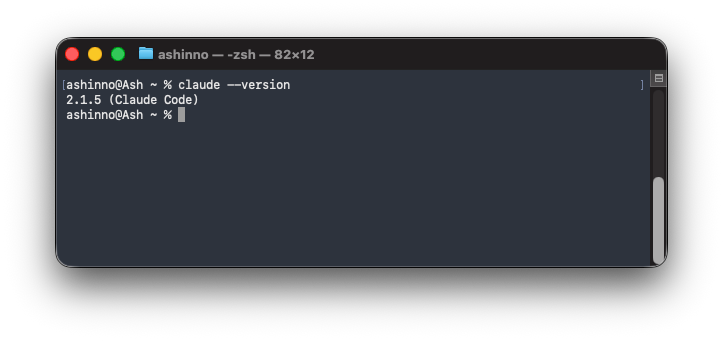
Next, set up Claude Code. Run "curl -fsSL https://claude.ai/install.sh | bash" in the terminal, then configure your Anthropic API key via "claude-code config set api-key YOUR_KEY". Verify installation with "claude --version".
Additionally, create a new project directory. For React-based setups, use "npx create-react-app my-app" or "npm create vite@latest" for Vite. Navigate into the folder.
Ensure Git initializes the repository. Claude Code often uses version control for safe edits. Run "git init" and commit initial files.
Furthermore, install a code editor like VS Code. The Tailwind CSS IntelliSense extension provides autocompletion, complementing Claude Code's generations.
Users also need basic knowledge of prompts. Effective instructions specify details like "Use Tailwind v4 with Next.js". This precision yields better results.
Lastly, back up projects. Although Claude Code includes safeguards, testing changes in branches prevents disruptions. With these in place, setup begins smoothly.
Step-by-Step Guide to Setting Up Tailwind with Claude Code
This section details the process. Developers follow these steps to integrate Tailwind CSS using Claude Code.
Step 1: Initialize the Project
Create a new directory: "mkdir tailwind-project && cd tailwind-project". Then, initialize npm: "npm init -y". This establishes the package.json file.
Next, install core dependencies. For a basic setup, add React or plain HTML. Claude Code assists here—prompt "Set up a Vite project with React".
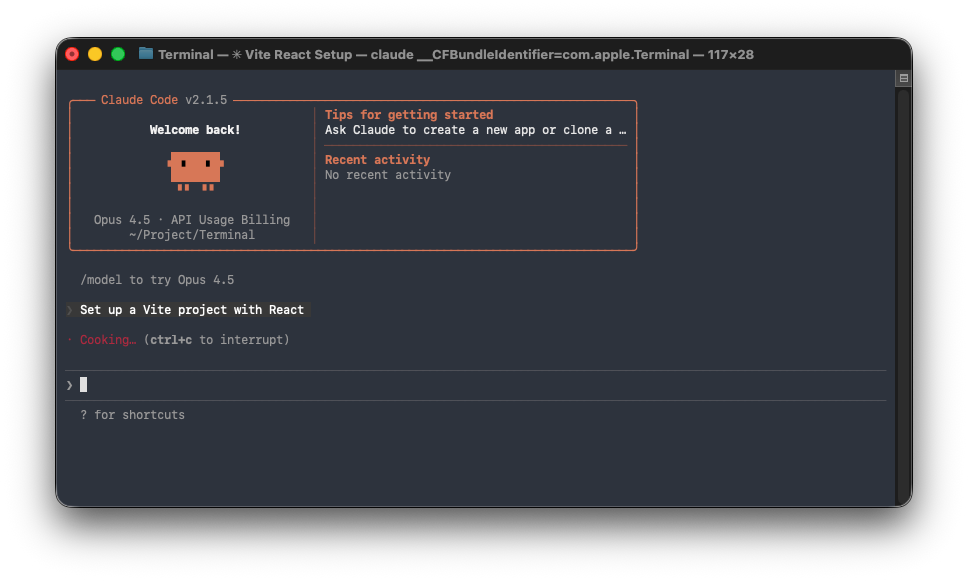
Claude Code responds by running "npm create vite@latest . -- --template react", configuring the environment automatically.
Step 2: Install Tailwind CSS Dependencies
Direct Claude Code: "Install Tailwind CSS v4 and its plugins". It executes "npm install tailwindcss @tailwindcss/typography".
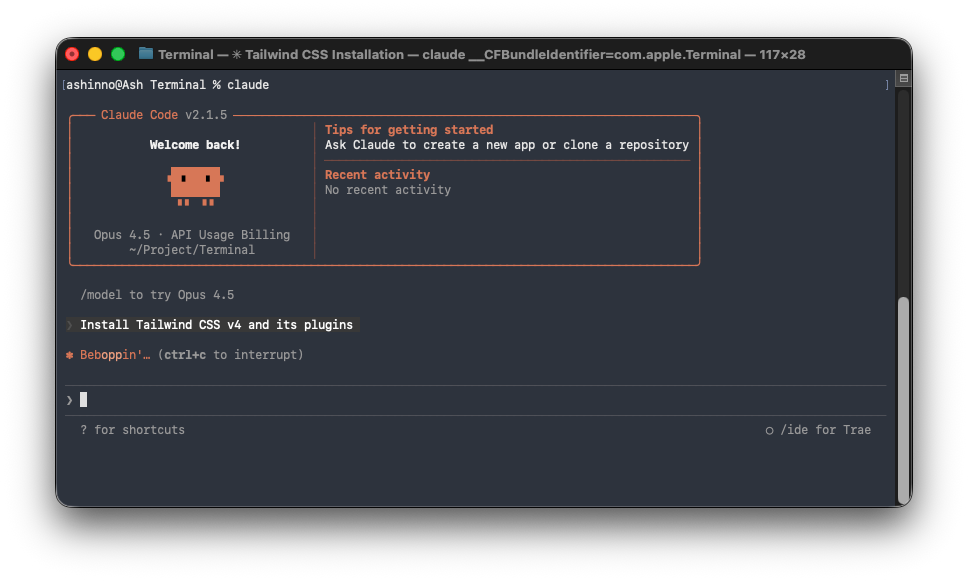
Claude Code also handles PostCSS if needed: "npm install postcss autoprefixer". This ensures compatibility.
Moreover, it creates configuration files. Prompt "Generate tailwind.config.js", and Claude Code writes the module exports with content paths.
In v4, configurations move to CSS. Claude Code adapts: "Update for Tailwind v4 syntax".
Step 3: Configure Tailwind in Project Files
Instruct Claude Code: "Add Tailwind directives to globals.css". It imports "@tailwind base;", "@tailwind components;", and "@tailwind utilities;".
For Vite, prompt "Configure vite.config.js with Tailwind plugin". Claude Code imports and adds the plugin.
Additionally, define content sources. Claude Code scans and updates: content: ["./index.html", "./src/**/*.{js,ts,jsx,tsx}"].
Step 4: Generate Initial Code with Claude
Test setup: "Create a sample component using Tailwind classes". Claude Code writes a React file with divs styled as "flex justify-center bg-gray-100".
Run the build: "npm run dev". Claude Code verifies classes compile correctly.
If issues arise, prompt "Debug Tailwind compilation errors". It analyzes logs and fixes.
Step 5: Customize Themes and Plugins
Extend themes: "Add custom colors to Tailwind config". Claude Code updates theme.extend.colors with your specifications.
Install plugins: "Add @tailwindcss/forms". Claude Code integrates it.
Furthermore, optimize for production: "Configure purge for unused styles". Claude Code ensures efficient bundles.
Step 6: Integrate Responsive Design
Prompt "Generate responsive navbar with Tailwind". Claude Code produces code using md:, lg: prefixes for breakpoints.
This step demonstrates Claude Code's ability to create functional, styled elements quickly.
By following these, developers achieve a fully configured Tailwind setup. The process, automated by Claude Code, saves hours.
Advanced Tips for Using Claude Code with Tailwind
Experienced users leverage Claude Code for sophisticated tasks. For instance, migrate legacy CSS: "Convert Bootstrap to Tailwind equivalents".
Claude Code analyzes styles and replaces with utilities.
Additionally, build component libraries: "Create reusable Tailwind buttons with variants". It generates files using class-variance-authority.
Optimize performance: "Audit Tailwind usage for bloat". Claude Code suggests removals.
Moreover, integrate with other tools: "Set up Tailwind with shadcn/ui". Claude Code installs and configures.
Handle dark mode: "Implement Tailwind dark mode toggle". It adds prefers-color-scheme and class-based switching.
For animations, prompt "Add Tailwind Animate plugin and examples". Claude Code demonstrates transitions.
In large codebases, use "Research best practices for Tailwind in monorepos". Claude Code compiles summaries.
Security considerations: "Ensure Tailwind configs avoid vulnerabilities". It reviews dependencies.
These tips elevate workflows, making Claude Code indispensable for Tailwind projects.
Integrating Apidog with Tailwind-Styled Applications
Apidog enhances API workflows in Tailwind apps. Developers use Apidog to design endpoints that feed data to Tailwind UIs.
First, install Apidog desktop client. Create a project mirroring your app's API needs.
Next, mock responses: Apidog generates fake data for Tailwind components during development.
Claude Code complements this: "Generate fetch calls for Apidog-mocked APIs". It writes async functions with Tailwind loaders.
Furthermore, test integrations: Use Apidog's automated testing on endpoints, then style results in Tailwind.
Document APIs: Apidog produces shareable docs, ensuring teams align on data structures for Tailwind displays.
In practice, for a dashboard, Apidog defines user APIs, Claude Code builds Tailwind grids, and together they create seamless apps.
This synergy boosts efficiency, as Apidog handles backend simulation while Tailwind focuses on frontend.
Common Issues and Troubleshooting with Claude Code
Issues occur, but Claude Code resolves many. If installation fails: "Debug npm errors in Tailwind setup".
Claude Code checks versions and reinstalls.
Class not applying? Prompt "Inspect why Tailwind class isn't working". It verifies content paths.
Build hangs: "Optimize Tailwind compilation time". Claude Code suggests just-in-time mode.
Plugin conflicts: "Resolve issues with @tailwindcss/forms". It updates configs.
API key errors in Claude Code: Reconfigure via docs.
Moreover, for version mismatches: "Downgrade Tailwind to v3". Claude Code handles migrations.
These strategies ensure smooth operations.
Conclusion
Claude Code revolutionizes Tailwind setup by automating configurations and code generation. Developers achieve faster, error-free integrations, focusing on innovation. Combined with Apidog for API management, projects gain comprehensive support. Adopt these tools to elevate your technical prowess.