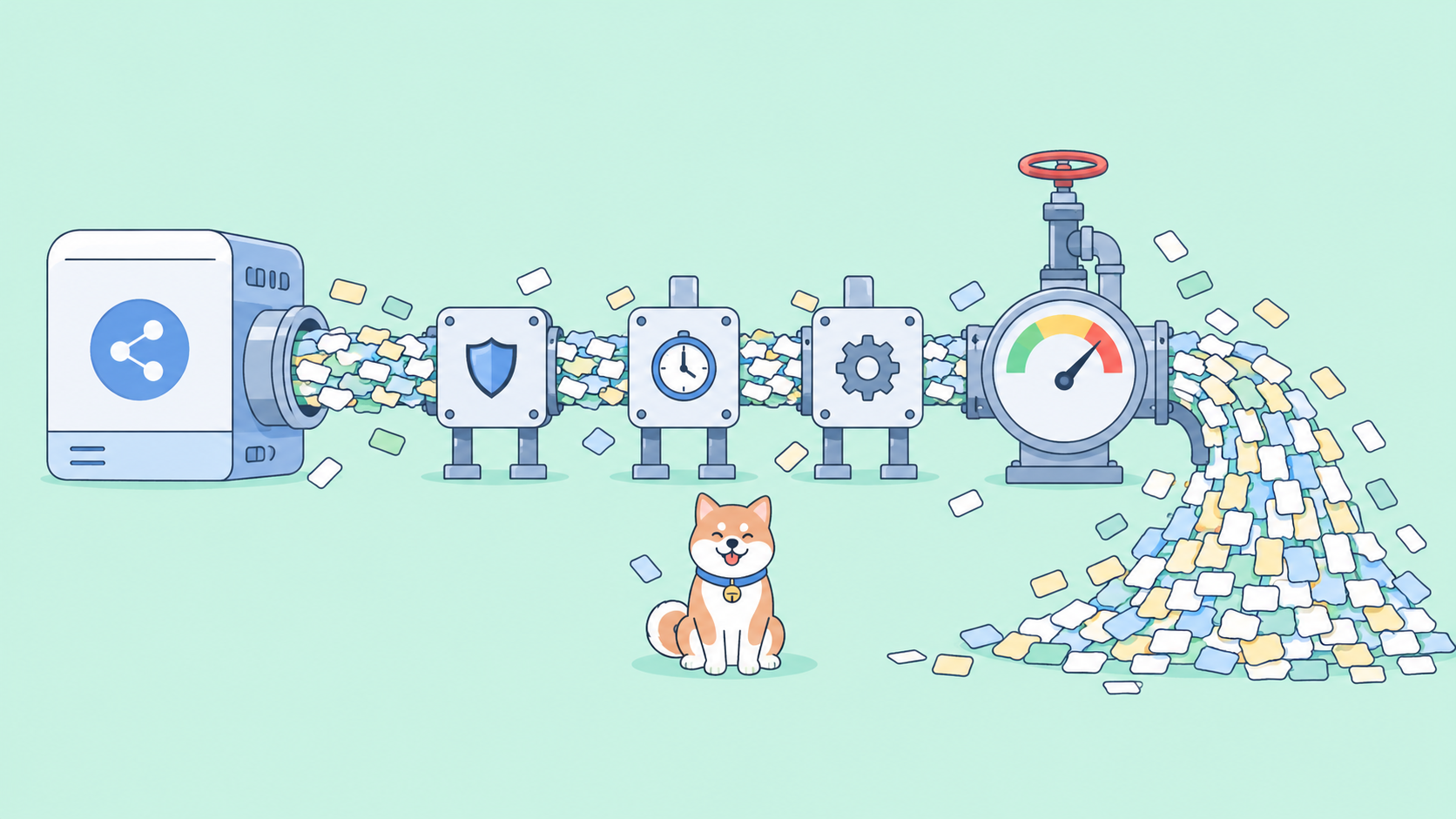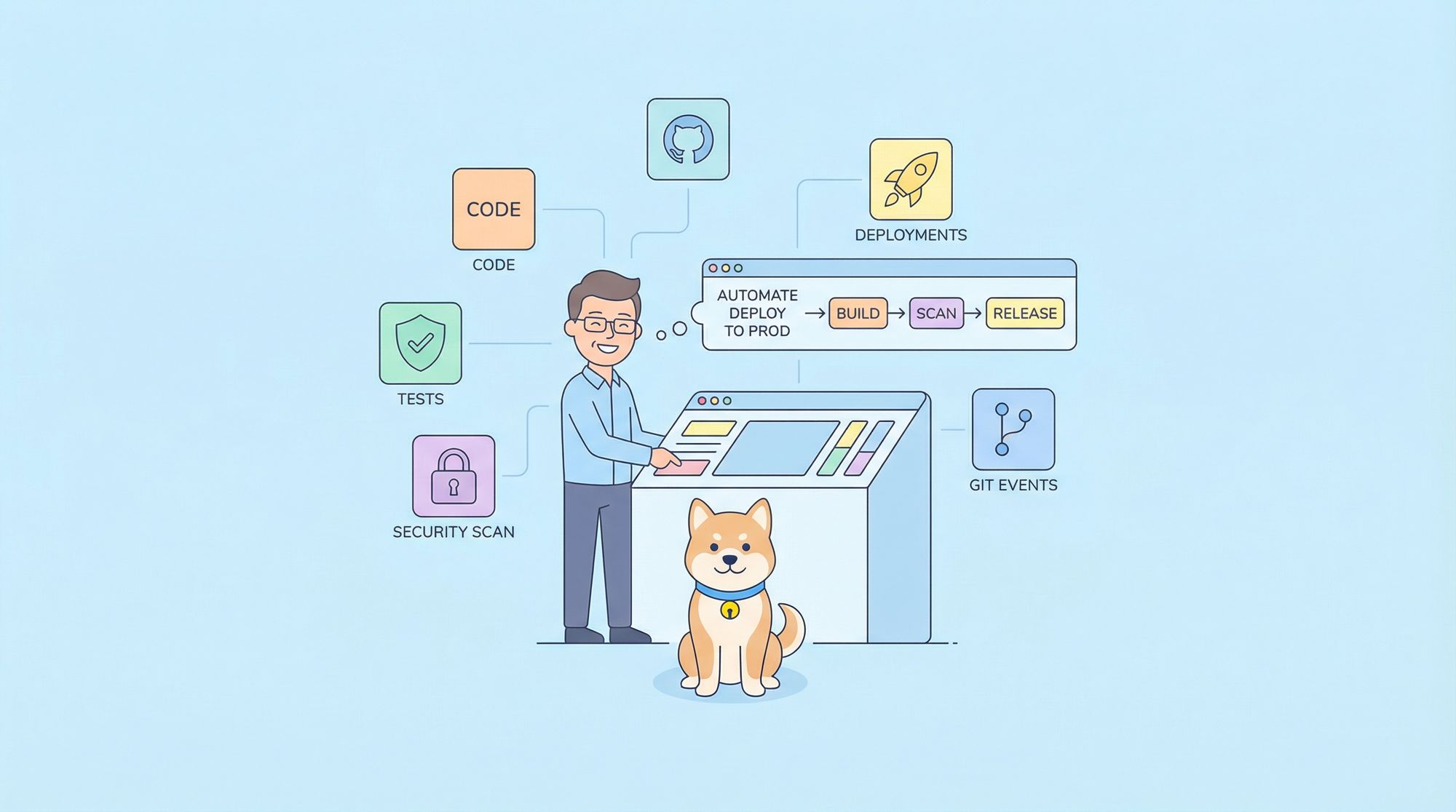
If you've been looking for a way to inject intelligence into your CI/CD pipeline without wrestling with complex automation scripts, Claude Code Skills might be exactly what you need. These custom, AI-powered workflows automate everything from pre-commit security checks to deployment validation. You define them using natural language instructions instead of brittle shell scripts.
What makes Claude Code Skills powerful for CI/CD:
- Natural Language Automation: Define workflows in plain English, not complex YAML
- Intelligent Decision Making: AI can analyze context, suggest fixes, and adapt to different scenarios
- Reusable Workflows: Create once, invoke anywhere with simple slash commands
- Git Integration: Hook directly into git events (pre-commit, pre-push, post-merge)
- Extensible: Access to 15+ tools including Bash, file operations, web search, and more
In this guide, we'll explore what Claude Code Skills are, how to build custom CI/CD workflows, and real-world examples you can implement today.
Understanding Claude Code Skills
What Are Skills?
Claude Code Skills are custom, reusable AI workflows that extend Claude Code's capabilities. Think of them as intelligent scripts that can:
- Execute complex multi-step tasks autonomously
- Make context-aware decisions
- Access files, run commands, search the web, and more
- Maintain state across sessions
- Integrate with your existing development tools
Unlike traditional scripts that follow rigid logic, skills leverage Claude's reasoning capabilities to handle edge cases, suggest improvements, and adapt to changing conditions.
How Skills Work
Skills operate through several key mechanisms:
1. User-Invocable Commands
# Run a skill with a slash command
/deploy-validation --env production
/security-review
/ci-pipeline-monitor --branch main
2. Allowed Tools
Skills specify which tools they can use:
Bash: Execute shell commandsRead,Write,Edit: File operationsGlob,Grep: Search operationsWebFetch,WebSearch: External dataTask: Spawn sub-agents for complex tasks
3. Lifecycle Hooks
Skills can trigger actions at specific points:
SessionStart: When the skill beginsPreToolUse: Before each tool executionPostToolUse: After each tool executionStop: When the skill ends
4. Planning Files
Skills can maintain state using markdown files to track progress, store findings, and enable resumable workflows.
Why Skills Excel at CI/CD
Traditional CI/CD scripts break easily when faced with unexpected conditions. Skills bring intelligence to automation:
- Contextual Understanding: Can read logs, understand errors, and suggest fixes
- Adaptive Behavior: Adjust to different project structures and configurations
- Self-Documenting: Natural language instructions make workflows transparent
- Error Recovery: Can diagnose issues and propose solutions
- Continuous Learning: Improve workflows based on outcomes
Skill Anatomy: Components and Structure
Directory Structure
Skills live in .claude/skills/ with this layout:
.claude/
├── skills/
│   ├── deploy-validation/
│   │   ├── SKILL.md              # Skill manifest and instructions
│   │   ├── planning.md           # State tracking (optional)
│   │   └── scripts/              # Helper scripts (optional)
│   ├── security-review/
│   │   └── SKILL.md
│   └── ci-monitor/
│       └── SKILL.md
└── skills.md                     # Index of all skills
The SKILL.md Manifest
Every skill starts with a YAML frontmatter followed by markdown instructions:
---
name: deploy-validation
version: "1.0.0"
description: Validates deployment readiness with comprehensive checks
user-invocable: true
allowed-tools:
  - Bash
  - Read
  - Edit
  - Grep
  - Glob
hooks:
  SessionStart:
    - matcher: command
      command: "echo '[Deploy Validator] Starting pre-deployment checks...'"
  Stop:
    - matcher: command
      command: "echo '[Deploy Validator] Checks complete. Review output above.'"
---

# Deployment Validation Skill

Comprehensive pre-deployment validation for production releases.

## Usage

```bash
/deploy-validation --env production
/deploy-validation --env staging --dry-run
/deploy-validation --skip-tests  # Use cautiously
What This Skill Does
Environment Verification
- Check required environment variables exist
- Validate configuration files
- Verify service dependencies are accessible
Code Quality Checks
- Run linting (ESLint, Pylint, etc.)
- Check code formatting
- Verify no debug statements remain
Testing
- Execute unit test suite
- Run integration tests
- Check code coverage thresholds
Build Validation
- Compile/build the application
- Verify build artifacts
- Check bundle sizes against limits
Security Scanning
- Scan dependencies for vulnerabilities
- Check for hardcoded secrets
- Validate permissions and access controls
Documentation Check
- Ensure CHANGELOG is updated
- Verify API documentation matches code
- Check migration guides if needed
Deployment Report
- Generate comprehensive report
- Save to
deployment-reports/{timestamp}.md - Exit with status code indicating pass/fail
Instructions for Claude
When invoked, follow this process:
- Parse command-line arguments to determine environment and options
- Check the current git branch and commit SHA
- Run each validation step in sequence
- For each failure, log the issue and continue (collect all errors)
- After all checks, generate a summary report
- If any critical checks failed, exit with error code 1
- If all checks passed, exit with code 0 and show success message
---

## CI/CD Use Cases for Skills

### 1. Pre-Commit Validation

**Skill: `/pre-commit-guard`**

Automatically validates changes before commits:
- Linting and formatting
- Security scanning for secrets
- Unit test execution
- File size checks
- Breaking change detection

**Benefit**: Catch issues before they enter the codebase.

### 2. Pull Request Analysis

**Skill: `/pr-review`**

Intelligent PR review that:
- Analyzes code changes for quality issues
- Checks for security vulnerabilities
- Verifies test coverage
- Suggests improvements
- Generates review comments

**Benefit**: Consistent, thorough code review without human bottlenecks.

### 3. Automated Testing Workflows

**Skill: `/test-runner`**

Smart test execution that:
- Detects which tests are relevant to changes
- Runs tests in optimal order
- Analyzes failures and suggests fixes
- Generates coverage reports
- Tracks test performance trends

**Benefit**: Faster feedback with intelligent test selection.

### 4. Deployment Validation

**Skill: `/deploy-validator`**

Pre-deployment checks including:
- Environment configuration validation
- Dependency verification
- Database migration checks
- API compatibility testing
- Performance regression detection

**Benefit**: Prevent deployment failures before they happen.

### 5. CI Pipeline Monitoring

**Skill: `/ci-monitor`**

Monitors pipeline health:
- Tracks build success rates
- Identifies flaky tests
- Analyzes performance trends
- Alerts on degradation
- Suggests optimizations

**Benefit**: Proactive pipeline maintenance and optimization.

### 6. Release Automation

**Skill: `/release-manager`**

Orchestrates release process:
- Version bumping
- Changelog generation
- Tag creation
- Build artifact verification
- Release notes drafting

**Benefit**: Consistent, error-free releases.

### 7. API Testing Automation

**Skill: `/api-test-runner`**

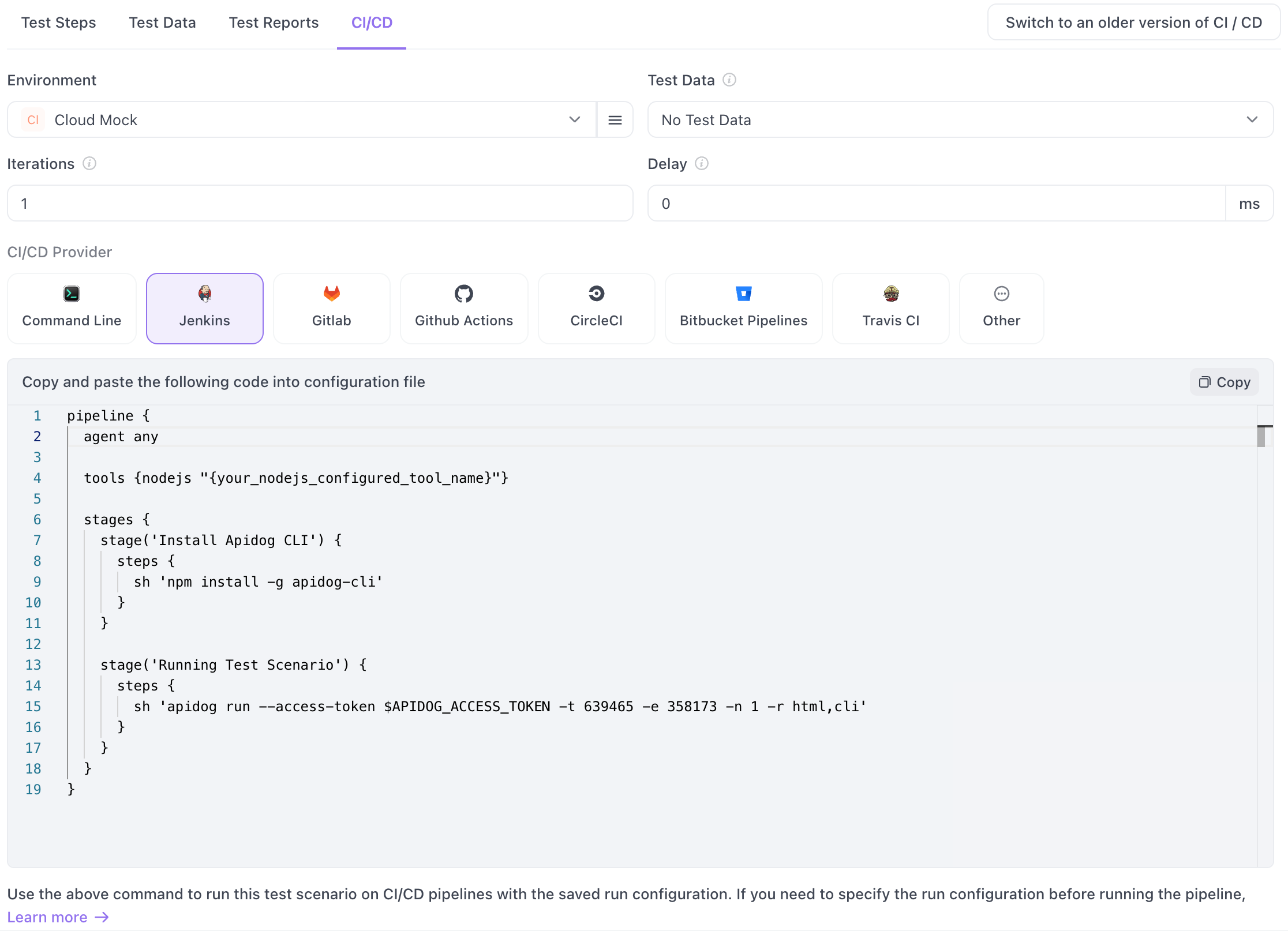
For teams building APIs, combine Claude Code Skills with [Apidog](https://apidog.com) for comprehensive API validation:

- **Generate test cases**: Create API tests from OpenAPI/Swagger specs
- **Run automated tests**: Execute Apidog test collections in your pipeline
- **Validate responses**: Check status codes, schemas, and response times
- **Mock dependencies**: Set up mock servers for isolated testing
- **Track coverage**: Monitor API endpoint test coverage

**Example skill integration:**
```bash
/api-test-runner --collection ./tests/api-collection.json --env production
Benefit: Catch API regressions before deployment with visual debugging and detailed reports. Apidog's CI/CD integration makes it easy to add API testing to any pipeline.
Creating Your First CI/CD Skill
Let's build a practical skill: a security review tool that checks code before commits.
Step 1: Create the Skill Directory
mkdir -p .claude/skills/security-review
Step 2: Write the Skill Manifest
Create .claude/skills/security-review/SKILL.md:
---
name: security-review
version: "1.0.0"
description: Security scan for common vulnerabilities and secrets
user-invocable: true
allowed-tools:
  - Bash
  - Read
  - Grep
  - Glob
  - Write
hooks:
  SessionStart:
    - matcher: command
      command: "echo '[Security Review] Starting security scan...'"
  Stop:
    - matcher: command
      command: "echo '[Security Review] Scan complete'"
---

# Security Review Skill

Scans code for security issues before commits.

## Usage

```bash
/security-review                    # Scan all changed files
/security-review --all              # Scan entire codebase
/security-review --file src/auth.js # Scan specific file
Detection Patterns
This skill checks for:
Hardcoded Secrets
- API keys
- Passwords
- Private keys
- Access tokens
Common Vulnerabilities
- SQL injection patterns
- XSS vulnerabilities
- Command injection
- Path traversal
Insecure Configurations
- Debug mode enabled
- Insecure defaults
- Missing authentication
- Weak cryptography
Dependency Issues
- Known vulnerable packages
- Outdated dependencies
- Suspicious packages
Instructions
When invoked:
Determine scan scope
- If
--allflag: scan entire codebase - If
--fileprovided: scan that file - Default: scan git staged/modified files only
Search for secrets
- Use Grep to find patterns like:
(api[_-]?key|password|secret|token)\s*[:=]\s*['"]\w+['"]-----BEGIN (RSA |)PRIVATE KEY------ Common secret formats (AWS, GitHub, etc.)
- Ignore files in
.gitignore - Skip
node_modules,vendor, etc.
Check for vulnerability patterns
- SQL injection: raw SQL with string concatenation
- XSS: unescaped user input in HTML
- Command injection: shell execution with user input
- Read code with Read tool to analyze context
Scan dependencies
- Check for
package-lock.json,requirements.txt, etc. - Use Bash to run security scanners:
npm auditfor Node.jspip-auditfor Pythonbundle auditfor Ruby
Generate report
- List all findings with:
- File path and line number
- Issue type and severity
- Recommended fix
- Save to
.claude/security-reports/{date}.md - Display summary in terminal
Exit status
- Exit 0 if no issues found
- Exit 1 if any HIGH severity issues
- Exit 2 if scan couldn't complete
### Step 3: Register the Skill

Add to `.claude/skills.md`:

```markdown
# Available Skills

## Security & Quality

### /security-review
Security scan for vulnerabilities and secrets.
- **Version**: 1.0.0
- **Usage**: `/security-review [--all] [--file PATH]`
- **When to use**: Before commits, during PR review
Step 4: Test the Skill
# In Claude Code
/security-review
Claude will now execute the security review workflow, checking your code for issues.
Advanced Skill Patterns
Pattern 1: Stateful Workflows with Planning Files
For multi-step processes, use planning files to track progress:
---
name: release-manager
version: "1.0.0"
user-invocable: true
allowed-tools:
  - Bash
  - Read
  - Write
  - Edit
---

# Release Manager

Manages the complete release process.

## State Management

This skill uses `planning.md` to track release progress:

```markdown
# Release v2.5.0 Progress

## Phase 1: Pre-Release Validation [DONE]
- [x] Run full test suite
- [x] Check code coverage > 80%
- [x] Scan for security issues

## Phase 2: Version Bumping [IN PROGRESS]
- [x] Update package.json
- [ ] Update CHANGELOG.md
- [ ] Update documentation

## Phase 3: Build & Tag [PENDING]
- [ ] Create production build
- [ ] Run smoke tests
- [ ] Create git tag
- [ ] Push to registry

## Phase 4: Post-Release [PENDING]
- [ ] Create GitHub release
- [ ] Update release notes
- [ ] Notify team
Instructions
Check if planning.md exists
- If yes: resume from last incomplete phase
- If no: create new planning file
Execute each phase:
- Update checkboxes as tasks complete
- Save progress after each step
- If interrupted, can resume later
For each task:
- Verify prerequisites
- Execute action
- Validate result
- Update planning file
### Pattern 2: Conditional Workflows

Skills can adapt based on project type:

```markdown
## Instructions

1. **Detect project type**
   - Check for `package.json` → Node.js project
   - Check for `requirements.txt` → Python project
   - Check for `Cargo.toml` → Rust project

2. **Run appropriate tests**
   - Node.js: `npm test`
   - Python: `pytest`
   - Rust: `cargo test`

3. **Generate coverage reports**
   - Node.js: Use Jest/Istanbul
   - Python: Use pytest-cov
   - Rust: Use tarpaulin
Pattern 3: Parallel Execution
For independent tasks, run them concurrently:
## Instructions

1. **Parallel checks** (run simultaneously):
   - Linting (ESLint, Prettier)
   - Type checking (TypeScript)
   - Security scan (npm audit)
   - Documentation build

2. **Collect results**
   - Wait for all tasks to complete
   - Aggregate findings
   - Report any failures
Pattern 4: Interactive Decision Making
Skills can ask for user input:
## Instructions

1. **Analyze deployment risks**
   - Check for breaking changes
   - Review migration scripts
   - Assess rollback complexity

2. **If HIGH risk detected**
   - Present findings to user
   - Ask: "Deploy anyway? (yes/no/cancel)"
   - If yes: proceed with deployment
   - If no: abort and log decision
   - If cancel: exit without action

3. **If LOW risk**
   - Auto-approve deployment
   - Log decision for audit
Integrating Skills with GitHub Actions
Method 1: Direct Skill Invocation
Add Claude Code to your GitHub Actions workflow:
# .github/workflows/security-scan.yml
name: Security Scan

on:
  pull_request:
    branches: [main, develop]

jobs:
  security-review:
    runs-on: ubuntu-latest
    steps:
      - uses: actions/checkout@v3

      - name: Install Claude Code
        run: |
          curl -fsSL https://install.claude.com | sh

      - name: Run Security Review
        env:
          ANTHROPIC_API_KEY: ${{ secrets.ANTHROPIC_API_KEY }}
        run: |
          claude /security-review --all

      - name: Upload Report
        if: always()
        uses: actions/upload-artifact@v3
        with:
          name: security-report
          path: .claude/security-reports/
Method 2: Custom GitHub Action
Create a reusable action:
# .github/actions/claude-skill/action.yml
name: 'Run Claude Code Skill'
description: 'Execute a Claude Code skill in CI'
inputs:
  skill-name:
    description: 'Name of the skill to run'
    required: true
  skill-args:
    description: 'Arguments to pass to the skill'
    required: false
    default: ''
  api-key:
    description: 'Anthropic API key'
    required: true

runs:
  using: 'composite'
  steps:
    - name: Setup Claude
      shell: bash
      run: |
        curl -fsSL https://install.claude.com | sh

    - name: Run Skill
      shell: bash
      env:
        ANTHROPIC_API_KEY: ${{ inputs.api-key }}
      run: |
        claude /${{ inputs.skill-name }} ${{ inputs.skill-args }}
Usage in workflows:
# .github/workflows/deploy.yml
name: Deploy

on:
  push:
    branches: [main]

jobs:
  validate-and-deploy:
    runs-on: ubuntu-latest
    steps:
      - uses: actions/checkout@v3

      - name: Pre-Deployment Validation
        uses: ./.github/actions/claude-skill
        with:
          skill-name: deploy-validation
          skill-args: '--env production'
          api-key: ${{ secrets.ANTHROPIC_API_KEY }}

      - name: Deploy
        if: success()
        run: ./deploy.sh production

      - name: Post-Deployment Check
        uses: ./.github/actions/claude-skill
        with:
          skill-name: health-check
          skill-args: '--url https://api.example.com'
          api-key: ${{ secrets.ANTHROPIC_API_KEY }}
Method 3: Matrix Testing
Run skills across multiple environments:
# .github/workflows/test-matrix.yml
name: Test Matrix

on: [push, pull_request]

jobs:
  test:
    strategy:
      matrix:
        node-version: [16, 18, 20]
        os: [ubuntu-latest, macos-latest, windows-latest]

    runs-on: ${{ matrix.os }}

    steps:
      - uses: actions/checkout@v3

      - name: Setup Node
        uses: actions/setup-node@v3
        with:
          node-version: ${{ matrix.node-version }}

      - name: Run Test Skill
        env:
          ANTHROPIC_API_KEY: ${{ secrets.ANTHROPIC_API_KEY }}
        run: |
          claude /test-runner --node-version ${{ matrix.node-version }}
Git Hooks Integration
Setting Up Git Hooks
Git hooks let skills run automatically on git events.
Pre-Commit Hook
Prevent bad commits before they happen:
# .git/hooks/pre-commit
#!/bin/bash

echo "Running pre-commit security review..."

# Run Claude Code security review
claude /security-review

if [ $? -ne 0 ]; then
    echo "FAILED: Security issues detected. Commit blocked."
    echo "Fix the issues above or use 'git commit --no-verify' to bypass (not recommended)"
    exit 1
fi

echo "PASSED: Security check passed"
exit 0
Make it executable:
chmod +x .git/hooks/pre-commit
Pre-Push Hook
Validate before pushing to remote:
# .git/hooks/pre-push
#!/bin/bash

echo "Running pre-push validation..."

# Get the branch being pushed
BRANCH=$(git rev-parse --abbrev-ref HEAD)

# Run different checks based on branch
if [ "$BRANCH" = "main" ]; then
    echo "Pushing to main - running full validation..."
    claude /deploy-validation --env production
elif [ "$BRANCH" = "develop" ]; then
    echo "Pushing to develop - running staging validation..."
    claude /deploy-validation --env staging
else
    echo "Feature branch - running quick validation..."
    claude /quick-check
fi

if [ $? -ne 0 ]; then
    echo "FAILED: Validation failed. Push blocked."
    exit 1
fi

echo "PASSED: Validation passed"
exit 0
Post-Merge Hook
Run after merging branches:
# .git/hooks/post-merge
#!/bin/bash

echo "Post-merge checks..."

# Check if dependencies changed
if git diff-tree -r --name-only --no-commit-id HEAD@{1} HEAD | grep -q "package-lock.json"; then
    echo "Dependencies changed - running security audit..."
    claude /dependency-audit
fi

# Check if database migrations exist
if git diff-tree -r --name-only --no-commit-id HEAD@{1} HEAD | grep -q "migrations/"; then
    echo "Migrations detected - validating..."
    claude /migration-validator
fi

exit 0
Husky Integration
For teams using Husky to manage git hooks:
// package.json
{
  "husky": {
    "hooks": {
      "pre-commit": "claude /security-review && claude /lint-check",
      "pre-push": "claude /test-runner --quick",
      "post-merge": "claude /dependency-audit"
    }
  }
}
Or with Husky v6+:
# .husky/pre-commit
#!/bin/sh
. "$(dirname "$0")/_/husky.sh"

claude /security-review
claude /lint-check
Conclusion
Claude Code Skills transform CI/CD from brittle scripts into intelligent, adaptive workflows. By combining AI reasoning with traditional automation, skills can:
- Understand context and adapt to different scenarios
- Suggest improvements rather than just reporting failures
- Learn from patterns in your codebase
- Self-document through natural language instructions
If your CI/CD pipeline includes API endpoints, combining Claude Code Skills with Apidog gives you the best of both worlds:
| Feature | Benefit |
|---|---|
| Visual API Testing | Build test cases without writing code |
| OpenAPI Import | Generate tests automatically from your specs |
| Mock Servers | Test integrations before backends are ready |
| CI/CD CLI | Run Apidog tests in any pipeline |
| Team Collaboration | Share test collections across your team |
Ready to streamline your API workflow? Download Apidog free and create your first API test collection in minutes.