TL;DR
The top AI inference platforms in 2026 are WaveSpeed (exclusive models, 99.9% SLA), Replicate (1,000+ community models), Fal.ai (fastest inference), Runware (lowest cost at $0.0006/image), Novita AI (GPU infrastructure), and Atlas Cloud (multi-modal). Use Apidog to test any of these platforms before choosing one for production.
Introduction
Six months ago, choosing an AI inference platform meant picking between Replicate and rolling your own. Today, there are six serious options, each with a different pricing model, model catalog, and infrastructure promise.
The platforms have diverged in ways that matter for production decisions. Runware recently raised $50M and is pricing aggressively. Fal.ai built a proprietary inference engine claiming 10x speed gains. Atlas Cloud quietly shipped a full multi-modal platform. Replicate’s community model library keeps growing. WaveSpeed locked up exclusive access to ByteDance and Alibaba models.
This guide compares all six on the factors that actually matter for production: model selection, pricing, reliability, and developer experience. You’ll also get a step-by-step guide for testing any inference platform in Apidog before committing to an integration.
What makes an inference platform worth using
Before comparing platforms, it helps to define what you’re actually evaluating. There are four axes that matter for production decisions:
Model catalog: How many models are available, and are any of them exclusive? More models means more flexibility. Exclusive models mean you can’t get the same output elsewhere.
Pricing: How does the platform charge? Per image, per second, per token, or per GPU-hour? The model affects cost predictability.
Reliability: What’s the uptime guarantee? What happens when a model is unavailable or a request fails?
Developer experience: How long does it take to go from API key to first successful response? How good is the documentation?
Platform-by-platform comparison
WaveSpeed
WaveSpeed’s main differentiator is exclusive model access. ByteDance’s Seedream, Kuaishou’s Kling 2.0, and Alibaba’s WAN 2.5/2.6 are only available through WaveSpeed outside of China. If your use case requires any of these models, WaveSpeed is the only option.
Beyond exclusives, WaveSpeed has 600+ production-ready models, a 99.9% uptime SLA, and transparent pay-per-use pricing with volume discounts. The developer experience is clean: REST API with SDKs, OpenAI-compatible endpoints, and solid documentation.
Best for: Production applications that need exclusive ByteDance or Alibaba models, or teams that want a single inference provider with strong reliability guarantees.
Replicate
Replicate has the largest open-source model catalog: over 1,000 models contributed by the community. If you need an obscure fine-tuned model or want to experiment with models not available on other platforms, Replicate is where you’ll find them.
Pricing is per second of compute: $0.000100 for CPU, $0.000225 for Nvidia T4 GPU. For short inference jobs, this is cheap. For long video generation jobs, costs add up quickly.
The downside is quality variance. Community models range from production-grade to experimental. You need to evaluate individual models carefully before using them in production.
Best for: Prototyping, research, and workflows that need access to niche or experimental models.
Fal.ai
Fal.ai’s pitch is speed. Their proprietary fal Inference Engine claims 2-3x faster generation than standard GPU inference. For real-time applications or workflows where latency is the constraint, that matters.
They have 600+ models across image, video, audio, 3D, and text. Pricing is output-based: you pay per megapixel for images, per second for video. This makes cost predictable relative to output size. Uptime SLA is 99.99%, slightly better than WaveSpeed’s 99.9%.
Best for: Applications where generation speed is critical, such as real-time creative tools or interactive applications.
Novita AI
Novita AI takes a hybrid approach. You can call their 200+ APIs for standard inference, or provision GPU instances (H200, RTX 5090, H100) for custom training or high-volume workloads. Spot instances are available at 50% off on-demand pricing.
Image generation runs at $0.0015 per standard image with ~2 second average generation time. They also support 10,000+ models including LoRA fine-tunes through OpenAI-compatible endpoints.
Best for: Teams that need both hosted API inference and raw GPU access in a single account, or workflows requiring LoRA fine-tuning at scale.
Runware
Runware is the budget option. Images from $0.0006. Videos from $0.14. They claim 62% savings compared to alternatives. Their Sonic Inference Engine supports 400,000+ models, and they have plans to deploy 2M+ Hugging Face models by end of 2026.
The $50M Series A they raised in early 2026 suggests the pricing is deliberate, not unsustainable. For developers building cost-sensitive applications or running high-volume batch jobs, Runware deserves serious consideration.
Best for: Budget-conscious developers, high-volume batch workflows, and applications where per-unit cost is the primary constraint.
Atlas Cloud
Atlas Cloud is the newest platform on this list and the most ambitious in scope. They support 300+ models across chat, reasoning, image, audio, and video, with sub-5-second first-token latency and 100ms inter-token latency for text generation.
Throughput numbers are notable: 54,500 input tokens and 22,500 output tokens per second per node. Pricing starts at $0.01 per million tokens for text. If you’re building a multi-modal application that needs a single provider for text, image, audio, and video, Atlas Cloud is worth evaluating.
Best for: Multi-modal applications that want to consolidate providers, or teams building at scale who need high-throughput text generation alongside media generation.
Side-by-side comparison
| Platform | Models | Starting price | Uptime SLA | Exclusive models | Best for |
|---|---|---|---|---|---|
| WaveSpeed | 600+ | Pay-per-use | 99.9% | Yes (ByteDance, Alibaba) | Production apps |
| Replicate | 1,000+ | $0.000225/sec GPU | N/A | No | Prototyping, research |
| Fal.ai | 600+ | Per megapixel/video | 99.99% | No | Speed-critical apps |
| Novita AI | 200+ | $0.0015/image | N/A | No | GPU infra + API hybrid |
| Runware | 400,000+ | $0.0006/image | N/A | No | Budget, high volume |
| Atlas Cloud | 300+ | $0.01/1M tokens | N/A | No | Multi-modal enterprise |
Testing inference platforms with Apidog
Before picking a platform for production, test it. The documentation might say one thing; the actual API behavior often says another. Here’s how to evaluate any inference platform in Apidog in under an hour.
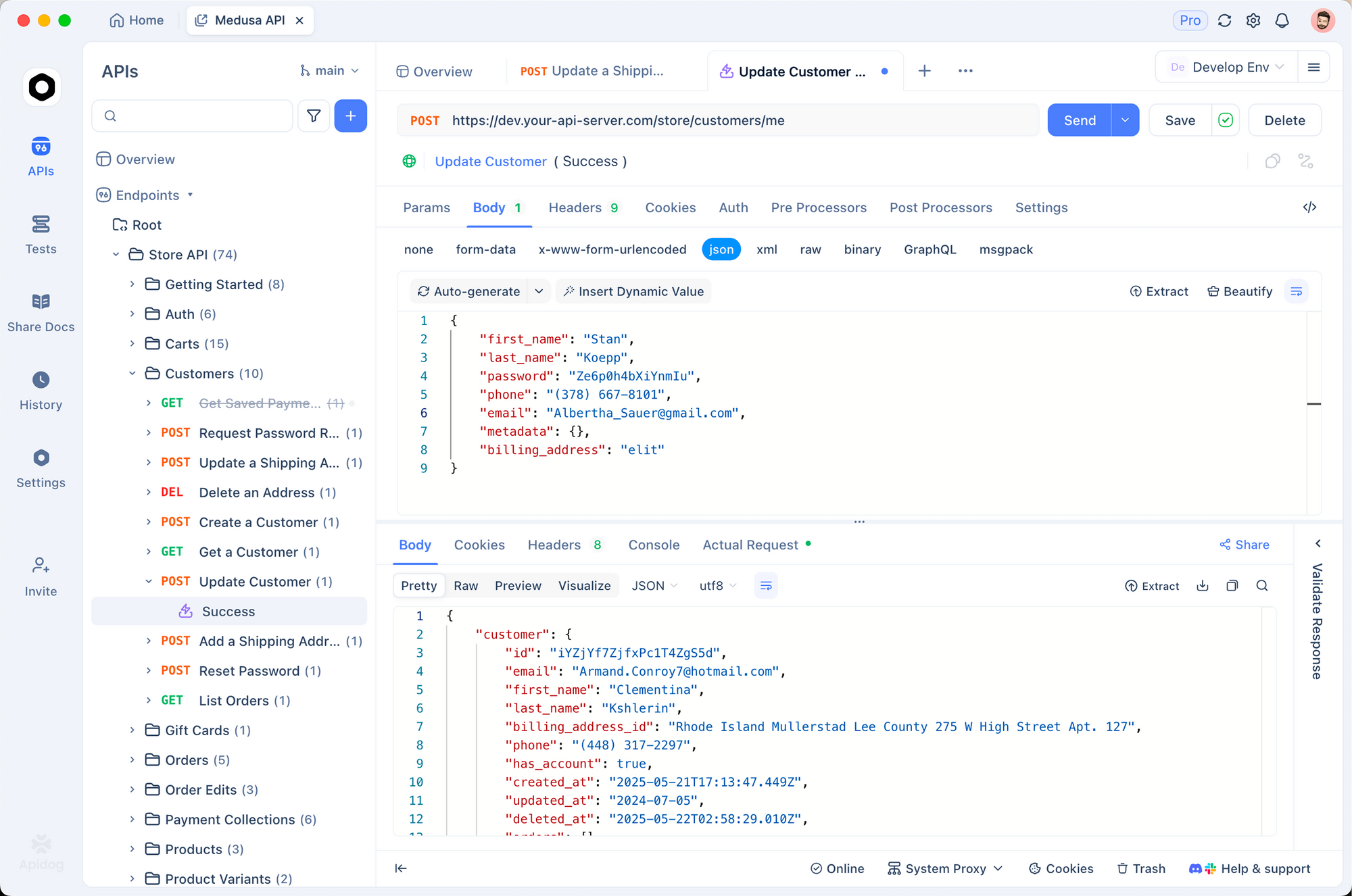
Step 1: Set up your environment
Create an environment in Apidog for each platform you want to test:
- Open Environments in the left sidebar
- Create “WaveSpeed Test”, “Replicate Test”, “Fal.ai Test”, etc.
- Add
BASE_URLandAPI_KEYvariables for each - Mark
API_KEYas Secret
Example variables for Replicate:
| Variable | Value |
|---|---|
BASE_URL |
https://api.replicate.com/v1 |
API_KEY |
r8_xxxxxxxxxxxx |
Step 2: Send a baseline request
Test each platform with the same prompt. For image generation:
POST {{BASE_URL}}/predictions
Authorization: Token {{API_KEY}}
Content-Type: application/json

{
  "version": "ac732df83cea7fff18b8472768c88ad041fa750ff7682a21affe81863cbe77e4",
  "input": {
    "prompt": "A product photo of a blue wireless headphone on a white background, studio lighting"
  }
}
Note the response time, response structure, and any errors. Run this three times and average the response times. A platform that takes 8 seconds on average and 45 seconds on the outlier is a different production risk than one that takes 6-8 seconds consistently.
Step 3: Test error handling
Send a request that should fail: an empty prompt, an invalid model ID, a missing required parameter. Check:
- Does the API return a useful error message?
- Is the error format consistent with the success format?
- Does it return the right HTTP status code (400 for bad input, 401 for auth errors, 429 for rate limits)?
Poor error handling is a warning sign for overall API quality. Add Apidog assertions to catch specific error patterns:
If status code is 400: response body > error exists
If status code is 429: response header > retry-after exists
Step 4: Run a load test
Apidog’s Run Collection feature lets you run a set of requests in parallel. Set up 10-20 identical image generation requests and run them simultaneously. Watch for:
- Rate limit errors (429 responses)
- Increased response times under load
- Inconsistent results
This tells you whether the platform’s rate limits match your expected production load before you’ve written a single line of integration code.
Step 5: Document your findings
Save each platform’s test results in Apidog as example responses. This creates a reference for your team showing what success and error responses actually look like, not just what the documentation says they look like.
Export your collection as an OpenAPI spec once you’ve chosen a platform. This becomes the source of truth for your integration documentation.
Switching between platforms
One of the advantages of testing multiple platforms in Apidog is that switching later becomes easier. If you’ve structured your requests with environment variables for BASE_URL and API_KEY, pointing your application at a different provider is a configuration change, not a code change.
Design your integration code the same way:
import os
import requests

BASE_URL = os.environ["INFERENCE_BASE_URL"]  # e.g. https://api.replicate.com/v1
API_KEY = os.environ["INFERENCE_API_KEY"]

def generate_image(prompt: str, model_version: str) -> dict:
    response = requests.post(
        f"{BASE_URL}/predictions",
        headers={
            "Authorization": f"Token {API_KEY}",
            "Content-Type": "application/json"
        },
        json={
            "version": model_version,
            "input": {"prompt": prompt}
        },
        timeout=120
    )
    response.raise_for_status()
    return response.json()
When you switch platforms, you update the environment variables. The application code stays the same.
Note that response shapes differ between platforms. WaveSpeed, Replicate, and Fal.ai all return different JSON structures for generated images. Build a normalization layer that maps any provider’s response to your internal format:
def normalize_response(raw: dict, provider: str) -> dict:
    if provider == "replicate":
        return {"url": raw["output"][0], "status": raw["status"]}
    elif provider == "fal":
        return {"url": raw["images"][0]["url"], "status": "succeeded"}
    elif provider == "wavespeed":
        return {"url": raw["data"]["outputs"][0], "status": "succeeded"}
    else:
        raise ValueError(f"Unknown provider: {provider}")
This pattern is worth the extra 20 lines. Platform APIs change, exclusivity deals end, and pricing shifts. Keeping your business logic separate from provider-specific response parsing means you can migrate in hours instead of days.
Cost modeling before you commit
Run the math before you choose a platform. Here’s a simple model for image generation at 10,000 images per month:
| Platform | Price per image | Monthly cost (10k images) |
|---|---|---|
| Runware | $0.0006 | $6.00 |
| Novita AI | $0.0015 | $15.00 |
| Fal.ai (standard) | $0.0050 | $50.00 |
| WaveSpeed | $0.0200 | $200.00 |
| Replicate (T4 GPU) | ~$0.0225 | ~$225.00 |
At 10,000 images per month, Runware costs 33x less than Replicate. At 100,000 images per month, that difference is $219 vs $2,250. For most teams, the cheapest platform that meets your quality and reliability requirements is the right choice.
Build a cost model before you pick a platform. Factor in your expected volume, the average compute time per request for your typical prompts, and any volume discounts.
Real-world use cases
SaaS product with AI image features: WaveSpeed or Fal.ai. You need reliability guarantees, stable API versioning, and a predictable bill. Both offer uptime SLAs and consistent pricing.
Batch catalog generation: Runware. At $0.0006 per image, you can generate 100,000 product images for $60. No other platform comes close on volume economics.
Research and experimentation: Replicate. The 1,000+ model catalog means you can try any open-source model without running your own infrastructure.
Real-time creative tool: Fal.ai. The speed optimization matters when users are waiting for output. Sub-second generation for some models changes what’s possible in interactive applications.
FAQ
Can I use multiple inference platforms in the same application?
Yes. Many production applications use different platforms for different tasks: WaveSpeed for proprietary models, Runware for high-volume batch jobs, Fal.ai for real-time requests. Structure your code with a provider abstraction layer and switching becomes straightforward.
What happens if a platform goes down?
Check whether the platform offers an SLA and what the remediation is. WaveSpeed’s 99.9% SLA means under 9 hours of downtime per year. For critical applications, design for failover by keeping a secondary provider configured.
Are these platforms compliant with GDPR and SOC 2?
Compliance status varies by platform and tier. WaveSpeed and Fal.ai publish compliance documentation. Check the enterprise documentation for each provider before storing any personal data in prompts.
How do I choose between pay-per-use and reserved capacity?
Pay-per-use makes sense for variable or unpredictable workloads. If you’re running a consistent 10,000+ requests per day, reserved capacity (available on Novita AI and some WaveSpeed tiers) can reduce costs by 20-40%.
Can I fine-tune models on these platforms?
Novita AI supports fine-tuning on their GPU infrastructure. Replicate supports it through their Cog deployment tool. The other platforms primarily support inference on existing models.
Key takeaways
- WaveSpeed is the only way to access ByteDance and Alibaba models outside China; that exclusivity is the deciding factor for some use cases
- Runware’s $0.0006/image pricing is 33x cheaper than most alternatives; run the cost math for your volume
- Fal.ai’s inference speed claims are meaningful for interactive applications where users wait for output
- Test any platform in Apidog before integrating; send baseline requests, test error handling, and run a small load test
- Build a provider abstraction layer in your code so switching platforms later is a configuration change, not a rewrite
Try Apidog free to start testing AI inference platforms with environment-based configuration.