
WhatsApp Business API is essential for businesses aiming to automate and scale customer communication. However, understanding how to access the API for free—and which method best fits your technical needs—can be challenging. This guide walks API developers, backend engineers, and product teams through the most effective ways to obtain free or low-cost WhatsApp Business API access, including official and third-party solutions, with practical steps and regional pricing insights.
💡 Looking to streamline your API development and testing? Apidog provides an integrated platform for API design, testing, and documentation—making your workflow more efficient.
What Is WhatsApp Business API? Key Features for Developers
The WhatsApp Business API enables businesses to automate messaging, integrate with CRM systems, and scale customer support. Unlike the WhatsApp Business App (for small businesses), the API is built for high-volume operations and deep system integration.
Core Features:
- Automation & Chatbots: Automate responses and customer journeys.
- CRM Integration: Sync WhatsApp with your backend or customer management tools.
- Bulk Messaging: Send out notifications, alerts, and marketing messages at scale.
- Multi-Agent Support: Multiple team members can manage conversations simultaneously.
The API is not a standalone app—deployment requires backend setup and hosting (either on your own server or via Meta’s Cloud API).
WhatsApp Business API Pricing: What’s Free and What’s Not?
WhatsApp Business API uses a conversation-based pricing model. Businesses are charged per 24-hour conversation thread, but each WhatsApp Business Account gets 1,000 free service conversations per month. Beginning November 1, 2024, all service conversations will be completely free, allowing businesses to interact with customers at no charge for these support scenarios.
Conversations initiated via Facebook Page call-to-action buttons or WhatsApp ads are also free for 72 hours.
Conversation Types:
| Type | Use Case Example | Notes |
|---|---|---|
| Marketing | Offers, promos, product suggestions | Paid |
| Utility | Order confirmations, billing statements | Paid |
| Authentication | One-time passcodes for login or verification | Paid, special rates in some regions |
| Service | User-initiated support requests | Free from Nov 1, 2024 |
Regional Pricing Overview
Pricing varies by country and currency. Here’s a sample of conversation fees (all Service Conversations free from Nov 1, 2024):
| Region/Country | Utility | Authentication | Marketing | Service |
|---|---|---|---|---|
| United States | $0.0040 | $0.0135 | $0.0250 | Free (from Nov 1, 2024) |
| United Kingdom | $0.0220 | $0.0358 | $0.0529 | Free (from Nov 1, 2024) |
| Singapore | $0.0157 | $0.0425 | $0.0732 | Free (from Nov 1, 2024) |
| Malaysia | $0.0140 | $0.0180 | $0.0860 | Free (from Nov 1, 2024) |
| India | Variable | Variable | Variable | Free (from Nov 1, 2024) |
| Saudi Arabia/UAE | Reduced | Reduced (from Feb 1, 2025) | Updated Oct 1, 2024 | Free (from Nov 1, 2024) |
Key Takeaways:
- Premium Markets: Countries like the US, UK, and Singapore have higher rates.
- Regional Groups: WhatsApp organizes pricing into seven global regions for transparency.
- Authentication-International Rates: From Feb 1, 2025, Egypt, Malaysia, Nigeria, Pakistan, Saudi Arabia, South Africa, and UAE receive special authentication rates.
Official Method: How to Apply for WhatsApp Business API (Meta Cloud API)
Meta provides a direct route to the WhatsApp Business API, but it requires business verification and adherence to WhatsApp’s policies.
Step 1: Check Business Eligibility
Access is limited to approved industries. Businesses in prohibited sectors (e.g., gambling, alcohol, adult content) are not eligible.
Step 2: Create and Verify a Facebook Business Manager Account
- Register a Facebook Business Manager account.
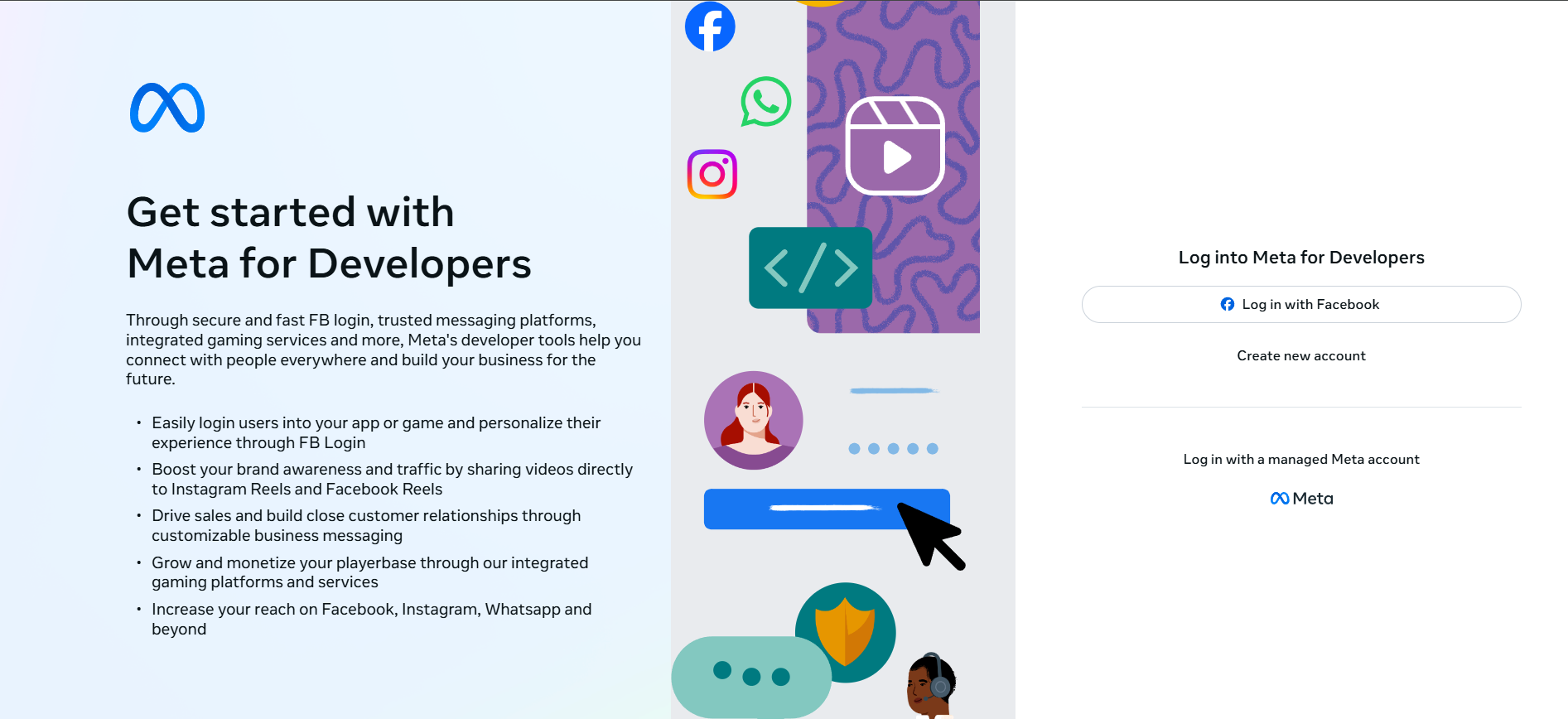
- Complete business verification.
- Link your WhatsApp Business account.
Step 3: Apply for API Access
- Use the WhatsApp Business Platform section in Facebook Business Manager.
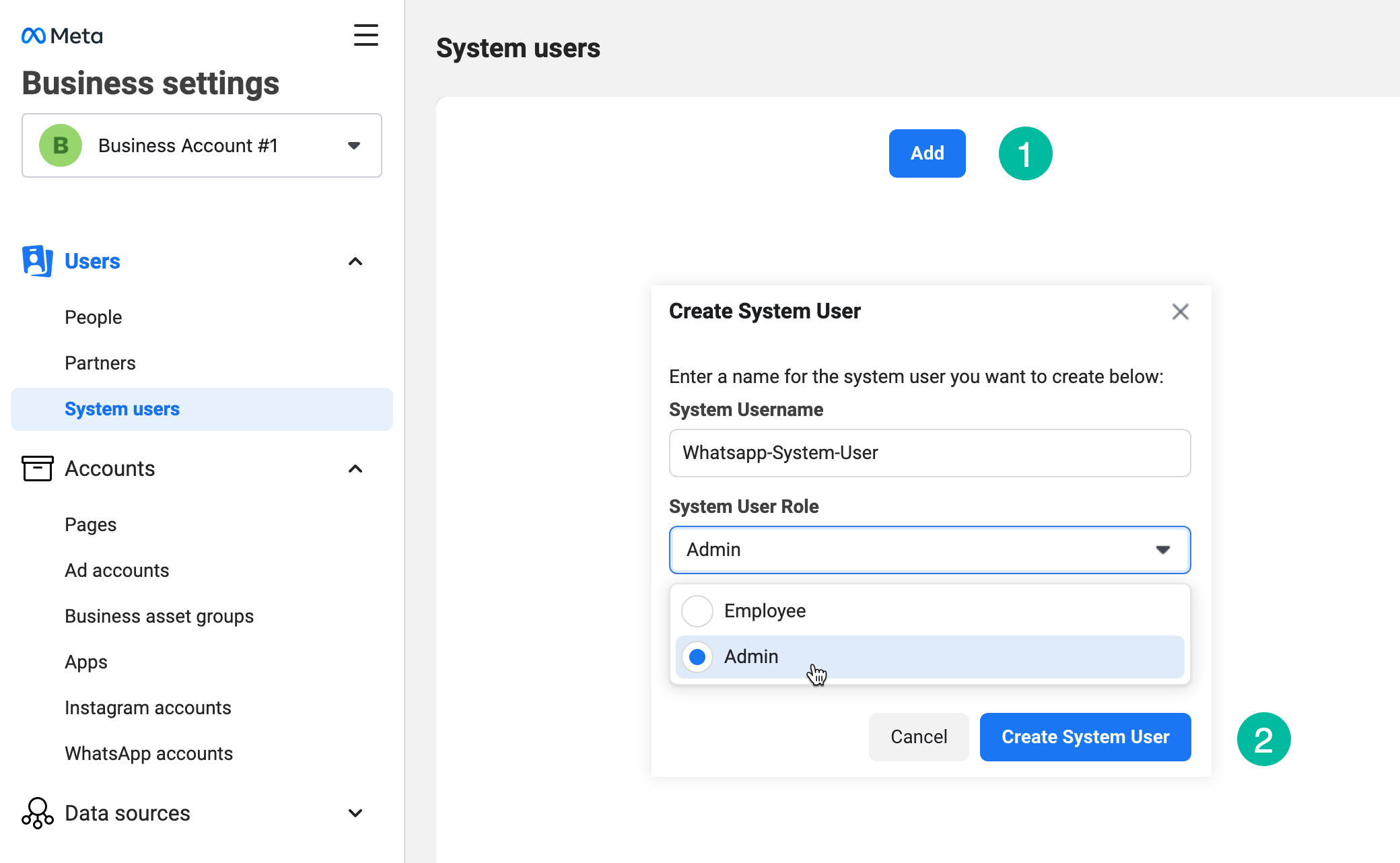
- Provide business details (name, category, website).
- State your API use case.
- Approval usually takes several days to weeks.
Step 4: Prepare a WhatsApp Business Number
- Use a dedicated phone number (not previously registered with WhatsApp).
- Must be able to receive SMS or voice verification.
Step 5: Set Up API Hosting (Cloud API Recommended)
- Host the API yourself or use Meta’s Cloud API option.
- The Cloud API is free to set up; you only pay for conversations beyond free limits.
Step 6: Integrate and Start Messaging
- Connect the API to your CRM, backend, or chatbot.
- Follow WhatsApp’s template and messaging guidelines.
Third-Party BSPs: Free & Low-Cost WhatsApp API Access
Many businesses use Business Solution Providers (BSPs) to simplify WhatsApp API setup and integration. Several BSPs offer free trials or developer sandboxes.
1. Twilio: Developer-Friendly WhatsApp API Access
Twilio provides an easy entry point for WhatsApp API experimentation:
- Free Trial: $15 of Twilio credits for new users.
- Key Features: Messaging automation, chatbots, multi-channel support.
- Pricing: After free credits, pay per message plus WhatsApp conversation fees.
How to Get Started:
- Sign Up for Twilio
- Create an account and verify your email/phone.
- Access WhatsApp Sandbox
- In Twilio Console, go to Messaging → WhatsApp sandbox.
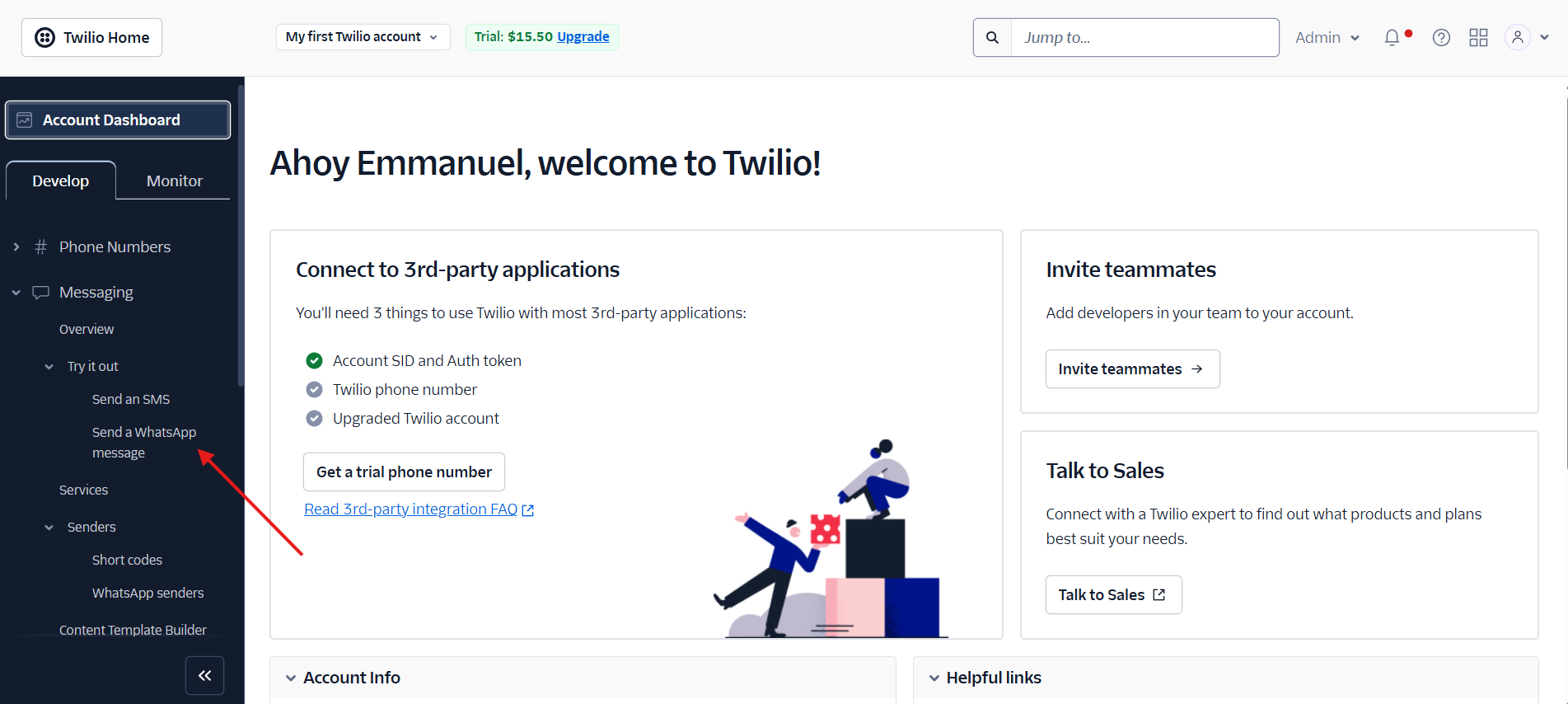
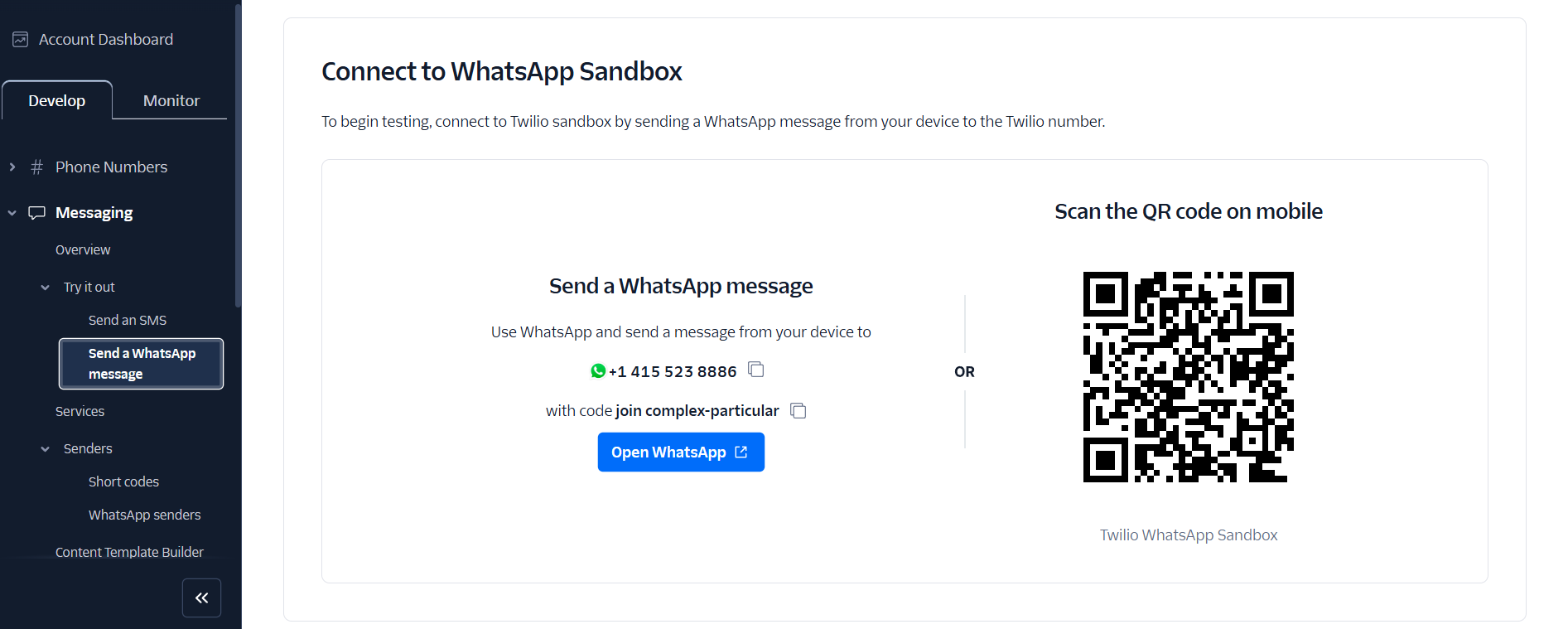
- Send the provided join message (e.g., ‘join-white-butterfly’) via WhatsApp to the sandbox number.
- Send Test Messages
- Use the Console to send pre-approved templates or custom messages.
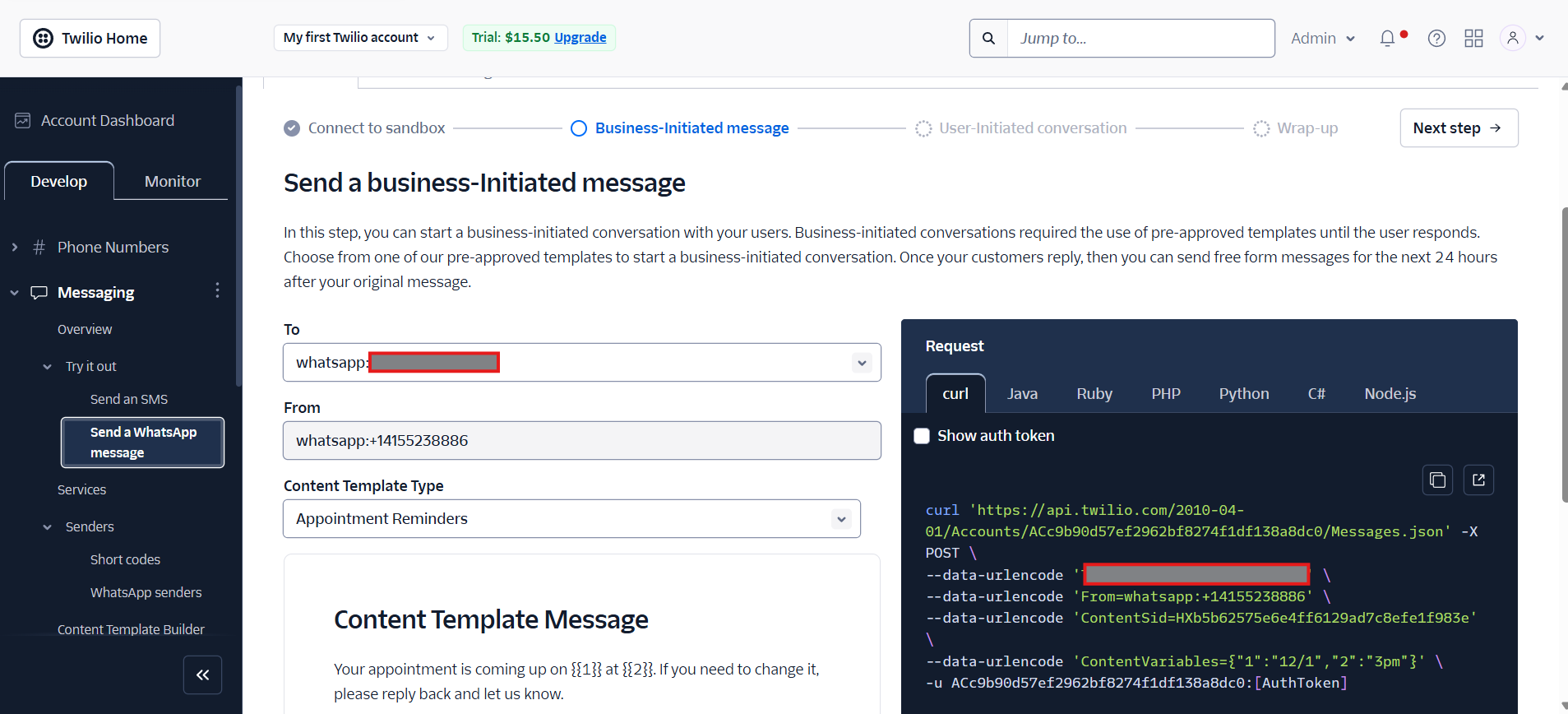
- Modify templates as needed, then send to your WhatsApp number.
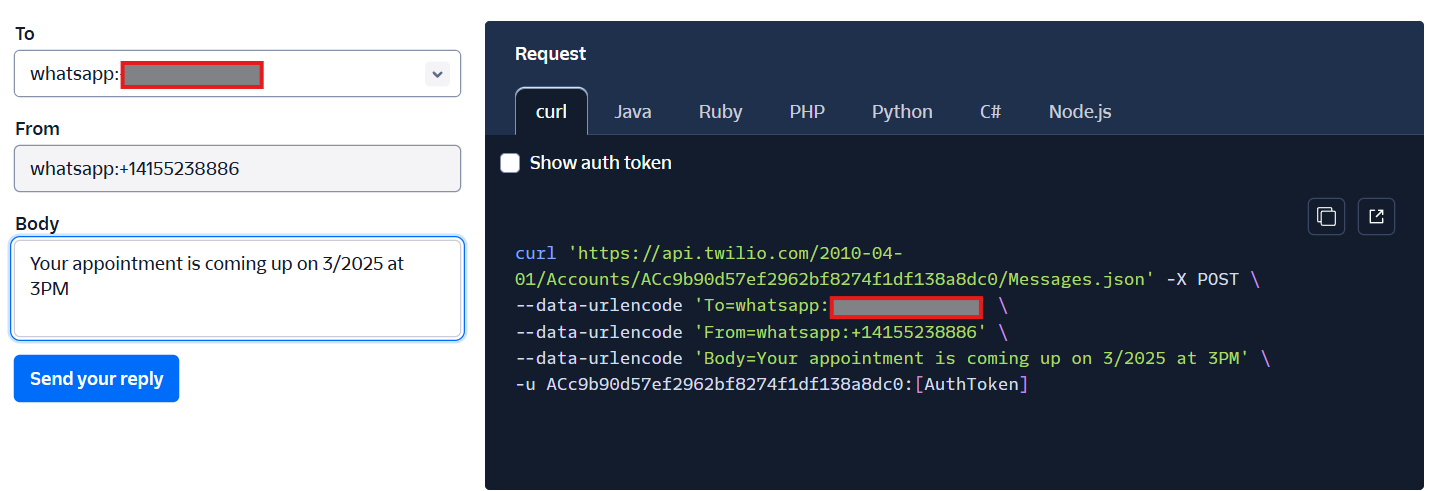
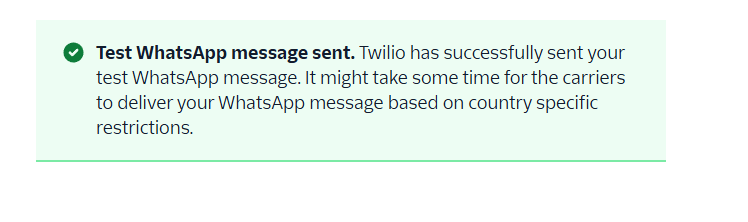
- Check your WhatsApp app for delivery.
- 0
- Handle User-Initiated Messages
- Reply to the sandbox conversation in WhatsApp.
- Twilio will display responses in the Console.
- 1
- Test custom replies within the sandbox.
- Register Your Business Number
- In Twilio Console, register your business and WhatsApp number.
- Provide business info, Meta Business Manager account, and Twilio number.
- Get Meta Approval
- Meta reviews and approves your business for production messaging.
- Integrate with Your App
- Use Twilio’s API and follow their WhatsApp Quickstart Guide.
2. MessageBird: Fast Prototyping with WhatsApp Sandbox
2
MessageBird’s WhatsApp Sandbox is ideal for rapid API prototyping:
How to Use MessageBird Sandbox:
- Activate the Sandbox
- In your MessageBird Dashboard, find ‘WhatsApp Sandbox’ and activate it.
- Connect Your Device
- Scan the QR code or send the unique two-word entry code to the sandbox number.
- Only one user per workspace can connect at once.
- Choose a Message Template
- Use pre-approved templates: Customer Support, User Verification (2FA), or Notification.
- More templates available in MessageBird’s quickstart docs.
- Send Outbound Messages
- Fill template variables, send a message, or use the code snippet for API integration.
- Dynamic API requests update with your custom variables.
- Test Two-Way Conversations
- Reply from your WhatsApp device to the sandbox number.
- Enables a 24-hour conversation window for free-form messaging.
- Continue Iterating
- Exchange messages freely within the 24-hour window—perfect for testing automation and workflows.
💡 For teams building or testing WhatsApp integrations, Apidog streamlines API design, automated testing, and documentation in a single platform. You can prototype, test, and document your WhatsApp API workflows more efficiently.
Which WhatsApp API Access Option Is Best for Developers?
- Meta (Official Cloud API): Ideal for businesses seeking a fully compliant, scalable solution. 1,000 free conversations per month; all service conversations free from Nov 1, 2024.
- Twilio, MessageBird, Vonage: Best for rapid prototyping and integrating with multi-channel messaging platforms. Free trials and sandboxes offer low-risk experimentation before committing to paid plans.
Conclusion
While WhatsApp Business API isn't completely free for unlimited use, developers can minimize costs by leveraging Meta’s Cloud API or taking advantage of BSPs’ free trials and sandboxes. Choosing the right provider for your use case allows you to automate and scale customer communication—while keeping costs under control. For API teams managing integrations and testing, platforms like Apidog can help centralize your workflow for even greater efficiency.