Wavespeed API provides developers with robust access to advanced AI models for generating images and videos. Engineers integrate this service to create photorealistic content from text prompts or images. Users send requests to a unified endpoint, which processes tasks asynchronously for efficiency.
First, understand the foundation of Wavespeed API. The platform supports a wide array of models, including text-to-image, image-to-video, and text-to-video variants. Consequently, it suits applications in content creation, prototyping, and multimedia development. Moreover, its RESTful design ensures compatibility with multiple programming languages. As a result, you achieve fast inference times—often under two seconds for images.
What Is Wavespeed API?
Wavespeed API serves as a high-performance interface for AI-driven multimedia generation. Developers utilize it to access models that transform text prompts into images or videos. For instance, the API handles tasks like creating vibrant underwater scenes from descriptions such as "Octopus vs crab chess game, underwater, vibrant colors." In addition, it supports LoRA (Low-Rank Adaptation) for fine-tuning outputs to specific styles.

Furthermore, Wavespeed API operates on a unified REST endpoint structure. You submit tasks via POST requests, monitor status, and retrieve results. This approach minimizes complexity compared to fragmented APIs. Additionally, the platform emphasizes speed and scalability, with rate limits based on account tiers—Bronze, Silver, or Gold. Thus, it accommodates both individual developers and enterprise teams.
Moreover, Wavespeed API integrates with tools like ComfyUI for workflow automation. Users extend its capabilities through custom nodes, enabling seamless AI tasks within graphical interfaces. Consequently, this flexibility enhances productivity in creative pipelines.
Beyond generation, the API includes features for media upload and balance management. You query account credits to track usage. Therefore, it provides a comprehensive ecosystem for AI content production. As you progress, note that Wavespeed API prioritizes security, requiring Bearer token authentication for all calls.
Why Choose Wavespeed API for AI Generation?
Engineers select Wavespeed API because it delivers ultra-fast inference without cold starts. For example, text-to-image models generate outputs in sub-second latencies. Additionally, its affordable pricing structure—based on top-ups—ensures cost-effectiveness for high-volume usage.
Furthermore, the API supports diverse models, from FLUX variants for photorealism to WAN series for video synthesis. This variety allows customization for specific needs, such as 720p video creation. Moreover, integration with Apidog enhances testing, as you mock responses and validate schemas effortlessly.
Consequently, Wavespeed API stands out in competitive landscapes. It outperforms alternatives in speed and model diversity, particularly for multimodal tasks. Thus, it suits projects requiring reliable, scalable AI capabilities.
How to Create a Wavespeed AI Account?
You create a Wavespeed AI account by navigating to the sign-in page at https://wavespeed.ai/sign-in. Enter your email and set a secure password. Alternatively, use social logins if available. After submission, verify your email through the confirmation link.
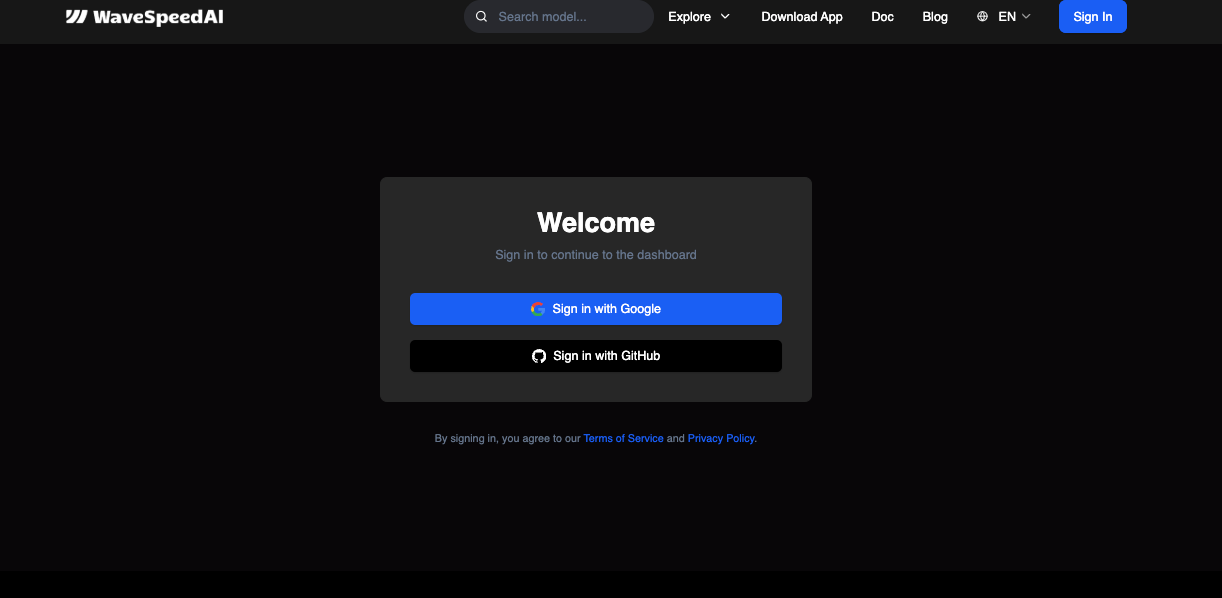
Next, complete the profile setup. Provide details like your name and intended use case. This step helps tailor dashboard recommendations. Once verified, access the dashboard to explore models and API keys.
Furthermore, select an account tier. Start with Bronze for basic testing, then upgrade as needs grow. Consequently, this registration process takes minutes, granting immediate access to Wavespeed API resources.
How to Obtain Your Wavespeed API Access Key?
You obtain your Wavespeed API access key from the dashboard. First, log in at https://wavespeed.ai. Then, navigate to the API Keys section under account settings.
Click "Create Key" to create one. The system produces a unique string—copy it immediately, as it appears only once. Store it securely in environment variables or a key manager.
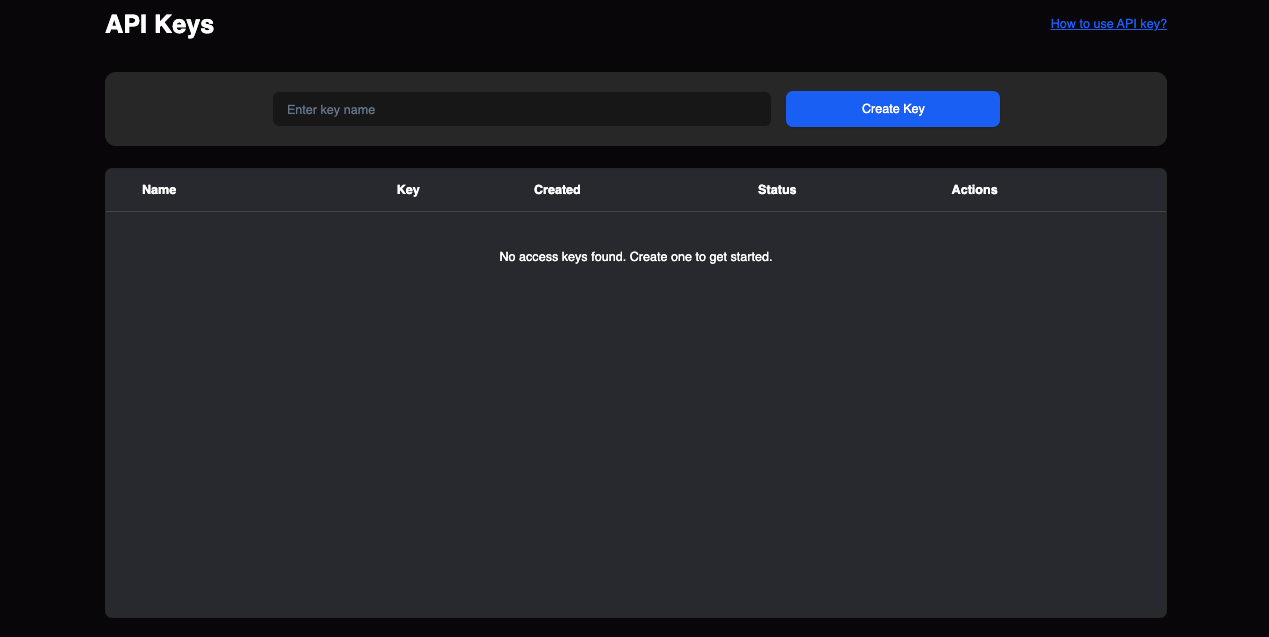
Moreover, label keys for organization, such as "Production" or "Test." This practice prevents mix-ups in multi-environment setups. Additionally, rotate keys periodically to enhance security.
If you lose a key, revoke it and generate a replacement. Consequently, this maintains uninterrupted access while protecting your account.
For detailed steps, refer to https://wavespeed.ai/accesskey. The page guides you through management, including revocation and usage tracking.
How Does Wavespeed API Authentication Work?
Wavespeed API authentication relies on Bearer tokens. You include the header "Authorization: Bearer YOUR_API_KEY" in every request. This method verifies your identity without sessions.
Additionally, set "Content-Type: application/json" for payload formatting. Failure to do so triggers errors. For example, in cURL, structure commands as follows:
curl --location --request POST "https://api.wavespeed.ai/api/v3/{model_uuid}" \
--header "Authorization: Bearer YOUR_API_KEY" \
--header "Content-Type: application/json" \
--data-raw '{"prompt": "Your prompt here"}'
Furthermore, handle authentication errors gracefully. Invalid keys return 401 Unauthorized responses. Therefore, implement retry logic with exponential backoff.
Best practices dictate avoiding hardcoded keys. Use environment variables instead. Moreover, restrict key permissions if the platform supports it. As a result, you minimize risks in production environments.
What Are the Main Wavespeed API Endpoints?
Wavespeed API features a unified endpoint at https://api.wavespeed.ai/api/v3/{model_uuid}. You replace {model_uuid} with the target model, such as "flux-dev-lora".
This endpoint handles task submission via POST. You send parameters like "prompt", "loras" (array of path and scale), and "output_format" (e.g., "png").
To check status, use GET on the same endpoint with a task ID. Retrieve results similarly once complete.
Additionally, common features include media upload for image inputs and balance queries for credit monitoring. These operate under /api/v3 paths.
Consequently, the design simplifies integration. You manage all operations through one base URL, reducing learning curves.
For full specifications, visit https://wavespeed.ai/docs/docs-api. It lists model UUIDs and parameter schemas.
How to Select the Right Model in Wavespeed API?
You select models based on task requirements. For text-to-image, choose FLUX.1 [dev] for high-quality outputs. Image-to-video tasks suit WAN-2.2-i2v-720p.
Review the model list at https://wavespeed.ai/models. It categorizes options by type, with descriptions and resolutions.
Furthermore, consider parameters like LoRA support for customization. Test models via the web interface before API implementation.
As a result, you optimize performance and costs by matching models to use cases.
How to Make Your First Wavespeed API Call?
You make your first call by preparing a POST request. Select a model UUID, such as "wavespeed-ai/flux-dev-lora".
Construct the JSON body with "prompt" and optional "loras". Execute via cURL or a client library.
For instance:
curl --location --request POST "https://api.wavespeed.ai/api/v3/wavespeed-ai/flux-dev-lora" \
--header "Authorization: Bearer YOUR_API_KEY" \
--header "Content-Type: application/json" \
--data-raw '{
  "prompt": "Octopus vs crab chess game, underwater, vibrant colors",
  "loras": [{"path": "nerijs/pixel-art-xl", "scale": 0.8}],
  "output_format": "png"
}'
Monitor the response for task ID. Poll for status until complete, then fetch the output.
Consequently, this initiates generation. Expand by integrating into applications.
How to Integrate Wavespeed API with Apidog?
You integrate Wavespeed API with Apidog by importing the OpenAPI spec or manually adding endpoints.
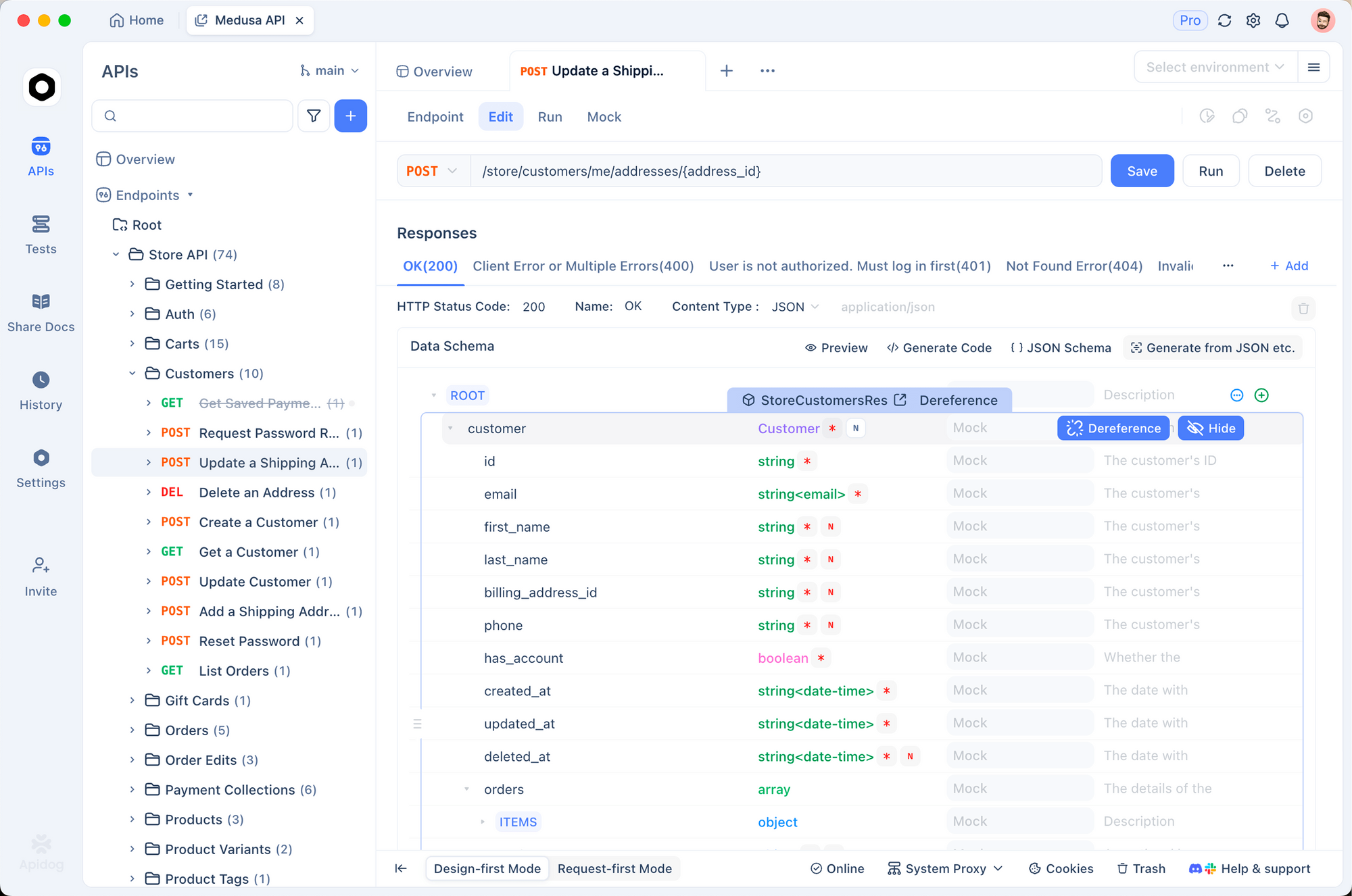
Add the unified endpoint, set authentication as Bearer token. Define parameters like prompt in the request body.
Test calls directly in Apidog's interface. It validates responses and generates code snippets.
Furthermore, use Apidog's mocking for development without live API hits. This accelerates prototyping.
Consequently, Apidog enhances Wavespeed API workflows, reducing debugging time.
What Advanced Features Does Wavespeed API Offer?
Wavespeed API offers LoRA support for model fine-tuning. Specify paths and scales in requests to adapt styles.
Additionally, it handles asynchronous processing for long tasks like video generation. Poll endpoints for updates.
Moreover, multi-model access allows switching UUIDs without reconfiguration. This flexibility supports hybrid applications.
Enterprise features include custom deployments and webhooks for notifications. Therefore, it scales with project growth.
Best Practices for Using Wavespeed API
Implement rate limiting in your code to respect account tiers. Monitor usage via balance endpoints.
Furthermore, validate inputs before submission to avoid errors. Use try-catch blocks for exception handling.
Secure keys with vaults like AWS Secrets Manager. Rotate them quarterly.
Additionally, batch requests for efficiency. This reduces latency in high-throughput scenarios.
Consequently, these practices ensure reliable, secure integrations.
How to Troubleshoot Common Wavespeed API Issues?
You troubleshoot by checking response codes. 401 indicates invalid authentication—verify your key.
For 429 (rate limit), implement backoff. 400 signals bad requests—inspect payloads.
Log errors and consult docs. If persistent, contact support@wavespeed.ai.
Moreover, test in sandbox modes if available. This isolates issues without consuming credits.
As a result, you resolve problems swiftly, maintaining workflow continuity.
What Account Levels Are Available in Wavespeed API?
Wavespeed API offers Bronze (basic limits, $100 top-up), Silver (higher concurrency, $1,000), and Gold (custom, $10,000+).
Upgrade via dashboard. Higher tiers provide more tasks per minute.
Consequently, select based on volume needs.
How to Monitor Usage and Balance in Wavespeed API?
Query the balance endpoint to track credits. Integrate this into dashboards for real-time monitoring.
Set alerts for low balances. This prevents interruptions.
Furthermore, analyze logs for optimization opportunities.
Integrating Wavespeed API with ComfyUI
Install the custom node from GitHub: git clone https://github.com/WaveSpeedAI/wavespeed-comfyui.git.
Configure your API key in config.ini. Use nodes for tasks like image generation.
This integration enables visual workflows, enhancing usability.
Conclusion
Wavespeed API facilitates advanced AI generation through simple, secure access. By following this guide, you implement robust integrations. Remember, tools like Apidog amplify efficiency—download it free today.